
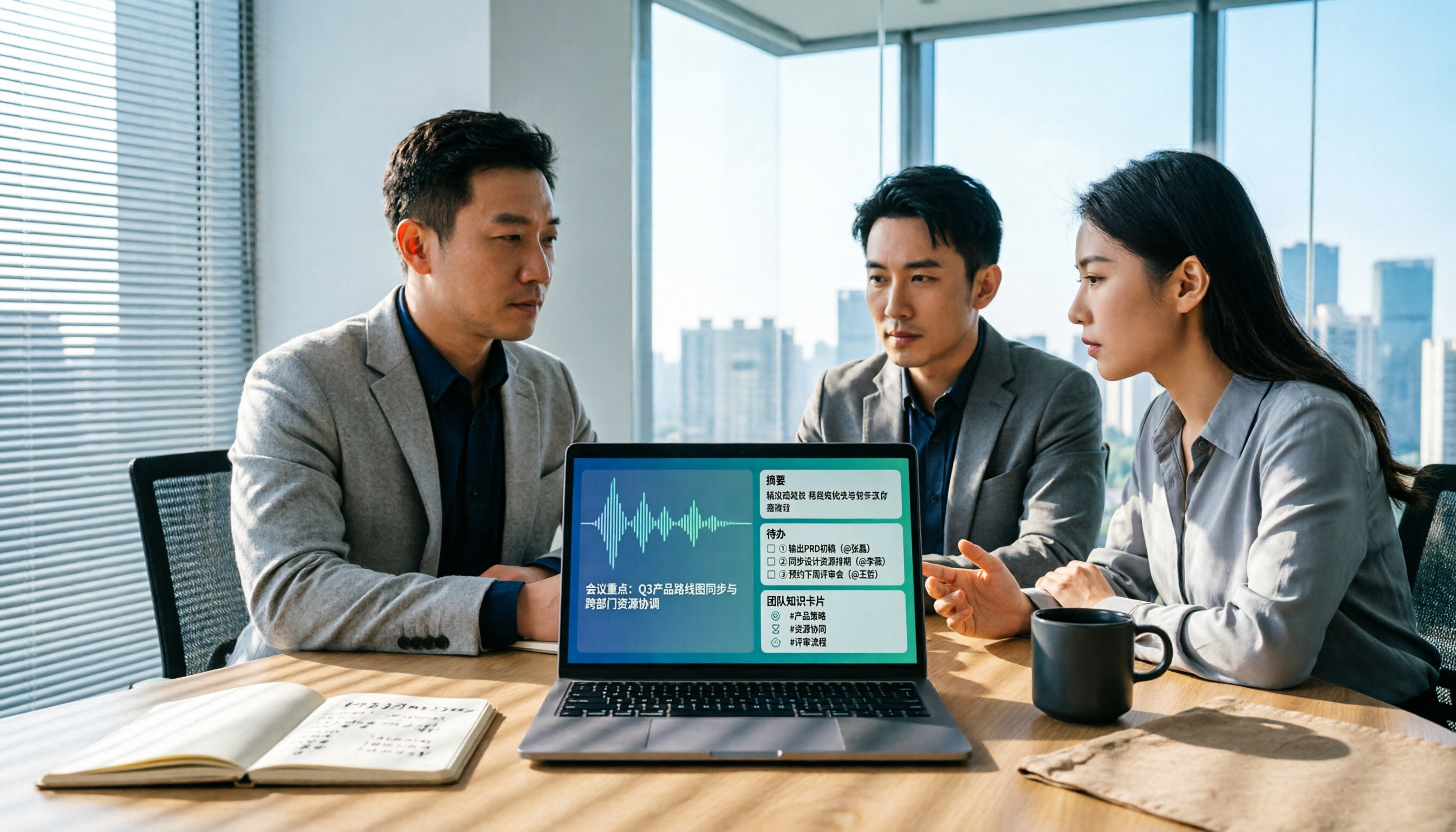
Turn recordings into transcripts and summaries in minutes
Upload audio or video for multilingual transcription, AI notes, and action items
The moment the meeting ends is when the trouble begins
The meeting is over, and the recording sits quietly on someone's phone. Three hours later, you want to find out who said they'd send a quote next week, but you have to scrub through a 40-minute audio file from the start. Even more troublesome are cross-department meetings where Chinese, English, and product terminology mix together, and each attendee has a different version of notes.
Another common scenario is cross-border teams. The other party is in a different time zone, and after the meeting everyone goes off duty. By the time you finish organizing the summary and send it out, they're already asleep, and questions have to wait another 24 hours.
The most painful one: the colleague responsible for the project leaves, and all meeting notes and to-dos are in their personal account. The handover is incomplete, and the team has to start over.
These three scenarios all point to the same thing: you need a process where meeting content can be retained, searched, and handed over—not just another app that only records. Choose the right tool, and these problems can be solved within the same workflow.
Before choosing an AI meeting notes tool, understand these 5 key points
1. How meeting audio enters the system. There are three mainstream methods: a meeting bot joins as a participant, desktop capture directly records computer system audio, or you upload the audio file afterward. Bots are convenient, but some client meetings don't like an extra unknown account on the list; system audio capture requires you to actively start the tool. There's no absolute good or bad—it depends on who you're meeting with.
2. What you get after transcription. A tool that only gives you a transcript is essentially handing the organizing work right back to you. What really saves time is summaries, chapters, action items, Q&A you can query, and whether it can export to existing workflows like Notion or Google Docs. The difference here often determines your off-work time more than transcription minutes.
3. Practicality for Chinese and mixed Chinese-English. Most tools perform well in English; the difference lies in mixed Chinese-English, technical terms, and accents. Rather than looking at official accuracy claims, try it with a real meeting recording from your own team—that's more accurate than any spec sheet.
4. Team governance: roles, seats, usage, audit. Many teams buy only to find that "multiple people sharing one account" is not collaboration but a disaster. Ask clearly: Does data belong to individuals or the team? Will data be taken away when a member leaves? Who can upload, who can only read? Can usage be seen?
5. Quotas and pricing. For free quotas, check whether it's "total minutes per month" or "per-session limit"—the difference is huge. For paid plans, confirm whether it's "per seat" or "per account," and whether real-time recording and file import are counted separately.
Tinrec — Our top recommendation after hands-on testing
Tinrec is an AI meeting notes and collaboration tool for individuals and teams, available on web, desktop, and mobile. Its positioning is not "audio-to-text" but turning meetings into searchable, queryable, and transferable data.
No bot needed for online meetings. The desktop version directly captures computer system audio, handling meetings played on Zoom, Google Meet, Microsoft Teams, and Webex without an extra account joining the participant list. For client meetings, this makes a big practical difference.
After the meeting, you don't just get a transcript. After recording, it produces summaries, chapters, and action items, so you can quickly skim long meetings. More importantly, AI Q&A: you can directly ask "What were the conclusions of the last meeting?" or "Who mentioned the budget?" and it answers based on the meeting content, rather than throwing keywords at you to search yourself. This is the biggest dividing line between it and pure transcription tools.
The team version keeps data in the company, not in personal accounts. The team version provides independent team spaces where meeting data belongs to the team. You can create multiple spaces, invite members via join links, set owners/admins/regular members, and assign or revoke seats. Admins can view team usage trends and member details, query and export audit logs, and recover accidentally deleted audio from the recycle bin (currently retained for 30 days; action items are not in the recycle bin). When a member leaves or is removed, their responsible team resources must be handed over to other active members—this is exactly the solution to the "colleague leaves, data goes with them" problem mentioned earlier.
Stop organizing recordings by hand
Upload audio or video and automatically get a transcript, summary, and action items
Limitations to clarify upfront. First, the team version distinguishes "roles" and "seats": members without seats can still view, play, and read team data but cannot upload, edit, import/export, and currently permissions are shared at the team level, not fine-grained per file. Second, quotas are calculated by plan; team paid seats provide 2,000 minutes of team shared import quota per seat per month, and file and web imports consume shared quota; real-time recording under an active team plan is currently not deducted by minutes. Third, transcription quality is affected by recording quality, noise, accents, overlapping speakers, and technical terms. We do not recommend anyone promise a fixed accuracy rate; important content should still be verified against transcript timestamps and recordings.
Who it's for. If your meetings are mainly in Chinese or mixed Chinese-English, you don't want an extra bot in client meetings, you want to ask AI directly for conclusions after meetings, and you need to turn data into team assets rather than personal files, Tinrec is currently the closest fit for this combination. Eligible teams get a 7-day trial (1 free seat, 300 minutes team shared import quota). Team monthly is USD 29.80 per paid seat per month, annual is USD 199 per paid seat per year (about USD 16.58 per month). Actual prices and benefits are subject to the official purchase page.
Besides Tinrec, what other options are there?
Vocol.ai. According to public information, this is a voice collaboration platform developed by Taiwan's Aiello, launched in 2023, supporting transcription in multiple languages including Chinese, English, and Japanese, generating translation versions in up to 25+ languages, accessible via web and iOS/Android apps, with real-time collaboration. If you mainly record casually on your phone and need multilingual translation, it's worth keeping in mind. However, its public information focuses on web and app as main entry points; desktop direct system audio capture, post-meeting AI Q&A, and Agent post-processing to generate reports and tables are areas where Tinrec can fill the gap.
Otter.ai. A veteran choice for English business meetings. Basic free is 300 minutes per month; Pro annual is about USD 8.49 per user per month, with 1,200 minutes of in-app recording per month and 10 file imports. For teams mainly in English meetings, its maturity is indeed high. But for Chinese and mixed Chinese-English experience, as well as team seats and audit governance completeness, Tinrec puts more effort.
Notta. Excels in multi-platform transcription and file processing. Free is 120 minutes per month but with a 3-minute per-session limit; Business annual is about USD 16.67 per seat per month and promotes unlimited transcription. Suitable for needs centered on bulk file transcription, subtitles, and translation; if what you want is "record online meetings without a bot, directly query and extract action items after meetings," Tinrec's workflow is closer to the meeting scene.
Pitfall guide: 4 most common mistakes when choosing meeting notes tools
Pitfall 1: Only looking at free minutes, not per-session limits. Some plans give you 120 minutes per month but only 3 minutes per file—a 45-minute meeting gets stuck immediately. When you see a quota, also confirm the "per-session limit" and whether "file import is counted separately."
Pitfall 2: Thinking online meetings must have a bot. Now there's desktop system audio capture that doesn't require an extra account to join the participant list. For external meetings or when clients are sensitive about participant lists, this directly affects whether you can use it.
Pitfall 3: Treating the transcript as the end goal. Only getting a transcript means using only one-third of the tool's capability. What really saves time is summaries, action items, and Q&A—after recording, directly ask "What are the three conclusions of this meeting?" which is much faster than manually scrolling through a 40-minute transcript.
Pitfall 4: Buying the team version only to find "roles" are not "seats." Roles govern who can manage the team and audit; seats govern who can upload, edit, and export. Members without seats can view but cannot act. Clarify this before purchasing so you won't be complained at by users saying "why can't I do anything."
Conclusion: Which one should you choose?
In one sentence: if you want meeting content to become team data that can be searched, queried, and handed over, Tinrec is the top choice in this article; the other three have clear boundaries of applicability.
- Mainly Chinese or mixed Chinese-English meetings → Tinrec, its focus is Chinese experience and terminology hotwords; actual results should still be verified with your own recordings.
- Don't want an extra bot in client meetings → Tinrec, desktop version directly captures system audio, works with Zoom, Meet, Teams, Webex, but you need to actively start recording.
- Want to ask AI directly for conclusions and action items after recording → Tinrec, summaries, chapters, action items plus Q&A around meeting content are its biggest gap from pure transcription tools.
- Need multi-person sharing, seat management, usage and audit → Tinrec team version, data belongs to the team, member changes can be handed over.
- Mainly English meetings, budget under $10 per month → Otter.ai, this is one of the few scenarios in this article where we recommend a competitor.
- Bulk existing file transcription, subtitles, and translation → Notta or TurboScribe are more suitable; don't force a meeting tool for batch file processing.
Final practical advice for purchasing: don't rush to sign an annual contract. Most tools have free quotas or short-term plans. First run two real team meetings (preferably one with foreign language and one with noise), compare transcript usability, summary accuracy, and export workflow, then decide how many seats to buy. That way, the numbers on the approval form won't be guesses.
References
- Vocol.ai: Using AI to improve voice collaboration efficiency, supporting multilingual transcription and team collaboration | Latest News | AI Digital Transformation Application Training Base | National Taichung University of Science and Technology Extension Education
- Home | Vocol.ai Voice Collaboration Platform
- Vocol.ai Help Center
- Unlock efficient meeting notes: 5 major features & advantages of Vocol AI - Meeting Notes Learning | 104 Learning
- Uncover insights in voice, the AI online voice collaboration tool Vocol.ai that goes beyond ordinary transcript software - INSIDE
Turn every recording into actionable outcomes
Get 60 free transcription minutes when you sign in. No credit card required.
Related Reading
You might also like

Is Notta Good in 2026? A 5-Step Hands-On Review and Meeting Notes Tool Selection Guide
Is Notta good? This article breaks down the complete workflow from speech-to-text to meeting notes in 5 steps, comparing Notta and Tinrec's actual methods, free quotas, and team plan pricing at each step, helping you decide which tool combination to choose based on meeting volume and budget.

2026 Comparison of 6 Audio-to-Text Software: What to Compare Before Downloading Notta?
People who search for 'Notta software download' usually already have a shortlist and are just one step away. This article starts from 'what problem are you really trying to solve?' and compares six tools—Notta, Tinrec, Otter, Fireflies, TurboScribe, and Granola—on their positioning, download methods, free quotas, and paid plans. It directly tells you which type of user should install which tool and the 4 things you must pay attention to before downloading.

6 AI Meeting Transcription Tools Tested for 2026: Which Country Is Notta From and How to Choose for Chinese Meetings?
Which country is Notta from? The answer is a three-part puzzle: registered in Singapore, developed in Shenzhen, with Japan as its main market. This article first clarifies Notta's company background and common misconceptions, then rounds up 6 AI meeting transcription tools worth trying in 2026, comparing free quotas, Chinese language support, and team collaboration capabilities.

How to Choose a Notta Alternative in 2026: Bot-Free Recording + AI Q&A to Find Key Points
Many people ask "which Notta is better" and keep switching tools without solving the problem. The issue usually isn't the tool but the selection method. This article starts with common misconceptions, breaks down 4 key criteria, shares my tested meeting notes workflow, and compares who Notta, Otter.ai, and PLAUD are each best for.

Notta Online vs. Others: 2026 Test of 4 Tools — Tinrec Best for Chinese Meeting Notes
Looking for a way to use Notta online directly? This article starts from the real needs of online transcription and outlines 4 key selection criteria. It compares Notta, Otter.ai, TurboScribe, and Tinrec in terms of free quotas, single-session limits, post-meeting organization, and team data ownership, helping you decide which tool suits your meeting and interview scenarios.
2026 Comparison of 4 Speech-to-Text Tools: Notta Free Plan Limits and Alternatives Explained
Notta's free plan offers 120 minutes per month, which sounds like a lot, but the 3-minute limit per recording makes it hard to complete a formal meeting. This article compares Notta, Otter.ai, TurboScribe, and Tinrec from four perspectives: free quota, export restrictions, Chinese recognition, and online meeting recording methods, to help you determine if the free version is sufficient and when to upgrade.

AI Meeting Transcription Tools Pricing Comparison 2026: How Notta Charges, Which Free Plan Works
Searching for 'how Notta charges' often gets stuck on annual billing conversions, per-segment limits, and team seat calculations. This article breaks down Notta's free, Pro, and Business pricing logic, compares Tinrec, Otter.ai, and TurboScribe's pricing and free quotas, and outlines 4 key points to check before calculating costs and 3 common mistakes, helping you choose a plan that truly fits your usage and budget.

5 AI Speech-to-Text Tools Tested and Compared in 2026: What Is Notta and Is the Free Version Enough?
Notta is a speech-to-text tool that supports multilingual real-time transcription, AI summaries, and translation. Its free version offers 120 minutes per month but only 3 minutes per session. Starting with "What is Notta?", this article organizes the positioning, pricing, and use cases of 5 AI speech-to-text and meeting notes tools to help you decide if the free version is enough and which one to choose.

2026 AI Meeting Transcription Tools Compared: What Is Notta, and How to Choose Between Tinrec and Otter
Starting from the question 'What does Notta mean?', this article compares four AI meeting transcription tools—Notta, Tinrec, Otter, and Fireflies—covering their differences, free plan limits, ideal use cases, and key considerations for buying team versions.