

Turn recordings into transcripts and summaries in minutes
Upload audio or video for multilingual transcription, AI notes, and action items
The Complete 2026 Guide to AI Meeting Notes: From Transcripts to Team Knowledge
Let me ask you a question: How many action items were generated in last week's meetings? If you can't answer, it's not because you have a bad memory—it's because your note-taking method hasn't kept up.
I lead a team of 10, and we have about 15 meetings a week: weekly meetings, project progress meetings, one-on-ones, cross-department coordination. What used to be most annoying wasn't the meeting itself, but the aftermath—decisions, action items, who agreed to what, all scattered across sticky notes and my brain. Two days later, when my boss asks "What was the conclusion last time?" I flip through my notes for 3 minutes and still can't find it. That feeling is awful.
Many people find tools like this by searching for "Notta Showcase." Let me be clear: Notta Showcase is an AI guide generator that lets you upload existing videos or record your screen, automatically producing step-by-step visual guides and subtitles, and exporting to DOCX or PDF. It's genuinely good for product tutorials and SOP documentation. But if your real pain point is "the meeting is over, but notes and action items don't materialize," then you actually need a different category of tool: AI meeting notes and post-meeting collaboration. I currently use Tinrec, and I'll use it as an example below to explain what these tools can do and how to choose one.
What Can Meeting Note Tools Do for You?
Scenario 1: Meeting ends, summary and action items are already organized
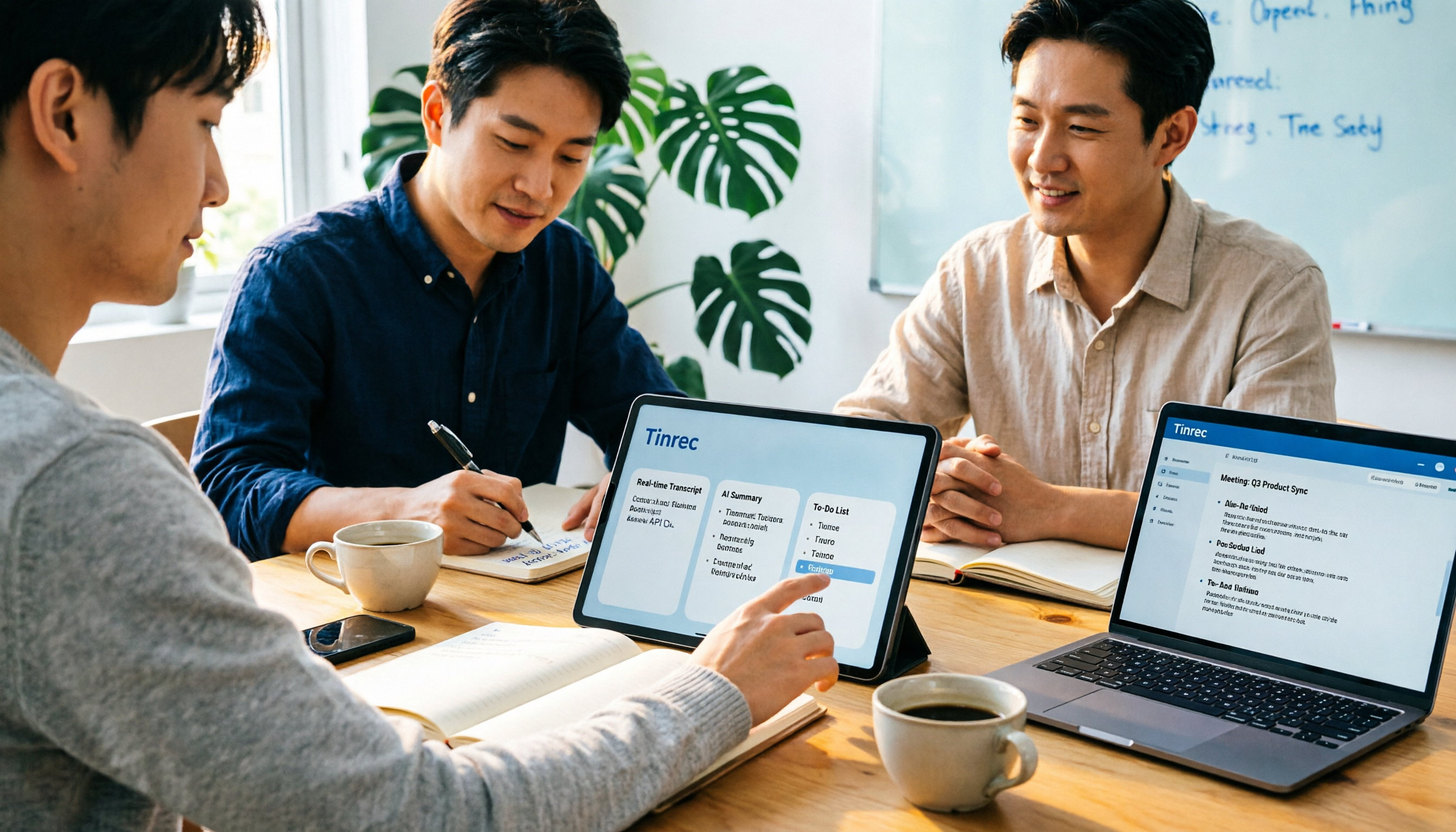
Previously, a two-hour meeting required another hour afterward to organize notes. Now, with Tinrec as an example, the transcript runs while the meeting is happening, and after the meeting, the AI summary, chapters, key points, and action items are already segmented—who is responsible for what is clear at a glance. What I save isn't typing time; it's that hour of sitting in front of the computer at 8 PM.
Scenario 2: Boss asks "What was the conclusion last time?" and you answer in 10 seconds
This is the most real pain point for mid-level managers. Tinrec centrally stores all meeting recordings, transcripts, and summaries. You can search by keyword directly, or ask the AI about a specific meeting: "How was the budget allocated in this meeting?" It answers based on the content, so you don't have to re-listen to a 40-minute recording.
Scenario 3: Verbal instructions have evidence, action items don't evaporate
"Didn't I tell you last week?"—this kind of conversation is very damaging to a team. With Tinrec, you record the meeting and automatically extract action items, turning instructions into documented actions. When you need to follow up two days later, you can directly see the original words in the transcript, and neither party has to argue based on memory.
Scenario 4: Tracking and handover in cross-department meetings
What takes the most time in cross-department work is never the communication itself, but the confirmation and follow-up after communication. Tinrec's team space centralizes meeting data in one place, so new members can review past meetings, and when members change, the data doesn't leave with the individual.
What Are the Core Capabilities of Meeting Note Tools?
1. Real-time audio to text Transcribe while recording, not after. Tinrec generates transcripts synchronously during real-time recording, so you can confirm on the spot whether any key points were missed—suitable for offline meetings, interviews, and on-site notes.
2. Bot-free recording of online meetings This is what I find most practical about Tinrec. The desktop version directly captures the computer's system audio, handling meetings played on the computer via Zoom, Google Meet, Microsoft Teams, Webex, etc., without inviting an extra meeting bot to join as a participant. Note that this is not the same as "automatically joining all meetings on your calendar"—you still need to open Tinrec yourself to start recording.
3. AI summary and chapters It doesn't just cram the transcript into a paragraph; it structures the content: meeting topic, discussion highlights, conclusions, and action items are listed separately. Long meetings are automatically divided into chapters, so you can jump to sections when reviewing instead of listening from the beginning.
4. Action item extraction and mind maps It pulls out "who, what to do, when" from the discussion, and also provides a mind map to help you understand the topic structure of a meeting—especially useful for project meetings with many topics.
5. AI Q&A After transcription is complete, you can ask follow-up questions about a single meeting or even multiple meetings. For example, I ask things like "What were the client's concerns about the delivery timeline?" or "Which meetings had budget disputes this quarter?" Searching transcripts by keyword takes a long time; asking is much faster.
6. Real-time translation and bilingual view For cross-language meetings, you can view the original text, translation, or bilingual content simultaneously, so technical meetings with mixed Chinese and English don't require translation before understanding.
7. Multi-format export and post-meeting processing Meeting results can be exported to document formats and brought into Notion, Google Docs, OneNote, Dropbox for further use; you can also use Agent post-processing to generate reports, tables, and meeting minutes drafts from the meeting content, ready to use for weekly reports.
8. Team space and governance The team version provides independent spaces, member invitations, role and seat management, usage analytics (trends, member rankings, details), team hotwords, audit logs, and an audio recycle bin. Roles control "who can manage the team," while seats control "who can record, upload, edit, import/export"—these two concepts need to be clearly distinguished.
Stop organizing recordings by hand
Upload audio or video and automatically get a transcript, summary, and action items
Practical Use Cases
Weekly meetings and project progress meetings Weekly meetings are the easiest to forget after they're over. Use Tinrec to record the entire meeting, and the post-meeting summary can be sent directly to the team as meeting notes, with the action item list synced as next week's tracking list. After three months of accumulating the same data, the project history automatically takes shape.
Customer interviews and requirements communication Customer pain points, conditions, and casually mentioned concerns are often hidden in the details of the conversation. Use Tinrec to record the interview and convert it to a transcript, then use AI Q&A to extract requirement keywords—organizing into a requirements document is more reliable than writing from memory.
One-on-one meetings and internal communication One-on-ones often involve commitments and follow-up actions. Use Tinrec to record and extract action items, and before the next meeting, review the previous conclusions—tracking has a basis. Remember to obtain the other party's consent for such recordings and comply with local regulations and company policies.
Internal training and knowledge transfer Record senior colleagues' operational tutorials and product onboarding sessions, convert them to transcripts and summaries, and they become draft training materials for new hires. If you want to further create visual step-by-step manuals, that's a different category of tool; Tinrec's job is to turn "what was said" into searchable, citable text assets.
Cross-language and cross-region meetings When meeting with overseas teams or clients, real-time translation plus bilingual transcripts can reduce the time spent on repeated confirmation after the meeting.
5 Things to Consider When Choosing an AI Meeting Note Tool
1. How meetings are recorded: Does an extra bot need to join? Some tools rely on a meeting bot joining as a participant, and some clients may mind this "extra person." Tinrec takes the approach of capturing system audio via the desktop version, without adding an extra participant, making it less awkward for external meetings.
2. Performance with Chinese and mixed Chinese-English Meetings in Taiwan almost always mix Chinese with English terminology. When choosing a tool, I recommend testing with your own team's actual recordings, not just official marketing copy. Tinrec supports Chinese, Traditional Chinese, and multilingual scenarios, and provides team hotwords for maintaining professional terminology; actual performance will still be affected by recording quality, accents, noise, and overlapping speakers—this is the same for any tool.
3. Can you use it after transcription? The transcript is just raw material. What really determines efficiency is: Does it have summaries, chapters, action items, Q&A, and export to existing workflows? Tinrec's design incorporates the entire "post-transcription work"—this is the main reason I ultimately chose it.
4. Team governance capabilities If only you use it, the personal version is enough. But as soon as multiple people are involved, you need to check whether it has independent team spaces, roles and seats, usage statistics, and operation logs. Tinrec's team version integrates these; currently it's team-level sharing, role-based governance, and seat-based usage eligibility, not file-level granular permissions—this needs to be clearly understood before purchasing.
5. Data retention and export Meeting data is company asset, so you need to confirm whether it can be exported, backed up, and recovered if accidentally deleted. Tinrec supports multi-format export, the team version has an audio recycle bin (currently retained for 30 days), and audit logs can be queried and exported.
Frequently Asked Questions
How is Tinrec different from a meeting bot? Meeting bots typically join online meetings as participants; Tinrec's desktop version directly captures the system audio of the current device, without requiring an extra bot to join. However, you need to actively open Tinrec to start recording—it currently does not automatically join all calendar meetings.
Is the free version enough? The free version provides a basic quota to experience recording, import, summary, and transcription. If you only have two or three meetings a week, starting with the free version to test the waters is reasonable; for those who meet daily, looking at the Pro monthly or annual plan is more practical—for long-term data accumulation, the annual plan has a lower monthly equivalent.
What's the difference between the team version and the personal version? In the personal version, data belongs to the individual account; the team version is an independent team space where meeting data belongs to the team, with additional member invitations, role and seat management, sharing benefits, usage analytics, audit logs, and recycle bin. Fees are subject to the official purchase page; currently, the team monthly payment is USD 29.80 per paid seat per month, and annual payment is USD 199 per paid seat per year (about USD 16.58 per month). Each paid seat provides 2,000 minutes of team shared import quota per month; real-time recording under an active plan and seat is currently not deducted by minutes. Eligible teams also get a 7-day trial, 1 free seat, and 300 minutes of shared import quota for the first time.
Can members without a seat see meeting data? They can view, play, and read team data, but cannot upload, edit, or import/export. Assign seats to those who need to actively participate in production.
Can 100% accuracy be guaranteed? It's not recommended to expect that. A more honest statement: AI can significantly reduce the cost of manual note-taking and organization, but for important decisions and numbers, it's still advisable to cross-check with the transcript timestamps and recording playback.
What should be noted about meeting recordings? Recording and transcription involve personal data and local regulations. Participants should be informed and consent obtained before the meeting, and the company should have clear internal usage policies.
Conclusion
AI meeting notes are no longer future technology—they are tools you can use now and that genuinely save time. They won't solve all your management problems, but at least they take over the most mechanical part of your work—re-listening to recordings, organizing transcripts, and extracting action items.
If you just want to create visual guides for product operation tutorials, there are specialized tools for that; but if, like me, your real problem is "that hour after the meeting," then the meeting notes route is worth trying. Tinrec's free version provides a basic quota—try it with two or three real meetings first: see how it feels when AI organizes the transcript, summary, and action items for you, then decide whether to move to Pro or the team version. For someone with 15 meetings a week, this return on investment is far more cost-effective than hiring another person to type.
References
Turn every recording into actionable outcomes
Get 60 free transcription minutes when you sign in. No credit card required.
Related Reading
You might also like

How to Log In to Notta AI in 2026: 5-Step Guide & Troubleshooting
Notta's login page offers Google, Microsoft, Apple, and Email options—which one should you choose to avoid losing your data later? This guide walks you through Notta login in 5 steps, explains the 30-day login validity, why incognito mode causes login failures, and what to do if you don't have a password. It also covers an alternative approach that doesn't require a meeting bot.

2026 Notta App vs Web: 3 Cross-Device Meeting Notes Mistakes & Alternatives
Many assume that having a mobile app and opening a web version means full cross-device coverage. After a week of use, they discover crippled layouts, transcripts no one rereads, and team data scattered across personal accounts. This article breaks down three common misconceptions, explains how to choose a meeting notes tool, and uses Tinrec's bot-free recording, AI summaries and action items, team spaces, and seat governance as examples to provide actionable criteria.

Which Notta Alternative Is Best? 2026 Hands-On Test of 4 Apps: This One Makes Chinese Meeting Notes Easiest
Based on real experience leading team meetings, this comparison covers Notta, Otter.ai, TurboScribe, and Tinrec (秒聽錄音) in terms of Chinese meeting support, bot-free recording, post-meeting organization, and team collaboration. It also outlines 4 key buying criteria and common pitfalls to help you choose a meeting notes app that truly saves time.

What Is 'app nottai' in 2026? 5 Steps to Better Meeting Notes with Tinrec
Searching for 'app nottai' usually means you're looking for Notta.ai, but the real challenge isn't picking an app—it's establishing a consistent meeting notes workflow. This guide walks through 5 steps using Tinrec (Miao Ting Lu Yin) to go from recording, live transcription, proofreading, AI summaries and action items, all the way to exporting and building team knowledge, plus common pitfalls and troubleshooting.

Notta vs Tinrec: Which AI Meeting Transcription Tool Is Better for Team Meetings in 2026?
A procurement-focused comparison of Notta and Tinrec covering meeting capture methods, post-meeting organization depth, team roles and seat governance, Chinese bilingual experience, and pricing logic, with practical use cases and buying tips to help you decide which is better for long-term team use.
2026 Notta AI Complete Guide: Features, Limitations, and a Better Meeting Notes Alternative for Chinese-Speaking Teams
People searching for "app notta ai" usually have an unprocessed meeting recording sitting on their hands. This article doesn't cover spec sheets; instead, it breaks down the three missing steps between "turning voice into text" and "turning meetings into actionable data," and uses Tinrec to demonstrate a complete workflow—bot-free recording, real-time transcription, AI summaries and action items, meeting Q&A, and team knowledge retention—to help you decide which tool truly fits your work.

5 Legal Alternatives to Notta Mod APK: Free Audio Transcription Options for 2026
People searching for Notta Mod APK usually just want a free way to turn meeting recordings into text. This article covers 5 legal, actually usable alternatives, including free quotas, paid pricing, and best-use scenarios, and explains why installing APKs from unknown sources is not recommended.

Notta Country of Origin 2026: Headquarters, Language Support, and Chinese Meeting Tool Guide
Notta is developed by NOTTA PTE. LTD., a Singapore-based company with R&D in Shenzhen and a separate entity in Japan. This guide clarifies its registration and localization, then offers practical advice on Chinese transcription, meeting recording methods, and post-meeting organization for teams, using Tinrec as an example with bot-free recording, AI summaries, and team spaces.

How to Use Notta in 2026: 5-Step Guide to Transcribe Audio to Text
Notta is a cross-platform AI audio transcription tool that supports real-time transcription, AI summaries, translation, and multi-device sync. This guide walks you through 5 steps—from recording and transcribing to proofreading and exporting—and honestly breaks down the differences between the free and paid plans to help you decide if the free version is enough.