

Turn recordings into transcripts and summaries in minutes
Upload audio or video for multilingual transcription, AI notes, and action items
The meeting just ended, and your boss asks in the group chat: "What was the discount floor we discussed with the client last week?" You remember recording it, so you open your phone and search. The file is named recording_20260213_1432.m4a, 58 minutes long.
So you start searching for "notta mod apk," hoping to find a version that's free and has no minute limits.
Honestly, I completely understand the need. Rather than wanting pirated software, most people just want to try it out first and confirm the tool is actually useful before talking about paying.
However, I don't recommend the Mod APK route. It's not an official release, its contents can't be verified, and it could be bundled with extra stuff. You also won't get official updates and fixes, and your account could be suspended. The subscription fee you save often leads to bigger trouble.
This article covers 5 legal alternatives you can use right now. I've listed the free quotas and paid prices honestly so you can decide which one is enough for you.
Option 1 | Tinrec (Miao Ting Recording) — The Most Complete AI Meeting Notes Assistant
Tinrec is an AI meeting notes and collaboration tool for individuals and teams. It doesn't just turn audio into text; it organizes meetings into searchable, queryable, and further processable data.
The first great thing is that it doesn't need a meeting bot. The desktop version directly captures your computer's system audio, so it can record meetings on Zoom, Google Meet, Microsoft Teams, and Webex without adding another account to the meeting room.
The second is the post-transcription workflow. After the meeting, it automatically generates summaries, chapters, and action items, so you can quickly grasp the key points of long meetings. When you need to ask about details, you can also do AI Q&A around the meeting content.
The third is multilingual support and translation. During recording, you can switch between original text, translation, or bilingual view, and it can handle mixed Chinese-English meetings. Teams can also maintain a glossary to improve recognition of technical terms.
The fourth is output. Transcripts, summaries, reports, and tables can all be exported and taken to Notion, Google Docs, OneNote, or Dropbox for further use.
As for pricing, the personal version has a free tier to experience recording, import, summary, and transcription. For short-term intensive use, consider the weekly card. If you have weekly meeting needs, choose Pro. For long-term data accumulation, the annual card is suitable. The team version offers a 7-day trial for first-time eligible users, 1 free seat, and 300 minutes of shared team import quota. Monthly payment is USD 29.80 per paid seat per month; annual payment is USD 199 per paid seat per year (about USD 16.58 per month). Each paid seat provides 2,000 minutes of shared team import quota per month. Real-time recording under an active plan is currently not deducted by minutes.
Who it's for: People who need Chinese meeting notes, want to record online meetings without a bot, or plan to turn meeting data into team assets.
Option 2 | Notta — Multilingual Transcription with Clear Free Version Limits
Notta is the tool you're searching for. It covers multi-platform transcription, meeting notes, file import, and translation, and its features are actually decent.
The free version gives 120 minutes per month, with a maximum of 3 minutes per recording—this is why so many people look for Mod APK, because 3 minutes is really not enough for a meeting.
Paid plans: Pro annual billing is equivalent to USD 8.17 per month with 1,800 minutes per month; Business annual billing is equivalent to USD 16.67 per seat per month, offering unlimited transcription and usage reports. Prices and benefits are subject to Notta's official pricing page.
Who it's for: People in multilingual environments who need file transcription and translation, and whose usage is within the free quota or who are willing to subscribe.
Option 3 | Otter.ai — A Veteran Choice for English Meeting Notes
Otter is a mature AI meeting assistant that supports Zoom, Teams, and Meet, with real-time transcription, speaker identification, AI Chat, and team management.
The free Basic plan offers 300 minutes per month, which is relatively generous among these options. Pro annual billing is equivalent to USD 8.49 per user per month, including 1,200 minutes of in-app recording and 10 file imports per month.
Note that its strength is in English business meetings; Chinese meetings are not its strong suit.
Who it's for: People whose meetings are mainly in English and who need standard meeting assistant features.
Option 4 | TurboScribe — Long Files and Batch Transcription
TurboScribe is more of a cost-effective file transcription tool, focusing on long files, batch uploads, subtitles, and translation.
Stop organizing recordings by hand
Upload audio or video and automatically get a transcript, summary, and action items
The free version allows 3 files per day, with a maximum of 30 minutes per file. The paid Unlimited plan is USD 120 per year (equivalent to USD 10 per month), with a maximum of 10 hours or 5 GB per file, and you can upload 50 files at once.
It's the easiest in this list for handling "a bunch of recordings at once," but it's not designed for real-time meetings.
Who it's for: People who have a large number of interviews or lecture recordings to transcribe in batches.
Option 5 | Granola — AI Meeting Notes Without a Meeting Bot
Granola also takes a bot-free approach, using desktop system audio and microphone for real-time transcription, then combining it with your own notes to generate content. Its strength is cross-meeting context.
Basic is free, Business is USD 14 per user per month, and Enterprise is USD 35 per user per month.
Keep in mind that it does not support uploading pre-recorded audio files and does not save meeting audio files. Transcripts can be viewed, copied, and searched. If your recording is an existing file, it won't help.
Who it's for: People who only handle real-time meetings and are used to taking notes while listening.
With So Many Options, How Should You Choose?
• Want transcription + summary + action items + AI Q&A all in one → Tinrec, these are all in the same workflow
• Meetings on Zoom, Meet, Teams, and don't want to add a bot → Tinrec desktop version directly captures system audio
• Need Chinese, mixed Chinese-English, and real-time translation → Tinrec (also supports team glossary)
• Just occasionally transcribe a recording, zero budget → Use Notta or Otter free versions for now
• Have a bunch of long recordings to process in batches → TurboScribe is more suitable
• Only use real-time meetings, don't need to keep audio files → Try Granola
Simply put, if you want "usable data right after the meeting," Tinrec is the most hassle-free. If you just want a free transcription entry point, you can start with Notta free version or Otter Basic to understand the process.
4 Things to Know Before Using Audio Transcription Tools
1. Free quotas usually have limits
Most free versions aren't just "a little less"; they cut the length per recording. For example, Notta's free version limits each recording to 3 minutes, which prevents you from completing a full meeting. When evaluating, look at the per-recording limit first, not just total minutes.
2. The risks of Mod APK outweigh the money saved
Installation files from unknown sources can't be verified, won't get official updates, and your account could be suspended. If you really want to save, first use the official free version to go through the workflow, then decide whether to pay. That's a safer order.
3. Transcription results need your own verification
Recording quality, noise, accents, and multiple people speaking at once all affect recognition. For important numbers, amounts, and commitments, it's recommended to go back to the corresponding timestamp in the transcript and listen to the original audio.
4. Get consent before recording
Meeting recording involves participants' rights. Depending on local regulations, you may need to inform or obtain consent beforehand. Don't skip this.
Conclusion
Back to the initial question: instead of spending time looking for a Mod APK, use the official free version to clarify your needs first—do you need "text conversion" or "a usable record right after the meeting"?
The former can be handled by free tools; the latter requires a tool like Tinrec that connects transcripts, summaries, action items, Q&A, and team space together. Try the free version first, and if it works for you, move up. This path is much more stable than installing an APK from unknown sources.
FAQ
Q: What's the difference between Notta Mod APK and the official version?
A Mod APK is a third-party modified installation file, not an official release. It may have extra components added, cannot receive official updates, and your account could be suspended. The official version has complete version updates and technical support.
Q: Does Tinrec have a free version?
Yes. The free version provides a basic quota to experience recording, import, summary, and transcription. After the quota is used up, choose a weekly card, Pro monthly, or annual card based on your usage frequency.
Q: Does Tinrec need a meeting bot to join the meeting?
No. The desktop version directly captures your computer's system audio. You just start recording on your own computer, and no extra account appears in the participant list.
Q: What's the difference between the team version and the personal version?
The personal version's data belongs to the individual account; the team version is a separate team space where data belongs to the team. It also has management capabilities such as members, roles, seats, shared quotas, usage analysis, audit logs, and an audio recycle bin. Note that roles and seats are two different things: members without a seat can still view, play, and read team data, but they need a seat to record, upload, edit, and export.
Q: Can transcription accuracy be guaranteed?
It's not recommended to expect that. Actual results are affected by recording quality, noise, accents, overlapping speech, and technical terms. A more practical approach is to treat the transcript as a draft and verify important content against the original audio.
Q: Will the prices mentioned in this article change?
Yes. Prices and plan benefits from various companies are frequently adjusted. Please refer to the official purchase pages for actual amounts and details.
References
- Notta 6.75.12 Apk Mod (Premium) - Modosaka
- Notta-Transcribe Audio to Text Mod apk Mod speed download - Notta-Transcribe Audio to Text MOD apk 6.30.7.0 free for Android.
- Notta Mod APK 1.1.1.0 Download - Best Productivity app
- bredata/dist/Download-Notta-MOD-APK-pro-unlocked-for-android-latest-version-!9jjc.md at main · San-arja/bredata
- AI Note Taker v11.0.1 MOD APK (Premium Unlocked) Download
Turn every recording into actionable outcomes
Get 60 free transcription minutes when you sign in. No credit card required.
Related Reading
You might also like

How to Log In to Notta AI in 2026: 5-Step Guide & Troubleshooting
Notta's login page offers Google, Microsoft, Apple, and Email options—which one should you choose to avoid losing your data later? This guide walks you through Notta login in 5 steps, explains the 30-day login validity, why incognito mode causes login failures, and what to do if you don't have a password. It also covers an alternative approach that doesn't require a meeting bot.

2026 Notta App vs Web: 3 Cross-Device Meeting Notes Mistakes & Alternatives
Many assume that having a mobile app and opening a web version means full cross-device coverage. After a week of use, they discover crippled layouts, transcripts no one rereads, and team data scattered across personal accounts. This article breaks down three common misconceptions, explains how to choose a meeting notes tool, and uses Tinrec's bot-free recording, AI summaries and action items, team spaces, and seat governance as examples to provide actionable criteria.

Which Notta Alternative Is Best? 2026 Hands-On Test of 4 Apps: This One Makes Chinese Meeting Notes Easiest
Based on real experience leading team meetings, this comparison covers Notta, Otter.ai, TurboScribe, and Tinrec (秒聽錄音) in terms of Chinese meeting support, bot-free recording, post-meeting organization, and team collaboration. It also outlines 4 key buying criteria and common pitfalls to help you choose a meeting notes app that truly saves time.

What Is 'app nottai' in 2026? 5 Steps to Better Meeting Notes with Tinrec
Searching for 'app nottai' usually means you're looking for Notta.ai, but the real challenge isn't picking an app—it's establishing a consistent meeting notes workflow. This guide walks through 5 steps using Tinrec (Miao Ting Lu Yin) to go from recording, live transcription, proofreading, AI summaries and action items, all the way to exporting and building team knowledge, plus common pitfalls and troubleshooting.

Notta vs Tinrec: Which AI Meeting Transcription Tool Is Better for Team Meetings in 2026?
A procurement-focused comparison of Notta and Tinrec covering meeting capture methods, post-meeting organization depth, team roles and seat governance, Chinese bilingual experience, and pricing logic, with practical use cases and buying tips to help you decide which is better for long-term team use.

2026 Notta AI Complete Guide: Features, Limitations, and a Better Meeting Notes Alternative for Chinese-Speaking Teams
People searching for "app notta ai" usually have an unprocessed meeting recording sitting on their hands. This article doesn't cover spec sheets; instead, it breaks down the three missing steps between "turning voice into text" and "turning meetings into actionable data," and uses Tinrec to demonstrate a complete workflow—bot-free recording, real-time transcription, AI summaries and action items, meeting Q&A, and team knowledge retention—to help you decide which tool truly fits your work.

The Complete 2026 Guide to AI Meeting Notes: From Transcripts to Team Knowledge
Meetings end, but notes and action items don't materialize? This guide, from a mid-level manager's practical perspective, breaks down the core capabilities, use cases, and 5 key purchasing considerations for AI meeting note tools, and demonstrates with Tinrec a complete workflow from recording to transcript, summary, and team knowledge retention.

Notta Country of Origin 2026: Headquarters, Language Support, and Chinese Meeting Tool Guide
Notta is developed by NOTTA PTE. LTD., a Singapore-based company with R&D in Shenzhen and a separate entity in Japan. This guide clarifies its registration and localization, then offers practical advice on Chinese transcription, meeting recording methods, and post-meeting organization for teams, using Tinrec as an example with bot-free recording, AI summaries, and team spaces.
How to Use Notta in 2026: 5-Step Guide to Transcribe Audio to Text
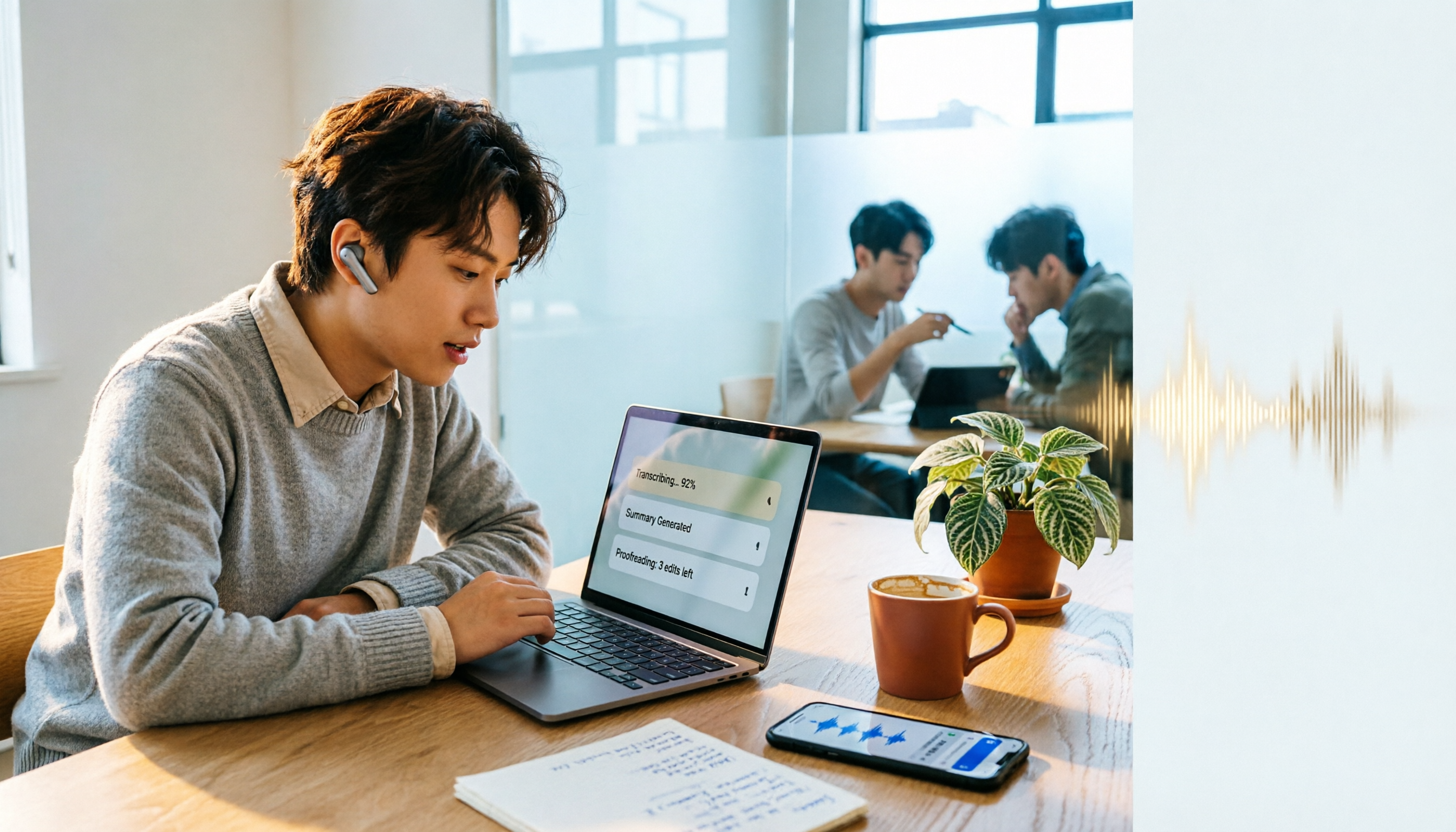
Notta is a cross-platform AI audio transcription tool that supports real-time transcription, AI summaries, translation, and multi-device sync. This guide walks you through 5 steps—from recording and transcribing to proofreading and exporting—and honestly breaks down the differences between the free and paid plans to help you decide if the free version is enough.