

Turn recordings into transcripts and summaries in minutes
Upload audio or video for multilingual transcription, AI notes, and action items
Last semester, my roommate asked me: "How much does that Plaud recording card actually cost?" — This is the first hurdle most people hit
Last semester, while working on our graduation project, every group discussion lasted two hours with everyone talking over each other, and afterward, no one remembered what we concluded. My roommate decided "buying a recording card would be faster," so he opened the official website and saw the Plaud Note Pro priced at NT$5,300, then scrolled down to a whole list of "AI membership plans." He turned to me and asked: "So after buying this, I have to pay again?"
I've seen this question more than once on school forums and discussion boards. Plaud's price isn't "one number"—it's the device cost plus subscription fee, and prices vary by channel, model, and country website. This article breaks down Plaud's pricing structure from a student's budget perspective, and then shares why I ultimately didn't buy the hardware and instead used Tinrec to record an entire semester of classes and discussions.
First, understand Plaud's pricing structure: these 3 key factors determine how much you spend
Key 1: The device is a one-time expense, and the model determines the base price. Prices currently seen in Taiwan channels: Plaud Note Pro sale price NT$5,300 (original price NT$5,890); Plaud Note smart recording card listed at NT$5,490 online at Tsann Kuen. The US official website prices in USD: NotePin at USD 159, Note Pro at USD 189. For the same brand, model, channel, and currency all affect the number—don't decide based on a single screenshot.
Key 2: AI membership is a separate cost; without a subscription, you're just buying a voice recorder. Plaud's transcription and AI features are tied to membership plans. Current official plans are Starter (300 minutes/month), Pro (USD 99.99/year, 1,200 minutes/month), and Unlimited (USD 239.99/year). Memberships can be subscribed via the app or website, or you can buy an "activation code" on the official site and redeem it in the app. From a student perspective: beyond the NT$5,300 device, you'll add about USD 99.99 per year for membership (roughly NT$3,000, depending on exchange rate and channel)—that's the complete first-year cost. Also note: subscriptions purchased through the App Store or Google Play can only be managed through the same channel; upgrades take effect immediately with prorated credit for unused value, while downgrades take effect at the end of the current billing cycle.
Key 3: Decide upfront whether you'll need add-on credits when you run out. The official store also offers add-ons like "AI Transcription Time Reward Pack (600 minutes, redemption code sent via email)," meaning minutes are capped. If you're like me—recording three classes plus two group discussions a week—you'll easily find yourself checking your remaining minutes mid-month.
After these three points, you'll see: the barrier to buying Plaud isn't NT$5,300, but "NT$5,300 + annual membership + possible add-ons." For a student with limited part-time income, this is worth calculating carefully.
Tinrec — the path I ultimately chose: no hardware purchase required
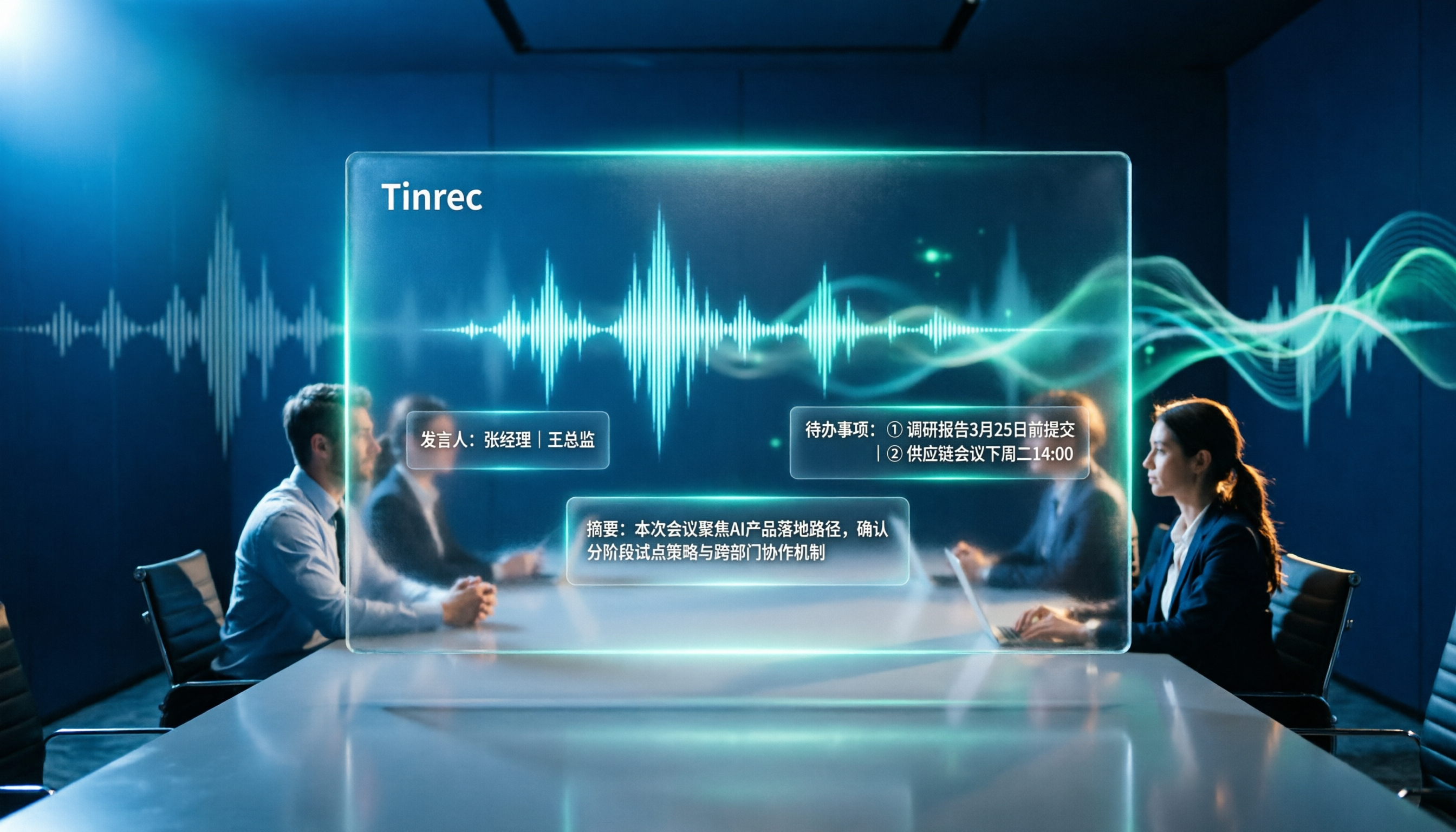
In one sentence: Tinrec is an AI meeting notes and collaboration tool for individuals and teams, usable on phone, computer, and web, with no extra device needed.
Scenario 1: Group discussions. Our project team meets twice a week. Previously, someone had to take notes, but that person ended up typing the whole time and not participating. Now I use Tinrec to record and transcribe simultaneously; by the end of the meeting, the transcript is ready, and AI summaries and chapters organize "who's responsible for what, what needs to be done before the next meeting," with action items copied directly to the group chat. I use my existing laptop and phone—no extra device cost.
Scenario 2: Online classes and remote interviews. This is where I find it most convenient: Tinrec's desktop version captures system audio directly, handling online meetings on Zoom, Google Meet, Microsoft Teams, Webex, etc., without inviting a meeting bot. I've used tools that required a bot to join—just explaining "who that account is" to the professor was awkward enough.
Stop organizing recordings by hand
Upload audio or video and automatically get a transcript, summary, and action items
Scenario 3: Finding key points before finals. For recorded classes, I don't need to re-listen from minute one. Tinrec offers AI Q&A based on the recording content; I can directly ask "What were the three key points the teacher said would be on the exam?" and it answers based on the content, not just a bunch of keywords. For someone two days before an exam, this is more useful than the transcript itself. It also has real-time translation, showing original, translated, or bilingual text—handy for occasional English lectures; organized results can be exported to Notion, Google Docs, and other tools I already use.
Honest limitations: The free version has a usage cap; heavy use requires payment. It doesn't sell hardware, so there's no standalone device you can pull out of your pocket and record with. File imports also consume quota, so it's not an unlimited transcription machine. But if, like me, 80% of your recording scenarios are at a computer or in a classroom, these limitations don't matter much.
For teams: Tinrec's team version is a separate team workspace, not several people sharing one account. You can create and switch between multiple teams, invite members via join links, set roles as owner/admin/member, and assign or revoke seats. Paid seats provide 2,000 minutes of shared team import quota per seat per month; team pricing is USD 29.80/paid seat/month monthly, or USD 199/paid seat/year annually (about USD 16.58/month). Eligible teams get a 7-day trial, 1 free seat, and 300 minutes of shared import quota; under an active team plan, live recording currently doesn't deduct minutes. Note that roles and seats are separate: active members without a seat can still view, play, and read team data, but cannot upload, edit, or export. For project groups or those entering the workforce after graduation, "data belongs to the team, and it stays even if people leave" is sometimes more important than saving a few hundred dollars. Prices and benefits are subject to the official purchase page.
Besides Tinrec, what other options are there?
PLAUD Note / NotePin: The hardware recording experience is indeed good—pull it out, press a button, and record. Suitable for phone calls and long outdoor interviews. But the cost structure is "device + membership," as mentioned: Note Pro starts around NT$5,300 in Taiwan channels, plus USD 99.99/year for Pro membership; it also lacks a continuous workflow for handling online meetings directly on a computer and exporting to Notion. It's worth it when you truly need a physical device, but the budget will be tighter.
Notta: Strong in multilingual and file transcription. Free version: 120 minutes/month, max 3 minutes per session; Pro annual billing is about USD 8.17/month. It handles batch file processing more comfortably than Tinrec, but lacks Tinrec's desktop bot-free online meeting recording workflow.
Otter.ai: If you mainly record English meetings, Otter's free version offers a generous 300 minutes/month—a very cost-effective choice. But Chinese meetings aren't its strong suit, which is why I ultimately didn't choose it.
Pitfall guide: the 3 most common mistakes when calculating this cost
Pitfall 1: Only looking at the device price and forgetting the subscription. Hardware is a one-time expense, but transcription and AI features require membership, and you'll need add-ons when you run out. Before buying, write down the "first-year total cost": device price + one year membership + expected add-ons, then compare it once more with "hardware-free options."
Pitfall 2: Mixing prices from different channels and models. Note, Note Pro, and NotePin are three different products, and prices differ between Taiwan channels and the US official site. When you see "Plaud for only 5,300" or "USD 159," first confirm which device, which country, and whether membership is included.
Pitfall 3: Realizing only after purchase that your needs are actually on the computer. If your meetings are on Zoom, Meet, Teams, and your notes are also done on the computer, then the "bot-free recording + transcript + summary + export" workflow is more practical than carrying an extra device. Tinrec's desktop version captures system audio directly—no need to invite a bot to join meetings, and no need to transfer files back and forth between phone and computer.
Conclusion: Which one should you choose?
- Need a physical device, often record phone calls and interviews on the go → PLAUD NotePin / Note Pro, but first calculate the first-year total cost of device plus membership
- Main scenarios are classes, group discussions, online meetings, want to save on hardware → Tinrec, usable on phone, computer, and web
- Want to ask AI directly "what are the key points" after recording → Tinrec's AI Q&A
- Project team needs to share meeting data, and data must remain even after someone leaves → Tinrec team version (be sure to understand seats and quotas first)
- Only record English meetings, zero budget → Otter.ai free version
- Need to transcribe large amounts of long audio files at once → file transcription tools like Notta or TurboScribe are more suitable
A final word for students with limited budgets like me: don't rush to swipe your card for hardware. Tinrec has a free version you can try—record one class or one group discussion first, see if the transcript and summary are useful to you, then decide whether to pay. After all, tools are meant to save time, not add to end-of-month stress.
References
Turn every recording into actionable outcomes
Get 60 free transcription minutes when you sign in. No credit card required.
Related Reading
You might also like

Notta AI Review 2026: 5-Step Test & 6 Meeting Note Tools
Is Notta AI worth it? This article uses 5 evaluation steps to test and compare six meeting note tools—Notta, Tinrec, Otter.ai, Fireflies.ai, TurboScribe, and PLAUD Note—covering features, Chinese transcription performance, and actual pricing. It also summarizes free quotas, recording consent, and team seat considerations to help you choose the right tool at a glance.

Chelsea vs Nottingham Forest 2026: 5-Factor Preview – Who Takes Three Points at the City Ground?
Chelsea travel to the City Ground to face Nottingham Forest on November 27, 2026. This preview breaks down the matchup across five dimensions—head-to-head record, recent form and standings, injury lists, home/away context, and the last meeting—while noting statistical differences between sources, so you can quickly grasp the key points before kickoff.

Plaud Note Review 2026: 3 AI Note-Taking Solutions Compared — Which Is Most Cost-Effective for Students?
Starting from students' real needs for class notes and group discussions, this review summarizes key points about Plaud Note, explains the differences between hardware-based recording and software workflows, and compares Tinrec's practical uses for real-time speech-to-text, online class recording, AI summary Q&A, and team collaboration — helping you understand exactly what you're paying for before you spend money.

2026 Plaud Note Buying Guide: Top 3 PTT Questions Answered + Hardware-Free AI Meeting Notes
PTT opinions on Plaud Note are split: some call it convenient, others call it a waste of money. This guide breaks down the hardware, subscription, and post-meeting organization costs to consider before buying in 2026, and compares hardware-free AI meeting note solutions like Tinrec to help you choose the right tool for your needs.

2026 Comparison of 6 Recording-to-Text Tools: Plaud vs. Tinrec — Which Should You Choose?
Plaud and Tinrec are often compared, but they take different approaches: Plaud is a portable recording hardware device, while Tinrec is an AI meeting notes and team collaboration tool. This article lists 6 recording-to-text solutions and helps you decide which fits your meeting workflow based on use cases, pricing, team permissions, and post-meeting workflows.
4 Best Otter Alternatives in 2026: Which Handles Chinese Meetings and Post-Meeting Workflows Better?
How to compare Otter alternatives? This guide starts with common pitfalls and outlines the selection criteria for 4 Otter alternatives. It compares Tinrec, Otter.ai, Granola, and TurboScribe on meeting capture, post-meeting organization, Chinese language experience, and team collaboration, then helps you choose the right one based on your scenario.

2026 AI Transcription Tools Compared: Plaud vs Tinrec and How to Choose
Plaud's models and subscription plans are often compared together. This guide separates the hardware—Plaud Note Pro, NotePin, and Note—from the four plans: Starter, Pro, Unlimited, and Team. It then compares them alongside Tinrec, Notta, and TurboScribe to help you decide whether to buy hardware or use software, and which approach is easiest.

Plaud vs Tinrec in 2026: Real-World Comparison — Why Most People Choose Tinrec
Still unsure how to choose after reading Plaud tutorials? This article starts from real meeting scenarios and compares Plaud and Tinrec on acquisition cost, online meeting recording, post-meeting organization, and team collaboration. It also summarizes Tinrec's core features, practical use cases, key buying considerations, and FAQs.

5 Voice Recorders and Apps Tested for 2026: Which One Actually Saves You Organizing Time?
Voice recorder vs. app—how do you choose? This article starts from the decision point of "what happens after recording" and compares PLAUD, traditional voice recorders, and tools like Tinrec, Otter, and Notta. It covers 5 buying criteria, hands-on test insights, common mistakes, and scenario-based recommendations to help you decide whether to buy hardware or install software.