

Turn recordings into transcripts and summaries in minutes
Upload audio or video for multilingual transcription, AI notes, and action items
"Voice recorder vs. app—which one should I choose?" I probably see this question in my inbox a few times every month.
Let me give you a starting point: if you're recording just to "keep a record," your phone's built-in recorder is probably enough. But if your goal is to "turn it into a transcript, meeting minutes, or to-do list later," then the real decision point is the organizing workflow, not the hardware itself.
In other words, voice recorder vs. app is a question of sequence, not an either-or opposition. For most people, the best solution is: use the right device to capture audio, then use the right software to finish the job.
This article will look at three voice recorder approaches (AI recording hardware, business models, professional audio models) alongside several mainstream transcription apps, and finally give you a decision framework you can follow.
What you're usually missing isn't "recording"—it's "organizing"
Two-hour meetings, followed by two more hours of re-listening and typing—that's the daily routine for many office workers.
You record a 90-minute class, but only get through the first 10 minutes when you review. The rest becomes decoration on your hard drive.
You record several interview segments, but to quote one sentence, you have to drag the slider from start to finish. By the third time, you just give up.
Voice recorders solve "can you capture it"; apps solve "can you use it." The former is the entrance, the latter is the exit.
If your workflow only adds the entrance but not the exit, no matter how expensive the equipment you buy, you won't save time.
Before choosing a voice recorder or app, understand these 5 criteria
1. Are you recording in-person or online meetings? Voice recorders have their place in physical classrooms and interview settings, especially for long-distance capture with directional microphones. But if 80% of your meetings are on Zoom, Google Meet, or Teams, buying a hardware device just adds another thing to charge and transfer files from.
2. Do you need to keep the audio file? Few people ask this upfront, but it determines whether you'll still be able to find that meeting three years from now. Some tools keep only text and not audio—the advantage is lightweight, the disadvantage is you can't go back to verify a specific sentence.
3. What do you want to get after transcription? Getting only a transcript versus getting "summary + chapters + to-dos + a queryable database" are completely different levels. The former saves typing time; the latter saves thinking time.
4. Is it for personal use or team sharing? For personal use, just look at quota and price. For team use, check whether it has independent spaces, member roles, seat allocation, and usage logs. Sharing a personal account with the whole team will eventually cause problems.
5. Is the free quota enough to get you through the first month? Don't just look at the words "free version." Otter's free version gives 300 minutes per month; Notta's free version gives 120 minutes per month with a 3-minute limit per recording; TurboScribe's free version allows 3 files per day, 30 minutes per file. The rules vary a lot—you need to test with your own files to know if it's enough.
Tinrec—the closest thing to "record and use" after testing
Tinrec is an AI meeting notes and collaboration tool for individuals and teams, available on iOS, Android, web, and desktop.
No bot needed for online meetings. When meeting on Zoom, Meet, Teams, or Webex, the desktop version directly captures your computer's system audio to record and transcribe in real time—no extra meeting bot needs to join. Note that it requires you to actively start recording; it doesn't automatically join all meetings from your calendar.
Both in-person and old files are covered. You can record and transcribe simultaneously on your phone—works for physical meetings, interviews, and classes. Existing MP3, WAV, and M4A audio files can also be uploaded directly for transcription. For those with a batch of historical recordings, this path is more practical than re-recording.
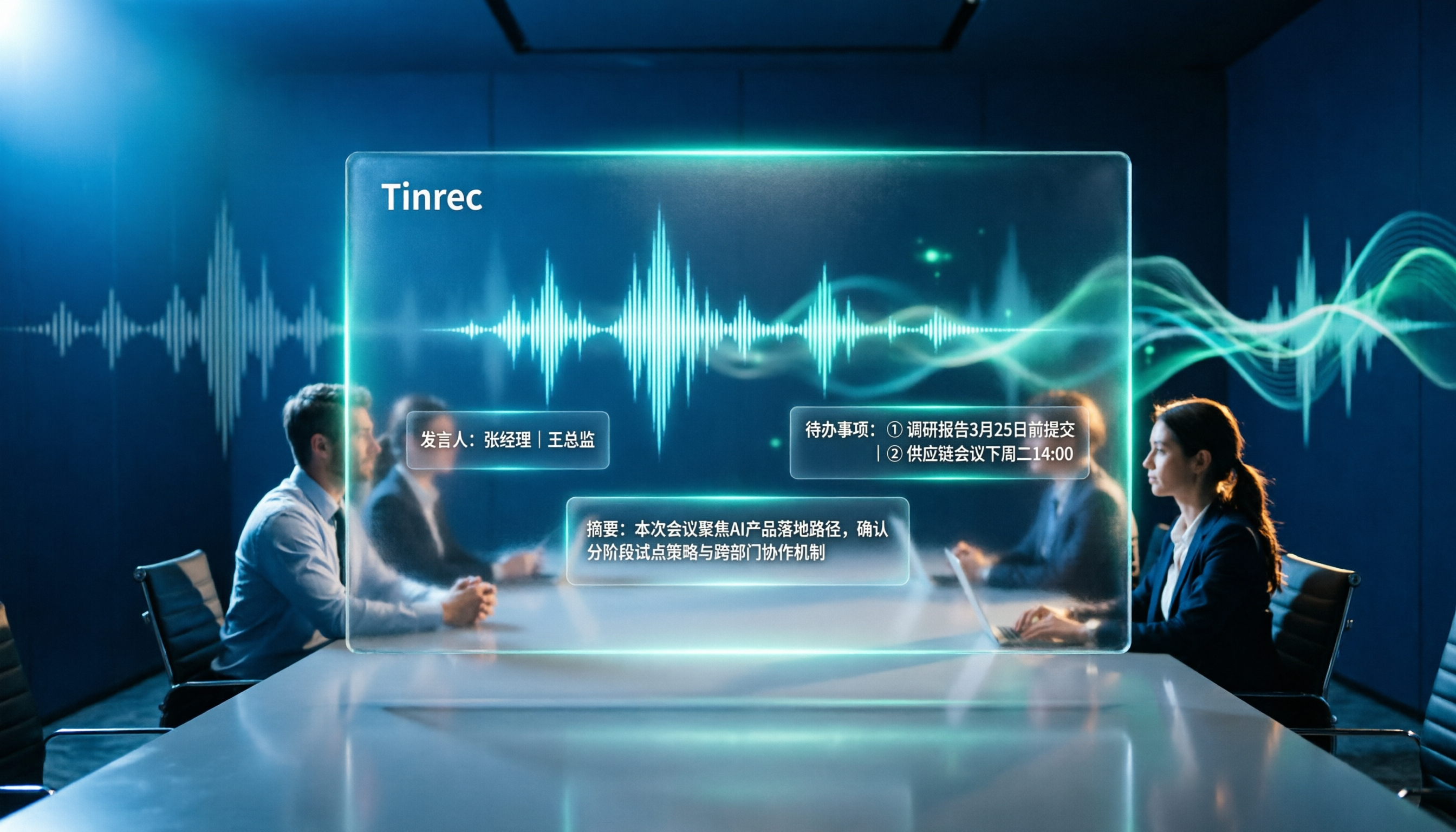
After the meeting is where it pulls ahead. When a meeting ends, summaries, chapters, key points, and to-dos are automatically organized. Even better is the AI Q&A: you can directly ask it "What was the marketing budget for next week mentioned in the meeting?" and it will answer based on semantics, rather than throwing a bunch of keyword search results at you.
Output integrates with your existing workflow. Transcripts and minutes can be exported to Notion, Google Docs, OneNote, and Dropbox, and through Agent post-processing, you can generate reports, tables, and formal documents.
The team version keeps data with the team, not on individual phones. Independent team spaces centrally store meeting recordings and data. Admins can invite members, set roles, assign or revoke seats, and view usage trends, member rankings, and audit logs. Accidentally deleted audio files can be recovered from a 30-day recycle bin; when a member leaves or loses a seat, resources can be handed over to others and won't disappear with the person.
Here are the three reasons I think it's most worth it:
- No need to maintain an extra hardware device just for meeting notes, and no need to invite a bot into the meeting room.
- Chinese and mixed Chinese-English meetings are its strong suit, and it also supports real-time translation with side-by-side original and translated text.
- Transcription isn't the end—Q&A, to-dos, and exports connect directly to what you're already doing.
Stop organizing recordings by hand
Upload audio or video and automatically get a transcript, summary, and action items
Honest limitations:
- The free version only has a basic quota; long-term heavy use requires payment. The personal version offers weekly cards, Pro monthly cards, and annual cards—suitable for short sprints or long-term accumulation. Prices are subject to the official website.
- The team version currently focuses on team-level sharing with role and seat management; there are no file-level granular permissions yet.
- Members without a seat can still view, play, and read team data, but cannot upload, edit, or export.
- Accuracy is affected by audio quality, accents, multiple people talking over each other, and technical terminology. For important content, it's recommended to verify against the audio timestamp.
The current team version terms are: first-time eligible users can try 7 days, 1 free seat, 300 minutes of team shared import quota; monthly payment USD 29.80 per paid seat, annual payment USD 199 per paid seat (equivalent to about USD 16.58/month); each paid seat provides 2,000 minutes of shared import quota per month, and real-time recording under an active plan is currently not deducted by minute.
Who it's for: people who frequently hold online meetings, need Chinese transcripts and post-meeting follow-up questions, and want meeting data to stay with the team rather than in personal accounts.
Besides Tinrec, what other options are there?
PLAUD NotePin / Note Pro Representatives of AI recording hardware. NotePin is priced at USD 159, Note Pro at USD 189. Membership Starter gives 300 minutes per month; Pro annual fee is USD 99.99 including 1,200 minutes per month. Suitable for people who are often on the go and need a physical button for on-the-spot recording. But it adds another device to charge and sync, while Tinrec can directly handle online meetings and existing audio files with just a phone or computer—something hardware solutions can't cover.
Traditional voice recorders (Sony business models, Zoom professional audio models) If you're recording concerts or interviews in extreme environments, the physical advantages of directional microphones still exist. Note that audio files must be transferred and transcribed manually afterward. If the model doesn't support Wi-Fi or direct phone connection, just moving files can be enough to make you give up organizing. Tinrec, on the other hand, completes transcription, summaries, and to-dos in one streamlined process.
Otter.ai A veteran choice for English meetings. Free version gives 300 minutes per month; Pro annual payment is about USD 8.49/month. Mature for English scenarios—if you mainly record English content, it's a good deal. But Chinese and mixed Chinese-English meetings are not its strong suit. Tinrec not only better meets Chinese-language needs but also turns meetings into team spaces and uses Agent to directly produce reports and tables.
Notta The competitor with the highest overlap with Tinrec. Free version gives 120 minutes per month (3-minute limit per recording); Pro annual payment is about USD 8.17/month, 1,800 minutes per month. Multi-platform, multi-language, and team plans are all complete. The difference is in approach: Notta emphasizes breadth of transcription and translation, while Tinrec focuses on bot-free desktop recording, post-meeting Q&A organization, and team data accumulation.
Pitfall guide: The 5 most common mistakes when choosing a voice recorder or app
Pitfall 1: Only looking at audio specs, not the organizing workflow. You buy a high-end voice recorder but still manually listen and type—that's only buying the first half. Think clearly about your exit first, then decide how much to spend on the entrance.
Pitfall 2: Treating "has a free version" as "free to use." Quota rules vary a lot—some monthly, some daily, some limit recording length. Testing with your own files is more accurate than reading ten reviews.
Pitfall 3: Buying hardware but getting stuck on file transfer. If you decide on a voice recorder, make sure to choose a model that supports Wi-Fi transfer or direct phone connection, avoiding the "transfer to computer, convert, then upload" workflow that makes people give up.
Pitfall 4: Sharing a personal account for team use. Personal accounts have no concept of seats and roles. As the team grows, disputes arise over who can edit and who is consuming quota. For team use, go directly for solutions with independent team spaces, seat allocation, usage analytics, and audit logs.
Pitfall 5: Ignoring the legality and consent of recording. Before recording, confirm local regulations and venue rules, and obtain consent from participants when necessary. This is more important than which tool you choose.
Conclusion: Should you choose a voice recorder or an app?
One-sentence conclusion: Unless you're recording music, extreme environments, or long interviews that require a physical button, start with an app and put your budget toward "organizing" rather than "capturing."
Scenario-based recommendations for your reference:
- Mainly online meetings (Zoom/Meet/Teams/Webex) → Tinrec, desktop version captures system audio, no need to invite a bot into the meeting.
- Need Chinese transcripts + post-meeting follow-up questions → Tinrec, summaries, chapters, to-dos, and AI Q&A all in one.
- Team needs to share meeting data → Tinrec team version, independent spaces, roles and seats, usage and audit, 30-day audio recycle bin.
- Classes, tutoring, one-on-one interviews → Record instantly on your phone or upload audio files to Tinrec—usually more cost-effective than buying an entry-level voice recorder.
- Mainly English meetings, budget priority → Otter.ai free version with 300 minutes per month is worth trying.
- Really need a portable physical device → PLAUD NotePin or Note Pro, but be prepared to pay membership fees and carry an extra device.
If you're not sure, I recommend starting with Tinrec's free version basic quota, running it on your most recent meeting or an old audio file, and seeing if the transcript and summary output suit you. For teams, there's a 7-day, 1-free-seat trial to evaluate. If it works for you, then consider upgrading—no need to pay upfront.
References
- Voice Recorder vs. Phone: 2026 Meeting Notes and Transcription Tools Full Analysis, from Hardware Selection to AI Software Practice - Tinrec Blog
- 17 Useful Mobile Recording Apps Roundup, No Need to Buy a Voice Recorder Anymore - Just Teach Not Fall - Your Rich Source of 3C Info and Tutorials
- 2026 Selected 6 Class Recording and Note-Organizing Tools Recommendations: Hardware Voice Recorder vs. AI Transcript App Complete Comparison - Tinrec Blog
- 🎯 Wow! 2026 Workplace Game-Changer! 6 Hot-Selling "AI Voice Recorders/Smart Recording Cards" In-Depth Review Recommendations | Speech-to-Text, Meeting Notes Done in 30 Seconds! | Black-Eyed Pea's Salon
- Recording Equipment/Voice Recorder Buying Guide: 2026 3 Hardware Recommendations and AI Transcription Alternative Comparison - Tinrec Blog
Turn every recording into actionable outcomes
Get 60 free transcription minutes when you sign in. No credit card required.
Related Reading
You might also like

Notta AI Review 2026: 5-Step Test & 6 Meeting Note Tools
Is Notta AI worth it? This article uses 5 evaluation steps to test and compare six meeting note tools—Notta, Tinrec, Otter.ai, Fireflies.ai, TurboScribe, and PLAUD Note—covering features, Chinese transcription performance, and actual pricing. It also summarizes free quotas, recording consent, and team seat considerations to help you choose the right tool at a glance.

Chelsea vs Nottingham Forest 2026: 5-Factor Preview – Who Takes Three Points at the City Ground?
Chelsea travel to the City Ground to face Nottingham Forest on November 27, 2026. This preview breaks down the matchup across five dimensions—head-to-head record, recent form and standings, injury lists, home/away context, and the last meeting—while noting statistical differences between sources, so you can quickly grasp the key points before kickoff.

Plaud Note Review 2026: 3 AI Note-Taking Solutions Compared — Which Is Most Cost-Effective for Students?
Starting from students' real needs for class notes and group discussions, this review summarizes key points about Plaud Note, explains the differences between hardware-based recording and software workflows, and compares Tinrec's practical uses for real-time speech-to-text, online class recording, AI summary Q&A, and team collaboration — helping you understand exactly what you're paying for before you spend money.

2026 Plaud Note Buying Guide: Top 3 PTT Questions Answered + Hardware-Free AI Meeting Notes
PTT opinions on Plaud Note are split: some call it convenient, others call it a waste of money. This guide breaks down the hardware, subscription, and post-meeting organization costs to consider before buying in 2026, and compares hardware-free AI meeting note solutions like Tinrec to help you choose the right tool for your needs.

2026 Comparison of 6 Recording-to-Text Tools: Plaud vs. Tinrec — Which Should You Choose?
Plaud and Tinrec are often compared, but they take different approaches: Plaud is a portable recording hardware device, while Tinrec is an AI meeting notes and team collaboration tool. This article lists 6 recording-to-text solutions and helps you decide which fits your meeting workflow based on use cases, pricing, team permissions, and post-meeting workflows.
4 Best Otter Alternatives in 2026: Which Handles Chinese Meetings and Post-Meeting Workflows Better?
How to compare Otter alternatives? This guide starts with common pitfalls and outlines the selection criteria for 4 Otter alternatives. It compares Tinrec, Otter.ai, Granola, and TurboScribe on meeting capture, post-meeting organization, Chinese language experience, and team collaboration, then helps you choose the right one based on your scenario.

2026 AI Transcription Tools Compared: Plaud vs Tinrec and How to Choose
Plaud's models and subscription plans are often compared together. This guide separates the hardware—Plaud Note Pro, NotePin, and Note—from the four plans: Starter, Pro, Unlimited, and Team. It then compares them alongside Tinrec, Notta, and TurboScribe to help you decide whether to buy hardware or use software, and which approach is easiest.

Plaud vs Tinrec in 2026: Real-World Comparison — Why Most People Choose Tinrec
Still unsure how to choose after reading Plaud tutorials? This article starts from real meeting scenarios and compares Plaud and Tinrec on acquisition cost, online meeting recording, post-meeting organization, and team collaboration. It also summarizes Tinrec's core features, practical use cases, key buying considerations, and FAQs.

Plaud Pricing in 2026: Device Cost + AI Membership Fees Explained
Plaud's cost isn't a single number—it's the device price plus an AI membership subscription. This guide breaks down the Taiwan and US official prices for Plaud Note, Note Pro, and NotePin, the Starter/Pro/Unlimited membership plans, and add-on credits from a student budget perspective. It calculates the real first-year total cost and shares a hardware-free alternative with Tinrec, key buying considerations, and 3 common pitfalls to avoid.