

Turn recordings into transcripts and summaries in minutes
Upload audio or video for multilingual transcription, AI notes, and action items
Two-hour meeting, two more hours organizing notes — you don't need more tools, you need the right workflow
A one-hour weekly meeting, a one-hour client call, another hour of cross-department coordination — that's how many people's workdays get chopped up. What really drives you crazy isn't the meeting itself, but the aftermath: listening to the recording from the start, typing out every sentence, and then sorting out who's responsible for what.
If the meeting is in Chinese mixed with English, it gets even messier. Most tools handle English fine, but as soon as product codes, names, or technical terms come up, they start making mistakes, and you end up correcting everything word by word.
This article tackles exactly that: with so many AI meeting recorder tools in 2026 and Notta's latest version updated, which one is actually most practical for Chinese meetings, post-meeting organization, and team collaboration?
Before Choosing an AI Meeting Recorder, Understand These 5 Key Points
1. Chinese performance — don't just look at the official accuracy claims. The numbers in ads are mostly measured in a quiet recording studio. In a real meeting room with air conditioning noise, keyboard clicks, and three people talking over each other, performance drops noticeably. A more practical approach is to run a test with a real meeting recording of your own.
2. How the meeting is captured. One way is to send a bot into the meeting; the host may need to approve it, and other participants will see an unfamiliar account. The other way is to capture the computer's system audio directly via a desktop app, without taking up a participant slot. Both are used, but you need to think about whether your company cares.
3. What you can do after transcription. A tool that only gives you a transcript is basically handing the organizing work right back to you. Summaries, chapters, action items, and AI Q&A you can follow up with — that's where the real time savings are.
4. Who owns team data and how seats are counted. If meeting records are company assets, they shouldn't be locked in an individual colleague's personal account. The teams version should show who can manage, who can use, and how data is handed over when a member leaves.
5. Free quota and pricing model. Free versions usually have a per-recording length limit, while paid versions are priced per seat or per minute. First calculate roughly how many minutes you record per month, then decide whether to pay.
Tinrec — Our Main Choice After Actual Use
Tinrec is an AI meeting recording and collaboration tool for individuals and teams, available on desktop, web, and mobile. Its core purpose is to turn "recorded audio" into "data you can keep working with."
During the meeting, no bot needs to join. Open the Tinrec desktop app and it directly captures your computer's system audio. Meetings played on your computer via Zoom, Google Meet, Microsoft Teams, or Webex can all be recorded, without adding a bot participant or taking up a meeting slot. Note that currently you need to actively open Tinrec to start recording; it does not automatically join all calendar meetings.
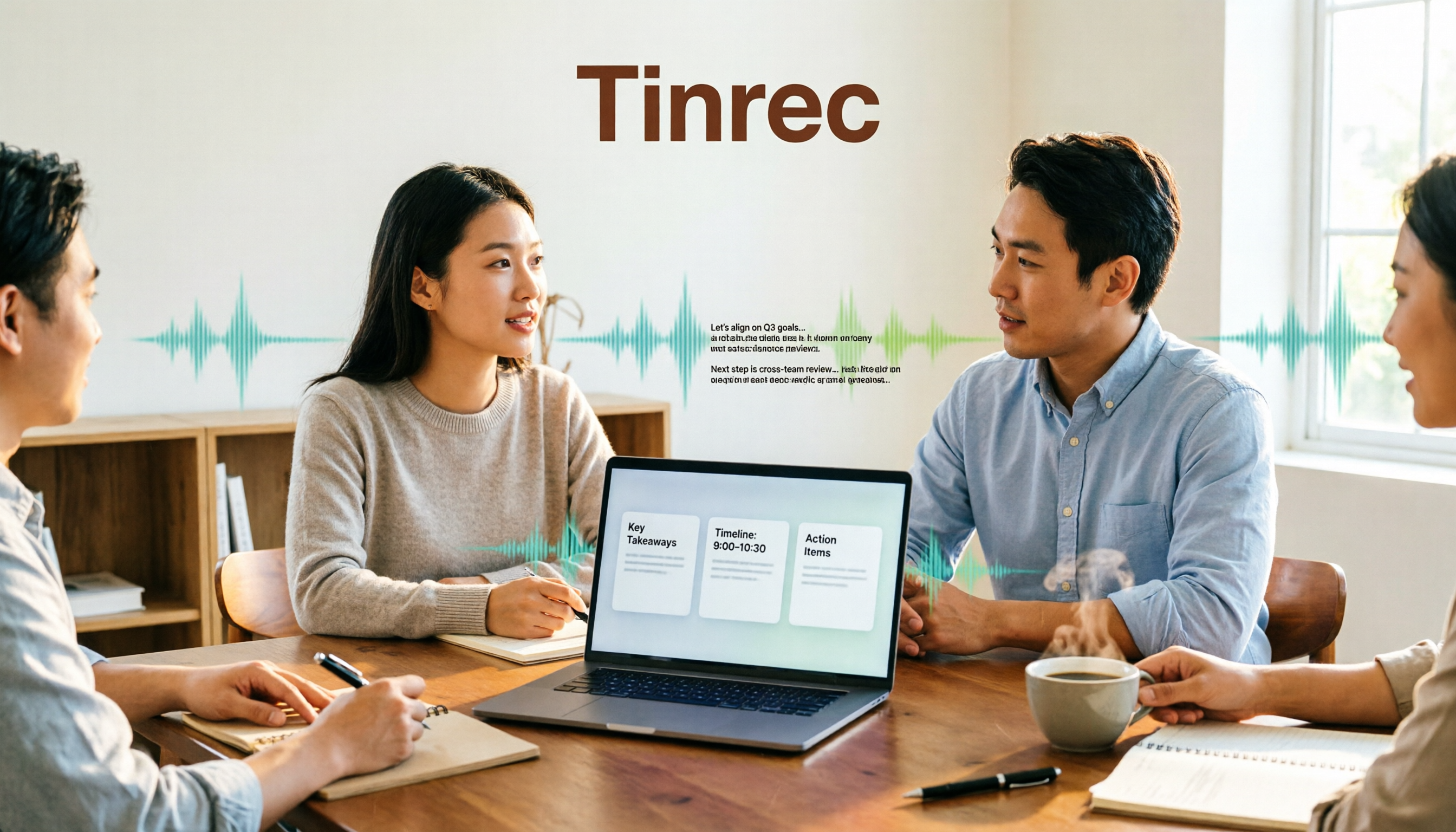
When the meeting ends, transcript and key points come out together. It transcribes while recording, and after the meeting automatically generates summaries, chapters, and action items, so you can see at a glance who's responsible for what and what the next steps are. For cross-language meetings, it also provides real-time translation, viewable in original, translated, or bilingual side-by-side format.
You can keep asking questions after recording — this is the biggest difference from ordinary transcription tools. The transcript is just the starting point. You can directly ask questions about the meeting content, such as "Who mentioned the budget cap in this meeting?" It will organize answers based on meaning, rather than dumping a bunch of keyword search results on you. You can also generate reports, tables, meeting minutes, or export to Notion, Google Docs, OneNote, or Dropbox for further processing.
The team version addresses "data ownership." The team version is not about multiple people sharing one account; it's an independent team space: you can create and switch between multiple teams, invite members via link, set owners/admins/regular members, and assign or revoke seats. Meeting data belongs to the team; members without a seat can still view, play, and read data, but recording, uploading, editing, and importing/exporting require an active seat. Admins can also view usage trends, member rankings, team hot words, and audit logs. Accidentally deleted audio can be recovered from a 30-day recycle bin.
Stop organizing recordings by hand
Upload audio or video and automatically get a transcript, summary, and action items
Pricing and limitations clearly stated. Team monthly billing is US$29.80 per paid seat per month; annual billing is US$199 per paid seat per year (about US$16.58/month). Each paid seat provides 2,000 minutes of team shared import quota per month. Eligible teams get a 7-day trial, 1 free seat, and 300 minutes of shared quota for the first time. Under an active team plan and active seat, real-time recording currently does not deduct minutes; file and web imports use the team shared quota. Limitations to note: transcription quality is affected by audio quality, accents, noise, and overlapping speakers; for important content, we recommend cross-checking with recording playback. The team version currently focuses on team-level sharing, not file-level permission control.
Who it's for: People who frequently hold Chinese or mixed Chinese-English meetings, don't want a bot joining the meeting, want to use AI to find key points directly after the meeting, and need to turn meeting records into team assets.
Besides Tinrec, What Other Options Are There?
Notta latest version (including Notta Memo Pro): In 2026, Notta shifted part of its focus to hardware. In Japan, it announced the new Notta Memo series device Notta Memo Pro, with pre-orders starting September 28 and sales starting October 13. It highlights automatic recognition of phone calls and face-to-face recording scenarios, automatic sync when back in a trusted Wi-Fi environment, and USB-C for charging and transfer. On the software side, the free version offers 120 minutes per month with a maximum of 3 minutes per recording; Pro annual billing is about US$8.17/month (1,800 minutes per month), and Business annual billing is about US$16.67 per seat per month. It supports 58 monolingual transcription languages (including Traditional Chinese) and bilingual transcription in 23 languages. Notta Bot can join online meetings; desktop bot-free recording is still labeled Beta, and documentation is mainly for Mac. Consider it if you want a portable hardware recorder or mainly need document transcription and subtitle translation. But if you want stable recording of online meetings, post-meeting AI Q&A, and team data retention, Tinrec's desktop recording and team space are more direct.
Otter.ai: A mature choice for English business meetings. Basic is free with 300 minutes per month; Pro annual billing is about US$8.49 per user per month, including 1,200 minutes per month. If your meetings are almost entirely in English, it's a good deal; but for Chinese meeting organization, Tinrec is closer to actual needs.
TurboScribe: A cost-effective file transcription tool. Free version allows 3 files per day, up to 30 minutes per file; Unlimited annual billing is US$120 (about US$10/month). Paid version supports up to 10 hours or 5GB per file and up to 50 files at once. Suitable for batch processing of large long files; but it lacks real-time meeting recording, AI follow-up questions, and team seat governance as a whole.
Pitfall Guide: 4 Most Common Mistakes When Choosing These Tools
Pitfall 1: Only looking at advertised accuracy. Real meetings have noise, accents, and interruptions. Catalog numbers are for reference only. A better approach is to try it with your own recording — you'll know in five minutes whether it works for you.
Pitfall 2: Ignoring the meeting capture method. Sending a bot into the meeting is the easiest, but some clients may mind, and the host may need to approve each one. If you don't want an unfamiliar account in your meeting, choose the desktop method that directly captures system audio.
Pitfall 3: Treating the tool as just a transcript machine. If you still listen to the recording yourself and organize it yourself after recording, you're only using one-third of the tool. Asking AI directly after the meeting "What were the conclusions of this meeting?" is much faster than scrolling through a 30-minute transcript.
Pitfall 4: Only looking at total price for team purchases. Ask clearly: Does data belong to individuals or the team? Can members without seats view it? How is data handed over when a member leaves? If these aren't clarified, fixing them later is troublesome.
Conclusion: Which One Should You Choose?
In one sentence: For Chinese meetings, ready-to-use post-meeting output, and keeping records in the team, choose Tinrec.
- Need transcription for Chinese and mixed Chinese-English meetings → Tinrec
- Don't want a bot joining online meetings → Tinrec desktop version
- Want to ask AI directly to find key points and generate action items after recording → Tinrec
- Need team sharing, seat management, usage and audit → Tinrec team version
- Want a portable hardware voice recorder → Consider Notta Memo Pro (launch schedule announced in Japan)
- Meetings almost entirely in English, zero budget → Otter.ai free version
- Only need to batch transcribe a large number of existing recording files → TurboScribe
If you're still undecided, we suggest running your most troublesome meeting recording through Tinrec's free version first. Upgrade if it works for you — no need to pay upfront.
Final reminder: Recording and transcription involve other people's conversations. Please comply with local regulations and obtain participants' consent when necessary.
References
Turn every recording into actionable outcomes
Get 60 free transcription minutes when you sign in. No credit card required.
Related Reading
You might also like

2026 Speech-to-Text Tools Compared: Beyond Good Tape, Which One Is Best for Chinese Meetings?
Good Tape is great, but it only handles the 'audio to text' part. This article compares Good Tape, Yating Transcription, Notta, and Tinrec from four angles: online meetings, Chinese transcripts, post-meeting summaries, and team data ownership, to help you decide which tool truly saves time.

Good Tape Country of Origin: Denmark — Why Tinrec May Be a Better Fit for Students in 2026
Good Tape is from Denmark, owned by Danish media company Zetland. This article starts from real campus use cases, explains Good Tape's background, and compares Tinrec's differences in Chinese meetings, bot-free recording, post-meeting summaries, and team collaboration to help you decide which tool suits classes, projects, and internships.

How to Use Good Tape in 2026: 5 Steps to Transcribe Audio + Tips for Chinese Meeting Notes
How do you use Good Tape? This guide walks you through the complete 5-step process: uploading, waiting, receiving email, downloading transcripts and SRT subtitles. It also covers the 4 most common pain points in Chinese transcription and compares Tinrec, Notta, and Otter.ai for meeting notes and post-meeting organization, helping you decide whether to use a free transcription tool or switch to a meeting workflow that builds a long-term knowledge base.

Good Tape vs Tinrec 2026: 5-Dimension Comparison — Which Is Better for Chinese Meeting Notes?
Good Tape is easy to use, but it struggles with Chinese meetings, automatic punctuation, and post-meeting action items. This article tests six tools — Tinrec, Good Tape, Notta, Otter.ai, TurboScribe, and Granola — across five dimensions: transcription quality, Chinese-language experience, post-meeting organization, team collaboration, and pricing, to help you find the one that truly works for you.

How to Use Good Tape in 2026: 5-Step Tutorial + 2-Tool Comparison — From Transcript to Post-Meeting Notes
Learn how to use Good Tape with this complete 5-step tutorial: organize audio files, upload and select language, receive and download transcripts, export .srt subtitles, and troubleshoot errors caused by noise and accents. The article also compares Good Tape and Tinrec for meeting notes and post-meeting organization to help you decide which workflow suits you.

2026 Comparison of 3 Transcription Tools: Good Tape vs. Yating vs. Tinrec
Is Good Tape any good? This article tackles common misconceptions and compares Good Tape, Yating Transcription, and Tinrec in terms of transcription quality, post-meeting organization, team collaboration, and pricing to help you decide which one suits your meeting and interview scenarios.
How to Use Good Tape in 2026: 5 Steps to Transcribe Audio
Good Tape is an online audio transcription tool powered by OpenAI Whisper, supporting over 40 languages. This guide walks you through 5 steps, from uploading your audio file and setting the format to getting your transcript and .srt subtitle file. We also cover the 4 most common mistakes beginners make and explain when you might want to switch to a meeting collaboration tool like Tinrec.
What Is Good Tape in 2026? Voice-to-Text Tool Buying Guide: 4 Hands-On Tests and Recommendations
Good Tape is a voice-to-text tool built by Danish news organization Zetland, powered by OpenAI Whisper technology, and supports more than 40 languages. This article first explains what Good Tape is and what limitations the free version has, then from four angles—recording source, post-meeting organization, Chinese punctuation, and team sharing—helps you decide whether to choose Good Tape, Tinrec, or another voice-to-text tool.

Good Tape Cancellation Guide 2026: How to Cancel, Back Up Data, and Choose an Alternative
Looking for how to cancel your Good Tape subscription? This guide covers the official cancellation paths (Member Center > Subscription Management or contact support), reminds you to back up transcripts and confirm billing and access periods before canceling, and compares Tinrec, Otter.ai, Notta, and TurboScribe on Chinese meeting support, quota calculations, and post-meeting organization to help you choose the right tool and avoid canceling again.