
Turn recordings into transcripts and summaries in minutes
Upload audio or video for multilingual transcription, AI notes, and action items
The real problem starts the moment the visit ends
You've just left the client's office, and their words are still in your head: "Your response time this time was really different from last year."
A week later, your manager asks you to write a recommendation letter—recommending this client for an industry award, or reporting the results of your collaboration upward.
You open your notes. Five lines.
The choice you face now isn't about "how well you write"—it's: Do you actually have enough quotable material with details?
Most of a recommendation letter's persuasiveness comes from the material; only a small part comes from writing style. And the material is determined during the visit, not the night you sit down to write.
The 5 steps below are my own standard process for organizing client visits and producing recommendation letters and case studies.
4 things I look at first when choosing a visit note-taking process
There are many recording and transcription tools on the market, but if your goal is "to write a persuasive recommendation letter afterward," your evaluation criteria will be very different from those for a general recording app.
First, can it transcribe while you talk? A two-hour visit followed by two hours of re-listening at home won't survive three rounds. The value of live transcription is that you can confirm on the spot which sentences were fully captured.
Second, does it provide summaries, chapters, and Q&A after transcription? A transcript is just raw material. What you need is to know "is this passage about needs or about evaluation," and whether you can ask questions directly against the data.
Third, does it handle Chinese and mixed Chinese-English well? Client visits in Taiwan rarely stay in pure Chinese—product names, project codes, and English job titles always mix in. This part relies on live translation and team hotwords to fill the gap.
Fourth, does the data stay available? Recommendation letters are often written three months or six months later. Whether audio files are retained and whether team members can take over the data is more critical than transcription speed in the moment.
These four points are exactly what I most often use to filter out tools during testing.
5 steps to turn client visit notes into a recommendation letter
Step 1: Before the visit, decide "what to record"
A recommendation letter really only needs three types of material: specific client evaluations, verifiable outcome numbers, and the other party's willingness to endorse.
Write these three things at the top of your notes before the visit, and you'll automatically pay attention to the corresponding passages on-site.
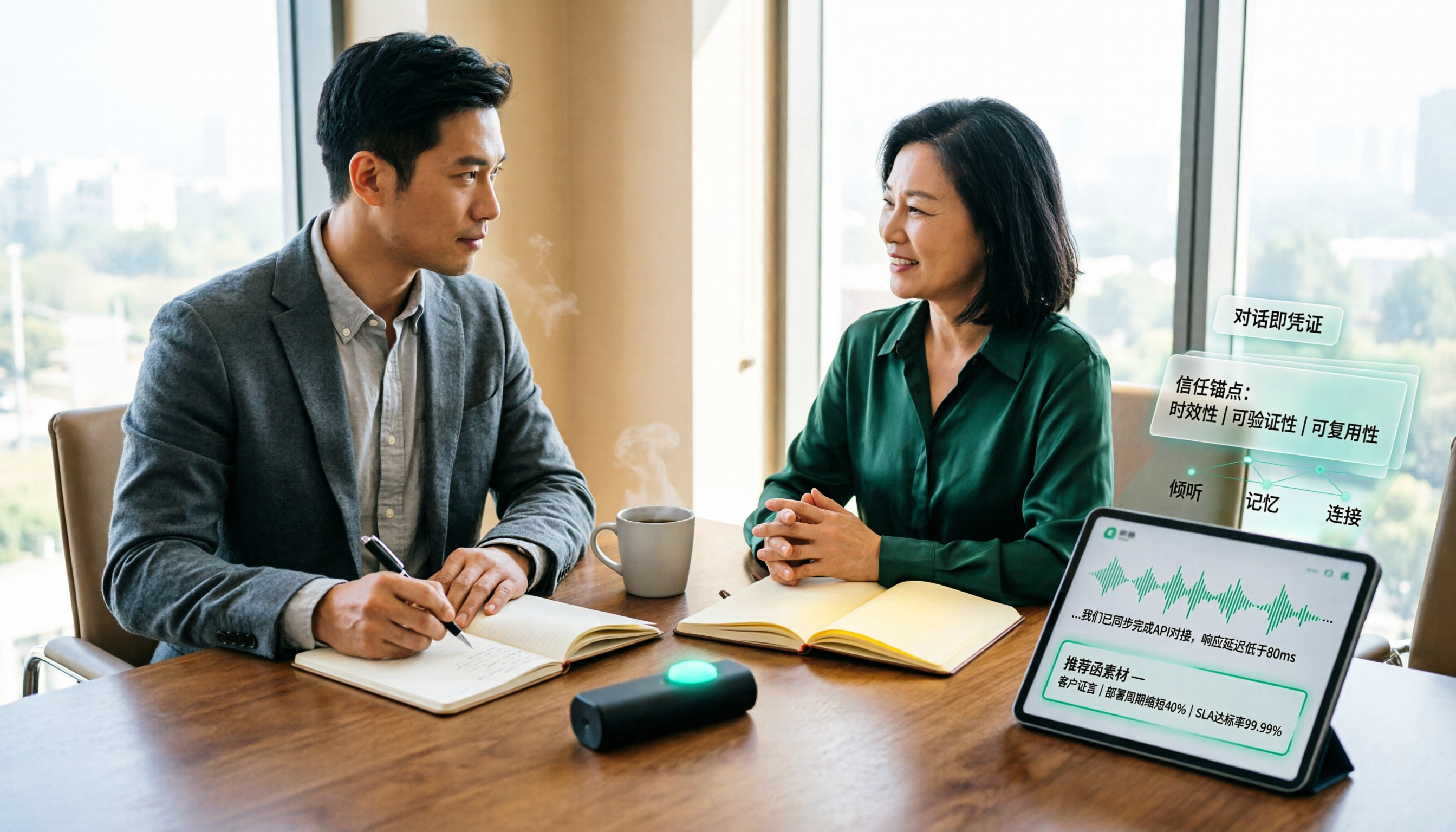
I usually open Tinrec's live recording-to-text before sitting down. It produces a transcript while recording, so by the end of the visit, who said what is already on screen—no need to rely on memory.
For online meetings, the Tinrec desktop version captures computer system audio directly to record Zoom, Google Meet, Microsoft Teams, and Webex, without inviting an extra meeting bot to join. For client visits, having one less "bot has joined the meeting" notification makes the atmosphere much more natural.
Step 2: Within 24 hours after the meeting, pick out "quotable quotes"
Memory distorts, and it distorts in a consistent direction—you remember your own performance and forget what the other person said.
The method: open the transcript and first look at the AI summary and chapters. Tinrec breaks long meetings into structured sections, so you can quickly tell which parts are needs discussions and which are client evaluations and feedback.
The most powerful passages in a recommendation letter are always the client's own words, not your summary of them.
A sentence like "Your response speed was really different from last year" carries far more weight when placed directly in a recommendation letter than writing "your team is highly efficient."
Step 3: Use AI Q&A to dig out scattered details
This is the step most people miss.
Transcripts are long, and you can't scan them line by line. My approach is to ask questions directly against the meeting data, such as: "What specific performance numbers did the client mention?" "What did the client say about delivery times or service attitude?"
Tinrec's AI Q&A answers based on semantic understanding, which is completely different from using Ctrl+F to search for keywords. When writing a recommendation letter, what you're often looking for is "evaluations with a positive tone," not a specific noun—keyword search can't help with that kind of fuzzy condition.
By the way, you can switch mixed Chinese-English passages to a bilingual view using live translation here to confirm you haven't misunderstood the client's meaning.
Step 4: Fit into the recommendation letter structure, one piece of material per paragraph
With the material ready, the next step is assembly. Common recommendation letter content items in the industry can generally be condensed into these paragraphs:
Stop organizing recordings by hand
Upload audio or video and automatically get a transcript, summary, and action items
- The relationship between the recommender and the recommended, how long they've known each other, what they've worked on
- Specific collaboration content and project background
- Verifiable outcomes, preferably with numbers
- Qualities the other party particularly affirmed, using original words or close paraphrases
- Closing and contact information
The key is: one piece of material per paragraph.
Many people cram all the praise into the same paragraph when writing a recommendation letter, making it read like a warehouse of adjectives. One fact per paragraph is actually more persuasive.
If you've visited the same client three times, you can ask questions across all three sets of data, such as "Across these three visits, how did the client's evaluation of after-sales support change?" This kind of cross-meeting context is exactly what recommendation letters lack most—and what is most valuable.
Step 5: Export, archive, and connect directly to the next visit
Writing the recommendation letter isn't the end. Export the organized notes as a document and bring them into your existing workflow—Tinrec supports export to Notion, Google Docs, OneNote, Dropbox, and other tools, and can also directly generate reports, tables, and meeting note drafts.
If you work as a team, this is where the fork in the road appears.
Tinrec's team version is a separate team space, not "multiple people sharing one personal account." Meeting data belongs to the team, and new members can view historical visit records, so client context isn't lost when someone leaves. Roles and seats are separate: roles determine who can manage members and audit, seats determine who can record, upload, edit, and export. Active members without seats can still view, play, and read team data.
The admin side can also see team usage trends, member rankings, and details, query and export audit logs; audio has a recycle bin to restore accidentally deleted files.
Current team version pricing: monthly USD 29.80 per paid seat per month, annual USD 199 per paid seat per year (equivalent to about USD 16.58 per month). The first eligible team trial is 7 days, 1 free seat, 300 minutes of team shared import quota; paid seats provide 2,000 minutes of team shared import quota per seat per month. Under an active team plan and active seats, live recording currently does not deduct minutes; file and web imports use the team shared quota.
Actual prices, currencies, and promotional content are subject to the official purchase page.
Besides Tinrec, what other options are there?
Otter.ai: A mature choice for English business meetings. Basic is free, 300 minutes per month; Pro annual billing is about USD 8.49 per user per month, including 1,200 minutes of in-app recording and 10 file imports per month. If your client visits are entirely in English, it's a very cost-effective starting point. But it's built around English meetings, and details designed for Chinese scenarios like Chinese team hotwords are not its focus.
Granola: Also a bot-free AI meeting notes tool, Basic free, Business USD 14 per user per month. Note that it does not support uploading pre-recorded audio files and does not save meeting audio. If your visits are in-person or you need to check the original audio later, this will be a blocker; Tinrec retains audio and also supports audio/video file import.
PLAUD Note / NotePin: A representative AI recording hardware, NotePin priced at USD 159 on the US official site, Pro membership USD 99.99 per year, 1,200 minutes per month. Suitable for carry-around and phone call recording. However, you need to carry an extra device, and online meetings and post-meeting organization still require returning to the app; Tinrec requires no hardware and can be used directly on web, desktop, and mobile.
Pitfall guide: 4 most common mistakes when writing recommendation letters from visit notes
Pitfall 1: Recording only conclusions on-site, not original words. "The client was very satisfied" is your conclusion; "the client said this delivery was two weeks faster than last time" is material. The former won't convince anyone in a recommendation letter; the latter paints a picture.
Pitfall 2: Letting the recording sit for over a week before organizing. The longer you delay, the less you remember the tone and context, and the transcript becomes just a pile of text. Organizing within 24 hours is the lowest-cost approach.
Pitfall 3: Writing the recommendation letter like a product catalog. If the whole thing is "excellent quality, attentive service, trustworthy," you've said nothing. A good recommendation letter should let the reader finish and be able to tell a specific story.
Pitfall 4: Not getting consent before recording. Recording visits involves personal data and local regulations. Notifying the other party before starting and obtaining consent when necessary is a basic step that also avoids future disputes over data use.
Summary: How should you choose for your situation?
- Visits mainly in Chinese, need to produce recommendation letters, notes, or case studies afterward → Tinrec. Live transcription plus AI summaries and Q&A essentially deletes the "recall" step.
- Need to turn historical visits into team assets, worried about staff turnover → Tinrec team version. Data belongs to the team, seats are transferable, with audit and usage records.
- Pure English meetings, zero budget → Otter.ai Basic. 300 free minutes per month is plenty for English scenarios.
- Have a large number of pre-recorded files to batch process → File transcription tools like TurboScribe are more suitable.
- Often on the go, need carry-around recording → Hardware like PLAUD has its place.
If you're still not sure, I suggest starting with the free version and running through the process once with a real client visit: record, review the summary, ask questions against the data, and fill the answers into the recommendation letter paragraphs.
After one run, you'll probably know whether this process is worth keeping.
References
- How to write a recommendation letter? Headhunter: 8 key points for a perfect recommendation letter, none can be missing for job hunting | Manager Today
- Formatted Recommendation Letter
- Baidu
- Tips & templates for asking teachers to write recommendation letters - College entrance exam forum | Dcard
- Medium
Turn every recording into actionable outcomes
Get 60 free transcription minutes when you sign in. No credit card required.
Related Reading
You might also like

4 Customer Visit Recording Tools Tested for 2026: Which Is Best for English Visit Reports?
How do you write a customer visit report in English? What's the difference between a customer visit report, sales call report, and call report? This article compares Tinrec, Otter.ai, Notta, and PLAUD across pre-visit, during-visit, and post-visit workflows, covering English fields, selection criteria, pitfalls to avoid, and ideal use cases.

How to Write Customer Visit Reports in English: 4 Tools Tested in 2026, Tinrec Is the Easiest
Many people think a customer visit report in English is just writing a call report. The real bottleneck is not capturing the conversation as organized text during the visit. This article starts with common misconceptions and compares four tools—Tinrec, Otter.ai, Notta, and Granola—showing how to use transcripts, AI summaries, action items, real-time translation, and team spaces to organize customer visit records, while honestly listing plan limitations and pricing details.

2026 Client Visit Recording Tools Compared: Hardware vs. Software for Sales Teams
Poor client visit records usually aren't due to lazy salespeople—the method is wrong from the start. This article examines three common pitfalls and compares the hardware-based PLAUD Note with the software-based Tinrec across five dimensions: on-site visits, online meetings, post-meeting organization, search and follow-up, and team handover, helping you choose the right client visit recording approach for your team.

2026 Comparison of 4 Client Visit Recording Tools: Ask AI for Key Points Right After Recording to Save the Most Time
After a client visit, do your notes always end up as just "interested, follow up later"? This article compares 4 client visit recording tools from a student's hands-on testing perspective, breaking down Chinese recognition, AI Q&A, free quotas, and team data ownership item by item, and summarizes the 4 most common pitfalls to help you choose the one you'll actually keep using within your budget.

6 Client Visit Recording Tools Tested for 2026: Which One Actually Leaves Usable Records?
We reviewed 6 client visit recording tools—Tinrec, Otter.ai, Notta, Granola, TurboScribe, and free forms—across pre-visit planning, in-visit recording, and post-visit follow-up scenarios to help you decide which one works best.

Tinrec vs Notta 2026: 5-Dimension Comparison — Which Is More Practical for Sales Meeting Notes?
Starting from real sales meeting scenarios, this comparison examines the practical differences between Tinrec and Notta for sales meeting notes, covering field design, AI summaries, action-item tracking, team collaboration, and export workflows—helping you turn meeting notes into followable sales assets.

2026 Customer Visit Logging Tools Comparison: Tinrec vs Otter.ai — Which Is Better for Sales Follow-Up?
The hardest part of a customer visit log isn't the format—it's that no one wants to fill it out afterward. This article compares Tinrec and Otter.ai from a real sales workflow perspective, covering Chinese visit transcription, summary and action item extraction, customer data retention, export options, and pricing, to help you decide which tool can truly save you time on paperwork.

Best Client Visit Record Tools in 2026: 5 Tested Options, Free Templates & AI Recording Guide
Struggling to capture all the details after a client visit? We tested 5 client visit record methods—from free Excel templates on Pikbest and Lovepik, to 101Form, Notta, Otter.ai, and Tinrec. This article honestly lists each option's free quota, limitations, and best-use scenarios, plus 3 key buying criteria and pitfalls to avoid, helping you find a visit record method you'll actually complete, can search later, and can hand off to teammates.

Customer Visit Log Template: 5 Key Fields + AI Auto-Organize (2026 Guide)
Should your customer visit log be an Excel template, an online form, or audio automatically transcribed into notes? Starting from real sales pain points, this article compares manual forms with Tinrec across 5 dimensions and provides a ready-to-use field checklist plus pricing details.