

Turn recordings into transcripts and summaries in minutes
Upload audio or video for multilingual transcription, AI notes, and action items
2026 Client Visit Recording Tools Compared: Hardware vs. Software for Sales Teams
I used to think poor client visit records were because people were too lazy to write them. After leading sales teams for several years, I realized the problem isn't laziness—it's that the recording method was wrong from the start.
Our team has fallen into three traps. See if you recognize them:
Trap 1: Treating "having a recording" as "having a record." You record the entire 50-minute visit, then leave it sitting when you get back to the office. A month later, when you need to prepare a proposal, no one has the courage to listen from the beginning. Dozens of files saved, but effectively zero.
Trap 2: Catching up after returning to the office. You rush to the next client after a visit, and only at 8 PM do you open your notebook and try to recall "where the client said the budget would roughly land"—you can't remember, so you write "to be confirmed." Next visit, you ask again, and the client's internal reaction is: didn't you ask that last time?
Trap 3: Records live with individuals. On the salesperson's phone, in their LINE, in their notebook. When they leave, three years of client history leave with them.
The common thread across these three traps: we treated "visit recording" as an action, not a process. What really needs solving isn't "how to record" but "how to turn recordings into data others can use."
This year I reorganized our team's approach and actually ran two representative tools from each direction: the hardware-based PLAUD Note series and the software-based Tinrec. Here are the dimensions we compared.
Tinrec vs PLAUD Note | Quick Overview
One-sentence positioning: PLAUD sells a portable recording hardware device; Tinrec sells a software workflow that turns meeting content into searchable, collaborative data.
| Item | Tinrec | PLAUD Note / NotePin |
|---|---|---|
| Core positioning | AI meeting notes and team collaboration tool | AI recording hardware |
| Access method | Web, desktop, mobile; no extra hardware needed | Requires purchasing a physical device, then using the app and membership plan |
| Cost | Personal plans include free, weekly, Pro monthly and annual; team plan USD 29.80 per paid seat per month, annual USD 199 per paid seat per year (about USD 16.58/month) | Device USD 159 (NotePin), USD 189 (Note Pro); membership Starter 300 minutes/month, Pro USD 99.99/year (1,200 minutes/month), Unlimited USD 239.99/year |
| Core difference | Post-meeting summaries, action items, AI Q&A, export, and team space governance | Portable recording, phone call recording, standalone device experience |
Prices and benefits are subject to each party's official pages and may change with promotions. Below we compare five dimensions: on-site visits, coverage, post-meeting organization, search and follow-up, and team collaboration.
Dimension 1 | On-Site Visits: Do You Need to Carry an Extra Device?
PLAUD's value is intuitive—a standalone device you pull out and record with; phone call recording is its strength. The trade-off is you have to take care of another device: check the battery before heading out, remember to sync after visits, and manage each salesperson's device separately.
Tinrec takes a different path: record on your phone or computer, no extra hardware needed. The desktop version directly captures system audio, so for online meetings like Zoom, Google Meet, Microsoft Teams, and Webex, you don't need to add a meeting bot.
→ This dimension: Tie. For field sales who are always on the go and need call recording, the hardware approach has its place; for teams with a mix of in-person and online visits, carrying an extra device is a burden.
Dimension 2 | Coverage: Do Online Meetings Count as Visits?
Many "visits" today actually happen online. A client's requirement confirmation or budget discussion is often a 40-minute Meet or Teams call.
Tinrec's input sources are more varied: live recording, desktop bot-free recording of online meetings, audio and video file uploads, mobile recording, and it can also process some web link content. Old visit recordings and explanatory videos sent by clients can all be turned into text.
PLAUD focuses on hardware recording, with organization and review relying on the device-plus-app workflow.
→ This dimension: Tinrec wins. The difference isn't recording quality but "where the visit happens"—as long as your clients are sometimes in person and sometimes online, the software approach covers more ground.
Dimension 3 | Post-Meeting Organization: The Real Work Starts After the Transcript
This is what our team cares about most, because the real time sink in visit records isn't recording—it's writing.
Stop organizing recordings by hand
Upload audio or video and automatically get a transcript, summary, and action items
After transcription, Tinrec goes further: automatically generates summaries, chapters, key points, and action items, supports mind maps, and can use Agent post-processing to turn content into reports, tables, or documents, then export to Notion, Google Docs, OneNote, or Dropbox for continued use. For sales, this means the manual work between the end of a visit and "meeting conclusions you can send to the client" is compressed.
PLAUD also has post-processing capabilities like summaries, templates, and Q&A, offering an on-device organization experience.
→ This dimension: Tinrec wins. The difference is the "deliverability" of the output—sales want something they can paste directly into CRM notes or send directly to the client, not text they have to rewrite themselves.
Dimension 4 | Search and Follow-Up: The Second Visit Three Months Later
When Manager Today summarized IBM top sales practices, it mentioned a rule: client lists should be visited and updated every three months, because client situations often change within three months.
The problem is, three months later what you need to retrieve isn't "what was said" but "what was promised, where the client was stuck, who had objections." The traditional approach is flipping through notes and chat logs, and after three minutes you still can't find it.
Tinrec's AI Q&A lets you continue asking questions across single or multiple meeting records, such as "the budget ceiling this client mentioned last time" or "this client's concerns about delivery time." The team plan centralizes meeting data in a team space, so a newly assigned salesperson can also pull up historical visit records.
PLAUD's Q&A and summaries focus on single recordings and in-app organization; cross-session history relies on your own filing.
→ This dimension: Tinrec wins. The value of visit records isn't in the first time—it's in the fifth.
Dimension 5 | Team Collaboration: When People Leave, Records Stay
This is the trap I least want to fall into again.
Tinrec's team plan isn't "multiple people sharing one account" but an independent team space: you can create and switch between multiple teams, invite members via join links, set owners/admins/regular members, and distinguish "roles" from "seats"—roles govern administration, seats govern whether one can record, upload, edit, and export. There are also team usage trends, member rankings, team hot words, audit logs, and a 30-day audio recycle bin. When a member leaves or loses a seat, their team resources must be handed over to other active members; data doesn't leave with the person.
One thing to clarify: active members without a seat can still view, play, and read team data, but cannot upload, edit, or export. So "members can see" doesn't mean "members can edit."
PLAUD's team capabilities are mainly at the team membership and device management level.
→ This dimension: Tinrec wins. For sales teams of five or more, this difference will be more noticeable than transcription accuracy.
What Unique Advantages Does Each Have?
On Tinrec's side:
- Bot-free recording of online meetings. The desktop version captures system audio, so no extra bot appears on the meeting roster, and clients won't see an extra participant.
- Complete post-transcription workflow. Summaries, chapters, action items, AI Q&A, translation, export, and Agent-generated reports form one line rather than scattered features.
- Team governance is achievable. Roles, seats, usage, audit, recycle bin, plus resource handover mechanisms—suitable for sales teams with staff turnover.
- No hardware purchase. Works on web, desktop, and mobile; low testing cost.
On PLAUD's side:
- Portable and phone call recording. A standalone device offers convenience for phone calls and impromptu interactions—something software tools can't fully replace.
- Doesn't use your phone. During long recordings, no need to worry about phone battery or storage space.
Conclusion: Which Should You Choose?
- If half your visits happen in online meetings → Tinrec: desktop bot-free recording plus post-meeting organization, all in one line.
- If you want "a conclusion you can send to the client right after the visit" → Tinrec: summaries, action items, documents, and export are all in the same workflow.
- If you lead a team of 5+ and people leave or change territories → Tinrec: team space, seats, and resource handover are hard requirements.
- If your clients mix Chinese and English and you need bilingual transcripts → Tinrec: real-time translation and team hot words are within the claimable scope.
- If you spend most of your time in the field, need phone call recording, and prefer physical device operation → PLAUD's hardware approach fits your work style better.
In one sentence: for most sales teams with a mix of visits and online meetings, Tinrec is the more complete choice; PLAUD suits individuals who prioritize portable recording.
Practical advice: don't rush to decide on budget. Use the free plan's basic quota and run one of your own real visit recordings through it—see if the generated summary and action items match your usual standard for writing records. For team trials, the first eligible team trial is 7 days, 1 free seat, and 300 minutes of shared team onboarding quota; one weekly meeting plus one client visit is enough to judge.
One final reminder: transcription accuracy is affected by recording quality, ambient noise, accents, overlapping speakers, and technical terminology—no tool can guarantee a fixed number. For important terms and commitments, still listen back to the transcript timestamps to verify. Also, before recording visits, inform and obtain consent according to local regulations—this step cannot be skipped.
References
- Baidu
- What I Learned After Visiting 5,000 Clients: Top Sales vs. Average Sales—These 5 Differences! | Manager Today
- Client Interview Record Form
- 10 Books Recommended by Successful People in 2026! Reclaim Happiness, Boost Workplace Skills | CommonWealth Magazine
- No Development Needed! Easily Build a "Client Visit Record" Data Structure
Turn every recording into actionable outcomes
Get 60 free transcription minutes when you sign in. No credit card required.
Related Reading
You might also like

4 Customer Visit Recording Tools Tested for 2026: Which Is Best for English Visit Reports?
How do you write a customer visit report in English? What's the difference between a customer visit report, sales call report, and call report? This article compares Tinrec, Otter.ai, Notta, and PLAUD across pre-visit, during-visit, and post-visit workflows, covering English fields, selection criteria, pitfalls to avoid, and ideal use cases.

How to Write Customer Visit Reports in English: 4 Tools Tested in 2026, Tinrec Is the Easiest
Many people think a customer visit report in English is just writing a call report. The real bottleneck is not capturing the conversation as organized text during the visit. This article starts with common misconceptions and compares four tools—Tinrec, Otter.ai, Notta, and Granola—showing how to use transcripts, AI summaries, action items, real-time translation, and team spaces to organize customer visit records, while honestly listing plan limitations and pricing details.

2026 Comparison of 4 Client Visit Recording Tools: Ask AI for Key Points Right After Recording to Save the Most Time
After a client visit, do your notes always end up as just "interested, follow up later"? This article compares 4 client visit recording tools from a student's hands-on testing perspective, breaking down Chinese recognition, AI Q&A, free quotas, and team data ownership item by item, and summarizes the 4 most common pitfalls to help you choose the one you'll actually keep using within your budget.

6 Client Visit Recording Tools Tested for 2026: Which One Actually Leaves Usable Records?
We reviewed 6 client visit recording tools—Tinrec, Otter.ai, Notta, Granola, TurboScribe, and free forms—across pre-visit planning, in-visit recording, and post-visit follow-up scenarios to help you decide which one works best.

Tinrec vs Notta 2026: 5-Dimension Comparison — Which Is More Practical for Sales Meeting Notes?
Starting from real sales meeting scenarios, this comparison examines the practical differences between Tinrec and Notta for sales meeting notes, covering field design, AI summaries, action-item tracking, team collaboration, and export workflows—helping you turn meeting notes into followable sales assets.
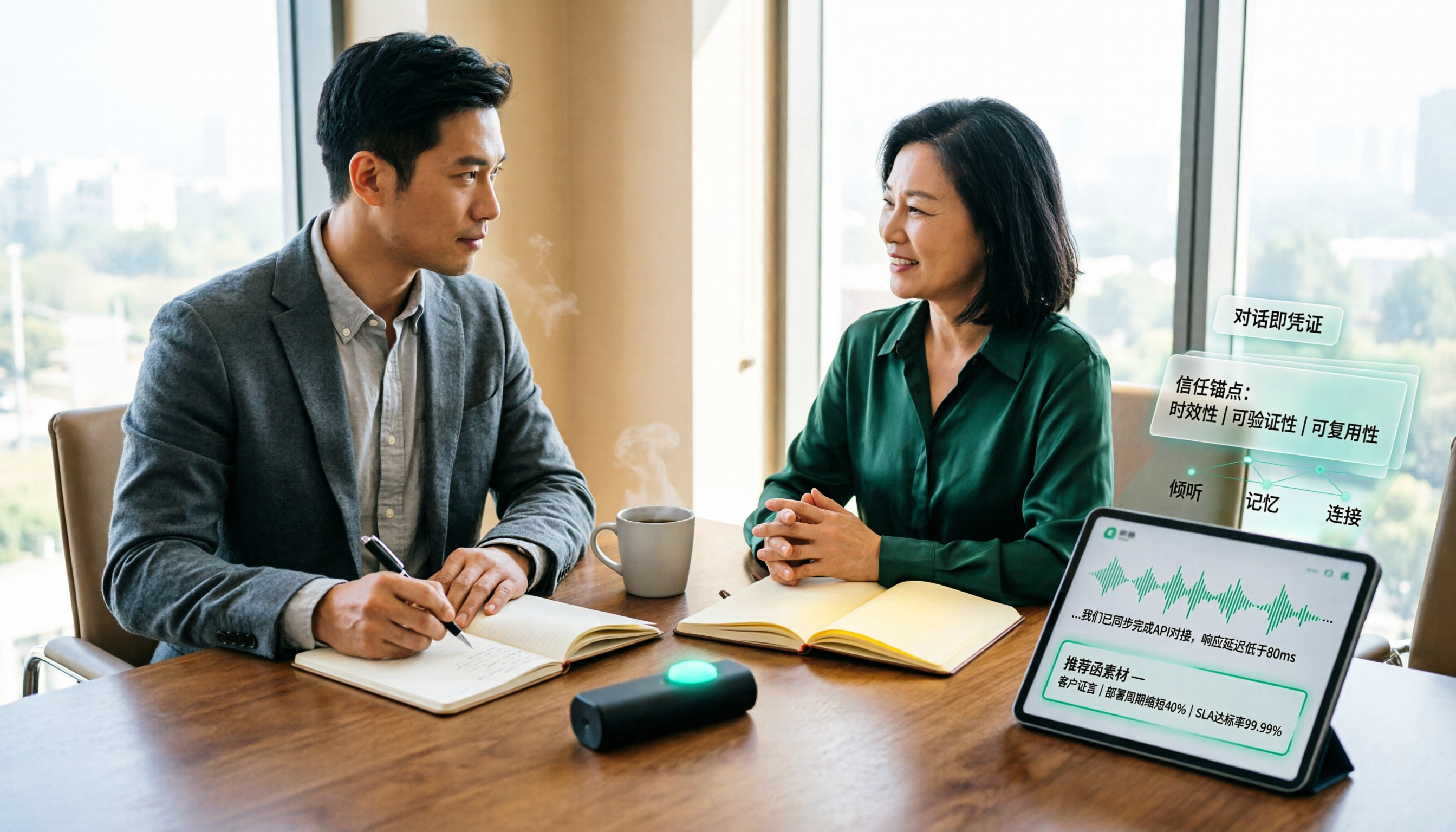
How to Turn Client Visit Notes into a Recommendation Letter in 2026: A 5-Step Guide
Scattered client visit notes make writing a recommendation letter afterward difficult—the problem is usually not writing skill but a lack of quotable material captured on-site. This guide breaks down the process into 5 steps: pre-visit preparation, live audio-to-text transcription, post-meeting AI Q&A to find details, fitting content into a recommendation letter structure, and team archiving. It also compares use cases for tools like Otter.ai, Granola, and PLAUD.

2026 Customer Visit Logging Tools Comparison: Tinrec vs Otter.ai — Which Is Better for Sales Follow-Up?
The hardest part of a customer visit log isn't the format—it's that no one wants to fill it out afterward. This article compares Tinrec and Otter.ai from a real sales workflow perspective, covering Chinese visit transcription, summary and action item extraction, customer data retention, export options, and pricing, to help you decide which tool can truly save you time on paperwork.

Best Client Visit Record Tools in 2026: 5 Tested Options, Free Templates & AI Recording Guide
Struggling to capture all the details after a client visit? We tested 5 client visit record methods—from free Excel templates on Pikbest and Lovepik, to 101Form, Notta, Otter.ai, and Tinrec. This article honestly lists each option's free quota, limitations, and best-use scenarios, plus 3 key buying criteria and pitfalls to avoid, helping you find a visit record method you'll actually complete, can search later, and can hand off to teammates.

Customer Visit Log Template: 5 Key Fields + AI Auto-Organize (2026 Guide)
Should your customer visit log be an Excel template, an online form, or audio automatically transcribed into notes? Starting from real sales pain points, this article compares manual forms with Tinrec across 5 dimensions and provides a ready-to-use field checklist plus pricing details.