

Turn recordings into transcripts and summaries in minutes
Upload audio or video for multilingual transcription, AI notes, and action items
How to Write Customer Visit Reports in English: 4 Tools Tested in 2026, Tinrec Is the Easiest
Many people think that a "customer visit report in English" means translating the visit content into English and writing it as a call report. That's the first misconception. What really slows things down is usually not English, but the failure to turn the conversation into organized text during the visit.
The most common inefficient approach I've seen is: frantically taking notes during the visit, then spending an hour re-listening to the recording back at the office; or writing a rambling English narrative on the spot, only to remember "we had a good chat" and miss the budget, decision-makers, and next follow-up time the customer mentioned.
A more reasonable approach is to first record the visit completely, let the tool transcribe it, then use summaries, action items, and AI Q&A to organize it into a Chinese or English version of the record. This article will use that standard to test and compare four tools: Tinrec, Otter.ai, Notta, and Granola.
Customer Visit Reports in English: The Real Bottleneck Is Not English, But the Recording Method
First, let's clarify some English terms. The record a salesperson gives to their manager after a visit is often called a call report; a more formal document can be a customer visit report; if emphasizing the sales visit, use sales call report. If it's a post-meeting summary for the customer, meeting summary or meeting minutes is more appropriate.
But no matter which term you use, the visit record must answer four things: what the customer said, what the needs are, what we committed to, and who will do what by when.
If you rely only on handwriting, these four things are easily missed. If you rely only on recording, re-listening at home takes too much time. That's why I recommend a process of "recording to transcript + AI summary + action item extraction" rather than a single voice recorder or pure handwriting.
Before Choosing a Customer Visit Recording Tool, Understand These 4 Key Points
1. Transcription capability for Chinese and mixed Chinese-English. Customer visits are rarely all in English; they usually mix Chinese with product names and English terms. Whether the tool can handle this content is more practical than how many dozens of languages it supports.
2. Can it retain recordings and transcripts? No matter how polished the English record is, if the customer later asks about a specific statement, you still need to check the original text. Transcripts must be searchable, and recordings must be retained.
3. Can it directly produce summaries and action items after the meeting? A call report is not a copy-paste of the transcript. You need key points, customer needs, objections, and next steps. If the tool can automatically generate summaries and action items, it will save the most time.
4. Team data ownership. Customer visit records should not exist only in the salesperson's personal account. Whether the team version can share data, manage seats, and hand over when members leave affects the continuity of customer information.
These four points are also the main dimensions of my testing. It's not about who has the most transcription minutes, but who can make the visit record truly usable.
Tinrec (秒聽錄音) — Our Top Choice After Testing
Tinrec (秒聽錄音) is an AI meeting notes and collaboration tool for individuals and teams, supporting mobile, desktop, and web versions. The desktop version can record online meetings through system audio. Its positioning is not just recording-to-text, but organizing meeting and visit content into searchable, summarizable, queryable, and exportable data.
We tested the workflow with a roughly 30-minute mixed Chinese-English visit conversation, in a quiet meeting room, recording once on mobile and once on desktop. The focus was not on pursuing an accuracy number, but on whether a usable call report could be produced directly afterward. Actual performance will be affected by recording quality, accents, noise, and overlapping speakers; but with clear audio, the transcript can serve as a basis for organization.
Before the visit, you can use it to organize customer background and visit objectives. During the visit, the mobile version is suitable for offline communication, while the desktop version is suitable for online meetings—it directly captures computer system audio without inviting a meeting bot to join Zoom, Google Meet, Microsoft Teams, or Webex. This is very convenient for customer visits: you don't have to let the customer see an extra bot participant.
Stop organizing recordings by hand
Upload audio or video and automatically get a transcript, summary, and action items
After the visit, Tinrec generates summaries, chapters, and action items. You can directly ask it "What is the budget ceiling the customer mentioned?" or "Who is responsible for providing the quote next time?" It answers based on the meeting content, not just throwing keywords. When you need an English record, you can use real-time translation to view in original, translated, or bilingual mode, or export the transcript and summary and then organize them into an English call report.
It can also export results to Notion, Google Docs, OneNote, Dropbox, etc., or use Agent post-processing to generate reports, tables, and documents. For sales and customer success teams, this means turning visit recordings into transferable customer data. The team version also maintains team hot words such as customer company names and product terms, and provides member, role, seat, usage analysis, audit logs, and audio recycle bin.
Limitations should also be clearly stated: the free version has only basic quota, suitable for experiencing the workflow first; for long-term use, consider the Pro plan. The team version is an independent team space, not multiple people sharing a personal account. Team version monthly billing is USD 29.80 per paid seat per month, annual billing is USD 199 per paid seat per year. The first eligible team trial is 7 days, 1 free seat, 300 minutes of team shared import quota. Paid seats provide 2,000 minutes of team shared import quota per month; real-time recording is currently not deducted by minutes under valid plans and seats. Prices and benefits are subject to the official purchase page.
If you need Chinese visit records, mixed Chinese-English organization, post-meeting summary and action items, and team-shared customer data, Tinrec is currently the closest choice to this workflow.
Besides Tinrec, What Other Options Are There?
Otter.ai: A mature English AI meeting assistant, free version 300 minutes per month, Pro annual billing equivalent to about USD 8.49 per user per month. Its strengths are English business meetings and AI Chat. If your main visit targets are English-speaking customers and your team communicates in English, Otter is worth considering. But its product positioning puts less emphasis on Chinese visit records and real-time bilingual translation; Tinrec is closer to mixed Chinese-English visit scenarios in this regard.
Notta: A multi-platform transcription tool with high overlap with Tinrec, free version 120 minutes per month, Pro annual billing equivalent to about USD 8.17 per month. It suits users who need multilingual transcription, document import, and translation. Notta's plan page focuses on transcription quota and role permissions; Tinrec's team version lists audio recycle bin, seat allocation, and resource handover after member departure as part of team governance. If you care about team ownership and handover of customer data, this is a point of comparison.
Granola: A bot-free AI meeting notes tool that transcribes in real time through desktop system audio and microphone. Basic is free, Business is USD 14 per user per month. It emphasizes "user notes + AI enhancement," suitable for people who like to handwrite key points during meetings. But note that Granola does not support uploading pre-recorded audio files and does not save meeting audio; Tinrec retains recordings, supports audio and video file import, and can put data into team spaces. If you need to check the original audio after a visit, this is a key difference.
Pitfall Guide: The 3 Most Common Mistakes in Organizing Customer Visit Records
Pitfall 1: Treating "good English" as record quality. No matter how fluent your English is, if you miss the customer's budget, decision process, and objections during the visit, the call report you write will be pretty but useless. The correct approach is to record completely first, then organize the English version.
Pitfall 2: Only recording, not organizing. Audio files don't turn into action items by themselves. After the visit, it's best to quickly organize with summaries and action items the same day, then refer to the transcript for details. Waiting until the weekend to listen means many contexts are forgotten.
Pitfall 3: Keeping customer data in personal accounts. If a salesperson leaves or is replaced, and customer visit records exist only on personal devices, the team starts over. Choosing a tool with team space, seat management, and resource handover design will save more trouble than remedying later.
Conclusion: Which One Should You Choose?
In one sentence: If you want "Chinese visit records + mixed Chinese-English organization + post-meeting English summary + team sharing," Tinrec is the top choice in this article.
Scenario breakdown:
- Need Chinese visits, mixed Chinese-English, post-meeting summaries and action items → Tinrec.
- Visit records to be shared with the team, members may change → Tinrec team version, note seats and shared quota.
- Need to retain recordings after visits, import historical audio files → Tinrec, supports document import and audio recycle bin.
- Pure English meetings, limited budget, English-speaking team → Otter.ai is a reasonable exception.
- Only want real-time notes, no need to retain audio → Granola is worth considering, but know that it does not save meeting audio.
It's recommended to start with the free version for one real visit workflow: set objectives before the visit, record during the visit, and organize into a call report using summaries and AI Q&A after the visit. Once the workflow feels smooth, consider upgrading based on usage frequency. For teams, confirming the number of seats and shared import quota is more practical than just looking at the monthly fee.
References
- Practical Micro English for the Workplace - Customer Visit Edition | YOTTA
- Learning Column | 【Workplace English】Ch8 Receiving and Visiting Customers #69 Visit Purpose
- English word for visiting customers, what is visiting customers in English - Chinese-English Dictionary
- Learning Column | 【Workplace English】Ch8 Receiving and Visiting Customers #67 Scheduling a Visit
- Sales Visit | sales call | Manager Today
Turn every recording into actionable outcomes
Get 60 free transcription minutes when you sign in. No credit card required.
Related Reading
You might also like

4 Customer Visit Recording Tools Tested for 2026: Which Is Best for English Visit Reports?
How do you write a customer visit report in English? What's the difference between a customer visit report, sales call report, and call report? This article compares Tinrec, Otter.ai, Notta, and PLAUD across pre-visit, during-visit, and post-visit workflows, covering English fields, selection criteria, pitfalls to avoid, and ideal use cases.

2026 Client Visit Recording Tools Compared: Hardware vs. Software for Sales Teams
Poor client visit records usually aren't due to lazy salespeople—the method is wrong from the start. This article examines three common pitfalls and compares the hardware-based PLAUD Note with the software-based Tinrec across five dimensions: on-site visits, online meetings, post-meeting organization, search and follow-up, and team handover, helping you choose the right client visit recording approach for your team.

2026 Comparison of 4 Client Visit Recording Tools: Ask AI for Key Points Right After Recording to Save the Most Time
After a client visit, do your notes always end up as just "interested, follow up later"? This article compares 4 client visit recording tools from a student's hands-on testing perspective, breaking down Chinese recognition, AI Q&A, free quotas, and team data ownership item by item, and summarizes the 4 most common pitfalls to help you choose the one you'll actually keep using within your budget.

6 Client Visit Recording Tools Tested for 2026: Which One Actually Leaves Usable Records?
We reviewed 6 client visit recording tools—Tinrec, Otter.ai, Notta, Granola, TurboScribe, and free forms—across pre-visit planning, in-visit recording, and post-visit follow-up scenarios to help you decide which one works best.

Tinrec vs Notta 2026: 5-Dimension Comparison — Which Is More Practical for Sales Meeting Notes?
Starting from real sales meeting scenarios, this comparison examines the practical differences between Tinrec and Notta for sales meeting notes, covering field design, AI summaries, action-item tracking, team collaboration, and export workflows—helping you turn meeting notes into followable sales assets.
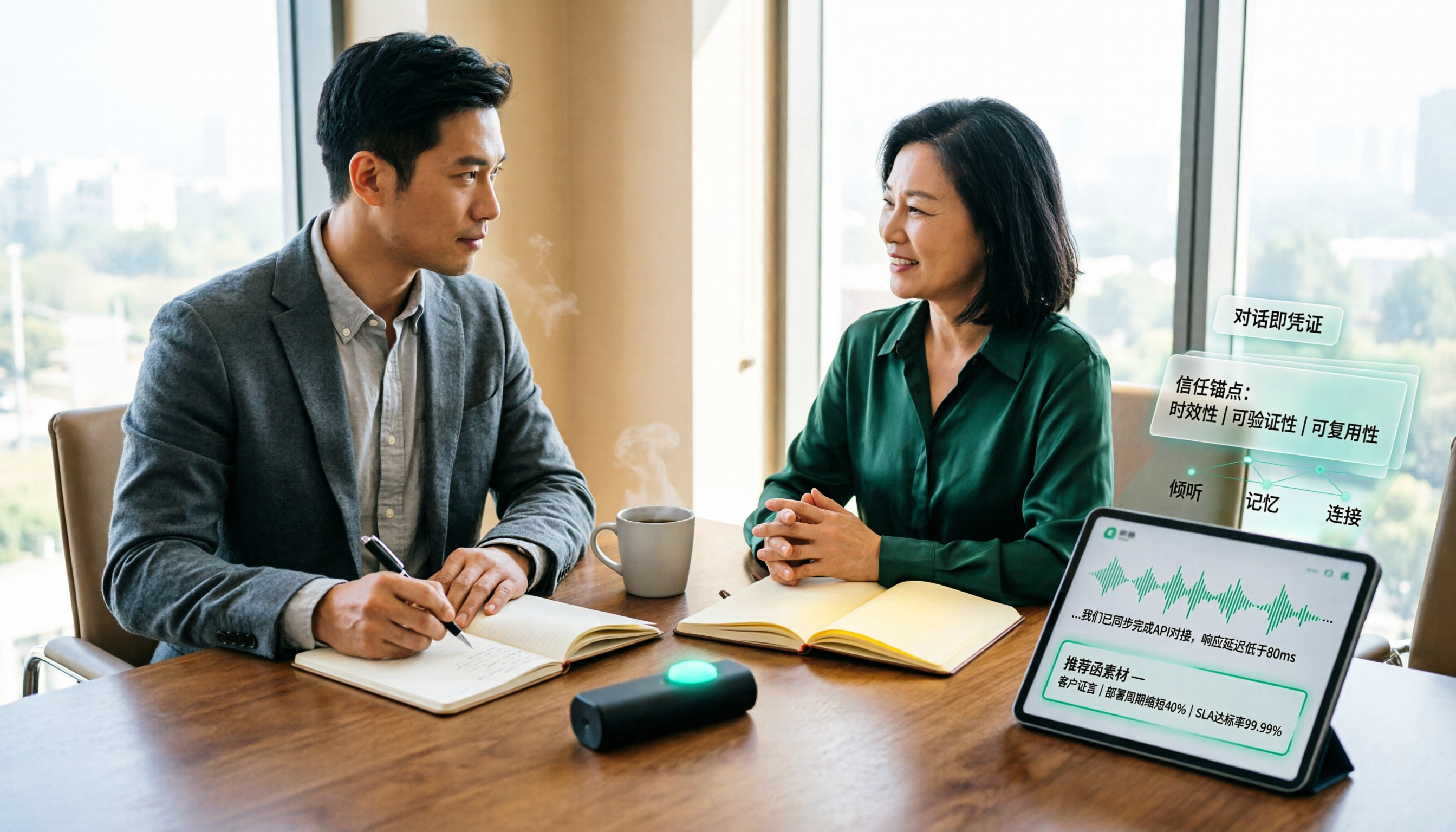
How to Turn Client Visit Notes into a Recommendation Letter in 2026: A 5-Step Guide
Scattered client visit notes make writing a recommendation letter afterward difficult—the problem is usually not writing skill but a lack of quotable material captured on-site. This guide breaks down the process into 5 steps: pre-visit preparation, live audio-to-text transcription, post-meeting AI Q&A to find details, fitting content into a recommendation letter structure, and team archiving. It also compares use cases for tools like Otter.ai, Granola, and PLAUD.

2026 Customer Visit Logging Tools Comparison: Tinrec vs Otter.ai — Which Is Better for Sales Follow-Up?
The hardest part of a customer visit log isn't the format—it's that no one wants to fill it out afterward. This article compares Tinrec and Otter.ai from a real sales workflow perspective, covering Chinese visit transcription, summary and action item extraction, customer data retention, export options, and pricing, to help you decide which tool can truly save you time on paperwork.

Best Client Visit Record Tools in 2026: 5 Tested Options, Free Templates & AI Recording Guide
Struggling to capture all the details after a client visit? We tested 5 client visit record methods—from free Excel templates on Pikbest and Lovepik, to 101Form, Notta, Otter.ai, and Tinrec. This article honestly lists each option's free quota, limitations, and best-use scenarios, plus 3 key buying criteria and pitfalls to avoid, helping you find a visit record method you'll actually complete, can search later, and can hand off to teammates.

Customer Visit Log Template: 5 Key Fields + AI Auto-Organize (2026 Guide)
Should your customer visit log be an Excel template, an online form, or audio automatically transcribed into notes? Starting from real sales pain points, this article compares manual forms with Tinrec across 5 dimensions and provides a ready-to-use field checklist plus pricing details.