

Turn recordings into transcripts and summaries in minutes
Upload audio or video for multilingual transcription, AI notes, and action items
There are countless client visit recording tools out there, but the real question isn't "which one has the most features"—it's whether you need pre-visit planning, in-visit recording, or post-visit follow-up that turns conversations into trackable action items. These three needs call for completely different types of tools. This article reviews 6 options, from AI meeting notes and transcription tools to free forms, to help you quickly determine which one fits your visit workflow.
Why Do You Need a Client Visit Recording Tool?
Client visits aren't just about "checking in." Before a visit, you need to prioritize clients and plan routes. During the visit, you need to capture needs, objections, and commitments. After the visit, you need to turn all of this into a basis for the next follow-up.
If you rely only on phone reports, WeChat location sharing, or Excel spreadsheets, records easily get scattered across personal phones and chat rooms. When the market is no longer booming across the board, the authenticity and conversion rate of every visit become even more critical for businesses.
This article reviews 6 common options and, at the end, helps you decide which one works best based on your scenario.
Tinrec | The Most Complete AI Client Visit Recording and Post-Meeting Organization
Tinrec is an AI meeting notes and collaboration tool for individuals and teams, and it can also be used directly to organize client visit conversations.
Its core highlight is turning "recording" into "something you can work with":
- Real-time speech-to-text: During visits, chat and transcribe simultaneously on mobile or desktop—no need to re-listen to the entire recording afterward.
- Bot-free online meeting recording: For client meetings on Zoom, Google Meet, Microsoft Teams, or Webex, the desktop version captures system audio directly without inviting a meeting bot.
- AI summaries, chapters, and action items: Automatically organizes client needs, objections, and commitments, turning "send quote next week" and "schedule next discussion" into action items.
- AI Q&A and multi-format export: Continue asking questions about the visit content and export to Notion, Google Docs, and other tools for follow-up.
- Team workspace: The team version centrally stores client visit recordings, transcripts, and action items—data remains owned by the team even when members change.
Pricing: The personal version offers a free tier, weekly pass, Pro monthly, and annual plans. The team version offers a 7-day trial for first-time eligible users, 1 free seat, and 300 minutes of shared import quota. Team monthly is USD 29.80 per paid seat per month; annual is USD 199 per paid seat per year (about USD 16.58/month). Each paid seat provides 2,000 minutes of team shared import quota per month; real-time recording is currently not deducted by minutes. Actual prices are subject to the official purchase page.
Who it's for: Sales, customer success, and project teams that need to turn client conversations into transcripts, summaries, and action items, and may need to share them among multiple people.
Otter.ai | A Mature English Meeting Assistant
Otter.ai is a mature AI meeting assistant covering online meetings on Zoom, Microsoft Teams, Google Meet, and more, offering real-time transcription, speaker identification, AI Chat, and team management.
Its strength is its established reputation and integrations for English business meetings. Pricing: Basic free tier offers 300 minutes per month; Pro annual billing works out to USD 8.49 per user per month, including 1,200 minutes of in-app recording per month and 10 file imports; Business offers unlimited meetings and in-app recording, with specific pricing on the official page.
Who it's for: Users who primarily hold English business meetings and need a mature meeting assistant with team management.
Notta | Multilingual Transcription and Meeting Notes
Notta is a multilingual transcription and meeting notes tool with significant overlap with Tinrec—both cover multi-platform transcription, meeting notes, file import, translation, and team plans.
Its distinguishing features are multilingual transcription and file processing. Pricing: Free offers 120 minutes per month, with a maximum of 3 minutes per single item; Pro annual billing works out to USD 8.17 per month for 1,800 minutes per month; Business annual billing works out to USD 16.67 per seat per month, offering unlimited transcription, role permissions, and usage reports.
Who it's for: People who need multilingual transcription and file processing, with transcription as their primary need.
Granola | Bot-Free AI Meeting Notes
Granola is a bot-free AI meeting notes tool that transcribes meetings in real time via desktop system audio and microphone, and combines user handwritten notes to generate more targeted meeting content.
Stop organizing recordings by hand
Upload audio or video and automatically get a transcript, summary, and action items
Its specialty is the "notes + AI enhancement" experience. Pricing: Basic is free; Business is USD 14 per user per month; Enterprise is USD 35 per user per month. Note that Granola supports viewing, copying, and searching real-time transcripts, but does not support uploading pre-recorded audio files and does not save meeting audio files.
Who it's for: People who value real-time note-taking, don't need to retain meeting audio, and primarily hold English meetings.
TurboScribe | Cost-Effective File Transcription
TurboScribe is closer to a cost-effective file transcription tool, focusing on long files, batch uploads, subtitles, and translation.
If you need to organize historical visit recordings rather than real-time meetings, its batch capabilities will be more convenient. Pricing: Free offers 3 files per day, up to 30 minutes per file; Unlimited annual billing is USD 120 (about USD 10/month); paid versions support files up to 10 hours or 5 GB, with up to 50 files per upload.
Who it's for: People who need to batch-process historical visit recordings, subtitles, or long files.
Excel / Google Forms | Basic Visit Records on a Zero Budget
If you only need to simply record visit time, client name, needs summary, and next follow-up date, Excel, Google Forms, or ready-made visit record templates are sufficient. These options are free, customizable, and easy to get started with.
Keep in mind that these forms won't transcribe or summarize for you—visit content still needs to be entered manually. General OA location check-ins are also basic records, lacking detailed visit frequency planning and post-meeting organization.
Who it's for: Individuals and small teams with zero budget, low visit volume, and only needing tabular records.
With So Many Options, How Should You Choose?
- Want to turn client visit conversations into transcripts, summaries, and action items → Tinrec (generates summaries, chapters, and action items directly after transcription)
- Need Chinese, mixed Chinese-English, or multilingual visit records → Tinrec (supports Chinese and multilingual meetings, with real-time translation)
- Visits include online meetings (Zoom, Meet, Teams, Webex) → Tinrec (bot-free desktop recording, no need to invite a bot)
- Need team sharing of visit data, seat management, and usage tracking → Tinrec team version (team workspace, roles, seats, usage, and audit)
- Only need batch transcription of historical visit recordings and subtitles → TurboScribe (long files and batch uploads)
- Prefer an English meeting assistant with mature integrations → Otter.ai (strong reputation for English business meetings)
- Need multilingual transcription and file processing → Notta (multilingual transcription and team plans)
- Value real-time notes and don't need to retain audio → Granola (notes + AI enhancement)
- Zero budget, only need tabular records → Excel / Google Forms (free, customizable)
4 Things to Know Before Using a Client Visit Recording Tool
- Distinguish "recording" from "follow-up" first: Speech-to-text is only the first step—whether you can extract action items and export to your workflow is what matters. Tinrec's approach is to generate summaries, chapters, and action items after transcription, then export to commonly used tools.
- Get consent before recording visits: When recording and transcribing, comply with local laws and obtain participant consent when required.
- Understand free plan limitations clearly: Otter Basic offers 300 minutes per month; Notta Free offers 120 minutes per month with a maximum of 3 minutes per item; TurboScribe Free offers 3 files per day with a 30-minute limit per file; Granola Basic is free but doesn't save audio. Tinrec's free version provides a basic quota for trial.
- Think through team data ownership in advance: If client visit records are to be used by multiple people, personal accounts scattered everywhere are hard to manage. Tinrec's team version keeps data in a team workspace, allowing handover when members leave or lose seats; roles and seats should be considered separately—members without seats can still view, play, and read team data, but cannot upload, edit, or export.
Conclusion
There's no absolute number one client visit recording tool—it depends on whether you need "recording" or "turning records into action."
If you want transcripts, summaries, and action items immediately after a visit, and may need to share them among multiple people, Tinrec is the most complete choice on this list. If you only need batch transcription of historical recordings, TurboScribe is sufficient; if you have zero budget, you can start with Excel or Google Forms.
We recommend running through a real visit workflow with the free quota first, then deciding whether to upgrade.
FAQ
Q1: What's the difference between a client visit recording tool and a regular recording app? A regular recording app only records; a client visit recording tool transcribes the recording into text, organizes summaries, key points, and action items for follow-up. Tinrec also supports AI Q&A, translation, and export.
Q2: Can Tinrec automatically sync with CRM? Currently, full CRM automation should not be promised. Tinrec can organize client communication content and export follow-up materials to use in your existing CRM or workflow.
Q3: Do I need the client's consent to record during visits? Yes. When recording and transcribing, comply with local laws and obtain participant consent when required.
Q4: Is the free version enough? It depends on frequency. Occasional transcription of a visit recording can use the free version; if you have steady weekly visit recording needs, consider Pro or the team version. Free limitations vary by tool and are listed in this article.
Q5: What's the difference between the team version and the personal version? Personal version data belongs to the individual account; the team version has an independent team workspace where data is owned by the team, plus additional features like members, roles, seats, sharing benefits, usage analytics, audit logs, and recycle bin.
References
- Baidu
- How to Choose Client Visit Records: 2026 Efficient Tool Comparison - Xiaobu Waiqin
- [Sample Form - Marketing & Sales] Business Visit Plan | 101Form.net
- Top Sales Have a Client Visit SOP! Prepare This Way for Effective Client Visits | Manager Today
- How to Write Client Visit Records?_Huawei Client Visit Record Form-CSDN Blog
Turn every recording into actionable outcomes
Get 60 free transcription minutes when you sign in. No credit card required.
Related Reading
You might also like

4 Customer Visit Recording Tools Tested for 2026: Which Is Best for English Visit Reports?
How do you write a customer visit report in English? What's the difference between a customer visit report, sales call report, and call report? This article compares Tinrec, Otter.ai, Notta, and PLAUD across pre-visit, during-visit, and post-visit workflows, covering English fields, selection criteria, pitfalls to avoid, and ideal use cases.

How to Write Customer Visit Reports in English: 4 Tools Tested in 2026, Tinrec Is the Easiest
Many people think a customer visit report in English is just writing a call report. The real bottleneck is not capturing the conversation as organized text during the visit. This article starts with common misconceptions and compares four tools—Tinrec, Otter.ai, Notta, and Granola—showing how to use transcripts, AI summaries, action items, real-time translation, and team spaces to organize customer visit records, while honestly listing plan limitations and pricing details.

2026 Client Visit Recording Tools Compared: Hardware vs. Software for Sales Teams
Poor client visit records usually aren't due to lazy salespeople—the method is wrong from the start. This article examines three common pitfalls and compares the hardware-based PLAUD Note with the software-based Tinrec across five dimensions: on-site visits, online meetings, post-meeting organization, search and follow-up, and team handover, helping you choose the right client visit recording approach for your team.

2026 Comparison of 4 Client Visit Recording Tools: Ask AI for Key Points Right After Recording to Save the Most Time
After a client visit, do your notes always end up as just "interested, follow up later"? This article compares 4 client visit recording tools from a student's hands-on testing perspective, breaking down Chinese recognition, AI Q&A, free quotas, and team data ownership item by item, and summarizes the 4 most common pitfalls to help you choose the one you'll actually keep using within your budget.

Tinrec vs Notta 2026: 5-Dimension Comparison — Which Is More Practical for Sales Meeting Notes?
Starting from real sales meeting scenarios, this comparison examines the practical differences between Tinrec and Notta for sales meeting notes, covering field design, AI summaries, action-item tracking, team collaboration, and export workflows—helping you turn meeting notes into followable sales assets.
How to Turn Client Visit Notes into a Recommendation Letter in 2026: A 5-Step Guide
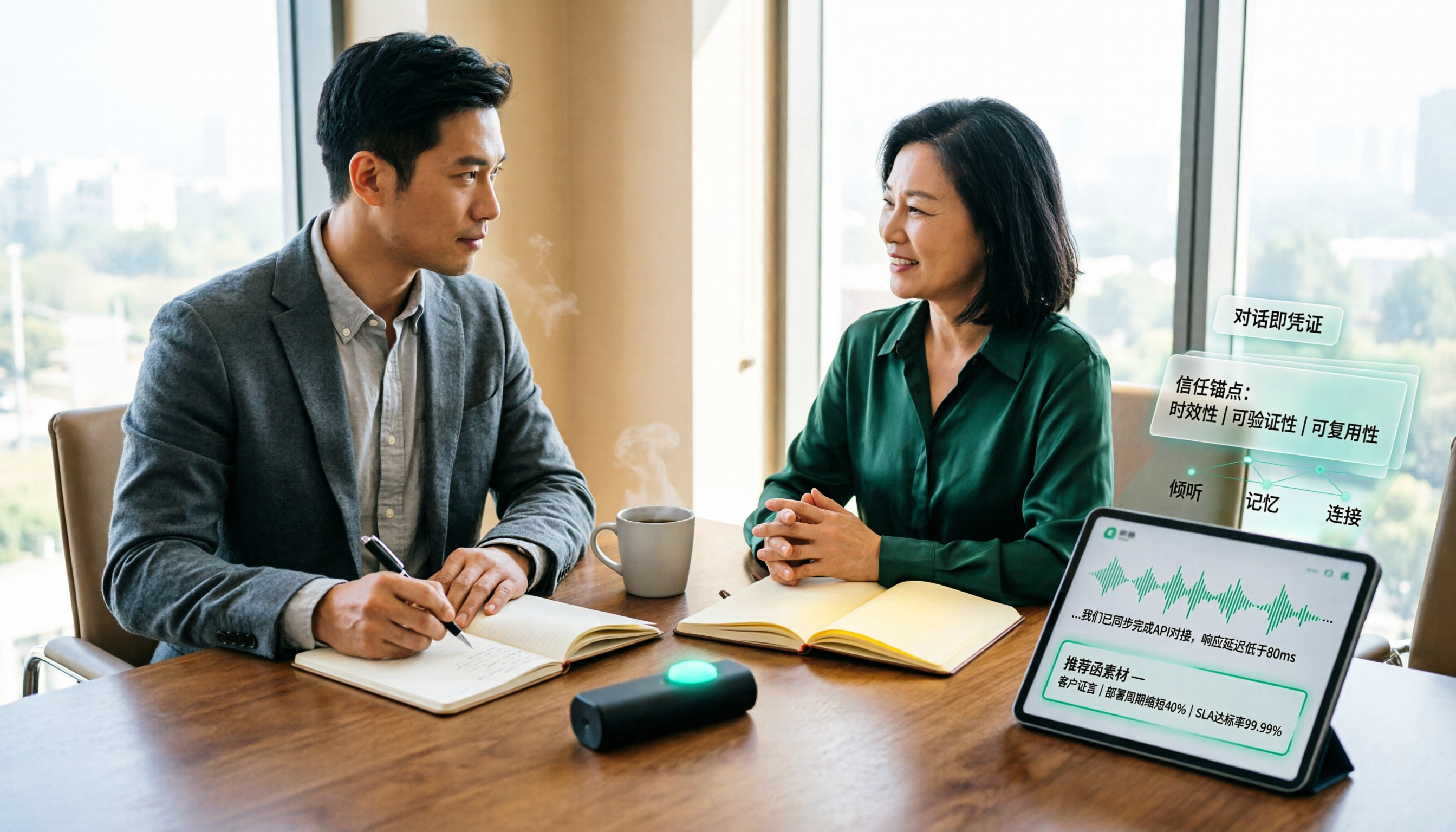
Scattered client visit notes make writing a recommendation letter afterward difficult—the problem is usually not writing skill but a lack of quotable material captured on-site. This guide breaks down the process into 5 steps: pre-visit preparation, live audio-to-text transcription, post-meeting AI Q&A to find details, fitting content into a recommendation letter structure, and team archiving. It also compares use cases for tools like Otter.ai, Granola, and PLAUD.

2026 Customer Visit Logging Tools Comparison: Tinrec vs Otter.ai — Which Is Better for Sales Follow-Up?
The hardest part of a customer visit log isn't the format—it's that no one wants to fill it out afterward. This article compares Tinrec and Otter.ai from a real sales workflow perspective, covering Chinese visit transcription, summary and action item extraction, customer data retention, export options, and pricing, to help you decide which tool can truly save you time on paperwork.

Best Client Visit Record Tools in 2026: 5 Tested Options, Free Templates & AI Recording Guide
Struggling to capture all the details after a client visit? We tested 5 client visit record methods—from free Excel templates on Pikbest and Lovepik, to 101Form, Notta, Otter.ai, and Tinrec. This article honestly lists each option's free quota, limitations, and best-use scenarios, plus 3 key buying criteria and pitfalls to avoid, helping you find a visit record method you'll actually complete, can search later, and can hand off to teammates.

Customer Visit Log Template: 5 Key Fields + AI Auto-Organize (2026 Guide)
Should your customer visit log be an Excel template, an online form, or audio automatically transcribed into notes? Starting from real sales pain points, this article compares manual forms with Tinrec across 5 dimensions and provides a ready-to-use field checklist plus pricing details.