
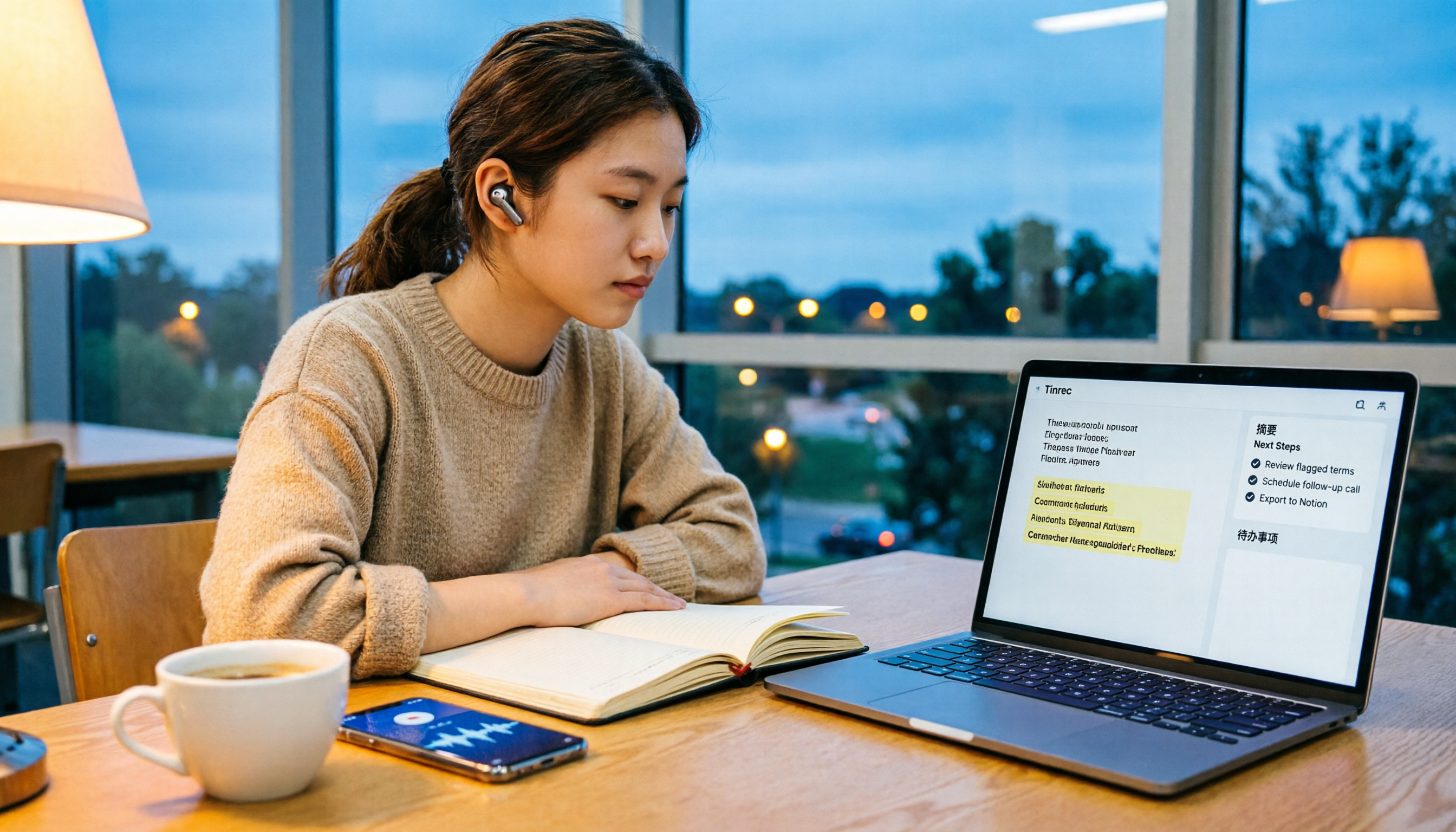
Turn recordings into transcripts and summaries in minutes
Upload audio or video for multilingual transcription, AI notes, and action items
“Free” sounds great, but if you’re like me and tried five tools last semester only to find the quota wasn’t enough, you know the real question isn’t whether a tool is free—it’s whether the free portion lets you finish a task.
Some tools advertise 100 minutes per month, others 3 files per day, and some offer unlimited real-time recording. In this article, I’ve gathered five free audio-to-text solutions that students will actually find useful in 2026. I’ll start with a quota comparison table, then use Tinrec as an example to walk through the entire process from recording to submitting a report, so you can decide which one fits your schedule.
Before You Start: Understand What “Free” Really Means
Before comparing, ask yourself three questions. The answers will eliminate half the tools:
- Do you need to record “live audio” or “upload an existing file”? Many tools offer free quota for only one of these; the other requires payment.
- What language is your recording in? Pure Chinese, mixed Chinese-English, or Taiwanese? This determines which tool can actually recognize it.
- What happens after you use up the free quota? Some tools make you wait in a long queue, some lock features, and some let you buy a short-term plan to get through finals week.
2026: A Quick Look at Free Quotas for 5 Audio-to-Text Solutions
| Tool | Free Quota | Paid Reference | Where I’d Use It |
|---|---|---|---|
| Tinrec | 100 free minutes per month, includes transcription and summary trial | Choose weekly card or Pro based on tasks; annual card is cheaper for long-term use | Lecture recording + post-meeting summary, about 4–5 key classes per month |
| Yating Transcription | Unlimited free real-time recording; 20 minutes free for audio upload | NT$100/hour, discounts for 3+ hours | Interviews in Taiwanese Mandarin, Taiwanese, or mixed Chinese-English |
| Otter.ai | Basic free: 300 minutes per month | Pro annual billing about USD 8.49/user/month | English classes, English online meetings |
| Notta | Free: 120 minutes per month, max 3 minutes per recording | Pro annual billing about USD 8.17/month | Short phrases, snippet transcription |
| TurboScribe | Free: 3 files per day, max 30 minutes per file | Unlimited annual: USD 120 | Batch processing of long pre-recorded audio files |
(Prices and benefits may change; refer to official pages before purchasing.)
Quota is just the threshold. What really determines whether you’ll keep using a tool is whether you can use the output directly. Below, I’ll walk through Tinrec’s workflow and compare where the free versions of other tools stop.
Before You Start: You Only Need These 4 Things
- A phone or laptop: Tinrec has both an app and a desktop version.
- A free account: Sign up to get 100 free minutes per month.
- A recording you want to transcribe: Could be this week’s lecture, a group discussion, or an old file on your phone.
- A stable internet connection: Real-time transcription requires connectivity; check classroom Wi-Fi or download materials beforehand.
Step 1: Record the Audio or Import an Existing File
The goal here is to get a “clean recording,” because all subsequent steps depend on its accuracy.
In class, I place my tablet or phone on the desk near the podium, not in my bag. The closer and less obstructed, the clearer the audio. For group discussions, place it in the center of the table so no one has to raise their voice.
If you’re organizing an existing file, Tinrec also supports uploading audio and video files, skipping the recording step. This is crucial when choosing a free plan: some tools only do real-time recording, so you’d need another tool to process last semester’s lecture recordings stored on your hard drive.
Once done, the recording appears in your list with its duration.
Step 2: Let AI Transcribe It
This is the core of the workflow: turning audio into searchable, copyable text.
Tinrec’s real-time recording transcribes as you record, so text is ready when you stop. For uploaded files, you get a transcript with timestamps; click a timestamp to jump to that part of the recording for verification.
Why care about timestamps? Because transcripts always need checking, especially when professors say English terms or students overlap. With timestamps, you can jump back in seconds; without them, you’d have to listen from the beginning.
How the Free Quota Works Here
With Tinrec’s free 100 minutes per month, a two-hour class uses more than half. My approach: only record key lectures; for general education or non-attendance classes, rely on classmates’ notes. If you want to record every class, consider a paid plan or switch to Yating Transcription, which offers unlimited free real-time recording.
Step 3: Spend 5 Minutes Proofreading, Don’t Retype Everything
Many people get stuck here: they see typos and want to retype the whole thing, which is more tiring than typing from scratch.
Stop organizing recordings by hand
Upload audio or video and automatically get a transcript, summary, and action items
The right approach: focus only on three types of words that affect understanding—names, technical terms, and numbers. Leave filler words and repetitions; they don’t hinder reading.
Use search during proofreading: search for the professor’s name or key terms to ensure every occurrence is correct; usually done in five minutes. If errors cluster around specific jargon, that’s the turning point—most tools require manual correction one by one, but Tinrec’s Team plan offers “team hotwords” to pre-build department terms, reducing misrecognition.
Step 4: Let AI Generate Summaries, Chapters, and Action Items
If you only get a transcript, you’ll still have to reread before finals. This step is the difference between a “free tool” and “free but only transcribes.”
After transcription, Tinrec generates summaries and chapters, breaking a two-hour class into key sections; for group discussions, it extracts action items so responsibilities are clear. The free version lets you try this summary and transcription workflow; test with one or two classes before deciding to pay for more stable usage.
Where Other Free Versions Stop
- Otter.ai: Free 300 minutes per month; mature for English meeting and lecture summaries—a practical choice for all-English courses.
- Notta: Free 120 minutes per month, but max 3 minutes per recording; suitable for short snippets, not full lectures.
- TurboScribe: Free 3 files per day; good for batch processing long pre-recorded audio, but not for real-time meetings.
Step 5: Export and Share
The final step is bringing the output to where you already work.
Tinrec supports multiple export formats and integration with Notion, Google Docs, OneNote, Dropbox, etc. My approach: put summaries into a Notion course database, keep transcripts in Tinrec, and search when I need to quote the professor.
If you’re a group project leader, note the Team plan: it’s a separate team space where meeting data belongs to the team; you can invite members, assign seats, and view usage and audit logs. When members change, data stays with the team—it doesn’t disappear when someone graduates.
FAQ and Troubleshooting
Q: What if I run out of free quota? Decide if it’s short-term or long-term. Finals week or project presentation week is short-term—buy a short plan. If you record weekly, consider a long-term plan. Tinrec offers free, weekly, Pro monthly, and annual cards, so you can choose based on your pace without committing for a year.
Q: The transcript has many errors. What should I do? Check your recording environment first. Noise, distance, and overlapping speech degrade recognition. Then handle technical terms: most tools require manual correction; Tinrec’s Team plan lets you pre-build team hotwords. Actual accuracy still depends on accent, noise, and speed; for important content, use timestamps to verify.
Q: Can I record Zoom, Google Meet, or Teams online classes? Yes, but understand how. Tinrec’s desktop version captures system audio directly—no need to invite a bot. You must start recording yourself; it doesn’t auto-join all meetings on your calendar.
Q: Does it understand Taiwanese or mixed Chinese-English? Tinrec covers Chinese, Traditional Chinese, and multilingual meeting scenarios, and supports mixed Chinese-English content and real-time translation. If your recording is mostly Taiwanese, Yating Transcription is optimized for Taiwanese accents and offers unlimited free real-time recording—try both and decide.
Q: What’s the difference between Team and Personal plans? Personal data belongs to the individual account; Team is a separate space with members, roles, seats, shared benefits, usage analytics, and audit logs. Note: roles and seats are different—roles determine who can manage the team; seats determine who can record, upload, edit, and export. Members without a seat can still view and play team data but cannot upload or edit.
Advanced Tips: 3 Ways to Double Tinrec’s Efficiency
1. Use AI Q&A instead of re-listening Instead of listening to a two-hour recording, ask: “What were the grading criteria the professor mentioned?” Tinrec supports follow-up questions about meeting content; most transcription tools only give text. The effect: finals review becomes a conversation.
2. For mixed Chinese-English classes, use real-time translation Switch between original, translation, or side-by-side bilingual view. For exchange students or all-English courses, this is easier than using a translation app afterward because the context of technical terms is preserved.
3. Use Agent post-processing to turn transcripts into deliverables Generate reports, tables, and documents from the transcript—pushing “note organization” to “directly produce submittable files.” For those racing deadlines, it saves more than time.
If You Don’t Use Tinrec, Here Are Other Options
Yating Transcription: Developed by Taiwan AI Labs, optimized for Taiwanese accents, supports Taiwanese Mandarin, Taiwanese, and mixed Chinese-English; unlimited free real-time recording, 20 minutes free for audio upload; paid NT$100/hour. Suitable for interviews with high Taiwanese usage.
Otter.ai: Basic free 300 minutes per month; mature for English meeting and lecture summaries. If your classes are almost all English, its free quota is more generous than most Chinese tools.
Both share a commonality: their post-transcription Q&A and export workflows are less complete than Tinrec’s. If you only need a transcript, they’re sufficient; if you need submittable summaries and action items, that’s the difference.
Conclusion
Free plans compete on quota, but workflow affects grades. My combo: record and transcribe in Tinrec during class, spend five minutes proofreading names and numbers, let AI generate summaries and action items, then export summaries to Notion for review. The free 100 minutes per month is enough to test four or five key classes—run your own recordings first, then decide if you need to pay for more stable usage.
Final reminder: get consent from everyone present before recording and follow local regulations.
References
- [AI Voice Notes] Top 5 AI Transcription Tools! Generate Transcripts and Meeting Notes, Free vs Subscription, Pros and Cons | 104 Career Power
- No Time Limit! 3 Free AI Transcription Tools, Highly Recommended! AI Voice Notes for Meeting Records, Presentations, Mind Maps | 104 Career Power
- 2026 Complete List of Free Transcription Platforms: 15 Free Speech-to-Text Tools Reviewed and Recommended
- Want to Transcribe Audio for Free? 6 Speech-to-Text Software to Quickly Generate Transcripts (incl. Tinrec) - Tinrec Blog
- 2026 Latest 9 Free Speech-to-Text Tools: Solve Transcript Organization and Meeting Summary Pain Points - Tinrec Blog
Turn every recording into actionable outcomes
Get 60 free transcription minutes when you sign in. No credit card required.
Related Reading
You might also like

2026 Comparison of 5 Audio-to-Text Software: Why Tinrec Is Becoming Notta Users' New Choice?
Starting from PTT's hot discussion list, this comparison examines Tinrec vs. Notta in meeting capture, post-meeting organization, Chinese language experience, team governance, and quotas to help readers decide which audio-to-text software is better suited for Chinese meetings and team collaboration.
2026 Comparison of 3 Audio-to-Text Tools: Tinrec 5-Step Tutorial and Free Tier Analysis
From recording, transcription, proofreading to meeting minutes and export, walk through Tinrec's 5-step audio-to-text workflow and compare free tiers and use cases of Notta and TurboScribe.

2026 Tinrec Review: No-Bot Audio Transcription + AI Q&A to Find Key Points
Dcard discussions about audio transcription share the same pain points: can't bear to delete recordings, can't finish transcripts, and privacy concerns. This guide covers selection criteria and real workflows, breaks down how Tinrec differs from Notta, Otter.ai, and Granola, and lists four common mistakes to help you find a truly time-saving approach.

2026 iPhone Audio-to-Text Guide: Built-in Transcripts vs. Tinrec Comparison
From iPhone Voice Memos' built-in transcripts to Tinrec's AI summaries, action items, and team collaboration, this guide breaks down the decision logic for audio-to-text tools with real workflows, covering free vs. paid boundaries, use cases, and FAQs to help you find the right iPhone audio-to-text solution.

Tinrec vs Notta in 2026: 5-Dimension Comparison — Which Saves More Time on Chinese Meeting Notes?
People have been asking on PTT since 2024 which speech-to-text tool to choose. This article skips flashy interfaces and directly compares Tinrec and Notta across 5 dimensions, while also outlining the boundaries of Otter.ai and Granola. It helps you avoid the most common pitfalls: free tier limits, mixed Chinese-English recognition, and team data ownership.

WhatsApp Voice to Text in 2026: Built-in vs Tinrec vs Notta Compared
How to choose a WhatsApp voice-to-text solution? This article covers the official built-in 'voice message transcripts' feature—its staged rollout, privacy, and language limitations—and compares Tinrec, Notta, and Otter.ai in different scenarios to help you decide which tool to use for single voice messages versus full meeting recordings.

How to Choose a Speech-to-Text Tool in 2026: 5 Steps from PTT-Approved Tools to Real-World Workflows
There are plenty of discussions about speech-to-text on PTT, but the real key to choosing isn't 'which one is the most powerful'—it's your audio source, language mix, and team sharing needs. This article uses 4 buying criteria and 5 practical steps to help you pick the tool from PTT's popular list that you'll actually use long-term.

5 Best Audio-to-Text Tools in 2026: Chinese Accuracy & Free Tiers Tested
Meeting recording is 47 minutes, but the transcript is due in an hour? This hands-on comparison tests Tinrec, Otter.ai, Notta, TurboScribe, and Yating across four key criteria, with a buyer's guide and pitfalls to avoid.

Tinrec vs Yating Transcription: 5-Dimension Comparison of PTT's Most Discussed Speech-to-Text Tools in 2026
PTT discussions on speech-to-text tools often focus on two approaches: Taiwan-localized Yating Transcription and Tinrec, which emphasizes meeting notes and post-meeting organization. This article skips the top-10 list and compares them across five dimensions: free quota, post-meeting output, input sources, team collaboration, and Chinese language support, helping you decide which fits your use case.