
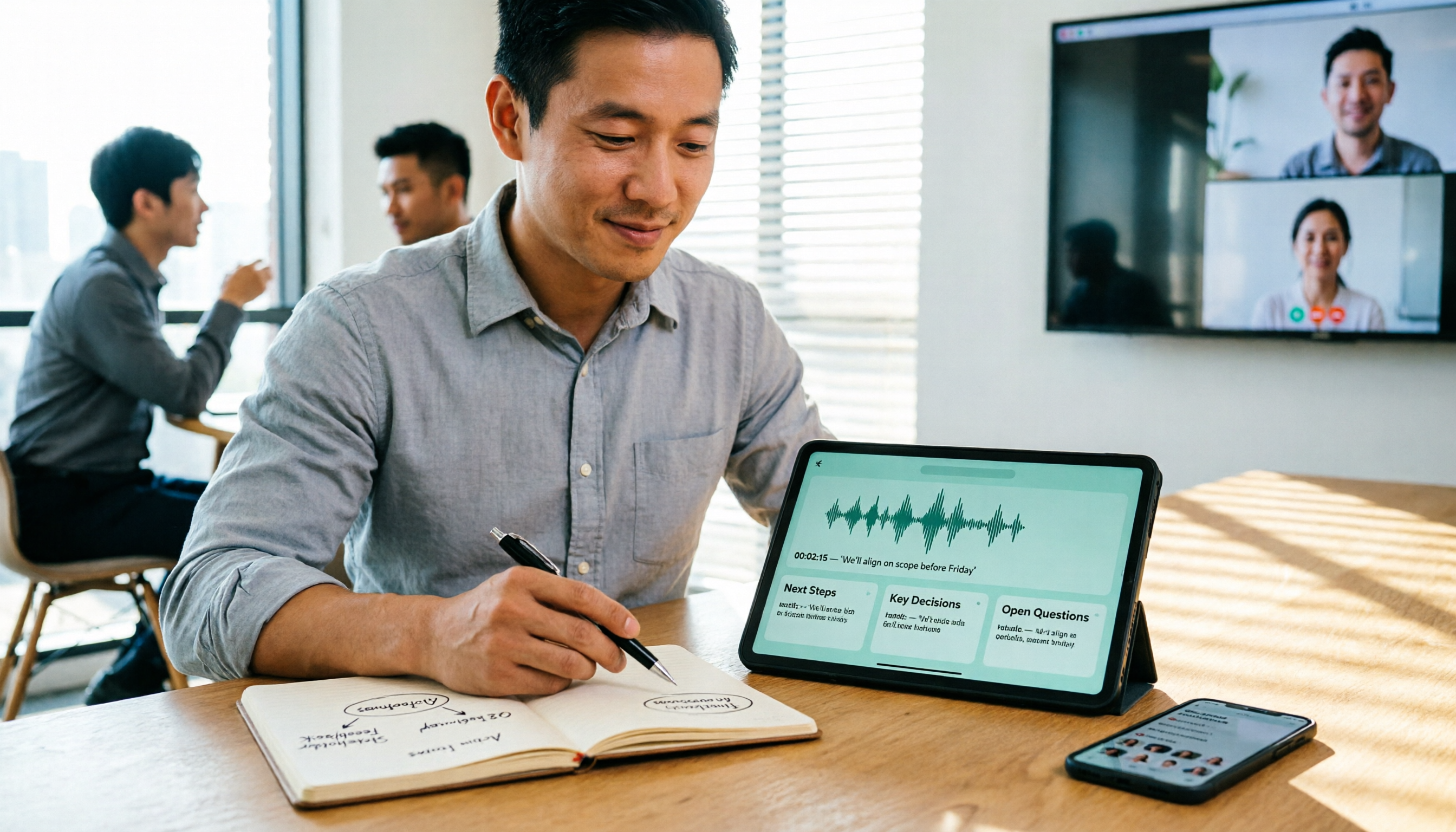
Turn recordings into transcripts and summaries in minutes
Upload audio or video for multilingual transcription, AI notes, and action items
The moment the meeting ends is when the pain begins
It's 8 PM on a Wednesday, and you've just finished a two-hour online meeting.
Your manager asks in the group chat: "What was the conclusion about that budget last time?" You open the recording file, drag the progress bar, and listen back sentence by sentence. By the time you find that sentence, another forty minutes have passed.
Cross-departmental meetings are even trickier. Three people talking at once, some speaking Chinese and some mixing in English, and product codes popping up mid-conversation. Handing this kind of recording to a human transcriber isn't just slow—it's practically impossible to hear clearly.
If you've encountered these situations, this article is for you. With the right tool, meeting notes can go from "two hours" to "ten minutes," and in a format that's searchable and queryable.
Before Choosing a Speech-to-Text Tool, Understand These 4 Key Factors
1. Chinese and Mixed Chinese-English Recognition: Don't Just Look at Marketing Numbers
Many tools claim "98% accuracy," but that's usually measured in a quiet recording studio.
Real offices have air conditioning noise, keyboard sounds, and people interrupting. Rather than trusting ad numbers, try the tool with a recording of your own—ideally one with mixed Chinese and English, as that's where true capability shows. Whether the Chinese-specific training is solid becomes obvious right away.
2. How Is the Meeting Recorded?
This is the most overlooked point.
Some tools use a "meeting bot" that joins Zoom or Meet as a participant, adding a stranger to the screen—which can be awkward in client meetings. Another approach is desktop software that directly captures the computer's audio output, so no extra person appears in the meeting room.
If you frequently meet with external clients, the second method is much more discreet.
3. After Transcription, Can You Use It Directly?
A tool that only provides a transcript just swaps the pain of listening for the pain of reading.
What's more valuable is post-meeting processing: automatic summaries, chapter segmentation, action item extraction, and the ability to ask questions about the content. The difference is like "giving you a meeting transcript" versus "giving you meeting conclusions."
4. How Are Free Tiers Calculated and Team Licenses Managed?
Free versions usually have minute limits. Check whether they reset monthly or daily, and whether there's a length limit per upload.
If you plan to share it across a department, ask one more question: Is the data tied to individual accounts, or is there a team workspace? When a colleague leaves, will those meeting records disappear with them? This often only becomes apparent afterward, but the impact is significant.
Tinrec — The One We Use Most After Testing
Tinrec is an AI meeting notes and collaboration tool for individuals and teams, available on web, desktop, and mobile. It doesn't just convert audio to text—it organizes meetings into searchable, queryable, and further processable data.
During the meeting: transcribe while recording, no bot invitation needed
The desktop version directly captures system audio, so when handling online meetings on Zoom, Google Meet, Microsoft Teams, Webex, etc., you don't need to pull a bot into the meeting room. For offline meetings or interviews, you can start real-time recording and get a transcript as you speak.
Cross-language scenarios are covered too: during recording, you can switch between original text, translation, or bilingual view—very useful for teams with foreign colleagues.
After the meeting: summaries, chapters, and action items all at once
After the meeting, the system automatically generates AI summaries and chapters, so you can quickly grasp the structure of long meetings. Action items are extracted from the discussion, making it clear who is responsible for what. This is where I find the most time savings—previously I'd spend an hour replaying, now I can confirm conclusions in about ten minutes.
After recording: ask questions directly about the meeting
This is where it differs most from similar tools. You can directly ask, "Who mentioned the budget in the last meeting?" or "What were the client's concerns about the delivery schedule?" It answers based on semantics, rather than dumping a bunch of keyword search results.
You can also use Agent post-processing to generate reports, tables, or documents from meeting content, and export to Notion, Google Docs, OneNote, Dropbox, etc. for further use.
Team use: meeting data belongs to the team, not individuals
Personal version data belongs to the individual account; the team version has an independent team workspace where meeting data belongs to the team. Management is finely differentiated: roles determine who can manage members and settings, while seats determine who can record, upload, edit, and export—these are different concepts. Members without a seat can still view, play, and read team data, but cannot edit or upload.
Stop organizing recordings by hand
Upload audio or video and automatically get a transcript, summary, and action items
The team version also offers usage analytics, audit logs, audio recycle bin, and team hotwords. When a member leaves or is removed, their team resources need to be handed over to other members; data doesn't follow the person.
Currently, the team version offers a 7-day trial for first-time eligible users, 1 free seat, and 300 minutes of team shared import quota; monthly billing is USD 29.80 per paid seat per month, annual billing is USD 199 per paid seat per year (about USD 16.58 per month), each paid seat provides 2,000 minutes of team shared import quota per month, and real-time recording under an active plan is currently not deducted by minutes. Actual prices and benefits are subject to the official purchase page.
Things to note
The free version provides a basic quota to experience recording, import, summaries, and transcription; heavy users will need to upgrade. The personal version includes a free version, weekly card, Pro monthly card, and Pro annual card—short-term intensive use and long-term accumulation suit different plans.
Additionally, transcription accuracy is affected by recording quality, ambient noise, accents, overlapping speech, and technical terminology. For important content, it's recommended to cross-check with transcript timestamps and recording playback; it's not advisable to treat it as a 100% replacement for manual note-taking.
Who it's for
If you frequently hold online meetings, need Chinese and mixed Chinese-English transcripts, want to ask questions directly about meeting content afterward, or want to build meeting notes into a shared team database—this is currently the closest choice for these needs.
Besides Tinrec, What Other Options Are There?
Otter.ai
A veteran AI meeting assistant for English business meetings. The Basic free version offers 300 minutes per month; Pro annual billing is about USD 8.49 per user per month, with 1,200 minutes per month and 10 file imports (subject to official pricing page). If your meetings are almost entirely in English, it's very handy; but Chinese and mixed Chinese-English organization isn't its strong suit, and it doesn't support bot-free desktop recording or team hotword management like Tinrec.
Notta
Does multilingual transcription and file import well. The free version offers 120 minutes per month with a 3-minute limit per item; Pro annual billing is about USD 8.17 per month, with 1,800 minutes per month (subject to official pricing page). Suitable for those mainly doing file transcription. However, it's positioned more as a "transcription tool," and post-meeting AI Q&A and team data accumulation are less complete than Tinrec.
Granola
Also an AI meeting notes tool that captures system audio without a bot. Basic is free; Business is USD 14 per user per month (subject to official pricing page). Its feature is combining your handwritten notes to enhance meeting content. Note that it doesn't support uploading existing recording files and doesn't save meeting audio—if you need to keep recordings, import old files, or manage team data, this is a clear difference.
Pitfall Guide: The 3 Most Common Mistakes When Choosing a Speech-to-Text Tool
Pitfall 1: Only looking at official accuracy claims
"98% accuracy" is almost always a number from ideal conditions. Real meetings have air conditioning noise, people talking over each other, and product codes. It's best to try your own recording with the free version—especially mixed Chinese-English segments—and see for yourself.
Pitfall 2: Ignoring how online meetings are recorded
If your tool relies on a bot joining the meeting, there will be an unfamiliar participant in client meetings, and recording notifications can be awkward. Confirm in advance whether the tool uses "bot joining" or "desktop system audio capture"—it will save you a lot of explaining.
Pitfall 3: Only using the transcription tool as "audio to text"
Many people buy a tool but only use it to read transcripts, using only a third of its capability. What really saves time is the summaries, action items, and AI Q&A afterward—like asking Tinrec directly "What was the conclusion of this meeting?" right after recording, which is much faster than manually flipping through a 30-minute transcript.
Pitfall 4: Team data tied to personal accounts
This is the most common hidden pitfall. A colleague leaves, and meeting records disappear; someone takes over, and data can't be found. For department sharing, choose a solution with an independent team workspace, role and seat management, and understand upfront that "members can view" is not the same as "members can edit."
Conclusion: Which One Should You Choose?
Simply put, most daily meetings in Taiwanese teams are in Chinese or mixed Chinese-English, which is exactly the priority when choosing a tool.
- Need Chinese, mixed Chinese-English transcripts and meeting minutes → Tinrec, most complete post-meeting organization
- Don't want a meeting bot joining the room → Tinrec, desktop version captures system audio
- Want to ask questions directly about meeting content to find key points → Tinrec, not every tool offers this kind of semantic Q&A
- Want to build meeting notes into a shared department database and manage members and usage → Tinrec team version, roles and seats managed separately
- Meetings almost entirely in English, just want cheap and usable → Otter.ai's free tier is quite sufficient, no doubt about that
- Mainly converting existing recording files to subtitles and transcripts → File transcription tools like Notta or TurboScribe are more suitable
Honestly, I usually suggest not rushing to pay. First use the free version for two or three real meetings to see if the Chinese recognition suits you and whether post-meeting summaries save you time. If it works for you, then consider upgrading. Tools are meant to save time, not add learning costs.
References
- Audio to Text / Voice to Text / Transcript: 2026 6 AI Tool Recommendations and Practical Tutorials - Tinrec Blog
- Audio to Text / Voice to Text / Transcript: 2026 6 AI Tool Recommendations and Tinrec Hands-on Test - Tinrec Blog
- 2026 Complete List of Free Transcription Platforms: 15 Free Speech-to-Text Tools Reviewed and Recommended
- 2026 6 Voice Recorder to Text Tools Recommended: Free Generation of High-Accuracy Transcripts - Tinrec Blog
- Convert Audio Files to Text / Voice to Text / Transcript: 2026 5 AI Tools Reviewed and Tutorial - Tinrec Blog
Turn every recording into actionable outcomes
Get 60 free transcription minutes when you sign in. No credit card required.
Related Reading
You might also like

6 Cantonese Speech-to-Text Apps Tested for 2026: Which Delivers the Fastest Cantonese Transcript?
After a one-hour Cantonese meeting, do you really want to spend three hours re-listening and typing? This guide reviews six speech-to-text apps that handle Cantonese, covering live meeting notes, spoken-to-written Cantonese conversion, and video subtitling, with scenario-based recommendations and a free-tier comparison.

2026 Free Speech-to-Text Platforms Compared: Which Free Tier Is Enough and Which Hides Traps?
How to choose a free speech-to-text platform in 2026? I tested and compared the free tier limits and post-meeting workflows of Tinrec, Notta, TurboScribe, and Otter.ai, and compiled 5 key buying factors, 3 common mistakes, and scenario-based selection advice to help you find a free solution that truly gets the job done.

Tinrec vs Yating Transcription in 2026: 5-Dimension Comparison — Which Free Speech-to-Text Tool Is More Cost-Effective?
There are many free speech-to-text tools, but their quota calculations vary widely. This article starts from four decision points: recording volume, language, privacy, and post-meeting organization. It tests and summarizes six options: Tinrec, Yating Transcription, LexiTranscript, Good Tape, Notta, and Whisper, with free quotas and paid prices, to help you choose the one that truly meets your needs.

Tinrec vs Notta 2026: 5-Dimension Comparison Chart — Which Is Better for Chinese Meetings and Team Knowledge Retention?
When you search for 'speech-to-text comparison chart,' you're likely already torn between two candidate tools. This article compares Tinrec and Notta across 5 dimensions—meeting capture, post-meeting organization, Chinese language experience, team governance, and pricing/quotas—with a comparison chart to help you decide which one better fits your meeting scenarios.

4 Free Speech-to-Text Apps Tested in 2026: Which Free Tier Actually Gives You Enough?
There are plenty of free speech-to-text apps, but "free" often comes with hidden limits on minutes, file length, and features. This article tackles common misconceptions and breaks down the free plans of Tinrec, Otter.ai, Notta, and TurboScribe—comparing how quotas are calculated, meeting recording methods, and post-meeting organization capabilities—to help you pick the one that can truly handle a full meeting.

Zoom Meeting Notes Tools Compared: Tinrec vs Notta for Chinese Meetings (2026)
Learn how to join a Zoom meeting step by step and avoid common pitfalls, then see how Tinrec and Notta compare in meeting recording, Chinese transcription, post-meeting organization, team governance, and pricing to decide which tool to use after your Zoom call.

Zoom Meeting Recording in 2026: 3 Methods Tested — Which One Actually Saves You Time After the Call?
Many people search for "Zoom meeting download" expecting that installing the app will automatically generate transcripts and meeting minutes. This article addresses that common misconception, compares built-in recording, manual note-taking, and Tinrec, explains how bot-free recording, live transcription, AI summaries, and action-item extraction actually work, and lists 5 things to consider when choosing a tool plus key points about team plan permissions.

Which Zoom Meeting Notes Tool Is Best? 2026 Hands-On Test of 5 Options—This One Excels for Chinese Meetings
In 2026, after starting a new Zoom meeting, instead of scrambling to catch up on notes, choose the right meeting notes tool. Based on real-world scenarios, this article explains how Tinrec records Zoom without a bot, provides real-time transcription, generates summaries and action items, and outlines 5 buying checkpoints and FAQs.

2026 Video Conferencing Software Comparison: After the Zoom Call, Who Handles the Notes?
From Zoom, Google Meet, Microsoft Teams to Tinrec, we compare the free plan limits, participant joining requirements, post-meeting organization capabilities, and team permissions of 4 meeting tools to help you decide which one fits your meeting scenario, and why 'having a meeting' and 'turning a meeting into data' are actually two different things.