

Turn recordings into transcripts and summaries in minutes
Upload audio or video for multilingual transcription, AI notes, and action items
Many people search for "Zoom meeting download" with the same thing in mind: once it's installed, will it automatically record my meetings and generate meeting minutes for me?
There's a very common misconception here.
Downloading meeting software solves the question of "how to hold a meeting"; it doesn't also solve "who will organize everything after the meeting." Many people assume that once they enter the meeting room and hit record, transcripts and summaries will just appear on their own. In reality, how long you can record and whether you can transcribe usually depend on your account plan, host settings, and admin policies. Even if you do record and get a transcript, the summary, conclusions, and who's responsible for what still mostly have to be put together by hand.
I usually suggest looking at these as two separate things: use the platform you're comfortable with for meetings, and let a dedicated tool handle the organizing.
Tinrec is an AI meeting recording and collaboration tool for individuals and teams. It supports live recording, bot-free transcription of online meetings, audio/video file import, and live translation. It automatically generates summaries, chapters, action items, and mind maps, and supports AI Q&A and multi-format export. The free plan includes a basic quota you can try, making it accessible for office workers, students, and freelancers.
What Can Tinrec Do for You? 3 Real-World Scenarios
Scenario 1: After a Zoom meeting, deliver meeting notes the same day
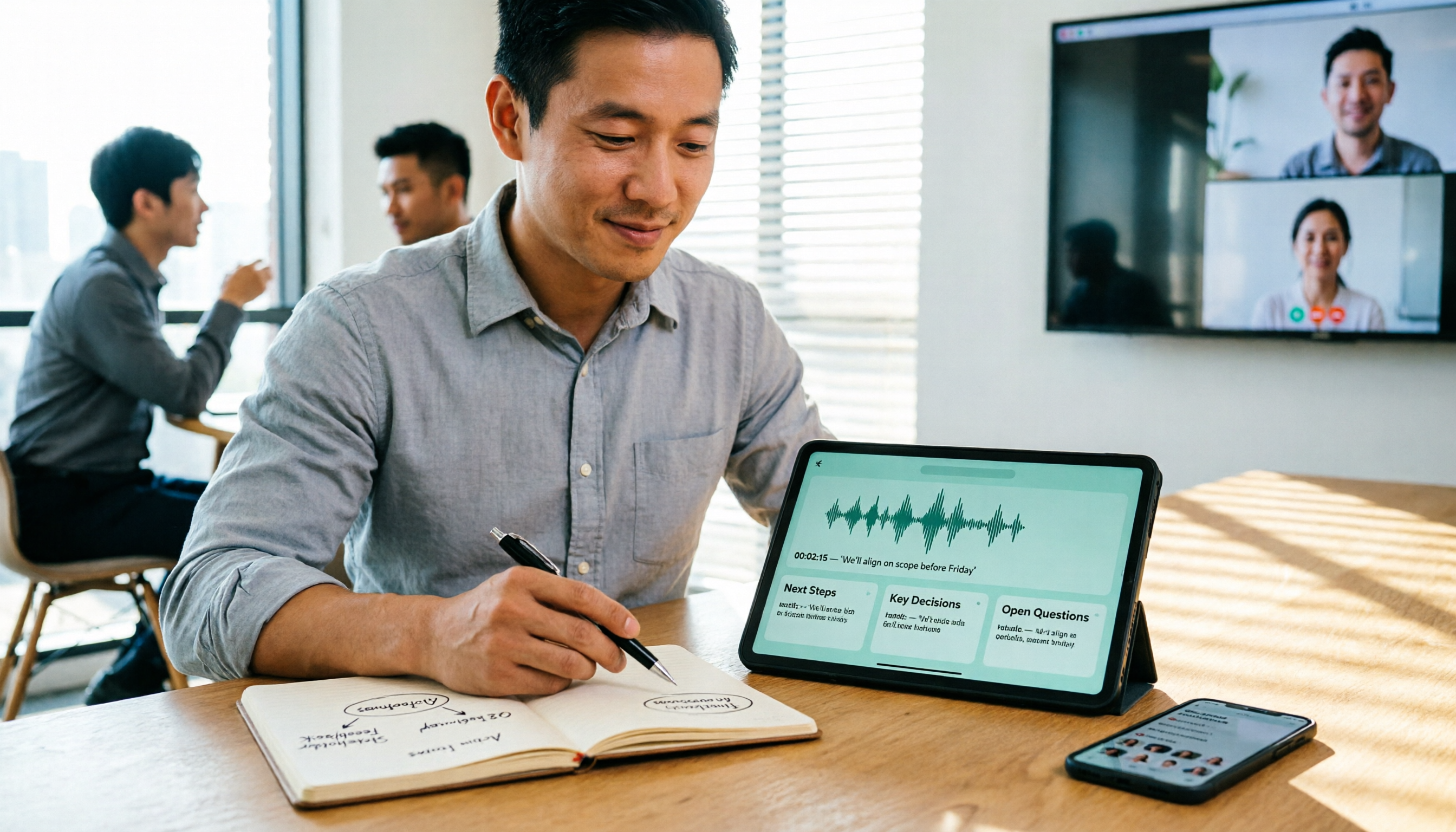
A two-hour meeting used to mean another hour of organizing afterward. With Tinrec desktop recording, the meeting audio is transcribed directly, and after the meeting the AI has already laid out the summary, chapters, and action items—who's responsible for what and when it's due, all at a glance.
Scenario 2: Pulled into an online meeting last-minute and need to catch up on key points
Not having time to take notes during a meeting is normal. Tinrec transcribes as it records, so you can listen and read along; afterward, use AI Q&A to ask things like "What was the budget ceiling the client mentioned?" or "Who proposed this decision?" without replaying the whole recording.
Scenario 3: You have a pile of old meeting recordings
Past audio and video files can be uploaded to Tinrec for transcription, then summaries and action items generated. For anyone who needs to look back at historical decisions, this is far more practical than digging through folders.
What Are Tinrec's Core Capabilities for Recording Zoom Meetings?
Bot-free recording of online meetings
Tinrec desktop captures your computer's system audio directly, handling meeting audio played on your computer from platforms like Zoom, Google Meet, Microsoft Teams, and Webex—no extra meeting bot needs to be invited into the meeting room.
Precise wording matters here: this is "the user actively opens Tinrec to start recording," not "automatically joins all scheduled meetings," and it doesn't mean there's an official partnership with these platforms.
Live transcription and live translation
Transcribes as it records, so you can confirm in real time during the meeting that nothing important was missed. For cross-language meetings, you can switch between original text, translation, or bilingual view, and mixed Chinese-English content can also be handled.
AI summaries and chapters
It doesn't just condense the transcript into a paragraph—it organizes by structure: meeting topic, discussion highlights, and conclusions are listed separately. Long meetings are split into chapters, so you don't have to scroll from the beginning to find a specific section.
Action item extraction
Pulls action items out of the discussion—especially useful for project meetings and client calls. By the time the meeting ends, your to-do list is basically ready.
AI Q&A
Once transcription is complete, you can ask questions directly: "What risks were raised in this meeting?" "What was the final marketing budget?" It answers based on meaning, saving you the time of digging through the transcript.
Multi-format export and post-meeting outputs
Transcripts and summaries can be exported to tools like Notion, Google Docs, OneNote, and Dropbox for continued use; reports, tables, and documents can also be generated as needed.
Keep in mind that AI organization can still miss details—for important numbers, it's best to cross-check against the transcript timestamps and recording.
Practical Use Cases
Cross-department weekly meetings
The most annoying part of a recurring weekly meeting is "did we do what we said we'd do last time?" With Tinrec recording, action items and decisions stay in one place—check before the next meeting and you have a basis, no need to argue from memory.
Stop organizing recordings by hand
Upload audio or video and automatically get a transcript, summary, and action items
Client interviews and requirements discussions
Client pain points, competitors, budget, and timeline are scattered across a 40-minute conversation. After transcription, use AI Q&A to pull out key points and organize them into a requirements summary—far more complete than handwritten notes.
Online courses and lectures
When the speaker talks fast and the content is dense, notes often miss things. Live transcription lets you follow along and fill in gaps, and afterward you can review with the summary—very helpful for content you need to absorb repeatedly.
Meetings that need bilingual support
With multinational teams or foreign colleagues, live translation and bilingual view reduce back-and-forth confirmation time, and transcripts are easier to archive.
5 Things to Consider When Choosing a Zoom Meeting Recording Tool
1. Recording method: Does it require a bot to join the meeting?
Some tools add a bot account to the meeting, which some enterprises or clients find intrusive. Tinrec takes the approach of capturing system audio via desktop—no extra participant in the meeting room.
2. Can you use the transcription directly?
Getting only a transcript means the work is only half done. When choosing a tool, I first check whether it has summaries, chapters, action items, and Q&A; Tinrec is fairly complete in this regard—once transcription is done, you can keep working.
3. Fluency with Chinese and mixed Chinese-English
Proper nouns in Chinese meetings are the most error-prone. Tinrec supports team hotword management, so you can maintain commonly used department terminology. Actual performance will still be affected by recording quality, accents, noise, and overlapping speakers—it's best to test with your own recording.
4. Can historical data be managed centrally?
When recordings are scattered across personal computers and chat rooms, over time they might as well not exist. Tinrec's team space keeps meeting data centrally stored, and new members can view historical content too.
5. Are team permissions clearly separated?
For team plans, look at "roles" and "seats" separately: roles determine who can manage the team, members, and audits; seats determine whether a member can record, upload, edit, and export. Members who are active but have no seat can still view, play, and read team data.
Where Should Data Live When Using It as a Team?
Personal plan data belongs to the individual account; the team plan is a separate team space where meeting data belongs to the team and won't disappear just because someone leaves.
When a member exits, is removed, or loses their seat, the team resources they were responsible for can be handed over to other active members—this is a point many teams genuinely care about.
The team plan currently offers a first-time trial of 7 days, 1 free seat, and 300 minutes of shared team import quota. Paid plans are USD 29.80 per paid seat per month, or USD 199 per paid seat per year (about USD 16.58 per month); each paid seat provides 2,000 minutes of shared team import quota per month, and live recording under an active plan is currently not deducted by the minute.
Prices and promotions are subject to the official purchase page. The personal plan offers a free version, weekly card, Pro monthly, and Pro annual—if you only occasionally organize a recording, the free version is enough; for short bursts of intensive meetings, consider the weekly card; if you have weekly needs, go with Pro.
Frequently Asked Questions
I just want to record Zoom meetings—do I have to download Zoom Rooms?
Not necessarily. Zoom Rooms is a solution for physical meeting spaces, turning offices, classrooms, and other venues into environments where you can start meetings with one click and book meeting rooms. If you just want to record online meetings you participate in, the focus should be on recording and organizing tools, not meeting room equipment.
Does Tinrec need a meeting bot to join Zoom?
No. Tinrec desktop captures your computer's system audio directly—you just start recording yourself, and no bot account is added to the meeting. However, it is not a mode that automatically joins all calendar meetings.
Is the free version enough?
If you just want to get a feel for what "AI organizing my meetings" is like, the free version's basic quota is enough for a few meetings. For those who truly meet every day, choosing a weekly card or Pro plan based on usage frequency makes more sense.
How accurate is the transcription?
With clear audio and stable microphone input, performance is usually good; but with multiple people talking over each other, background noise, heavy accents, or many technical terms, the error rate increases. For important content, cross-check against transcript timestamps and recording playback.
Can team members without a seat see the data?
Yes. Active members can still view, play, and read team data even without a seat; but to record, upload, edit, or export, they need a seat.
Do I need to inform participants before recording?
Yes. Recording and transcription involve personal data—inform participants in advance and obtain consent, and handle it in accordance with the regulations in your location.
Conclusion
What "Zoom meeting download" really needs to solve was never the installation problem—it's the organizing work after the meeting that nobody wants to do.
Built-in platform recording helps you keep a file, and manual notes help you capture the feeling in the moment, but to turn them into searchable, queryable, and transferable meeting data, you still need a dedicated tool. That's where Tinrec's value lies: no meeting bot, transcripts, summaries, action items, and Q&A all in one place, and team data can be accumulated centrally.
If you have more than three meetings a week, I suggest trying the free version for one meeting to see what it feels like to save that extra hour after the call.
References
Turn every recording into actionable outcomes
Get 60 free transcription minutes when you sign in. No credit card required.
Related Reading
You might also like

6 Cantonese Speech-to-Text Apps Tested for 2026: Which Delivers the Fastest Cantonese Transcript?
After a one-hour Cantonese meeting, do you really want to spend three hours re-listening and typing? This guide reviews six speech-to-text apps that handle Cantonese, covering live meeting notes, spoken-to-written Cantonese conversion, and video subtitling, with scenario-based recommendations and a free-tier comparison.

2026 Free Speech-to-Text Platforms Compared: Which Free Tier Is Enough and Which Hides Traps?
How to choose a free speech-to-text platform in 2026? I tested and compared the free tier limits and post-meeting workflows of Tinrec, Notta, TurboScribe, and Otter.ai, and compiled 5 key buying factors, 3 common mistakes, and scenario-based selection advice to help you find a free solution that truly gets the job done.

Tinrec vs Yating Transcription in 2026: 5-Dimension Comparison — Which Free Speech-to-Text Tool Is More Cost-Effective?
There are many free speech-to-text tools, but their quota calculations vary widely. This article starts from four decision points: recording volume, language, privacy, and post-meeting organization. It tests and summarizes six options: Tinrec, Yating Transcription, LexiTranscript, Good Tape, Notta, and Whisper, with free quotas and paid prices, to help you choose the one that truly meets your needs.

Tinrec vs Notta 2026: 5-Dimension Comparison Chart — Which Is Better for Chinese Meetings and Team Knowledge Retention?
When you search for 'speech-to-text comparison chart,' you're likely already torn between two candidate tools. This article compares Tinrec and Notta across 5 dimensions—meeting capture, post-meeting organization, Chinese language experience, team governance, and pricing/quotas—with a comparison chart to help you decide which one better fits your meeting scenarios.
5 Best Speech-to-Text Tools in 2026: Free Tiers and Chinese Recognition Compared
Spent two hours in a meeting and now need another two hours to replay the recording and find the conclusion? Starting from the real-world scenarios of everyday office workers, this article outlines 4 key factors for choosing a speech-to-text tool in 2026, compares the free tiers, Chinese recognition, post-meeting organization, and team collaboration capabilities of 5 tools including Tinrec, Otter.ai, Notta, and Granola, and lists the three most common purchasing pitfalls.

4 Free Speech-to-Text Apps Tested in 2026: Which Free Tier Actually Gives You Enough?
There are plenty of free speech-to-text apps, but "free" often comes with hidden limits on minutes, file length, and features. This article tackles common misconceptions and breaks down the free plans of Tinrec, Otter.ai, Notta, and TurboScribe—comparing how quotas are calculated, meeting recording methods, and post-meeting organization capabilities—to help you pick the one that can truly handle a full meeting.

Zoom Meeting Notes Tools Compared: Tinrec vs Notta for Chinese Meetings (2026)
Learn how to join a Zoom meeting step by step and avoid common pitfalls, then see how Tinrec and Notta compare in meeting recording, Chinese transcription, post-meeting organization, team governance, and pricing to decide which tool to use after your Zoom call.

Which Zoom Meeting Notes Tool Is Best? 2026 Hands-On Test of 5 Options—This One Excels for Chinese Meetings
In 2026, after starting a new Zoom meeting, instead of scrambling to catch up on notes, choose the right meeting notes tool. Based on real-world scenarios, this article explains how Tinrec records Zoom without a bot, provides real-time transcription, generates summaries and action items, and outlines 5 buying checkpoints and FAQs.

2026 Video Conferencing Software Comparison: After the Zoom Call, Who Handles the Notes?
From Zoom, Google Meet, Microsoft Teams to Tinrec, we compare the free plan limits, participant joining requirements, post-meeting organization capabilities, and team permissions of 4 meeting tools to help you decide which one fits your meeting scenario, and why 'having a meeting' and 'turning a meeting into data' are actually two different things.