

Turn recordings into transcripts and summaries in minutes
Upload audio or video for multilingual transcription, AI notes, and action items
What Is Vocal Fry in Chinese? A 2026 Speech-to-Text Tool Buying Guide: 3 Hands-On Tests and Recommendations
When you type "vocal fry Chinese" into the search bar, you're actually facing a decision: do you just want to know the Chinese translation of this term, or are you looking for a tool that can properly capture this way of speaking?
The former takes thirty seconds to solve. The latter involves a more practical question—can transcription tools handle the low trailing sounds, filler words, and mixed Chinese-English proper nouns in meeting recordings? This article first clarifies "vocal fry in Chinese," then helps you decide which speech-to-text tool to use.
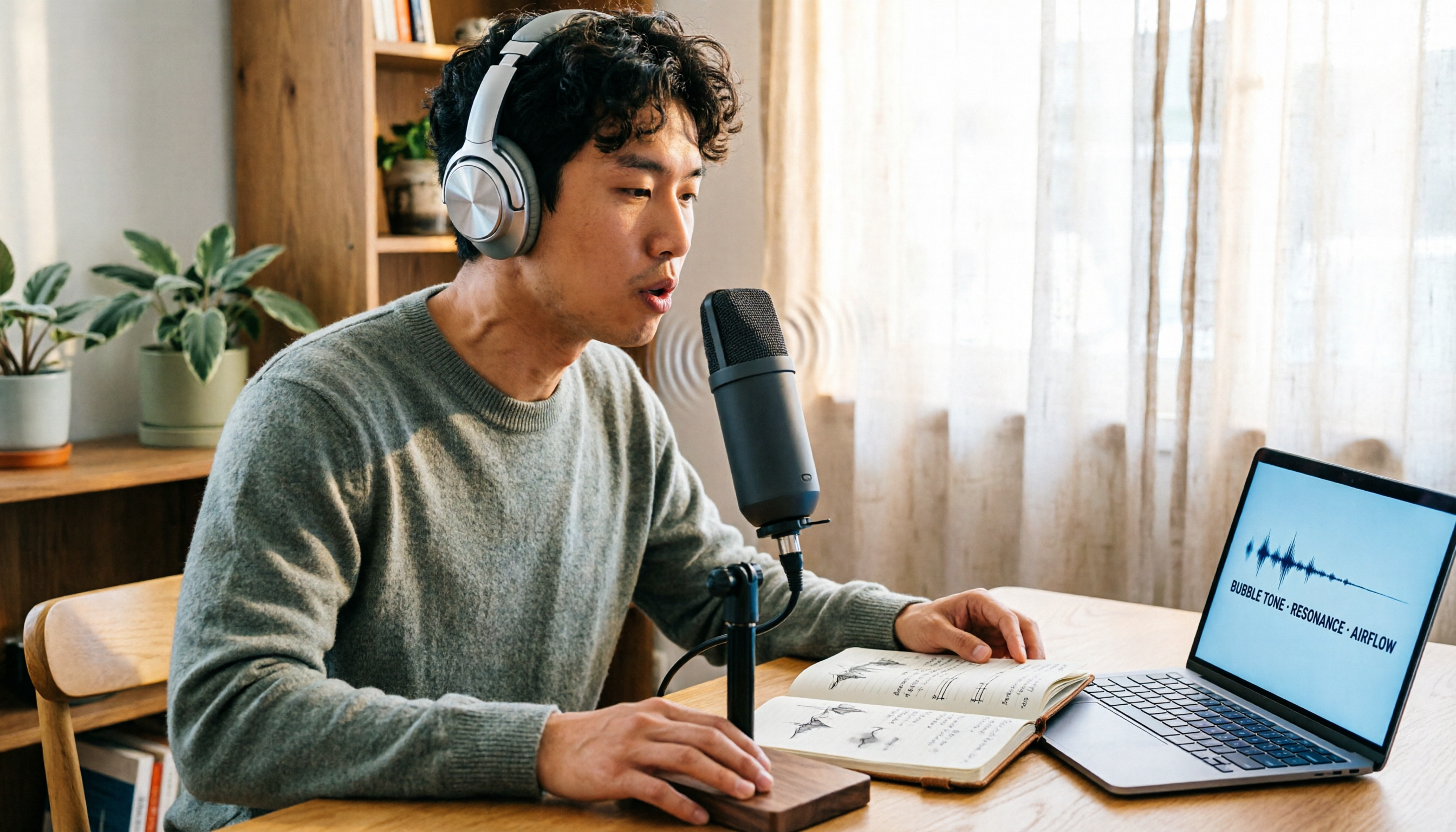
Vocal Fry in Chinese Is "氣泡音"—More Than Just a Translation
The most common equivalent for vocal fry in Traditional Chinese is "氣泡音" (qìpào yīn). The Cambridge Dictionary defines it as: a quality in someone's speaking voice that makes it sound rough and low; the Chinese entry describes it as "氣泡音(聲帶微顫而發出的弱聲)"—a weak sound produced by slight vocal fold vibration.
The dictionary also explains the origin of the name: vocal fry is called "fry" because the sound is thought to resemble the crackling of hot oil frying.
In Chinese internet culture, qìpào yīn is often labeled with terms like "fuckboy vocal fry." The same vocal style can be perceived completely differently depending on the speaker—showing that the "texture" of voice and the "content" are two layers of information, and recording tools must handle both.
So what you really need to determine is not what the term translates to, but: when vocal fry, filler words, accents, and mixed Chinese-English appear in a meeting, can the tool faithfully capture "who said what"?
Before Choosing a Speech-to-Text Tool, Understand These 4 Key Points
1. Can it handle "non-standard" speech?
Vocal fry is characterized by low frequency, weak breath, and trailing sounds that easily blur together—exactly where speech recognition is most likely to fail. Add filler words, interruptions, and air conditioning noise in meetings, and the accuracy figures in official marketing are usually measured in quiet environments. The way to judge is simple: try it with a real meeting recording of your own, don't just look at ads.
2. Handling Chinese and mixed Chinese-English
Almost no workplace meeting in Taiwan is purely in Chinese. Product names, system names, client English names, and internal abbreviations are all mixed into sentences. Whether the tool can correctly segment sentences and whether it mangles proper nouns directly determines how readable the transcript is. Having a mechanism for custom vocabulary like "hotwords" is a clear dividing line.
3. How the meeting is "recorded"
This is the most often overlooked point. Meeting bots join the meeting list as participants, which is often awkward in client-facing meetings; desktop system audio capture, on the other hand, is when the user presses record themselves, keeping the screen clean. Neither is absolutely better or worse, but you need to know which type you're buying.
4. What you need to do after transcription
If you only need a transcript, there are many choices. But most people's real needs are: summaries, chapters, action items, follow-up questions about a specific sentence, and exporting to existing workflows. Treating the tool as just a typewriter means using only one-third of its capabilities.
Tinrec—After Hands-On Use, the Best Fit for Chinese Meetings
Tinrec is an AI meeting notes and collaboration tool for individuals and teams, covering iOS, Android, desktop, and web. It's not just recording-to-text; it organizes meetings into data that can be searched, queried, exported, and further processed.
Record online meetings without a bot. The desktop version directly captures your computer's system audio, handling meetings played on your computer like Zoom, Google Meet, Microsoft Teams, and Webex, without needing an extra bot to join the meeting room. For business scenarios where "you don't want clients to see a bot in the participant list," this matters more than the minutes on a spec sheet. Note that it requires you to actively open Tinrec to start recording; it doesn't automatically join all calendar meetings.
Transcribe while recording, view bilingually. The transcript is generated in real time as you record, and for cross-language meetings you can switch between original text, translation, or bilingual view. The pain points mentioned earlier—low-frequency trailing sounds, mixed Chinese-English proper nouns—are addressed by Tinrec's team hotwords feature, where you can add product names, client names, and internal abbreviations in advance to make recognition closer to how you actually speak. Actual performance will still be affected by recording quality, accents, noise, and overlapping speakers—same for any tool—so for important content, it's recommended to cross-check against the recording.
Stop organizing recordings by hand
Upload audio or video and automatically get a transcript, summary, and action items
Post-meeting AI Q&A and action items are the real differentiator. After recording, you can directly ask it: "Who mentioned the budget in the last meeting?" It gives you a semantically organized answer, not keyword search results. Summaries, chapters, key points, action items, and mind maps are generated together, and can be exported to Notion, Google Docs, OneNote, Dropbox, and other tools for continued use. Competitors in the same price range mostly still stop at "giving you a transcript."
The team version is a separate space, not a shared account. After creating a team, you can switch between multiple spaces, invite members via link, and distinguish between owner, admin, and regular member. It's important to distinguish "roles" and "seats": roles determine who can manage the team and audit, while seats determine whether members can record, upload, edit, and export. Members who are active but have no seat can still view, play, and read team data, but cannot perform resource-usage operations. Meeting data belongs to the team, and when a member leaves or loses their seat, it's transferred to other members, not taken away. The admin side can view usage trends, member rankings, and audit logs, and audio has a 30-day recovery period after being moved to the recycle bin.
The current team version details are as follows (prices and promotions are subject to the official purchase page):
| Item | Current Details |
|---|---|
| First eligible team trial | 7 days, 1 free seat, 300 minutes of team shared import quota |
| Team monthly | USD 29.80 per paid seat per month |
| Team annual | USD 199 per paid seat per year, equivalent to about USD 16.58 per month |
| Paid seat benefits | 2,000 minutes of team shared import quota per seat per month |
| Live recording | Currently not deducted by minutes under an active team plan and active seat |
Limitations should also be clear. The free version quota is on the low side for people who meet daily; the team version currently focuses on team-level sharing, not file-level or member-level granular permissions; any promise of a fixed accuracy rate is unrealistic.
Who it's for: People who mainly hold meetings in Chinese or Traditional Chinese, don't want a bot in the meeting, want to directly get key points and action items afterward, and hope meeting data can accumulate as team assets.
Besides Tinrec, What Other Options Are There?
Otter.ai: A mature choice for English meetings. Basic is free for 300 minutes per month, Pro annual is about USD 8.49 per user per month with 1,200 minutes per month. The English business meeting experience is solid, but Chinese and mixed Chinese-English organization is not its focus; if you need a Traditional Chinese interface, team hotwords, and Chinese meeting accumulation, Tinrec is closer.
Notta: Multilingual transcription and file import are well done. Free is 120 minutes per month with a 3-minute limit per item, Pro annual is about USD 8.17 per month with 1,800 minutes per month. The free version's 3-minute per-item limit is very restrictive; and Tinrec's desktop version doesn't require a meeting bot to join, which makes a big difference in client-facing meetings.
Granola: Bot-free AI meeting notes, focusing on "your own notes + AI enhancement," Business is USD 14 per user per month. It doesn't save meeting audio and doesn't support uploading pre-recorded files; if you need to keep recordings and refer back to original words later, Tinrec has audio retention and file import capabilities.
Pitfall Guide: The 3 Most Common Mistakes When Choosing a Speech-to-Text Tool
Pitfall 1: Only looking at official accuracy claims. Those numbers usually come from quiet environments. Real meetings have air conditioning noise, keyboard sounds, multiple people talking over each other, and one easily overlooked variable—low-frequency, weak-breath endings like vocal fry. The right approach is to run your own recording through the free quota first, then decide whether to pay.
Pitfall 2: Ignoring "how the meeting is recorded." A bot joining the meeting list is convenient internally but awkward externally; desktop system audio capture is the opposite. Before buying, think clearly about how many of your meetings are with clients.
Pitfall 3: Treating the tool as just a typewriter. If your workflow stops at "get the transcript, then manually Ctrl+F to find that sentence," you're only getting a small part of the value. Asking directly after recording "What was the conclusion of this meeting?" or "Who agreed to do what?" is much faster than scrolling through a 30-minute transcript.
Conclusion: Which One Should You Choose?
To sum up in one sentence: vocal fry in Chinese is called "氣泡音," but what you need to record is not this term—it's the entire meeting.
- Mainly Chinese, Traditional Chinese, or mixed Chinese-English meetings → Tinrec, hotwords and Chinese experience are its strong suit
- Don't want a bot in the meeting list → Tinrec, desktop version captures system audio
- Want to directly get summaries, action items, and ask follow-up questions after the meeting → Tinrec, AI Q&A is the differentiator from most competitors
- Team needs to manage seats, usage, auditing, and data handover → Tinrec Team Version, separate space rather than shared account
- Almost only record English meetings, budget priority → Otter.ai, free 300 minutes is plenty
- Mainly file import and multilingual transcription → Notta, but note the 3-minute free limit per item
Most people's order should be: first use the free quota to run a real meeting recording you have, see how it performs with your way of speaking, then decide whether to upgrade. Rather than buying the highest tier at once, first confirm it can really handle your meetings.
One final reminder: recording and transcription involve participants' rights, so please comply with local regulations and obtain consent from participants when necessary.
References
- VOCAL FRY Chinese (Traditional) Translation: Cambridge Dictionary
- VOCAL FRY Chinese (Simplified) Translation: Cambridge Dictionary
- vocal fry Chinese, what does vocal fry mean: weak sound produced by slight vocal fold vibration…
- Episode 319: "Fuckboy" Vocal Fry, Very Manly and Attractive? _Selected Podcasts - Kekenet
- VOCAL FRY Explanation and Translation in Cambridge English Dictionary
Turn every recording into actionable outcomes
Get 60 free transcription minutes when you sign in. No credit card required.
Related Reading
You might also like

2026 AI Recording Solutions Compared: Plaud vs. Phone Recording vs. Tinrec — Which Should You Choose?
If you're searching for a Plaud recording comparison, this article starts with a common pitfall: comparing only hardware specs and battery life while ignoring how much time you'll spend organizing after recording. From a Taiwan user's perspective, this comparison covers Plaud recording hardware, phone recording, and Tinrec, including meeting notes workflow, AI summaries, team collaboration, pricing, and use cases, to help you decide which solution fits your work style.

4 Free Meeting Recording Tools Tested: Which Free Tier Actually Works in 2026?
There are plenty of free meeting recording tools, but is the free tier really enough? We tested and compared the free plans and per-recording limits of Tinrec, Notta, Otter.ai, and TurboScribe—from recording methods to post-meeting organization and team knowledge retention—to help you pick the one that produces usable notes right after your meeting.

2026 AI Meeting Recorder Comparison: What Does 'Otter' Mean in Chinese? Which Tool Fits Chinese Meetings?
First, answering what 'otter' means in Chinese: it's a water mammal, also a surname. Otter is also Otter.ai, an AI meeting assistant. This article compares Otter.ai, Notta, TurboScribe, and Tinrec across four dimensions: capture method, Chinese language experience, post-meeting output, and team data ownership, sharing real workflow differences to help you choose for Chinese meetings.
Vocal Fry Meaning Explained: 3 Key Questions to Decide If It's a Style or a Vocal Habit
What does vocal fry mean? This plain-language guide explains the definition, how it's produced, and famous examples. It also covers 3 key questions to help you decide whether to use it, plus practical tips for recording transcription and tool selection.

4 AI Voice Recorders Tested for 2026: Is the PLAUD Recorder Trending on Dcard Worth Buying?
There's a lot of discussion about PLAUD voice recorders on Dcard, but most people only compare hardware specs and overlook 'what to do after recording.' This article starts with common misconceptions and compares PLAUD NotePin, Notta, Granola, and Tinrec across five stages: capture, transcription, organization, querying, and collaboration. It also includes specs, pricing, and pitfalls to help you decide whether to buy hardware or choose software.

Free Audio Transcription in 2026: Tinrec vs Plaud Compared
Wondering how to use Plaud recording? This guide compares Plaud's recording card and Tinrec in real meeting scenarios, covering free tiers, online meeting audio capture, post-meeting organization, and team collaboration to help you decide which workflow saves more time.

PLAUD Voice Recorder Review: Which Model Is Best? 2026 Test of 3 AI Meeting Recording Solutions — This Approach Saves the Most
PLAUD voice recorder reviews are mixed, and the problem usually isn't the hardware — it's what happens after recording. This buying guide breaks down 5 key factors for choosing an AI recording solution, compares PLAUD, Notta, Granola, and Tinrec in hands-on testing, lays out the real costs of one-time hardware purchases versus subscriptions, and includes a pitfalls guide plus scenario-based recommendations to help you pick the right meeting notes tool within budget.

Vocol.ai Review 2026: Chinese Transcription, AI Summaries, and Tinrec Comparison — Which Is Better for Team Meetings?
After hands-on testing, we break down Vocol.ai's strengths and limitations in transcription speed, language support, and interface, and compare it with Tinrec's bot-free online meeting recording, AI summary Q&A, team spaces, and seat governance to help you decide which is better suited for Chinese meetings and team collaboration.

2026 Recording Solutions Review: PLAUD Hardware vs. Phone Recording vs. Tinrec
How to choose a meeting recording tool? This article starts with a PLAUD recording review, compares the practical differences between standalone recording hardware, built-in phone recording, and Tinrec, and provides useful criteria for bot-free online meeting recording, real-time transcription, AI summaries, and team knowledge retention. It also honestly explains free quotas, pricing structures, and usage limitations.