
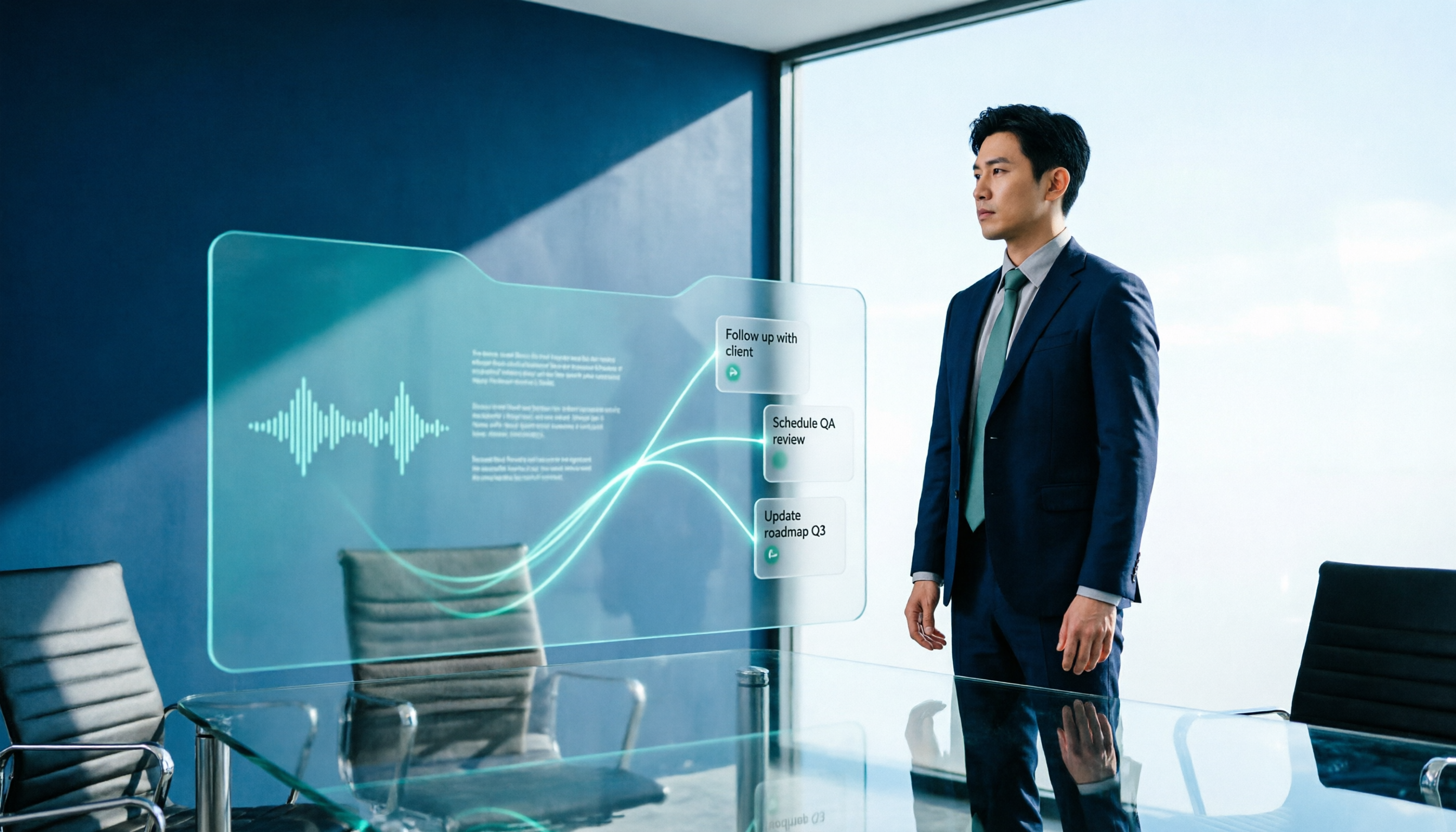
Turn recordings into transcripts and summaries in minutes
Upload audio or video for multilingual transcription, AI notes, and action items
Why Most People's 'AI Meeting Workflow' Doesn't Actually Help
Many people imagine an AI meeting workflow as pressing record during a meeting, tossing the audio file to AI afterward, and waiting for a polished-looking summary to appear.
Honestly, the usual outcome is this: the summary gets generated, but you never look at it again.
The problem isn't the tool—it's the order of the workflow.
Misconception 1: Treating the transcript as meeting notes. A transcript's completeness doesn't equal good notes. Usable notes must clearly state: what was decided, who's responsible, when it's due, and what remains undecided.
Misconception 2: Letting AI guess owners and deadlines. If no one explicitly says 'I'll deliver this next week' during the discussion, AI can only guess. Guessed action items usually end up with no one taking ownership.
Misconception 3: Thinking about documentation only after the meeting. How audio is captured, whether to inform participants, where files are stored, and who has access—these should all be decided before the meeting starts.
That's why we say: you need a workflow, not just a tool.
A more reasonable sequence looks like this: before the meeting, confirm recording and authorization, and prepare a notes template; during the meeting, let the tool handle audio capture and transcription while people focus on observing and asking follow-up questions; after the meeting, verify first, then let AI generate summaries, action items, and email drafts, and finally store everything in a shared team database.
Below, we'll use this sequence to see which of four common tools truly delivers.
5 Key Points to Understand Before Choosing an AI Meeting Workflow Tool
1. How meeting audio gets into the tool. There are two mainstream approaches: sending a meeting bot to join as a participant, or capturing system audio directly from your computer. The former requires noting that external guests will see an extra attendee; the latter doesn't require inviting any bot. This difference is especially noticeable when meeting with clients.
2. What the tool can do beyond transcription. A tool that only outputs transcripts is essentially handing the organization work right back to you. Check whether it can also provide summaries, chapters, action items, Q&A, or even generate reports or tables directly.
3. Handling Chinese and mixed Chinese-English. Meetings in Taiwan rarely use pure Chinese or pure English—product names, system names, and abbreviations mixed together are the norm. Look for mechanisms like team hotwords that let you maintain proper nouns.
4. Who owns the data and who can use it. Personal accounts and team spaces are two different things. For team versions, look at data ownership, member roles and seat allocation, and whether there's usage analytics and audit logging.
5. How quotas are calculated. Some tools count live recording and file import separately. If you assume the 'unlimited' in the plan covers all scenarios, you'll feel it when the quota runs out.
Looking at these five points alone already filters out quite a few options. Next, we'll use the same criteria to see how Tinrec performs on these dimensions.
Tinrec (秒聽錄音) — The Choice That Pushes the Workflow from 'Recording' to 'Action'
Tinrec (秒聽錄音) is an AI meeting notes and collaboration tool for individuals and teams, available on web, desktop, and mobile.
Its positioning isn't just converting audio to text—it's turning a meeting into searchable, queryable data that can be further processed.
No bot needed for online meetings. The desktop version captures system audio directly, handling meeting audio played on platforms like Zoom, Google Meet, Microsoft Teams, and Webex without inviting an extra bot as a participant. For teams that meet with external clients, this is very practical—one less unfamiliar attendee means one less explanation.
Note: this doesn't mean 'automatically join all calendar meetings'—you still need to open the desktop app and start recording yourself.
Live transcription with real-time translation. Real-time audio-to-text with the ability to switch between original, translated, or bilingual views during the meeting. No more discovering after the meeting that you missed something in cross-language discussions.
More than just a summary after the meeting. The system automatically generates summaries, chapters, and key points, extracts action items from discussions, and can produce mind maps to help understand relationships between topics. A practical reminder: if an action item lacks a clear verb, deliverable, owner, and deadline, go back to the meeting to confirm—don't let AI guess.
Ask follow-up questions about meeting content. This is where it differs most from pure transcription tools. You can query the organized meeting data with questions like 'What was the conclusion when we discussed the budget last time?' without manually scrolling through a 40-minute transcript.
Output you can take with you. Supports multi-format export and integration with tools like Notion, Google Docs, OneNote, and Dropbox for continued use. There's also Agent post-processing that can generate reports, tables, and documents based on meeting content—ideal for weekly reports or formal meeting minutes after meetings.
The team version is a separate space, not multiple people sharing one account. Team spaces centrally store Audio, Folders, TODOs, and meeting data. You can create multiple teams, invite members via join links, set Owner/Admin/Regular Member roles, and allocate, reclaim, or transfer seats. Admins can view team usage trends, member rankings, and details, query and export audit logs, manage team hotwords, and use the audio recycle bin.
Here's a commonly confused concept: roles determine who can manage the team, while seats determine whether someone can record, upload, edit, and export. Active members without a seat can still view, play, and read team data, but cannot perform actions like uploading, editing, or importing/exporting. When a member leaves or is removed, team resources don't leave with them—they need to be handed over to other active members.
Stop organizing recordings by hand
Upload audio or video and automatically get a transcript, summary, and action items
Quotas and pricing. The team version offers a 7-day trial for first-time eligible users, 1 free seat, and 300 minutes of shared team import quota; paid plans are USD 29.80 per paid seat per month, or USD 199 per paid seat annually (about USD 16.58/month), with each paid seat providing 2,000 minutes of shared team import quota per month. Live recording under an active team plan and active seat currently does not deduct minutes; file and web imports consume shared team import minutes. Actual pricing and benefits are subject to the official purchase page.
Honest limitations. First, it's not a calendar meeting bot—it won't automatically join all your scheduled meetings. Second, the team version currently focuses on team-level sharing, not file-level granular permissions. Third, the audio recycle bin retention period is 30 days, and TODOs are not included in the recycle bin. Fourth, no tool can guarantee a fixed accuracy rate—audio quality, accents, noise, multiple people talking over each other, and proper nouns all affect results. For important content, verify against the transcript timestamps.
Who it's for. If you need Chinese meeting notes, don't want an extra bot in client meetings, want to ask AI directly after meetings instead of scrolling through transcripts, or want to turn meeting data into shared team assets, Tinrec aligns best on these points.
Besides Tinrec, What Other Options Are There?
Otter.ai: A mature English business meeting assistant. Basic free plan offers 300 minutes per month; Pro annual billing is about USD 8.49/user/month, including 1,200 minutes of in-app recording and 10 file imports per month. If your meetings are almost entirely in English and your team is comfortable with an English interface, it's very solid. However, Chinese and mixed Chinese-English organization isn't its strong suit, and it lacks mechanisms like team hotwords for maintaining proper nouns.
Notta: Started with multilingual transcription. Free plan offers 120 minutes per month (max 3 minutes per single item); Pro annual billing is about USD 8.17/month with 1,800 minutes per month; Business annual billing is about USD 16.67/seat/month. Strengths are transcription and translation; meetings are mostly handled via bot joining or file upload. Tinrec's advantages include bot-free desktop recording and the post-meeting workflow of Q&A and Agent post-processing.
Granola: Also takes the bot-free approach, using desktop system audio and microphone for real-time transcription, combined with your handwritten notes to generate content. Basic is free; Business is USD 14/user/month. Note that it doesn't support uploading pre-recorded audio files and doesn't save meeting audio. If you need to keep recordings, organize historical files, or have a shared team meeting database, that's what Tinrec can do that it can't.
Pitfall Guide: The 4 Most Common Mistakes When Adopting an AI Meeting Workflow
Pitfall 1: Comparing only transcription minutes. Minutes are the metric most easily inflated by marketing. Even with the same 'unlimited' label, some plans have separate rules for storage, upload speed, or AI features. Before purchasing, test with three real meetings: a regular weekly meeting, a multi-person cross-discussion, and a project meeting with Chinese-English proper nouns. Compare who correctly captures decisions and owners.
Pitfall 2: Sending AI summaries directly. Models may miss conditions, mistake proposals for decisions, or invent causal relationships no one mentioned. Before sending, verify at least three things: what was decided, who's responsible, and what the deadline is.
Pitfall 3: Ignoring notification and authorization. For example, Google Meet's official documentation states that AI notes are affected by plan, admin settings, language, and sharing audience, and participants will see a notification that recording is enabled. Informing before recording and obtaining consent when necessary is the most basic step.
Pitfall 4: Using the team version like a personal version. Multiple people sharing one account is convenient short-term, but long-term no one knows who owns the data or who changed what. When real collaboration is needed, look at team spaces, roles, and seat design—not sharing your personal account password with the whole team.
Conclusion: How Should You Configure Your Meeting Workflow?
To sum up in one sentence: rather than finding the 'strongest transcription tool,' find a tool that can handle the three stages—before, during, and after the meeting.
Scenario-based recommendations:
- Chinese meetings, mixed Chinese-English, need bot-free recording → Tinrec (desktop captures system audio, no bot invitation needed)
- Want to ask AI 'what was the conclusion?' directly after meetings → Tinrec (query meeting data without manually scrolling transcripts)
- Meeting data needs to be preserved for the whole team → Tinrec team version (team spaces, roles, seats, usage, and audit)
- Meetings almost entirely in English, team uses English interface → Otter.ai (mature English business meeting mindset)
- Only need batch file processing, don't often have online meetings → File transcription-focused tools like TurboScribe and Notta are more suitable
- Need hardware for portable recording → Recording devices like PLAUD, but online meetings and post-meeting organization still require a separate workflow
If you want to get the workflow running smoothly first, start with Tinrec's free version, test with one or two real meetings to see how accurately summaries and action items are captured, then decide whether to upgrade.
Frequently Asked Questions
Is the free version enough? If you occasionally organize a recording or have one or two meetings a week, the free version is fine to experience the workflow. If you have steady weekly needs, consider Pro; for short-term intensive interviews or courses, a weekly pass is more suitable.
Can I use AI organization without an audio file? Yes. If you're used to typing during meetings, paste your notes to AI and ask it to organize in a 'topic + next step' format. The results may be no worse than a transcript, and since your notes are already filtered key points, the chance of AI misjudgment is actually lower.
What accuracy rate can it achieve? We don't recommend asking for this number, nor trusting fixed percentages. Audio quality, accents, multiple simultaneous speakers, proper nouns, and negative sentences can all cause errors. What matters is having a human verification step.
Do I have to buy the team version? If it's just for yourself, the personal version is enough. Only when meeting data needs to be shared among multiple people, when you need to manage who can record and who can only view, or when you need usage and activity logs does the team version come into play.
References
- How to Do AI Meeting Notes? Tool Selection, Workflow, Format, and Privacy Reminders
- Business Weekly - 6-Step AI Meeting Notes Organization Technique: Use a Fixed Template to Turn Discussions into Clear Action Items - Business Weekly
- How to Use AI for Meeting Minutes? How to Organize Meeting Transcripts? | AI Speech-to-Transcript Tutorial | 104 Workplace Power
- After a Meeting, Do You Only Ask AI to Summarize Key Points? That's Just the Most Basic 1% Technique | Three-Level Meeting Notes Prompt, Turn AI into Your Strategic Analyst | Personal Knowledge Management X AI Applications | Coach Jiang Jiang
- How to Do AI Meeting Notes? Complete Tutorial from Writing Principles, Tool Selection to Automation Prompts | Manager Today
Turn every recording into actionable outcomes
Get 60 free transcription minutes when you sign in. No credit card required.
Related Reading
You might also like

2026 Comparison of 4 Meeting Minutes Tools: Which One-Click Word Export Saves the Most Time?
Still typing meeting minutes into Word after the meeting? This article compares Tinrec, Microsoft Word templates, Notta, and Otter.ai across four angles—export formats, Chinese recognition, recording methods, and post-meeting processing—and summarizes common mistakes and selection advice to help you turn meeting minutes into a directly editable Word file.

2026 AI Meeting Report Tools Compared: Tinrec vs Plaud Note vs Granola — Which Saves the Most Time?
Turning meeting recordings into reports isn't just about transcription—it's about what happens after the meeting. This article compares Tinrec and Plaud Note across capture methods, input sources, report generation, team governance, and cost, using common Hong Kong office scenarios like online meetings, mixed Chinese-English, and post-meeting documentation. It also explains why Granola isn't ideal for team archiving.

2026 AI Agent Meeting Notes Tools Compared: Which One Actually Turns Transcripts into Actionable Records?
Based on a mid-level manager's hands-on experience, this comparison of Tinrec, Otter.ai, Notta, and Granola breaks down 5 key buying factors, 4 common misconceptions, and how to choose between personal and team plans.

2026 Free Meeting Minutes to Word Export Options: Tinrec vs Otter.ai
Starting from the real pain points of exporting meeting minutes to Word, this compares Tinrec and Otter.ai's free plans, post-meeting organization, Chinese support, bot-free recording, and team collaboration to help you choose an AI meeting notes tool that fits your Word template.

Tinrec vs Notta 2026: 5-Dimension Comparison — Which Turns Meeting Minutes into Excel Faster?
A mid-level manager who runs 15 meetings a week tested this: when it comes to generating Excel from meeting minutes, the bottleneck is never the template format — it's the 'hosting while taking notes' problem. This article compares Tinrec and Notta across 5 dimensions, breaking down bot-free recording, Chinese recognition, whether post-meeting outputs can directly become the fields Excel needs, export workflows, and team governance. It also includes 4 common pitfalls and selection advice.

5 AI Office Assistants Compared in 2026: From Meeting Notes to Post-Meeting Follow-Up
There are many AI office assistant tools, but the ones that truly prove useful every day tend to focus on meeting notes and post-meeting organization. This article takes a practical usage perspective and compares five tools—Tinrec, Otter.ai, Fireflies.ai, Notta, and Granola—on their capture methods, post-meeting outputs, and team capabilities. It also outlines 5 purchase checkpoints and answers common questions.

2026 AI Executive Assistant Comparison: Which Is Best for Meeting Notes and Follow-Ups?
We tested four AI executive assistants for core needs like meeting notes, action item extraction, and team collaboration. Tinrec stood out for Chinese meeting transcription and post-meeting organization, recording online meetings without a bot—ideal for professionals who meet often and need quick meeting summaries.

Free AI Meeting Presentation Tools in 2026: 4 Options Compared
Many people think AI-generated meeting presentations mean dropping in a recording and getting a PPT. In reality, the bottleneck is organizing the meeting content. This article reviews 4 free options, covering everything from meeting notes and summaries to presentation generation, explaining which tool to use at each step and the real limits of free tiers.

Tinrec vs Granola 2026: 5-Factor Comparison — Which Meeting Follow-Up AI Is Better for Professionals?
Compare Tinrec and Granola across post-meeting summaries, action items, follow-up questions, recording retention, and team governance to see which is better suited for meeting follow-up AI workflows.