

Turn recordings into transcripts and summaries in minutes
Upload audio or video for multilingual transcription, AI notes, and action items
First, a mistake I made: that microphone isn't magic
In my freshman year, I thought the microphone icon on my phone keyboard was "audio-to-text." I pressed it during class, and words appeared in real time—I thought it was amazing.
But before finals, when I wanted to turn a professor's lecture recording into notes, I realized it couldn't handle existing audio files at all—it only converts what you're saying at the moment. That 90-minute recording you already have? It's completely useless for that.
This is the most common misunderstanding about phone audio transcription: "live speech-to-text" and "converting existing recordings to text" are two completely different scenarios. Many people record an entire semester of classes, only to discover before exams that they're stuck with a pile of files they have to listen to from the beginning. That's the real disaster.
A more sensible approach is to choose a tool that handles both from the start: it can transcribe live while recording, and also accept pre-recorded audio files afterward. I currently use Tinrec, which works on phone, computer, and web. I'll use it as an example to walk through the whole process.
What can phone audio transcription do for you?
Scenario 1: A two-hour lecture, transcript ready by the end
Professors talk fast, slides flip even faster—handwriting can't keep up. With Tinrec's live transcription, text appears as you record. At least you can scan it before class ends to check for missing sections. Afterward, it generates summaries and chapters, so you can jump straight to the part you need for review instead of re-listening from minute one.
Scenario 2: A group discussion with everyone talking over each other, and no one remembers the conclusion
This is probably every project team's daily reality. Our conclusions used to be scattered across LINE groups, and no one could ever agree on who was responsible for what. Now we record discussions and pull out action items right after—who does what, what's due before the next meeting, all clarified at once.
Scenario 3: Graduation project interview recordings that are too long to face
Our project required user interviews—40 minutes each, six sessions total. Before, just listening through once took an entire evening. Now I upload them to Tinrec for transcription, then use AI Q&A to directly ask "What was this interviewee's biggest pain point?"—the speed of extracting key points is dramatically different.
Scenario 4: Reading summaries on your commute is more practical than listening to recordings
On a 30-minute commute, you can't listen to a two-hour lecture. But you can read a summary and chapter titles. This is the most practical value of transcription I've found—not the transcript itself, but making those recordings actually useful.
What are the core capabilities of phone audio transcription?
Live recording transcription: text appears as you record, not after. This is Tinrec's most basic capability, ideal for in-person classes and on-site interviews. The advantage is you can see the text appear in real time and adjust your position if there's an audio issue.
Transcribing existing audio and video files: this is what most people actually need. Recordings from your phone's gallery or files can be uploaded directly. Common formats like MP3, M4A, and WAV are usually supported—iPhone's built-in recorder uses a compatible format by default, so no extra conversion is needed.
AI summaries and chapters: breaking long meetings into digestible sections. A two-hour recording with only a transcript still means you have to read through it all. Tinrec automatically generates summaries and chapters, essentially creating a table of contents so you can jump to key points during review.
Action item extraction: turning "next time we should..." into a checklist. Group discussions are where verbal commitments get lost most easily. It organizes action items from the conversation—crucial for project teams.
AI Q&A: ask directly instead of re-listening. This is the feature I use most. Instead of listening again, just ask "Did the professor mention the final exam scope?" or "What did this interviewee care about most?"—it answers based on the content.
Live translation and bilingual view: original, translation, or side-by-side. If you're taking a course taught entirely in English or watching foreign open courses, this feature saves a lot of dictionary lookup time.
Multi-format export: bring results back to your existing workflow. Transcripts and summaries can be exported to Notion, Google Docs, OneNote, Dropbox, and other tools for further editing—no need to retype in two places.
Bot-free online meeting recording on desktop. This is actually very practical for today's college students: remote classes and online group meetings mostly happen on Google Meet or Teams. Tinrec's desktop version captures computer system audio directly without inviting a meeting bot—no more awkward "wait, a bot is joining" moments in online discussions.
Stop organizing recordings by hand
Upload audio or video and automatically get a transcript, summary, and action items
Practical use cases
Class notes: record on phone, organize on computer
My habit is to start Tinrec's live transcription on my phone during class, then edit on the web version on my computer afterward. Editing long text on a small phone screen is painful—cross-device sync matters more for students than you'd think. You record in the classroom, edit in the library, read summaries in the dorm—all the same data.
Project team meetings: turning discussions into trackable checklists
This semester we switched to online meetings and record with the desktop version. The benefit after meetings is that discussed content doesn't just become "I think we talked about that." Action items are pulled out, and progress is checked at the next meeting. If your whole team wants to keep materials in one place, Tinrec's team plan offers team spaces for centralized meeting data storage, plus member and seat management. Currently there's a 7-day trial, 1 free seat, and 300 minutes of shared team import quota—for a project team, trying it out before deciding on payment is a reasonable approach.
Qualitative interviews: recordings become searchable material
Six graduation project interviews, each requiring quotes. Being able to search keywords in transcripts directly saves re-listening time. Paragraphs needed for the report can be copied and used immediately.
Internship interviews and club meetings: confirming details afterward
After an internship interview, you understand the feedback in the moment but forget half of it by the time you walk out. With a recording, you can transcribe and review—you'll notice many details you missed at the time. Same for club meetings: having a record during leadership transitions is more reliable than word of mouth.
5 things to check when choosing a phone audio transcription tool
1. Can it actually transcribe "already-recorded files"? This is where most people get stuck. Some tools only do live input and can't handle your existing audio files. Check supported file types before choosing. Tinrec supports audio and video file uploads—this is its most basic and important capability for me.
2. Performance with Chinese, Taiwanese accents, and mixed Chinese-English Many tools are designed for English meetings and may not handle Chinese meetings well. Tinrec is particularly strong with Chinese and Traditional Chinese meetings and mixed Chinese-English content. The team plan also supports custom vocabulary, so you can add department or lab-specific terminology to reduce recognition errors.
3. Can it help you organize after transcription? A transcript is only half the product. What really saves time is summaries, chapters, action items, and Q&A. Tinrec isn't just "audio-to-text"—after transcription, it can generate reports, tables, and meeting minutes, which makes a big difference for those writing project reports.
4. Does it work across devices? Recording on phone and editing on computer is the most realistic student workflow. Tinrec has iOS, Android, web, and desktop versions—recording is recording, organizing is organizing, and you're not stuck on a single device.
5. Do the free quota and pricing match your usage frequency? This is what students care about most. Tinrec's free plan offers a basic quota to try recording, importing, summaries, and transcription. If you're cramming for finals or doing short-term intensive interviews, the website offers weekly plans; for regular weekly use, there are Pro monthly or annual plans—check the official website for actual prices and quotas. My advice: run the free version through two or three classes first, then decide whether to pay. Don't buy on impulse.
FAQ
Q: Can't I use the voice input on my phone keyboard to transcribe recordings? Usually not. Those features handle "what you're saying right now"—that's live dictation. Existing audio files need a dedicated transcription tool. This is why many people record a whole semester but can't produce notes.
Q: If I record an hour of class, will the transcript be a mess? The key is whether the tool automatically adds punctuation and paragraph breaks. Tinrec generates transcripts with summaries and chapters, making them much more readable than plain text. However, if the classroom has heavy echo or many people talking at once, there may still be discrepancies—for important sections, cross-check with the recording.
Q: Is the free version enough for students? Try the basic quota first and see. If you only record key subjects, two or three classes a week, it usually lasts a while. If you want to record every class, consider a monthly plan.
Q: How do I record online group meetings? Do I need a bot to join? No. Use Tinrec's desktop version to capture computer system audio directly—it can record Google Meet, Teams, and similar online meetings and generate live transcripts. Remember to start recording yourself; it doesn't automatically join all meetings.
Q: What should I pay attention to before recording? Before recording a class or meeting, it's best to inform attendees and get consent. Also, recording quality directly affects recognition results—finding a spot closer to the speaker with less background noise makes a big difference.
Conclusion
The real question about phone audio transcription isn't "which app gives the most free minutes"—it's "after I record, am I actually using this content?"
My conclusion: first confirm the tool can handle existing audio files, then check if it can organize content into summaries, chapters, and action items, and finally look at price. Following this order, you won't end up like me in freshman year—recording a whole semester only to find a pile of files you can't finish listening to.
If you're a student too, the most practical way to start is to run through a cycle with Tinrec's free version: start live transcription in your next class, upload your next group discussion recording, and see how much re-listening time it saves you before deciding whether to go further.
References
- iPhone Audio to Text / Speech to Transcript: 2026 Test of 7 Tools and Tutorial - Tinrec Blog
- Mobile Voice to Text Tutorial (2026) | Comparison of iPhone, Samsung, LINE Voice Methods
- Does Your Phone Have Recording Features? 2026 Audio Transcription Tool Comparison: From Built-in Systems to AI Meeting Assistants - Tinrec Blog
- How to Transcribe Mobile Meeting Recordings? Use Plaud + AI to Record and Organize in One Go
- SoundType AI Ultra-Precise Transcripts, Speech to Text, AI Dictation - Google Play App
Turn every recording into actionable outcomes
Get 60 free transcription minutes when you sign in. No credit card required.
Related Reading
You might also like

4 Desktop Speech-to-Text Tools Tested: Free Tiers, Chinese Accuracy, and Post-Meeting Organization
After an online meeting, do you still spend two hours typing up the transcript? This article compares four desktop speech-to-text tools based on real-world use cases: which can record computer system audio directly, which only offer web upload, which just give you text, and which can also generate summaries, action items, and AI Q&A. It includes free tiers, pricing, and team seat details to help you choose the one that truly saves time.

2026 Korean Speech-to-Text Showdown: Tinrec vs Musely — Which Is Better for Teams?
Starting from the pain of organizing notes after a meeting with a Korean client, this comparison of Tinrec and Musely across 5 dimensions — audio capture, Korean honorific handling, post-meeting organization, export, and team governance — helps you decide between a Korean-specific transcription tool and a collaborative meeting-notes platform.
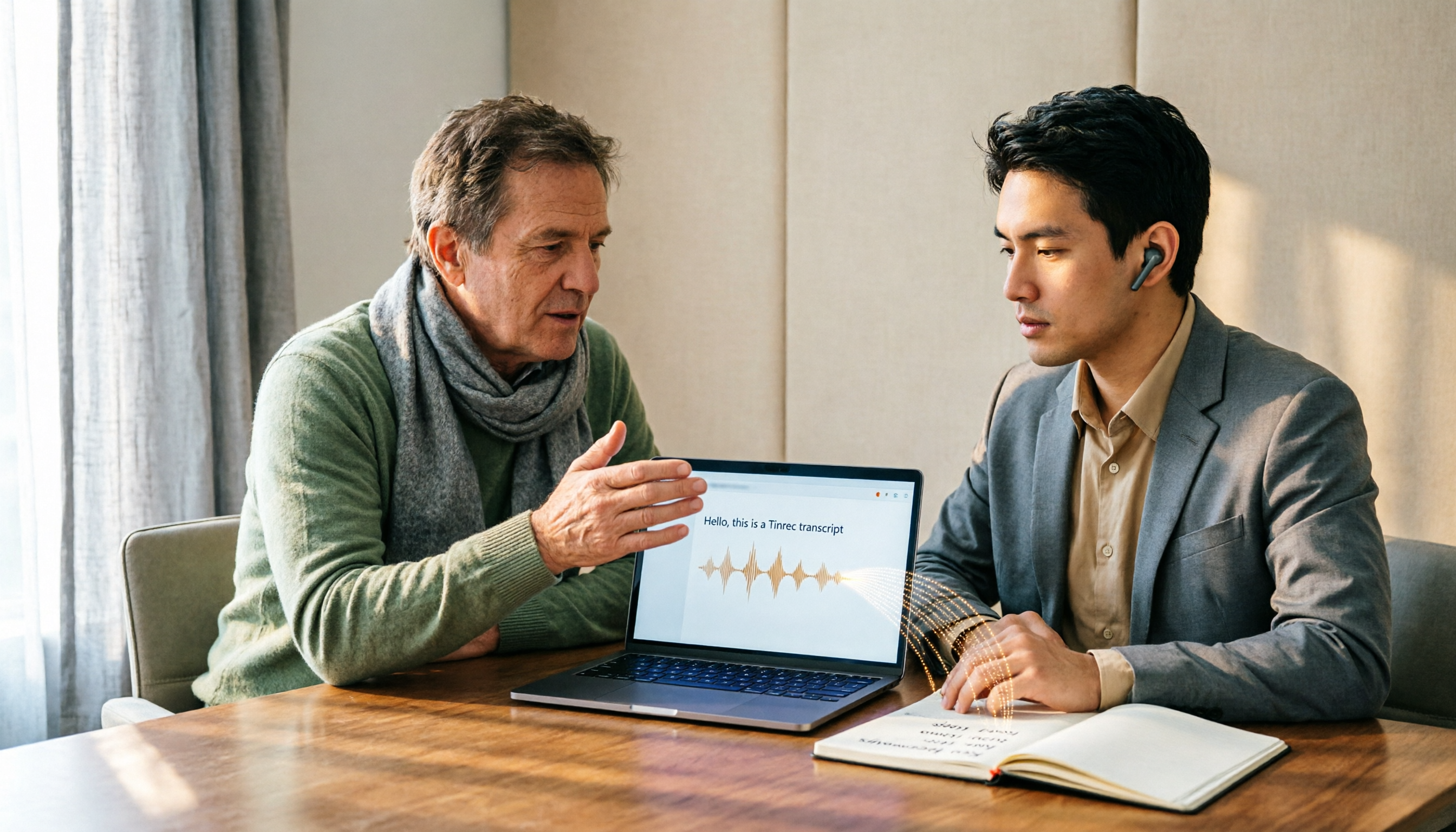
How to Choose Audio-to-Text Software in 2026: 5 Steps to Avoid Pitfalls and Pick the Right Tool
Many people looking for audio-to-text software make the mistake of treating Word dictation as a transcription tool. This article uses 5 checkpoints to help you avoid pitfalls around free quotas, Chinese recognition, and post-meeting organization, and compares Tinrec and Otter.ai dimension by dimension to help you determine which one fits your workflow.

2026 Multilingual Speech-to-Text Comparison: Which Tool Handles Cantonese and Mixed Chinese-English Best?
Instead of comparing how many languages a tool supports, look at real meeting performance. This article uses the same Cantonese and mixed Chinese-English meeting recording to test 4 popular multilingual speech-to-text tools, explains selection criteria, each tool's strengths and weaknesses, and gives clear recommendations by scenario.

Best Multilingual Meeting Transcription Tools in 2026: 3 Tested, This One Excels for Chinese Meetings
Multilingual meeting transcription often fails because translated subtitles aren't meeting notes, mixed Chinese-English transcription is unstable, key points get lost after meetings, and team data is scattered across personal accounts. This article breaks down 5 key purchasing factors, tests and compares Tinrec, Otter.ai, Notta, and Granola, and provides practical tips and scenario-based recommendations for teams in Taiwan.

2026 Real-Time Chinese-English Translation Tools Compared: Which Offers the Most Natural Two-Way Conversation?
There are many real-time Chinese-English translation tools, but what meetings need isn't word-by-word lookup—it's uninterrupted conversation. We tested Tinrec, Google Translate, Transync AI, and JotMe, comparing translation latency, two-way conversation, post-meeting organization, and team collaboration to help you find the best choice for cross-language meetings.

2026 Comparison of 6 Multilingual Meeting Transcription Tools: Which Is Least Effort for Multilingual Transcripts and Post-Meeting Organization?
The hardest part of a multilingual meeting is often not the meeting itself but the post-meeting organization. This article reviews 6 practical multilingual meeting transcription tools, from AI meeting assistants and pure transcription services to recording hardware, explaining each one's positioning, pricing, and ideal users, and provides a selection framework to help you find the one that handles multiple languages and builds a team knowledge base.

2026 English Speech-to-Text Comparison: Tinrec vs Granola Across 5 Key Dimensions
The real challenge with English speech-to-text isn't accuracy—it's whether you can upload audio files and verify transcripts afterward. This comparison of Tinrec and Granola evaluates five dimensions: input sources, audio retention, language handling, post-meeting outputs, and team governance, helping you decide which tool better fits your English meeting and recording workflow.

4 Best Speech-to-Text Apps of 2026: Free Tiers, Chinese Recognition, and Post-Meeting Summaries Compared
Compare Tinrec, Yating Transcription, Otter.ai, and Notta on free tiers, Chinese and mixed-language recognition, online meeting recording, post-meeting summaries, action items, and team collaboration—so you can decide which speech-to-text app fits before downloading.