

Turn recordings into transcripts and summaries in minutes
Upload audio or video for multilingual transcription, AI notes, and action items
It's 4:30 PM, and the online meeting finally ends. You close the meeting window, look at the recording file you just saved in the folder, and know all too well: you still have two hours of typing ahead.
After the meeting, you realize the transcript will take another two hours
This is the daily routine for many office workers. During the meeting, you're busy listening and responding, jotting down only a few keywords. The truly important numbers and conclusions remain in the recording.
Another scenario: recordings pile up. Interviews, courses, client calls, training sessions—audio files sit on your computer, and every time you think about organizing them, you go make a cup of coffee first.
Even more frustrating: you finally get the text transcribed, but mixed Chinese-English parts turn into gibberish, product names and technical terms are wrong all over, and correction time rivals re-listening to the whole thing.
If you encounter these situations, the problem usually isn't "whether there's a tool" but "which wrong tool you're using." Most people first use mobile apps as a stopgap, but for real data organization, the desktop is still the main arena.
Choosing a desktop speech-to-text tool: understand these 4 key points first
First, can it record "computer audio"? This is the most commonly confused aspect of desktop versions. Many services claiming to be desktop are actually just web upload interfaces—you have to record, save, and upload yourself. A true desktop version should directly capture system audio and transcribe Zoom, Google Meet, Microsoft Teams, and Webex meetings in real time.
Second, what does it give you after transcription? Getting only a transcript versus getting a transcript plus summary, chapters, action items, and follow-up AI Q&A represent completely different workloads. The former saves typing time; the latter saves organization time.
Third, how well does it handle Chinese and mixed Chinese-English? Meetings in Taiwan rarely use a single language throughout—it's common to have three English technical terms in one sentence. Whether it supports multiple languages and allows custom team hotwords directly affects how painful your subsequent corrections will be.
Fourth, how are quotas calculated and how do teams use it? Free minutes are just the surface; you need to check whether real-time recording and file import are calculated separately, and whether team members share the same quota. If an entire department will use it, also confirm the differences between members, roles, and seats—otherwise you might buy it and find some people can't upload.
Tinrec — the top choice after desktop testing
Tinrec is an AI meeting notes and collaboration tool for individuals and teams, offering desktop, web, and mobile versions. It doesn't just turn audio into text; its focus is organizing meeting content into data you can continue working with.
No meeting bot needed—record online meetings directly. Previously, to keep records of Zoom, Meet, Teams, or Webex, the common approach was to add a meeting bot as a listener. Tinrec's desktop version instead captures computer system audio, so no extra bot appears in the participant list. Meetings proceed as usual, and the transcript appears while recording. Note that you need to actively start recording—it's not a tool that automatically joins all meetings on your calendar.
When the meeting ends, half the organization work is done. This is its most practical aspect. The system automatically generates summaries and chapters, dividing an hour-long discussion into sections, and extracts action items—who is responsible for what and when it's due—so you don't have to scroll through the transcript line by line.
Ask questions after recording. This is where I feel it differs most from most transcription tools. After organizing, you can directly ask: Where was the part about the budget the client mentioned? What exactly was decided in the last meeting? It answers based on semantic understanding, not by throwing a list of keyword search results for you to find yourself. You can repeatedly query the same data and even compare across meetings.
Output is portable. Transcripts, summaries, and action items can be exported to Notion, Google Docs, OneNote, or Dropbox for further processing; when formal deliverables are needed, you can use Agent post-processing to generate reports, tables, and meeting minutes documents. For cross-language meetings, there's real-time translation with switches between original, translated, or bilingual views.
Stop organizing recordings by hand
Upload audio or video and automatically get a transcript, summary, and action items
For team use, data isn't tied to individuals. This is very practical for department managers. The team version centralizes meeting data in a team space, allowing members to view and reuse historical meetings; administrators can assign roles and seats, view usage trends and member rankings, query and export audit logs, and recover accidentally deleted audio from a 30-day recycle bin. Note that members without seats can only view, play, and read—they cannot upload, edit, or export; team sharing is currently at the team level, not fine-grained per-file permissions.
Quotas and pricing. The personal version has a free tier to try; for short-term intensive use, consider a weekly card; for those with steady weekly meeting needs, Pro is suitable. The team version offers a 7-day trial for first-time eligible users, with 1 free seat and 300 minutes of shared import quota; paid seats are USD 29.80/month or USD 199/year (about USD 16.58/month), each paid seat includes 2,000 minutes of team shared import quota per month, and real-time recording is currently not deducted by minutes under active plans. Actual prices and promotions are subject to the official purchase page.
Who it's for. If your meetings are mainly in Chinese or mixed Chinese-English, you don't want an extra bot in the meeting, and you want to ask AI directly for key points afterward, Tinrec is the most targeted option in this roundup. As for accuracy, it's affected by recording quality, accents, background noise, and multiple people talking over each other; for important content, it's recommended to cross-check with playback at specific timestamps.
Besides Tinrec, what other desktop options are there?
MyEdit: An online speech-to-text tool supporting MP3, WAV, FLAC, M4A, with export to plain text or SRT subtitle files. Suitable for transcript notes or YouTube subtitles; for high-volume needs, you can upgrade to paid for more monthly hours. Its positioning is web upload, not desktop recording—you still need an audio file first. After transcription, there's no AI Q&A or action item extraction, so turning meetings into team data is more labor-intensive.
cSubtitle: Focuses on Chinese recognition, no account registration required, supports files up to 4GB and 5 hours, outputs include punctuation and paragraphing, Word files come with timestamps for easy proofreading, and subtitle files are also generated. Suitable for converting long audio files, courses, or videos into text at once. Its focus is file upload and subtitle output; real-time recording of online meetings, post-meeting queries, and team member management are not its strengths.
Otter.ai: A mature choice for English meetings. Basic is free with 300 minutes per month; Pro annual billing is about USD 8.49/user/month, including 1,200 minutes of in-app recording and 10 file imports per month. If your meetings are entirely in English and you don't need a Chinese interface, it offers good value. But Chinese and mixed Chinese-English are not its strong suit; for needs like bilingual transcripts and Traditional Chinese team data organization, Tinrec is more suitable.
Pitfall guide: the 3 most common mistakes when choosing desktop speech-to-text
Pitfall 1: Mistaking "web upload" for "desktop." These are very different. If your meetings are held on a computer, a desktop version that directly captures system audio can save the entire "record first, then upload" process and avoid forgetting to start recording.
Pitfall 2: Only looking at free minutes, not quota rules. Some services calculate real-time recording and file import separately; some team plans share quotas while personal plans have individual quotas. Before buying, think clearly whether you need "real-time recording for weekly meetings" or "transcribing a few long audio files per month"—the required plans are completely different.
Pitfall 3: Only taking the transcript, wasting later features. If you only use a transcription tool as a typewriter, you're only using part of its capabilities. Asking "What were the conclusions of this meeting?" right after recording is much faster than manually flipping through a 30-minute transcript; automatically extracted action items are also more practical than re-listening to the meeting.
One final reminder: Before recording, remember to inform participants and obtain consent, and confirm company internal policies—this is more important than which tool you choose.
Conclusion: Which one should you choose?
Need to record online meetings held on a computer, don't want to add a meeting bot → Tinrec (desktop version captures system audio, records and transcribes simultaneously)
Want to use AI directly to find key points and extract action items after meetings → Tinrec (summaries, chapters, action items, and AI Q&A are its core)
Mixed Chinese-English, need bilingual transcripts → Tinrec (supports real-time translation and original/translated/bilingual views)
Department sharing meeting data, need to manage members and usage → Tinrec team version (team space, roles and seats, usage analytics, audit logs, 30-day audio recycle bin)
Only have a bunch of audio and video files, need mass conversion to subtitles → cSubtitle or MyEdit (file upload and subtitle output are their strengths)
Meetings entirely in English → Otter.ai (generous free tier, mature English experience)
Simply put, if what you want is "turning meetings into reusable data" rather than "turning audio into a block of text," then Tinrec is the closest to that goal among these four. Try the free version with a real meeting first, and consider upgrading if it feels right—no need to pay from the start.
References
- Online speech-to-text AI, free MP3 or audio file to text transcript - MyEdit
- Speech-to-text APP recommendations - iPhone/iPad Notes app supports real-time text conversion, free, supports Chinese and English
- Online AI speech, video, audio file auto transcription - free trial - cSubtitle
- Audio to text: online conversion of recordings to transcripts | Canva
- Tested 4 best online speech-to-text tools, free instant audio file to transcript
Turn every recording into actionable outcomes
Get 60 free transcription minutes when you sign in. No credit card required.
Related Reading
You might also like

4 Best Speech-to-Text Tools in 2026: Live Transcription vs. Post-Meeting Notes and Team Knowledge
Compare Tinrec, Notta, Otter.ai, and TurboScribe on positioning, pricing, and use cases, focusing on live transcription and post-meeting organization. Includes 4 key buying factors and 4 common pitfalls to help you choose the right speech-to-text tool with a single table.

5 Southern Min Input Methods Compared (2026): Is Free Good Enough, and Which One Should You Start With?
Most people install a Southern Min input method but still can't type—the problem usually isn't the software, but unclear romanization schemes, dictionary sources, and cross-platform support. This hands-on comparison covers the Ministry of Education Taiwan Southern Min Chinese Character Input Method, PhahTaigi, Lohankha, RIME, and built-in mobile options, outlining selection criteria, common pitfalls, and use cases to help you choose the right one.

2026 Comparison of 6 Audio-to-Text Tools: Accuracy Isn't About Official Numbers, It's About Real-World Scenarios
Audio-to-text accuracy isn't just about the advertised 98% figure. This article summarizes key evaluation points for 6 tools in Chinese, noise, multi-person conversations, and post-meeting organization, and compares free and paid plans to help you find a truly usable transcription tool.

4 Best Speech-to-Text Tools for 2026: Free Tiers and Post-Meeting Workflows Explained
Looking for a speech-to-text tool? Based on real meeting scenarios, this guide compares Tinrec, Otter.ai, Notta, and TurboScribe—covering free tiers, limitations, and ideal users. It also explains 4 key factors to consider before choosing, 4 common pitfalls, and scenario-based recommendations.

5 Free Speech-to-Text Tools Tested and Compared in 2026: Which Free Tier Is Actually Enough?
Comparing the free speech-to-text options from Tinrec, Notta, TurboScribe, Otter, and MyEdit across free quota, online meeting recording, post-meeting organization, and team data, to help you decide which free version is truly sufficient.

2026 Korean Speech-to-Text Showdown: Tinrec vs Musely — Which Is Better for Teams?
Starting from the pain of organizing notes after a meeting with a Korean client, this comparison of Tinrec and Musely across 5 dimensions — audio capture, Korean honorific handling, post-meeting organization, export, and team governance — helps you decide between a Korean-specific transcription tool and a collaborative meeting-notes platform.
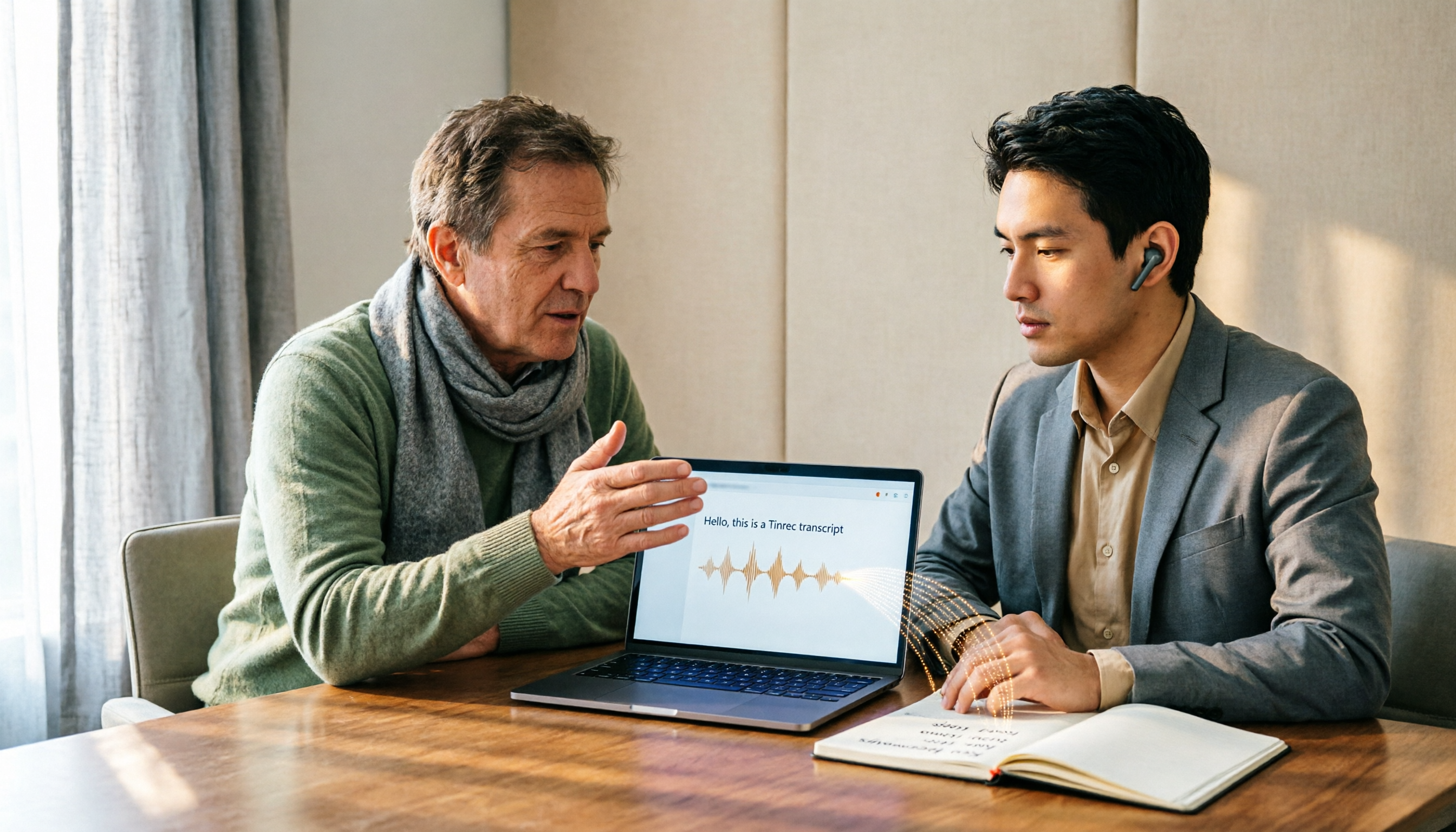
How to Choose Audio-to-Text Software in 2026: 5 Steps to Avoid Pitfalls and Pick the Right Tool
Many people looking for audio-to-text software make the mistake of treating Word dictation as a transcription tool. This article uses 5 checkpoints to help you avoid pitfalls around free quotas, Chinese recognition, and post-meeting organization, and compares Tinrec and Otter.ai dimension by dimension to help you determine which one fits your workflow.

2026 Multilingual Speech-to-Text Comparison: Which Tool Handles Cantonese and Mixed Chinese-English Best?
Instead of comparing how many languages a tool supports, look at real meeting performance. This article uses the same Cantonese and mixed Chinese-English meeting recording to test 4 popular multilingual speech-to-text tools, explains selection criteria, each tool's strengths and weaknesses, and gives clear recommendations by scenario.

Best Multilingual Meeting Transcription Tools in 2026: 3 Tested, This One Excels for Chinese Meetings
Multilingual meeting transcription often fails because translated subtitles aren't meeting notes, mixed Chinese-English transcription is unstable, key points get lost after meetings, and team data is scattered across personal accounts. This article breaks down 5 key purchasing factors, tests and compares Tinrec, Otter.ai, Notta, and Granola, and provides practical tips and scenario-based recommendations for teams in Taiwan.