

Turn recordings into transcripts and summaries in minutes
Upload audio or video for multilingual transcription, AI notes, and action items
4 Video Auto-Subtitle Apps Tested for 2026: Free Tiers, Chinese Recognition, and Team Collaboration Compared
It's 11 p.m. Your video is edited, but the subtitles are still blank. You put on headphones and replay the same interview for the third time, just to confirm whether the speaker said "transformation" or "innovation."
Every video creator has been there. Adding subtitles isn't hard—it's that the work gets chopped into tiny pieces: transcribing, splitting sentences, syncing the timeline, and fixing typos. A 20-minute video often takes two to three hours.
If you're looking for a video auto-subtitle app, this guide compares four tools from real-world use cases and clarifies the free tiers, Chinese recognition, output formats, and team collaboration.
Why Does Subtitling Always Get Pushed to the Last Minute?
The first issue is the cost of re-listening. When subtitling manually, you have to replay the same audio repeatedly to confirm pronunciation, tone, and sentence breaks. The longer the video, the more replays—and your eyes and ears get tired together.
The second issue is mixed languages. Many interviews or course videos mix Chinese and English, and speakers naturally switch languages when using technical terms. The person transcribing must first understand what's being said before they can type it out.
The third issue is inconsistent team versions. In the same project, everyone subtitles their own way—different fonts, sentence breaks, and timelines—and someone still has to clean it all up from scratch.
These three problems aren't about typing speed—they're about choosing the wrong tool. With the right tool, the work shifts from re-listening to proofreading.
4 Key Factors to Understand Before Choosing a Video Auto-Subtitle App
1. Language and accent recognition—don't just look at the number
Many tools claim to support 90+ languages, but more languages doesn't mean accuracy for yours. Chinese, mixed Chinese-English, Taiwanese accents, and technical terminology are where the real differences show. Test with the hardest segment of your own video, not just official numbers.
Tinrec emphasizes Chinese, Traditional Chinese, and multilingual meeting scenarios, and also supports mixed Chinese-English content organization. Actual results still depend on recording quality, noise, and accents—be honest about that.
2. Output format and timeline—confirm what you need to deliver
If you need subtitle files ready for publishing, confirm the tool can produce SRT or VTT with timecodes. If you need transcripts, summaries, or bilingual content, the output priorities are different.
Tinrec's output leans toward reusable data: transcripts, summaries, chapters, action items, translations, and exports to Notion, Google Docs, OneNote, Dropbox, and other tools. It doesn't focus on fancy subtitle templates—more on that later.
3. The workflow after subtitling is the long-term cost
After subtitles are done, videos usually still need descriptions, summaries, short clips, and audience Q&A. If the tool stops at turning audio into text, you'll still spend extra time organizing.
Tinrec extends this further: it can automatically generate summaries and chapters, extract action items, and let you ask questions directly about the video content. For information-dense videos like interviews, courses, and product introductions, this difference is significant.
4. Free tier and team usage
Look at whether the free tier is enough to complete one video, not just the minutes on paper. For team use, look at data ownership: is it a shared personal account, or does it have independent team spaces, member roles, and seat management?
Tinrec's personal plan includes a free version, weekly card, Pro monthly, and annual plans, chosen by task. The team plan offers independent team spaces—covered later.
Tinrec (Miao Ting Recording)—Our Top Pick After Testing
Tinrec (Miao Ting Recording) is an AI meeting notes and collaboration tool for individuals and teams, available on web, desktop, and mobile. In this context, its role isn't just turning videos into subtitles—it's organizing video content into text data you can search, query, and keep working with.
Video and audio transcription is the starting point. Upload an edited video file or interview recording, and Tinrec converts it into a transcript with timestamps for easy playback verification. For those who need a text draft before subtitling, this step saves a lot of re-listening time.
Mixed Chinese-English and bilingual content is where it shines. Real-time translation supports original text, translated text, or bilingual side-by-side view. When creating bilingual subtitles, you can confirm the meaning of each segment before deciding how to break sentences, instead of guessing while listening.
Post-transcription organization is the biggest difference between Tinrec and pure subtitle tools. It automatically generates summaries, chapters, and action items, and you can ask questions directly about the video content—for example, "What three customer segments were mentioned in this interview?" It answers based on the content, not just keyword search results. This is useful when writing copy, taking course notes, or organizing client requirements from the same video.
Stop organizing recordings by hand
Upload audio or video and automatically get a transcript, summary, and action items
We tested with a roughly 10-minute interview video mixing Chinese and English (uploaded via desktop in an indoor environment). The workflow: transcribe first, then use translation to compare English segments, and finally ask AI to summarize key points. Names and technical terms still need manual proofreading—common with similar tools—but the work that used to take two to three hours of re-listening became mostly proofreading.
First advantage: no bot recording. For online meetings or remote interviews, the desktop version captures system audio directly, handling Zoom, Google Meet, Microsoft Teams, Webex, and other meetings without inviting an extra bot. For video creators, the barrier to recording interviews is much lower.
Second: output connects back to your workflow. Transcripts, summaries, chapters, and action items can be exported to commonly used tools—no more copy-pasting.
Third: the team plan keeps data within the team. The team plan provides independent team spaces where meeting and media data belong to the team, with member roles, seats, usage analytics, audit logs, and an audio recycle bin. When members leave, data doesn't leave with their personal accounts. Currently, the team plan's first eligible trial is 7 days, 1 free seat, and 300 minutes of shared team import quota; monthly is USD 29.80 per paid seat per month, annual is USD 199 per paid seat per year (about USD 16.58 per month), with each paid seat providing 2,000 minutes of shared team import quota per month. Prices and benefits are subject to the official purchase page.
Limitations, to be clear. First, Tinrec is not a subtitle template editor; if you need fancy fonts, animated subtitles, or ready-made templates, it won't be your first choice. Second, the free version provides basic quota to experience the workflow—actual minutes and plan details are subject to the official website, and heavy users should evaluate paid plans. Third, AI transcription is never 100% accurate; for important content, use timestamps to replay and verify.
Who is it for? If you're working with information-rich videos like interviews, courses, or product introductions, and want to produce summaries, notes, or team data after subtitling, Tinrec is more complete than pure subtitle tools.
Beyond Tinrec: Other Video Subtitling Options
Captune: An AI subtitle app on Google Play, featuring AI speech recognition subtitles, support for 90+ languages and automatic translation, with the company claiming over 99% accuracy and offering 50+ subtitle templates. The app is free to download, with paid templates and premium content optional. It's suitable for mobile shooting and quick template application; however, it lacks Tinrec's AI Q&A, action item extraction, and team spaces, making it harder to turn video content into collaborative data.
cSubtitle: An online service that automatically transcribes and generates subtitles after uploading video or audio files, with downloads available in minutes. Besides SRT/VTT subtitle files with timecodes, it also produces punctuated TXT and Word transcripts. Its strength is direct output formats; however, it's more of a conversion workflow, lacking Tinrec's summaries, chapters, AI follow-up questions, and team data management.
pyTranscriber: Free software available for Windows, Mac, and Linux, including a portable version. In our tests, a one-hour video produced subtitles in about 10 minutes, and a 10-minute video in under 1 minute. It uses Google speech recognition and requires a stable internet connection. It's suitable for those with zero budget who only need subtitle files; however, it lacks Tinrec's post-meeting organization, AI Q&A, and team collaboration capabilities.
Pitfall Guide: 4 Common Mistakes When Choosing a Video Auto-Subtitle App
Pitfall 1: Deciding based only on "how many languages are supported." Language count is a marketing number—what matters is testing your own video. Try a segment with mixed Chinese-English and technical terms, and you'll see the difference in five minutes.
Pitfall 2: Assuming a transcript equals a subtitle file. A transcript is continuous text; a subtitle file needs timecodes and sentence breaks. If you're publishing to YouTube or streaming platforms, confirm the tool can output the format you need—don't wait until the end to find out you have to redo it.
Pitfall 3: Sharing one personal account for the team. It may seem cost-effective short-term, but long-term you'll face mixed quotas, unclear permissions, and unclear data ownership after members leave. Team use should look at independent spaces, roles, and seat design—not passing passwords around.
Pitfall 4: Treating AI subtitles as needing no proofreading. Names, brand names, technical terms, and numbers are most error-prone. A safer approach is to keep timestamps and edit while watching; AI saves time, humans ensure final quality.
Conclusion: Which One Should You Choose?
Video to transcript, bilingual content, and post-subtitle summaries → Tinrec. Its strength is turning video content into searchable, queryable, exportable data—not just subtitle templates.
Online meetings or remote interviews needing synchronized notes → Tinrec desktop. No meeting bot needed; capture system audio directly, and get transcripts, summaries, and action items after the meeting.
Course videos needing chapters and notes → Tinrec. Automatic chapters and summaries make long videos easy to browse, and help learners find key points faster.
Teams sharing video and meeting data → Tinrec team plan. Independent spaces, roles and seats, usage and audit—data stays with the team when members change.
Mobile shooting and quick subtitle templates → Captune. Free download, many templates, suitable for social short videos.
If you only need subtitle files and have a limited budget, pyTranscriber or cSubtitle are also options; the former is free, the latter quickly produces SRT/VTT online—but both lack subsequent content organization.
Overall, if you see subtitling as the final step of video production, many tools can do it. But if you want video content to be searchable, queryable, and reusable by your team after subtitles are done, Tinrec is currently the more complete choice. We recommend starting with the free version, running through the workflow with a video you know well, and then deciding whether to upgrade.
References
- Video Translation Subtitles | Video Subtitles – Auto Subtitles - Google Play App
- Online AI Audio/Video Auto Transcription and Chinese Subtitles - Free Trial - cSubtitle
- Add Subtitles to Videos Online for Free | Adobe Express
- pyTranscriber Free Video Auto-Subtitle Software! 1-Hour Video in 10 Minutes
- Auto Subtitle Generation Tutorial: 6 Recommended Auto Subtitle Generators
Turn every recording into actionable outcomes
Get 60 free transcription minutes when you sign in. No credit card required.
Related Reading
You might also like

2026 Vocol Alternatives Compared: Which Bot-Free Meeting Recorder Saves the Most Time?
Looking for a Vocol alternative? This hands-on comparison of Tinrec, Vocol.ai, Otter.ai, and Yating Transcription tackles real pain points in Chinese-language meetings. We break down bot-free recording, AI summaries, action item extraction, and team workspaces, plus tips on choosing between personal and team plans to help you find a tool that truly cuts post-meeting cleanup time.

6 Teams Recording Solutions Tested for 2026: Which One Actually Organizes Your Meeting?
Recording a Teams meeting isn't over when you hit the record button. This guide compares 6 common Teams meeting recording and post-meeting organization solutions—from Teams built-in recording permissions and expiration limits, Tinrec's bot-free recording and AI Q&A, to Otter.ai, Notta, TurboScribe, and built-in screen recording—plus selection advice and 4 must-know reminders before you start.

How to Record a Zoom Meeting in 2026: 3 Methods + Automatic Transcription
How do you record a Zoom meeting? This guide covers 5 practical methods: Tinrec desktop app with no-bot recording, Zoom local and cloud recording, OBS screen recording, mobile and hardware recording, plus recording permissions, free plan limitations, and how to turn recordings into transcripts and action items after the meeting.

Best AI Transcription Tools in 2026: 6 Tested, Vocol Tutorial & Tinrec Review
Starting with a hands-on Vocol tutorial, this guide tests and compares six AI transcription tools—Tinrec, Notta, Otter, Granola, and TurboScribe—on features, free tiers, and pricing to help you decide which one your team meetings really need.

2026 Zoom Meeting Recording Tools Buyer's Guide: 4 Tested Picks and Recommendations
Zoom's built-in automatic recording is convenient, but the real time sink is often the transcript, summary, and action items after the meeting. This guide compares Zoom built-in, Tinrec, Granola, and Otter.ai across four angles—recording permissions, Chinese language recognition, post-meeting output, and team data ownership—to help you decide which way to record Zoom meetings.

6 Google Meet AI Meeting Notes Solutions Tested for 2026: Which One Really Leaves Usable Data?
Starting from the three most common misconceptions, this hands-on comparison tests six AI meeting notes solutions that work with Google Meet: Tinrec, Google Meet's built-in Gemini 'Take Notes for Me', Otter.ai, Notta, Granola, and TurboScribe. We break down each one's positioning, pricing, who it's for, and how post-meeting data can be searched, queried, and handed off.
5 Best Places to Buy Good Tape in 2026: Cassette Tapes vs Packing Tape — Where to Shop Without Getting Burned
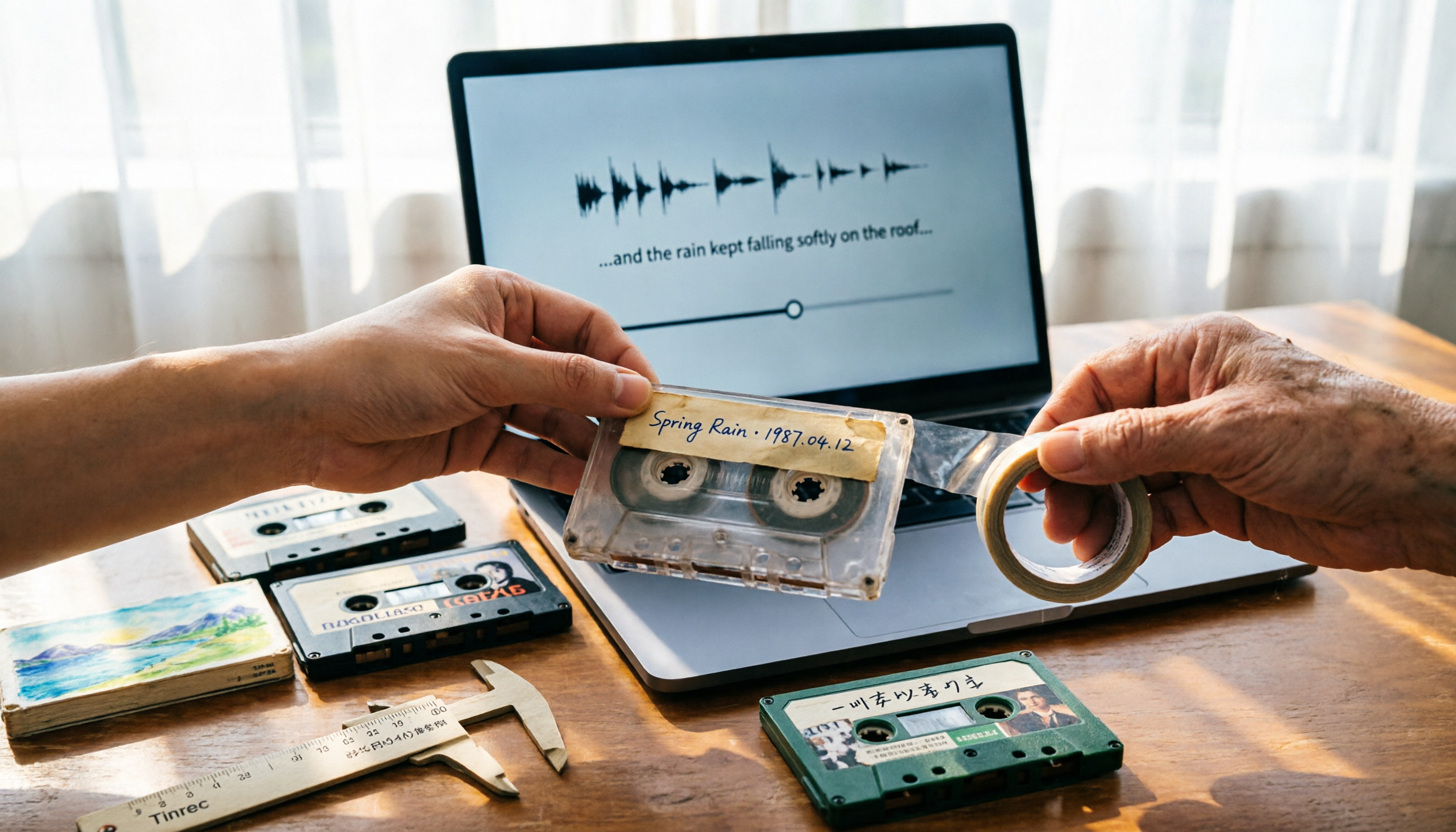
People searching "where to buy good tape" fall into two camps: those looking for cassette tapes and those looking for packing tape. This guide breaks down 5 reliable sources for each, including Discogs, Tapeheadcity, eBay, and local options, plus tips on choosing packing tape thickness and how to turn old cassette recordings into searchable text after you buy.

2026 AI Meeting Transcription Tools Compared: What Is NOTTA PTE. LTD. and Which Handles Chinese Meetings Best?
NOTTA PTE. LTD. is a private limited company registered in Singapore in 2022, primarily engaged in software and application development; it is not a product name. This article first compiles its public business registration data, then starts from common meeting documentation pain points to explain four key factors for choosing a transcription tool. It compares Tinrec, Notta, Otter.ai, and TurboScribe in terms of positioning, quotas, and use cases, and summarizes four common pitfalls to avoid.

4 AI Meeting Transcription Tools Compared for 2026: How to Choose Between Tingwu, Tinrec, and Free Options
Starting from the decision point of whether the Tingwu app is worth installing, this article compares four AI meeting transcription tools in 2026. It first explains four key selection criteria: how audio is captured, what you get after transcription, how well Chinese is supported, and who ultimately owns the data. Then it breaks down the practical differences between Tinrec, Tingwu, Otter.ai, and Notta, and finally provides a guide to common pitfalls and scenario-based selection advice.