
Turn recordings into transcripts and summaries in minutes
Upload audio or video for multilingual transcription, AI notes, and action items
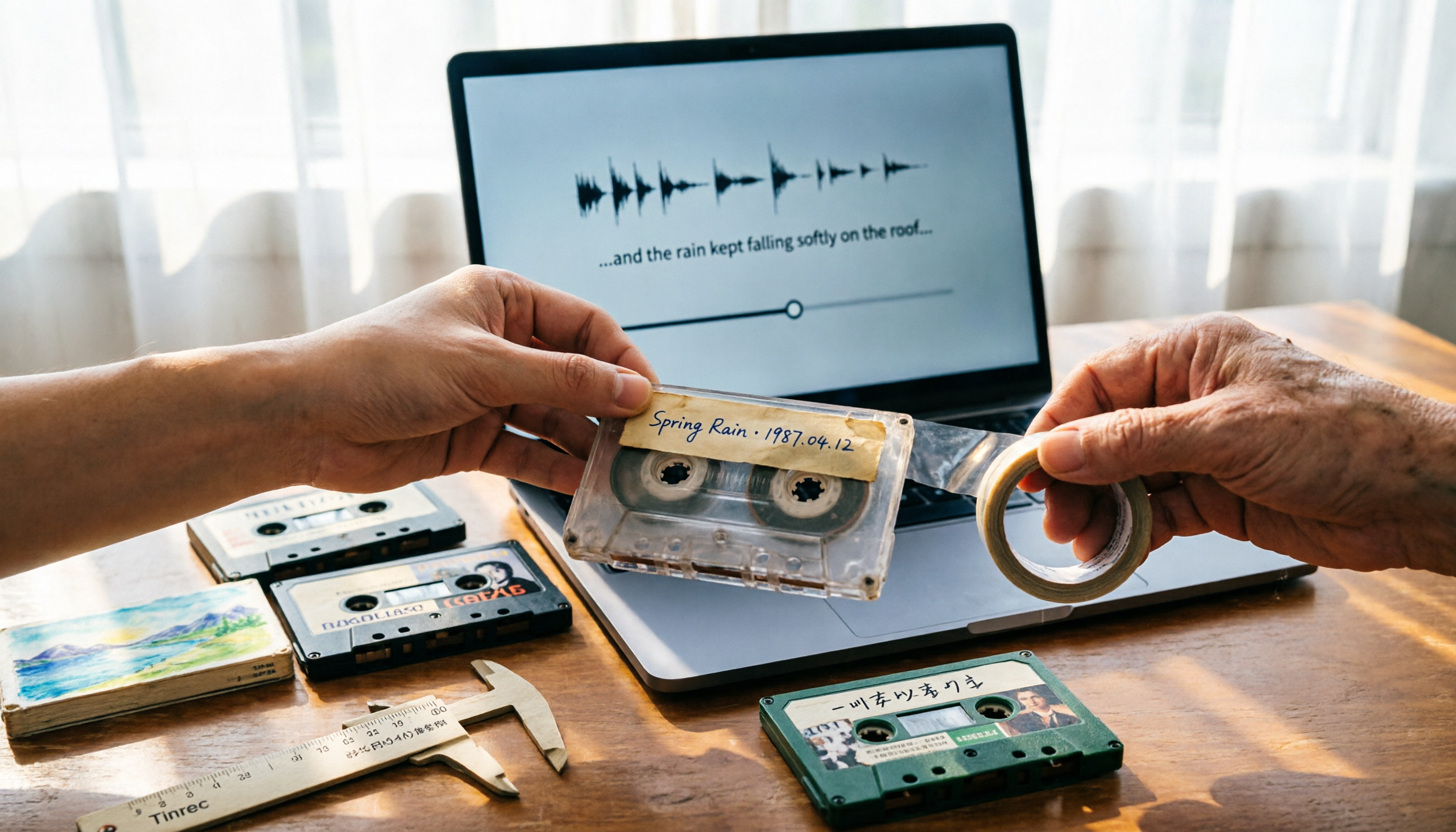
You order a batch of used cassettes online, and when they arrive and you put one in the player, you discover: loose tape, pitch wobble, and mold spots on the shell. This experience gets shared almost monthly on the cassette subreddit.
Another scenario: what you're actually looking for is packing tape for shipping. You buy a cheap box, and it tears the moment you pull it, or the edges curl up the next day.
In English, "tape" can mean cassette tapes, packing tape, or even athletic tape. So the search "where to buy good tape" actually reflects two completely different needs. This article separates them clearly: where to buy cassettes without getting burned, which two specs to check for packing tape, and how to turn the contents of tapes into usable data after you buy them.
First, figure out which kind of tape you need
Cassette tape: There are prerecorded albums released by record labels and blank tapes for your own recording. What you can buy now is mostly used prerecorded tapes or new old stock online.
Packing tape: For shipping, moving, and sealing boxes. What matters here is thickness and adhesive quality—nothing to do with sound quality.
Athletic tape (KT tape, binding tape): For sports protection or specific needs, mainly sold at sporting goods stores and brand websites. This article won't cover it.
One more easily confused name: Good Tape Shop, which appears in searches, is a site selling the magazine Good Tape and related merchandise—not tape.
4 key factors when choosing cassettes: condition, seller, type, returns
1. Check Media Condition, not the outer shell. On platforms like Discogs, sellers rate the "Media" and "Sleeve" condition separately. Longtime cassette buyers on Reddit recommend aiming for at least VG+ on the media for stable playback. A pretty sleeve doesn't mean the tape itself is fine—these are two separate things.
2. Does the seller have a cassette player to test? This is the biggest risk when buying cassettes online. Some Reddit users point out directly: some sellers don't even own a player—they're just reselling what they received and can't confirm the tape plays. Before ordering, check whether the seller's description says "tested"—it makes a big difference.
3. Prerecorded and blank tapes are two different paths. Prerecorded tapes are about specific albums and versions, with focus on condition and authenticity. Blank tapes are about recording quality, typically categorized as Type I (normal), Type II (chrome), and Type IV (metal). For music recording, Type II or above is safer.
4. Return policy matters more than price. Cassettes are decades old, so condition is inherently variable. Many eBay sellers offer free returns and promotions like "buy three get one free." Given the same price difference, choose the seller with a more generous return policy.
5 reliable places to actually buy good cassettes
Discogs | Best for finding specific albums The world's largest used record database, with sellers in many countries. Pros: versions, condition, and seller ratings are clearly listed, and you can often find cheap tapes in good condition. Cons: international shipping costs, and popular versions get bid up. Best for people who say "I want this exact one."
Tapeheadcity | US-based online cassette specialty store Mostly new tapes, with some used ones. Focused inventory and clear categories. Good for stocking up on a batch of everyday listening tapes without comparing prices across sellers in different countries until your eyes glaze over.
eBay | Best value for bulk lots, but choose your seller carefully eBay has tons of bulk cassette lots—"60s, 70s, 80s rock, pop, jazz"—priced roughly between $4 and $25, great for quickly building a collection. What to watch for is what we mentioned earlier: some buyers report receiving tapes with loose ribbons and sound quality below expectations. Before ordering, make sure the seller indicates the tapes have been tested.
Local used record stores, Shopee, Ruten, Facebook groups | Safest if you can meet in person This is the only channel where you can inspect the goods on the spot and even listen before buying. Prices may not be the cheapest, but you save on international shipping and return hassles. Good for beginners who don't want to get burned right away.
Record label websites and independent shops | For new reissues and blank tapes Cassette reissues have increased in recent years, and official stores and indie record shops stock them. If you want brand-new sealed albums or branded blank tapes, this is the most direct route.
If you need packing tape: just check thickness and adhesive
There are really only two things to evaluate for packing tape.
Stop organizing recordings by hand
Upload audio or video and automatically get a transcript, summary, and action items
Thickness. Reddit users who run e-commerce and ship in high volume recommend at least 1.8 to 2.0 mil, or 2.5 mil to be safe. Tape that's too thin tears as soon as you pull it and has an odor—wasting your time.
Adhesive quality. Cheap is fine, but don't buy unclear labeling. Some people have tried no-name brands that were either too thin or wouldn't stick, and ended up going back to name brands.
Where to buy:
- Costco Business Center: Cases of Scotch packing tape at usually great prices. Good if you're already a member.
- Packaging suppliers (e.g., SupplyMasters): Order by the case. Good for studios that ship regularly.
- eBay no-name cases: Cheapest, but make sure the thickness is listed as 1.8 mil or above.
- TapeKing: Some Reddit users have tried it and found it acceptable—a safe mid-priced option.
After you buy: turn cassette recordings into searchable text
This is where many people actually get stuck.
To digitize a 60-minute cassette, you first need a working player and a cable, then play it in real time to record to your computer—and after recording, you just have a long audio file. To find a specific sentence, you still have to listen from the beginning.
Tinrec picks up from there. It's an AI meeting notes and collaboration tool for individuals and teams, available on iOS, Android, and web. You can upload audio or video files directly for transcription—no real-time playback needed.
In practice, it works like this: drop the newly digitized cassette audio into Tinrec, and it generates a transcript, then automatically organizes summaries, chapters, and key points. An interview of your parents telling old stories, a bootleg recording of a band rehearsal from back in the day—no need to take notes while listening; the summary is already there.
Even better is its AI Q&A. You can ask questions directly about a recording: "How many times did the person mention moving in this interview?" "What was the final budget decided in the meeting?" It answers based on semantic understanding, not just a list of keyword search results. For people organizing old recordings, doing oral history, or writing research interviews, this feature saves very real time.
Other lesser-known but practical features:
- Action item extraction: Pull out "who's responsible for what" from conversations—great for turning client interviews directly into follow-up actions.
- Multi-format export: Transcripts can be exported to Notion, Google Docs, OneNote, and other tools for further editing.
- Real-time translation: For foreign-language interviews or cross-language meetings, switch between original, translated, or bilingual view.
- Team workspace: If you're working on the same project as a group, the team plan keeps meetings and recordings in one place, owned by the team—members who leave can't take data with them. The team plan offers a 7-day free trial with 1 seat and 300 shared import minutes. Paid seats are USD 29.80/month, or USD 199/year (about USD 16.58/month), each paid seat includes 2,000 shared import minutes per month, and real-time recording currently doesn't deduct minutes.
Full disclosure: Old cassettes have background noise, pitch wobble, and unstable tape speed—all of which directly affect transcription accuracy. The cleaner the audio, the better the results. For important content, it's still best to cross-check by replaying at specific timestamps. Also, the free plan has a usage cap. If you're only occasionally organizing a tape or two, the free plan is enough; consider upgrading if you have ongoing recordings to process.
Pitfall guide: 4 most common mistakes when buying tape
Pitfall 1: Ordering based only on the cover photo. Cassette shells can look great in photos, but mold on the tape and loose ribbons won't show. Always check the media condition field and seller description.
Pitfall 2: Ignoring "tested or not." Sellers without a player can't test tapes—this is the biggest variable in online cassette buying. Better to pay a little more for one marked as tested.
Pitfall 3: Buying tape that's too thin to save money. With tape below 1.8 mil, the money you save gets paid back in time spent re-taping boxes by hand.
Pitfall 4: Not cleaning or backing up before digitizing. Cassettes get more fragile the longer they sit. Clean the heads and tape first, and back up the files immediately after converting. Don't wait until your player breaks to remember.
Summary: Where should you actually buy?
- Looking for a specific album → Discogs, target media VG+ or above from well-rated sellers
- Want to stock up on everyday listening tapes → eBay bulk lots or Tapeheadcity
- Don't want online shopping risk, want to inspect first → Local used record stores, Shopee, Facebook group meetups
- Want new reissues or blank tapes → Record label websites, independent record shops
- Packing tape for shipping → Costco Business Center by the case, or packaging suppliers; aim for 2.0 mil or above
- Bought tapes and want to turn content into searchable text → Tinrec: upload files for transcription first, then use AI Q&A to find key points
Buying comes down to one sentence: expensive isn't necessarily good, but labeled, tested, and returnable usually won't be bad. Same with recordings—transcribe to text first, back up first, and the aging of the tape itself becomes less scary.
Sources
Turn every recording into actionable outcomes
Get 60 free transcription minutes when you sign in. No credit card required.
Related Reading
You might also like

2026 Vocol Alternatives Compared: Which Bot-Free Meeting Recorder Saves the Most Time?
Looking for a Vocol alternative? This hands-on comparison of Tinrec, Vocol.ai, Otter.ai, and Yating Transcription tackles real pain points in Chinese-language meetings. We break down bot-free recording, AI summaries, action item extraction, and team workspaces, plus tips on choosing between personal and team plans to help you find a tool that truly cuts post-meeting cleanup time.

6 Teams Recording Solutions Tested for 2026: Which One Actually Organizes Your Meeting?
Recording a Teams meeting isn't over when you hit the record button. This guide compares 6 common Teams meeting recording and post-meeting organization solutions—from Teams built-in recording permissions and expiration limits, Tinrec's bot-free recording and AI Q&A, to Otter.ai, Notta, TurboScribe, and built-in screen recording—plus selection advice and 4 must-know reminders before you start.

How to Record a Zoom Meeting in 2026: 3 Methods + Automatic Transcription
How do you record a Zoom meeting? This guide covers 5 practical methods: Tinrec desktop app with no-bot recording, Zoom local and cloud recording, OBS screen recording, mobile and hardware recording, plus recording permissions, free plan limitations, and how to turn recordings into transcripts and action items after the meeting.

Best AI Transcription Tools in 2026: 6 Tested, Vocol Tutorial & Tinrec Review
Starting with a hands-on Vocol tutorial, this guide tests and compares six AI transcription tools—Tinrec, Notta, Otter, Granola, and TurboScribe—on features, free tiers, and pricing to help you decide which one your team meetings really need.
2026 Zoom Meeting Recording Tools Buyer's Guide: 4 Tested Picks and Recommendations
Zoom's built-in automatic recording is convenient, but the real time sink is often the transcript, summary, and action items after the meeting. This guide compares Zoom built-in, Tinrec, Granola, and Otter.ai across four angles—recording permissions, Chinese language recognition, post-meeting output, and team data ownership—to help you decide which way to record Zoom meetings.

6 Google Meet AI Meeting Notes Solutions Tested for 2026: Which One Really Leaves Usable Data?
Starting from the three most common misconceptions, this hands-on comparison tests six AI meeting notes solutions that work with Google Meet: Tinrec, Google Meet's built-in Gemini 'Take Notes for Me', Otter.ai, Notta, Granola, and TurboScribe. We break down each one's positioning, pricing, who it's for, and how post-meeting data can be searched, queried, and handed off.

4 Video Auto-Subtitle Apps Tested for 2026: Free Tiers, Chinese Recognition, and Team Collaboration Compared
No more late nights re-listening to footage just to add subtitles. This hands-on comparison of Tinrec, Captune, cSubtitle, and pyTranscriber looks at language recognition, output formats, post-meeting organization, and team collaboration—plus free-tier limits and pitfalls to avoid—so you can pick the right tool for your workflow.

2026 AI Meeting Transcription Tools Compared: What Is NOTTA PTE. LTD. and Which Handles Chinese Meetings Best?
NOTTA PTE. LTD. is a private limited company registered in Singapore in 2022, primarily engaged in software and application development; it is not a product name. This article first compiles its public business registration data, then starts from common meeting documentation pain points to explain four key factors for choosing a transcription tool. It compares Tinrec, Notta, Otter.ai, and TurboScribe in terms of positioning, quotas, and use cases, and summarizes four common pitfalls to avoid.

4 AI Meeting Transcription Tools Compared for 2026: How to Choose Between Tingwu, Tinrec, and Free Options
Starting from the decision point of whether the Tingwu app is worth installing, this article compares four AI meeting transcription tools in 2026. It first explains four key selection criteria: how audio is captured, what you get after transcription, how well Chinese is supported, and who ultimately owns the data. Then it breaks down the practical differences between Tinrec, Tingwu, Otter.ai, and Notta, and finally provides a guide to common pitfalls and scenario-based selection advice.