

Turn recordings into transcripts and summaries in minutes
Upload audio or video for multilingual transcription, AI notes, and action items
Many people see a lock icon on the Google Meet screen and assume "this meeting is end-to-end encrypted, even Google can't read it." The reality: the lock only means the connection between your device and Google's servers is encrypted—it doesn't mean Google's infrastructure can't process your content.
This misunderstanding can be costly—if you're hosting a meeting involving customer data, payroll, or contract terms, getting the encryption level wrong could put you at risk of violating company information security policies. Below, we break down Google Meet's encryption mechanisms layer by layer and explain when you truly need extra handling.
Google Meet Encryption | Quick Overview
Google Meet uses "cloud encryption" by default; end-to-end encryption (E2EE) depends on the account type and call format.
| Item | Cloud Encryption (Default) | End-to-End Encryption (E2EE) |
|---|---|---|
| Who can decrypt content | Google infrastructure can process audio and video | Only participants' devices |
| Applicable to | All meetings and calls | 1:1 and group calls on the new Meet app for personal Google accounts |
| Recording storage | Remains encrypted when stored in Google Drive | Call content is not stored on Google servers |
| Impact on features | Smart features can operate | Some features that rely on cloud processing are limited |
| Is it default? | Yes | Optional for personal users |
This article explains each item clearly: transport and storage encryption, when E2EE is available, the differences between Workspace and personal accounts, whether recording and captions affect encryption, and finally how to choose a tool if you need to retain meeting content for records.
Dimension 1 | Transport and Storage: How Solid Is the Default Encryption?
All Google Meet meetings and calls are encrypted by default at both the transport and storage levels. For transport, data between your device and Google's data centers is encrypted using industry standards: DTLS (Datagram Transport Layer Security) and SRTP (Secure Real-time Transport Protocol), as recommended by the IETF, specifically for real-time voice and video.
For storage, meeting recordings are saved in an encrypted state when stored in Google Drive. According to third-party summaries, data at rest uses AES-256 encryption, with keys managed by Google unless the enterprise configures otherwise.
Note: This layer of encryption protects you from interception, but it doesn't mean Google can't read the content internally—this is exactly the fundamental difference between cloud encryption and E2EE.
Dimension 2 | End-to-End Encryption: Which Accounts and Calls Can Use It?
Google's official statement: 1:1 and group voice/video calls on the new Meet app for personal Google accounts are end-to-end encrypted, and content is not stored on Google servers.
Technically, group calls work via "sender keys"—each device exchanges keys with the server, and when someone joins or leaves the group, the key arrangement is handled accordingly; once the call ends, the keys are deleted.
But be clear: E2EE refers to the "call" itself. If you're using the standard "meeting" format, or hosting a meeting with a Workspace account, the default is still cloud encryption, not E2EE. Many employees mistakenly think "if I open Meet, it's E2EE"—that's where the error occurs.
Dimension 3 | Workspace Meetings vs. Personal Calls: What's the Biggest Difference?
This is where enterprises most often stumble. Meetings hosted with a company Workspace account are cloud-encrypted by default—the reason is simple: enterprises need meeting recording, transcription, auditing, and compliance capabilities, all of which rely on cloud processing.
Calls on the new Meet app for personal accounts use E2EE, and content is not stored on servers, but you also don't get the cloud processing capabilities of typical enterprise meetings.
So the answer to "Is Google Meet encrypted?" isn't a simple yes or no—it's: encryption is always on by default, but the encryption level depends on which account you use and whether you're hosting a "meeting" or a "call."
Dimension 4 | Recording, Captions, and Smart Features: Do They Affect Encryption?
Yes. Google's official documentation mentions that some extended cloud encryption features require operating in cloud encryption mode—in other words, the more a feature relies on cloud processing, the less room there is for end-to-end encryption.
Captions are another example. When live captions are enabled, the system uses audio data; Google states that this data is not linked to personally identifiable information and is not stored.
In practice, ask yourself: does this meeting need recording, transcripts, or post-meeting summaries? If yes, you're already using cloud processing; if not, an E2EE call is sufficient.
Stop organizing recordings by hand
Upload audio or video and automatically get a transcript, summary, and action items
Dimension 5 | Certification and Compliance: What Do SOC 2 and ISO 27001 Mean?
According to third-party summaries, Google's infrastructure holds SOC 2, SOC 3, and ISO 27001 certifications and runs on the same hardened network that protects Gmail and Google Cloud.
But be clear: certifications refer to the provider's overall security management level—they don't mean "every meeting you host automatically complies with your industry's regulations." Healthcare, legal, and financial scenarios also need to consider requirements for medical records, case data, customer authorization, etc., and may require separate risk assessments when necessary.
Want to Retain Meeting Content? Google Meet Built-in Recording vs. Tinrec Comparison
Once the encryption level is clear, another practical issue emerges: meeting minutes still need to be prepared manually after the meeting. Below is a comparison of Google Meet's built-in recording capabilities and Tinrec across three dimensions.
Dimension 6 | Recording Method: Does a Bot Need to Join the Meeting?
Google Meet's built-in recording and transcription have the advantage of not requiring additional tools—you can start directly within the meeting, and no third-party bot joins as a participant.
Tinrec takes a different approach: the desktop version directly captures computer system audio, handling meetings on Zoom, Google Meet, Microsoft Teams, Webex, etc., also without a bot joining. Tinrec is an independent meeting notes tool that uses the same workflow across platforms—web, desktop, and mobile.
→ This dimension: Both achieve "no bot," so it's a tie.
Dimension 7 | Post-Meeting Organization: What Comes After the Transcript?
Meet's built-in recording and captions primarily serve the meeting itself—recording, displaying, and reviewing afterward. Cross-meeting summary organization, action item extraction, and transcript Q&A are not its main focus.
Tinrec targets the "after the transcript" phase: automatically generating summaries, chapters, key points, and action items, allowing AI Q&A follow-ups about meeting content, and further generating reports, tables, and documents, or exporting to Notion, Google Docs, and other tools for further processing.
→ This dimension: If you need deliverables, Tinrec is clearly superior.
Dimension 8 | Team Knowledge Retention and Permission Governance
When enterprises use Meet for meetings, meeting records are often scattered across individual Drive accounts, chat rooms, and emails. New colleagues trying to look up decisions from six months ago often have to ask around.
Tinrec's team version provides an independent team space where meeting data belongs to the team; administrators can manage roles and seats, and members without seats can still view, play, and read team materials; you can also view usage trends, export audit logs, and use team hotwords to improve recognition of technical terms, and resources can be handed over when members leave. Note that the team version focuses on team-level sharing, not file-level granular permissions.
→ This dimension: If you need team knowledge retention, Tinrec is more complete.
What Are the Unique Advantages of Each?
Google Meet's advantages:
- No additional tools needed—start meetings directly in the browser or app, with built-in recording, captions, and basic transcription.
- Direct integration with Google Calendar, Drive, and the Workspace ecosystem; enterprise account permissions and auditing follow existing systems.
- Personal account calls on the new Meet app have E2EE, and content is not stored on servers.
Tinrec's advantages:
- Desktop version captures system audio without a bot, using the same workflow across Zoom, Meet, Teams, and Webex.
- After transcription: summaries, chapters, action items, mind maps, AI Q&A, real-time translation, and multi-format export.
- Team space, roles, seats, usage analytics, audit logs, and audio recycle bin—suitable for teams that need governance.
- No additional hardware required—works on web, desktop, and mobile.
Conclusion: Which Should You Choose?
First, the encryption question: All Google Meet meetings and calls are encrypted by default—transport uses DTLS and SRTP, and recordings remain encrypted when stored in Drive; E2EE mainly applies to 1:1 and group calls on the new Meet app for personal accounts, while standard Workspace meetings remain cloud-encrypted by default.
Next, the tool choice:
• If you're hosting internal weekly meetings and don't need to submit records → Google Meet's built-in recording is sufficient; no need to add tools.
• If you're handling customer interviews or cross-department decision meetings and need to submit summaries and action items afterward → Tinrec's post-transcript processing saves more time.
• If your team needs to look up historical decisions six months later → Tinrec's team space is more practical than recordings scattered across individual Drives.
• If you only use the Google ecosystem and don't want another tool → Meet's built-in features already meet basic needs.
In one sentence: The encryption level depends on your account and meeting format; post-meeting organization depends on whether you need deliverables. If you want to try, start with the free tier, test with a real meeting recording of your own, and then decide whether to upgrade.
Final reminder: Recording and transcription must comply with local laws; obtain participant consent when necessary.
Sources
- Google Meet Help Center: Learn about call & meeting encryption in Google Meet
- Google Meet Help Center: Understand the basics of privacy in Google Meet
- Tactiq: Is Google Meet Encrypted? Full Guide
- Tinrec Official Blog: The Difference Between Cloud Encryption and End-to-End Encryption
- flat.social: Google Meet Security and Privacy Guide
References
- Learn about call & meeting encryption in Google Meet - Google Meet Help
- Understand the basics of privacy in Google Meet - Google Meet Help
- Is Google Meet Encrypted? Full Guide (2025)
- Google Meet Encryption in 2026: What's the Difference Between Cloud Encryption and End-to-End Encryption? - Official Tinrec Blog
- Is Google Meet Secure? Privacy & Safety Guide (2026) | flat.social
Turn every recording into actionable outcomes
Get 60 free transcription minutes when you sign in. No credit card required.
Related Reading
You might also like

Google Meet Video Calls in 2026: A Complete Guide from Online Meetings to Post-Meeting Records
Google Meet is indeed a video calling service, but the real time sink comes after the call: transcripts, summaries, and action items. This guide starts from the reader's decision point, explaining what Meet can and cannot do, and how Tinrec fills the gap in post-meeting organization and team collaboration with desktop bot-free recording.

4 Google Meet Note-Taking Tools Tested for 2026: Get Transcripts Without a Bot?
Google Meet makes meetings easy, but post-meeting organization is painful. From a mid-level manager's hands-on testing perspective, this article compares Tinrec, Otter.ai, Granola, and Notta in Google Meet scenarios—covering audio capture methods, Chinese transcription, post-meeting outputs, and team knowledge retention—and outlines 3 common purchasing pitfalls to help you decide which tool can truly save you those two hours after each meeting.

3 Meeting Tools in the UAE in 2026: Does Google Meet Work in Dubai?
Public information remains divided on whether Google Meet works in the UAE. This article covers real-world usage scenarios, 4 key factors to consider, backup options like Teams and Zoom, and how to use Tinrec to turn meeting content into transcripts, summaries, and action items.

Google Meet Host Leaves: Does the Meeting End? 3 Note-Taking Methods Tested (2026)
What happens when the host leaves a Google Meet? This article breaks down the difference between 'Leave call' and 'End call,' the hidden rules for recurring meetings, and compares three meeting note-taking methods. It explains why notes often stop when the host leaves and how Tinrec's no-bot recording keeps transcripts, summaries, and action items intact.

4 Meeting Transcription Tools Tested for 2026: Does Google Meet Work in Dubai? How to Keep Meeting Records
Can you use Google Meet in Dubai? Most users report it works, but VoIP regulations can affect connection quality. This article summarizes real-world usage and compares Tinrec, Otter.ai, Granola, and Notta across four aspects: recording method, audio retention, Chinese recognition, and post-meeting output, to help you choose the most reliable record-keeping solution for international meetings.

Zoom vs Google Meet 2025: Which Meeting Platform Wins? Post-Meeting Notes Are Key
Zoom vs Google Meet in 2025: Compare free limits, Google ecosystem, cross-org meetings, large webinars, and post-meeting organization. Learn how Tinrec fills the last mile with meeting notes, AI summaries, action items, and team knowledge retention.
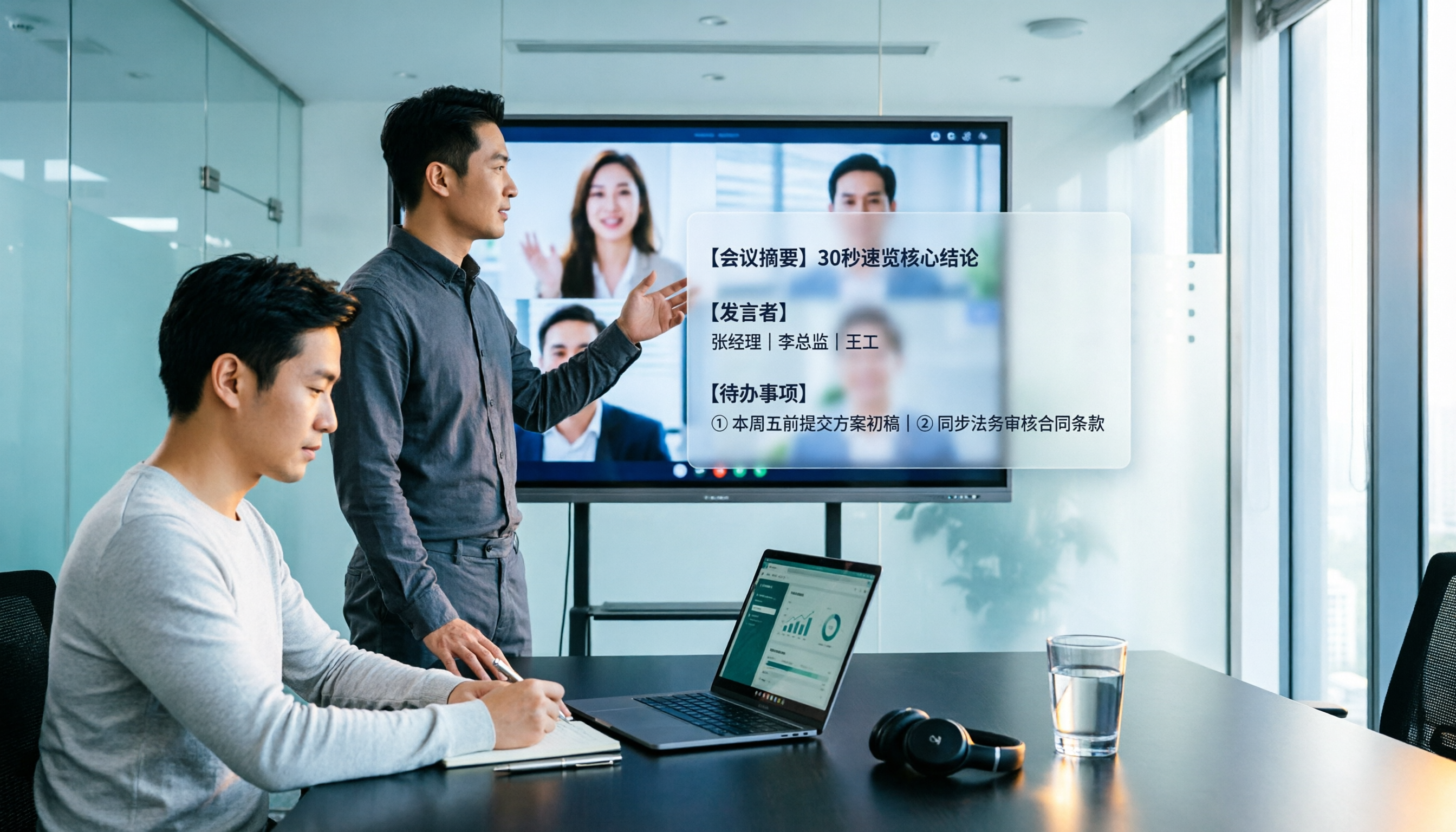
Google Meet Companion Mode vs Tinrec in 2026: 5-Dimension Comparison for Hybrid Meeting Notes and Post-Meeting Organization
What is Google Meet Companion Mode? This article breaks down the differences between Companion Mode and Tinrec across 5 dimensions, helping you understand how to combine 'second-screen interaction' during hybrid meetings with 'post-meeting AI organization,' plus purchasing advice and pitfalls to avoid.

Google Meet vs Zoom in 2026: Are They the Same? 5 Steps to Choose the Right Video Conferencing Tool
Google Meet and Zoom are not the same product, but their features overlap heavily—both are tools that quickly bring people into video meetings. This article uses 5 steps to compare free time limits, recording, calendar integration, in-meeting collaboration, and post-meeting organization, and explains how Tinrec fills the gap after Meet and Zoom meetings with transcripts, summaries, action items, and team knowledge retention.

4 iPad Meeting Note Tools Tested for 2026: Google Meet Works, but Post-Meeting Organization Is Key
Google Meet works fine on iPad—you can join meetings via the app, Calendar, Gmail, or Safari. The real challenge is organizing notes afterward. This article addresses common pain points for iPad users, explains how Google Meet differs on iPad, and shows how Tinrec turns meeting recordings into transcripts, summaries, and action items.