
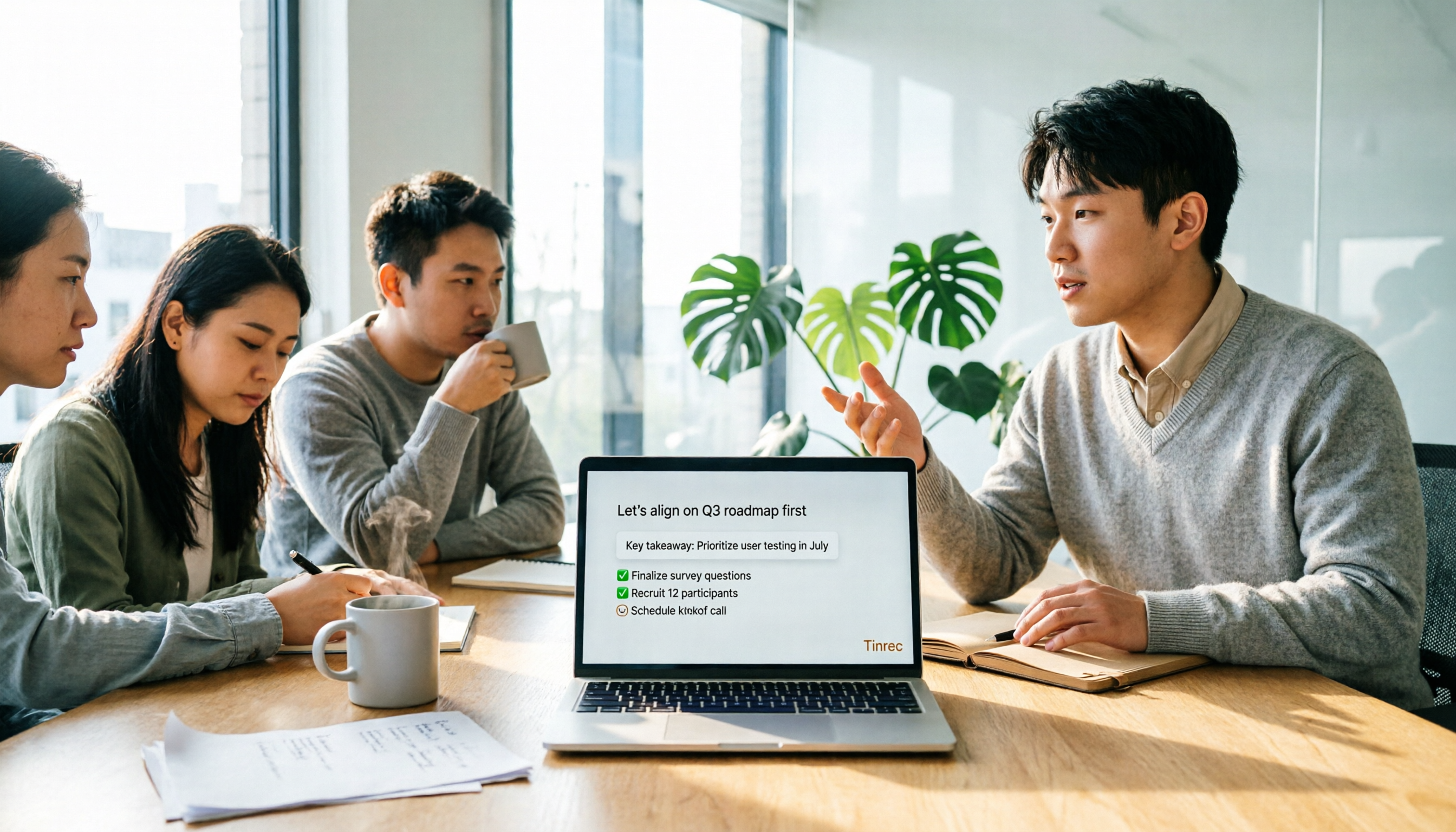
Turn recordings into transcripts and summaries in minutes
Upload audio or video for multilingual transcription, AI notes, and action items
Many people searching for 'free online speech to text' start by searching, uploading a file, hitting convert, and getting a large block of text with no paragraphs, no punctuation, and no timestamps. You can't tell where the speaker changes, and the context doesn't connect.
As a result, you still have to listen from the beginning and organize it yourself while listening. This only saves typing, not time.
So the real question isn't 'which tool is free,' but 'what output do I want?'—a transcript you can read directly? Meeting minutes you can send out right after the meeting? Or data your team can search, query, and keep using?
Below, we work backward from these three outputs to explain how to choose and use free online speech-to-text, and what Tinrec (Miao Ting Lu Yin) achieves at each step.
Four Common Free Online Speech-to-Text Approaches and Where They Get Stuck
1. Daily fixed credits type Free quota resets daily, convenient for occasional use. The downside is that a two-hour long meeting or several files in a row can easily hit the limit, forcing you to wait until the next day.
2. Limited-time trial type After registration, you get a trial period or minutes, and then you must pay. Suitable for verifying recognition quality first, but not for daily free use.
3. Single-file length limit type The free version limits the length of a single audio file, so a long meeting must be split into several parts and uploaded, then the transcripts manually reconnected.
4. Plain text only type The output is just a big block of text with no paragraphs, no summary, no to-dos. The tool helps you up to 'typing,' and all the organizing is left to you.
The common thread among these four approaches: free quota is just the ticket. What really determines the experience is what the tool can do for you after conversion.
What Are Tinrec's Core Capabilities?
Tinrec is an AI meeting notes and collaboration tool for individuals and teams. It doesn't just convert sound to text; it organizes meetings into searchable, summarizable, queryable, and exportable data.
Real-time recording to text Transcribes while recording, suitable for offline meetings, interviews, and on-site notes. You can confirm text synchronously during the meeting, so you don't discover missed key points only after it ends.
Desktop version records online meetings without a bot The Tinrec desktop version directly captures computer system audio to handle online meetings on Zoom, Google Meet, Microsoft Teams, Webex, etc., without inviting an extra bot to join the participant list. Note that this is not 'automatically joining all calendar meetings'; you open Tinrec yourself to start recording.
Audio and video file transcription Existing historical recordings, phone-recorded interviews, downloaded videos can all be uploaded and organized into text data.
Post-conversion organization Automatically generates summaries, chapters, key points, and to-dos, and can also organize into mind maps. This is where it differs most from pure transcription tools—you get readable meeting material, not a blob of text.
AI Q&A After transcription, you can ask questions directly about the content. For example, 'Who mentioned the budget in this meeting?' 'What were the client's concerns about pricing?' It answers based on semantic understanding and can also query across multiple meetings.
Real-time translation and bilingual view For cross-language meetings, you can view the original, translation, or bilingual content while recording, without needing separate translation afterward.
Multiple formats and third-party export Can export as files or bring to Notion, Google Docs, OneNote, Dropbox, and other work environments for further processing, and can also generate reports, tables, and documents via Agent post-processing.
Team space and governance The team version provides an independent collaboration space, including members, roles, seats, sharing benefits, usage analytics, audit logs, team hotwords, and audio recycle bin.
Practical Application Scenarios: Four Most Common Use Cases
Scenario 1: Online meeting, meeting minutes ready right after Open Tinrec desktop before the meeting, select the system audio source, and the transcript is generated synchronously during the meeting. After the meeting, summaries, chapters, and to-dos are already organized, so who is responsible for what and deadlines are clear at a glance. What's saved is that hour of re-listening and typing after the meeting.
Scenario 2: Interviews and research, quickly extract quotable passages After uploading interview recordings, first use AI Q&A to ask key points—'How many times did the interviewee mention price?' 'What are their complaints about the current solution?'—then go back to verify the transcript text and timestamps. Much faster than reading the entire transcript from the beginning.
Stop organizing recordings by hand
Upload audio or video and automatically get a transcript, summary, and action items
Scenario 3: Courses and lectures, long recordings can be skimmed For two- or three-hour course recordings, use chapter segmentation to jump directly to the section you want to review. When you need a quote on the spot, searching for keywords is more accurate than dragging the progress bar.
Scenario 4: Team knowledge retention, data doesn't leave with people The team version centralizes meeting recordings, transcripts, summaries, and to-dos in one space. New members can join via a link and see historical meetings; when a member leaves or is removed, their team resources are transferred to other active members and won't disappear with the personal account.
Here, distinguish between 'role' and 'seat': roles determine who can manage the team, members, and audits; seats determine who can record, upload, edit, import/export. Active members without a seat can still view, play, and read team data, but cannot perform resource usage operations.
Currently, the team version is primarily team-level sharing, where all active members can read team data; it is not a file-level granular permission system.
5 Things to Note When Choosing a Free Speech-to-Text Tool
1. How free quota is calculated Is it daily credits, monthly minutes, or single-file length limit? First consider your usage frequency. Tinrec free version provides basic quota to experience recording, import, summary, and transcription; if you only need to handle a few meetings or interviews in a short period, the website offers a weekly card; for long-term stable use, consider Pro monthly or annual card.
2. What you get after conversion Only a transcript, or also summaries, chapters, to-dos? This determines whether you save typing time or organizing time. Tinrec's design focuses on the workflow after transcription.
3. How the meeting is recorded Meeting bots must join the participant list, which may not be suitable for some client occasions. Tinrec uses a desktop version that captures system audio, without adding extra participants.
4. Language and accent support Chinese meetings, mixed Chinese-English, and multilingual scenarios should be checked separately. Tinrec covers Chinese, Traditional Chinese, and multilingual content, and supports real-time translation; teams can also maintain hotwords to make product terms and proper nouns more consistently recognized. Actual performance is still affected by recording quality, noise, accents, and overlapping speech; no tool can guarantee a fixed accuracy rate.
5. Where data ultimately stays Does it stay in a personal account or team space? Can it be exported to existing workflows? Tinrec supports multiple formats and third-party export; team audio mistakenly deleted goes to the recycle bin, currently retained for 30 days, and can be restored before permanent cleanup (to-dos are not in the recycle bin).
If you are evaluating a team plan, the current team version's first eligible trial is 7 days, 1 free seat, 300 minutes of team shared import quota; paid seats are USD 29.80/seat/month monthly, USD 199/seat/year annually (about USD 16.58/month), each paid seat provides 2,000 minutes of team shared import quota per month. Under an active plan and seat, real-time recording currently does not deduct minutes; file and web import use team shared quota. Prices and benefits are subject to the official purchase page.
FAQ
Q: Can I use Tinrec free version for free forever? You can first use the free version's basic quota to experience recording, import, summary, and transcription; when the quota runs out, choose a weekly card, Pro monthly, or annual card as needed. It is not 'unlimited free,' but enough to judge whether this workflow suits you.
Q: Do I have to let a bot join the meeting to record? No. The Tinrec desktop version directly captures computer system audio, so when handling online meetings on Zoom, Google Meet, Microsoft Teams, Webex, etc., no extra bot needs to be invited into the meeting.
Q: Does it support Chinese and mixed Chinese-English meetings? Supports Chinese, Traditional Chinese, and multilingual meeting content, and can view in original, translation, or bilingual mode with real-time translation. If your team often uses fixed terminology, it is recommended to set team hotwords.
Q: How high is the transcription accuracy? It is not recommended to look at fixed numbers. Actual performance is affected by recording quality, background noise, accents, overlapping speech, and technical terms. For important content, it is recommended to cross-check with transcript timestamps and recording playback.
Q: What is the difference between team and personal versions? Personal version data is managed by the personal account; the team version has an independent team space, data is owned by the team, and adds member and role management, seat allocation, sharing benefits, usage analytics, audit logs, hotwords, and audio recycle bin.
Q: What should I note when recording speech to text? Please comply with local regulations, and obtain consent from participants before recording and transcription when necessary.
Conclusion
The barrier to free online speech-to-text is already low; the hard part is never 'converting to text,' but how to turn it into something you can use after conversion.
When choosing a tool, first confirm whether your desired output is a transcript, meeting minutes, or a long-term searchable team database, then check whether the free quota is enough, whether there are summaries and to-dos after conversion, how the meeting is recorded, and where the data ultimately stays.
If you have meetings or interviews to organize every week, you can first use Tinrec free version's basic quota to run one or two sessions—go through recording, transcript, summary, and to-dos once, then decide whether to upgrade. This is much more accurate than just looking at a feature list.
References
Turn every recording into actionable outcomes
Get 60 free transcription minutes when you sign in. No credit card required.
Related Reading
You might also like

2026 Speech-to-Text Tools Compared: Which Saves the Most Time on Chinese Transcripts and Post-Meeting Notes?
From meeting recordings to usable transcripts and post-meeting materials, this article uses the same buying criteria to examine Tinrec, Notta, TurboScribe, and PLAUD, explaining differences in Chinese transcription, AI Q&A, team seats, and export capabilities to help you decide which one fits your meeting workflow.

iPhone Voice Memos vs Tinrec in 2026: 5-Dimension Comparison — Which Is Better for Transcripts?
iPhone's built-in Voice Memos can transcribe recordings starting with iOS 18, and Chinese requires iOS 18.4 or later. This article compares it with Tinrec across 5 dimensions: post-meeting organization, online meetings, cross-device use, multilingual support, and team collaboration, plus a 4-step tutorial and scenario-based recommendations.

5 iPhone Speech-to-Text Solutions Tested for 2026: Is Built-in Free Enough, or Should You Use AI?
iPhone's built-in Voice Memos transcription and keyboard dictation already offer free speech-to-text, but long meetings, cross-language needs, and team sharing are a different story. This guide covers 5 iPhone speech-to-text solutions, from completely free built-in features to AI meeting note tools, with limitations and pricing to help you choose one that actually works for you.

4 Free Speech-to-Text Tools Tested in 2026: Is the Free Version Enough, and When Should You Upgrade?
Every so often, someone on Dcard asks, "Are there any free speech-to-text tools?" This article starts from real meeting scenarios, outlines 4 key points to consider before choosing a free tool, and compares the free quotas, meeting recording methods, and post-meeting organization capabilities of Tinrec, Notta, Otter.ai, and TurboScribe. It helps you decide whether the free version is sufficient and when it's worth upgrading.

4 LINE Voice-to-Text Solutions Compared for 2026: iPhone Users' Options from Shortcuts to AI Summaries
LINE voice messages on iPhone don't have a built-in transcription button, and most people get the first step wrong. This article starts with common misconceptions, compares iPhone Voice Memos transcription, Shortcuts scripts, third-party transcription tools, and Tinrec, and explains from a student's perspective whether free tiers are sufficient and which scenario suits which option.

Free Speech-to-Text in 2026: How to Choose Your Free Plan + Transcript Organization Guide
Before searching for "free speech to text," understand these key factors: how free quotas are measured, whether audio files are retained, Chinese recognition, and post-meeting organization. This article breaks down 5 key selection criteria from a practical usage perspective, introduces Tinrec's free starter workflow and plan limitations, briefly reviews Notta, TurboScribe, and Otter.ai free plans, and provides scenario-based recommendations plus 4 common pitfalls to avoid.

The Complete Guide to Speech-to-Text in 2026: Workflow from Transcript to Meeting Minutes
When choosing a speech-to-text tool, the real question isn't "which one is most accurate" but whether you need a typing replacement or meeting data you can keep working with. This guide starts with three decision questions, breaks down the core capabilities of speech-to-text, practical use cases, and 5 purchase checkpoints, and demonstrates Tinrec's complete workflow for bot-free online meeting recording, AI summaries, action item extraction, AI Q&A, and team spaces.

Tinrec vs Notta 2026: 5-Dimension Comparison — Which Free Speech-to-Text App Is Right for You?
Free speech-to-text apps seem plentiful, but few are truly work-ready. This comparison of Tinrec and Notta across five dimensions — free quota, input sources, post-meeting organization, Chinese-language experience, and team collaboration — plus key buying criteria and four common pitfalls, helps you decide which one to use.

4 LINE Voice-to-Text Tools Tested for 2026: Which Saves the Most Time on Voice Messages and Call Recordings?
LINE has no built-in voice-to-text feature, so converting voice messages or call recordings into transcripts requires first extracting the audio files. This article starts with key selection criteria, then compares Tinrec, Notta, Otter.ai, and TurboScribe in hands-on testing, and provides a pitfalls guide and selection advice to help you choose the right tool.