

Turn recordings into transcripts and summaries in minutes
Upload audio or video for multilingual transcription, AI notes, and action items
4 Best Speech-to-Text AI Tools for 2026: Chinese Meetings, Transcripts, and Post-Meeting Organization
Your project meeting ends at 9 a.m. At 3 p.m., your manager messages the group chat asking you to repost the morning's decision. All you have is a 48-minute recording and a bunch of clips where you can't tell who said what. Many people think the problem is slow typing, but the real bottleneck is this: after generating a transcript, you still have to scrub the timeline cell by cell to pick out the key points.
What Slows You Down Isn't the Meeting—It's the Two Hours After
The first common scenario is online meetings. The meeting takes place on Zoom, Google Meet, or Teams, and company security policy doesn't allow external accounts into the meeting room, so the "post-meeting bot auto-recording" route is completely blocked.
The second is Chinese and mixed Chinese-English. Product codes, client abbreviations, and department acronyms get mixed into sentences, and the output often comes out as a different set of words—correction takes longer than typing it yourself.
The third happens within teams: recordings stay on individual phones, and when a colleague leaves, the data goes with them. When a new hire wants to look up a decision meeting from three months ago, they can only ask people one by one.
This article takes a procurement evaluation angle, comparing 4 tools across three stages: "Chinese meeting transcription," "post-meeting organization," and "team knowledge retention," so you can directly state your reasons for choosing in a meeting.
Before Choosing a Speech-to-Text AI Tool, Understand These 4 Key Points
1. Don't just look at promotional numbers for Chinese and mixed Chinese-English recognition Official accuracy rates are usually measured in quiet environments. Real meeting rooms have air conditioning noise, keyboard sounds, and multiple people talking over each other, so performance drops noticeably. The way to evaluate is to take a real recording of your own and test it, and confirm whether the tool supports "team hotwords" so you can feed in your proper nouns and client codes first.
2. How audio gets in: file upload or direct computer audio capture Tools that only support uploading recording files mean you have to record the meeting first; tools that directly capture system audio on the desktop can complete recording without inviting any bot into the meeting. For companies with security policies, this point is often more critical than price.
3. What you can do after transcription is the real differentiator A transcript is just the starting point. You need to ask: can it automatically generate summaries, chapters, and action items? Can you ask questions directly about the meeting content? Can it export to Notion, Google Docs, or wherever you already work? Tools that only give you a transcript are essentially handing the organization work right back to you.
4. Team authorization and quotas: first distinguish "roles" from "seats" Roles determine who can manage members, view audits, and team settings; seats determine who can record, upload, edit, and export. Mixing the two leads to budget waste like "bought ten accounts but only two people use them." Also confirm the pricing model: is it per-seat monthly fee, shared minutes quota, and are real-time recording and file import calculated separately?
Tinrec: Turning Transcripts into Meeting Data You Can Query and Hand Over
One-sentence positioning: Tinrec is an AI meeting notes and collaboration tool for individuals and teams, covering iOS, Android, and web, with a desktop version that can handle meeting audio played on a computer. Editor's rating 9.1/10 (rating basis: Chinese meeting transcription, post-meeting organization completeness, team governance capabilities).
Bot-free recording of online meetings. The desktop version directly captures device system audio, handling online meetings on Zoom, Google Meet, Microsoft Teams, Webex, etc., without pulling an extra bot into the meeting room or opening an external account permission for it. Note that this is not "automatically joining all calendar meetings," but rather you actively start recording and the tool takes over recording and real-time transcription.
Post-meeting output is more than just a transcript. After the meeting ends, it automatically generates summaries, chapters, and key points, extracts action items from the discussion, and can even organize long meetings into mind maps. Cross-language meetings can enable real-time translation, viewed in original, translated, or bilingual mode; organized content can be exported to Notion, Google Docs, OneNote, Dropbox, etc. for further processing, and can also generate reports, tables, and meeting minutes documents.
AI Q&A is its most impactful part. After recording, you can directly ask it "who finalized the budget in the last meeting" or "what were the three concerns the client mentioned." It doesn't give you keyword search results but answers along the semantics. For people who flip through historical meetings several times a week, this saves more time than the transcript itself.
Stop organizing recordings by hand
Upload audio or video and automatically get a transcript, summary, and action items
The team version turns meetings into transferable assets. The team version is not multiple people sharing one personal account, but an independent team space: you can create multiple teams, invite members via join links, set owners/admins/regular members, and manage roles and seats separately. Valid members without seats can still view, play, and read team data, but recording, uploading, editing, and import/export require a seat. Admins also have usage trends, member rankings, details, team hotwords, audit logs, and an audio recycle bin (retained for 30 days, can be restored or permanently cleared). When a member leaves or loses their seat, their team resources need to be handed over to other valid members, so data doesn't disappear when the individual leaves.
Pricing and quotas (subject to the official purchase page): Team monthly USD 29.80 per paid seat per month, annual USD 199 per paid seat per year (equivalent to about USD 16.58/month); each paid seat provides 2,000 minutes of team shared import quota per month, file and web imports deduct from the team shared quota without using members' personal quotas; under a valid team plan and valid seats, real-time recording currently does not deduct minutes. First-time eligible teams also get a 7-day trial, 1 free seat, and 300 minutes of team shared import quota. The personal version has a free version, weekly card, Pro monthly card, and Pro annual card—choose based on usage frequency.
Limitations, to be clear upfront: No fixed accuracy rate is promised; actual performance is affected by recording quality, noise, accents, overlapping speech, and technical terminology; the team version currently focuses on team-level sharing, not file-level or member-level granular permissions; the desktop version requires you to actively initiate recording and will not automatically join all meetings.
Who it's for: Managers and project leads who frequently hold Chinese meetings, whose companies don't allow external bots into meeting rooms, who want to use AI to find key points directly after meetings, and who need to retain meeting data as team assets.
Besides Tinrec, What Other Options Are There?
Otter.ai: A mature option for English business meetings. Basic is free with 300 minutes per month; Pro annual billing is about USD 8.49/user/month, including 1,200 minutes of in-app recording and 10 file imports per month; Business offers unlimited meetings and more management capabilities. If 90% of your meetings are in English, it's a good deal. But for Chinese meeting transcription and bilingual viewing, Tinrec's experience is closer to how Taiwan teams actually work.
Notta: Strong in multilingual transcription and file processing. Free is 120 minutes per month with a 3-minute limit per item; Pro annual billing is about USD 8.17/month (1,800 minutes per month); Business annual billing is about USD 16.67/seat/month, including unlimited transcription, role permissions, and usage reports. If your needs lean toward bulk file transcription, it's suitable; but for the full workflow of "bot-free online meeting recording + post-meeting AI Q&A + team space retention," Tinrec has higher integration.
Yating Transcript: Local to Taiwan, strong reputation for multi-speaker recognition. It has consistently stable reviews for Chinese and multi-person conversation recognition; the downside is slower transcription speed. It's suitable for people who occasionally need a Chinese transcript; but for summaries, action item extraction, and Q&A after recording, Tinrec completes them in the same workflow without switching tools.
Pitfall Guide: The 3 Most Common Mistakes When Choosing a Speech-to-Text Tool
Pitfall 1: Only looking at advertised accuracy. The numbers in ads are mostly measured in quiet environments; your meeting room has air conditioning, keyboard sounds, and people talking over each other. The right approach is to take a real recording of your own for a trial, especially the parts with mixed Chinese-English and proper nouns.
Pitfall 2: Treating "has a transcript" as "can organize." Many tools only turn audio into text; summaries, chapters, action items, and Q&A all require you to do it yourself. When purchasing, ask directly: after the meeting ends, what can I get that I can hand over directly?
Pitfall 3: Buying the team version without understanding seats. The most common waste is buying ten seats when only two people actually record. First distinguish roles from seats, then decide how many to buy; Tinrec's approach is that members without seats can still read team data, and seats are allocated to those who actually need to record and edit, so budget isn't spent on unused accounts.
One more often-overlooked point: recording and transcription involve personal data, so please comply with local regulations, obtain participant consent when necessary, and confirm the team data retention and cleanup process.
Summary: Which One Should You Choose for Different Needs?
- Company doesn't allow external bots into meeting rooms, but you still need to record Zoom/Meet/Teams → Tinrec, desktop version captures system audio without adding participants.
- Chinese and mixed Chinese-English meetings, and you want to use AI to ask for key points directly → Tinrec, summaries, action items, and AI Q&A in the same workflow.
- Meeting data needs to be left for the team, and new hires need to find it → Tinrec team version, roles, seats, usage, audit, and recycle bin all in one place.
- Cross-language meetings need bilingual comparison → Tinrec, real-time translation can switch between original, translated, or bilingual view.
- Meetings are almost all in English, budget first → Otter.ai, generous free quota, mature English experience.
- Only occasionally need a Chinese transcript → Yating Transcript, stable local Chinese performance.
Practical advice: first use Tinrec's free version on your most troublesome meeting (multiple people, mixed Chinese-English, background noise), see if the transcript and summary can be used directly, then decide whether to upgrade or introduce the team version. How much time you can save—try it once and you'll know, more accurate than reading ten reviews.
References
- AI Speech-to-Text Tool Recommendations: 8 Comparisons, Which Is Best for Meeting Notes, Transcripts, and Voice Input? — Leading Era
- [AI Voice Notes] 5 Highly Recommended AI Transcription Tools! Generate Transcripts and Meeting Notes Highlights, Free vs Subscription, Pros and Cons Comparison | 104 Career Power
- Hands-on Test of 4 Best Online Speech-to-Text Tools, Free Instant Recording-to-Transcript
- No Time Limit! 3 Free AI Transcript Tools, Highly Recommended! AI Voice Notes Generate Meeting Notes, Presentations, Mind Maps | 104 Career Power
- Top 5 AI Speech-to-Text Tools of 2026: Taption, Otter.ai, CapCut, Yating, and PowerDirector – Professional Review and Selection Guide
Turn every recording into actionable outcomes
Get 60 free transcription minutes when you sign in. No credit card required.
Related Reading
You might also like

Tinrec vs Google Speech-to-Text in 2026: 5-Dimension Comparison for Chinese Meeting Notes
Google Speech-to-Text offers three paths: Google Docs voice typing, Google Recorder app, and Cloud Speech-to-Text. They are free and easy to use but lack post-meeting workflow. This article compares Tinrec and Google Speech-to-Text from the perspective of a mid-level manager with 15 meetings per week, across 5 dimensions: Chinese recognition, meeting capture method, post-meeting output, team collaboration, and cost structure. It also includes a pitfalls guide and selection advice.

2026 Speech-to-Text AI Showdown: Tinrec vs Otter.ai — Which Is Better for Chinese Meetings?
Starting from the real pain of a 90-minute interview recording, this comparison of Tinrec and Otter.ai across five dimensions—meeting capture, Chinese and mixed-language transcription, post-meeting output, team data governance, and pricing/quotas—goes beyond vague model specs to answer: once it's text, what do you actually need to do with it?

5 Speech-to-Text Tools Compared for 2026: Google Docs vs. Tinrec
Google Docs voice typing is free and ready to use, but it's really a typing alternative, not a meeting notes tool. This article tests the full Google Docs voice typing workflow and its three limitations, then compares Tinrec, Otter.ai, Notta, and Granola on input sources, post-meeting output, team collaboration, and pricing to help you decide which tool fits what you actually need to do.

Best Free Speech-to-Text AI Tools in 2026: 4 Options Compared
Which free speech-to-text AI tools are worth trying? We compare Tinrec, Otter.ai, Notta, and Yating Transcription, breaking down their free tiers and limitations, plus 4 common pitfalls to help you choose in under 30 minutes.
2026 Speech-to-Text Tool Comparison: Google AI vs. Tinrec — Which Should You Choose?
Many people search for 'speech to text Google AI' but confuse Google Cloud Speech-to-Text, Google AI Studio, and general meeting transcription tools. This article addresses common misconceptions and compares Tinrec, Google Cloud Speech-to-Text, and Google AI Studio in terms of operation, suitable scenarios, and limitations to help you choose the right tool.
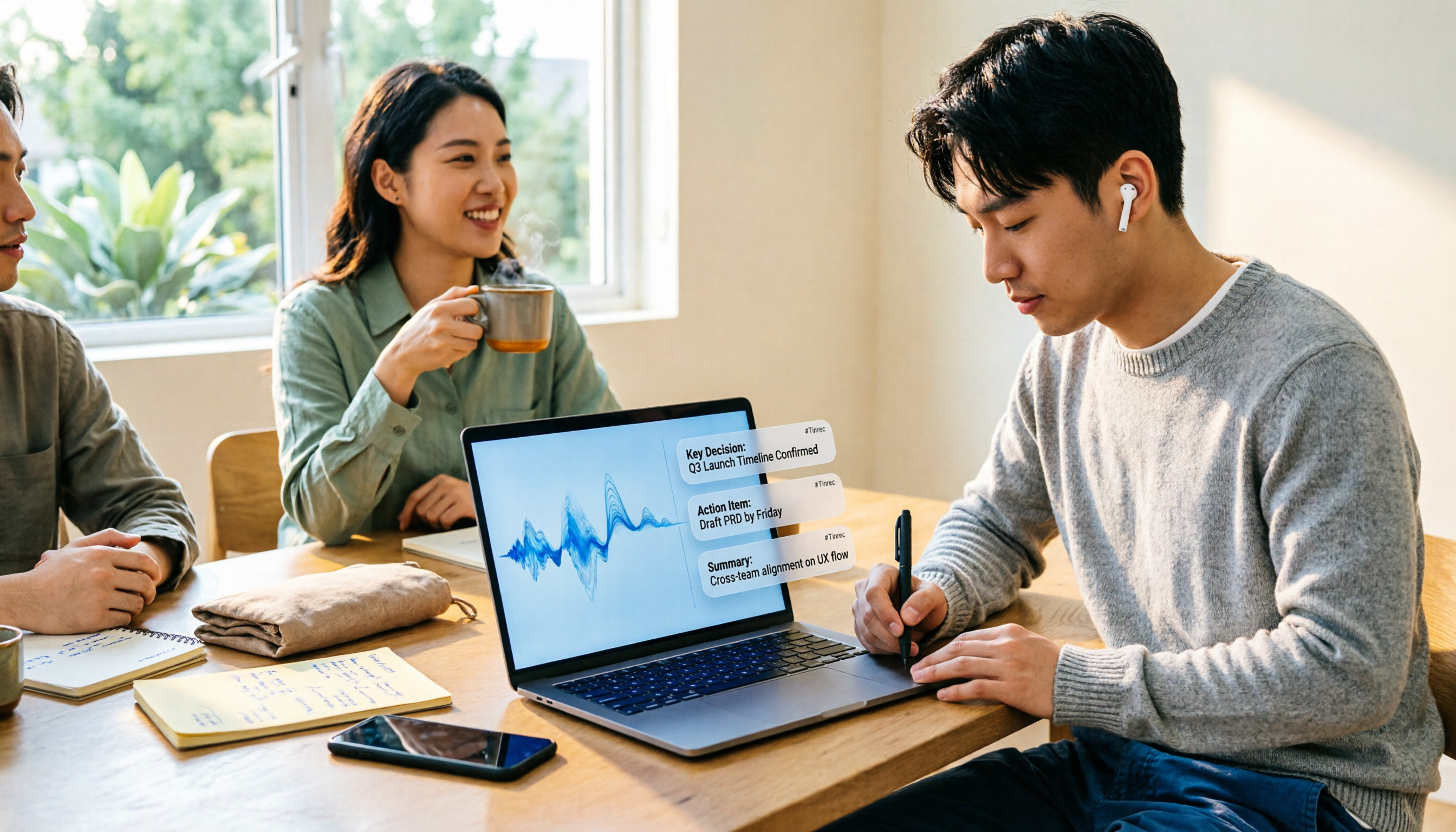
2026 Best 5 AI Speech-to-Text Tools Tested: Which Saves the Most Time for Chinese Meeting Notes and Post-Meeting Organization?
A hands-on comparison of 2026 AI speech-to-text tools for Chinese meeting notes, bot-free recording, post-meeting summaries, and AI Q&A. We compare Tinrec, Otter.ai, Notta, and Granola on positioning, official pricing, and limitations to help you pick the one that best fits your workflow.

2026 AI Speech-to-Text Showdown: Tinrec vs. PLAUD Note for Meeting Notes
Are you mostly transcribing meetings on your computer or conversations with people in front of you? This comparison of Tinrec (a software AI meeting recorder) and PLAUD Note (a hardware AI recorder) covers recording methods, platform requirements, post-meeting workflows, Chinese language experience, team governance, and pricing to help you decide between a pure software app and a hardware recorder, with FAQs and practical recommendations.

2026 Free Speech-to-Text Plans Compared: 5 Tools to Consider
Starting from the common Dcard question 'Is the free version enough?', this article reviews the free tiers, per-recording limits, and feature restrictions of five AI speech-to-text tools: Tinrec, Otter.ai, Notta, TurboScribe, and Granola. It also explains when upgrading to a paid plan makes sense and when the free version suffices.

4 Speech-to-Text Apps Tested for 2026: How to Choose Chinese Recognition and Free Tiers Discussed on Dcard
Searching for 'speech-to-text app' on Dcard yields ever-changing recommendation lists. This article starts from 'what problem you need to solve' and breaks down how to choose among real-time recording, online meetings, and audio file upload needs. It also tests Tinrec for Chinese meeting transcription, AI summaries, action item extraction, and team spaces, while honestly explaining the limitations of free tiers and paid plans.