

Turn recordings into transcripts and summaries in minutes
Upload audio or video for multilingual transcription, AI notes, and action items
After a one-hour client meeting, what do you usually have left in your notebook?
In my experience, it's three lines: the quote, a callback next week, and the client's kid's name.
But the truly critical things often don't get captured.
The budget ceiling he mentioned, the pitfalls his previous supplier ran into, the half-second pause on his face when he said, "I need to check with our finance team."
The problem isn't memory; it's process.
Many people search for "sales meeting notes comparison" not because they want to compare specs.
They want to find a process they can stick with: how to record, how to organize, how to hand off to colleagues, and how to pull it up before the next visit.
So in this article, I won't list a feature spec table.
Instead, I'll lay out the sequence I went through myself, and at the end, give you a decision checklist for "which one to use in which situation."
What Should Sales Meeting Notes Actually Capture?
Let me start with the conclusion: most people record "what we said," but what sales meetings should really capture is "what the client said."
I typically break down a usable sales meeting note into eight fields.
You can copy this list directly to build your table:
- Client and attendees (who was present, who has decision-making power)
- Goal of this meeting (what step we want to advance to)
- Client's exact words (needs and pain points, preserving their phrasing as much as possible)
- Budget and timeline signals (numbers, time points, where the process is stuck)
- Decision makers and influencers (who gives the nod, who might block)
- Objections and concerns (the ones that remain unresolved)
- What we committed to (quotes, samples, materials)
- Next steps with owners and deadlines
Only items 7 and 8 can be handled by handwriting during the meeting.
The first six items almost always flash by in conversation; if you miss them when writing, you won't recall them later.
That's why I later switched to a "record first, organize later" sequence.
But recording alone isn't the answer. If no one organizes after recording, those files just become another black hole on your hard drive.
Tinrec — Turning Meetings into Searchable, Handover-Ready Data
The first one I want to discuss is Tinrec, for a simple reason: it's the most complete approach I've seen so far for handling the "after recording" phase.
One-line positioning: An AI meeting notes and collaboration tool for individuals and teams.
It doesn't just convert speech to text; it organizes meetings into data that can be searched, queried, and exported.
The first thing that changed my mind was not having to send a bot into the meeting.
With meeting bots in the past, a "recording" participant would appear on screen, and the client would ask, "Who's that?"
That awkwardness makes you hesitate about turning it on again before the next meeting.
Tinrec's desktop version directly captures your computer's system audio. For online meetings like Zoom, Google Meet, Microsoft Teams, and Webex, you don't need to invite an extra bot to join.
(Note that this doesn't mean it automatically joins every meeting on your calendar. You still need to open it and press start yourself.)
The second is post-meeting querying.
In the past, organizing transcripts meant using Ctrl+F to find keywords in a thirty-minute conversation.
Now I can directly ask: "In the last meeting with this client, who mentioned the budget?"
It answers based on the meeting content, so I don't have to reread the entire transcript.
The third is the Chinese and multilingual meeting experience.
It covers Chinese, Traditional Chinese, and multilingual meetings, supports mixed Chinese-English content, real-time translation, and bilingual viewing. Teams can also maintain hotwords to handle industry terminology.
Actual performance will be affected by recording quality, noise, accents, and overlapping speakers. I won't give you a pretty number for this because that would be fake.
The fourth is team knowledge retention.
This is especially relevant for those with sales teams.
Personal version data belongs to the individual. The team version is a separate team space where meeting data belongs to the team. Members can view, play, and read team data even without a seat, but need a seat to record, upload, edit, and export.
Role governance (who can manage members, view audits) and seat usage (who can access resources) are two separate things.
Additionally, teams have member and seat management, usage analytics, audit logs, and an audio recycle bin. When a member leaves or is removed, resources can be handed over to other members and won't disappear with the person.
Plans and pricing:
- Personal: Free version available for basic quota experience; also weekly card, Pro monthly, Pro annual, choose based on usage frequency.
- Team: First eligible team trial is 7 days, 1 free seat, 300 minutes of team shared import quota; monthly USD 29.80 per paid seat per month; annual USD 199 per paid seat per year, equivalent to about USD 16.58 per month.
- Each paid seat provides 2,000 minutes of team shared import quota per month; real-time recording under an active team plan is currently not deducted by minutes, while file and web imports use the team shared quota.
Pricing and benefits are subject to the official purchase page.
Who it's for: People who frequently hold Chinese meetings, need to retain client conversations, and want their team to share the same meeting assets.
Granola — Write Your Notes First, Let AI Enhance Them
Granola's design logic is different from most tools; it highly respects "the notes you write yourself."
It also uses a bot-free approach, transcribing in real-time through the desktop device's system audio and microphone, then combining with your typed notes to generate meeting content that better reflects your thinking.
Its focus is on accumulating context across meetings, suitable for people who are used to typing while listening.
Stop organizing recordings by hand
Upload audio or video and automatically get a transcript, summary, and action items
What you need to know: it supports real-time transcript viewing, copying, and searching, but does not support uploading existing audio files, nor does it save meeting audio files.
Pricing is Basic free, Business USD 14 per user per month, Enterprise USD 35 per user per month, subject to the official page.
Who it's for: People who mainly have English meetings, are used to taking their own key notes, and don't need to listen back to recordings.
Otter.ai — A Mature Choice for English Meetings
Otter is one of the most mature brands in this space, supporting Zoom, Microsoft Teams, Google Meet, real-time transcription, speaker identification, AI Chat, and team management.
If your company's meetings are primarily in English, its overall experience is indeed stable.
Pricing is Basic free (300 minutes per month), Pro annual equivalent to about USD 8.49 per user per month (includes 1,200 minutes of in-app recording and 10 file imports per month), Business offers unlimited meetings and in-app recording plus more management capabilities. Actual pricing is subject to the official page.
Who it's for: Organizations that mainly hold English business meetings and need mature team management mechanisms.
Fireflies.ai — Automatically Log Calls into Your CRM
Fireflies' reason for existing is clear: to let sales call records flow automatically into the CRM.
Its integrations with Salesforce, HubSpot, Pipedrive, and Zoho are its strongest part, which is why many sales managers are willing to pay for it.
Its transcription speed requires some waiting; if you're used to seeing transcripts in real-time, the experience may feel different.
Pricing is Free, Pro USD 10 per seat per month, Business USD 19 per seat per month, Enterprise USD 39 per seat per month. Quotas are also affected by storage and AI Credit rules.
Who it's for: People who can't live without their CRM and want call records without sales reps manually filling them in.
Notta — A Steady Player in Multilingual Transcription
Notta overlaps significantly with Tinrec, both offering multi-platform transcription, meeting notes, file import, translation, and team plans.
It has built a good reputation for multilingual recognition.
Pricing is Free 120 minutes per month (max 3 minutes per single item), Pro annual equivalent to about USD 8.17 per month (1,800 minutes per month), Business annual equivalent to about USD 16.67 per seat per month with role permissions and usage reports.
Who it's for: Teams that need multilingual transcription and primarily handle files.
TurboScribe — Long Audio Transcription on a Zero Budget
If you have a pile of audio files to process rather than real-time meetings, TurboScribe is a very practical choice.
Its strengths are long files and batch uploads.
Pricing is Free 3 files per day (max 30 minutes per file), Unlimited annual USD 120 (equivalent to USD 10 per month). Paid version supports up to 10 hours or 5 GB per file and can upload 50 files at once.
Who it's for: People who have a large backlog of historical recordings to organize and don't need meeting collaboration features.
PLAUD Note — Turning Recording into a Single Button
The hardware approach is straightforward: no need to open an app, just press and record.
For people who frequently visit clients, discuss things in the car, or need phone call recording, this has the lowest friction.
Pricing is NotePin USD 159, Note Pro USD 189; membership Starter 300 minutes per month, Pro USD 99.99 per year (1,200 minutes per month), Unlimited USD 239.99 per year.
Who it's for: People who do a lot of offline visits, value quick recording, and don't mind carrying an extra device.
With So Many Options, How Should You Choose?
My advice is to choose based on "which part you're missing," not by feature count.
- Missing Chinese meeting transcription and post-meeting organization (summaries, chapters, action items, queries, export) → Tinrec, currently the most complete set for connecting these parts.
- Missing a "team-shared meeting database" where members come and go → Tinrec team version, data belongs to the team, seats and roles managed separately.
- Missing automatic call logging into CRM → Fireflies.ai.
- Missing mature English meeting experience and enterprise management → Otter.ai.
- Missing cross-language file transcription → Notta or TurboScribe.
- Missing "too lazy to even open an app" recording friction → PLAUD Note.
Most people in sales are actually missing the first of the first three items.
4 Things to Know Before Using Sales Meeting Note Tools
First, confirm compliance and consent.
Inform attendees before recording and comply with local regulations. This isn't a formality; it's protecting yourself.
Second, don't expect AI to decide what's important for you.
AI can turn transcripts into summaries and action items, but "what this client really cares about" always requires your own judgment.
For important information, it's recommended to cross-check the transcript timestamps and recording.
Third, fix your prompts.
This is the step I find most impactful. Rather than thinking about what to ask each time, prepare a fixed organization instruction and just paste it:
Below is a sales meeting transcript. Please organize it into five parts:
- Three main pain points mentioned by the client (quote their exact words as much as possible)
- Clues about budget, timeline, and decision-making process
- Concerns or objections raised by the client
- Items we committed to and the owners
- Recommended next steps and deadlines
Paste the output directly into your eight-column table, and your organization time will be cut by more than half.
Fourth, records need someone to take over.
No matter how good the records are, if they only exist in someone's account, they'll disappear the day that person leaves.
This is also why I later favored "team spaces" over "personal accounts."
Conclusion: Build the Process First, Then Choose the Tool
The difficulty of sales meeting notes has never been typing speed.
It's that once the conversation ends, the clues start to evaporate.
After going through a round myself, my approach is: confirm goals before the meeting, record during the meeting, use a fixed prompt to organize into an eight-column table after the meeting, assign action items, and store data in a team-shared place.
Tools are just supporting players in this process, but choosing the right one makes the whole process much smoother.
If you need Chinese meeting transcription, post-meeting querying, and team knowledge retention all in one, Tinrec is the one I would try first.
Quick start (six steps):
- Create an eight-column table with the fields listed above
- Before the next client meeting, write down the goal for this meeting
- Start recording when the meeting begins; don't rely on memory afterward
- Within ten minutes after the meeting, feed the transcript into your fixed prompt template
- Cross-check the original transcript for budget, deadlines, and commitments
- Assign action items to people, write down dates, and save to a team-shared space
You don't need to get everything right at once. Start with steps 3 and 4, and you'll feel the difference.
Test gradually, and you'll slowly master this method.
References
- 4 Sales Meeting Note Tools Tested and Compared in 2026: What's the Meeting神器 Dcard Users Are Buzzing About? - 秒聽錄音Blog
- How to Create Sales Meeting Notes in 2026? 5 Steps from Blank Table to AI Auto-Organization - 秒聽錄音Blog
- Meeting Notes Format Template [Copyable] 4 Key Points + Writing Examples, Fill It In and Submit
- 10 Best AI Meeting Note Tools in 2026: Tested and Compared | HiNoter Blog
- Meeting Minutes Example
Turn every recording into actionable outcomes
Get 60 free transcription minutes when you sign in. No credit card required.
Related Reading
You might also like
2026 Sales Meeting Notes Tools Buying Guide: 3 Hands-On Tests and Recommendations
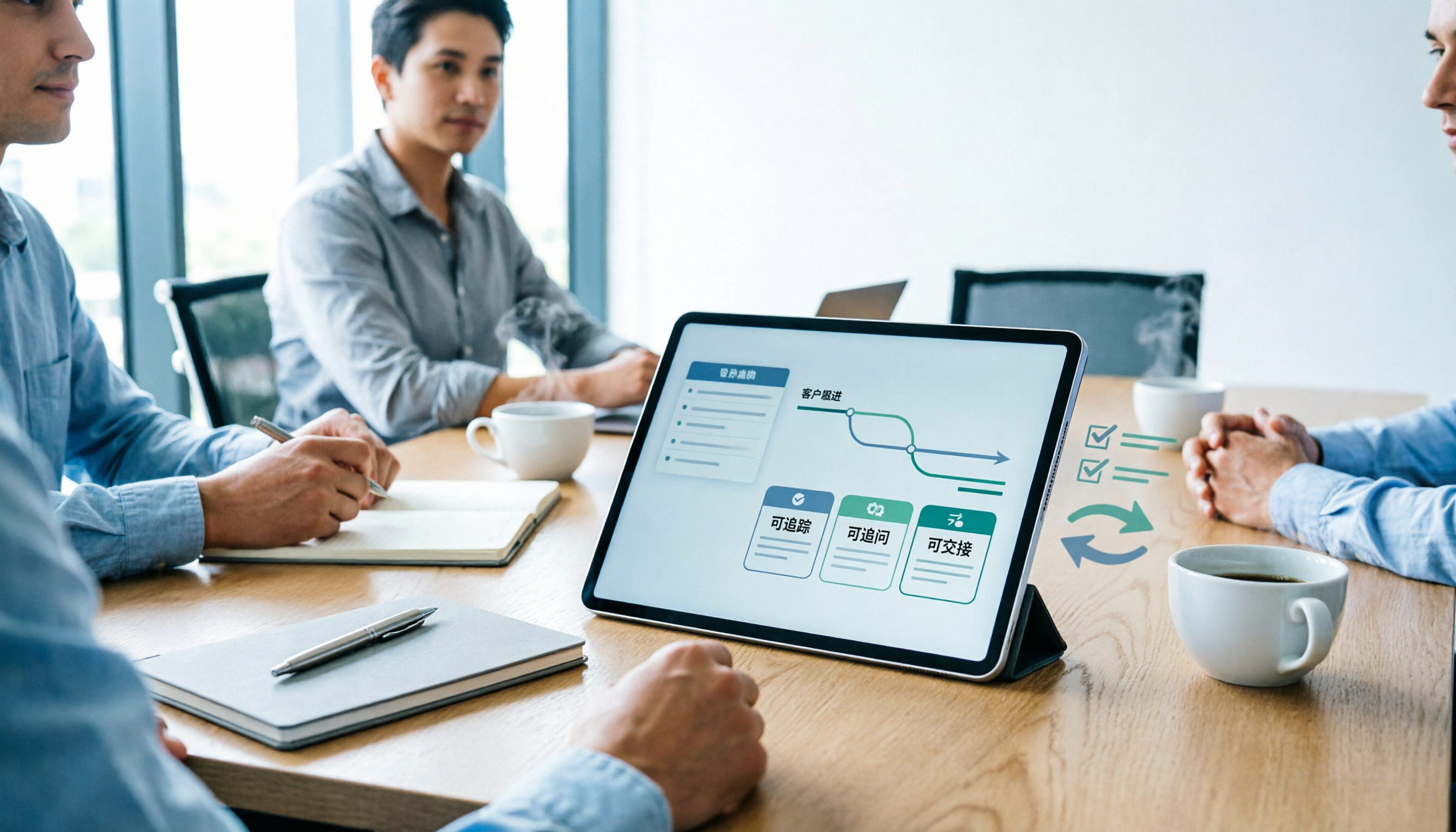
Starting from the common pain points salespeople on Dcard face with meeting notes, this guide breaks down the fields a sales meeting notes template should have, tool selection criteria, and pitfalls to avoid. With Tinrec as the main focus, it compares how Notta and Granola differ in sales meeting scenarios, helping you build a meeting notes process that is trackable, queryable, and transferable after the meeting.

2026 Comparison of 3 Client Visit Recording Tools: From Fields to AI Q&A, How to Avoid Writing a Running Log
Client visit records are not a running log written after the fact, but a workflow that can be queried, questioned, and handed over before the next visit. This article starts with common misconceptions, organizes an eight-field template and a 10-minute post-meeting process, and compares the practical use of Tinrec, Granola, and PLAUD in client visit scenarios.

2026 Sales Meeting Notes Tools Buying Guide: 4 Hands-On Reviews and Recommendations
We break down the essential fields for sales meeting notes and compare Tinrec, Notta, TurboScribe, and Granola across note completeness, post-meeting follow-up, AI Q&A, team collaboration, and export workflows to help you choose the right meeting notes tool for your sales team.

Tinrec vs Notta in 2026: 5-Dimension Comparison — Which Is Better for Chinese Sales Meeting Notes?
From a student intern's perspective on running sales calls, this breaks down how to take sales meeting notes in 2026. It compares Tinrec and Notta across 5 dimensions: recognizing Chinese mixed with English, bot-free recording, post-meeting AI Q&A, retention of past recordings, and team knowledge capture — plus 3 common pitfalls and buying advice.

4 Sales Meeting Notes Templates Compared for 2026: From Blank Sheets to AI-Powered Organization
Sales meeting notes aren't for your boss—they're for you two weeks from now. This side-by-side comparison of 4 common approaches—Word/Excel blank templates, Notion collaborative templates, general transcription tools, and AI meeting note tools like Tinrec—includes a copy-paste-ready sales meeting notes table with fields, 4 key selection criteria, and 3 common mistakes to help you choose the template that fits your meeting style.

4 iOS Speech-to-Text Apps Tested for 2026: Free Minutes, Chinese Accuracy, and Post-Meeting Workflows Compared
There are plenty of speech-to-text apps on iOS, but what really affects productivity is whether you can use the output right after the meeting. This article tests four apps with the same mixed Chinese-English meeting recording, comparing Chinese recognition, meeting capture methods, summaries and action items, team data ownership, and free tiers to help you decide which one deserves a spot on your phone.

Tinrec vs Notta 2026: 5-Dimension Comparison for Faster Client Visit Notes
How do you write client visit notes that won't become an unreadable mess later? This article first provides an 8-field visit record template, then walks through a complete workflow using Tinrec (instant audio recording) from pre-visit preparation, on-site recording, post-meeting AI summaries and action items, to export and archiving. It also compares Tinrec and Notta across 5 dimensions for client visit scenarios.

2026 Comparison of 4 Free Speech-to-Text Apps: Free Quotas, AI Summaries, and Team Collaboration—Which One Is Enough?
A hands-on comparison of four free speech-to-text apps in 2026, breaking down Tinrec, Notta, TurboScribe, and Granola by free quota, post-meeting organization, online meeting recording, and team data ownership to help you decide which free version can actually get you through a full meeting.

2026 Sales Meeting Notes Tools Compared: AI Summaries vs. Action Item Tracking — Which Is Enough?
In 2026, sales meeting notes shouldn't be just transcripts. This article addresses common pitfalls and demonstrates a 5-step process using Tinrec to record, transcribe, proofread, generate summaries, and export action items. It also compares Tinrec, Notta, and Otter for sales meeting use cases.