

Turn recordings into transcripts and summaries in minutes
Upload audio or video for multilingual transcription, AI notes, and action items
6 Transcription Tools Tested and Compared in 2026: How Much Typing Time Can AI Transcription Save?
"Transcription takes too long"—I've heard too many versions of this. Most people think the problem is "I don't type fast enough," so they practice typing and change keyboards, but the hours stay about the same.
What really eats up time is usually not typing speed. It's repeatedly rewinding to find that sentence, unclear noisy segments, and proofreading after typing.
Based on public estimates, manually transcribing 1 hour of recording takes a skilled person about 2 to 4 hours, and it goes up with multiple speakers, accents, or technical terms.
So the problem is the process, not willpower.
This article covers 6 tools that can shorten this process, from transcription and organization to team sharing, and I've listed costs and free limits as well.
Why does transcription "take so long"? First, look at three common inefficient practices
Mistake 1: Manually rewinding from start to finish. Many people type while listening, and every time they encounter an unclear part, they rewind a few dozen seconds, and each round trip takes a minute or two. This is the most time-consuming part of manual transcription, and it's also where AI drafts help the most.
Mistake 2: Opening a blank document and starting to type. Without speaker labels or paragraph breaks, you have to spend another round organizing it into a readable structure after typing.
Mistake 3: Treating the transcript as the end goal. What you really need is who said what, what the conclusion is, and who is responsible for what. Getting only a large block of text means you have to process it again.
A more reasonable order is "record → transcribe → proofread proper nouns → generate summary and action items." Let tools handle repetitive transcription, and people only handle judgment.
Tinrec (Miao Ting Lu Yin) — The Most Complete AI Meeting Notes Assistant
Tinrec is an AI meeting notes and collaboration tool for individuals and teams. Converting recordings to transcripts is only the first step; the focus is on the subsequent summaries, follow-up questions, exports, and team knowledge retention.
Record online meetings without a meeting bot. The desktop version directly captures computer system audio, handling meeting content played on Zoom, Google Meet, Microsoft Teams, and Webex, without needing to invite an extra bot to join as a participant. Note that this is not automatic joining of all calendar meetings; you need to open Tinrec yourself to start recording.
Post-transcription organization is also done. Automatically generates summaries, chapters, key points, and action items; long meetings are broken into more browsable structures, and mind maps can be produced. For someone like me who writes articles after meetings, chapters are more useful than the transcript itself.
You can continue asking questions about the meeting content. AI Q&A supports questions about a single meeting or across meetings, which is especially convenient when you need to go back and find "who mentioned the budget last time."
Output and post-processing. Supports export to Notion, Google Docs, OneNote, Dropbox, and other tools, and can use Agent post-processing to generate reports, tables, and documents. Also provides real-time translation, so cross-language meetings can show original text, translation, or bilingual.
The team version is a separate collaboration space. Includes team space, members and roles, seat allocation, shared benefits, usage analysis, audit logs, audio recycle bin (retained for 30 days), and team hotwords. Note that roles and seats are two different things: active members without seats can still view, play, and read team data, but need a seat to record, upload, edit, and export.
Cost. The personal version has a free version, weekly card, Pro monthly card, and Pro annual card, choose based on usage frequency. The team version offers a 7-day trial for first-time eligible users, 1 free seat, and 300 minutes of team shared import quota; monthly USD 29.80 per paid seat per month, annual USD 199 per paid seat per year (about USD 16.58 per month), each paid seat provides 2,000 minutes of team shared import quota per month. Under an active team plan, real-time recording currently does not deduct minutes; file and web imports use the team shared quota. Actual prices are subject to the official purchase page.
Who it's for. People who have meetings or interviews to organize every week, need Chinese and mixed Chinese-English content, and want post-meeting materials to stay in the team for continued use.
Notta — A Veteran Choice for Multilingual Transcription and Meeting Notes
Notta covers multi-platform transcription, meeting notes, file import, translation, and team plans, with significant overlap with Tinrec; the difference is that Tinrec emphasizes bot-free recording and post-meeting follow-up questions and export processes.
Stop organizing recordings by hand
Upload audio or video and automatically get a transcript, summary, and action items
Current official figures: Free 120 minutes per month, up to 3 minutes per item; Pro annual billing equivalent to USD 8.17 per month, 1,800 minutes per month; Business annual billing equivalent to USD 16.67 per seat per month, providing unlimited transcription, role permissions, and usage reports.
Suitable for individuals or small teams that need multilingual transcription and mainly process files.
TurboScribe — A Cost-Effective Route for Long Files and Batch Transcription
TurboScribe is closer to a cost-effective file transcription tool, focusing on long files, batch uploads, subtitles, and translation, not real-time meetings.
Official figures: Free 3 files per day, up to 30 minutes per file; Unlimited annual USD 120, equivalent to USD 10 per month; paid version supports up to 10 hours or 5 GB per file, and can upload 50 files at once.
If you have a batch of pre-recorded materials that need to be transcribed all at once, this type of tool is more convenient than a meeting assistant.
Otter.ai — A Mature Choice for English Business Meetings
Otter.ai is a mature AI meeting assistant, covering Zoom, Microsoft Teams, Google Meet, real-time transcription, speaker identification, AI Chat, workflows, and team management.
The official pricing page shows: Basic free, 300 minutes per month; Pro annual billing equivalent to USD 8.49 per user per month, including 1,200 minutes of in-app recording and 10 file imports per month; Business provides unlimited meetings and in-app recording, prices may be affected by promotions.
If your main focus is English business meetings and your team is already used to its workflow, it's worth considering.
Granola — Bot-Free AI Meeting Notes
Granola also uses a bot-free approach, transcribing in real time through desktop system audio and microphone, then combining with notes written by the user to generate meeting content, similar in concept to Tinrec's desktop version.
Official pricing is Basic free, Business USD 14 per user per month, Enterprise USD 35 per user per month.
Note its boundaries: it supports viewing, copying, and searching real-time transcripts, but does not support uploading pre-recorded audio files and does not save meeting audio files. If you need to keep recordings or organize historical files, think this through first.
PLAUD Note / NotePin — A Hardware-Based Portable Recording Solution
PLAUD sells standalone devices and a portable recording experience, suitable for phone call recording, field visits, and long recording sessions.
The U.S. official website currently shows: NotePin USD 159, Note Pro USD 189; membership plans Starter 300 minutes per month, Pro USD 99.99 per year (1,200 minutes per month), Unlimited USD 239.99 per year.
Its advantage is the hardware form factor, not the post-meeting organization process; if you mainly handle online meetings, carrying an extra device is usually an additional burden.
With So Many Options, How Should You Choose?
• Want transcription + AI Q&A + automatic summary all in one → Tinrec, these are done in the same workflow
• Need to record Zoom, Meet, Teams without an extra bot joining the meeting → Tinrec desktop version, or Granola (but does not retain audio, does not accept pre-recorded files)
• Meeting data should stay in the team, with personnel turnover → Tinrec team version, managed by roles and seats, resources can be handed over when members leave
• Need Chinese and mixed Chinese-English content, and want real-time translation → Tinrec, and can maintain technical terms with team hotwords
• Have a batch of long recordings to transcribe into text → TurboScribe, long files and batch upload are its strengths
• Mainly English business meetings → Otter.ai, ecosystem and workflow are relatively mature
• Need phone call recording, on-the-go recording → PLAUD and similar hardware devices
• Zero budget, only transcribe one or two short audio files a week → First try Otter Basic, TurboScribe Free, or Tinrec free version to test the process, then consider paying if it's sufficient
4 Things to Know Before Using Transcription Tools
Free quotas usually have a per-item limit. For example, Notta free version has a maximum of 3 minutes per item, TurboScribe free version has a maximum of 30 minutes per file. To transcribe a one-hour meeting, these limits will directly block you. First check clearly whether it's "monthly total" or "per-item limit."
Recording quality determines success. Noise, too low volume, overlapping speakers, and many technical terms all lengthen proofreading time. Developing the habit of checking the microphone at the start and using wired or close-range recording for important meetings is more effective than changing tools.
Transcripts need proofreading, especially names and proper nouns. Tools like Tinrec can improve technical term recognition with team hotwords, but for important content, it's still recommended to listen back and verify against timestamps.
Confirm authorization before recording. Recording and transcription involving others' conversations should comply with local regulations, and obtain participant consent when necessary.
Conclusion
The reason transcription takes time is mostly that the process hasn't changed, not that you're not fast enough. Replace "typing while listening" with "AI draft + human proofreading + automatic summary," and the same meeting can save most of the repetitive work.
If I had to pick one from this list to try first, I'd suggest Tinrec. It handles recording, transcription, summaries, action items, follow-up questions, export, and team sharing in one tool; for people who have meetings to organize every week, what's saved is the time of moving data between tools.
First use the free quota to transcribe one meeting, confirm that the transcription quality matches your recording environment, and then decide whether to move to a paid plan—that's more solid.
References
- Transcription Work Experiences - Job forum | Dcard
- AIMochi | What is a transcript? How to do transcripts fastest: 2026 complete guide to methods, costs, and tools
- Experience: Transcription Pay - part-time board - PTT
- Yating Transcription
- 4 Transcription Tools Tested and Compared in 2026: How to Calculate Free Hours Without Pitfalls - Miao Ting Lu Yin Blog
Turn every recording into actionable outcomes
Get 60 free transcription minutes when you sign in. No credit card required.
Related Reading
You might also like

Tinrec vs Notta 2026: 5-Dimension Comparison — Which Is Better for Chinese Meetings and Team Knowledge Retention?
Starting from the common misconception of treating transcripts as meeting minutes, this article compares Tinrec and Notta across 5 dimensions to explain practical choices for Chinese meetings, post-meeting Q&A, and team knowledge retention.

5 Free Auto Transcription Tools in 2026: Which Free Tier Actually Lasts?
There are countless auto transcription tools, but the real question is how long the free version lasts. This article reviews the free conditions, sign-up requirements, key features, and limitations of five tools—Tinrec, Yating Transcription, inFin, Vocol, and MyEdit—and includes a comparison table and selection advice to help you find a tool that's sufficient without spending money.
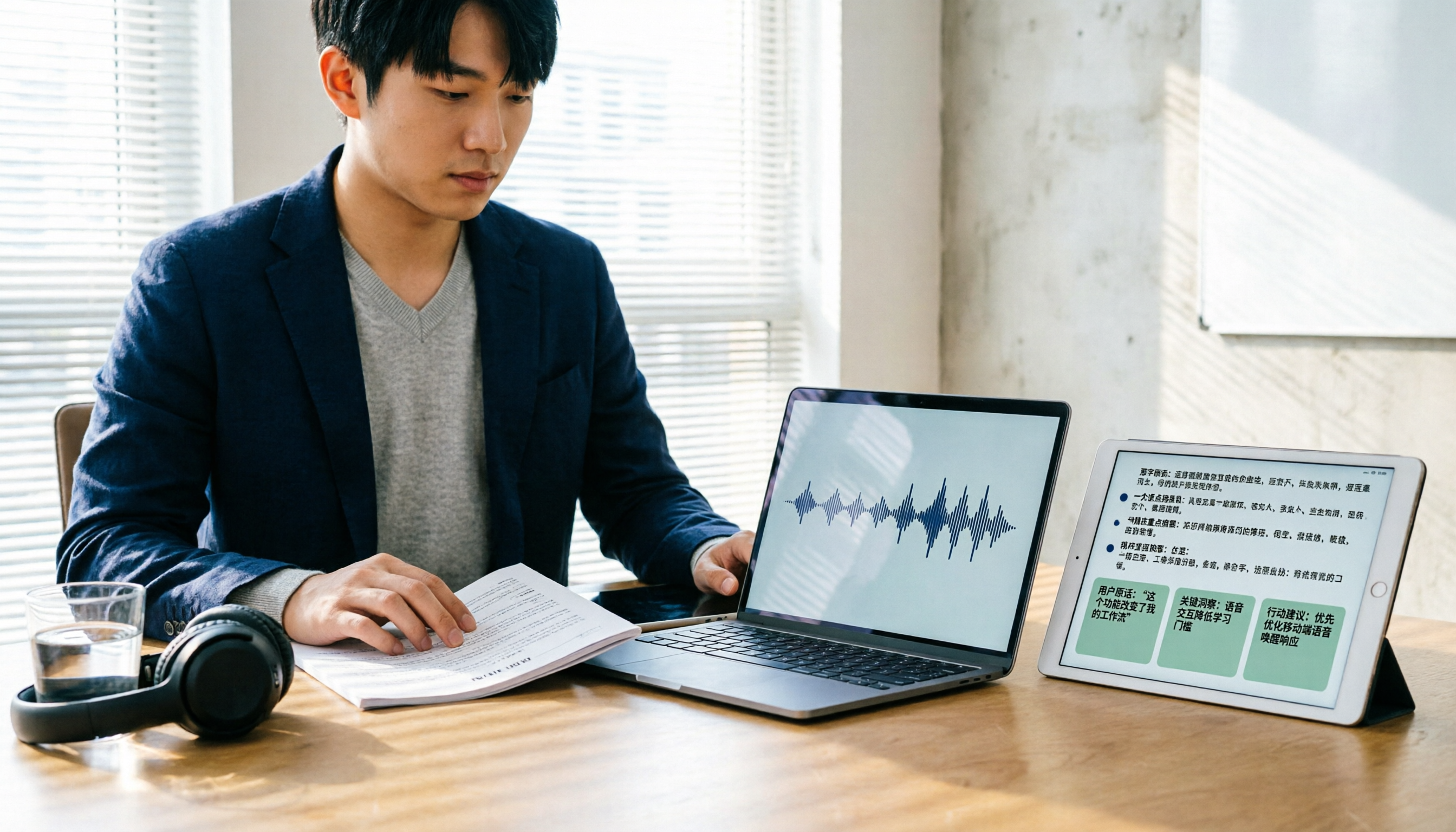
3 Customer Interview Transcription Tools Worth Trying in 2026: From Recording to Key Insights
After a customer interview, the recording is often harder to organize than meeting notes. This article walks through a real interview workflow, explaining how transcription tools help with speech-to-text, key summaries, AI follow-up questions, and team sharing, using Tinrec to demonstrate the complete process from recording to post-interview organization.

4 AI Meeting Notes Tools Tested: Which Turns Transcripts into Action Items Fastest in 2026?
Stuck with unreadable notes and no meeting minutes after the meeting? This article tackles real pain points of meeting documentation, breaks down the framework for writing minutes quickly and how to choose a tool, and uses Tinrec to demonstrate the full workflow from bot-free recording, live transcription, AI summaries, to action item extraction, with free and team plan quotas, pricing, and buying tips.

5 Recording-to-To-Do Tools Tested and Compared in 2026: After the Transcript, Which One Actually Produces an Actionable List?
Turning recordings into text is only the first step; what really takes time is turning the content into a to-do list with names and deadlines. This article first gives you three decision points, then uses Tinrec as an example to walk through the complete workflow of 'recording → transcript → proofreading → summary → to-do extraction → export and assignment' in 6 steps, and compares alternatives such as Whisper, Otter.ai, and Notta, as well as team plan costs.

4 Free Transcription Generators in 2026: Free Tiers and Meeting Notes Use Cases Compared
A free transcription generator isn't about getting the biggest quota—it's about the quota unit, what you get after transcription, and where your recording comes from. This article compares the free conditions and use cases of Tinrec, Otter.ai, Notta, and TurboScribe based on real workflows, and highlights three common pitfalls.

4 Best Speech-to-Text Tools in 2026: Which One Makes Meeting Notes and AI Summaries Easiest?
Starting from real meeting-notes needs, this article compares Tinrec, Otter.ai, Notta, and cSubtitle on transcription accuracy, post-meeting AI organization, cross-platform use, and team collaboration. It also includes a buying guide to avoid pitfalls and scenario-based recommendations.

2026 AI Recording Tools Comparison: Tinrec vs PLAUD Note for Chinese Meetings
Tired of spending hours organizing meeting recordings? This hands-on comparison of Tinrec and PLAUD Note/NotePin evaluates five dimensions—cost, online meeting capture, post-meeting organization, Chinese language experience, and team collaboration—to help you decide which AI recording assistant fits your work style.

5 Legal Meeting Transcription Tools Tested for 2026: Tinrec vs Notta — Which Handles Chinese Transcripts More Easily?
Legal meetings run long, are packed with jargon, and require quick retrieval of specific statements afterward. This article addresses three common misconceptions and compares Tinrec and Notta on Chinese transcription, bot-free recording, post-meeting organization, and team data handover. It also covers legal recording considerations, pricing, and six FAQs to help you choose the right transcription tool for your firm or individual use.