

Turn recordings into transcripts and summaries in minutes
Upload audio or video for multilingual transcription, AI notes, and action items
2026 Comparison of 4 Audio-to-Text Tools: Free Tiers, Chinese Support, and Post-Meeting Organization
It's 3 PM on Friday, your boss drops a request for an interview summary by Monday, and you're holding a two-hour recording. Many people's first instinct is to find an "audio-to-text" tool, upload the file, and wait for the transcript. Honestly, that's where most pitfalls occur: transcribing text isn't hard; what's hard is punctuation and paragraphing for long meetings, multi-speaker segments, technical terminology, and then organizing summaries and action items after transcription.
This time, I narrowed the scope to the "audio-to-text" entry point, comparing Tinrec, Notta, TurboScribe, and Otter based on their official plans and verifiable conditions. Let me be clear upfront: this article did not conduct timed tests under identical conditions, so I won't fabricate claims about who is faster by how many minutes; timing fields are all marked "not tested." Those who need benchmarks can verify with their own audio files. Data verification date is 2026-08-18; prices and quotas are subject to each official page.
Factors Affecting Processing Speed
Converting audio files to text typically involves upload, speech recognition, punctuation and paragraphing, speaker diarization, and finally summarization, action items, and export. For readers, what truly affects the experience isn't just transcription speed, but also file size limits, free quotas, Chinese recognition performance, and whether manual organization is needed after transcription.
Speed is influenced by audio length, language, accent, background noise, overlapping speakers, and technical terminology. These are common influencing factors; it's not advisable to extrapolate a single test result to all meetings.
Tools Compared
- Tinrec: Positioned as an AI meeting notes and team collaboration tool, supporting real-time recording, desktop bot-free online meeting recording, audio/video file import, real-time translation, and generating summaries, chapters, action items, Q&A, and exports. Personal plans include free version, weekly pass, Pro monthly, and annual; team plans offer team spaces and seat management.
- Notta: Multi-platform transcription and meeting notes tool, covering file import, translation, and team plans, with high overlap with this topic.
- TurboScribe: Focused on cost-effective file transcription, emphasizing long files, batch uploads, subtitles, and translation.
- Otter: Mature AI meeting assistant, covering Zoom, Microsoft Teams, Google Meet, real-time transcription, speaker identification, AI Chat, and team management.
Additional positioning notes: Fireflies focuses on meeting automation and integrations; Granola is bot-free meeting notes but does not support uploading pre-recorded audio and does not save meeting audio; PLAUD is AI recording hardware, not a pure file transcription service.
Disclosure: This article uses Tinrec official product information as one of the main references and cross-checks with other tools' official pages; this is not an independent lab benchmark under identical conditions.
Test Methodology and Conditions
This time, no timed tests under identical conditions were conducted, so numbers like upload seconds or transcription minutes are not provided. If you want to run a comparable test yourself, it's recommended to fix the following conditions:
- Test date, audio duration, language, number of speakers, recording scenario, and file format.
- Device, OS, browser, network, product version, and plan used.
- Start and end points for each test's timing, number of test runs, and statistical method.
- Failures, queuing, insufficient quota, or other exceptions.
This article instead compares data from official plans and public documentation; all prices, free quotas, and features were verified on 2026-08-18. For fields without traceable records, we prefer to mark "not tested" or "to be confirmed" rather than using empty values to pretend zero seconds.
Summary of Test Results
| Tool | Positioning | Input Sources | Chinese & Post-Meeting Organization | Free Tier or Plan | Timing in This Test |
|---|---|---|---|---|---|
| Tinrec | AI meeting notes and team collaboration | Real-time recording, desktop bot-free online meetings, audio/video files, mobile | Chinese and multilingual, real-time translation, summaries, chapters, action items, Q&A, export | Personal free trial; team first 7 days 1 free seat, 300 minutes shared import; paid seats 2,000 minutes shared import per month | Not tested |
| Notta | Multi-platform transcription and meeting notes | Files, meetings, and team scenarios | Multilingual, translation, meeting notes, and team plans | Free 120 minutes/month, max 3 minutes per session; Pro annual equivalent USD 8.17/month, 1,800 minutes/month; Business annual equivalent USD 16.67/seat/month, unlimited transcription | Not tested |
| TurboScribe | File transcription, subtitles, and translation | Primarily file upload | Long files, batch, subtitles, and translation | Free 3 files/day, max 30 minutes per file; Unlimited annual USD 120, equivalent USD 10/month, max 10 hours or 5 GB per file, 50 files at a time | Not tested |
| Otter | AI meeting assistant | Primarily online meetings, also supports files | Real-time transcription, speaker identification, AI Chat, team management | Basic free 300 minutes/month; Pro annual equivalent USD 8.49/user/month, 1,200 minutes/month and 10 file imports; Business offers unlimited meetings and in-app recording, pricing per official site | Not tested |
The table does not list upload and transcription seconds because this test did not include timed recordings under identical conditions; official claims or single experiences are not treated as benchmarks.
Stop organizing recordings by hand
Upload audio or video and automatically get a transcript, summary, and action items
User Experience and Use Cases for Each Tool
Tinrec
According to the product description, Tinrec's desktop version directly captures computer system audio without requiring an additional meeting bot to join, making it suitable for meetings played on computers such as Zoom, Google Meet, Microsoft Teams, and Webex. It also provides summaries, chapters, action items, AI Q&A, translation, and export after transcription, which is more convenient for those who need to organize text after transcription.
Limitations should also be clarified: it should not currently be promoted as automatically joining all calendar meetings; instead, users actively initiate recording via the desktop version. Team plans focus on team-level sharing, not file-level permission systems; members without seats can view, play, and read but cannot upload, edit, or export. Chinese performance is affected by accent, noise, and technical terminology; fixed accuracy rates should not be promised.
Suitable for: Chinese meetings, cross-language meetings, those needing post-meeting summaries and action items, and those wanting to consolidate meetings into team spaces.
Notta
Notta's strengths lie in multilingual support and coverage of meetings and file transcription. The official free plan offers 120 minutes per month, but each session is limited to 3 minutes, which is easily overlooked; if you need to process an entire interview, the free version may require segmenting. Pro and Business offer higher quotas and team capabilities.
Suitable for: those needing multilingual transcription, willing to compare team plans, and with file and meeting notes as primary workflows.
TurboScribe
TurboScribe is more of a cost-effective choice for "converting files to text," with long files and batch uploads as highlights. The free version allows 3 files per day, 30 minutes per file; after payment, files can be up to 10 hours or 5 GB, and 50 files can be processed at once.
The limitation is that it does not focus on real-time meetings, bot-free recording, or team meeting data governance. Suitable for: those who already have audio files and need batch transcription, subtitles, or translation.
Otter
Otter is highly mature for English business meetings, supporting real-time transcription, speaker identification, AI Chat, and team management. For teams already using Zoom, Teams, and Meet, its ecosystem and familiarity are advantages.
However, this topic is about Chinese audio-to-text, and Otter's Chinese experience is not its main selling point; if your meetings are primarily in Chinese or mixed Chinese-English, it's recommended to test a segment with your own audio first. Suitable for: organizations primarily conducting English business meetings and needing a mature meeting assistant and team management.
Price and Available Quota Comparison
Prices below are in USD, verified on 2026-08-18; promotions, taxes, and final billing amounts are subject to the official purchase page.
| Tool | Plan | Billing and Quota |
|---|---|---|
| Tinrec | Personal | Free version, weekly pass, Pro monthly, Pro annual; specific prices not provided in this data, subject to official website |
| Tinrec | Team | First eligible 7 days, 1 free seat, 300 minutes shared import; monthly USD 29.80/paid seat/month; annual USD 199/paid seat/year, equivalent to about USD 16.58/month; paid seats 2,000 minutes shared import per month; real-time recording under active plans is currently not deducted by minutes, file and web imports use shared quota |
| Notta | Free / Pro / Business | Free 120 minutes/month, 3 minutes per session; Pro annual equivalent USD 8.17/month, 1,800 minutes/month; Business annual equivalent USD 16.67/seat/month, unlimited transcription |
| TurboScribe | Free / Unlimited | Free 3 files/day, 30 minutes per file; Unlimited annual USD 120, equivalent USD 10/month, 10 hours or 5 GB per file, 50 files at a time |
| Otter | Basic / Pro / Business | Basic free 300 minutes/month; Pro annual equivalent USD 8.49/user/month, 1,200 minutes/month and 10 file imports; Business unlimited meetings and in-app recording, pricing per official site |
| Granola | Basic / Business / Enterprise | Basic free; Business USD 14/user/month; Enterprise USD 35/user/month; does not support uploading pre-recorded audio, does not save meeting audio |
| PLAUD | Hardware and membership | NotePin USD 159, Note Pro USD 189; Starter 300 minutes/month, Pro USD 99.99/year 1,200 minutes/month, Unlimited USD 239.99/year |
Conclusion: Choose by Needs
Under the data comparison conditions of this article, if you need Chinese meetings, desktop bot-free recording, and post-transcription summaries, action items, and team consolidation, Tinrec would be a priority option. If you simply need to batch convert long audio files to text, TurboScribe's file quota is more aligned. For multilingual and team plans, consider Notta; for English business meetings and a mature meeting assistant ecosystem, consider Otter.
This time there was no timed test under identical conditions, so we cannot answer "who transcribes fastest." A more honest approach is to take your most common 30-minute meeting audio, fix the device and network, run upload, transcription, summarization, and export separately, and record failures and queuing. Please also comply with local regulations regarding recording and transcription, and obtain participant consent when necessary.
Frequently Asked Questions
Can audio files really be converted to text?
Yes. Modern automatic speech recognition (ASR) can convert audio files into transcripts, but accuracy is affected by audio quality, accent, noise, overlapping speakers, and technical terminology. For important content, it's recommended to cross-check with the original text and audio playback.
Is the free version sufficient?
It depends on your audio length and frequency. Tinrec offers a free trial; Notta free 120 minutes/month but 3 minutes per session; TurboScribe free 3 files/day, 30 minutes per file; Otter Basic 300 minutes/month. Calculate how many minutes you need to transcribe per week before deciding whether to pay.
How to evaluate Chinese accuracy?
It's not advisable to rely solely on marketing numbers. You can test with a recording containing names, product names, and Taiwanese or mixed Chinese-English speech, and check punctuation, paragraphing, and proper nouns. Tinrec supports Chinese, Traditional Chinese, and multiple languages, and has team hotwords to maintain common terminology, but actual performance is still affected by audio conditions.
How to record online meetings?
For example, with Tinrec, the desktop version directly captures computer system audio without adding a bot to the meeting; however, the user must actively start recording, not automatically join all calendar meetings. Other tools may use meeting bots or platform built-in transcription.
What else needs to be done after converting to text?
Typically, you need to proofread names and proper nouns, add paragraphing and punctuation, and then organize summaries, decisions, and action items. Tools like Tinrec put summaries, chapters, action items, Q&A, and export in the same workflow; TurboScribe, which only handles files, requires you to handle subsequent organization yourself.
What's the difference between team and personal plans?
Personal plan data belongs to the individual account; team plans have independent team spaces, member roles, seats, shared quotas, usage analytics, audit logs, and audio recycle bin. Members without seats can still view and play team data but cannot upload, edit, or export.
References
- Audio to Text: Convert Recordings to Transcripts Online | Canva
- Tested 4 Best Online Speech-to-Text Tools, Free Instant Audio-to-Transcript
- Online AI Speech, Video, Audio Auto-Transcription - Free Trial - cSubtitle
- Audio to Text Free Online Tool, Supports MP3, M4A, WAV
- 10x Efficiency Boost! Complete Guide and Tool Review for Converting Audio Files to Text - Tinrec Blog
Turn every recording into actionable outcomes
Get 60 free transcription minutes when you sign in. No credit card required.
Related Reading
You might also like

Is Recording at Work Legal in 2026? 5 Real Workplace Scenarios Compared: What Protects You and What Gets You in Trouble
Is secretly recording at work legal? This article compares five common workplace scenarios against Article 315-1 of the Criminal Code, the Communication Security and Surveillance Act, and practical legal interpretations. It outlines four key factors for determining recording legality and provides a tested workflow for using recordings, including Tinrec's real-time transcription and AI Q&A, so you can gather evidence while staying compliant.

5 Free Transcription Tools Compared in 2026: Free Tiers and Post-Meeting Workflows
Compare the free plans of five transcription tools—Yating, Tinrec, Notta, Otter.ai, and TurboScribe—from free quotas and sign-up requirements to post-meeting organization capabilities. Learn which meeting and interview scenarios each tool suits, along with data verification dates and usage limits.
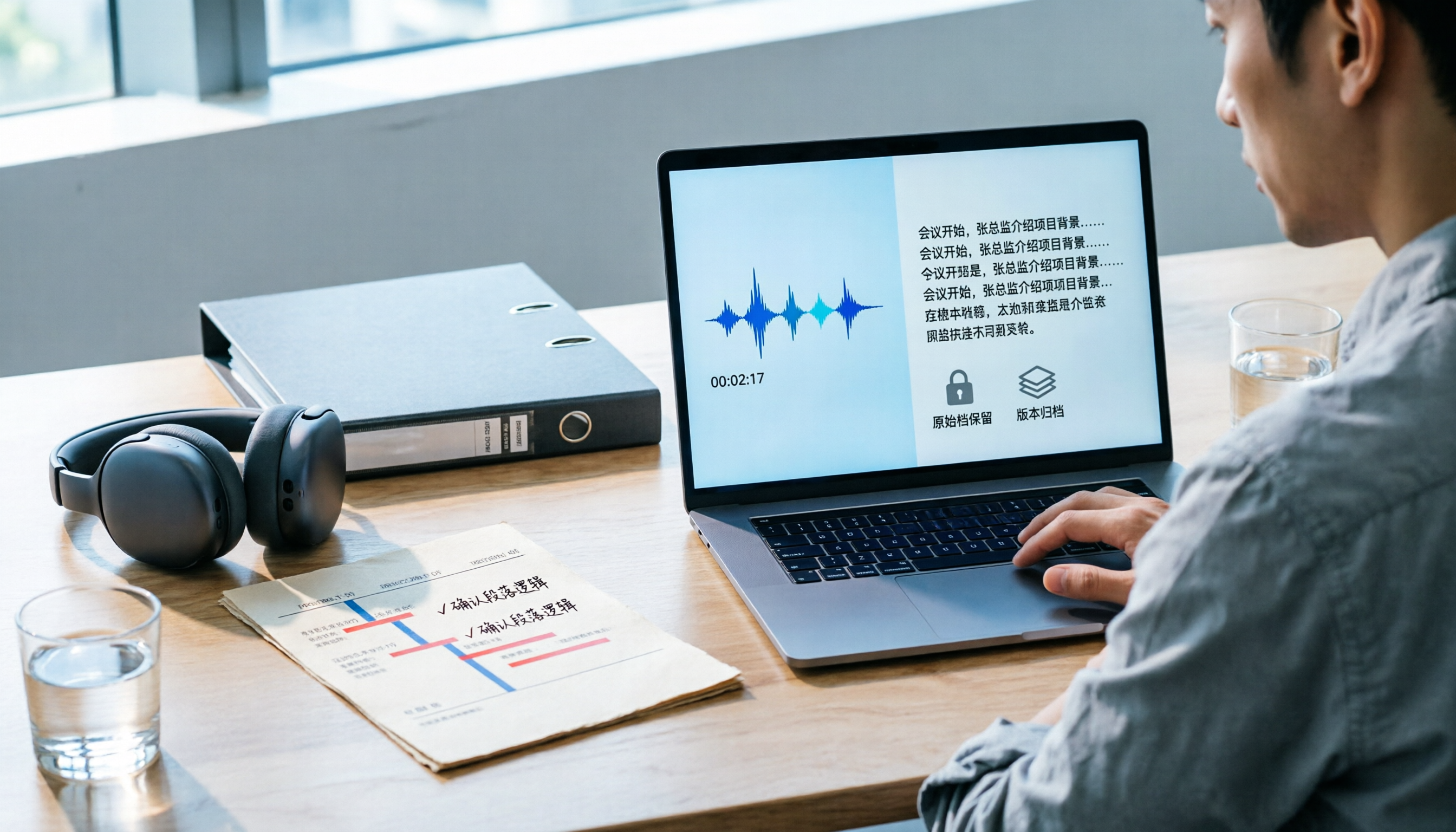
4 Recording Organizer Tools Tested and Compared in 2026: Is a Recording Evidence? Key Points for Legal Evidence Collection and Transcript Retention
Whether a recording can be used as evidence depends not on the tool, but on whether the method of acquisition is legal, whether you are a party to the conversation, and whether the recording is complete. This article uses real scenarios to explain common court judgments and compares recording organizer tools such as Tinrec, Otter.ai, TurboScribe, and Notta, teaching you to preserve original files and organize transcripts to avoid unintentionally breaking the law.

2026 Comparison of 4 Meeting Notes Tools: What to Record in Meeting Minutes and Which AI Notes Tool Is Enough?
What exactly should meeting minutes include? This article first breaks down the 5 essential fields of meeting minutes (topic, discussion summary, decisions, action items, future issues), then compares Tinrec, Otter.ai, Notta, and Granola from a senior student's hands-on perspective on differences in Chinese meetings, AI summaries, post-meeting follow-up questions, and free quotas, along with the 4 most common pitfalls for beginners and selection advice.

4 LINE Call Recording Methods Tested for 2026: Which One Actually Captures Both Sides?
LINE doesn't have built-in call recording, due to both privacy policies and VoIP technical limitations. This article starts from a mid-level manager's real meeting scenario and tests and compares iPhone built-in recording, Android screen recording, hardware recording devices, and Tinrec's post-meeting organization workflow. It outlines the limitations, costs, and truly time-saving uses of the four methods, plus the most common pitfalls.

How Many Days to Finish Meeting Minutes in 2026? 3 AI Meeting Minutes Tools Compared: Transcripts, Summaries, and Post-Meeting Turnaround
How many days should meeting minutes take? For regular work meetings, it's recommended to draft within 24 hours after the meeting; for shareholder meeting minutes, there is a statutory deadline of distribution within 20 days after the meeting. This article compares Tinrec, Granola, and PLAUD Note, from transcripts, summaries, action items, recording retention to team collaboration, to help you choose a solution that shortens post-meeting organization time.

Good Tape vs Tinrec 2026: 5-Dimension Comparison for Chinese Meeting Notes
Is Good Tape good? This article compares Good Tape and Tinrec across 5 dimensions: Chinese recognition, meeting capture, post-meeting organization, team collaboration, and pricing logic, with buying tips and scenario recommendations.

2026 Screen Recording & Meeting Notes Tools Compared: Is EverCam Free Version Enough?
EverCam offers a free version, but after a one-month trial it reverts to free, and new recordings may have watermarks and cannot be exported to mp4/wmv. This article examines real-world usage scenarios, outlines the limitations of EverCam's free version, and compares Tinrec, Otter.ai, and Notta in meeting notes and post-meeting organization to help you decide which tool to use.

3 Ways to Record LINE Calls in 2026: Will the Other Party Be Notified?
Will the other person know if you record a LINE call? This article compares LINE's built-in call recording, iPhone iOS 26 local capture, and dual-device recording, covering notification mechanisms, audio quality limitations, and legal reminders. It also explains how to use Tinrec to turn legally obtained call recordings into transcripts, summaries, and action items.