
Turn recordings into transcripts and summaries in minutes
Upload audio or video for multilingual transcription, AI notes, and action items
4 Recording Organizer Tools Tested and Compared in 2026: Is a Recording Evidence? Key Points for Legal Evidence Collection and Transcript Retention
Can a recording be used as evidence? Let's start with a very common scenario
"That day in the meeting room, my supervisor verbally promised a bonus, but later denied it. I have a recording on my phone from that time—does that count as evidence?"
Or a landlord promised over the phone to fix the air conditioning, then later denied saying it; you agreed on payment terms with a client, and the other party later changed their story. All you have is a recording. What you really want to ask is not "what is a recording," but "if I present this recording, will the court consider it? Will I end up being sued instead?"
Honestly, these two questions need to be looked at separately. A recording itself can be evidentiary material, but having a recording does not guarantee you will win. Courts typically first look at how you recorded, whose conversation you recorded, and whether the content has been tampered with.
This article is not legal advice, but rather a version of publicly available legal information organized so that ordinary people can understand it, followed by a discussion of how to choose recording organizer tools. Because tools only solve "organizing," not "legality."
Is a recording evidence? Courts typically look at these 4 things
1. Whether the method of acquisition is legal
Taiwanese law does not completely prohibit recordings as evidence, but the method of acquisition affects whether the court will accept them. If, without justified reason and without consent, you secretly record another person's non-public conversation, you may be liable for the offense of obstruction of secrecy under Article 315-1 of the Criminal Code, and may also violate the offense of illegal surveillance under Article 24 of the Communication Security and Surveillance Act.
However, Article 29, Paragraph 3 of the Communication Security and Surveillance Act also provides that if the surveillant is a party to the communication, or has obtained prior consent from one party, and the purpose is not unlawful, no penalty shall be imposed. This is what is often referred to in practice as "recording a conversation you participated in for the purpose of preserving evidence is generally considered to have justified reason."
2. Whether you are a party to the conversation
This point is crucial. Many lawyer articles mention that recordings of conversations in which one participated are more often accepted by courts in practice; if a third party who did not participate in the conversation secretly records it, even if the content is true, it may be excluded due to infringement of privacy and communication freedom.
Simply put: if you are present and participating, the risk is usually much lower than secretly recording from outside the door. But low risk does not mean zero risk; it still depends on the individual case.
3. Whether the recording is complete, authentic, and unedited
When courts examine recordings, they pay attention to whether there has been editing, splicing, or alteration. Extracting only the 30 seconds favorable to you versus preserving the complete 12-minute conversation makes a big difference in persuasiveness.
Therefore, preserving the original file is very important. Do not keep only a compressed version after forwarding, and do not keep only the transcript. The transcript is an organizing tool; the original recording is the evidence itself.
4. Case type and degree of privacy infringement
The standards for civil and criminal cases are not entirely the same. Civil judges typically weigh "the means of obtaining evidence" against "the degree of privacy infringement"; if evidence could have been obtained through a less intrusive method but a secretly recorded conversation causing significant privacy infringement was chosen, the evidence may not be accepted.
For example, recording insults in a public setting causes less harm to privacy; but in situations involving private life or sexual life, secret recording may be considered unnecessary. This is why the same recording may lead to different outcomes in different cases.
Understand these 4 key points before recording evidence
Key 1: Are you in the conversation?
First ask yourself: Am I a party to this conversation? If you merely overheard others talking and specifically recorded it, the legal risk is much higher.
Key 2: Is the location non-public?
Enclosed meeting rooms, private phone calls, and conversations at home are generally more likely to be considered to have an expectation of privacy. Loud conversations in public places have a lower expectation of privacy. But this is not absolute; it still depends on the actual situation. In protected environments such as medical consultations or lawyer meetings, extra caution is needed before recording.
Key 3: Is the purpose legitimate?
Recording a conversation you participated in for the purpose of preserving litigation evidence is generally considered not to be an unlawful purpose. But if it is for extortion, threats, online public shaming, or distribution, it may change from "evidence collection" to "infringement."
Key 4: Is the original file properly preserved?
This is the point most people overlook. After recording, the file should be backed up, have a timestamp, and not be overwritten. Rather than rushing to send the recording to everyone, first preserve the original file, then organize a transcript and summary for your own review.
Speaking of organizing, rather than manually transcribing for three hours, I would first check whether a tool can convert the recording into a searchable transcript. This is also the focus of the comparison below.
Tinrec (MiaoTing Recording) — the tool we found most suitable for organizing recording content after testing
Tinrec (MiaoTing Recording) is an AI meeting notes and collaboration tool for individuals and teams, supporting web, desktop, and mobile, and the desktop version can also handle online meetings. It does not just convert sound to text, but organizes recordings into searchable, summarizable, and queryable data.
Let me be clear: Tinrec is not a legal service, nor will it turn an illegal recording into legal evidence. Its value lies in "organizing after recording."
Stop organizing recordings by hand
Upload audio or video and automatically get a transcript, summary, and action items
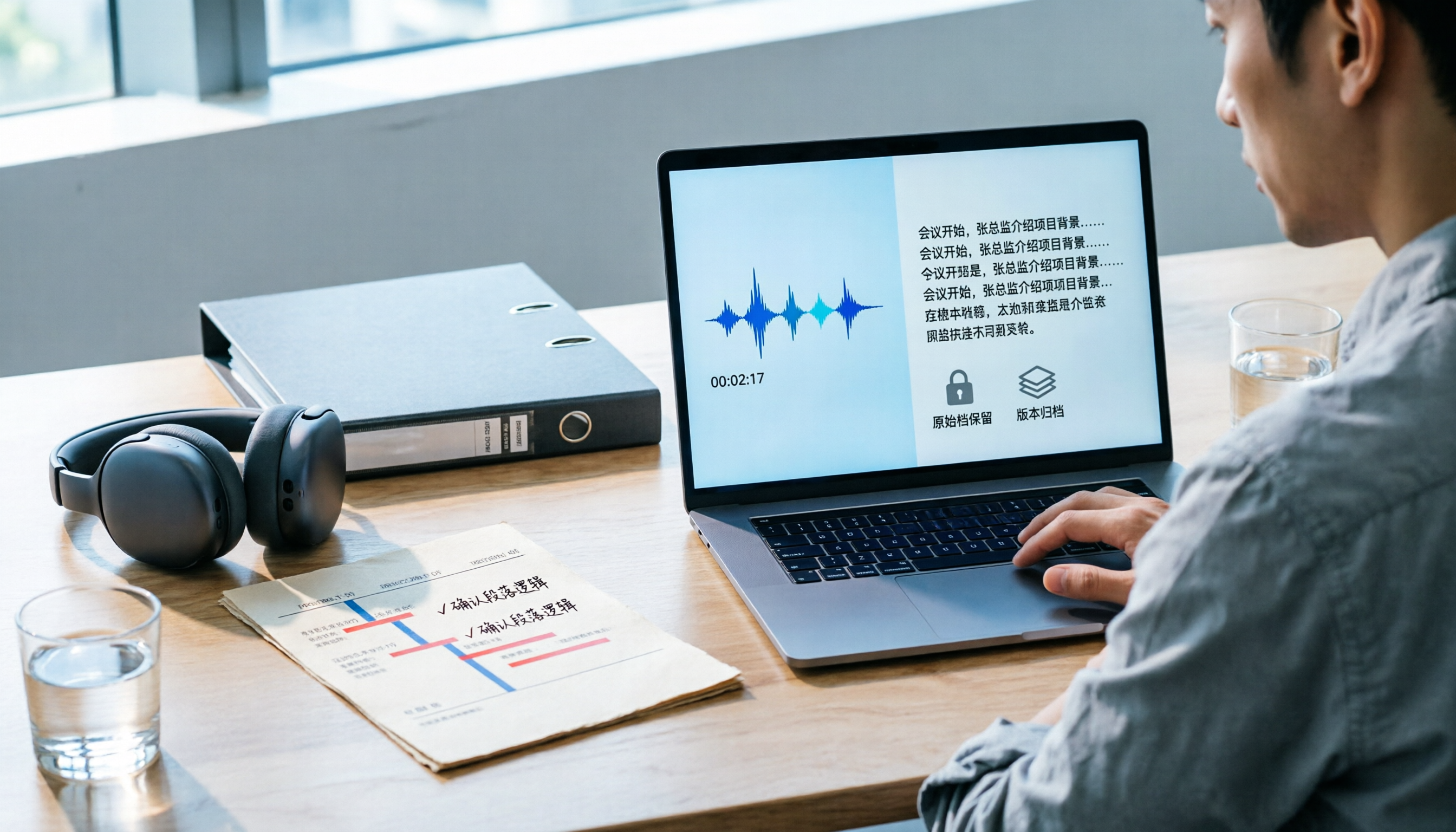
We actually tested with a Chinese conversation of about 12 minutes, recorded indoors on a mobile phone with air conditioning noise in the background and two people taking turns speaking. After uploading, Tinrec generates a transcript and automatically organizes a summary, chapters, and key points. Rather than looking at "how many words are wrong," I was looking at "whether I can quickly return to the point in time when the other party said that sentence." In this regard, the transcript combined with the summary is indeed much faster than manual transcription.
Note that actual transcription results will be affected by recording quality, accent, overlapping speech, and technical terminology, and no fixed accuracy rate can be promised. For important content, it is recommended to listen back to the original recording for verification.
Its core functions can be divided into three parts:
The first part is "recording." You can use real-time audio-to-text, suitable for offline meetings and interviews; the desktop version captures computer system audio to handle online meetings on Zoom, Google Meet, Microsoft Teams, Webex, etc., without the need for a meeting bot to join. This is very practical for those who do not want an extra bot account in the meeting.
The second part is "understanding." After recording, Tinrec generates AI summaries, chapters, and to-dos, and can also conduct AI Q&A around the meeting content. For example, if you ask "In which part did the other party mention the payment deadline?" it will answer based on the content, rather than just throwing keyword search results. It also supports real-time translation, so cross-language meetings can display the original text, translation, or bilingual.
The third part is "output and collaboration." Transcripts and summaries can be exported to common formats and third-party tools, and Agent post-processing can be used to generate reports, tables, or meeting minutes. For team use, the team version has independent team spaces, member and seat management, usage analytics, and audit logs, so team data will not be directly taken away with individual members when they leave.
Limitations should also be stated honestly: the free version provides a basic quota, suitable for light experience; if you record a lot every day, you should still consider a paid plan. In addition, although the team version can centrally manage data, when it comes to legal evidence collection, you must still confirm recording authorization and local regulations yourself; the tool cannot be treated as a compliance guarantee.
Overall, if you need Chinese transcripts, post-meeting summaries, AI queries, cross-platform organization, or want to turn meeting recordings into team data, Tinrec is currently a very smooth choice. But if you just want to "save an original recording," the built-in recorder on your phone is enough; Tinrec's value lies in the subsequent organizing and searching.
Besides Tinrec, what other recording organizer tools are there?
The following competitor information is compiled from official pages and public sources; actual experience may vary by plan.
Otter.ai: A mature choice for English meeting notes, free version 300 minutes per month, Pro annual payment about USD 8.49/user/month, 1,200 minutes per month. It is suitable for English business meetings; Tinrec's differences lie in Chinese experience, real-time translation, bot-free desktop recording, and Agent post-processing. If you mainly record English, Otter.ai is worth considering; if you often handle Chinese interviews, Tinrec is smoother.
TurboScribe: A cost-effective file transcription tool, free version 3 files per day, 30 minutes per file, Unlimited annual payment USD 120, maximum 10 hours or 5GB per file. It is suitable for batch transcription of large long audio files; Tinrec is more focused on real-time meetings, AI Q&A, to-dos, and team data management. The problems they solve are not entirely the same.
Notta: A multi-platform transcription and translation tool, free version 120 minutes per month, 3 minutes per session, Pro annual payment about USD 8.17/month, 1,800 minutes per month. It overlaps significantly with Tinrec; Tinrec can emphasize bot-free desktop recording, team spaces, AI Q&A, and Agent post-processing. When you need extensive multilingual file transcription, it can be included in the comparison.
Pitfall guide: The 5 most common mistakes when using recordings as evidence
Pitfall 1: Thinking that having a recording guarantees winning. A recording is only one piece of evidentiary material; courts also look at the method of acquisition, authenticity, and case type. Rather than thinking "once recorded, it's safe," first confirm whether you are a party to the conversation and whether the location has an expectation of privacy.
Pitfall 2: Keeping only an edited version or a forwarded compressed file. Editing greatly reduces the credibility of evidence. The original file, complete length, and timestamp are more important than a carefully edited 30 seconds.
Pitfall 3: Secretly recording a conversation you did not participate in. This is the situation most likely to change from "evidence collection" to "obstruction of secrecy." Even if the content is true, it may be excluded and may even expose you to criminal liability.
Pitfall 4: Taking the recording to the internet for public shaming or threats. A legitimate purpose for evidence collection does not mean it can be publicly disclosed at will. Distribution, threats, and extortion may create additional legal problems.
Pitfall 5: Keeping only the transcript and not the original recording. The transcript is an organizing tool, not the evidence itself. Organizing with tools like Tinrec is fine, but the original audio file must be backed up separately and not modified.
Conclusion: How should you choose?
First answer the core question: Is a recording evidence? The answer is "it has a chance, but it is not automatically valid." Courts typically look at whether you are a party to the conversation, whether the method of acquisition is legal, whether the recording is complete and authentic, and the case type and degree of privacy infringement. Conversations you participated in, recorded to preserve evidence, are more often accepted in practice; but secret recordings of conversations you did not participate in, editing and alteration, and significant privacy infringement carry much higher risks.
Tool selection can be divided as follows:
- Need Chinese transcripts, AI summaries, post-meeting queries, team sharing → Tinrec (bot-free desktop recording, real-time translation, Agent post-processing)
- Pure English meetings, want a larger free quota → Otter.ai
- Large long audio files, batch file transcription → TurboScribe
- Multilingual file transcription and team plans → Notta
Finally, a reminder: tools only help you organize, not judge evidentiary capacity. For important recordings, preserve the original file, back it up, and do not edit; when involving others' privacy or communication content, first confirm legality and consult a lawyer if necessary. If you just want to first turn the recording into a searchable transcript, you can start with Tinrec's free version to try the organizing process, and consider upgrading if it meets your needs.
Legal information references for this article:
- Can mobile phone recordings be used as evidence? Is it illegal? A lawyer teaches you legal evidence collection methods! - 85010
- Can recordings be used as evidence? A lawyer teaches you 3 conditions for legal recording - Su Wen-Pin Law Firm
- Secretly recording as evidence... be careful of being sued instead! Discussing whether secret recording violates the law - Law 010
- Your evidence collection? Their privacy? - Taiwan High Prosecutors Office
- Is secret audio and video recording illegal? Can it be used as evidence? Explanation of the offense of obstruction of secrecy - Xin Xiang Law Firm
References
- Can mobile phone recordings be used as evidence? Is it illegal? A lawyer teaches you legal evidence collection methods! - 85010
- Can recordings be used as evidence? A lawyer teaches you 3 conditions for legal recording - [Kaohsiung] Civil, Criminal, Divorce Lawyer Law Firm | Su Wen-Pin Law Firm
- Secretly recording as evidence... be careful of being sued instead! Discussing whether secret recording violates the law - Law 010
- Your evidence collection? Their privacy? - Life and Law - Taiwan High Prosecutors Office
- Is secret audio and video recording illegal? Can it be used as evidence? Explanation of the offense of obstruction of secrecy | Other Life Law Column Q21
Turn every recording into actionable outcomes
Get 60 free transcription minutes when you sign in. No credit card required.
Related Reading
You might also like

Is Recording at Work Legal in 2026? 5 Real Workplace Scenarios Compared: What Protects You and What Gets You in Trouble
Is secretly recording at work legal? This article compares five common workplace scenarios against Article 315-1 of the Criminal Code, the Communication Security and Surveillance Act, and practical legal interpretations. It outlines four key factors for determining recording legality and provides a tested workflow for using recordings, including Tinrec's real-time transcription and AI Q&A, so you can gather evidence while staying compliant.

5 Free Transcription Tools Compared in 2026: Free Tiers and Post-Meeting Workflows
Compare the free plans of five transcription tools—Yating, Tinrec, Notta, Otter.ai, and TurboScribe—from free quotas and sign-up requirements to post-meeting organization capabilities. Learn which meeting and interview scenarios each tool suits, along with data verification dates and usage limits.

2026 Comparison of 4 Meeting Notes Tools: What to Record in Meeting Minutes and Which AI Notes Tool Is Enough?
What exactly should meeting minutes include? This article first breaks down the 5 essential fields of meeting minutes (topic, discussion summary, decisions, action items, future issues), then compares Tinrec, Otter.ai, Notta, and Granola from a senior student's hands-on perspective on differences in Chinese meetings, AI summaries, post-meeting follow-up questions, and free quotas, along with the 4 most common pitfalls for beginners and selection advice.

2026 Comparison of 4 Audio-to-Text Tools: Free Tiers, Chinese Support, and Post-Meeting Organization
Can audio files be converted to text? This article addresses common misconceptions and compares Tinrec, Notta, TurboScribe, and Otter on input sources, free tiers, Chinese support, and post-meeting organization capabilities. Fields not timed under identical conditions are clearly marked, helping you choose tools based on needs rather than marketing claims.

4 LINE Call Recording Methods Tested for 2026: Which One Actually Captures Both Sides?
LINE doesn't have built-in call recording, due to both privacy policies and VoIP technical limitations. This article starts from a mid-level manager's real meeting scenario and tests and compares iPhone built-in recording, Android screen recording, hardware recording devices, and Tinrec's post-meeting organization workflow. It outlines the limitations, costs, and truly time-saving uses of the four methods, plus the most common pitfalls.

How Many Days to Finish Meeting Minutes in 2026? 3 AI Meeting Minutes Tools Compared: Transcripts, Summaries, and Post-Meeting Turnaround
How many days should meeting minutes take? For regular work meetings, it's recommended to draft within 24 hours after the meeting; for shareholder meeting minutes, there is a statutory deadline of distribution within 20 days after the meeting. This article compares Tinrec, Granola, and PLAUD Note, from transcripts, summaries, action items, recording retention to team collaboration, to help you choose a solution that shortens post-meeting organization time.

Good Tape vs Tinrec 2026: 5-Dimension Comparison for Chinese Meeting Notes
Is Good Tape good? This article compares Good Tape and Tinrec across 5 dimensions: Chinese recognition, meeting capture, post-meeting organization, team collaboration, and pricing logic, with buying tips and scenario recommendations.

2026 Screen Recording & Meeting Notes Tools Compared: Is EverCam Free Version Enough?
EverCam offers a free version, but after a one-month trial it reverts to free, and new recordings may have watermarks and cannot be exported to mp4/wmv. This article examines real-world usage scenarios, outlines the limitations of EverCam's free version, and compares Tinrec, Otter.ai, and Notta in meeting notes and post-meeting organization to help you decide which tool to use.

3 Ways to Record LINE Calls in 2026: Will the Other Party Be Notified?
Will the other person know if you record a LINE call? This article compares LINE's built-in call recording, iPhone iOS 26 local capture, and dual-device recording, covering notification mechanisms, audio quality limitations, and legal reminders. It also explains how to use Tinrec to turn legally obtained call recordings into transcripts, summaries, and action items.