
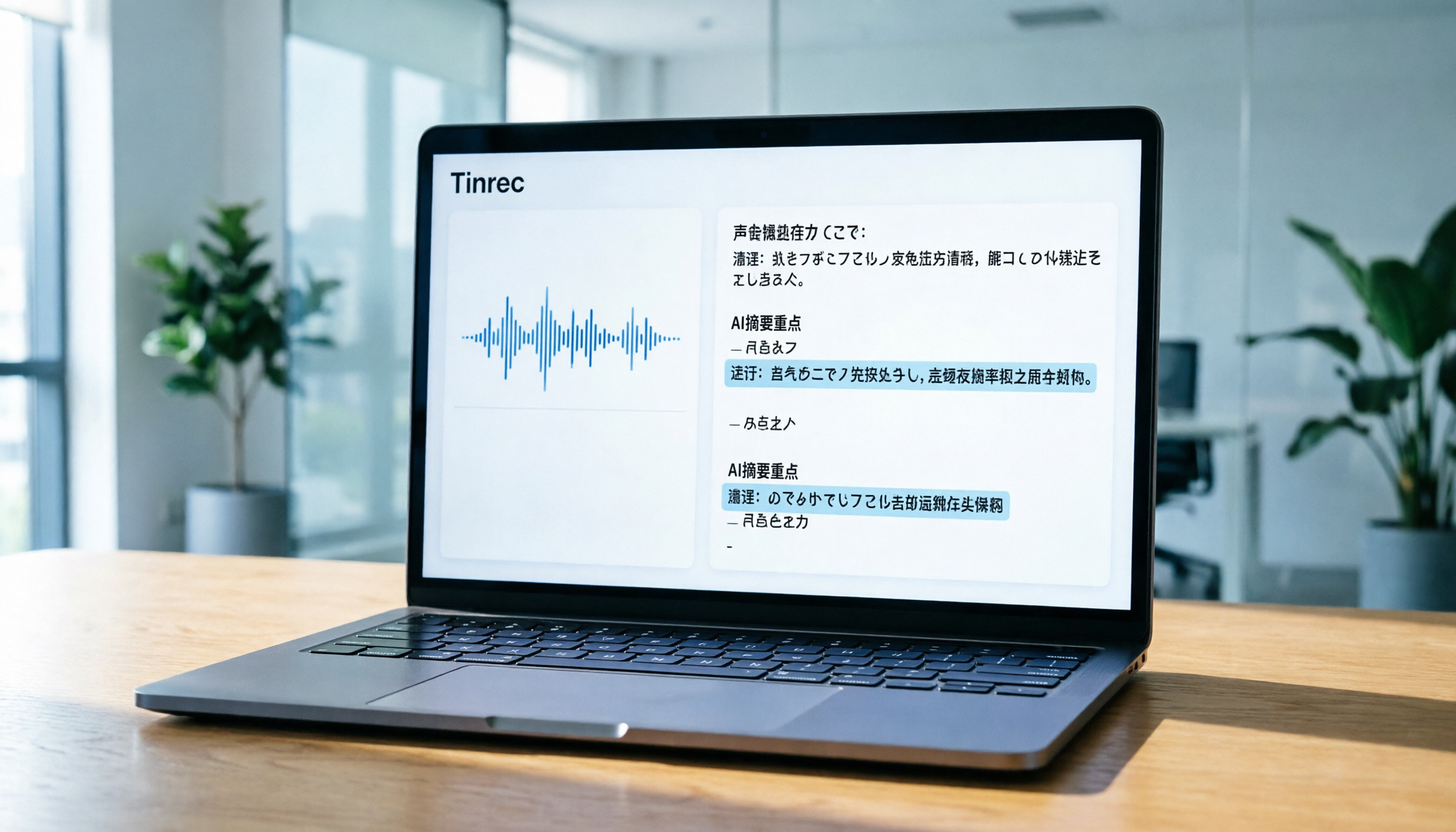
Turn recordings into transcripts and summaries in minutes
Upload audio or video for multilingual transcription, AI notes, and action items
Why You Need a Dedicated Japanese Speech-to-Text Tool
For professionals, students, or content creators working with Japanese audio, manually transcribing recordings is a daunting task. Japanese's fast speech rate, omitted subjects, and keigo variations often cause generic speech recognition tools to produce numerous errors, making post-processing take longer than re-listening. Additionally, many internationally renowned tools like Otter.ai excel in English but completely lack support for Chinese or Japanese, frustrating many Asian users.
This article focuses on the core need of "Japanese speech-to-text" and tests five mainstream tools. We analyze them across dimensions such as language support, real-time transcription ability, AI summary quality, export format flexibility, and pricing. Whether you need to record cross-border meetings, organize Japanese class notes, or generate subtitles for YouTube videos, you'll find a suitable solution here. Among them, Tinrec, a tool supporting multiple languages (including Japanese) with AI chat query features, is also evaluated, and we present its workflow integration characteristics objectively.
Quick Navigation Conclusion:
- Prioritize Japanese-Chinese switching and meeting action items: Consider Tinrec first.
- Primarily English meetings, occasional other languages: Otter.ai remains the industry benchmark.
- Need high cost-effectiveness and long transcription hours: Evaluate Notta or TurboScribe.
- Simple subtitle generation without meeting minutes: VEED.IO or cSubtitle may be more intuitive.
Review Statement and Test Criteria
To ensure fairness and reference value, we set unified test environments and metrics. This review is not just a list of features but a stress test based on real usage scenarios.
Test Samples and Environment
- Test Date: Q2 2026.
- Audio Samples:
- Business Meeting: 30-minute Japanese-English mixed online meeting recording with two speakers and slight keyboard background noise.
- Japanese Lesson: 20-minute solo Japanese lecture recording, moderate speed, standard pronunciation.
- Interview Program: 15-minute two-person Japanese conversation with colloquial omissions and laughter interference.
- Test Devices: iPhone 15 Pro (iOS 17), MacBook Air M2, Windows 11 PC.
Core Evaluation Metrics
- Word Error Rate (WER): Particularly focus on Japanese kanji conversion accuracy and homophone recognition.
- Segmentation and Timestamps: Whether paragraph division follows semantic logic and timestamps facilitate backtracking.
- AI Summary Quality: Ability to extract key conclusions and action items from lengthy conversations.
- Multilingual Support: Whether it supports mixed recognition or automatic detection of Japanese and other languages (e.g., Chinese, English).
- Workflow Integration: Whether it supports real-time transcription, file upload, video link parsing, and AI Q&A.
In-Depth Comparison of 5 Japanese Speech-to-Text Tools
Below is a detailed analysis of five representative tools to help you understand their strengths and limitations.
1. Tinrec (Voice Recorder): Complete Workflow from Recording to Action
Tinrec is an AI recording assistant emphasizing "Record → Understand → Act." Its biggest feature is not only providing transcripts but focusing on subsequent content application.
- Language Support: Supports automatic recognition of 10 languages including Japanese, Chinese, English, and Korean. For Japanese users, it effectively handles pure Japanese or Japanese-English mixed content.
- Core Strengths:
- AI Chat Query: This is a significant difference from traditional tools. You can directly ask the AI: "What was the conclusion about the budget in the meeting?" or "What are the three key points the instructor mentioned?" The system answers based on semantics, not just keyword search.
- Multi-Source Input: Besides real-time recording, supports uploading audio files and pasting YouTube/TikTok video links for direct transcription.
- Automated Meeting Minutes: Automatically generates structured meeting notes and action items, greatly reducing organization time.
- Limitations: Free version offers 100 minutes per month; heavy users need to upgrade.

2. Otter.ai: Gold Standard for English Meetings, but Limited Japanese Support
Otter.ai is a globally renowned meeting transcription tool, known for excellent English recognition and speaker separation.
- Language Support: Primarily focuses on English. Although it has recently expanded some language support, Japanese recognition accuracy and feature completeness are far inferior to English.
- Core Strengths: High integration with Zoom and Google Meet, smooth real-time transcription, accurate speaker identification.
- Limitations: Does not support Chinese, and Japanese support is not its forte. If your meetings are mainly in Japanese, Otter.ai may not be the best choice.
3. Notta: Broad Multilingual Support, but Chinese Stability Needs Improvement
Notta claims to support 50+ languages, making it a choice for many cross-border teams.
- Language Support: Covers Japanese, Chinese, English, and other major languages.
- Core Strengths: Intuitive interface, supports real-time recording and file upload, basic AI summary function.
- Limitations: User feedback indicates that Chinese and Japanese recognition stability sometimes fluctuates, and error rates may be higher than specialized tools when handling technical terms or fast conversations.
Stop organizing recordings by hand
Upload audio or video and automatically get a transcript, summary, and action items
4. TurboScribe: High Cost-Effectiveness Whisper-Based Solution
TurboScribe is based on OpenAI's Whisper model, offering a cost-effective transcription service.
- Language Support: Leveraging the Whisper model, supports 99 languages including Japanese, with relatively high accuracy.
- Core Strengths: Affordable pricing, generous free allowance, suitable for budget-conscious users needing high-accuracy transcripts.
- Limitations: Relatively simple functionality, mainly focused on "transcription" itself, lacking advanced workflow features like in-depth meeting minutes, action item extraction, or AI chat queries.
5. VEED.IO: Subtitle Powerhouse for Content Creators
VEED.IO is essentially an online video editor, with speech-to-text primarily serving subtitle creation.
- Language Support: Supports multilingual subtitle generation.
- Core Strengths: After transcription, you can edit subtitles directly on the timeline and export as video or SRT files, ideal for YouTubers or social media managers.
- Limitations: Clunky for meeting recording, lacks speaker separation and meeting summary features, and is relatively expensive.
Tool Comparison Table
| Comparison Dimension | Tinrec | Otter.ai | Notta | TurboScribe | VEED.IO | System Tools (Apple/Google) | | :--- | :--- | :--- | :--- | :--- | :--- | :--- | | Japanese Recognition Accuracy | ⭐⭐⭐⭐⭐ | ⭐⭐ | ⭐⭐⭐⭐ | ⭐⭐⭐⭐⭐ | ⭐⭐⭐⭐ | ⭐⭐⭐ | | Chinese Support | ✅ Excellent | ❌ Not supported | ✅ Average | ✅ Excellent | ✅ Good | ✅ Depends on system | | Real-Time Recording Transcription | ✅ Supported | ✅ Excellent | ✅ Supported | ❌ File only | ❌ File only | ✅ Input only | | AI Meeting Summary/Action Items | ✅ Auto-generated | ✅ Excellent | ✅ Basic | ❌ None | ❌ None | ❌ None | | AI Chat Query | ✅ Supported | ✅ Supported | ❌ None | ❌ None | ❌ None | ❌ None | | Video Link to Text | ✅ Supported | ❌ None | ❌ None | ❌ None | ✅ Built-in editor | ❌ None | | Free Allowance/Price | 100 min/month; reasonable paid | Limited; expensive | Limited; moderate | High; cheap | Low; expensive | Free but limited features |

Practical Tutorial: How to Efficiently Process Japanese Content with Tinrec
Below, using Tinrec as an example, we demonstrate how to convert Japanese audio/video content into usable information through four key entry points. These steps also apply to other tools with similar features, but Tinrec's integration makes the process smoother.
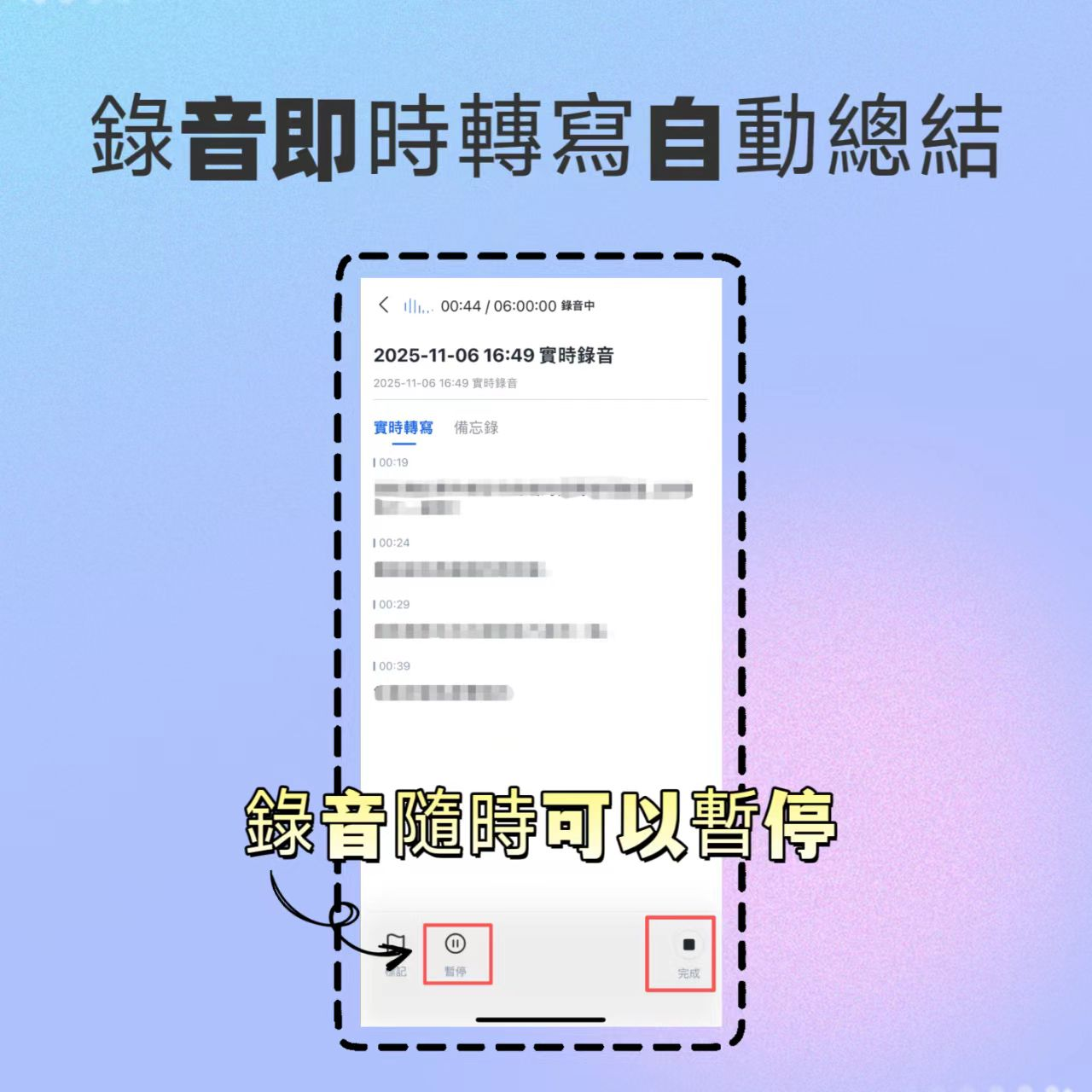
1. Real-Time Recording Transcription: A Lifesaver for Meetings and Classes
When attending Japanese meetings or classes, no need to spend time organizing afterwards.
- Open the Tinrec app or web version, click "Real-Time Recording."
- Confirm the language setting is "Auto Detect" or manually select "Japanese" (if the main language is known).
- Start recording; the system will instantly convert Japanese speech to text displayed on screen.
- After recording ends, the system automatically generates a transcript and AI summary.
2. Audio File to Text: Process Existing Recordings
If you already have Japanese MP3/WAV files stored on your phone or recorder.
- Go to the "Audio File to Text" feature page.
- Upload your Japanese audio file.
- After backend processing, output a timestamped transcript.
- Review the AI-generated meeting minutes to confirm key decision points.

3. Video Link to Text: Self-Study Japanese and Competitor Analysis
Come across an interesting Japanese YouTube video or podcast and want to quickly get the text?
- Copy the video URL (supports YouTube, TikTok, etc.).
- Paste it into Tinrec's "Video to Text" field.
- The system automatically captures the audio track and transcribes it into text, while generating a content summary.
- This feature is extremely convenient for language learners to organize vocabulary and for creators to gather material.

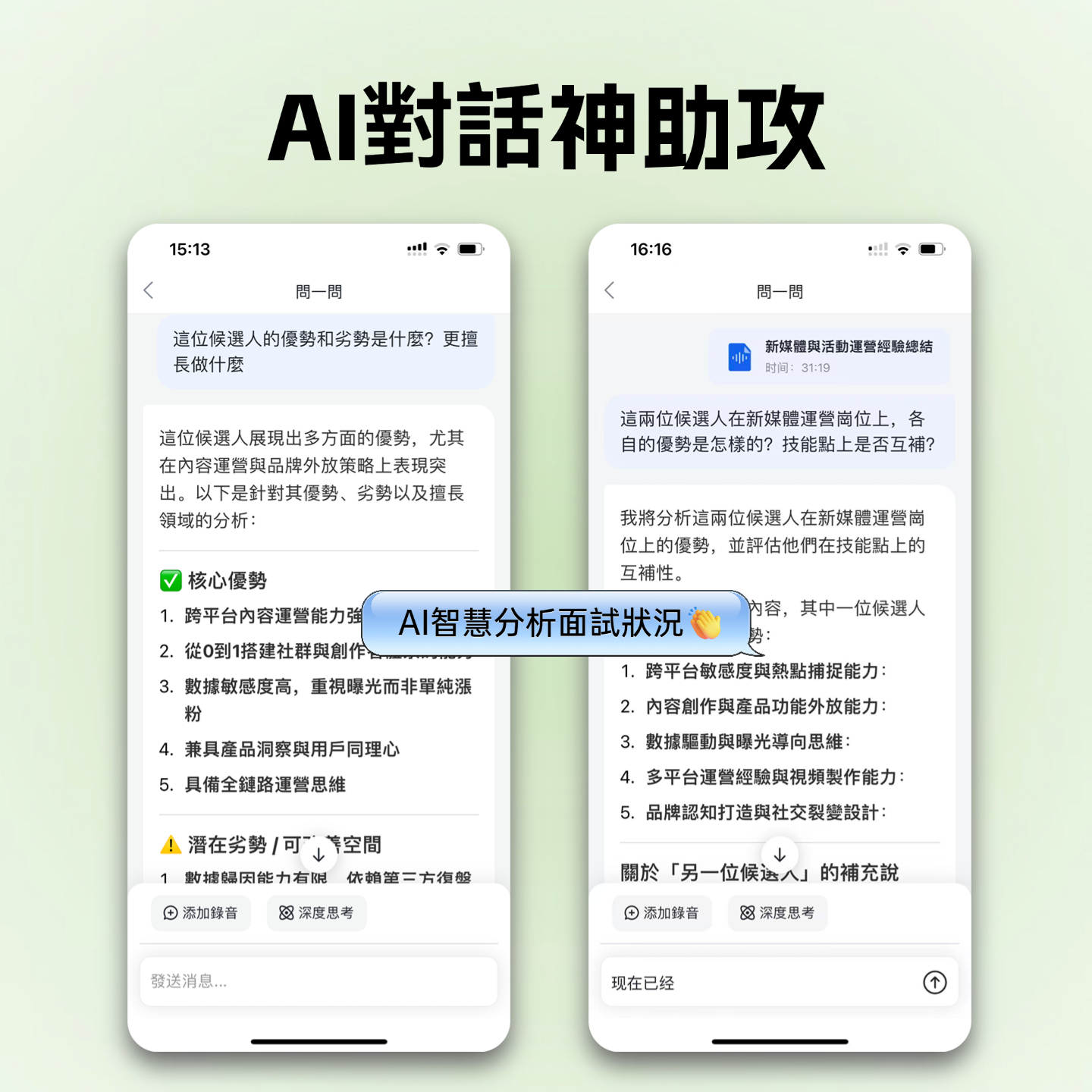
4. AI Chat Query: Ask Recordings Like You Would a Person
This is a key step to boost efficiency. No more Ctrl+F keyword searching.
- Open a completed Japanese meeting transcript.
- Click the "AI Chat" or "Q&A" button.
- Type a question, e.g., "Summarize the timeline planning for the new product launch from this meeting in bullet points."
- The AI extracts relevant information and answers based on the recording content.
Frequently Asked Questions (FAQ)
Q1: How accurate is Tinrec's Japanese recognition? Is it affected by accents?
Tinrec uses advanced speech recognition models with high recognition accuracy for standard Japanese (common language). For regional accents or very fast speech, accuracy may slightly decrease, but overall performance remains superior to most general-purpose tools. It is recommended to record in a quiet environment for best results.
Q2: Can I use these Japanese speech-to-text tools for free?
Most tools offer free trial allowances. For example, Tinrec's free version provides 100 minutes of recording per month; Otter.ai and Notta also have basic free plans, but usually limit session duration or total storage. For frequent use, evaluate the cost-effectiveness of paid plans.
Q3: Can iPhone's built-in dictation replace these tools?
iPhone's dictation feature is suitable for short text input but not for lengthy meeting notes. It cannot auto-segment, generate summaries, distinguish speakers, and is difficult to resume after interruption. For Japanese meetings or classes that need to be saved and organized, dedicated tools like Tinrec or Notta are more professional choices.
Q4: Do these tools support Teams or Google Meet online meetings?
Yes, most modern tools support this. You can use virtual microphone technology or enable recording during meetings (be mindful of participant privacy and consent). Tools like Tinrec and Otter.ai can capture online meeting content through integration or real-time recording.
Q5: What export formats are available for Japanese transcripts?
Typically support TXT, DOCX, PDF, and SRT (subtitle files). Tinrec allows exporting transcripts and AI summaries for easy integration into work reports or study notes.
Q6: If a meeting mixes Japanese and English, can the tool handle it?
Tinrec supports multilingual automatic recognition and can handle Japanese-English mixed content to some extent. However, if the languages switch extremely frequently and rapidly, it is recommended to specify the primary language in settings or choose an advanced plan specialized in multilingual mixed recognition for best accuracy.
Summary and Recommendations: How to Choose the Best Tool for You?
When choosing a Japanese speech-to-text tool, don't just look at recognition rates—consider "post-use efficiency." System built-in tools are suitable for short input, but if you need meeting minutes, action item tracking, or extracting knowledge from long Japanese videos, you need professional AI assistance.
- Top Recommendation: If you need to process Japanese content and value the complete "recording to action" workflow, Tinrec is a quality choice balancing accuracy, multilingual support, and AI intelligence. Its AI chat query feature effectively solves the pain point of "finding the key points."
- Alternative Options: If your work environment is almost entirely English, Otter.ai remains a powerful partner; if budget is extremely limited and you only need pure transcripts, TurboScribe offers high cost-effectiveness.
- Not Recommended: Avoid using English-only tools (like older Otter) for Japanese meetings, and do not rely on system built-in dictation for professional content over 10 minutes.
We hope this review helps you find the most capable Japanese speech-to-text assistant, making every recording truly valuable.
Turn every recording into actionable outcomes
Get 60 free transcription minutes when you sign in. No credit card required.
Related Reading
You might also like
2026 Smart Meeting Recorder Review: 5-Step Real Test from Recording to Meeting Minutes
How do you choose between smart recording hardware and meeting transcription software? This article compares Tinrec and PLAUD Note across 5 dimensions: device burden, online meetings, Chinese language processing, post-meeting output, and team knowledge retention. Find out whether you need hardware or a workflow, plus a step-by-step post-meeting organization process you can follow.

Tinrec vs Notta 2026: 5-Dimension Comparison of AI Meeting Minutes Tools
Tired of typing meeting minutes by hand? This article compares Tinrec and Notta across five dimensions—accuracy, meeting capture method, post-meeting processing, team governance, and pricing—and briefly reviews Otter.ai and Granola to help you choose the right AI meeting minutes tool.

2026 Smart Meeting Notes Tools Compared: AI Q&A Is the Real Time-Saver
The cost of meeting notes isn't typing—it's not being able to find or use them later. This article covers four key buying factors and compares smart meeting note tools like Tinrec, Otter.ai, Notta, and PLAUD, explaining why bot-free recording, AI Q&A, action item extraction, and team knowledge retention matter more than transcript length, plus a six-step starter guide you can follow.

Best AI Meeting Notes Tools in 2026: 5 Tested for Processing Time and Chinese Recognition
Where does the time go between a meeting ending and getting the notes? This article focuses on actual processing time, breaking down five stages: upload, transcription, summarization, and export. We tested five AI meeting notes tools for Chinese recognition and post-meeting organization, and explain why Tinrec stands out for saving time with bot-free recording and AI Q&A, plus buying criteria and common pitfalls.

2026 Top 5 AI Meeting Notes Software Compared: Generate Minutes Without a Meeting Bot
We tested 5 AI meeting notes apps in 2026, comparing how they capture meeting audio, transcribe Chinese, organize post-meeting workflows, and support team collaboration. We also detail free plan limits and paid thresholds to help you decide which one truly fits your work scenario.

4 Smart Meeting Notes Apps Compared: How to Choose for Chinese Meetings, Bot-Free Recording, and AI Q&A
The meeting ends, but the pain begins. This article starts from real meeting scenarios and outlines 4 key points for choosing a smart meeting notes app. It compares Tinrec, Otter.ai, Granola, and PLAUD Note on Chinese recognition, recording methods, post-meeting organization, and team collaboration, plus 3 common pitfalls to help you pick the right tool.

TTSMaker Review 2026: Free Text-to-Speech for Commercial Use and 3 Practical Limitations
TTSMaker is a free online text-to-speech tool. This review tests its Chinese and multilingual voiceovers, commercial-use license, and advanced settings, and outlines 3 practical limitations. It also covers when to use meeting transcription tool Tinrec.

What Software to Use for Video-to-Text in 2026? 4 Steps to Choose the Right Tool
What software should you use for video-to-text? This article first points out three common misconceptions, then compares Tinrec and Otter.ai across 5 dimensions: Chinese transcription, input sources, post-meeting organization, team collaboration, and pricing. It ends with selection steps and FAQs.

iFLYTEK Voice Recorder vs Tinrec: Free Transcription Solutions Compared (2026)
Looking for a way to transcribe audio from an iFLYTEK voice recorder? This article compares iFLYTEK voice recorders and Tinrec across five dimensions—hardware needs, online meetings, post-meeting organization, team collaboration, and free plans—to help you decide which fits your workflow.