
Turn recordings into transcripts and summaries in minutes
Upload audio or video for multilingual transcription, AI notes, and action items
Why You Need an AI Voice Note Tool: Solve the Pain of Forgetting After Listening
In an age of information overload, we encounter a vast amount of audio content every day—whether it's a one-hour educational podcast, a weekly team meeting, or a sudden inspiration recording. However, audio has a major drawback: low information density and poor searchability.
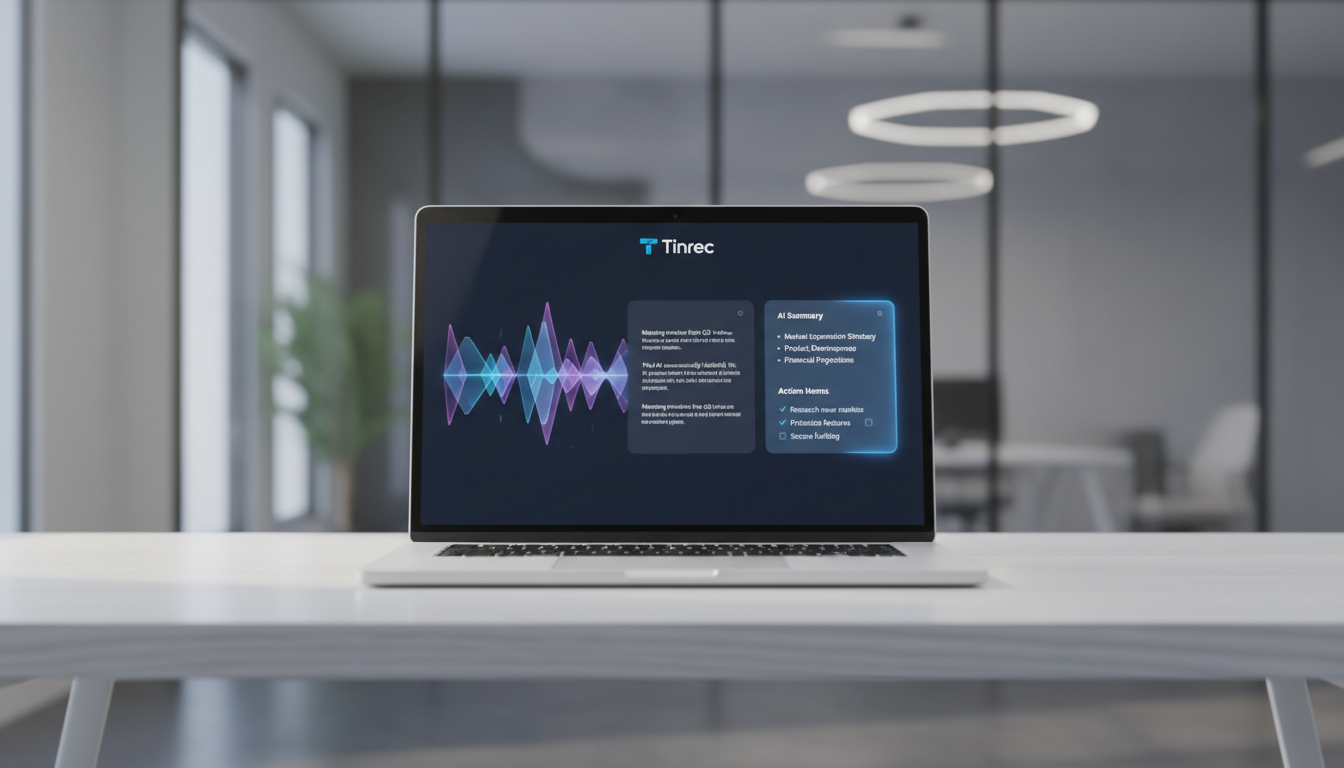
Have you ever experienced any of the following?
- Time-consuming rewinding: To find a golden quote from a podcast, you have to re-listen to the entire episode.
- Difficulty taking notes: Typing while listening can't keep up with the speaker's speed, resulting in fragmented notes that miss important details.
- No post-meeting action: You recorded a meeting but never opened the file because transcribing is too much trouble, leaving decisions unimplemented.
Traditional voice recorders or basic speech-to-text tools only give you a wall of text, requiring significant time to read and organize. But the new generation of AI tools in 2025 does much more: real-time transcription plus the ability to understand the content, automatically generating summaries, key points, and action items. They transform invisible sound into manageable knowledge assets.
In-Depth Review of 6 Popular AI Transcription Tools in 2025
Based on market trends and hands-on testing, we selected 6 distinctive tools for comparison, including Vocol for team collaboration, Yating for strong local dialect support, and Tinrec with its unique AI chat capability.
Tool Features, Pros, and Cons Overview
| Tool Name | Core Focus | Free/Trial Quota | Pros | Cons | Best For |
|---|---|---|---|---|---|
| Tinrec | All-in-one AI note assistant | 100 min/month | AI chat query (Ask Recording), clear summaries, supports podcast/YouTube link import | Advanced features require subscription | Study notes, meeting minutes, podcast organization |
| Vocol.ai | Team collaboration & meetings | 200 minutes | Integrates with Google Meet/Teams, multi-person collaborative commenting | Interface can be complex for new users | Enterprise teams, remote meetings |
| Yating (雅婷逐字稿) | Localized Taiwanese speech | 300 minutes | Superior recognition of Taiwanese Hokkien and Taiwanese-accented Mandarin, supports live recording | Transcription speed is slower | Interviews with elders, local content creation |
| cSubtitle | Video subtitle generation | 3-minute trial | Auto punctuation and formatting, no registration required | Weak editing features, very short free trial | Short video creators, subtitle production |
| Litok | Cross-language translation | 1-month trial | Fast translation, great for foreign language scenarios | Lower accuracy in noisy environments | International meetings, travel abroad |
| inFin | Free basic tool | Unlimited | Completely free, works offline | Chinese only supports Simplified Chinese, lower recognition accuracy | Students, budget-conscious users |
Market Tool Commentary
According to a review from 104 Career Force, each tool has its strengths:
- Vocol is great for internal company use, especially its "voice collaboration" feature that lets you tag colleagues directly in the transcript, similar to Google Docs.
- Yating is a top choice for Taiwanese users, especially when the audio contains Taiwanese Hokkien or strong Taiwanese accents—its accuracy is currently hard to beat.
- inFin, despite its simple interface and Simplified Chinese only, is a generous "unlimited recording" option for students who want to pay nothing and don't require high accuracy.
However, if you're looking for a complete workflow from "recording" to "knowledge management," especially for podcasts or long speeches, Tinrec offers a new interactive experience.
Stop organizing recordings by hand
Upload audio or video and automatically get a transcript, summary, and action items
Deep Dive into Tinrec: More Than Transcription—It Talks to Your Audio
Among the many tools, Tinrec stands out with a differentiated approach. It doesn't just convert speech to text; it emphasizes "understanding" and "action." For professionals who frequently listen to podcasts for learning or hold regular meetings, Tinrec solves the biggest pain point: organization.

1. Exclusive "AI Chat Query": Turn Your Recordings into a Knowledge Base
Most tools give you a transcript, and you still have to use Ctrl+F to search for keywords. But if the speaker uses imprecise terms, you won't find them. Tinrec's AI Chat Query allows you to ask direct questions. For example:
- "What are the three suggestions from this podcast about sleep quality?"
- "What was the exact marketing budget mentioned in the meeting?"
The AI answers based on the recording content—a huge efficiency boost for long interviews or course recordings.

2. One-Click Podcast & YouTube Link to Notes
This is a favorite feature for content creators and learners. You don't need to download MP3 files; Tinrec supports pasting podcast/video links directly. The system automatically transcribes in the cloud and generates key takeaways. This means you can listen to a podcast on your commute and have your notes ready by the time you get to work.

3. Automated Meeting Minutes & Action Items
For workplace meetings, Tinrec not only provides a transcript but also automatically identifies speakers, organizes "meeting conclusions" and "to-do items." This saves you 30 minutes of post-meeting cleanup, ensuring every discussion has a follow-up action.

Hands-On Tutorial: How to Quickly Organize a Podcast Using AI
Here's a step-by-step guide to turning a 60-minute podcast into study notes using Tinrec:
Step 1: Get the Content Link
Find the URL of the YouTube video or podcast episode you want to transcribe. For live meetings or interviews, open the real-time transcription feature in the mobile app.
Step 2: Import and Transcribe
Go to Tinrec's web or app interface, choose "Import Audio/Video" or paste the link. Tinrec supports 10+ languages including Chinese, English, Japanese, and Korean. Make sure to select the correct language for higher accuracy.


Step 3: AI Analysis
Wait for transcription (usually takes about 1/10 of the audio length). After completion, you'll see:
- Timestamped transcript: Click on text to jump to the corresponding audio.
- AI summary: Automatically generated structured highlights.
- Mind map (in some versions): Visual representation of content logic.
Step 4: Chat with AI and Export
Use the AI chat panel on the right to ask: "Please summarize the specific steps for 'time management' mentioned by the speaker." After verifying, use the multi-format export feature to save notes as Word, PDF, or Markdown for your Notion or Obsidian.

FAQ
Q1: How accurate are these AI transcription tools? Current mainstream tools like Vocol, Yating, and Tinrec achieve over 90% accuracy in clear environments. The main factors affecting accuracy are background noise, overlapping speakers, or microphone quality. With good audio quality, Tinrec's AI can even auto-correct minor errors.
Q2: Can iPhone call recordings be transcribed? Due to iOS privacy restrictions, apps generally cannot directly record phone calls. A workaround is to use speakerphone and record with another device (like an iPad or computer) using Tinrec, or import the recording file after the call (if you have third-party call recording hardware).
Q3: Can I batch process old recordings? Yes. Tinrec supports batch audio file upload. You can upload past meeting or course recordings and let AI build a searchable personal knowledge base.
Q4: Is the free version sufficient? For occasional use by students or individuals, inFin (completely free) or Tinrec's free tier (100 minutes/month) is usually enough. But for heavy users (journalists, secretaries, researchers), a paid subscription (e.g., Tinrec Pro at about $8.25/month) offers more minutes, faster transcription, and better AI analysis quality.
Q5: Do these support mixed Chinese and English? Yating excels at mixed Taiwanese Hokkien and Mandarin. Tinrec and Vocol perform well in mixed Chinese-English business meetings, accurately identifying proper nouns.
Q6: Are uploaded recordings secure? Always check the privacy policy. Reputable paid tools use encrypted transmission and storage. Tinrec emphasizes user data privacy—recordings and transcripts are for personal use only and are not publicly shared.
Summary
When choosing a tool, go back to your core needs:
- If you need Taiwanese Hokkien or localized dialect recognition, choose Yating.
- If you need team collaboration on documents, choose Vocol.
- If you need deep content understanding, podcast organization, or AI knowledge base queries, Tinrec is currently the most complete tool integrating recording, transcription, and chat.
Use these AI tools to turn fleeting sound into permanent assets you can review anytime.
Turn every recording into actionable outcomes
Get 60 free transcription minutes when you sign in. No credit card required.
Related Reading
You might also like

2026 Smart Meeting Collaboration Tools Compared: Which One Handles Post-Meeting Work Without a Meeting Bot?
Many people think meeting tools only need transcription, but the real trouble is finding key points after the meeting, tracking action items, and keeping team data from walking out the door with individuals. This article compares Tinrec, Otter.ai, Notta, and Granola using the same meeting workflow, and covers selection criteria, common pitfalls, and team seat concepts to help you choose a smart meeting collaboration tool that fits your team.

Tinrec vs Zoom in 2026: 5-Dimension Comparison — How to Choose an AI Meeting Collaboration Platform
Meetings scattered across Teams, Meet, and Webex mean records get scattered too — a real pain point for many teams. This article compares Tinrec and Zoom across five dimensions from the perspective of consolidating cross-platform meetings, explaining what problems bot-free recording, post-meeting summaries and action items, AI Q&A, team spaces, and seat governance each solve, and outlines five key considerations when choosing an AI meeting collaboration platform.

2026 Smart Meeting Collaboration Tools: 4 Top Picks Tested and Compared
Tired of working overtime on meeting notes? We tested four smart meeting collaboration tools in real meeting scenarios for 2026, comparing bot-free recording, mixed Chinese-English transcription, AI Q&A, and team seat management. We also highlight key buying factors and common pitfalls to help you choose the right one.

2026 Smart Meeting Assistant Comparison: Tinrec vs Fireflies.ai — How They Work and Where They Differ
A side-by-side comparison of two smart meeting assistants, breaking down meeting capture, Chinese-language experience, post-meeting output, team governance, and pricing, plus a practical workflow from meeting to deliverable to help you decide which fits your budget and use case.

2026 Comparison of 4 AI Meeting Collaboration Tools: Evaluation Criteria and Key Selection Tips
We break down 5 evaluation criteria for AI meeting collaboration tools—from meeting capture methods, post-meeting organization, Chinese language experience, team governance, to quota and cost—and compare Tinrec, Otter.ai, Granola, and Notta through hands-on testing to help you determine which tool suits your meeting style and team size.

Best AI Meeting Notes Tools in 2026: Testing 3 Options — Tinrec Shines for Chinese Meetings and Team Knowledge
Tired of spending after-hours organizing meeting notes? Based on real meeting scenarios, this article outlines 4 key buying criteria and compares NotebookLM, Otter.ai, and Tinrec. NotebookLM is free but requires pre-recorded audio; Tinrec supports bot-free online meeting recording, real-time transcription, AI Q&A, and team spaces — ideal for Chinese meetings and team knowledge retention. The article honestly lists each tool's limitations and pricing to help you choose the best fit.

2026 Comparison of 3 AI Meeting Note Tools: How Cantonese Meetings Turn Transcripts into Actionable Records
2026 comparison of 3 AI meeting note tools, focusing on Cantonese and mixed Chinese-English meetings. Analyzes transcripts, summaries, action items, AI Q&A, bot-free recording, and team collaboration to determine who Tinrec, Subanana, and Plaud Note are each best for, plus buying criteria and pitfalls to avoid.

2026 Meeting Minutes Tools Showdown: Tinrec vs Otter.ai – Which Wins on 5 Key Dimensions?
Starting from the difference between meeting minutes and meeting records, this article outlines 5 key points for choosing a meeting minutes tool and compares Tinrec, Otter.ai, Notta, and Granola in scenarios involving Chinese meetings, post-meeting organization, and team collaboration.

Tinrec vs Notta 2026: 5-Dimension Comparison — Which Is Better for Chinese Meeting Notes?
How to choose a meeting notes AI? This article starts with common pitfalls, compares Tinrec and Notta across 5 dimensions, and adds use cases for Granola and PLAUD. It covers bot-free recording, Chinese transcripts, AI summaries, action items, Q&A, team spaces, roles and seats, pricing, and a guide to avoiding pitfalls — helping you find the right tool with one of your own meetings.