
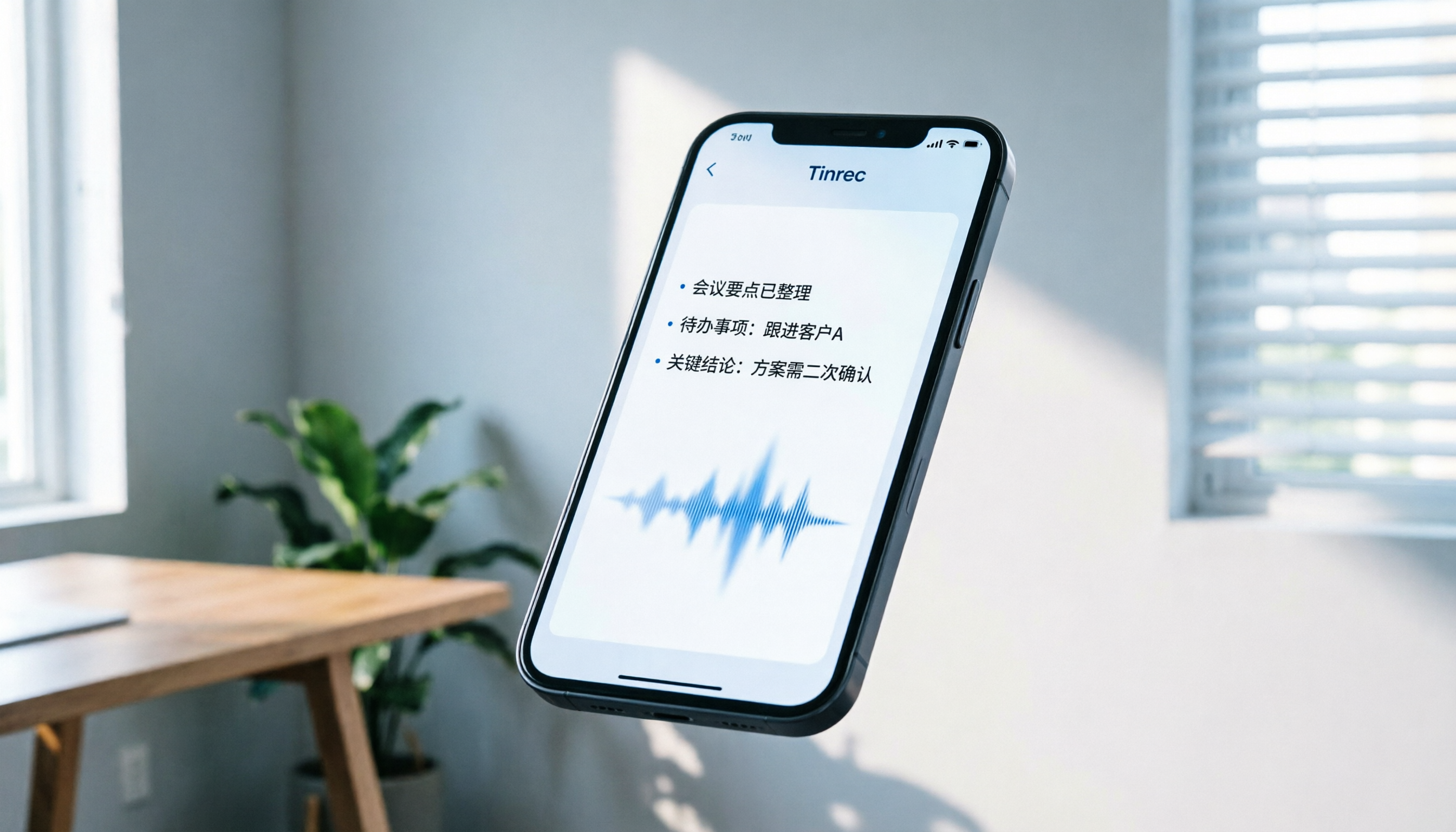
Turn recordings into transcripts and summaries in minutes
Upload audio or video for multilingual transcription, AI notes, and action items
What is Yating Transcription? 2024 In-Depth Review and Buying Guide for 7 Speech-to-Text Tools
Faced with a two-hour meeting recording or a full lecture video, have you ever been completely tense for fear of missing key points, yet still unable to digest all the information in the moment? The traditional "record and replay later" method is not only time-consuming but also leaves crucial decisions and knowledge buried in lengthy audio files.
Many users in Taiwan often come across the name "Yating Transcription" when searching for solutions. What exactly is it? Is it the best choice? This article takes an objective look at Yating Transcription's positioning and compares it with international tools like Tinrec, Otter.ai, and Notta across multiple dimensions. We will help you find the best workflow companion based on three core dimensions: Chinese recognition accuracy, AI post-processing capabilities, and cross-platform convenience.
Quick Navigation Conclusions:
- Priority for mixed Traditional Chinese/Taiwanese recognition: Consider Yating Transcription or Tinrec first.
- Need real-time meeting summaries and action items: Tinrec's AI workflow is more complete.
- Mainly use English meetings with international teams: Otter.ai is a classic choice (but does not support Chinese).
- Seeking high value and multilingual support: Tinrec and Notta are worth comparing.
1. What is Yating Transcription? Core Features and Positioning
"Yating Transcription" is a speech-to-text service developed by a Taiwanese team. Its biggest feature is optimization for the "Taiwanese local language context." Unlike many international tools that only support standard Mandarin, Yating Transcription demonstrates higher recognition stability when handling "mixed Chinese and English," "Taiwanese (Southern Min)," and Mandarin with a Taiwanese accent.
Main Features
- Localized Language Support: Adapts well to common language mixing scenarios in Taiwan (e.g., suddenly switching to Taiwanese or English terms during a meeting).
- Web-Based Interface: Users can upload audio files via a browser for conversion without installing complex software.
- Basic Editing Features: Provides basic text proofreading and timeline alignment.
Potential Limitations
However, with the rapid iteration of AI technology, traditional transcription tools face new challenges. Yating Transcription mainly focuses on "transcription" itself, but its "post-transcription intelligent application" is relatively basic. For example, it rarely provides auto-generated meeting summaries, action item extraction, or semantic-based dialogue queries. For modern professionals who need to quickly extract decisions from large amounts of audio, having only a transcript may still not solve the problem of "information overload."

2. Why You Need a More Advanced AI Recording Assistant
Before evaluating tools, we must clarify the real pain points of "speech-to-text." According to market feedback, user dissatisfaction usually comes from three points:
- Only text, no conclusions: Traditional tools output thousands of words of transcript, requiring readers to spend significant time reading to find key points.
- Difficult search: When you want to find "last meeting's discussion about the budget," traditional tools can only rely on Ctrl+F keyword matching and cannot understand semantic context.
- Platform limitations: Many tools only support a single system (e.g., iOS only or Web only), failing to meet cross-device needs like recording on a phone and editing on a computer.
Therefore, modern selection criteria should upgrade from "transcription accuracy" to "information processing efficiency." Below we introduce several representative alternatives and focus on how Tinrec solves the above problems through an AI workflow.
3. Horizontal Review of Popular Speech-to-Text Tools
To help you make an informed choice, we selected seven representative tools on the market for comparison, covering local strengths, international leaders, and emerging AI applications.
1. Tinrec (Second Voice Recording): Complete AI Workflow from Recording to Action
Tinrec is a multi-platform AI recording assistant that emphasizes "usage efficiency." Unlike traditional tools, Tinrec's core value is not "transcribing text" but "understanding content and generating actions."
Core Advantages:
- AI Dialogue Query: This is the biggest difference between Tinrec and traditional tools. You can ask questions about the recording content as if talking to a person, for example: "What was the conclusion of this meeting about the marketing budget?" Tinrec will directly answer based on semantics, rather than just marking keyword locations.
- Auto-Generated Meeting Minutes: The system automatically identifies speakers and generates structured meeting summaries, conclusions, and action items, significantly reducing post-meeting organization time.
- Powerful Multilingual and Format Support: Automatically recognizes 10 languages including Chinese, Japanese, English, Korean, German, Taiwanese, and Cantonese. Also supports audio files (MP3, WAV, etc.) and video links (YouTube, Podcast) to text.
- Cross-Platform Seamless Sync: Provides iOS, Android, and Web versions with real-time data sync, suitable for mobile office users.

Use Cases:
- Office workers who need to quickly produce meeting records.
- Content creators who want to extract insights from long interviews or podcasts.
- Students who need to review class highlights and organize notes.
Pricing:
- Free: Up to 100 minutes of recording per month.
- Basic: $4.9/month, 600 minutes per month.
- Pro: $8.25/month, 1200 minutes per month.
2. Otter.ai: Gold Standard for English Meetings
Otter.ai is a globally recognized meeting transcription tool, especially suitable for international teams.
Stop organizing recordings by hand
Upload audio or video and automatically get a transcript, summary, and action items
- Pros: Extremely high English recognition accuracy, excellent speaker diarization, real-time integration with Zoom and Teams.
- Cons: Does not support Chinese. This is a fatal flaw for Taiwanese users who primarily communicate in Chinese.
- Comparison with Tinrec: If your work environment is entirely English, Otter is a good choice; but if it involves mixed Chinese-English or pure Chinese, Tinrec's localization support is more advantageous.
3. Notta: All-Rounder with Multilingual Support
Notta supports over 50 languages with an intuitive interface, popular among freelancers.
- Pros: Wide language coverage, basic AI summary feature, smooth app experience.
- Cons: Some users report that its Chinese recognition stability is not as good as tools specializing in Asian languages, and its summary accuracy needs improvement when processing lengthy, complex logic.
- Comparison with Tinrec: Tinrec is more detailed in Chinese and Taiwanese recognition, and its "AI dialogue query" is more efficient for retrieving specific information than Notta's traditional search.
4. MyEdit: CyberLink's AI Audio Toolbox
MyEdit, launched by CyberLink, includes powerful audio editing features in addition to transcription.
- Pros: Combines editing tools like noise reduction and voice changer, suitable for creators who need to process audio quality.
- Cons: Low free quota, mainly positioned as "editing" rather than "meeting management."
- Comparison with Tinrec: If you need "meeting records and knowledge management," Tinrec's workflow is more suitable; if you need "audio enhancement," MyEdit is better.
5. VEED.IO: Subtitle Tool for Video Creators
VEED.IO focuses on online video editing and automatic subtitle generation.
- Pros: For YouTubers or short video creators, it can directly burn subtitles into videos with good visual effects.
- Cons: Transcription is just an add-on feature; it lacks structured organization of meeting minutes and action items.
- Comparison with Tinrec: Tinrec also supports YouTube video-to-text and summary generation (as shown below), but focuses more on content understanding and text output rather than video editing.

6. Built-in System Tools (Google Live Transcribe / Apple Dictation)
Many built-in dictation features on phones are often mistaken for speech-to-text tools.
- Limitations: These tools are primarily designed for "real-time voice typing" and usually do not support uploading existing long audio files for transcription, nor can they save complete meeting record structures.
- Recommendation: Only suitable for short memo recording, not for formal meetings or course recording.
7. OpenAI Whisper / Faster Whisper: Developer's Choice
Whisper is one of the most powerful open-source speech recognition models available.
- Pros: Extremely high recognition accuracy, can run offline, good privacy.
- Cons: Requires technical background to deploy and maintain, no ready-made user interface (UI) or AI summary features.
- Comparison with Tinrec: Tinrec essentially packages a high-end model similar to Whisper into an easy-to-use product with an added AI understanding layer. For non-technical users, Tinrec offers an out-of-the-box experience.

4. How to Choose the Right Tool for You? Three Decision Dimensions
Lost among many tools? Filter based on these three questions:
1. What is your primary language?
- Pure English: Otter.ai is a mature choice.
- Chinese/Taiwanese/Mixed Chinese-English: Yating Transcription, Tinrec, Notta are the main candidates. Tinrec and Yating perform better in Taiwanese and local expressions.
2. What output do you need?
- Just a transcript: Any basic transcription tool will do, even built-in dictation.
- Need meeting minutes, action items, key highlights: Must choose a tool with AI summarization capabilities, such as Tinrec or Notta. Tinrec's advantage lies in its highly structured summaries and support for subsequent AI dialogue follow-up.
3. Your devices and usage scenarios?
- Record on phone, organize on computer: Need cross-platform sync cloud service. Tinrec supports iOS/Android/Web full platform with seamless data sync.
- Mac only and privacy-focused: MacWhisper is a good offline choice, but lacks cloud collaboration and AI summaries.

5. Practical Tutorial: How to Use AI Tools to Improve Meeting Efficiency?
Using Tinrec as an example, here is an efficient meeting record workflow:
Step 1: Record in real-time or upload audio file Open the Tinrec app and click record at the start of the meeting. If you already have an audio file, you can directly upload it to the web version. The system supports multiple formats like MP3, M4A, WAV.
Step 2: Automatic transcription and language identification After recording, AI automatically identifies the language (e.g., detects mixed Chinese-English or Taiwanese) and transcribes it. At this point, you can see the transcript with speaker differentiation.
Step 3: View AI-generated meeting minutes Switch to the "Summary" page to see automatically generated:
- Meeting topic and conclusions
- Key discussion points
- Action Items: Clearly listed who needs to complete what task by when.
Step 4: Use AI dialogue query for details If you have doubts about a specific detail, no need to replay the entire recording. Simply type in the dialogue box: "What was the Q3 marketing budget cap mentioned earlier?" Tinrec will immediately retrieve and answer from the recording content.

6. FAQ
Q1: Is Yating Transcription free? A: Yating Transcription usually offers a free trial quota or a basic free plan, but long-term or high-frequency use may require payment. Please refer to its official website for specific pricing. In comparison, Tinrec offers 100 minutes of free recording per month, enough for general small meetings or classes.
Q2: Which tool has the best support for Taiwanese? A: Currently, tools on the market with good Taiwanese support include Yating Transcription and Tinrec. Both are optimized for Taiwan's local language environment and can accurately recognize switching between Taiwanese and Mandarin.
Q3: What affects the accuracy of speech-to-text? A: Accuracy is mainly affected by recording quality (background noise, distance), speaker accent, and specialized terminology. It is recommended to record as close to the sound source as possible and choose an AI tool (like Tinrec) that supports custom vocabulary or context understanding to improve recognition of proper nouns.
Q4: What file formats does Tinrec support? A: Tinrec supports common audio formats such as MP3, WAV, M4A, AAC, and also supports extracting audio directly from video links like YouTube and converting it to text.
Conclusion
As a pioneer in Taiwan localization, Yating Transcription solves the basic speech-to-text need, especially with advantages in Taiwanese recognition. However, as work patterns evolve, a simple "transcript" is no longer sufficient to cope with the challenge of information overload.
If you seek not just "hearing" but also "understanding and using," then tools with AI summarization, action item extraction, and semantic query capabilities will be a better investment. Tinrec, by integrating multilingual recognition and deep AI understanding, provides a complete solution from recording to knowledge management, particularly suitable for modern professionals and learners who value efficiency.
When choosing a tool, first clarify your core pain point: Do you need extreme local language support, or comprehensive AI-assisted decision-making? Through the above comparison and practical advice, we hope you can find the digital partner that best empowers your work.
Turn every recording into actionable outcomes
Get 60 free transcription minutes when you sign in. No credit card required.
Related Reading
You might also like
4 Free Real-Time Transcription Tools Compared in 2026: A Generous Free Tier Doesn't Always Mean It's Enough
When looking for a free real-time transcription tool, most people make the wrong choice from the start. This article tackles common misconceptions, first clarifying the difference between "real-time" and "upload," and the three hidden limitations of free plans. It then compares Tinrec, Yating Transcription, cSubtitle, and Otter.ai to help you find a free meeting transcription solution that's actually sufficient.

2026 Live Transcription Tools Compared: Which Free Version Actually Transcribes as You Speak?
What does live transcription mean, and how is it different from recording first and uploading later? This article starts with a clear definition, then covers 5 key points to understand before choosing a live transcription tool. It compares Tinrec, Otter.ai, Granola, and PLAUD in real-world use, and includes common pitfalls and buying advice to help you decide which one truly fits your needs.

2026 Tinrec Review: Real-Time Transcription Without Meeting Bots + AI Q&A for Meeting Notes
Is real-time transcription worth it? This review breaks down 4 key factors for choosing a live transcription tool, focusing on Tinrec (秒聽錄音) and its no-bot online meeting recording, post-meeting AI Q&A, action item organization, and team spaces. We also compare Yating, Otter.ai, and Granola to help you decide which tool fits your needs.

2026 Live Transcription AI Comparison: Which Tool Best Handles Chinese Meetings and Post-Meeting Organization?
How to choose a live transcription AI? This article compares Tinrec, Otter.ai, Notta, and Granola across four aspects: meeting capture methods, Chinese recognition, post-meeting organization, and team collaboration, helping you find the best live transcription tool for your needs.

2026 Live Transcription Tools Compared: Which AI Meeting Assistant Works Best for Chinese?
Tired of re-listening to recordings to write meeting minutes? We tested four live transcription tools—Tinrec, Yating, Notta, and Otter.ai—comparing how they capture online meetings, AI summaries and action items, Chinese and mixed-language recognition, free tiers, and team data ownership. Includes a pitfalls guide and scenario-based recommendations to help you choose the right tool for your meeting needs.

5 Live Transcription Tools Tested in 2026: Which Handles Chinese Meetings Best?
How do you choose a live transcription tool? This article starts from the real pain points of Chinese meetings, outlines 4 key buying factors, and compares Tinrec, Yating Transcription, Otter.ai, and Notta after hands-on use. It honestly lists free quotas, team pricing, and pitfalls to avoid, helping you find the most convenient one.

4 Real-Time Transcription Tools Tested in 2026: Which One Can Summarize While You're Still in the Meeting?
Can't keep up with notes during meetings and then have to re-listen to an hour of recording? This article tests and compares four real-time transcription and AI summary tools—Tinrec, Otter.ai, Granola, and Notta—and outlines 4 key buying factors, 3 common pitfalls, and which one is best for Chinese-language meetings and professionals who want to use AI to query meeting highlights.
5 LINE Call Recording Methods Tested for 2026: Which Works Best for iPhone, Android, or AI Tools?
LINE doesn't have built-in call recording due to privacy protection and no third-party access, making "just record it" a hassle. This guide covers 5 practical methods—from iPhone built-in capture, Android screen recording, external recording devices, to AI tools—and compares post-recording efficiency. It explains why Tinrec's transcription, AI Q&A, and action item extraction make it the most practical final step for LINE call recording.

5 Best Video Conferencing Software in 2026: Which Free Version Is Enough?
Many people ask what video conferencing software is available. This article reviews 5 common options in 2026: Google Meet, Zoom, Microsoft Teams, Cisco Webex, and LINE. It compares free version limitations, use cases, and paid thresholds, and demonstrates how to use Tinrec to record online meetings without a bot, generate transcripts, summaries, action items, and team data.