
Turn recordings into transcripts and summaries in minutes
Upload audio or video for multilingual transcription, AI notes, and action items
For podcast creators, attracting new listeners is always a challenge. While inviting big-name guests, creating beautiful waveform visuals, or social media short videos are common tactics, if resources are limited, the smartest method with a long-tail effect is to produce "Podcast transcripts."
A clean and accurate transcript not only significantly boosts SEO (helping search engines understand your content) but also makes your show accessible to people with hearing impairments or non-native listeners, and even makes it easier for media to quote your insights. Many tools on the market claim to do this, but which one is right for you?
This article will review the 5 most notable international tools in 2026 (such as HappyScribe, Kapwing) and include Tinrec (Instant Recording), optimized for Traditional Chinese environments, in a comprehensive comparison.
Quick Navigation Conclusions:
- Focus on multilingual translation and accuracy: Choose HappyScribe or VMEG.
- Need to edit short videos (Reels/Shorts): Choose Kapwing.
- Specialize in Chinese recognition, AI summaries, and meeting/interview organization: Consider Tinrec.
- Adobe users need audio repair: Choose Adobe Podcast.
Why Do Podcasts Need Transcription Tools? (Common Pain Points Analysis)
Many creators encounter these bottlenecks after running a show for a while:
- Content can't be found via search: Google crawlers can't "listen" to audio files; without text, your show's content is essentially invisible.
- High content repurposing costs: Turning a 60-minute interview into a blog post or social media post often requires re-listening multiple times, which is time-consuming.
- Listener churn: Non-native listeners or those in environments where they can't play audio (e.g., commuting) may drop off without text support.
💡 Fun fact: The word "Podcast" is actually a portmanteau of "iPod" and "Broadcast" from 2004. By 2026, if your show still lacks transcripts, you might be missing out on billions of potential listeners worldwide.
2026 Top 5 International Podcast Transcription Tools Reviewed
Based on real testing (including scenarios with multiple speakers, accents, filler words, etc.), here are 5 noteworthy international tools:
1. HappyScribe: Great for creators who value speed and accuracy
HappyScribe is a popular choice, supporting 140+ languages. Its core strength is intuitive operation—upload audio, then choose "AI-generated" (approx. 85% accuracy) or "Human-revised" (99% accuracy). Its editor is feature-rich, supporting multi-user collaboration and timeline synchronization, ideal for professional teams needing high-quality transcripts.
- Highlights: Powerful interactive editor, supports multiple export formats (PDF, SRT, Word).
2. VMEG: Ideal for shows needing multilingual localization
VMEG focuses on breaking language barriers, supporting transcription and translation in 170+ languages. If your podcast is also on YouTube and you want to reach overseas audiences, VMEG's subtitle translation and dubbing features are quite powerful.
- Highlights: High-quality multilingual translation, optimized for video creators.
3. Kapwing: Perfect for turning long content into social short videos
Kapwing is essentially a cloud video editor. Its strength isn't producing perfect long-form transcripts, but "editing video via text." You can delete sentences from the transcript, and the video is automatically cut accordingly—great for making TikToks or Reels highlights.
- Highlights: Text-driven video editing, quick social short video production.
4. Podcastle: All-in-one studio for solo creators
Podcastle integrates recording, editing, and transcription. You can record remote interviews directly in the browser and use the "Magic Dust" feature to remove noise. Although its AI repair is occasionally unstable, it's convenient for beginners who don't want to switch between multiple tools.
- Highlights: Web-based recording studio, one-click noise reduction.
5. Adobe Podcast: For Adobe users and audio repair
If you're already in the Adobe ecosystem, Adobe Podcast's "Enhance Speech" feature can turn ordinary recordings into studio-quality audio, while also providing transcription services.
- Highlights: Industry-leading AI noise reduction and audio enhancement.
Chinese Content Creation and Mobile Choice: Tinrec (Instant Recording)
In addition to the international tools above, for Traditional Chinese contexts and scenarios requiring "deep organization after recording," Tinrec (Instant Recording) offers a solution centered on "understanding and action."
Stop organizing recordings by hand
Upload audio or video and automatically get a transcript, summary, and action items

Core Differentiation: From "Save" to "Act"
Most transcription tools end at "producing text," but for interview organization, meeting minutes, or study notes, producing text is just the start. Tinrec emphasizes a complete workflow from Record → Understand → Act. Beyond basic transcription, it focuses on extracting "action items" and "decision summaries" via AI, turning long podcast interviews into actionable points quickly.
Key Features
- Multi-platform real-time sync: Supports iOS, Android, and Web, ideal for creators who record interviews or ideas on their phone—text appears in real time as you record.
- AI Chat (Query): This is the biggest difference from traditional tools. You don't need to Ctrl+F through the entire transcript; you can just "ask" the AI in natural language. For example: "What are the three key points about SEO mentioned in this episode?" The AI will answer based on the recording.
- Multi-format support: Besides recording, you can upload audio files or paste YouTube/Podcast links for transcription.

Comprehensive Comparison Table: Features and Specifications
To help you decide quickly, here's a dimensional comparison of Tinrec with international mainstream tools:
| Dimension | HappyScribe | Kapwing | Tinrec (Instant Recording) | Adobe Podcast |
|---|---|---|---|---|
| Best Use Case | Professional transcript publishing | Social short video editing | Chinese interview organization, meeting minutes, study notes | Audio repair and enhancement |
| Chinese Recognition | Good (generic model) | Average | Excellent (optimized for Chinese) | Good |
| Core Feature | Human proofreading option | Video editing via text | AI Chat query, action item extraction | AI speech enhancement |
| Input Methods | Upload file/link | Upload/link | Live recording, file upload, link | Upload/recording |
| Output/Integration | Subtitle files (SRT/VTT) | Video/social formats | TXT, PDF, Word, AI summary | Adobe ecosystem |
| Free Tier | First 60 minutes free | Watermark restrictions | 100 minutes free per month | File size limits |
Practical Tutorial: How to Quickly Turn a Podcast Episode into Usable Text Content
Using Tinrec's interface as an example, here's how to quickly transform a podcast episode into blog post material or key takeaways:
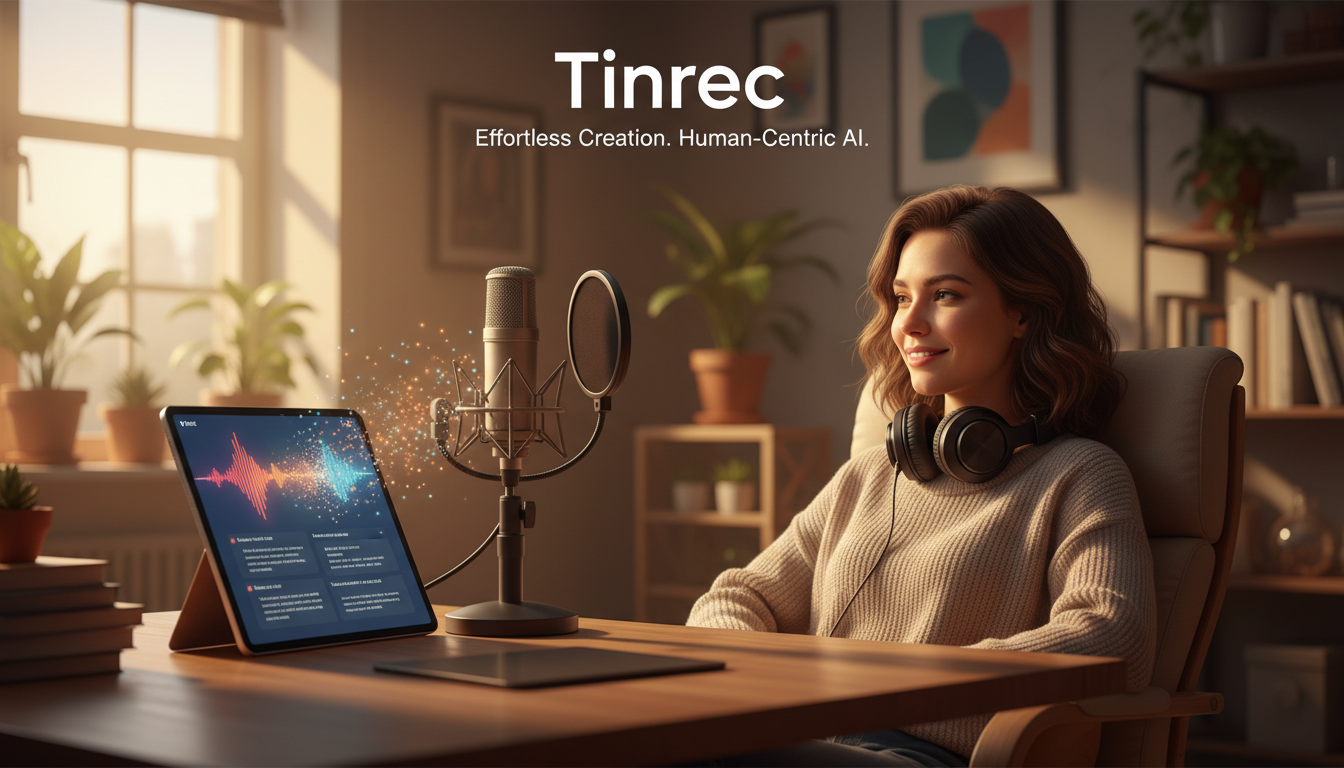
Step 1: Import Audio Source
You can either record live (great for in-person interviews), or use the "Audio File to Text" feature to upload a pre-recorded mp3/wav file. If your podcast is already on YouTube, you can use the "Podcast/Online Video to Text" feature and paste the link to parse it.

Step 2: Auto-Transcription and Speaker Diarization
The system automatically detects the language (supports 10 languages including Chinese, English, Japanese, Korean) and starts transcribing. Tinrec automatically distinguishes different speakers (Speaker Diarization), which is especially important for duo or multi-person podcast conversations, saving a lot of manual labeling time.
Step 3: Use AI to Extract Highlights and Summaries
Once transcription is done, don't rush to read from start to finish. Use the AI summary feature to generate a "full-text summary" and "chapter outline" with one click. If the interview mentions recommended books or specific advice, the system will attempt to organize them into bullet points.

Step 4: AI Chat Query and Content Repurposing
If you want to rewrite the episode into a post, use the "AI Chat Query" feature.
- Example command: "Based on this recording, write a 150-word Instagram post introducing it with a fun and engaging tone."
- Example command: "List all the tools mentioned by the speaker."
Step 5: Export and Publish
Finally, export the organized text as a Word or PDF file, give it a final polish, and publish it on your website or social media.
Frequently Asked Questions (FAQ)
Q1: How accurate are AI-generated transcripts? Modern AI tools (like HappyScribe and Tinrec) typically achieve 85%–95%+ accuracy with clear audio. However, accuracy drops with background noise, overlapping speech, or heavy accents. We recommend choosing a tool with speaker diarization to reduce editing difficulty.
Q2: Can ChatGPT transcribe my podcast directly? No. ChatGPT currently cannot directly "listen" to long audio files and produce a transcript. You need to use a dedicated transcription tool (like Tinrec or Podcastle) first to get text, then paste that text into ChatGPT for summarization or rewriting.
Q3: Is it legal to transcribe someone else's podcast? If you own the copyright (e.g., your own show), transcription is completely legal. Transcribing others' shows for personal learning or internal research is usually fine, but for public distribution (e.g., on your blog), be mindful of copyright issues; it's advisable to get creator permission or use fair use principles.
Q4: What are the limitations of free transcription tools? Most tools use a subscription or pay-per-minute model. For example, HappyScribe offers a trial, while Tinrec provides 100 free minutes per month. Free tiers usually have restrictions on recording time, export formats, or advanced AI features (like summaries).
Q5: If I record on an iPhone, which tool is most convenient? For phone recording, choose a tool with a native app. Tinrec supports both iOS and Android, and data syncs with the web version, eliminating the tedious step of transferring recordings from phone to computer.
Q6: How can I use transcripts to boost SEO? Publish the transcript as "Show Notes" or a "Blog Post" on your website. Ensure the article includes keywords from the episode and uses appropriate H2/H3 headings. That way, Google can index your podcast content, allowing listeners to find your show via keyword searches.
Turn every recording into actionable outcomes
Get 60 free transcription minutes when you sign in. No credit card required.
Related Reading
You might also like

2026 Post-Meeting Follow-Up Email Templates: 5 Scenarios at a Glance
Struggling to write a follow-up email after a meeting? This article compiles 4 key writing principles for post-meeting follow-up emails, 5 ready-to-use templates for different scenarios, and common pitfalls to avoid. It also explains how to use Tinrec to organize meeting notes first, making your follow-up emails faster and more accurate.

2026 Complete Guide to Automated Customer Requirement Organization: From Interview Transcripts to Action Item Tracking
Can't find customer requirements or organize them with no follow-up? Based on real experiences from student projects and internships, this article breaks down three common mistakes in manual customer requirement organization and uses Tinrec as an example to show how real-time transcription, AI summaries, action item extraction, AI Q&A, and team spaces can turn scattered customer feedback into searchable, queryable, and transferable data.

AI PRD Tools 2026: How to Combine Requirement Gathering and PRD Generation
Struggling with PRDs? The problem is usually not the generation tool, but unorganized requirement materials. This guide breaks down AI PRD tool selection into two parts: requirement gathering and document generation. We tested how Tinrec turns meetings and interviews into usable requirement materials, then pairs with generation tools like ChatPRD, Modao AI Agent, and PMAI. Includes ratings, limitations, pitfalls to avoid, and selection advice for different budgets and scenarios.

4 Meeting-to-PRD Tools Tested: Which One Turns Meeting Notes into Specs?
How do you use a meeting notes to PRD template without wasting time? This article breaks down three common mistakes, provides a ready-to-copy meeting notes to PRD template with a field mapping table, then compares Tinrec, Notta, Otter.ai, and Granola on transcription, AI Q&A, recording retention, and team collaboration. Finally, it offers selection advice for different budgets and scenarios to help you save time rewriting specs.

2026 Meeting Action Item Template Comparison: Which One Actually Gets Things Done?
A meeting action item template isn't about looking polished—it's about whether you can still verify completion six months later. This article provides a ready-to-copy action item table and compares Tinrec, Notta, Otter.ai, and Granola on action item extraction, Chinese-language meetings, and team collaboration.

How to Automatically Extract Meeting Action Items in 2026: AI Summaries + To-Dos in One Go
After a meeting, action items are scattered in the conversation and no one follows up? This article compiles 6 solutions that can automatically extract meeting action items, from Tinrec's bot-free recording, AI summaries, and action item extraction, to the positioning and pricing of Otter.ai, Fireflies.ai, Notta, Granola, and TurboScribe. It also uses scenario comparisons to tell you which one to choose for different budgets and needs.

2026 Meeting Notes Tools Buying Guide: 6 Tested Picks and Action Item Tracking Tips
When meetings end and nothing gets done, the problem is usually the lack of an owner-plus-deadline table. This guide shares hands-on reviews, pricing, and use cases for 6 meeting notes and transcription tools, and compares which ones automatically extract action items and owners, so you can choose the right tool in one go.

2026 AI Meeting To-Do Tools Compared: Tinrec, Notta, and Fireflies — Which One Actually Follows Through?
A hands-on comparison of Tinrec and Notta across six dimensions: meeting capture, post-meeting outputs, historical data queries, team governance, Chinese and mixed-language support, and pricing. Also covers where Fireflies.ai fits among meeting automation tools, helping you decide which AI meeting to-do tool truly turns meetings into action.

The Complete Guide to Customer Meeting Follow-Up Emails in 2026: From Meeting Notes to Follow-Up Letter
Struggling to write a follow-up email after a customer meeting? This article breaks down the complete workflow from meeting notes, summaries, and action items to sending the follow-up email, and compares Tinrec and PLAUD Note in post-meeting organization and team tracking to help you choose the right approach.