
Turn recordings into transcripts and summaries in minutes
Upload audio or video for multilingual transcription, AI notes, and action items
As a content creator or office professional, have you ever faced that moment of frustration: holding a one-hour interview or meeting recording, only to find that most speech-to-text tools give up due to the unique "colloquial mixed with formal" nature of Cantonese, plus English-Chinese code-mixing?
Beyond accuracy, traditional transcription tools often just spit out text without helping you organize key points. This article consolidates an in-depth review of 6 mainstream tools in 2025, including Hong Kong-based Subanana, professional editing software Premiere Pro, and productivity tool Tinrec focused on "turning recordings into action."
Quick Navigation Conclusion:
- If you're a video creator seeking top-notch Cantonese subtitle accuracy and colloquial-to-formal conversion: prioritize Subanana.
- If you're a professional/student who values meeting summaries, action item extraction, and AI chat: check out Tinrec.
- If you're already an Adobe ecosystem user and only need basic subtitles: Premiere Pro is a ready-made choice.
1. Current Pain Points: Why Is Cantonese Speech Recognition So Hard?
Cantonese speech-to-text is considered a major AI challenge, mainly due to three pain points:
- Code-mixing (English-Chinese mixing): Daily conversations in Hong Kong and some Cantonese-speaking regions frequently mix English words (e.g., "Presentation", "Deadline", "Share"), confusing traditional Chinese recognition engines.
- Colloquial vs. Formal: What's said as "而家" should be written as "現在"; "咁樣" becomes "這樣". Most tools only "type what they hear" without automatically polishing into fluent formal writing.
- Background noise: Outdoor interviews or overlapping voices in multi-person meetings can drop accuracy from 90% to 60%.
Next, we'll analyze each tool's pros and cons based on test data and features.
2. In-Depth Review of 6 Mainstream AI Speech-to-Text Tools
1. Subanana: Subtitle Savior for Video Creators
According to the latest test data, Subanana performs best with Cantonese code-mixing, achieving 97.5% accuracy. Its killer feature is the **"colloquial-to-formal direct conversion"** function (approximately 95.3% accuracy), greatly reducing post-production time for converting colloquial subtitles into formal written language. For YouTubers or media agencies needing high-quality subtitles, this is the top choice.
2. Tinrec (Miao Listen): AI Efficiency Brain for Meetings and Study
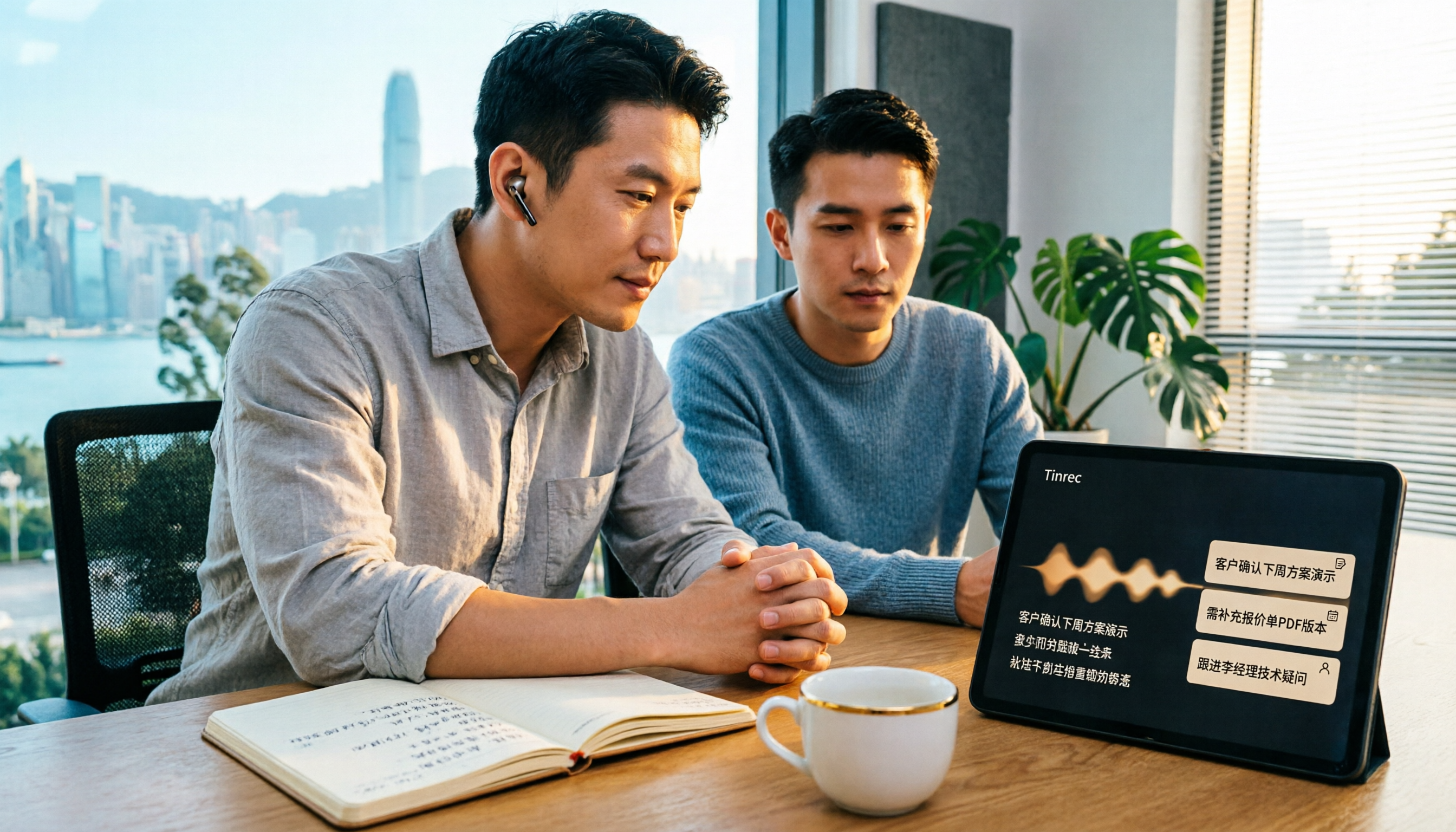
Unlike pure subtitle tools, Tinrec is positioned as a **"from recording to action"** complete workflow. It supports accurate recognition of Cantonese, Chinese, English, and 7 other languages, and solves the problem of "having transcripts but no time to read." Tinrec transcribes in real-time during recording and uses AI to automatically generate meeting minutes and action items, ideal for busy professionals and students who need quick recaps.
3. Adobe Premiere Pro: Built-In Convenience for Editors
As professional post-production software, Premiere Pro's built-in speech-to-text excels in "integration." While its noise resistance and code-mixing accuracy (around 89.4%) lag behind dedicated tools, and it cannot automatically handle colloquial-to-formal conversion, it's the most convenient, no-extra-cost option for Adobe Creative Cloud subscribers.
4. Taption: Cloud-Based Subtitle Tool from Taiwan
Taption (developed in Taiwan) offers a user-friendly interface without installation. However, it performs weaker in Cantonese and noisy environments (accuracy around 72.8%-85.3%), with limited code-mixing handling. Suitable for light users who don't demand high accuracy and prefer no software installation.
5. ArcTime & pyTranscriber: Pay-Per-Use Credit and Open-Source Free Options
ArcTime uses a credit system for occasional users who don't want monthly subscriptions; pyTranscriber is an open-source tool based on Google API, completely free but requiring manual setup, with accuracy highly dependent on recording quality and poor noise resistance.
3. 2026 Tool Specification and Feature Comparison Table
For a more intuitive comparison, we evaluate tools across three dimensions: "Accuracy", "Features", and "Use Cases":
Stop organizing recordings by hand
Upload audio or video and automatically get a transcript, summary, and action items
| Dimension | Subanana | Tinrec (Miao Listen) | Premiere Pro | pyTranscriber |
|---|---|---|---|---|
| Core Strength | Subtitle creation, colloquial-to-formal | Meeting minutes, AI chat query, action item extraction | Video editing integration | Completely free |
| Cantonese Accuracy | ⭐⭐⭐⭐⭐ (Very High) | ⭐⭐⭐⭐ (High) | ⭐⭐⭐ (Medium) | ⭐⭐ (Average) |
| Code-Mixing Handling | Excellent (auto-corrects brand names) | Good (multi-language recognition engine) | Average | Weak |
| AI Summary & Analysis | No (focuses on transcription) | Yes (summary, to-dos, Q&A) | No | No |
| Real-Time Transcription | No (requires upload/link) | Yes (mobile/web real-time recording) | No | No |
| Target Users | Video creators, subtitle teams | Professionals, students, PMs | Professional editors | Budget-conscious tech enthusiasts |
Summary: If your goal is **"producing videos"**, choose Subanana; if your goal is **"absorbing information and managing tasks"**, Tinrec's AI analysis features will suit you better.
4. Tinrec In-Depth Review: More Than Transcription – A "Second Brain"
During testing, Tinrec demonstrated a value distinct from other subtitle tools – **information processing efficiency**. Traditional tools give you 10,000 words of transcript, and you still spend an hour reading; Tinrec aims to save you that hour.
1. Real-Time Transcription & Multi-Device Sync
Tinrec supports iOS, Android, and web. At the start of a meeting, you can open the mobile app to record, and text appears on screen instantly. This is very helpful for scenarios where you need to listen and take notes simultaneously (e.g., classes, interviews).
2. AI Smart Summary & Action Items
This is Tinrec's biggest differentiator. After recording, the system provides not only a transcript but also automatically extracts:
- Meeting conclusion: Sums up 1 hour into one sentence.
- To-do items: Automatically captures "who needs to do what by when," e.g., "Alex submits the financial report by next Wednesday."
3. AI Chat with Audio
This is a ChatGPT-like feature but based on your recording. You can directly ask the AI: "What was the manager's decision about the budget in the second half of the meeting?" The system answers precisely and highlights the audio segment, letting you query like "asking a person" rather than "searching a document."
5. Practical Tutorial: How to Quickly Organize a Cantonese Meeting with AI Tools
Below, using Tinrec as an example, we demonstrate how to quickly turn a Cantonese meeting with code-mixing into actionable notes:
Step 1: Import Audio or Start Recording
- Scenario A (Live meeting): Open the Tinrec app or web version, click "Start Recording."
- Scenario B (Existing file): Go to "Audio File to Text," upload your mp3/m4a/wav file.
- Scenario C (Online video): If the meeting recording is on YouTube or a web link, use "Podcast/Online Video to Text" and paste the URL to parse.
Step 2: Select Recognition Language
- In settings, ensure recognition includes "Cantonese" or select "Auto-detect." Tinrec's multi-language engine handles mixed contexts well.
3. Identify Speakers & Edit
- After processing, the system automatically identifies different speakers (Speaker A, Speaker B). You can quickly label speaker names for easier reading.
Step 4: Use AI to Extract Key Points
- Click the "AI Summary" button to view auto-generated meeting minutes.
- Use the "AI Chat with Audio" feature, e.g., "List all deadlines mentioned in this meeting," to quickly check task progress.
Step 5: Export & Share
- After verifying content, you can export the transcript along with summaries as PDF, Word, or Markdown, and send directly to team members.
6. Frequently Asked Questions (FAQ)
Q1: Can these tools fully understand Cantonese with strong accents? A: Currently, Subanana and Tinrec have optimized Cantonese recognition models, performing well with standard Cantonese and Hong Kong accents. However, if the accent is very strong or includes regional dialects, accuracy may drop. It's recommended to speak close to the microphone during recording.
Q2: What are the typical limitations of free versions? A: Most tools (e.g., Tinrec, Taption) use a "free quota" model. For example, Tinrec's free version offers up to 100 minutes of recording per month; Subanana's basic features are free but advanced features require payment; pyTranscriber is completely free but requires your own hardware.
Q3: What's a good speech-to-text recommendation for iPhone users? A: Due to iOS restrictions, many web-based tools are inconvenient on mobile. Choose tools with dedicated apps, like Tinrec, which supports iOS and Android for stable long-duration recording and background operation.
Q4: If my video is already on YouTube, can I still generate subtitles? A: Yes. Subanana, Tinrec, and Taption all support "link-to-text" features. Simply copy and paste the YouTube link, and the system will grab the audio track for recognition—no need to re-download the video file.
Q5: Which tool is best for taking class notes? A: Note-taking emphasizes "real-time" and "key point organization." Tinrec's real-time transcription combined with AI summary and search functions is more suitable for students and learners than pure subtitle tools.
Q6: Is it safe to upload recording data to the cloud? A: Reputable commercial software (e.g., Adobe, Tinrec, Subanana) typically has strict privacy policies and encrypted transmission. For highly confidential business secrets, review each platform's privacy terms or consider on-premise solutions.
Turn every recording into actionable outcomes
Get 60 free transcription minutes when you sign in. No credit card required.
Related Reading
You might also like
4 Meeting Minutes Templates Tested in 2026: Are Free Templates or AI Tools Enough?
Free meeting minutes templates are easy to find, but incomplete notes, missed decisions, and lost action items are the real pain points. This article starts with common pitfalls, then compares free templates with tools like Tinrec, Otter.ai, Notta, and Granola. We explain how to choose based on free limits, Chinese-language meetings, post-meeting summaries, and team sharing—so you can find a meeting documentation solution that truly saves time.

How to Turn Meeting Recordings into Requirements Documents in 2026: 3 Steps with Tinrec
Meeting recordings aren't just for transcripts—they should generate requirements documents, decision logs, and action items. This guide walks you through a repeatable methodology that connects Tinrec's transcription, AI Q&A, Agent post-processing, and team spaces into one workflow, turning meeting content directly into deliverable work documents.

Tinrec vs Otter.ai 2026: 5-Factor Comparison for Sales Call Follow-Up Emails
After a sales call, the follow-up email often determines whether the deal closes. This article uses 5 criteria to evaluate 6 tools that turn calls into usable materials—from bot-free recording, transcripts, and action item extraction to document generation and team governance—to help you choose the best fit for your sales follow-up workflow.

2026 Comparison of 4 Sales Call-to-Notes Tools: Which Can Generate CRM-Ready Meeting Minutes?
In 2026, we tested 4 sales call-to-notes tools, comparing Chinese transcription, post-call summaries, action item extraction, and CRM export. Sharing first-hand insights from a student intern's perspective. Tinrec stood out for Chinese calls, bot-free recording, and AI Q&A. This article also covers key buying factors and pitfalls to avoid.

2026 Comparison of 3 Meeting Notes Tools: Which Saves Product Managers the Most Time After Meetings?
The meeting ends, but the product manager's busiest moment begins. This article starts from the real pain points of post-meeting organization, breaks down 4 key selection criteria, tests Tinrec's bot-free recording, AI Q&A, and action item extraction, and compares Otter.ai, Granola, and Notta. It also includes a pitfalls guide and a 6-step starter checklist.

2026 Sales Meeting Follow-Up Tools Compared: Which Boosts Post-Meeting Efficiency?
After a sales meeting, the real key to closing deals is post-meeting follow-up. This article compares Tinrec, Fireflies.ai, Notta, and Granola across four dimensions: action item extraction, AI Q&A, cross-platform recording, and team data retention. It also provides a pitfalls guide and selection advice to help you choose the best follow-up tool for your sales team.

Which AI PRD Generator Is Best? 3 Key Buying Factors for 2026: If Your Requirements Notes Are Incomplete, Even the Fastest PRD Will Need Rewriting
AI PRD generators aren't a magic bullet—what really slows down PRD progress is missing or incomplete requirements material. This article starts with common misconceptions and explains how Tinrec uses live transcription, AI summaries, action item extraction, and team spaces to turn requirements interviews and cross-department meetings into searchable, queryable raw material. It also covers 5 things to consider before buying an AI PRD tool in 2026 and answers common questions.
2026 Best AI Sales Call Summarizers Compared: Which Tool Saves the Most Time on Cantonese Recordings?
Sales calls often suffer from having recordings but no records. This article breaks down four key factors for choosing an AI sales call summarizer, then hands-on compares Tinrec, Notta, Otter.ai, and PLAUD Note on Chinese meeting experience, bot-free recording, AI Q&A, and team knowledge retention. Includes pitfalls to avoid and scenario-based recommendations.

3 AI Meeting Notes Tools Tested for 2026: Which One Is Good Enough for Turning Meeting Notes into a PRD?
After a requirements meeting, you sit down to write the PRD but can't remember who said the key decision? This article walks through the complete workflow for turning meeting notes into a PRD, from transcripts and AI summaries to action item extraction and export. It uses Tinrec as a hands-on example, plus 5 things to watch when choosing a tool and answers to common questions, helping you turn the meeting itself directly into source material for your product requirements document.