
Turn recordings into transcripts and summaries in minutes
Upload audio or video for multilingual transcription, AI notes, and action items
Facing a one-hour meeting recording or lecture content, do you ever feel overwhelmed? Traditional audio files are like data graveyards—recorded but rarely revisited, and transcribing them is a time-consuming chore. Especially after recording on an iPhone or Android phone, quickly converting speech to text and extracting key summaries is a top priority for many professionals and students.
This article reviews popular voice-to-text tools on the market. Besides compiling top picks from mybest's recommendations (such as Notta and Transkriptor), we also include Tinrec, which offers a complete AI workflow, for a multi-dimensional comparison. We evaluate from four angles: recognition accuracy, summarization capability, free plan limits, and ease of use, helping you find the best productivity tool.
Quick Navigation Conclusion:
- If you just need a simple transcript on a budget: Consider built-in phone features or pay-per-minute tools.
- If you need real-time transcription and value AI summaries and action items: Choose a tool with full AI analysis (like Tinrec or Notta) to drastically reduce post-meeting organization time.
Why You Need an AI Voice-to-Text Tool: Three Common Pain Points
Before choosing a tool, let's clarify the three core problems with audio organization, which will determine what type of software you need.
1. Low Information Density, High Review Cost
Traditional voice recorders or phone memos capture sound that is essentially "unscannable." To confirm a detail, you often have to scrub back and forth repeatedly; organizing a 1-hour recording usually takes 2-3 hours of transcribing. The primary task of AI tools is to convert "time-based content" into "readable text."
2. Verbose Transcripts Lack Key Decisions
Many free tools only provide a "play-by-play" transcript filled with filler words and repetitions. For meeting notes, real value lies in "conclusions" and "to-do items." New-generation AI tools not only transcribe but also automatically generate summaries.
3. Multilingual and Search Difficulties
In international meetings or foreign language classes, mixed languages (e.g., Chinese mixed with English) are hard to recognize accurately. Also, without keyword search for specific sections, recordings essentially lose their knowledge management value.
2026 In-Depth Comparison of Popular Voice-to-Text Tools
We selected highly discussed tools on the market for a feature comparison, including chart-toppers Notta and Transkriptor, and Tinrec, which emphasizes a complete workflow.
Tool Feature Comparison Table
| Dimension | Tinrec (Instant Voice Recorder) | Notta | Transkriptor | Built-in Phone / Free Tools |
|---|---|---|---|---|
| Core Focus | Recording → Understanding → Action workflow | All-in-one transcription assistant | Multi-purpose & translation oriented | Basic memo |
| Supported Languages | 10 languages: Chinese, Japanese, English, Korean, German, Taiwanese, Cantonese, etc. | 50+ languages | 100+ languages | Varies by system |
| Real-time Transcription | Yes (transcribes while recording) | Yes | Yes | Partial support |
| AI Summary / Action Items | Auto-generates meeting minutes, conclusions, to-do items | AI summary supported | AI assistant supported | No |
| AI Q&A / Chat | Yes (ask questions about the recording) | Yes | Yes | No |
| Video / Link Transcription | Yes (YouTube/podcast links) | Yes | Yes | No |
| Free Plan | 100 minutes per month | 120 minutes per month (limited features) | Trial limit | Fully free (basic features) |
| Ideal Use Case | Teams and individuals focused on "post-meeting execution" | General-purpose recording | Those with high translation needs | Quick, short notes |
Review Insight: If your only need is "turn audio into text," tools like Transkriptor or built-in phone features are sufficient. But if your pain point is "action after organization"—for example, extracting 5 to-dos from a 2-hour meeting or needing to "query" the recording—then tools with deep AI understanding like Tinrec or Notta will better meet your needs.
Stop organizing recordings by hand
Upload audio or video and automatically get a transcript, summary, and action items
Tinrec (Instant Voice Recorder) Deep Dive: From Recording to Action
Among the many tools, Tinrec has a unique design philosophy—it's not just a transcription tool, but emphasizes retrieval and application. Here are key features in real work scenarios:
1. More Than a Transcript: A Decision Aid
Tinrec solves the problem of traditional transcripts that make you miss the forest for the trees. After transcription, it uses AI to analyze context and generate structured meeting minutes and action items. This means you don't need to read the entire transcript; just look at the AI-extracted conclusions to start working.

2. Query Recording Content Like Asking a Person
This is the biggest difference from traditional tools. Traditional tools only allow Ctrl+F keyword search, but if the speaker uses different wording, you can't find it. Tinrec has a built-in AI Q&A feature. You can ask directly: "What was the project manager's conclusion on the budget?" or "What are the key exam points mentioned in this lecture?" The AI answers based on the recording, drastically reducing information retrieval costs.

3. Diverse Input: Even Videos Can Be Transcribed
Besides live recording and uploading audio files, Tinrec also supports direct input of YouTube or podcast URLs. This is especially useful for content creators who need to organize online course notes or competitor analysis, eliminating the tedious step of downloading files.

Practical Tutorial: How to Complete Meeting Notes in 3 Steps with AI Tools
Below, we use Tinrec's interface as an example to show how to turn a chaotic meeting into clear documents. Most similar AI tools follow a similar workflow.
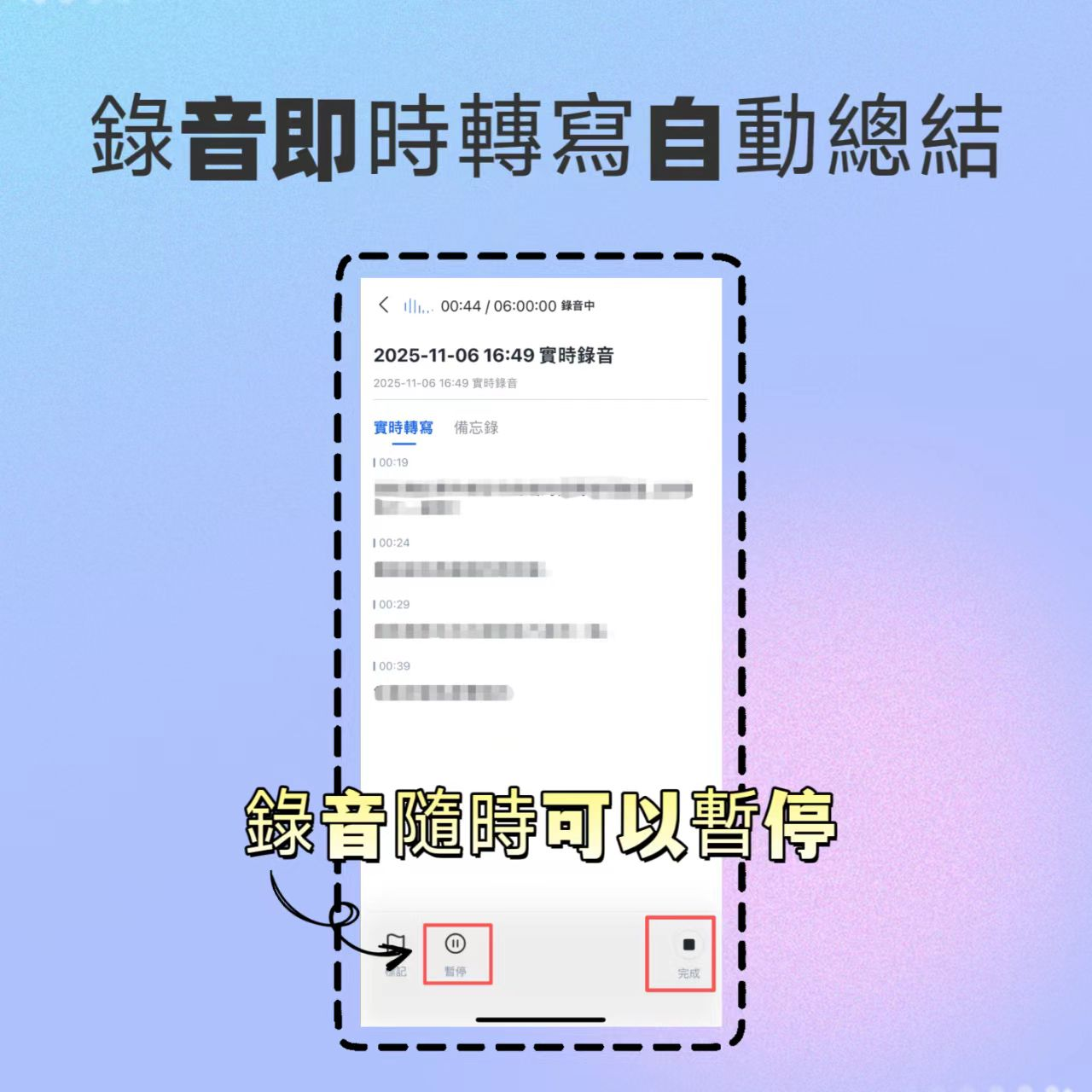
Step 1: Choose Recording or Import Mode
- Live Meeting: Open the app or web version, click Real-time Transcription. This mode supports "transcribe while recording," showing text line by line as you record, ideal for scenarios needing instant confirmation.
- Existing File: If you already have an audio file from a recorder, select Audio File to Text and drag the file to upload. Tinrec supports speaker diarization, automatically identifying different speakers' sections.
Step 2: AI Smart Analysis and Summary
After recording ends, the system automatically transcribes. Don't just stare at the transcript; click the "AI Summary" feature. The system will produce:
- Full Summary: A one-line overview of the meeting's key points.
- Section Breakdown: Automatic segmentation by topic.
- To-Do Items: A list of who should do what by when.
Step 3: Dialog-Based Detail Confirmation
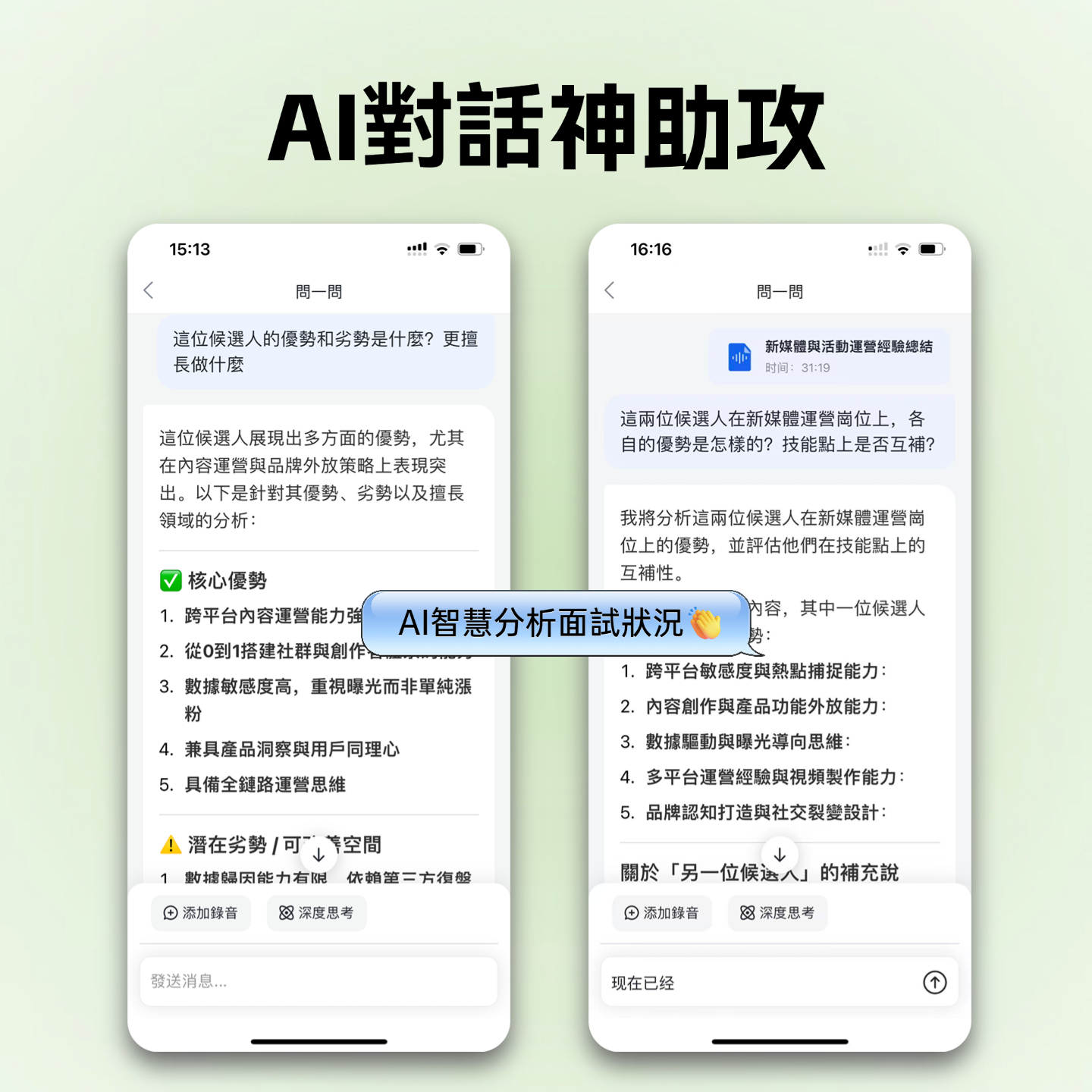
If some details in the summary are unclear, no need to replay the audio. Use the AI Q&A feature. Type your question in the chat box, such as: "What was the outcome of the discussion on the marketing budget?" The system will search the recording and provide an answer.
Frequently Asked Questions (FAQ)
Q1: Are there usage restrictions on iPhones?
Most mainstream AI recording apps (like Tinrec, Notta) support iOS, Android, and web synchronization. However, due to iOS privacy restrictions, third-party apps usually cannot directly record internal audio from phone calls or LINE calls—they can only record ambient sound from the microphone.
Q2: How many free minutes do free plans offer? Are they enough?
It varies. For example, Tinrec's free plan offers 100 minutes of recording per month, suitable for occasional meetings or interviews. Notta and other tools offer similar free minutes. If you are a heavy user (e.g., journalist, executive assistant), consider a paid plan to unlock unlimited recording or advanced export features.
Q3: How accurate is the transcription? What about dialects?
Current mainstream AI models achieve over 95% accuracy for Chinese. For dialects, some tools (like Tinrec supporting Taiwanese and Cantonese) are specially optimized. However, in very noisy environments or when multiple people speak over each other, accuracy may drop. It's best to stay close to the audio source when recording.
Q4: Can I transcribe Google Meet or Teams meetings directly?
Yes. Two methods: one is to use the web version's recording feature (with system audio recording permission); another is to use tools with a "virtual bot" that joins the meeting. Tinrec's web version is suitable for recording while on a computer meeting, directly generating notes.
Q5: Is it safe to upload data to the cloud?
This is a major concern for enterprise users. When choosing a tool, check its privacy policy. Reputable paid software usually promises not to use user data for purposes other than model training and offers the option to delete data. If you have highly confidential needs, consider on-premise solutions.
Q6: What export formats are supported?
For ease of editing, professional tools typically support export to TXT, Word, PDF, and SRT subtitle files with timestamps. Tinrec supports multiple format exports, making it easy to paste text into Notion or Word for further report editing.

Turn every recording into actionable outcomes
Get 60 free transcription minutes when you sign in. No credit card required.
Related Reading
You might also like

2026 Speech-to-Text Tools Compared: Which Is Best for Cantonese Meeting Notes and AI Q&A?
Two-hour meeting, another two hours to write up the minutes? This article compares four speech-to-text tools—Tinrec, Notta, Otter.ai, and PLAUD Note—in real meeting scenarios, covering capture methods, Chinese and Cantonese performance, post-meeting organization, and team collaboration. It also highlights four commonly overlooked buying pitfalls to help you save time replaying recordings.

6 AI Meeting Assistants Tested for 2026: From Recording to Minutes, How to Really Save Time
Many people think that once they hit record on an AI meeting assistant, they're done—only to end up with a transcript full of filler words and still have to retype everything themselves. This article reviews 6 practical AI meeting assistants and breaks down how to save time across the three steps of recording, transcription, and post-meeting processing, including the real limitations of free and paid plans.

2026 AI Meeting Assistant Comparison: Download Methods, Chinese Recognition, and Post-Meeting Organization—Which Saves the Most Time?
How do you download an AI meeting assistant? This article compares Tinrec, Otter.ai, Notta, and PLAUD Note based on real-world usage scenarios, covering availability, platform coverage, Chinese recognition, and post-meeting organization capabilities. It also highlights the four most common pitfalls before downloading, helping you choose the right tool once and avoid repeated trial and error.

4 AI Meeting Assistants Compared in 2026: Transcripts, Summaries, and Action Items—What's the Difference?
Still trying to remember who said what after a meeting? This article starts from real-world use cases, breaks down 5 key factors for choosing an AI meeting assistant, and compares Tinrec, Otter.ai, Granola, and Notta across meeting capture methods, Chinese transcription, post-meeting organization, audio retention, and team management. It also includes pricing and pitfalls to help you pick the one that truly fits your workflow.

2026 Comparison of 4 Sales Meeting Note Tools: From Transcripts to Deal Follow-Up, Which Saves the Most Time?
2026 hands-on comparison of sales meeting note tools, starting from common pitfalls, analyzing key purchasing factors, and deeply reviewing Tinrec's bot-free recording, AI Q&A, and team collaboration capabilities to help sales teams turn meeting content into actionable deal data.

2026 Best 4 Sales Meeting Note Apps Compared: Chinese Transcription, Post-Meeting Action Items, and Team Knowledge—Which One Works Best?
Sales meetings need more than just recording. This article compares Tinrec, Granola, TurboScribe, and PLAUD from four angles: bot-free recording, Chinese and sales terminology, post-meeting action items, and team data ownership. It covers pricing, limitations, and buying tips to help you choose a meeting note app that truly helps you follow up with clients.

2026 Comparison of 4 Sales Meeting Note Tools: Which Is Less Work for Chinese Meetings and Follow-Ups?
Starting from customer needs, objections, and action-item tracking in sales meetings, this hands-on comparison tests Tinrec, Otter.ai, Fireflies.ai, and Notta on Chinese transcription, post-meeting organization, and team collaboration to help you choose a meeting note tool suited to sales scenarios.

2026 Comparison of 4 Sales Meeting Note Tools: Which One Turns Customer Needs into Action Items?
Starting from the most common inefficiencies in sales meetings, this comparison examines Tinrec, Fireflies.ai, Granola, and TurboScribe across Chinese-language meetings, bot-free recording, post-meeting Q&A, action items, and team knowledge retention, helping you choose the right meeting note tool for your sales team.

Tinrec vs Notta 2026: 5-Dimension Comparison — Which Is Better for Chinese Sales Meeting Notes and Recommendation Letter Material?
From sales meeting notes to recommendation letters, the real key is whether you can extract citable concrete examples after the meeting — transcription speed is not the point. This article compares Tinrec and Notta across 5 dimensions, explains who Otter.ai and Granola are each suited for, and includes pricing, limitations, and a guide to avoiding pitfalls.