
Turn recordings into transcripts and summaries in minutes
Upload audio or video for multilingual transcription, AI notes, and action items
"I just typed the last sentence, and the boss's next key point slipped my mind." "International meetings with mixed English and Chinese left me totally confused." "One hour of recording takes three hours to transcribe manually." These are the real pain points for professionals, graduate students, and media workers.
The market is flooded with tools claiming to convert speech to text, from established players like iFlytek to emerging AI tools. But which one offers the highest accuracy? Which provides the most generous free quota? This article evaluates 11 mainstream tools in 2026 from five dimensions: recognition accuracy, multilingual support, AI summarization, collaboration, and pricing.
Quick Selection Guide:
- Best for team collaboration and free quota: Choose Feishu Minutes (powered by ByteDance, generous free tier).
- Best for post-recording data utilization and AI query: Recommend Tinrec (emphasizes a complete workflow from recording to action items).
- Best for video subtitle creation: Prioritize NetEase Jianwai Workbench (auto-generates SRT subtitles).
- Best for professional accuracy: If budget allows, choose iFlytek Listening.
1. Why Do You Need a Professional Speech-to-Text App?
Traditional voice recorders only store sound, with extremely low information density and high cost of replaying. Modern AI speech-to-text apps solve three core problems:
- Searchability: Convert audio to text for easy keyword search later.
- Automated Summarization: Use LLMs (large language models) to automatically identify speakers, extract meeting conclusions, and action items.
- Multilingual Processing: Handle dialects (e.g., Cantonese, Taiwanese) or code-switching between Chinese and English.
2. Review of Mainstream Speech-to-Text Tools in 2026
2.1 Collaboration and Ecosystem Powerhouses: Feishu Minutes & DingTalk Flash Notes
Feishu Minutes is a top choice for many enterprises. It goes beyond transcription to emphasize collaboration.
- Core Strengths: Supports 19 languages, accuracy up to 98%, and can precisely recognize professional terms like "chip architecture." Its standout feature is "Smart Notes," which automatically extracts to-do items, risk alerts, and allows multi-user annotation and comments in real time.
- Pricing: The basic plan offers 300 minutes of free transcription per month, very friendly for small to medium teams.
DingTalk Flash Notes suits enterprises within Alibaba's ecosystem. It supports offline transcription and real-time editing, but in tests, it performed slightly worse on dialects (like Cantonese) compared to Feishu, and the personal free quota is limited (5 hours per month), making long-term use more expensive.
2.2 Professional Transcription and AI Decision Support: iFlytek Listening & Tinrec
iFlytek Listening is a veteran in speech recognition.
- Strengths: Extremely high accuracy for Mandarin Chinese (98%), supports 8 languages. Ideal for businesses requiring top accuracy and with sufficient budget.
- Weaknesses: Expensive (high cost for machine transcription quota), lacks collaboration features, more suitable for one-way recording.
Tinrec is an emerging AI recording assistant positioned as a tool that turns recording into action.
- Differentiating Highlights: Beyond high-accuracy transcription (supports 10 languages including Chinese, Japanese, English, Korean, Taiwanese, etc.), Tinrec emphasizes **"post-recording value."** It not only provides a verbatim transcript but also automatically generates structured meeting minutes and action items.
- Exclusive Feature: Supports "AI dialogue queries." You can ask directly like an assistant: "What was the decision on the budget in this meeting?" without having to sift through a long transcript.
- Multi-Platform: iOS, Android, and web version sync data, making it suitable for freelancers and project managers who work across devices.
2.3 Subtitle and Video Creator Specialists: NetEase Jianwai Workbench
If you're a YouTuber or marketer, NetEase Jianwai is a fantastic tool.
- Strengths: After transcription, directly generates SRT subtitle files with timestamps. Supports MP4/MP3 upload, saving the tedious "transcribe then subtitle" process.
- Limitations: 2 hours of free transcription per day, but processing is slow (16 minutes of audio takes 3 minutes to transcribe), and it doesn't support real-time transcription.
Stop organizing recordings by hand
Upload audio or video and automatically get a transcript, summary, and action items
2.4 Lightweight and Free Emergency Tools: Doubao, Tongyi Tingwu & Recording to Text Assistant
- Doubao: ByteDance's AI product, completely free with no ads, great for students. Supports real-time recording and file import, but weak on professional terminology recognition and cannot export Word files.
- Tongyi Tingwu: Alibaba's product, generous new user benefits (90-day trial), rich features (mind maps, chapter summaries), but subsequent pricing is complex.
- Built-in phone apps (iPhone/Huawei): Suitable for quick ad-hoc notes, no need to install extra apps, but limited functionality—usually no speaker diarization or deep AI summarization.
3. In-Depth Comparison Table of 5 Representative Tools
To help you choose more intuitively, here's a comparison of 5 representative tools:
| Dimension | Tinrec | Feishu Minutes | iFlytek Listening | NetEase Jianwai | Doubao |
|---|---|---|---|---|---|
| Core Positioning | Recording + AI decision & action | Team collaboration meetings | Professional accurate transcription | Video subtitle creation | Personal light note-taking |
| Language Support | 10 (including Taiwanese/Cantonese) | 19 | 8 | 8 | Mandarin Chinese only |
| Speaker Diarization | ✅ Yes | ✅ Yes | ✅ Yes | ❌ No | ✅ Yes |
| AI Summarization/Action Items | ✅ Strong (includes AI Q&A) | ✅ Strong (collaborative annotations) | ✅ Medium (chapter summaries) | ❌ None | ⚠️ Basic |
| Export Formats | Word, PDF, TXT, Audio | Feishu Doc, TXT | Word, TXT | SRT, Word, TXT | Text only |
| Pricing/Free Quota | Free: 100 min/month | Basic: 300 min/month | Expensive (few trial minutes) | 2 hours/day | Completely free |
Summary: If you need completely free and simple features, choose Doubao; for team collaboration, choose Feishu; for improving personal workflow efficiency (recording to action items), Tinrec offers the best balance of value and functionality.
4. Practical Tutorial: 4 Steps to Perfect Meeting Minutes with AI Tools
Here we use Tinrec (with its intuitive interface) as an example to show how to turn a chaotic meeting into clear notes:
Step 1: Start Real-Time Recording or Import a File
- In-person meetings: Open the app or web version, tap "Start Recording." Tinrec will convert speech to text in real time, and you can mark key points as you go.
- Online meetings/audio files: If you already have a recording (MP3/WAV/M4A), use the "Audio File to Text" feature to upload it.
- Quick access:

Step 2: Also Works with Online Video Materials
- If you have a YouTube tutorial or podcast link, no need to download the file. Use the "Podcast/Online Video to Text" feature and paste the URL to parse the content—especially useful for learning foreign language courses.
- Quick access: Podcast/Online Video to Text

Step 3: AI Automatically Generates Summary and Action Items
- After transcription, the system automatically identifies speakers (Speaker A, Speaker B).
- Click "AI Summary" to generate meeting minutes, key conclusions, and to-do list with one click, solving the problem of "not knowing what to do after the meeting."

Step 4: Use AI Dialogue Queries for Details
- This is the most time-saving feature. Instead of replaying the recording, type in the right-side dialogue box: "What was John's opinion on the marketing budget?" or "List all the numbers mentioned," and the AI will answer accurately based on the recording content.
- Quick access: AI Dialogue Query

5. Frequently Asked Questions (FAQ)
Q1: Are these apps accurate for speech-to-text? Mainstream tools like Feishu, iFlytek, and Tinrec can achieve over 95% accuracy for Mandarin in clear environments. However, accuracy drops in noisy settings, with multiple people interrupting, or with heavy accents. Choosing a tool that supports "speaker diarization" makes later proofreading much easier.
Q2: Can't the built-in iPhone Voice Memos do transcription? iPhone's Voice Memos only record audio and do not have transcription capability (you need a third-party app). Although the keyboard has a "Dictation" feature, it's not designed for long sessions. Therefore, use dedicated apps (like Tinrec or Feishu) for longer meetings.
Q3: Can I transcribe recordings from Teams or Google Meet? Yes. You can download the recording file from Teams/Meet and then use a tool like Tinrec or NetEase Jianwai's "Import Audio/Video" feature to transcribe it. Some tools like Feishu Minutes support direct system audio recording (requires specific permissions).
Q4: What are the typical limitations of free versions? Most tools impose time limits or feature restrictions. For example, Feishu limits free users to 300 minutes per month; Tinrec's free version offers 100 minutes per month; NetEase Jianwai allows 2 hours per day. For heavy users, paid subscriptions usually unlock faster transcription speeds and unlimited cloud storage.
Q5: Will my data be leaked? Major platforms (like Feishu, iFlytek) and professional tools (like Tinrec) generally have strict privacy policies and data encryption. Avoid using unknown small apps for confidential business meetings.
Q6: Can I directly convert a video into a transcript? Yes. Tools that support video formats (MP4, MOV, etc.) like Tinrec and NetEase Jianwai can directly read the audio track from videos and convert it to text—perfect for processing course videos or interview footage.
Turn every recording into actionable outcomes
Get 60 free transcription minutes when you sign in. No credit card required.
Related Reading
You might also like

2026 Best AI Meeting Transcription Tools Compared: Which Saves the Most Time for Chinese Meetings?
Starting from the decision of which recording-to-meeting-notes tool to choose, this hands-on comparison evaluates Tinrec, Otter.ai, Notta, and Granola on meeting recording methods, Chinese and mixed Chinese-English processing, post-meeting organization, and team collaboration. It also covers 4 key buying factors, 4 common pitfalls, and scenario-based recommendations.
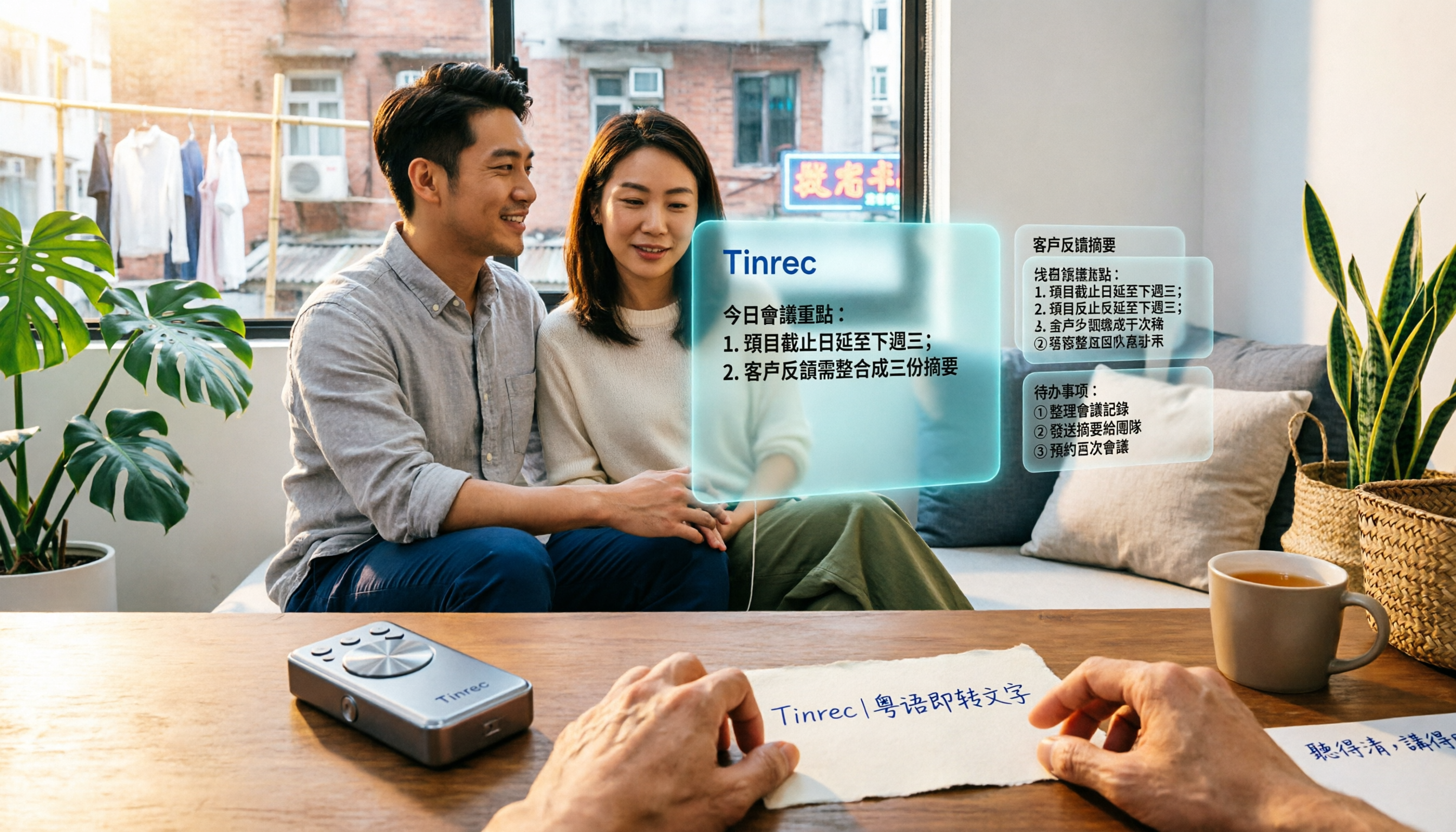
5 Cantonese Speech-to-Text Tools Tested in 2026: Which Saves More Time on Cantonese Transcripts and Post-Meeting Organization?
Looking for a speech-to-text tool that accurately recognizes Cantonese? This article starts with the three most common pitfalls, then covers key points for choosing a Cantonese transcription tool based on real tests, free quotas, and team pricing differences. It also uses Tinrec as an example to demonstrate the complete workflow from recording and transcription to summaries, action items, and team knowledge retention.

2026 Meeting Notes App Comparison: Which AI Summarizer Saves Managers the Most Time?
A mid-level manager leading a 10-person team and attending 15 meetings a week tested five meeting notes apps and shares the criteria for choosing one. From post-meeting organization speed, AI summaries and action items, and online meeting recording methods, to team data ownership and seat management, this explains how Tinrec works in real meeting scenarios, where its limits are, and how to choose between the free and team versions.

5 Best AI Meeting Transcription Tools in 2026: Which Free Plan Is Most Generous?
Tired of replaying meeting recordings to write notes? We break down 5 key factors for choosing an AI meeting transcription tool and compare Tinrec, Granola, Notta, and PLAUD on transcription, AI Q&A, action item extraction, and team collaboration. We also cover free plan limits, pricing, and common pitfalls to help you pick the most time-saving option.

Tinrec vs PLAUD Note 2026: 5-Dimension Comparison — Which Is More Complete for Meeting Transcripts and Post-Meeting Organization?
The biggest pitfall with meeting recording transcripts isn't audio quality — it's that the text gets ignored after transcription. This article compares Tinrec and PLAUD Note across 5 dimensions: meeting capture methods, post-transcript organization, file import and cross-device support, team collaboration and governance, and cost structure, helping you decide between a software workflow and recording hardware.

2026 Top 5 Real-Time AI Meeting Notes Compared: Tinrec vs Notta vs Plaud — Which One Should You Choose?
The real pain point of meeting notes isn't whether they can be transcribed, but how to use them after transcription. This article starts with common misconceptions, outlines the positioning of 5 highly discussed real-time AI meeting note tools, and focuses on the differences between Tinrec, Notta, and Plaud. It compares meeting capture methods, post-meeting outputs, audio retention, team governance, and pricing plans to help you decide which one fits your meeting scenario.

2026 AI Meeting Notes Guide: Tinrec's Bot-Free Recording & Auto-Generated To-Dos
How do you choose an AI meeting notes tool? This article examines Chinese recognition, recording methods, post-meeting organization, and team data ownership, comparing Tinrec, Notta, Otter.ai, and Granola, plus four common pitfalls to help you find a solution that truly saves time after meetings.

5 Best Meeting Notes Apps of 2026: Which Free Version Is Actually Enough?
Still spending an hour after every meeting writing up notes? This comparison puts five common meeting notes app approaches side by side—covering Chinese recognition, how meetings are captured, post-meeting organization, team permissions, and pricing—and explains how Tinrec handles recording, transcription, summaries, action items, and AI Q&A within its free tier.

2026 Meeting Recording Tools: Bot-Free Recording + AI Action Item Management
A mid-level manager who attends 15 meetings a week shares hands-on insights: starting from the decision point of whether to let a meeting bot join, this article breaks down 4 key factors for choosing a meeting recording tool, and explains the real-world experience, limitations, and use cases of Tinrec's desktop bot-free recording, AI summary and action items, Q&A, and team plan roles and seat management.