
Turn recordings into transcripts and summaries in minutes
Upload audio or video for multilingual transcription, AI notes, and action items
When dealing with all-English speeches, lectures, or international meetings, the most frustrating part is often not "not understanding," but "not being able to take notes fast enough." You might understand in the moment, but when it comes to organizing precise Chinese transcripts or key summaries later, you often need to spend double or triple the time replaying the recording. While there are many tools on the market, some only support English, some cannot translate, and others have very low free usage limits.
This article highlights the speech-to-text tools worth paying attention to in 2026, evaluating them from three dimensions: "Chinese integration," "AI summary capabilities," and "free usage limits." Whether you're a creator needing quick captions or an office worker needing to compile meeting minutes, you'll find the answer here.
Quick Summary:
- Budget-limited and only need plain text: Prioritize Google products or built-in system features.
- Privacy-conscious and tech-savvy: OpenAI Whisper is the top choice for offline processing.
- Need AI summaries and Chinese-English translation: Consider Tinrec (a Chinese app called 'Miao Ting Lu Yin') or Otter.ai (English only).
Why is Converting English Speech Recordings into Chinese Transcripts So Difficult?
Before choosing a tool, it's important to understand the common pain points of speech-to-text conversion, which will determine the type of software you need:
- Language barrier and translation cost: Many tools (e.g., Otter.ai) only support English transcription, requiring manual translation into Chinese, cutting efficiency in half.
- High information density: A 60-minute English speech may contain tens of thousands of words. A plain transcript is not only hard to read but also difficult to extract action points.
- Complex multi-platform switching: Recording on your phone, transferring to your computer, and organizing in a note app can lead to fragmented workflows and lost files.
Top Speech-to-Text Tools in 2026
Based on current market conditions and hands-on testing, here are some popular tools categorized by use case:
1. Built-in and Free Entry-Level: Google and Apple
If you prefer not to install extra software, the built-in features on your phone or computer are quite powerful.
- Google Live Transcribe: The go-to for Android users, supporting over 80 languages. It's completely free and offers real-time transcription with environmental sound recognition. Downsides: no recording file upload, and transcripts are only saved for 3 days, making it better for live viewing than post-event organization.
- Apple Dictation: Mac and iPhone users can use built-in dictation, which supports offline use and offers high privacy. Suitable for short voice input, but lacks speaker differentiation or automatic summaries.
2. Open-Source and Privacy-Focused: OpenAI Whisper
For users who value data privacy and have some technical background, OpenAI Whisper is the gold standard. It supports 99 languages, with high tolerance for accents and background noise. Using third-party clients like Whisper Desktop or MacWhisper, you can run it offline on your local machine for free. However, it requires good hardware (VRAM) and lacks cloud sync and AI conversation analysis.
3. AI-Integrated and Workflow-Oriented: Tinrec and Otter
These tools go beyond providing "text" to emphasize "understanding" and "action," suitable for professionals who need deep content organization.
Otter.ai: A well-known international meeting tool, excelling in English recognition and speaker differentiation. The free plan offers 300 minutes per month. However, its biggest limitation is that it only supports English (plus French and Spanish), with no Chinese recognition or interface, making it less ideal for users who need Chinese notes.
Stop organizing recordings by hand
Upload audio or video and automatically get a transcript, summary, and action items
Tinrec (a Chinese app called 'Miao Ting Lu Yin'): This is a cross-platform AI recording assistant supporting iOS, Android, and Web. It recognizes 10 languages including Chinese, English, Japanese, and Korean, and can handle live recordings and audio file uploads. Unlike traditional tools, it extends the workflow to "understanding" by providing AI-generated meeting minutes, action item extraction, and AI chat query. For users needing to quickly turn English speeches into Chinese action items, it's a highly integrated option.
In-Depth Tool Comparison Table
To help you choose more intuitively, we've compared key specifications of the major tools:
| Dimension | Google Live Transcribe | OpenAI Whisper (Local) | Tinrec | Otter.ai |
|---|---|---|---|---|
| Chinese Support | Excellent (Traditional Chinese) | Excellent (Multilingual) | Excellent (Includes Taiwanese Hokkien/Cantonese) | Not supported |
| English Transcription | Good | Excellent | Excellent | Excellent |
| File Upload Transcription | Not supported (live only) | Supported | Supported (audio/video) | Supported |
| AI Summary/Action Items | None | None (plain text only) | Supported (meeting minutes/conclusions) | Supported (English only) |
| AI Chat Query | None | None | Supported (ask questions about content) | Supported (English) |
| Free Usage Limit | Unlimited | Free (requires own hardware) | 100 minutes/month | 300 minutes/month |
| Best For | Classroom assistance/hearing aid | Privacy-sensitive/tech users | Meeting notes/study notes | English-only international meetings |
Practical Tutorial: How to Turn English Speech Recordings into Actionable Chinese Notes
Simply getting a 10,000-word English transcript won't solve your problem. Below is a demonstration of how to use an AI-powered tool (using Tinrec's flow as an example) to complete an efficient "Record → Understand → Act" workflow.
Step 1: Capture and Input Audio
Depending on the source, choose an input method:
Live Speech/In-Person Meeting: Open the mobile app and use the "Real-time Transcription" feature. Place the phone near the speaker for instant captions. Tinrec supports speaker differentiation for easy review later.

Online Video/Podcast: For English speeches or online courses on YouTube, no screen recording needed. Use the "Podcast/Online Video Transcription" feature by pasting the link.

Existing Audio Files: If you have MP3 or M4A files from a voice recorder, upload them via the web or app for transcription.
Step 2: Use AI for Content Understanding and Querying
Instead of searching with Ctrl+F on a transcript, use the "AI Chat Query" feature in Tinrec. For example, ask in Chinese: "What was the speaker's conclusion about the future of AI?" or "List the three main data points mentioned." This lets you quickly extract Chinese key points from English content as if you were asking an assistant, without reading the entire English transcript.

Step 3: Generate Decision Summaries and Export
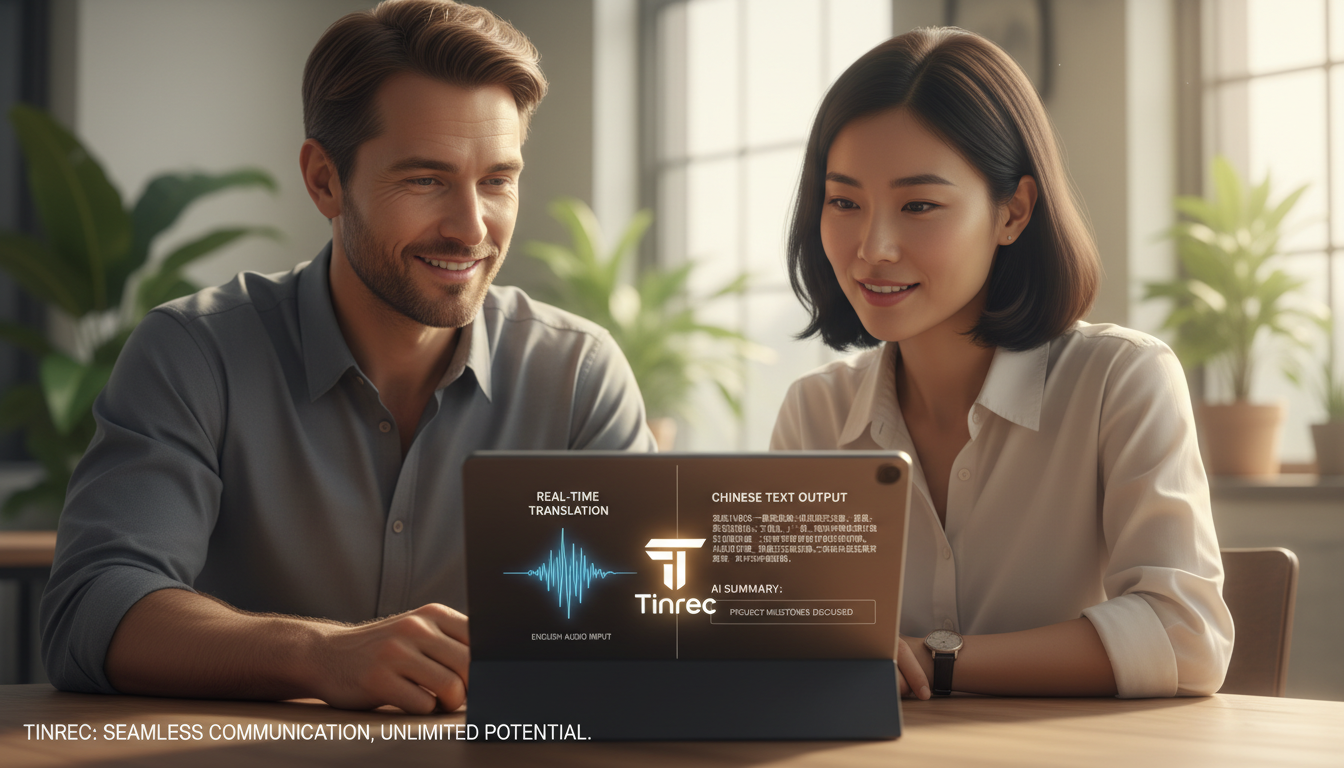
Finally, don't just save a raw transcript. Use AI-generated "Meeting Minutes" and "Action Items."
- Smart Summary: Condense a one-hour session into structured key points.
- Action Item Extraction: Automatically capture "Next steps" or "Action items."
After completion, export as TXT, Word, or PDF, or copy the summary to share with your team.

FAQ
Q1: Are free speech-to-text tools accurate enough? In quiet environments with clear pronunciation, current AI tools (like Whisper or Google) can achieve over 90% accuracy. Accuracy drops with background noise or specialized terms. Consider AI-generated content as a "first draft" that requires quick manual proofreading.
Q2: What options do iPhone users have? Besides iOS's built-in Voice Memos (which are basic), you can download Tinrec or Otter's iOS app. For long recordings while using other phone functions, use a professional app that supports background recording.
Q3: How long does transcription take? It depends on the file length and service. With Tinrec, transcription time is much shorter than the recording (e.g., a 60-minute recording may be transcribed and summarized in just a few minutes).
Q4: Can these tools translate? Google Live Transcribe only displays the original language; Whisper can translate multiple languages into English. For turning English recordings into Chinese notes, using a tool with AI chat and summary (like Tinrec) is more efficient than a pure translation tool, as it can directly summarize key points.
Q5: What happens when the free limit runs out? Most professional services use a freemium model. For example, Tinrec offers 100 free minutes per month for light users. For heavy meeting needs, consider subscribing to the Basic plan (about $4.9/month), which is very cost-effective compared to hiring a human transcriber.
Q6: Can I transcribe YouTube video links directly? Some tools support this. Tinrec allows pasting YouTube, TikTok, or podcast links for parsing, which is very convenient for students taking online course notes, eliminating the need to download and convert videos.
Turn every recording into actionable outcomes
Get 60 free transcription minutes when you sign in. No credit card required.
Related Reading
You might also like

2026 AI Meeting Assistant Comparison: Tinrec vs Notta — Which Is Better for Chinese-Speaking Teams?
This comparison evaluates Tinrec and Notta across five dimensions—meeting capture, Chinese/mixed-language transcription, post-meeting workflow, team governance, and pricing—to help you decide which AI meeting assistant fits your team's meeting style, based on how meetings are recorded, how transcripts are used, and who owns the data when team members leave.

Best Free AI Meeting Assistants in 2026: 5 Options Compared
Before asking 'which AI meeting assistant is best,' most people compare the wrong things. This article starts with free plans and compares Tinrec, Otter.ai, Granola, Notta, and Fireflies.ai across five dimensions, explaining why 'how meetings are recorded' and 'what you get after the meeting' matter more than free minutes. It also includes a ready-to-copy testing checklist and post-meeting question templates.

2026 AI Meeting Assistant Comparison: Which Handles Chinese Meetings and Post-Meeting Follow-ups Best?
AI meeting assistants need more than just transcripts. This article addresses four common misconceptions and breaks down four key purchasing factors: capture method, post-meeting output, Chinese language performance, and data ownership. It compares Tinrec, Otter.ai, Granola, and Notta in real-world tests on Chinese meetings, bot-free recording, post-meeting follow-ups, and team governance, and provides four procurement pitfalls to avoid plus scenario-based selection advice.

2026 Complete Guide to AI Meeting Assistants: Hands-On Testing of 4 Tools and Key Buying Factors for Auto-Generated To-Dos
Starting from the campus pain point of group reports where 'no one remembers the conclusions,' this guide outlines the 4 key factors students should consider when choosing an AI meeting assistant. It shares real-world differences among Tinrec, Otter.ai, Notta, and Granola, including Chinese recognition, online meeting recording methods, post-meeting summaries and to-dos, free quotas, and pricing structures, helping you choose the right tool before the semester starts.

Tinrec vs Otter.ai in 2026: A 5-Dimension Comparison — Don't Choose an AI Meeting Assistant Based Only on Country
Many people search for 'AI meeting assistant which country,' but the real decision is whether you can trust it with your company's meeting recordings. This article compares Tinrec and Otter.ai across five practical dimensions and covers use cases for Notta and Granola, helping mid-level managers and team leads choose the tool that truly saves time and keeps data where it belongs.

2026 AI Meeting Assistant Comparison: 4 Tools Tested — What It Is and How to Choose
An AI meeting assistant is more than just recording and transcription. This article explains in one sentence what an AI meeting assistant is and which post-meeting pain points it solves, then compares Tinrec, Otter.ai, Granola, and Notta across four key dimensions: meeting capture method, Chinese-language experience, post-meeting output, and team data ownership. It also covers four common purchasing mistakes to help you pick the right tool.

2026 Speech-to-Text Tools Compared: Which Free Version Is Actually Good Enough?
A hands-on comparison of the latest free speech-to-text tools in 2026, focusing on four key aspects: free quota calculations, post-meeting organization capabilities, online meeting recording methods, and Chinese language performance. We compare the free plans and limitations of Tinrec, Otter.ai, Notta, and TurboScribe, and highlight four common purchasing mistakes to help you decide which free version is truly sufficient.

6 AI Meeting Assistants Tested for 2026: How to Actually Save Time After Meetings
Many people dump meeting recordings into AI and expect miracles, only to get a transcript nobody wants to read. Based on a mid-level manager's real usage across 15 meetings a week, this article compares the positioning, pricing, and ideal use cases of 6 AI meeting assistants, and explains how to use them to truly save time.

2026 AI Meeting Assistant Comparison: Tinrec vs Otter.ai — How to Use and Which Saves More Time
Starting from the workplace pain point of 'no one remembers what was assigned after the meeting,' this hands-on test compares Tinrec and Otter.ai AI meeting assistants. It breaks down five dimensions: recording methods, Chinese meeting organization, post-meeting follow-up questions, export workflows, and team knowledge retention, with practical steps and selection advice.