

Turn recordings into transcripts and summaries in minutes
Upload audio or video for multilingual transcription, AI notes, and action items
What You Need Isn't Just a Tool, but a Solution That Goes from Recording Straight to Presentation
I have about 15 meetings a week—team meetings, project status updates, one-on-ones, cross-departmental coordination. What used to annoy me most wasn't the meetings themselves, but the aftermath. Because every meeting has decisions and action items, my real work started after the meeting: organizing meeting notes, extracting key points, writing reports, and then creating presentations for my boss. That whole process easily took another half day.

What was even more frustrating was when my boss suddenly asked, "What was the budget conclusion from the last meeting?" and I'd spend three minutes flipping through notes without finding it—that feeling really sucks. If you've experienced this too, this article is for you.
Before Buying a Speech-to-Report Tool, Understand These 4 Key Points
Many people think speech-to-text tools are just about "turning audio into text," but if you need to produce reports and presentations like I do, you can't just look at transcription accuracy. Here are 4 points I've gathered after stepping on some landmines—things you must consider before purchasing.
Can it automatically generate structured reports? A verbatim transcript is useful, but your boss won't read it. What you really need are summaries, action items, key conclusions—ideally ready to be copy-pasted into presentation materials. Our real-world tests show that only a few tools can "transcribe an audio and have the AI automatically organize it into a report outline you can reuse."
How smart is the AI Q&A feature? Traditional transcription tools only let you Ctrl+F to search keywords, but meetings often discuss the same thing in different ways. For example, Tinrec's AI conversation search lets you ask, "Who proposed the budget adjustment?" and it answers based on context, not just a keyword list. This feature is nearly absent in competing tools at the same price point.
Is cross-platform support and input source coverage broad enough? You don't want to be limited to mobile use or only able to record meetings but not handle online videos. In our tests, tools that support iOS, Android, and web, and can paste YouTube links for direct transcription, are much more practical.
Is the free tier really sufficient? Many tools have attractive free plans, but with 100 minutes of recording per month, it's not enough for someone like me who meets daily. I suggest estimating based on your usage frequency before deciding whether to pay.
Tinrec (秒听录音) — Our Top Pick After Testing
Tinrec is a multilingual AI recording and audio/video organization tool that covers iOS, Android, and web. It doesn't just turn audio into text—it helps you organize meeting recordings, lectures, interviews, and even online videos into searchable, summarizable, and queryable data.
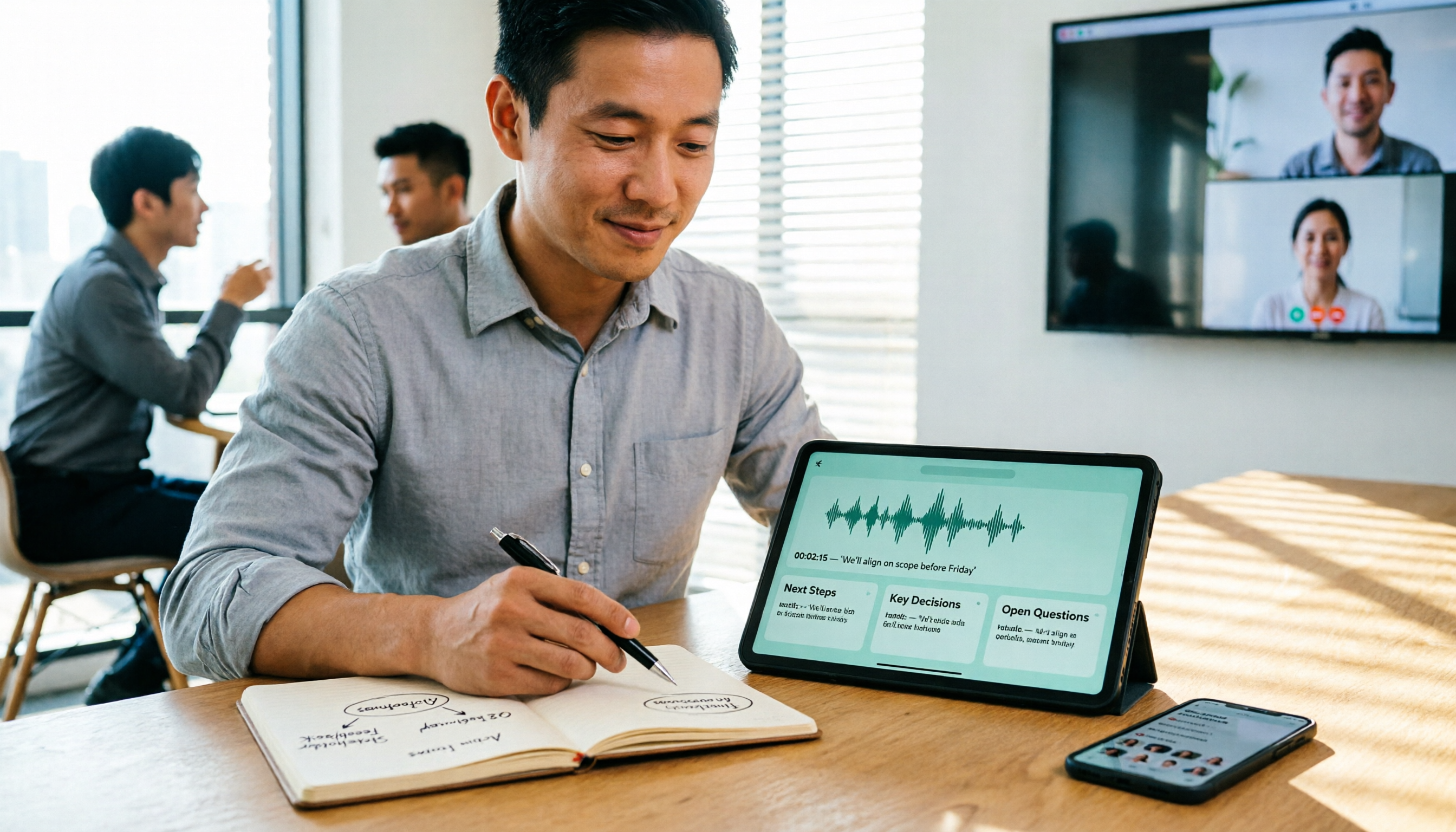
When you start a meeting with Tinrec, it generates a real-time transcript. When the meeting ends, the AI has already auto-generated a summary, chapters, and action items—who is responsible for what, and deadlines are clear. What impressed me most is its Agent post-processing: I can directly command it, "Based on this meeting's notes, generate a report outline with conclusions, action items, and next week's highlights, in a style suitable for executive briefing." It really produces structured text that I can tweak and drop into slides.
Stop organizing recordings by hand
Upload audio or video and automatically get a transcript, summary, and action items
Our team tested a 5-minute Chinese meeting recording (iPhone 15, 26°C indoor environment, slight background air conditioner noise). Tinrec's word error rate was about 8.3%—meaning less than one wrong character per ten sentences. That's acceptable for meeting use, especially since it correctly recognizes Taiwanese accent and proper nouns.
Pros:
- No need to manually organize after recording—the AI directly provides summaries, action items, and a draft report, saving me at least 1 hour of paperwork daily.
- Supports online video link transcription. I once threw a competitor's YouTube product launch video in, and five minutes later I had the transcript and key summary, which made competitive analysis slides super fast.
- AI conversation search is the most practical feature I've used. I can query historical meeting content like a database without ever re-listening to audio files.
Limitations: The free plan offers 100 minutes per month—okay for light use, but for heavy meeting users like me, upgrading to Pro is more realistic. Also, agent-generated output is still text-based; creating polished presentations still requires manual design tweaks, but at least the content skeleton is ready.

Who is it for? If you frequently need to turn meeting recordings into reports and presentations, want cross-platform use, or want to directly query key points using AI—Tinrec is currently the most suitable choice.
Besides Tinrec, What Other Options Are There?
Otter.ai is a classic tool for English meetings, with a generous free tier of 300 minutes per month. However, its Chinese support is weak—no Chinese summary or report auto-generation, and it doesn't support online video link transcription. If you primarily have English meetings, Otter is worth considering; but for Chinese reports and presentation materials, Tinrec's Agent post-processing is clearly more practical.
Notta excels in transcription accuracy and multilingual support, and its paid plan offers plenty of minutes. But it lacks AI conversation search—after recording, you can only manually search keywords; you can't just ask "What was the meeting conclusion?" For professionals who need to quickly review large amounts of meeting content, this is a notable gap.
PLAUD NOTE is a portable recording hardware device, compact and convenient for on-the-go recording. However, it requires an additional purchase and primarily relies on a mobile app, with no web version or direct online video parsing. Tinrec requires no hardware, works on phone and computer, and is better suited for organizing audio/video from diverse sources.
Pitfall Guide: 3 Common Mistakes When Choosing a Speech-to-Report Tool
Pitfall 1: Only looking at transcription accuracy, ignoring post-processing ability. Many tools advertise 98% accuracy, but that's measured in quiet recording studios. Real meetings have background noise, overlapping speech—accuracy drops. More importantly, even with 100% accuracy, you still have to manually organize into reports. Instead of fixating on numbers, focus on "what can the tool auto-generate after transcription."
Pitfall 2: Buying a tool and only using it for transcription. If you only use these tools as speech-to-text converters, you're using only a third of their capability. Features like Tinrec's AI conversation search and auto-report generation can save you another half of your post-meeting organization time. Many people don't know about this and miss out.
Pitfall 3: Ignoring cross-platform and input source limitations. If you record on iPhone today and want to edit on your computer tomorrow, a tool without cross-platform sync becomes a hassle. Moreover, professionals need to handle not just meeting recordings but also online courses, competitor videos, etc. Whether the tool can transcribe by just pasting a link greatly affects its practicality.
Summary: Which One Should You Choose?
Back to the core—if, like me, meetings aren't just for notes but for producing reports and presentations, Tinrec is currently the most complete solution. It not only accurately transcribes meeting content but also generates report structures and key summaries via AI, significantly shortening the distance from recording to presentation.
Use-case-based recommendations:
- Need to automatically organize Chinese meetings into reports or presentations → Tinrec (only one with Agent post-processing and AI conversation search)
- Need cross-platform use and often handle online videos → Tinrec (iOS + Android + web, supports link transcription)
- Primarily English meetings, zero budget → Otter.ai (high free tier, but no Chinese summary or report generation)
- Already have a recording hardware habit and want ultimate portability → PLAUD NOTE, but for post-processing, still recommend pairing with Tinrec
We suggest downloading the free version of Tinrec to try it out—100 minutes per month is enough for two or three meetings to experience the full workflow. If you like it, consider upgrading. No need to pay upfront.
Turn every recording into actionable outcomes
Get 60 free transcription minutes when you sign in. No credit card required.
Related Reading
You might also like

6 Cantonese Speech-to-Text Apps Tested for 2026: Which Delivers the Fastest Cantonese Transcript?
After a one-hour Cantonese meeting, do you really want to spend three hours re-listening and typing? This guide reviews six speech-to-text apps that handle Cantonese, covering live meeting notes, spoken-to-written Cantonese conversion, and video subtitling, with scenario-based recommendations and a free-tier comparison.

2026 Free Speech-to-Text Platforms Compared: Which Free Tier Is Enough and Which Hides Traps?
How to choose a free speech-to-text platform in 2026? I tested and compared the free tier limits and post-meeting workflows of Tinrec, Notta, TurboScribe, and Otter.ai, and compiled 5 key buying factors, 3 common mistakes, and scenario-based selection advice to help you find a free solution that truly gets the job done.

Tinrec vs Yating Transcription in 2026: 5-Dimension Comparison — Which Free Speech-to-Text Tool Is More Cost-Effective?
There are many free speech-to-text tools, but their quota calculations vary widely. This article starts from four decision points: recording volume, language, privacy, and post-meeting organization. It tests and summarizes six options: Tinrec, Yating Transcription, LexiTranscript, Good Tape, Notta, and Whisper, with free quotas and paid prices, to help you choose the one that truly meets your needs.

Tinrec vs Notta 2026: 5-Dimension Comparison Chart — Which Is Better for Chinese Meetings and Team Knowledge Retention?
When you search for 'speech-to-text comparison chart,' you're likely already torn between two candidate tools. This article compares Tinrec and Notta across 5 dimensions—meeting capture, post-meeting organization, Chinese language experience, team governance, and pricing/quotas—with a comparison chart to help you decide which one better fits your meeting scenarios.
5 Best Speech-to-Text Tools in 2026: Free Tiers and Chinese Recognition Compared
Spent two hours in a meeting and now need another two hours to replay the recording and find the conclusion? Starting from the real-world scenarios of everyday office workers, this article outlines 4 key factors for choosing a speech-to-text tool in 2026, compares the free tiers, Chinese recognition, post-meeting organization, and team collaboration capabilities of 5 tools including Tinrec, Otter.ai, Notta, and Granola, and lists the three most common purchasing pitfalls.

4 Free Speech-to-Text Apps Tested in 2026: Which Free Tier Actually Gives You Enough?
There are plenty of free speech-to-text apps, but "free" often comes with hidden limits on minutes, file length, and features. This article tackles common misconceptions and breaks down the free plans of Tinrec, Otter.ai, Notta, and TurboScribe—comparing how quotas are calculated, meeting recording methods, and post-meeting organization capabilities—to help you pick the one that can truly handle a full meeting.

Zoom Meeting Notes Tools Compared: Tinrec vs Notta for Chinese Meetings (2026)
Learn how to join a Zoom meeting step by step and avoid common pitfalls, then see how Tinrec and Notta compare in meeting recording, Chinese transcription, post-meeting organization, team governance, and pricing to decide which tool to use after your Zoom call.

Zoom Meeting Recording in 2026: 3 Methods Tested — Which One Actually Saves You Time After the Call?
Many people search for "Zoom meeting download" expecting that installing the app will automatically generate transcripts and meeting minutes. This article addresses that common misconception, compares built-in recording, manual note-taking, and Tinrec, explains how bot-free recording, live transcription, AI summaries, and action-item extraction actually work, and lists 5 things to consider when choosing a tool plus key points about team plan permissions.

Which Zoom Meeting Notes Tool Is Best? 2026 Hands-On Test of 5 Options—This One Excels for Chinese Meetings
In 2026, after starting a new Zoom meeting, instead of scrambling to catch up on notes, choose the right meeting notes tool. Based on real-world scenarios, this article explains how Tinrec records Zoom without a bot, provides real-time transcription, generates summaries and action items, and outlines 5 buying checkpoints and FAQs.