
Turn recordings into transcripts and summaries in minutes
Upload audio or video for multilingual transcription, AI notes, and action items
Have you ever experienced this frustrating moment: after a one-hour meeting, you spend two hours re-listening to the recording just to find out the deadline for a certain project? Or staring at a wall of transcripts missing the key points?
In this era of rapid AI development, simple "recording-to-text" is just the basics. The real productivity battleground lies in "content retrieval" and "action transformation." This article compiles the 8 major tools on the market in 2026, from real-time dictation to deep note analysis, helping you make the best choice based on different scenarios.
Quick Navigation Conclusions:
- If you want to type by speaking (writing/replies): Go with Wispr Flow or Windows 11 built-in input.
- If you want to analyze long meetings or academic discussions: Recommend NotebookLM.
- If you want to "chat with the recording" to find answers and auto-generate action items: Try Tinrec (Instant Audio).
1. Why Traditional Transcripts Fall Short: The Evolution from "Recording" to "Retrieval"
In the past, we used Google Live Transcribe or Evernote audio recordings. While we got text, we often faced the issue of "low information density." Spoken language is full of fillers and redundancies; even when transcribed, reading efficiency remains low.
The new generation of "AI conversational content retrieval tools" solves three core pain points:
- Structured Summaries: Not just transcripts, but automatic speaker identification and key point summarization.
- Action Item Extraction: Automatically extract "who" needs to do "what" by "when."
- Conversational Query: You can directly ask the AI "What did the manager think about the budget?" instead of using Ctrl+F to search.
2. 2026 Top 8 AI Speech-to-Text Tools: Categorized by Use Case
Based on actual testing and online reviews, different tools suit vastly different workflows. Below are recommendations categorized by usage scenario:
2.1 Real-Time Speech Input (Best for writing, emails, short texts)
These tools act like "super dictation assistants," turning your spoken words into text instantly.
- Wispr Flow (Mac/iOS/Windows): Currently excels in Traditional Chinese recognition and correction, supports cross-app input. Pros: customizable dictionary and retains recording for playback.
- Windows 11 Built-in Voice Input: Zero cost, press
Win + Hto activate. Pros: native system integration. Cons: no recording retention, lost if crashes.
2.2 Meeting Recording & Long-Form Notes (Best for meetings, interviews)
- Evernote: Veteran note-taking app, suitable for 5-30 minute recordings; transcript can be saved directly as a note. Con: sometimes outputs Simplified Chinese.
- Google Live Transcribe (Android): A gem for Android users, can record for long periods without interruption, but lacks refinement features; typos need manual correction.
2.3 Deep Analysis & Brainstorming (Best for organizing messy ideas)
- NotebookLM: Powerful tool from Google, ideal for uploading "very long recordings" for analysis, but not for real-time recording.
- ChatGPT / Gemini: Great for "think out loud," letting AI organize rambling speech into a structured article. Con: unstable network may cause recording loss.
2.4 Comprehensive: Recording + Retrieval + Action Item Management
- Tinrec (Instant Audio): Positioned as an end-to-end assistant. It fills the gap between "real-time recording" and "post-recording retrieval." It supports multi-device recording, with core features being "AI conversation query" and "task extraction" after recording, turning audio files into interactive databases.

3. In-Depth Review: Tinrec's Differentiating Features
Among many tools, Tinrec (Instant Audio) offers a unique design for "content retrieval." If your work involves many cross-language meetings or requires quick recap, these features are worth noting:
3.1 AI Conversational Query
This is a rare feature in traditional transcript tools. When you have a 2-hour meeting recording, you don't need to read from start to finish. Just type a question in Tinrec's chat box, e.g., "What are the risk assessments for this project?" The AI answers based on the recording content.
Stop organizing recordings by hand
Upload audio or video and automatically get a transcript, summary, and action items

3.2 Auto-Generated Meeting Minutes & Action Items
For project managers (PMs), the worst fear is no one following up after meetings. Tinrec automatically generates structured meeting minutes upon transcription completion, including a To-Do List with assignees and tasks clearly marked.

3.3 Supports Multiple Input Sources
Besides live recording and file upload, Tinrec also supports pasting YouTube or Podcast links for direct transcription. This saves content creators a lot of time when compiling competitive analysis or learning online courses.

4. Tool Specification Comparison Table
To help you choose more intuitively, here's a dimension comparison of selected representative tools:
| Dimension | Tinrec (Instant Audio) | Wispr Flow | NotebookLM | Windows 11 Built-in | Evernote |
|---|---|---|---|---|---|
| Core Positioning | Meeting retrieval & action item management | Real-time voice input | Deep database analysis | Quick dictation | Note archiving |
| Real-time transcription | Yes (App/Web) | Yes | No (requires upload) | Yes | Yes |
| AI Conversational Query | ✅ Yes (ask about recordings) | ❌ No | ✅ Yes | ❌ No | ❌ No |
| Action items / Summary | ✅ Auto-generated | ✅ Auto-refinement | ✅ Auto-generated | ❌ No | ✅ (Manual trigger) |
| External link transcription | ✅ (YouTube/Podcast) | ❌ No | ✅ (Partial support) | ❌ No | ❌ No |
| Multi-language recognition | Chinese/English/Japanese/Korean etc. 10 languages | Supports multiple languages | Supports multiple languages | Depends on system settings | Depends on settings |
| Free tier | 100 minutes per month | Trial credit | Free (currently) | Free | Free version limitations |
5. Practical Tutorial: Building an Efficient Workflow with AI Tools
Below using Tinrec as an example, we demonstrate how to create an efficient workflow from "input" to "retrieval." This process works on iOS, Android, and web versions.
Step 1: Create a Recording or Import Material
You have three ways to start capturing:
- Live Meeting: Open the app and tap "Start Recording"; the system instantly converts speech to text. Best for class notes or in-person meetings.
- Existing File: If you have files from a voice recorder, choose "Import Audio/Video"; supports mp3, wav, m4a, etc.
- Online Content: Copy a YouTube or Podcast URL and select "Link Parsing" to get a content summary.

Step 2: View Auto-Generated Structured Notes
After recording ends, no need to manually re-listen. Directly check the AI-generated:
- Full Transcript (clickable to jump to corresponding audio).
- Speaker Diarization (clearly know who said what).
- Smart Summary (quickly grasp meeting conclusions).

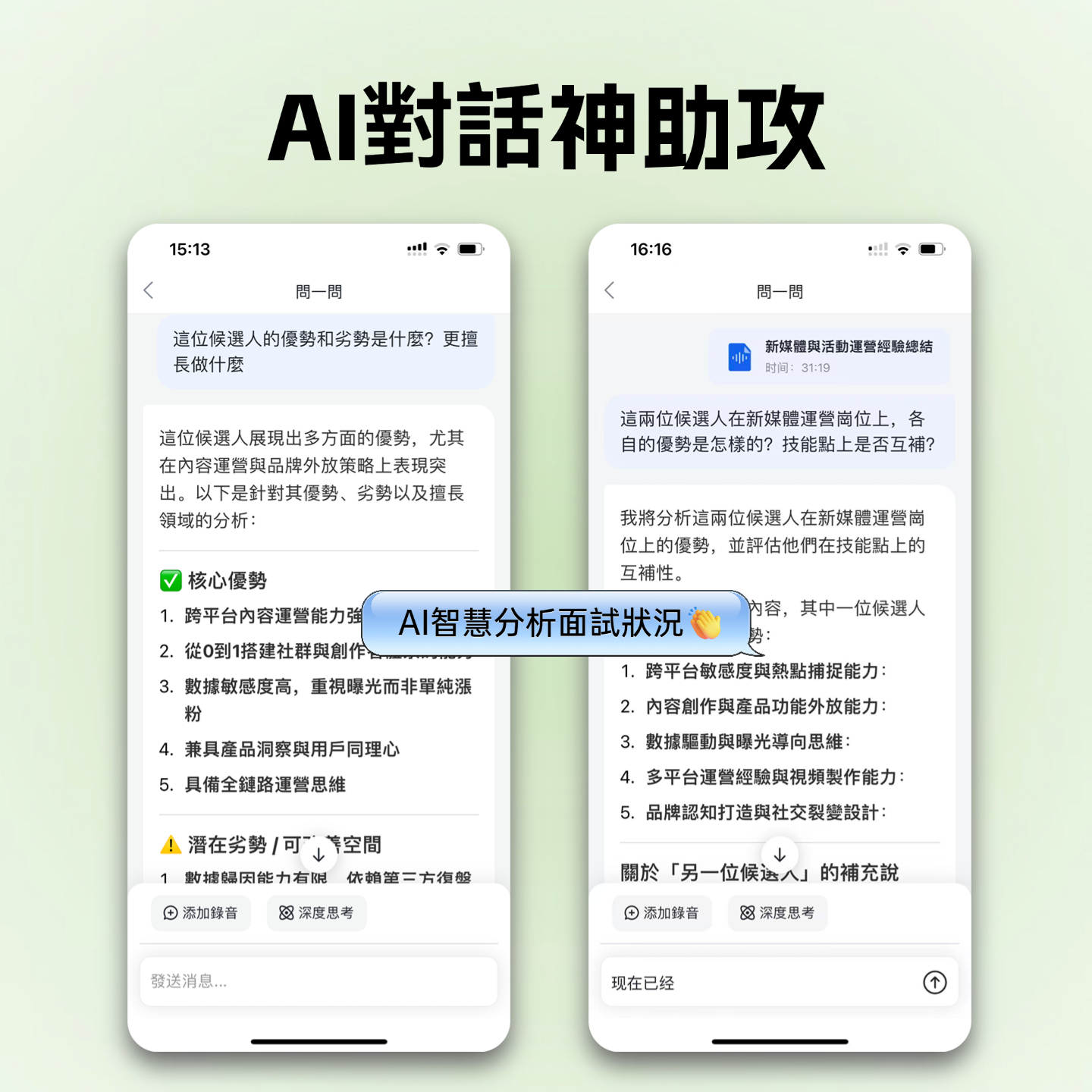
Step 3: Use AI Chat for Retrieval
If the summary lacks details you need, tap the "AI Chat" icon:
- Enter command: "Please list all data metrics mentioned in the meeting."
- Enter command: "What specific suggestions did the speaker give for next quarter's marketing budget?" The AI searches the entire recording and organizes the answer.
Step 4: Export and Share
Once content is confirmed, export notes as Word, PDF, or TXT, or copy "To-Do Items" directly into your project management software.

6. Frequently Asked Questions (FAQ)
Q1: Can these tools be used on an iPhone? Most have iOS support. Wispr Flow and Tinrec have dedicated iOS apps; Google Live Transcribe primarily supports Android; Evernote works on both platforms. For iPhone, choose apps with background recording to avoid interruptions.
Q2: If a meeting mixes Chinese and English (code-switching), can the AI handle it? Current AI models (e.g., NotebookLM, Tinrec, Wispr) have significantly improved recognition of mixed languages. They usually switch languages correctly, but it's recommended to check settings for "auto language detection" or select primary languages.
Q3: Are there privacy risks with audio recordings? This is a top concern for enterprise users. Choose paid tools with clear privacy policies. Windows 11 built-in input processes locally (depending on settings), while cloud services like Tinrec or Otter typically encrypt data. For confidential meetings, check if the tool uses data for model training.
Q4: What are the typical limitations of free versions? Most tools adopt a freemium model. For example, NotebookLM is currently free but may have queue or usage limits; Tinrec offers 100 minutes of free recording per month; Gemini's free version handles long recordings poorly. Choose based on your monthly meeting hours.
Q5: Can I directly transcribe recordings from Teams or Google Meet? Yes. Download the meeting recording (mp4/mp3) and upload it to Tinrec or NotebookLM for transcription and analysis. This is currently the most accurate way to handle online meeting notes.
Q6: What is the accuracy rate for speech-to-text? In quiet environments with good audio capture, mainstream AI tools achieve over 95% accuracy. In noisy environments or with multiple people talking simultaneously, accuracy drops. Tools with speaker diarization (e.g., Tinrec) significantly improve the reading experience.
Turn every recording into actionable outcomes
Get 60 free transcription minutes when you sign in. No credit card required.
Related Reading
You might also like

2026年4款会后报告自动生成工具实测对比:哪款真的省时间?
会议开完才是苦工的开始。本文从「会后报告自动生成」这个需求出发,先带你判断自己到底要逐字稿、摘要还是能直接交出去的报告,再实测比较 Tinrec、Otter.ai、Granola、Notta 四款工具在会议采集方式、中文表现、会后产物与团队共用上的差异,并整理 3 个最常见的选购误区。

2026年4款会后行动计划工具实测对比:AI待办谁真的不漏接?
会议开完才是工作开始。本文从会后整理最常见的误区切入,说明会后行动计划工具该看哪4个关键点,并以中层主管实测角度深拆 Tinrec 的无机器人录制、AI 待办提取与对话追问,再简评 Otter.ai、Granola、Notta 的适用场景与限制,最后给出依需求分流的选型建议。

2026 Comparison of 4 Meeting Minutes Tools: From Transcripts to Action Plans, Which One Actually Drives Progress?
The key to turning meeting minutes into action plans isn't typing out every word spoken, but breaking decisions into to-dos with owners and deadlines. This article first highlights the most common inefficient practices, then compares Tinrec, Otter.ai, Notta, and Granola across five dimensions: capture method, post-meeting output, Chinese language experience, data ownership, and pricing structure, and summarizes four common pitfalls to watch out for.

Tinrec vs Otter.ai 2026: 5-Dimension Comparison — Which Auto-Generates Post-Meeting Documents Better?
A mid-level manager who attends 15 meetings a week compares Tinrec and Otter.ai across 5 dimensions: Chinese meeting transcription, automatic post-meeting document generation, meeting capture methods, team data governance, and pricing/quotas. If you want a tool that lets you hand over minutes, reports, and action items right after a meeting — not just a transcript — this is a full breakdown.

4 Post-Meeting Delivery Tools Tested: Which One Really Helps You Finish on Time?
Tired of overtime after meetings writing up notes? We tested and compared four post-meeting delivery tools—Tinrec, Otter.ai, Granola, and Notta—breaking down transcription, AI summaries, action item extraction, export options, and team data retention to tell you which one truly delivers and helps you finish on time.

2026 Complete Guide to Turning Meeting Decisions into Action Plans: Using Tinrec to Convert Meeting Conclusions into To-Dos
Two-hour meetings, piles of conclusions, but a week later no one remembers who's responsible for what? Starting from the real pain points of student group projects, this article breaks down the four most common misconceptions about 'turning meeting decisions into action plans,' and uses Tinrec alongside common tools like Notta to explain how to turn decisions into to-do lists with owners, deadlines, and trackability.

2026 AI Meeting Action Plan Free Options: 4 Tools Compared
2026 AI meeting action plan free options compared: hands-on testing of Tinrec, Otter.ai, Notta, and Granola, covering Chinese meeting recognition, bot-free recording, to-do extraction, and team collaboration to help you find the best meeting action plan solution.

2026 Meeting AI Agents Compared: Which One Actually Saves You from Overtime?
How to choose a meeting AI agent in 2026? This article starts with common pitfalls, breaks down core capabilities like live transcription, AI summaries, action item extraction, AI Q&A, and team spaces, and demonstrates a real workflow using Tinrec for bot-free recording of Zoom, Meet, and Teams meetings, plus 5 buying tips and FAQs.
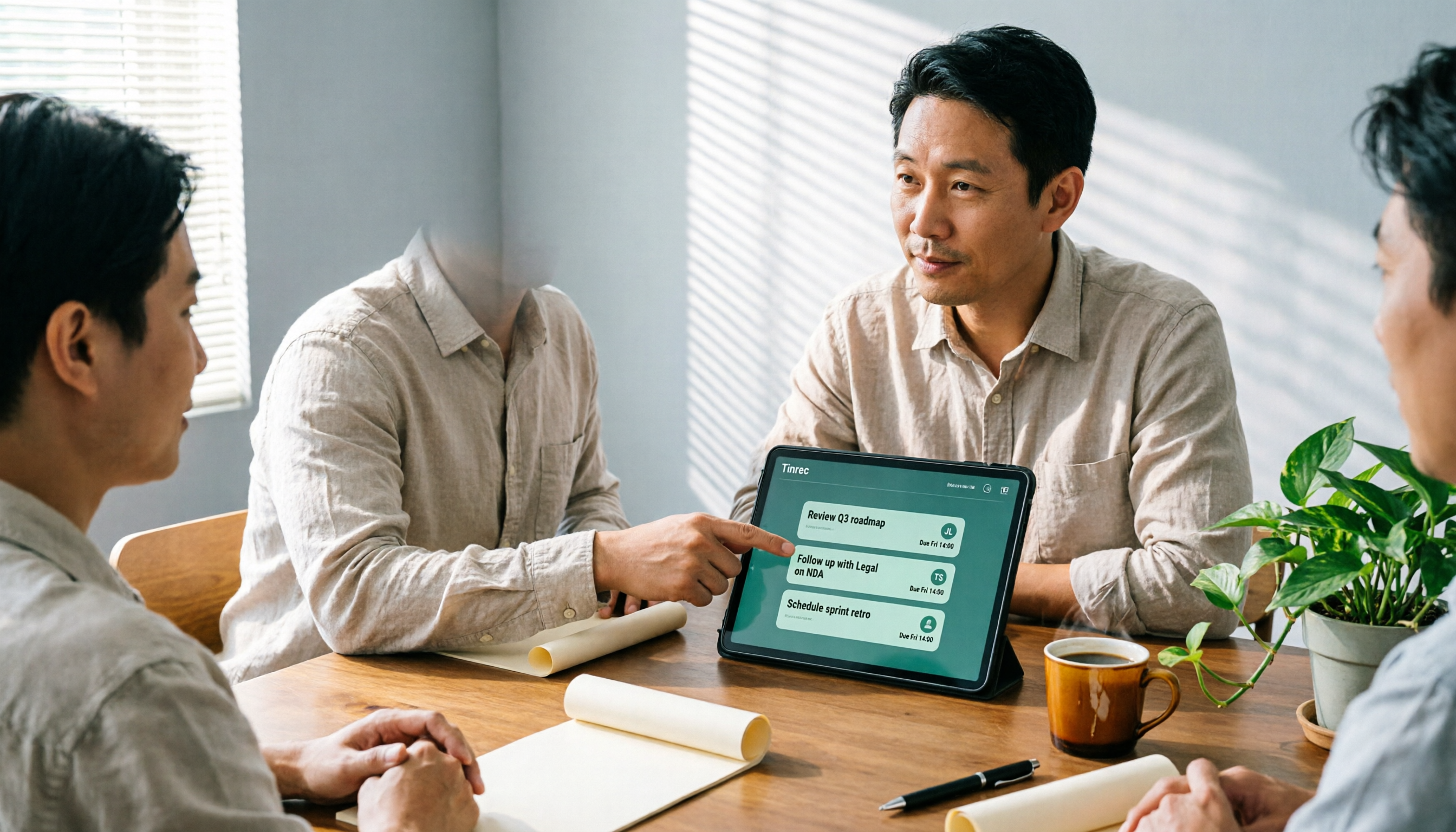
How Tinrec's AI Meeting Agent Auto-Generates Action Items in 2026: Summaries + Task Tracking in One Go
Meeting's over, but nobody remembers the action items? Drawing from a mid-level manager's real-world experience, this article explains how an AI meeting agent automatically generates action items, summaries, and meeting minutes. Using Tinrec as an example, it breaks down core capabilities, practical use cases, and 5 key purchasing considerations.