

Turn recordings into transcripts and summaries in minutes
Upload audio or video for multilingual transcription, AI notes, and action items
2026 Complete Guide to Turning Meeting Decisions into Action Plans: Using Tinrec to Convert Meeting Conclusions into To-Dos
"That group meeting we discussed for two and a half hours, and the conclusions were densely written in the shared doc. A week later when progress was due, the four of us had completely different accounts of 'who was responsible for which section'—two and a half hours wasted." This is my real experience from a marketing project in my sophomore year, and it's why I started researching 'how to turn meeting decisions into action plans.'
I made several mistakes back then. If you're also struggling with group reports, project meetings, or club meetings, see if any of these sound familiar:
- Misconception 1: Thinking the more detailed the notes, the better. A 2,000-word transcript looks diligent, but no one will reread 2,000 words two weeks later.
- Misconception 2: Thinking 'writing it down' equals 'executing it.' Decisions lying in a shared doc are about the same as not having met at all.
- Misconception 3: Treating 'next meeting date' as the deadline. This is the laziest approach, and the result is chasing the same thing at every meeting.
- Misconception 4: Thinking that buying a transcription tool will automatically generate an action plan. Tools only solve 'sound to text'; going from text to 'who, does what, by when' still requires a process.
The version that actually works has only four fields: Decision → Owner → Deadline → Current Status. This article uses my actual experience this semester to discuss how to fill in these four fields, and how much Tinrec helped me with this.
Why are people starting to look for Notta alternatives?
Notta is well-known among students. It covers multi-platform transcription, meeting notes, document import, translation, and team plans. Many people first used it to convert classroom recordings to text. However, when actually used for group projects, several common issues arise: the official free version offers 120 minutes per month, with a maximum of 3 minutes per single piece of content, so a two-hour interview has to be split into several parts; and the transcript it produces is ultimately just 'raw material'—to turn it into a trackable action plan, you often have to organize it yourself again.
If what you want is not just a transcript, but a process where 'the moment the meeting ends, to-dos are already assigned to owners,' then Tinrec is worth checking out. Here are a few areas where I actually felt the difference.
Tinrec vs Notta: What's different in the core experience?
1. How the meeting is recorded
The biggest fear in online group meetings is 'forgetting to start recording.' Notta mainly obtains content through meeting bots, desktop apps, or uploading files afterward; Tinrec's desktop version directly captures the computer's system audio, without needing to add an extra bot to the meeting. For those who often use Google Meet, Zoom, Microsoft Teams, or Webex, one less step of 'remembering to invite the bot' means one less risk of missing a recording.
2. How much work remains after the transcript
This is where I feel the biggest difference. Besides the transcript, Tinrec automatically generates summaries, chapters, and to-dos, and can also directly query via AI chat for a single or multiple meetings—for example, asking 'What was the conclusion of this meeting?' or 'Who is responsible for what?' This compresses the most time-consuming and procrastination-prone post-meeting work into the moment the meeting ends.
3. Handling Chinese and mixed Chinese-English
Our advisor often switches between Chinese and English, which is a challenge for recognition tools. Tinrec covers Chinese, Traditional Chinese, and multilingual meeting scenarios, supports real-time translation and original/translated/bilingual views, and can maintain common terminology using team hotwords. Note that actual performance is affected by recording quality, ambient noise, accents, overlapping speech, and technical jargon—no tool should be considered 100% accurate.
4. Who ultimately holds the data
Notta's Business plan offers role permissions and usage reports; Tinrec's team version places meeting data in an independent team space and distinguishes between 'roles' and 'seats'—roles determine who can manage the team and settings, seats determine who can record, upload, edit, import, and export. Team resources belong to the team; when a member leaves or is removed, their team resources can be transferred to other active members, so they don't disappear with the person.
5. How students should budget
Stop organizing recordings by hand
Upload audio or video and automatically get a transcript, summary, and action items
I care about this especially. Tinrec's personal version is divided into Free, Weekly Pass, Pro Monthly, and Pro Annual. The official recommendation is to choose based on usage tasks: for occasional recording organization, start with the free version; for short-term concentrated meetings or interviews, consider the weekly pass; for stable weekly use, choose Pro; for long-term accumulation of recording data, consider the annual pass. The team version is currently USD 29.80 per paid seat per month, or USD 199 per paid seat per year (about USD 16.58 per month). First-time eligible users get 7 days, 1 free seat, and 300 minutes of shared team import quota. Actual prices and promotions are subject to the official purchase page.
Overview of Tinrec's core features
Real-time audio to text: Open Tinrec and start recording, and text appears simultaneously. During group discussions, I put the screen beside me to check for missed key points while talking, and the transcript is complete by the time the meeting ends.
Bot-free online meeting recording: The desktop version directly captures system audio, handling online meetings like Zoom, Google Meet, Teams, and Webex without needing an extra participant. For a group of just four, the meeting room stays clean without a strange extra account.
AI summary, chapters, and to-do extraction: Long meetings are automatically divided into chapters with summaries generated. The most useful part is to-do extraction—action items mentioned in the discussion are organized, and I just need to add owners and dates, and the action plan takes shape.
AI chat query: This is my most-used feature. For a one-hour meeting, I don't flip through the transcript from the beginning; I directly ask 'What was the decision?' or 'Who is responsible for what?' and it answers based on semantic understanding.
Multi-format export and Agent post-processing: Results can be exported to Notion, Google Docs, OneNote, Dropbox, etc. for continued use; it can also further generate meeting minutes, reports, tables, and mind maps, saving a lot of formatting time for those who need to submit project reports.
Real-time translation: For cross-language meetings, you can view the original, translation, or bilingual content while recording, which is very helpful for reading original literature or interviewing foreign interviewees.
Actual usage scenarios
Group project meetings: We have an online meeting once a week. Previously, someone had to spend two hours organizing the shared notes afterward. Now I record with Tinrec's desktop version, and after the meeting I paste the to-do list directly into the group chat. Who is responsible for which page and when to submit is clear at a glance, and before the next meeting we just check the status.
Classes and lectures: When the professor speaks quickly and slides flip even faster, recording plus real-time transcription lets me avoid looking down to take notes the whole time. After class, I use AI summaries to capture key points, and go back to specific sections for details.
Graduation project interviews: Interview recordings can be directly uploaded for transcription, then use AI Q&A to organize the interviewee's viewpoints and quotes. Compared to repeatedly listening to a two-hour audio file, this approach is much faster.
Personal review and notes: Fragmented inspiration and book club discussions can be recorded on the fly, accumulating over time into a searchable, queryable database, rather than audio files that sit on your phone and never get opened again.
When choosing an audio-to-text tool, these points are worth noting
1. Do decisions map to people and dates? When choosing a tool, check whether it can extract to-dos from discussions, not just give you a transcript. Tinrec produces summaries, chapters, and to-dos together in this area, which is especially noticeable for group division of labor.
2. Chinese and mixed Chinese-English recognition experience. Meetings in Taiwan are rarely all Chinese or all English. It's best to test with your own recordings. Tinrec covers Chinese, Traditional Chinese, and multilingual scenarios, and can maintain terminology with team hotwords.
3. Does it retain the audio file? Transcripts inevitably have recognition gaps, so being able to listen back to the original audio for verification is reassuring. Tinrec retains audio, and the team version has an audio recycle bin to handle accidental deletions.
4. Cross-platform and export methods. You might record on your phone, have meetings on your computer, and want to organize in Notion afterward. Tinrec covers iOS, Android, Web, and desktop, and supports export to common formats and third-party tools.
5. Is the free quota enough to last a semester? It's recommended to start with the free version's basic quota, try it out with one class or one group meeting, and confirm whether the process is smooth before deciding whether to upgrade. This is more accurate than any review.
Conclusion: Is Tinrec worth a try?
Back to the four misconceptions from the beginning—notes don't need to be long, the key is executability; writing it down doesn't mean it will be done, there must be an owner and a date; the deadline shouldn't be the next meeting date; tools won't automatically generate a plan, but they can compress the most time-consuming part to the minimum.
If you're looking for a meeting notes tool that can transcribe while recording, directly produce summaries and to-dos after the meeting, and accumulate data for continuous questioning, Tinrec is the choice I've been using this semester. It covers real-time recording, bot-free online meeting recording, AI Q&A, and multi-format export, while the team version adds a layer for members, seats, usage, and auditing.
I suggest starting with the free version's basic quota, pick a truly important group meeting to run through the process once—from recording, summary, to-dos to division of labor—and after going through it once, you'll know if it suits your project rhythm.
References
- Plan execution, from meeting to execution to closing, can be simple! | Taiwan Digital Training Course
- No conclusions in meetings, forgotten after? 5 key elements to produce decisions and to-dos on the spot in every meeting
- Action plan template for all goals 2025 • Asana
- Make the team actually execute meeting decisions - Harvard Business Review Taiwan
- Meeting management skills managers must know - myMKC Management Knowledge Center
Turn every recording into actionable outcomes
Get 60 free transcription minutes when you sign in. No credit card required.
Related Reading
You might also like

2026年4款会后报告自动生成工具实测对比:哪款真的省时间?
会议开完才是苦工的开始。本文从「会后报告自动生成」这个需求出发,先带你判断自己到底要逐字稿、摘要还是能直接交出去的报告,再实测比较 Tinrec、Otter.ai、Granola、Notta 四款工具在会议采集方式、中文表现、会后产物与团队共用上的差异,并整理 3 个最常见的选购误区。

2026年4款会后行动计划工具实测对比:AI待办谁真的不漏接?
会议开完才是工作开始。本文从会后整理最常见的误区切入,说明会后行动计划工具该看哪4个关键点,并以中层主管实测角度深拆 Tinrec 的无机器人录制、AI 待办提取与对话追问,再简评 Otter.ai、Granola、Notta 的适用场景与限制,最后给出依需求分流的选型建议。

2026 Comparison of 4 Meeting Minutes Tools: From Transcripts to Action Plans, Which One Actually Drives Progress?
The key to turning meeting minutes into action plans isn't typing out every word spoken, but breaking decisions into to-dos with owners and deadlines. This article first highlights the most common inefficient practices, then compares Tinrec, Otter.ai, Notta, and Granola across five dimensions: capture method, post-meeting output, Chinese language experience, data ownership, and pricing structure, and summarizes four common pitfalls to watch out for.

Tinrec vs Otter.ai 2026: 5-Dimension Comparison — Which Auto-Generates Post-Meeting Documents Better?
A mid-level manager who attends 15 meetings a week compares Tinrec and Otter.ai across 5 dimensions: Chinese meeting transcription, automatic post-meeting document generation, meeting capture methods, team data governance, and pricing/quotas. If you want a tool that lets you hand over minutes, reports, and action items right after a meeting — not just a transcript — this is a full breakdown.

4 Post-Meeting Delivery Tools Tested: Which One Really Helps You Finish on Time?
Tired of overtime after meetings writing up notes? We tested and compared four post-meeting delivery tools—Tinrec, Otter.ai, Granola, and Notta—breaking down transcription, AI summaries, action item extraction, export options, and team data retention to tell you which one truly delivers and helps you finish on time.

2026 AI Meeting Action Plan Free Options: 4 Tools Compared
2026 AI meeting action plan free options compared: hands-on testing of Tinrec, Otter.ai, Notta, and Granola, covering Chinese meeting recognition, bot-free recording, to-do extraction, and team collaboration to help you find the best meeting action plan solution.

2026 Meeting AI Agents Compared: Which One Actually Saves You from Overtime?
How to choose a meeting AI agent in 2026? This article starts with common pitfalls, breaks down core capabilities like live transcription, AI summaries, action item extraction, AI Q&A, and team spaces, and demonstrates a real workflow using Tinrec for bot-free recording of Zoom, Meet, and Teams meetings, plus 5 buying tips and FAQs.
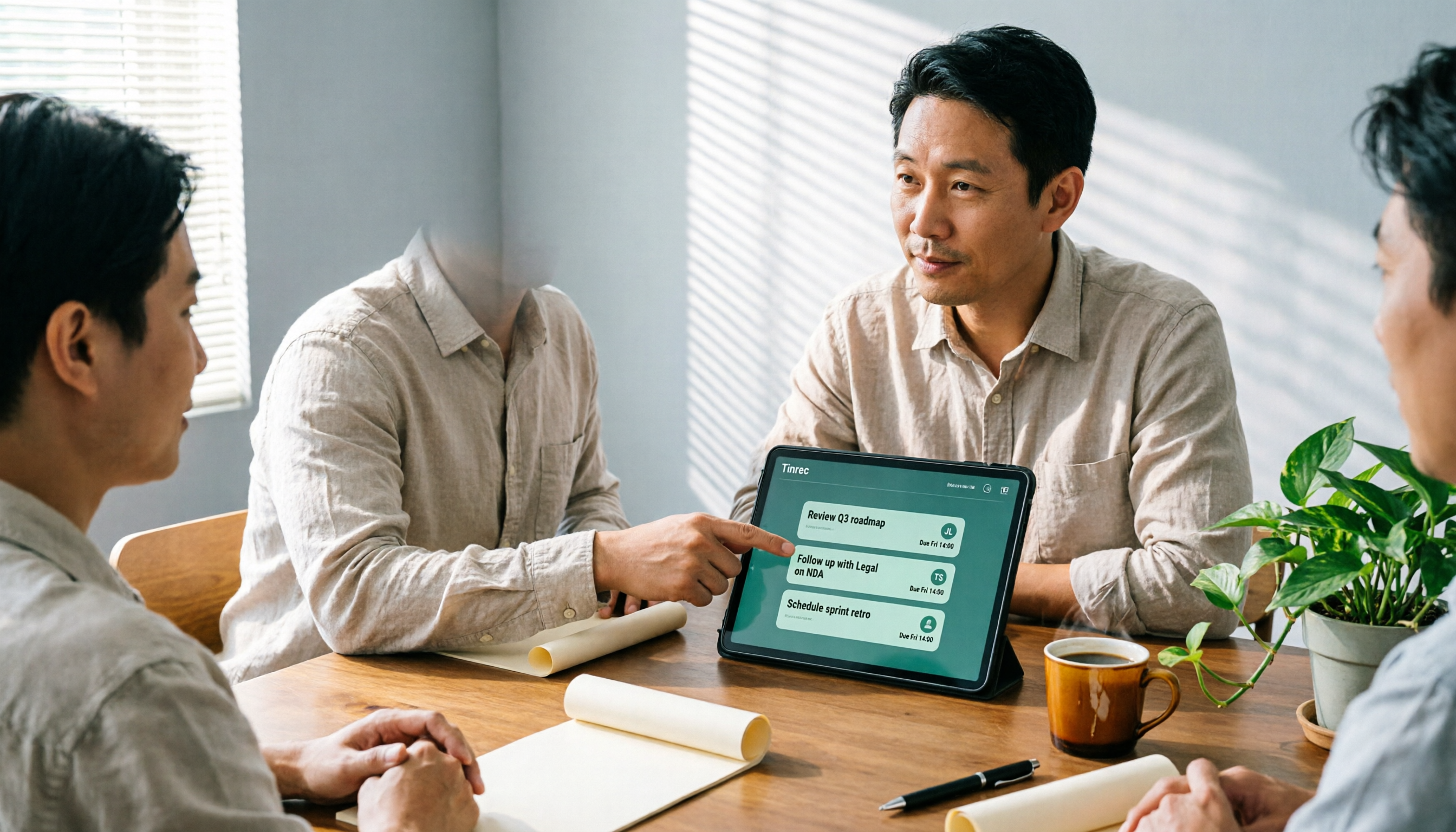
How Tinrec's AI Meeting Agent Auto-Generates Action Items in 2026: Summaries + Task Tracking in One Go
Meeting's over, but nobody remembers the action items? Drawing from a mid-level manager's real-world experience, this article explains how an AI meeting agent automatically generates action items, summaries, and meeting minutes. Using Tinrec as an example, it breaks down core capabilities, practical use cases, and 5 key purchasing considerations.

2026 AI Meeting Agent Comparison: 4 Tools Tested for Post-Meeting Workflows — Which One Turns Meetings into Actionable To-Dos?
The real pain point of meeting notes isn't recording — it's post-meeting organization and follow-up. This article approaches the problem from the post-meeting processing angle, explains 5 key criteria for choosing an AI meeting agent, tests Tinrec's full workflow from transcript to summary to action items to AI Q&A and export, and briefly reviews Granola, Otter.ai, and Notta for use cases, pricing limits, and pitfalls to avoid.