

Turn recordings into transcripts and summaries in minutes
Upload audio or video for multilingual transcription, AI notes, and action items
5 Best iPhone Transcription Solutions in 2026: Built-in vs. Apps vs. Team Collaboration
Many people have a common misconception about iPhone transcription: they think that simply upgrading iOS will automatically turn all recordings into transcripts. An even more common misconception is treating "having a transcript" as "meeting notes completed." I attend about 15 meetings a week—weekly meetings, project progress meetings, one-on-one interviews, cross-department coordination. The real time sink isn't recording; it's going back after the meeting to find "who agreed to what, and when it's due." Just converting audio to text is like trading re-listening time for scrolling through to find key points. A more reasonable approach is to use phone recording as the entry point, then connect it to summaries, action items, follow-up questions, and team knowledge retention.
The Pain Point Isn't Recording—It's Not Finding Conclusions After the Meeting
The first scenario is the weekly meeting. After two hours of discussion, decisions are scattered across a dozen segments of speech. When you sit down to write meeting notes that evening, you only remember "someone mentioned the budget," but can't find which minute or who said it. The second is interviews or client communications. The other party mentions requirements, objections, and commitments; you nod at the time, but when you later organize follow-ups, you realize you missed key sentences. The third is cross-department coordination. After the meeting, everyone returns to their desks, and two days later when you follow up on progress, you discover no one wrote down the action items.
iPhone's built-in transcription already solves part of the problem—at least you don't have to re-listen to the entire recording. But if you need data that can be directly used for reporting, tracking, and handover after the meeting, a transcript alone is usually not enough. This article will examine five solutions: iPhone built-in, Tinrec, Notta, Otter.ai, and Granola, and clearly explain selection criteria, practical limitations, and pitfalls to avoid.
Before Choosing an iPhone Transcription Solution, Understand These 4 Key Points
First, distinguish recording sources and device limitations. On-site recording, existing audio files, and online meetings are suited to different tools. Most tutorials for iPhone built-in transcription point to iPhone 12 or later and iOS 18 or later; actual version and model support depends on the device, and old recordings may not be able to generate transcripts retroactively.
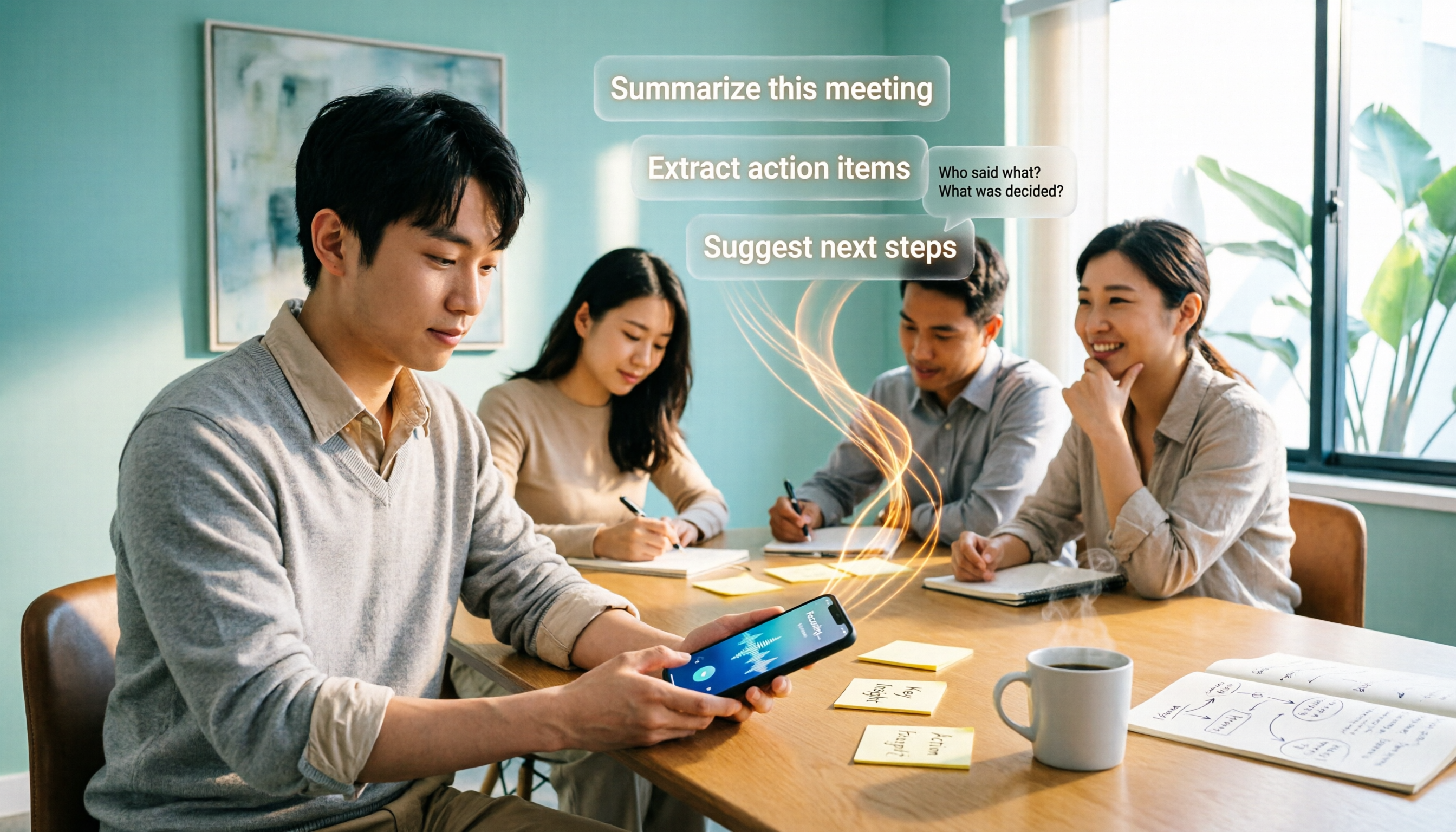
Second, is there organization after transcription? If you only get text, you still have to manually scan the timeline to find conclusions; only with summaries, chapters, action items, and AI follow-up questions will post-meeting organization time truly decrease. This is also the biggest difference between Tinrec and pure transcription tools.
Third, performance with Chinese, mixed Chinese-English, and technical terminology. In Taiwanese workplaces, mixed sentences like "this campaign launches next week" or "budget needs to be confirmed" are common. Rather than relying on official claims, try a segment of your own meeting recording and check whether there is team hotword or terminology management.
Fourth, team sharing, export, and data ownership. For personal use, you only need to check transcription accuracy; for team use, you need to consider members, roles, seats, usage, and export. In particular, distinguish "roles" (management permissions) from "seats" (ability to record, upload, edit, and export)—they are not the same thing.
Tinrec (MiaoTing Recording)—Why Our Team Puts It First
Tinrec is an AI meeting notes and collaboration tool for individuals and teams, covering iOS, Android, web, and desktop. Our team puts it first not because its record button is prettier, but because it connects the "after recording" workflow more completely.
For online meetings, the Tinrec desktop app directly captures computer system audio without needing to add a meeting bot to Zoom, Google Meet, Microsoft Teams, or Webex. For offline meetings or field visits, you can record with your phone; existing audio and video files can also be imported for transcription. This is very practical for people who are often on the go and only organize materials back at the office.
The post-meeting part is the key. Tinrec generates transcripts, AI summaries, chapters, key points, and action items, and you can ask questions directly about the meeting content. For example, you can ask "Who mentioned the budget in the last meeting? What was the conclusion?" and it will answer based on the meeting semantics, not just throw keyword search results at you. You can also export results to Notion, Google Docs, OneNote, Dropbox, or use Agent post-processing to generate reports, tables, and documents.
Stop organizing recordings by hand
Upload audio or video and automatically get a transcript, summary, and action items
The team version puts meeting data into an independent team space, rather than multiple people sharing a personal account. Admins can manage owners, admins, and regular members, assign or revoke seats, view usage trends and audit logs, and use team hotwords, audio recycle bin, and resource handover. Members who are active but have no seat can still view, play, and read team data, but cannot upload, edit, import, or export.
Limitations should also be clearly stated. The free version only has a basic quota; heavy users need to pay. Transcription accuracy is affected by recording quality, noise, accents, people talking over each other, and technical terminology—I won't say "guaranteed 99%." The team version currently focuses on team-level sharing, not file-level ACL; AI summaries and action items should still be verified against transcripts and recordings.
If you frequently hold Chinese meetings, need bot-free recording of online meetings, and want to directly ask follow-up questions and retain team data after meetings, Tinrec is currently the choice that best fits this workflow.
Besides Tinrec, What Other Options Are There?
iPhone Built-in Voice Memos and Notes App
iPhone 12 or later, iOS 18 or later (actual version depends on device) supports built-in transcription. In Voice Memos, you can tap "View Transcript," copy the transcript, and tap text to jump to the corresponding recording; the Notes app can also record and transcribe in real time. Old recordings may not automatically generate transcripts, and first use may require an internet connection to download the module. Suitable for people who occasionally record memos and only need text; but summaries, action items, follow-up questions, and team sharing are not its strengths.
Notta
Notta covers multi-platform transcription, file import, translation, and team plans. The official free version offers 120 minutes per month, up to 3 minutes per session; Pro annual billing is about USD 8.17/month with 1,800 minutes per month; Business annual billing is about USD 16.67/seat/month. It is suitable for file transcription and subtitle needs; but if you want desktop bot-free system audio capture, post-meeting AI follow-up questions, and team data retention, Tinrec's workflow is more complete.
Otter.ai
Otter.ai is very mature for English meeting scenarios. Basic is free with 300 minutes per month; Pro annual billing is USD 8.49/user/month, including 1,200 minutes of in-app recording per month and 10 file imports. If you mainly record English meetings, Otter.ai is a great value; but Chinese meetings, bot-free desktop recording, real-time translation, and team data retention are scenarios Tinrec aims to solve better.
Granola
Granola is a bot-free AI meeting notes tool, with Basic free and Business at USD 14/user/month. It emphasizes handwritten notes combined with AI, suitable for English meetings and personal notes; but it does not support uploading pre-recorded audio files, nor does it save meeting audio. Tinrec retains recordings, supports file import, Chinese, and team management, making it more practical for teams that need post-meeting traceability.
Pitfall Guide: The 4 Most Common Mistakes When Choosing iPhone Transcription
Pitfall 1: Thinking that upgrading iOS will transcribe all recordings. Model, system version, feature module download, and old recording limitations all matter. The correct approach is to first test with the actual recording you need to organize.
Pitfall 2: Only looking at free minutes. Export formats, AI summaries, file limits, team seats, and usage management all affect actual usability; cheap but stuck on export means no time saved.
Pitfall 3: Treating transcripts as meeting notes. Transcripts are raw material, not finished product; what you really need are decisions, owners, deadlines, and next steps. Without summaries and action items, you still have to dig through everything yourself.
Pitfall 4: Ignoring recording consent and team permissions. Before recording, inform participants according to the situation; for team versions, also distinguish roles, seats, and member relationships—don't assume active members can edit all data.
Conclusion: Which One Should You Choose?
Occasional memos, text only, no extra tools → iPhone built-in transcription is enough.
Chinese meetings, mixed Chinese-English, need summaries, action items, and AI follow-up questions after meetings → Tinrec, with data connecting between iPhone and computer.
Mainly English meetings, budget-sensitive → Otter.ai, with free quota and mature English scenarios.
Mass file transcription, subtitles, and translation → Notta, with complete plans; but real-time meetings and team retention are not its strongest points.
Teams need centralized meeting storage, member and seat management → Tinrec team version. The first eligible team trial is 7 days, 1 free seat, 300 minutes of team shared import quota; paid seats provide 2,000 minutes of shared import quota per month, at USD 29.80/paid seat/month, or USD 199/paid seat/year (about USD 16.58/month). Real-time recording is currently not deducted by minutes under active plans and seats; prices and benefits are subject to the official purchase page.
My advice is simple: first take a real weekly meeting or interview and run through "record → transcript → summary → action items → follow-up questions" once with the free version. If you only lack text, built-in is enough; if what you lack is usable meeting data after the meeting, then consider upgrading.
References
- iPhone Voice Memos to Text Tutorial: Transcripts Without Third-Party Apps - Mr. Mad
- iPhone Notes and Recording Apps Also Have Transcription Features! Instantly Convert Class, Meeting, and Speech Content to Text: Simple 4-Step Tutorial | BusinessNext
- iPhone Voice-to-Text Setup Tips: 5 Methods to Transcribe Recordings - Mr. Mad
- [iPhone Voice Memos to Text] Complete Tutorial of 3 Major Methods! iOS Built-in, App, Voice Recorder—Which Is Best?
- [Latest] How to Transcribe iPhone Recordings on iOS 18
Turn every recording into actionable outcomes
Get 60 free transcription minutes when you sign in. No credit card required.
Related Reading
You might also like

2026 Complete Guide to Apple Audio Transcription: From iPhone Transcripts to Tinrec Meeting Organization
iPhone's built-in Voice Memos can now generate transcripts, but it only does 'turning speech into text.' This guide starts from real-world use cases, explains the functional boundaries, device and version limitations of Apple's audio transcription, and how Tinrec picks up where it leaves off to turn a recording into summaries, to-dos, queryable, and exportable work data. It also covers 5 key points for choosing an audio transcription tool and answers common questions.

4 Best AI Transcription Tools Worth Trying in 2026: Never Take Meeting Notes by Hand Again
Starting from the real pain points of a mid-level manager juggling 15 meetings a week, this hands-on review covers four AI transcription tools, explaining key selection criteria, each tool's limitations, and ideal use cases to help you find the one that truly saves time on post-meeting cleanup.
4 Audio-to-Text Tools Tested: Which One Actually Saves Time After Meetings?
There are countless audio-to-text tools, but the real differentiator isn't transcription speed—it's how much time you still spend wrapping up after the meeting ends. This article breaks down 4 key buying criteria from a procurement perspective, tests the post-meeting output of 4 tools, and outlines the 3 most common pitfalls to help you choose right the first time.

Best iPhone Transcription Apps in 2026: 6 Tested, This One Excels for Chinese Meetings
When looking for an iPhone transcription app, most people struggle not with whether tools exist, but with which one fits their use case. This guide covers 6 practical options—from iOS built-in free features and file transcription tools to AI recording hardware and team-collaborative AI meeting note platforms—and honestly lists free quotas and paid pricing to help you decide which one to choose.
3 iPhone Transcription Methods Tested for 2026: Which One Actually Saves You Time?
iPhone's built-in Voice Memos can already transcribe audio, but meetings, interviews, and team collaboration require summaries, action items, and searchable records. This article compares three approaches and demonstrates how Tinrec enables a complete workflow from recording to searchable meeting data.

4 iPhone Audio-to-Text Methods Tested in 2026: Shortcuts Have a High Barrier, AI Tools Win on Post-Meeting Organization
How do iPhone's built-in Voice Memos transcript, Notes live transcription, and the Shortcuts 'Create Dictation Note' actually differ? Starting from real-world usage scenarios, this article tests 4 iPhone audio-to-text methods, comparing setup barriers, Chinese recognition, post-meeting organization, and team collaboration to help you decide which is the least hassle.
How to Transcribe iPhone Voice Memos to Text in 2026: Built-in 3-Step Guide + Turn Meetings into Queryable Data
iPhone voice-to-text transcription has version requirements: iOS 18.4 or later and iPhone 12 or later are needed for Traditional Chinese transcripts. This guide starts with the three most common order-of-operations mistakes, walks you through the 3 steps using the built-in Voice Memos app, and then compares Tinrec, Yating Transcription, Otter.ai, and PLAUD to help you decide which tool fits which scenario.
2026 Free Audio-to-Text Tools Comparison: Tinrec vs Otter.ai — Free Limits, Chinese Accuracy, and Post-Meeting Organization
How to choose a free audio-to-text tool? This article compares the free versions of Tinrec and Otter.ai across five dimensions: free quota, Chinese recognition, meeting recording methods, post-meeting organization, and team data ownership. It also includes a 3-step tutorial for the free version and FAQs to help you decide which one truly meets your needs.
2026 Comparison of 4 Free AI Audio-to-Text Tools: Which Free Tier Is Enough and Which Lets You Ask AI Directly After Transcription?
2026 comparison of 4 free AI audio-to-text tools: from how free quotas are calculated and meeting recording methods to whether you can ask questions and organize content directly after transcription. We break down who Tinrec, Otter.ai, Notta, and TurboScribe are best for, plus 4 common pitfalls when choosing a free tool.