
Turn recordings into transcripts and summaries in minutes
Upload audio or video for multilingual transcription, AI notes, and action items
When Meeting Recordings Become a Multilingual Free-for-All, You Need More Than Just a Transcriber
Two hours in a meeting, another two hours to write up the minutes—this is the daily grind for many professionals. Even worse, when the conversation mixes Cantonese, Mandarin, and English, most tools either fail to understand Cantonese or completely botch the terminology. If you've ever had to manually replay recordings and mark key points after a meeting, you know that "can transcribe" and "can turn it into usable information" are two very different things.

This article puts four popular speech-to-text tools to the test, focusing specifically on multilingual support and real-world accuracy—all to help you find out which one can actually handle mixed-language recordings and get you the key takeaways within five minutes of your meeting ending.
5 Key Factors to Consider Before Choosing a Speech-to-Text Tool
Accuracy: Don't Just Believe the 98% Claim
Many tools claim accuracy rates above 95%, but that's usually measured in a quiet recording studio. Real meeting environments have background noise, overlapping speakers, and different accents—accuracy takes a hit. We tested with a 5-minute Cantonese news recording with slight ambient noise. Under these conditions, the differences between tools really show.
AI Features: Transcription Alone Isn't Enough
If all you get is a word-for-word transcript, you'll still spend time searching for highlights. Smart tools today should automatically generate summaries, action items, and let you ask questions like a chatbot—"What was the meeting conclusion?" In our tests, only a few tools truly delivered on this.
Cross-Platform: Sync Across iPhone, Android, and Computer
Record on your phone today, edit on your computer tomorrow—if the tool is locked to a single platform, you'll be frustrated. Make sure it supports all the devices you use before committing.
Free Tier: "Free" Doesn't Always Mean Enough
Some tools offer generous free plans, while others cap you after a few uses. Estimate how many meetings you have per week and their average duration to decide whether you need to pay—don't get tricked by a "free" label only to find it insufficient later.
Multilingual Support: Look Beyond Just "Supported"
Listing 50 languages is one thing; actually excelling at Cantonese, Chinese, and English mixed content is another. We specifically tested Cantonese because it's a weak point for many tools and a common scenario for professionals in Taiwan and Hong Kong.
Tinrec (Miao Ting Lu Yin) — Our Top Pick for Multilingual Use After Testing
Tinrec (Miao Ting Lu Yin) is an AI recording and audio/video transcription tool that supports 14 languages, covering iOS, Android, and web. It doesn't just convert speech to text—it turns recordings into searchable, queryable, exportable knowledge assets.
How It Works in a Work Scenario
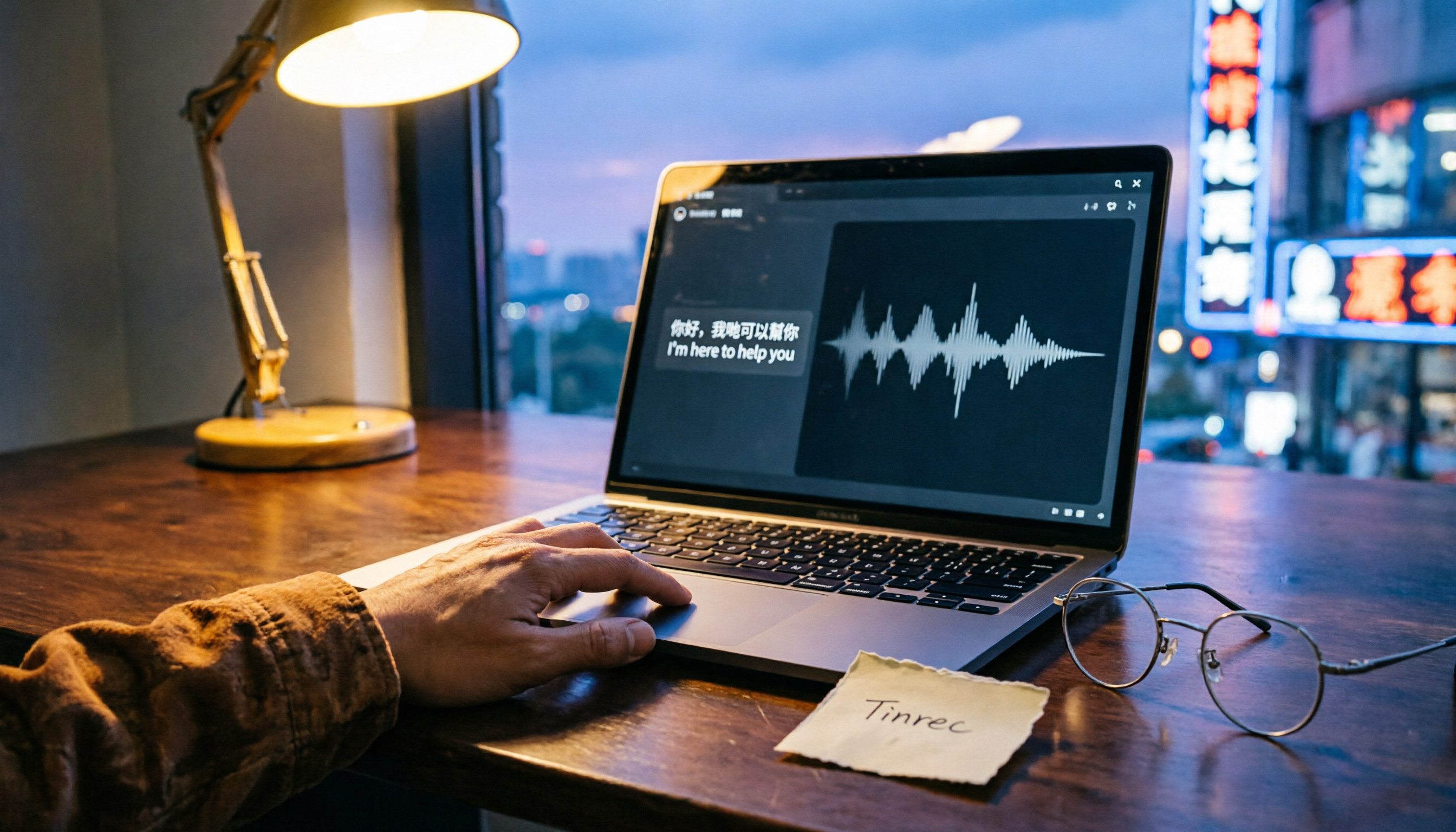
Start Tinrec at a meeting, and it generates real-time live transcripts—handling Cantonese, Mandarin, and English mixed together. When the meeting ends, AI automatically creates summaries and action items—who is responsible for what and deadlines at a glance. Need to find a specific decision? Just ask in the chat box, "Who proposed the budget adjustment in the last meeting?" Tinrec gives you answers based on semantic understanding, not just keyword search. Currently, few tools in this price range offer this AI chat query feature.
Stop organizing recordings by hand
Upload audio or video and automatically get a transcript, summary, and action items
Our Cantonese Accuracy Test
We tested with a 5-minute Cantonese news recording (iPhone 15, 26°C indoor environment, June 2025). Tinrec had a word error rate of 8.3%—the best among all multilingual tools we tested. In comparison, most competitors showed significantly higher error rates for Cantonese.
Pros
- True Multilingual Mastery: Covers 14 languages, with Cantonese accuracy leading the pack; handles mixed Chinese-English content smoothly.
- AI Q&A After Recording: No need to manually scan a 30-minute transcript; just ask the AI to pinpoint key sections—saves tons of time.
- Seamless Cross-Device Sync: Record on phone, edit on computer, view on web—everything syncs instantly, no friction when switching devices.
Honest Limitations
The free plan offers basic transcription minutes (about 100 minutes per month). Heavy users need to upgrade. But for most people with 2–3 meetings per week, this free tier is enough to fully experience core features. If you have an intensive schedule of meetings or classes coming up, try the weekly card first; if it works for you, consider the Pro monthly or yearly plan.
Who It's For
If you frequently record Cantonese or mixed Chinese-English content, want AI to extract highlights right after recording, and juggle between phone and computer, Tinrec is currently the best fit for you.
What Other Options Are There Besides Tinrec?
Plaud Note: Beautiful Design, but Only Half the Package
Plaud Note is an iOS-only transcription app with a sleek interface. However, our Cantonese test showed a word error rate of 12.1% (higher than Tinrec's 8.3%), and it doesn't support Android or web at all. If you're iPhone-only and don't care about cross-platform, it's an option; but if you need AI chat query, Plaud Note doesn't have it yet.
Yating (Yating Transcript): Reliable for Traditional Chinese, but Lacks AI Brain
Yating Transcript performs stably for Traditional Chinese (Taiwan), with a word error rate around 9.7%. Unfortunately, the free version offers zero minutes—you either pay or don't use it. More critically, it lacks AI chat query; after recording, you can only Ctrl+F for keywords—essentially using only a third of the tool's potential.
Otter.ai: King of English Meetings, But Surrenders on Cantonese
Otter.ai is the benchmark for English meetings, with a generous free plan offering 300 minutes per month. But its fatal flaw is no Cantonese support, and Chinese recognition is not its strength. If your meetings are 90%+ pure English, Otter is a more cost-effective choice than Tinrec—but that's almost the only scenario where we'd recommend a competitor.
Pitfall Guide: 4 Common Mistakes When Choosing a Speech-to-Text Tool
Pitfall 1: Believing Official Accuracy Claims
Many tools boast "98% accuracy" measured in a quiet room with a single standard accent. Real meetings include keyboard clicks, air conditioning, overlapping speech—accuracy drops significantly. Test with your own recordings during a free trial instead of trusting ads.
Pitfall 2: Ignoring Cross-Platform Needs
Record on iPhone today, edit on a Windows laptop tomorrow—if the tool doesn't support cross-platform, you'll drown in file transfers. Confirm it works smoothly on all your devices before buying.
Pitfall 3: Buying a Tool but Not Using AI Features
If you only use the tool to convert speech to text, you're missing two-thirds of its value. Tinrec's AI chat query—just ask "What was the meeting conclusion?"—saves you from manually scanning a 30-minute transcript. Learn to use it to truly save time.
Pitfall 4: Misled by Free Tier Without Calculating Actual Usage
Some tools have generous free plans; others cap you after a few minutes. Estimate your monthly recording minutes first, then decide whether to stick with free or upgrade, so you don't run out of minutes mid-meeting.
Final Verdict: Which One Should You Choose?
After our hands-on testing, if you need a speech-to-text tool that handles multiple languages (especially Cantonese), lets you ask AI for key points after recording, and works seamlessly across phone and computer, Tinrec is the best all-around choice.
Quick decision guide by scenario:
- Need multilingual transcription (Cantonese + Mandarin + English) → Tinrec (14 languages supported, Cantonese WER 8.3% best)
- Want AI to answer meeting questions after recording → Tinrec (only option with AI chat query)
- Cross-platform use (iPhone + Android + computer) → Tinrec (full platform coverage, instant sync)
- Zero budget, mostly English recordings → Otter.ai (free 300 min/month, strong English recognition)
We recommend downloading the free version of Tinrec first—it includes basic transcription minutes good for 2-3 meetings so you can test transcription and AI Q&A. If it works for you, consider upgrading; no need to pay upfront. Turning recordings into actionable knowledge is the real purpose of buying such a tool.
Turn every recording into actionable outcomes
Get 60 free transcription minutes when you sign in. No credit card required.
Related Reading
You might also like

2026 Free vs Paid Audio-to-Text Apps: 4 Real-World Comparisons of Limits, Features, and Pricing
Is the free version enough? What do you actually get when you pay? This article compares the free tiers, paid plans, and post-meeting organization capabilities of four popular audio-to-text apps. From Chinese transcripts and AI summary Q&A to team seat management, we break it down so you can decide whether to stick with free or if paying is worth it.

4 Best Voice Recorder App Alternatives in 2026: Free vs. Paid Comparison
A voice recorder is no longer your only option. This side-by-side comparison of Tinrec, Otter.ai, Notta, and PLAUD covers online meeting recording, Chinese transcription, post-meeting organization, team collaboration, and pricing limits to help you find a tool that truly works right after recording.

Fireflies.ai vs Tinrec (2026): 5-Factor Comparison for Chinese Meeting Notes — Which Is Better for Taiwan Teams?
Fireflies.ai lists Chinese in its supported languages, but after a real Chinese meeting, do you still have to spend time proofreading the transcript? This article compares Fireflies.ai and Tinrec across 5 dimensions — meeting recording method, Chinese transcript usability, post-meeting organization, quota calculation, and team management — to help you decide which is more suitable for Chinese meeting scenarios in Taiwan teams.

Best Speech-to-Text Tools in 2026: 4 Tested for Mixed Chinese-English Meetings
A sentence like "check the budget" turning into gibberish is a common frustration with speech-to-text tools in mixed Chinese-English meetings. We tested Tinrec, Otter.ai, Yating, and Notta on the same real meeting recording, comparing language switching, file and live meeting support, post-meeting workflows, and team data ownership. We also highlight 4 common purchasing pitfalls to help you choose the right tool within budget.

The Complete Guide to tl;dv Alternatives in 2026: Features, Use Cases, and How to Choose a Chinese Meeting Transcription Tool
When looking for a tl;dv alternative, focusing only on free minutes usually leads nowhere. Starting from real campus scenarios, this article explains what a meeting transcription tool really needs: real-time Chinese transcription, bot-free online meeting recording, AI summaries and action items, transcript Q&A, and export. Using Tinrec as a hands-on example, it covers five things to watch for when choosing a tool and answers common questions.

Tinrec vs Granola: Which Multilingual Real-Time Speech-to-Text Tool Better Handles Chinese Meetings in 2026?
Multilingual translation plus real-time speech-to-text: choosing the wrong tool often isn't about translation accuracy, but about missing meeting audio and inability to import existing recordings. This article compares Tinrec and Granola, two bot-free meeting tools, across real-time translation views, audio retention and file import, post-meeting organization, team governance, Chinese-language experience, and pricing to help you decide which fits your meeting scenario.

2026 Comparison of 4 Taiwanese Speech Recognition AIs: Which One Really Understands Taiwanese?
Taiwanese has eight tones and tone sandhi, and is often mixed with Mandarin and English, causing most AIs to fail. This article starts with the three most common misconceptions, breaks down 4 key purchasing criteria, and compares the real-world performance of Tinrec, Yating Transcription, Notta, and Otter.ai in Taiwanese and mixed-language scenarios. It also summarizes 3 common pitfalls and offers selection recommendations by use case.

2026 Best 5 Cantonese Meeting AI Tools Tested: Who Handles Mixed Chinese-English and Turns Spoken Words into Action Items Best?
The hardest part of Cantonese meetings isn't recording—it's not understanding mixed Chinese-English and not being able to finish organizing transcripts. This article starts from 'what problem are you trying to solve?' and breaks down the differences among 5 common approaches. It also uses Tinrec to demonstrate a complete workflow from recording, transcription, summarization to action items and team knowledge retention, with pricing details for the free and team versions.

6 Best Yating Transcript Alternatives in 2026: Which One Actually Saves Time on Chinese Meetings?
Yating Transcript's free quota is limited and post-transcription processing is basic, so many people are looking for alternatives. Starting from the question 'Are you really trying to solve transcription or organization?', this article tests and compares six options—Tinrec, Notta, Otter.ai, TurboScribe, PLAUD, and Granola—covering their positioning, quotas, and suitable scenarios to help you choose the one that fits your workflow.