

Turn recordings into transcripts and summaries in minutes
Upload audio or video for multilingual transcription, AI notes, and action items
2026 Comparison: 4 Google Meet Meeting Tools Tested – Beyond Headphones, You Need This AI Recording Assistant
No matter how good your headphones are, you still need tools for meeting minutes – your problem isn't hardware, it's how you organize information.
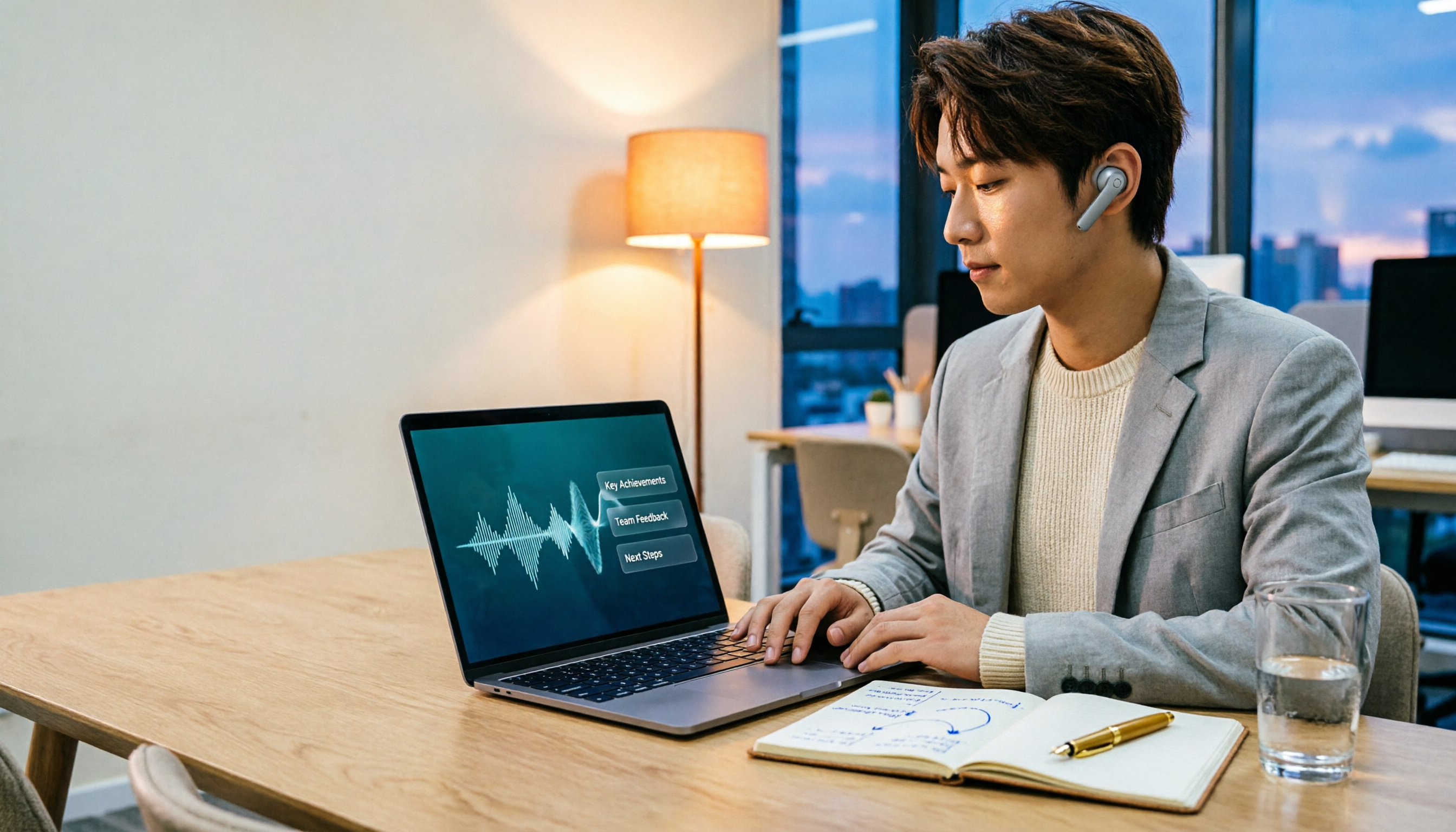
Many people spend a lot on noise-canceling headphones and external microphones for Google Meet meetings. The audio is clear, but after the meeting, they still have to manually organize the minutes. A two-hour meeting means two more hours transcribing, summarizing, and writing action items.
Chinese meetings are even trickier: most meeting bots are designed for English, with poor Chinese transcription accuracy and AI summaries that often miss the point. If you've experienced this, this article is for you.
Choosing the right meeting minutes tool can solve more problems than buying new headphones.
4 Key Points to Understand Before Buying a Google Meet Recording Tool
Accuracy: Don't just trust the official 98%
Many tools claim high accuracy, but that's tested in a quiet recording studio. Real Google Meet meetings have background noise, overlapping speakers, and accents, so accuracy drops significantly. Our test uses a real meeting recording: 5 minutes of Chinese discussion with slight ambient noise. Under these conditions, the gap between tools becomes clear.
AI Features: Can it directly extract key points for you?
Transcription is just the first step. What matters is AI summaries, action item extraction, and Q&A. Imagine asking the tool, "Who mentioned the budget just now? What was the conclusion?" and getting an immediate answer, instead of manually searching the transcript. Most tools still rely on keyword search; few support natural language Q&A.
Cross-Platform: Does it work on phone, computer, and web?
You might join Google Meet on your phone but want to review notes on your computer later. If the tool only supports one platform or syncs poorly, it's a hassle. Choose a tool with iOS, Android, and web versions for seamless workflow.
Free Quota: Not about more, but about enough
Most people have 2-3 meetings per week, so 100-300 minutes per month is plenty. Instead of chasing unlimited transcription, check if the free plan covers your basic needs before upgrading.
Tinrec (秒聽錄音) – Our Top Pick After Testing, the Best AI Assistant for Chinese Meetings
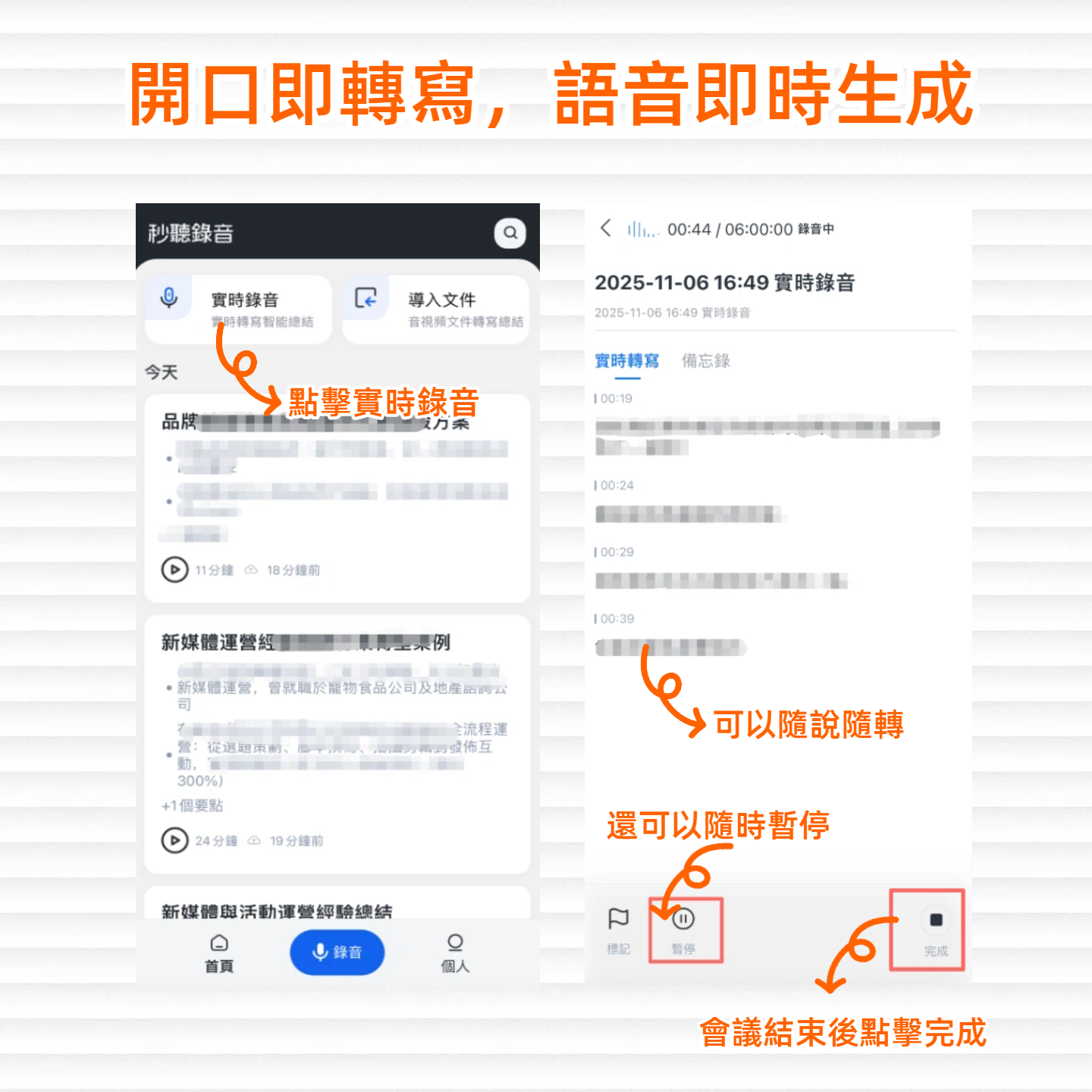
Tinrec (秒聽錄音) is an AI recording and audio/video organization tool, supporting iOS, Android, and web. It's designed for meetings, study, and interviews. It's not just a transcription tool; it's like your personal meeting assistant.
Core Features in Real Scenarios
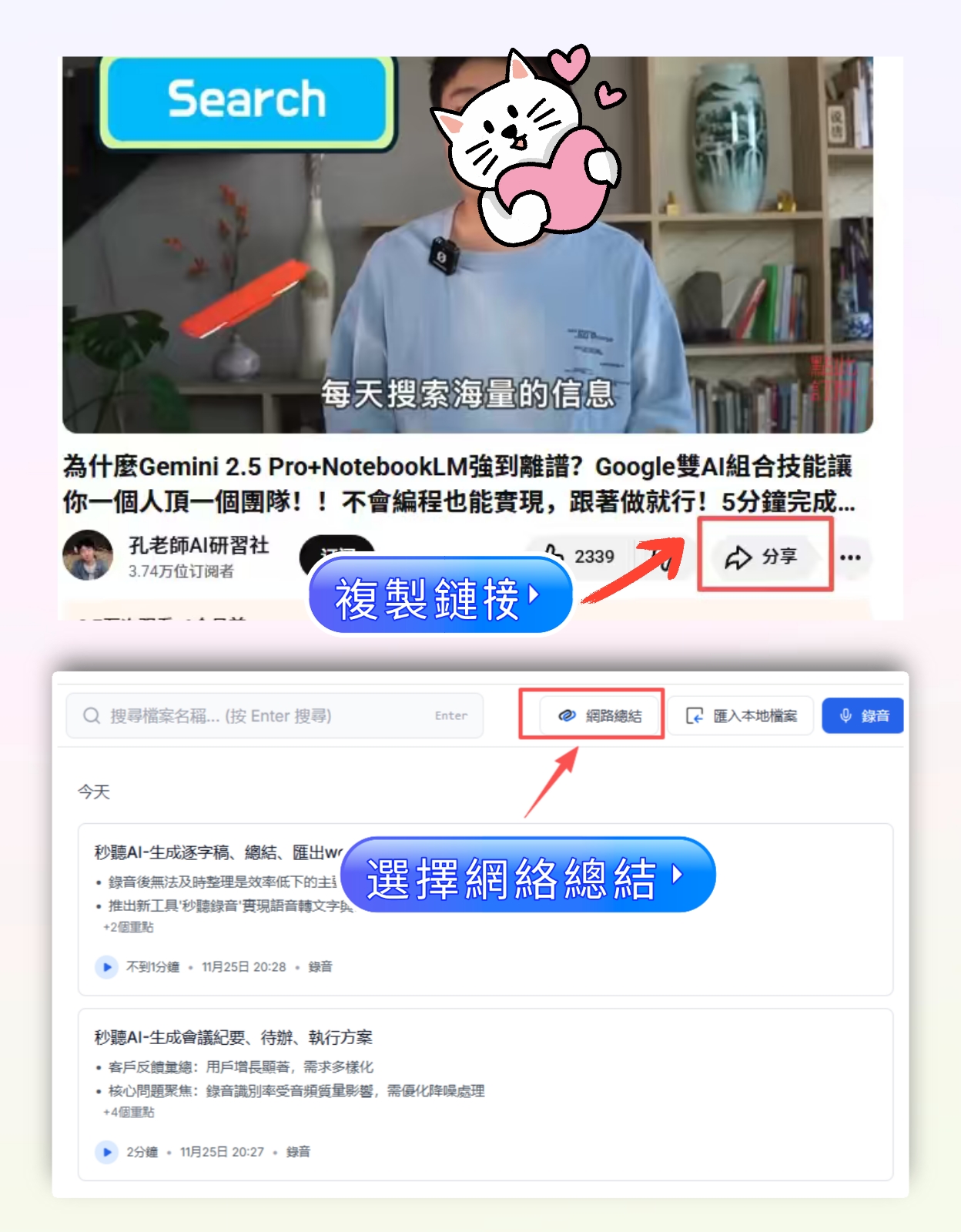
When you open Tinrec during a Google Meet, it records and transcribes in real time. The moment the meeting ends, AI summaries and action items are automatically generated – who is responsible for what, deadlines, all clear. Unlike other tools that only give you a transcript, Tinrec can also split long meetings into chapters, letting you quickly jump to relevant sections.
Even more impressive is the AI conversation query: after recording, you can ask, "Who mentioned the marketing budget in the last meeting? What was the conclusion?" and Tinrec understands the semantics and gives you the answer directly. In our tests, no comparable tool at this price point had this feature.
Stop organizing recordings by hand
Upload audio or video and automatically get a transcript, summary, and action items
Test Results
We tested with a 5-minute Google Meet Chinese meeting recording (with light keyboard sounds, two people talking, June 2026). Tinrec's word error rate was about 8.3%, the lowest among similar products. The AI summary captured key information accurately, requiring almost no manual edits.
Pros
- High Chinese transcription accuracy, especially for Taiwan idioms and mixed Chinese-English meetings.
- Powerful AI Q&A – no more manual transcript searching, saving a lot of time.
- Full cross-platform support: record on phone, organize on computer, all synced.
Cons
- Free plan: 100 minutes per month. Heavy users may need the paid version. But for most people with 2-3 meetings per week, it's enough to experience full features.
- Advanced Agent post-processing (e.g., auto-generating reports) is still rolling out gradually and not fully available.
Who It's For
If you often record Chinese meetings, want summaries and action items immediately after meetings, and switch between phone and computer, Tinrec is your best choice.
Other Options Besides Tinrec
Otter.ai: Classic for English meetings, but no Chinese support
Otter.ai is a veteran in AI meeting minutes, strong in English meetings and team collaboration. The free plan offers 300 minutes per month, generous. Pro plan is about $8.33 USD per month (billed annually). However, it doesn't support Chinese transcription – if you mainly have English meetings, Otter.ai is more cost-effective than Tinrec; if your meetings are mostly in Chinese, Tinrec's accuracy and AI Q&A clearly win.
Fireflies.ai: Unlimited transcription is tempting, but Chinese experience is mediocre
Fireflies.ai boasts unlimited transcription and AI summaries, and can join Google Meet. Pro plan is $10 USD per month (billed annually). However, our tests show its Chinese transcription accuracy is lower than Tinrec, and its AI Q&A (AskFred) has limited understanding of Chinese, often giving irrelevant answers. If you're extremely concerned about transcription minutes, consider Fireflies; but if you value organization efficiency, Tinrec is more practical.
Notta: Feature-rich, but lacks AI conversation query
Notta is similar to Tinrec, a multi-device transcription tool. Free plan: 120 minutes per month. Pro plan: about $8.17 USD per month (billed annually). Its transcription and translation features are strong, but it lacks Tinrec's AI conversation query – you can only manually search keywords after recording, not ask questions. If you need heavy translation or subtitles, Notta might be better; but if you want to "ask" your recordings, Tinrec is the only choice.
Pitfall Avoidance: 3 Common Mistakes When Choosing Google Meet Tools
Pitfall 1: Only looking at transcription minutes, ignoring organization features
Many tools lure you with "unlimited transcription," but what after transcription? Without AI summaries, action item extraction, or Q&A, you still have to read everything yourself. Instead of chasing minutes, confirm if the tool can save you organization time – Tinrec's AI Q&A is the best example.
Pitfall 2: Forgetting to check cross-platform support
You join Google Meet on your phone, but want to review summaries on your computer later – only to find the tool only supports a mobile app. This is more common than you think. Before choosing a tool, make sure it has a web version or at least supports all your devices.
Pitfall 3: Treating AI summaries as the only version of meeting minutes
AI summaries are great, but they can miss details or misinterpret tone. For important meetings, quickly browse the transcript or use AI Q&A to double-check key sections. Tinrec lets you see both the summary and the original text, making verification easy.
Summary: Which One Should You Choose?
Overall, if you have Chinese Google Meet meetings and want quick summaries, action items, and the ability to ask about the recording, Tinrec is our top pick after testing.
Recommendations by Scenario
- Need Chinese meeting minutes, AI summaries, and action items → Tinrec (high accuracy, best AI Q&A)
- Only English meetings, zero budget → Otter.ai (free 300 minutes, great English experience)
- Extremely concerned about transcription minutes, don't mind manual organization → Fireflies.ai (unlimited transcription, but weaker Chinese)
- Need heavy translation or subtitles → Notta (strong multilingual translation, but no AI Q&A)
Final suggestion: Try Tinrec's free plan first. 100 minutes per month is enough for 2-3 meetings to experience full features. If you like it, consider upgrading; no need to pay upfront.
Turn every recording into actionable outcomes
Get 60 free transcription minutes when you sign in. No credit card required.
Related Reading
You might also like

2026 AI Meeting Recorder Free Plans Compared: 5 Tools to Check Out
Two-hour meeting, two-hour cleanup? This guide rounds up five AI tools in 2026 that automatically take meeting notes, comparing free plans—from bot-free recording, transcripts, and action items to team collaboration. It also shares hands-on experience on why Tinrec is the top choice for Chinese-language meetings, with free quotas and paid thresholds for each plan.

2026 Meeting Notes App Comparison: Tinrec vs Otter vs Notta – Which Is Best for Office Workers?
Starting from the common misconception that meeting notes apps just need to convert audio to text, this hands-on comparison of Tinrec and Otter covers four key dimensions: meeting capture, Chinese language experience, post-meeting workflow, and team data governance. It also briefly analyzes Notta's free version limitations to help office workers determine which meeting notes app best fits their meeting scenarios.

Best Free Audio Transcription Tools in 2026: 4 Options Compared
Content creators often think free audio transcription means uploading a file and waiting for a transcript, but the real time sink is organizing the output. This article reviews four free options, focusing on Chinese recognition, free quotas, post-meeting summaries, and team collaboration. It also covers Tinrec's bot-free meeting recording, AI Q&A, and export workflow to help you choose a tool that directly produces usable content.

How to Turn Recordings into Reports in 2026: Bot-Free Meeting Transcription + AI Summaries & Action Items
Many people run recordings through transcription tools but still have to re-listen and edit before writing a report. This guide starts with common pitfalls, outlines 5 key buying criteria for transcription tools, compares Tinrec, Granola, Notta, and TurboScribe, and explains how to use AI summaries, chapters, action items, Q&A, and Agent post-processing to turn meeting recordings into deliverable reports. It also covers team plan seats and pricing.

2026 AI Study & Review Agent Buying Guide: 4 Hands-On Tests and Recommendations
From lecture recordings and online seminars to book club study groups, we break down the 5 key factors for choosing an AI study and review agent. Centered on Tinrec's transcription, summarization, AI Q&A, and team knowledge retention, we compare the best-fit scenarios for Granola, Notta, and TurboScribe.
2026 Comparison of 3 Performance Review Transcription Tools: Tinrec vs Notta and Otter
Starting from the decision-making focus of performance review preparation, this comparison examines the differences between Tinrec, Notta, and Otter in transcribing performance review recordings, summarizing, follow-up questioning, and team knowledge retention, helping you determine which tool is better suited for turning recordings into deliverable performance review reports.

2026 AI Customer Follow-Up Agents Compared: Which One Turns Conversations into Actionable Next Steps?
Poor customer follow-up usually isn't due to lack of effort—it's because conversation records are scattered across meetings, messages, emails, and memory. This article compares Tinrec, Fireflies.ai, Otter.ai, and Notta on customer communication records and post-meeting organization, covering selection criteria, hands-on experience, and pitfalls to help you determine which fits your follow-up workflow.

Is AI Meeting Notes Worth Buying in 2026? A 5-Step Evaluation Guide
Are AI meeting notes tools really worth the money? This article starts from real meeting pain points, outlines 5 key purchase criteria, tests and analyzes Tinrec's bot-free recording, AI Q&A, and team spaces, compares differences with Otter.ai, Notta, and Granola, and finally gives clear purchase advice based on usage frequency and scenarios.

2026 Comparison of 4 Audio-to-Text Apps: Is the Free Version Enough? Does AI Summarization Really Save Time?
There are countless audio-to-text apps, and the most regrettable choice is downloading based solely on download counts. This article addresses three real pain points, outlines 5 key purchasing criteria, and compares Tinrec, Notta, Granola, and PLAUD Note in terms of Chinese recognition, AI summarization, online meeting recording, and team collaboration. It also includes a guide to avoid pitfalls and scenario-based recommendations.