
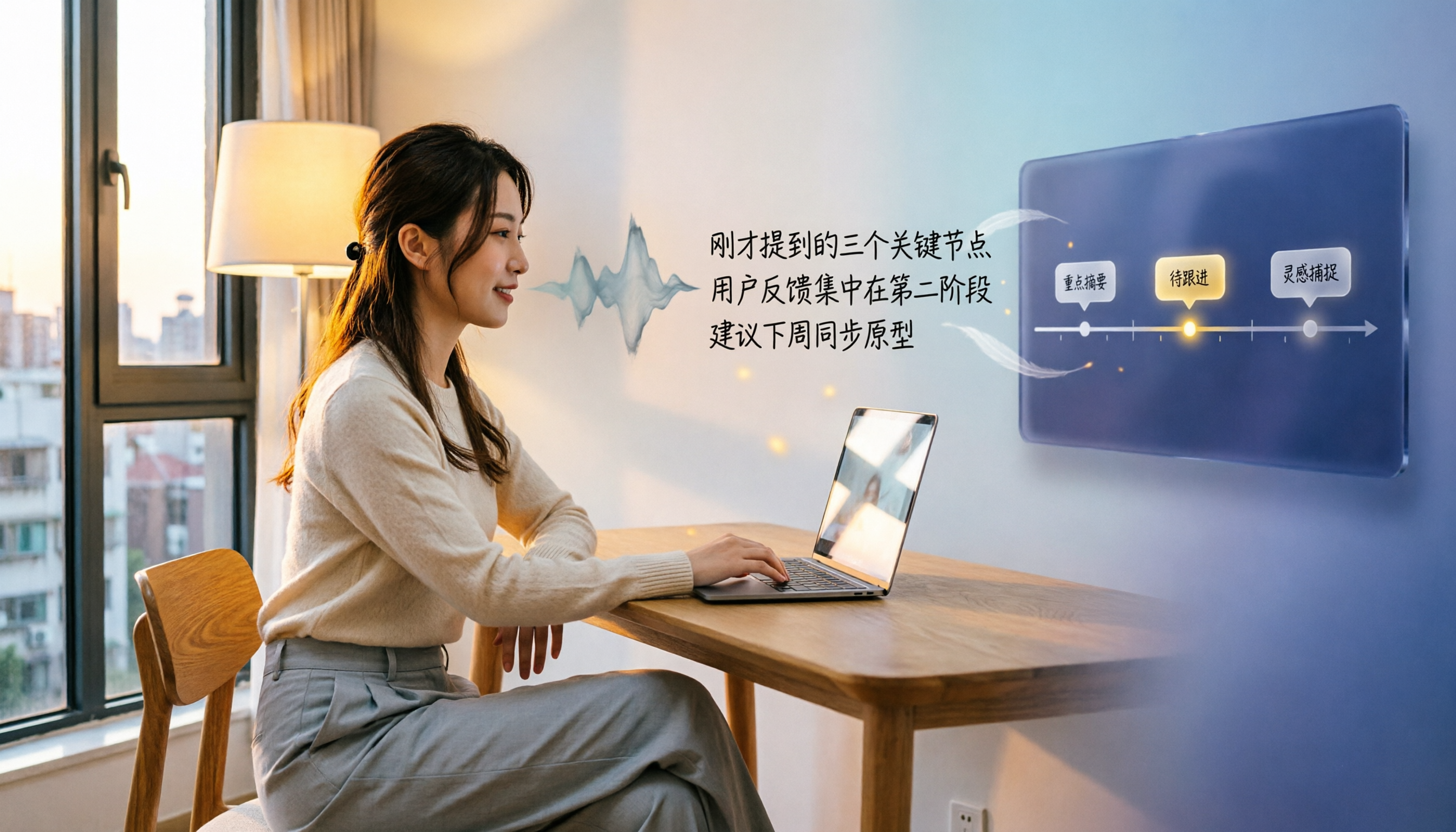
Turn recordings into transcripts and summaries in minutes
Upload audio or video for multilingual transcription, AI notes, and action items
2026 Head-to-Head: Google Meet Built-in Transcription vs Tinrec – Which Suits US Users Better?
Google Meet Built-in Transcription vs Tinrec: Quick Overview
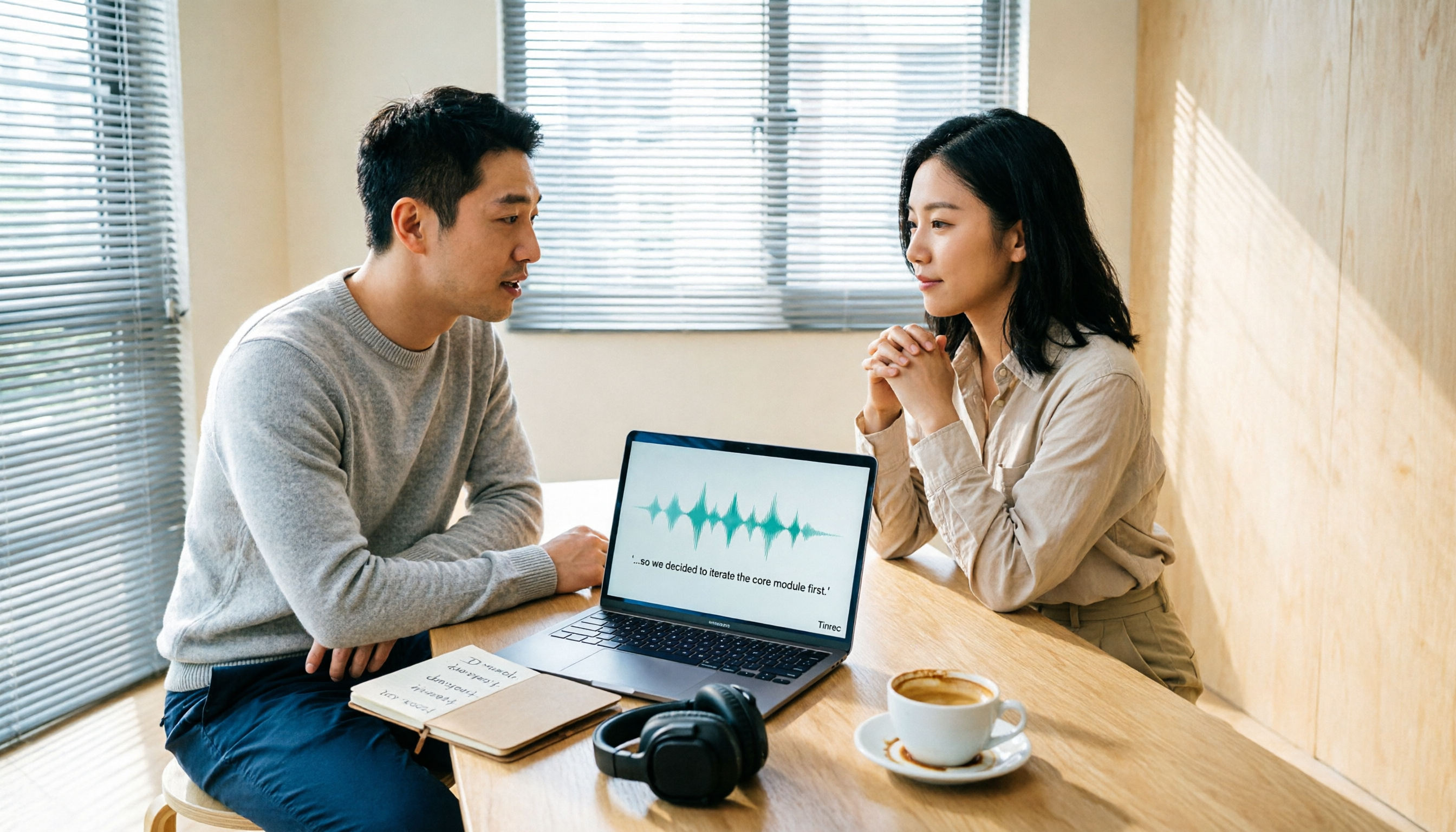
Google Meet's built-in transcription is a real-time caption and meeting notes feature included in Google Workspace subscriptions, suitable for basic online meeting needs. Tinrec is an AI-powered recording and audio/video organization tool designed for meetings, learning, interviews, and content creation, supporting multi-source input and rich post-processing capabilities.
| Comparison | Google Meet Built-in Transcription | Tinrec |
|---|---|---|
| Core Positioning | Real-time captions and meeting notes | Multi-source audio/video processing workspace |
| Input Sources | Google Meet meetings only | Live recording, files, online videos, online meetings, mobile recording |
| Output Results | Transcript (requires Workspace) | Transcript, summary, chapters, to-do lists, Q&A, export, etc. |
| Chinese Support | Supported but limited optimization | Specifically optimized for Chinese (Traditional) scenarios |
| Free Plan | Free version lacks text records; requires paid subscription | Free plan provides basic transcription quota |
| Cross-Platform | Web, mobile app | iOS, Android, web |
This article compares five dimensions: input source diversity, post-transcription processing, Chinese support and accuracy, pricing and free plans, and cross-platform and export flexibility, to help you decide which solution better fits US users' actual needs.
Dimension 1: Input Source Diversity
Google Meet's built-in transcription can only be used during Google Meet meetings. It cannot handle offline recordings, lecture audio, interview files, or online videos. If you need to process audio/video content outside of meetings, you'll need another tool.
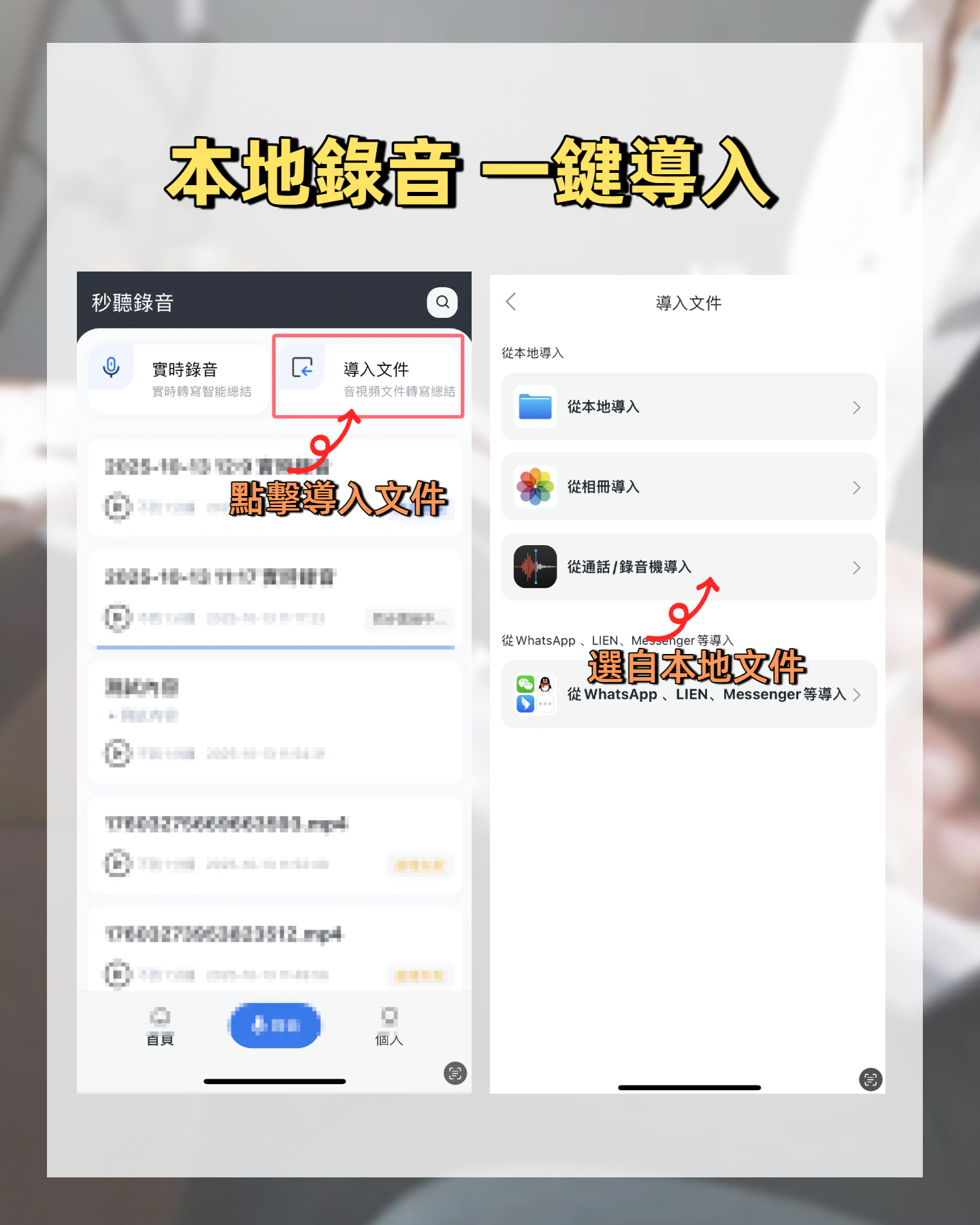
Tinrec integrates meetings, lectures, interviews, podcasts, YouTube videos, and more into a single workflow. It supports live recording, audio file uploads, online video link parsing, and even mobile recordings.
→ Verdict: Tinrec clearly wins, covering far more scenarios than Google Meet's single platform.
Dimension 2: Post-Transcription Processing
Google Meet's main output is real-time captions. With a paid Google Workspace plan, you can get a text transcript after the meeting, but that's it. It lacks auto-summarization, key point extraction, to-do item extraction, and other advanced features—you still need to manually organize the notes.
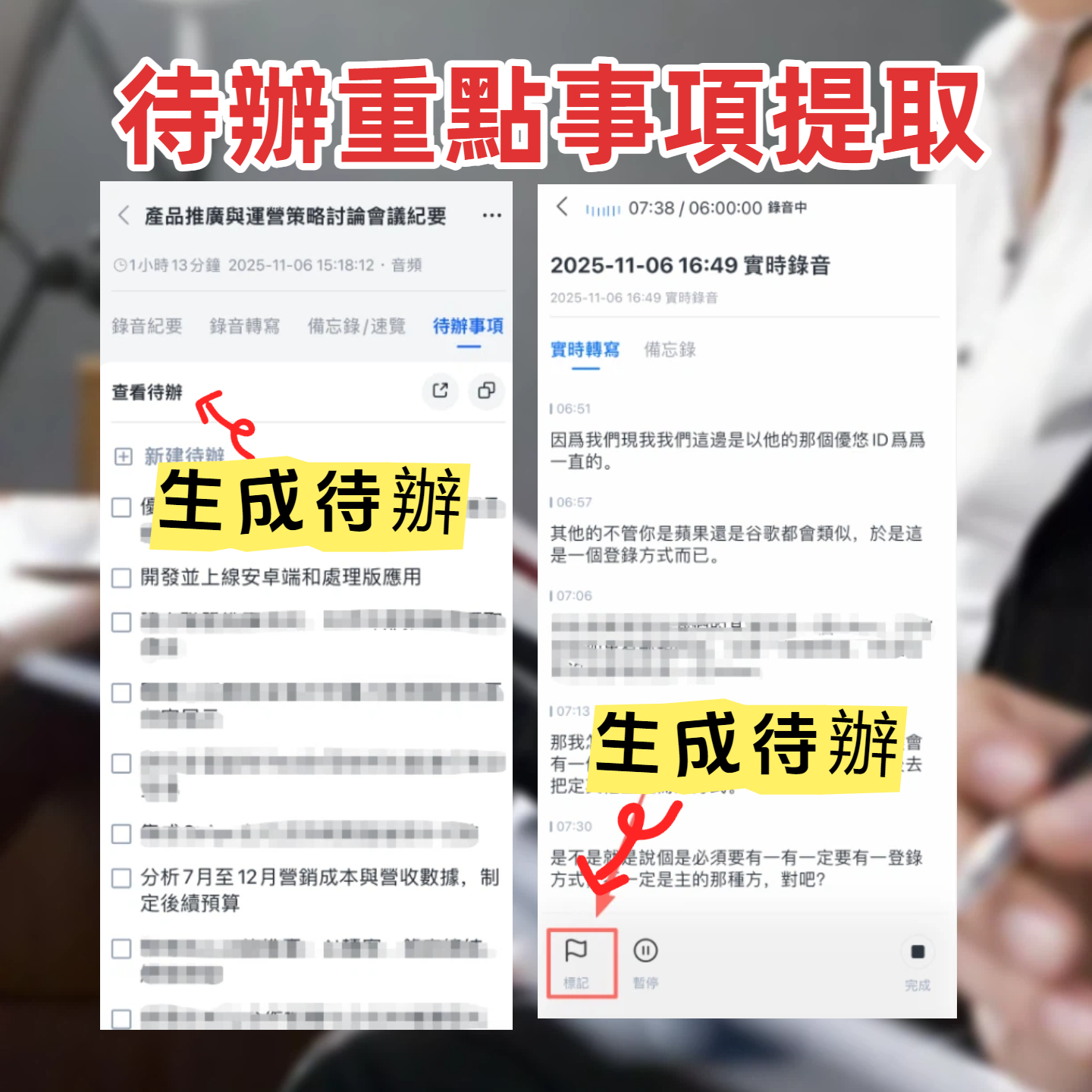
Tinrec not only provides a transcript but also auto-generates AI summaries, chapter splits, to-do lists, mind maps, and even enables Q&A around the recording content, turning the transcript into actionable material. For example, after a meeting, Tinrec can automatically extract action items, saving you from re-listening to the recording.
Stop organizing recordings by hand
Upload audio or video and automatically get a transcript, summary, and action items
→ Verdict: Tinrec wins by a wide margin, offering a complete workflow from recording to action.
Dimension 3: Chinese Support and Accuracy
Google Meet supports real-time Chinese captions, but in contexts with Traditional Chinese, mixed Chinese-English, or multiple accents, accuracy and paragraph quality are average. It cannot structure Chinese meeting content well.
Tinrec's product pages and features are clearly designed for Chinese (Traditional) users. In meetings, lectures, and interviews, its transcription quality is more aligned with local usage habits. While accuracy still depends on audio quality and accents, Tinrec's organization of Chinese content is more refined compared to general-purpose platforms.
→ Verdict: Tinrec is better suited for users who need reliable Chinese transcription, especially for Traditional Chinese.
Dimension 4: Pricing and Free Plan
Google Meet's real-time captions are available in the free version, but post-meeting text records and advanced features require a Google Workspace subscription, starting from Business Starter at about $6 per month (NT180), and that plan may not include full transcript export.
Tinrec offers a free plan with a basic monthly transcription quota, allowing you to try live recording, file import, and online video processing. If it meets your needs, you can then consider a weekly card, Pro monthly card, or annual card. For individuals or students on a budget, the entry barrier is lower.
→ Verdict: Tinrec's free plan lets you try before buying, while Google Meet requires payment for full transcription.
Dimension 5: Cross-Platform and Export Flexibility
Google Meet transcription results are primarily stored in Google Drive or Calendar, with limited export options. To move them to Notion, OneNote, or other note-taking tools, you need to manually copy and paste.
Tinrec supports multiple export formats including TXT, DOCX, and PDF, and can directly sync to Notion, Google Docs, Dropbox, and other third-party tools, integrating into your existing workflow. Historical recordings are also searchable and available for Q&A.
→ Verdict: Tinrec offers more comprehensive cross-platform and export capabilities, ideal for users building a long-term knowledge base.
What Are the Unique Advantages?
Tinrec's Unique Advantages
- Multi-Source Coverage: Transcribe meetings, courses, interviews, video links—all in one place.
- AI Q&A and Post-Processing: Ask follow-up questions, auto-generate summaries, to-do lists, and even create meeting minutes or tables.
- Chinese Optimization: Designed for Traditional Chinese usage, with summaries and key points more aligned with local expressions.
- Flexible Export: Supports multiple formats and third-party tools, seamlessly integrating into your workflow.
Google Meet Built-in Transcription's Unique Advantages
- Native Integration: No extra installation required; works directly in Google Meet for light online meeting needs.
- No Context Switching: Real-time captions, meeting notes auto-saved within the Google ecosystem.
At first glance, Google Meet is convenient. But if you frequently need to process content beyond meetings, or want more actionable outputs after a session, Tinrec's advantages are more comprehensive.
Conclusion: Which Should You Choose?
- If you only use Google Meet for meetings and don't need deep post-meeting organization → Google Meet built-in transcription is sufficient.
- If you want to handle meetings, lectures, interviews, online videos, and other audio sources in one tool → Tinrec is a better fit.
- If you need AI summaries, to-do extraction, and post-session Q&A → Choose Tinrec without hesitation.
- If you want to try a free plan first, or don't want to spend money immediately → Tinrec's free plan lets you get started right away.
In a nutshell: For most US users, Tinrec offers a more complete transcription and post-processing solution. Built-in transcription works for light needs, but if you truly want to turn meetings and audio/video content into reusable knowledge, Tinrec is the better choice. We recommend downloading the Tinrec free plan and trying it with your own meeting recordings.
Turn every recording into actionable outcomes
Get 60 free transcription minutes when you sign in. No credit card required.
Related Reading
You might also like

How to Use Online Speech-to-Text in 2026: 5 Steps from Recording to Transcript
How to choose and use online speech-to-text tools in 2026? Starting from real meeting pain points, this article covers 5 key selection criteria, Tinrec's 5-step workflow, brief reviews of 3 online transcription tools, and a guide to avoiding pitfalls—helping you go from recording to a searchable, collaborative transcript.

2026 Speech-to-Text Showdown: 3 Tools Tested for Chinese Accuracy and Post-Meeting Efficiency
How do you really measure speech-to-text accuracy? This article breaks down the WER (Word Error Rate) calculation logic and key factors affecting accuracy, then compares Tinrec and Notta across Chinese recognition, accent tolerance, technical terminology, post-meeting organization, and pricing/quotas. Otter.ai is included as a reference for Chinese scenarios, helping you decide which tool best fits your meeting and transcription needs.

Best Free iPhone Speech-to-Text Solutions in 2026: 5 Options Compared
Your iPhone's built-in Voice Memos already offers transcription, so why look elsewhere? Based on real student use cases, this guide covers five free ways to transcribe speech to text on iPhone in 2026—from the completely free built-in feature to Otter.ai, Notta, and TurboScribe with generous free tiers, plus Tinrec for automatic summaries, to-dos, and AI Q&A. We explain each option's free limits and the classroom or group discussion scenarios they suit best.
2026 Comparison of 6 Audio-to-Transcript Tools: Free Tiers and Chinese Recognition—Which Saves the Most Time?
A review of the free tiers, Chinese recognition, and post-meeting organization capabilities of 6 audio-to-transcript tools—Tinrec, cSubtitle, MyEdit, Canva, Google AI Studio, and ChatGPT Work—to help you choose the right solution for meetings, interviews, courses, and subtitles.

How to Transcribe Audio to Text on Android in 2026: A Complete 5-Step Guide
Transcribing audio files on Android often gets stuck on recording quality, Chinese recognition, and post-meeting organization. Using Tinrec as an example, this guide walks you through 5 steps—recording, importing, proofreading, AI summarization, and exporting—plus common FAQs, advanced tips, and alternatives.

4 Speech-to-Text Tools Tested: Which Saves the Most Time for Meeting Notes, Transcripts, and AI Q&A?
Many people compare speech-to-text tools by looking only at marketing numbers like '98% accuracy,' but overlook the real bottlenecks. This article starts with common pitfalls, explains how to judge whether a tool is worth using, then tests and compares Tinrec, Otter.ai, Notta, and Granola on meeting notes, transcripts, post-meeting organization, and team collaboration. It includes actual pricing and tips to avoid pitfalls, helping you choose the one that truly saves time.

2026 Comparison of 4 Speech-to-Text Tools: Which Turns Recordings into Actionable Meeting Data?
Starting from real pain points in interviews and meeting notes, this hands-on comparison tests Tinrec, Yating Transcription, Notta, and Otter.ai, covering selection criteria, common pitfalls, and scenario-based recommendations to help you find the tool that truly makes transcripts work-ready.
2026 Comparison of 4 Audio-to-Text Windows Tools: Is the Free Tier Enough?
When converting audio files to transcripts on Windows, most people choose the wrong approach from the start. This article uses real meeting recordings to test four tools—Tinrec, Notta, Otter.ai, and TurboScribe—comparing file support, post-meeting organization, online meeting audio capture, and free tier limits. It also outlines four common pitfalls to help you pick the one that fits your workflow.

How to Use Tinrec for Real-Time Speech-to-Text in 2026: Record Meetings Without Bots + Automatic Summaries and Action Items
How do you choose a real-time speech-to-text tool? First, determine your meeting format, whether you need a bot to join, and whether you want summaries and action items after the meeting. Using Tinrec as an example, this article covers real-time transcription, bot-free recording of online meetings, AI summaries, Q&A, translation, and team collaboration, along with buying considerations and FAQs.