
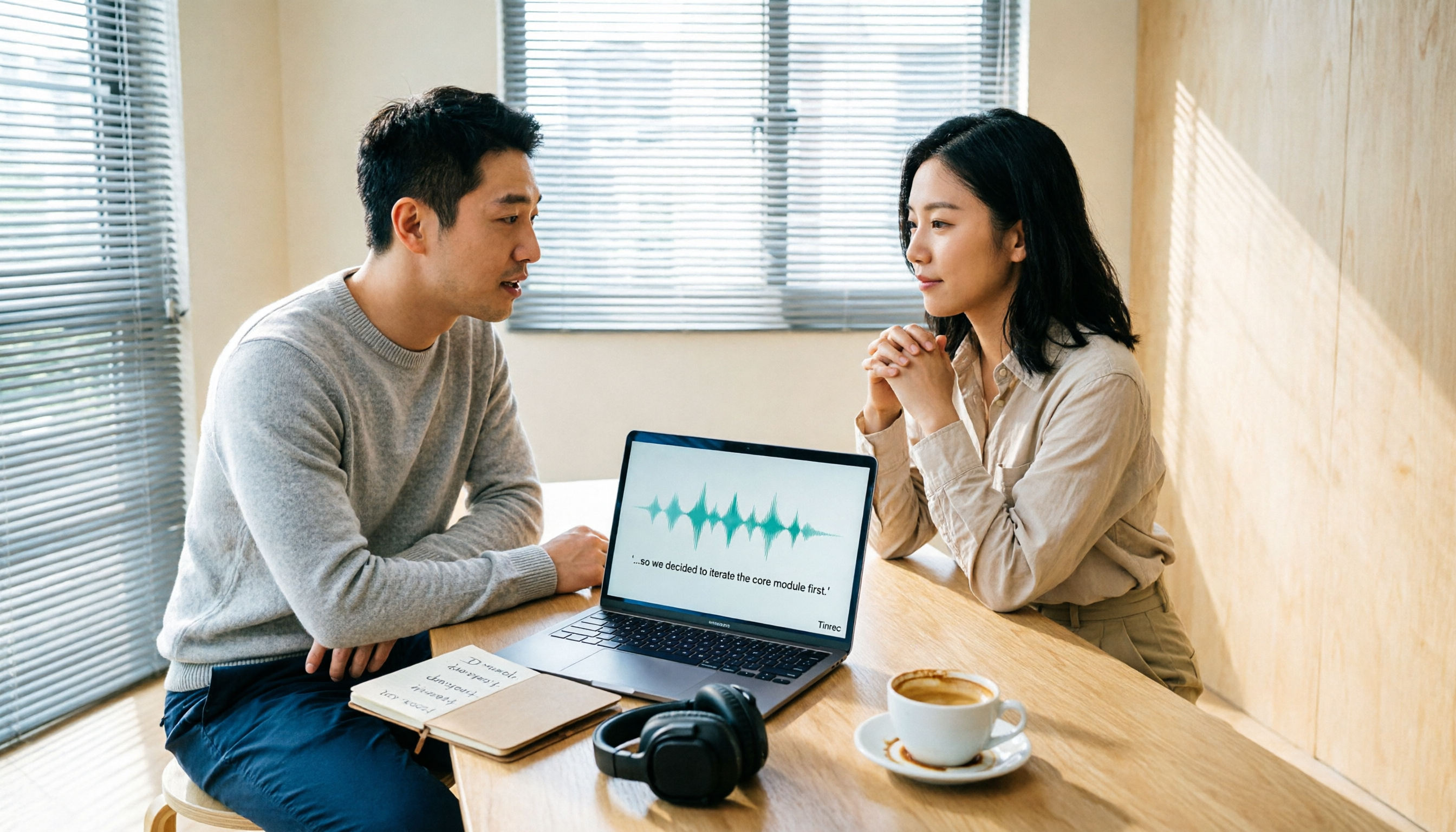
Turn recordings into transcripts and summaries in minutes
Upload audio or video for multilingual transcription, AI notes, and action items
2026 Comparison of 6 Audio-to-Transcript Tools: Free Tiers and Chinese Recognition—Which Saves the Most Time?
Are you trying to turn a recording into text, or turn a meeting into searchable, queryable, handover-ready data?
These two needs seem only one step apart, but choosing the wrong tool can make a huge difference in the time you spend later on correction, organization, and finding key points.
This article compiles public information and use cases for 6 audio-to-transcript tools, covering free tiers, Chinese recognition, and post-meeting organization capabilities, to help you determine which one fits your workflow.
Why do you need audio-to-transcript?
Meeting notes, interviews, courses, lectures, video subtitles—whenever you need to turn sound into text, transcription is essential.
Manual typing requires repeated pausing, playing, and typing; a one-hour meeting often takes two to three times as long to organize.
Today's automatic speech recognition (ASR) is much more reliable than in the past, but with so many tools available, the difference isn't just accuracy—it's also whether you can summarize, ask questions, or hand off to your team after transcription.
So this article isn't just about which is free; it's about helping you see clearly what your next work phase needs.
Tinrec | The most complete AI meeting notes and team collaboration solution
Tinrec is an AI meeting notes and collaboration tool for individuals and teams. It doesn't just convert sound to text; it organizes meeting recordings into searchable, summarizable, queryable, and exportable data.
First, it supports bot-free recording of online meetings. The desktop version directly captures computer system audio, handling Zoom, Google Meet, Microsoft Teams, Webex, and other meetings without inviting an extra meeting bot. This is practical for those who don't want a bot appearing in the participant list.
Second, the post-transcription workflow is complete. It automatically generates summaries, chapters, key points, and action items, and supports AI Q&A around the meeting content. A transcript alone isn't enough; Tinrec lets you ask "What were the conclusions of this meeting?" and "Who is responsible for what?"
Third, multiple output options. Besides transcripts, it can generate mind maps, reports, tables, and documents, and export to Notion, Google Docs, OneNote, Dropbox, and other tools for further processing.
Fourth, the team version turns meetings into team assets. Team spaces centrally store meeting data, with management of roles, seats, usage analytics, and audit logs; when a member leaves or loses a seat, resources can be handed over to other members. The audio recycle bin currently retains files for 30 days, giving you a chance to recover accidentally deleted items.
Pricing: The personal version offers a free plan, weekly pass, Pro monthly, and Pro annual; actual prices are subject to the official website. The team version is USD 29.80 per paid seat per month, or USD 199 per paid seat per year (about USD 16.58 per month), with each seat providing 2,000 minutes of team shared import quota per month. Under an active team plan and seat, real-time recording currently does not deduct minutes.
Who it's for: Those who need Chinese meeting transcription, post-meeting summaries and action items, and want to keep meeting data in a team space.
cSubtitle | An online transcription tool focused on Chinese
cSubtitle specializes in Chinese speech-to-text. After uploading audio or video, you can download text and Word files in as little as a few minutes.
It supports MP4, MOV, MP3, WAV, M4A, OGG, WMA, and other formats, with a single file limit of 4GB and 5 hours. The generated Word file includes time codes for easy proofreading, automatically adds punctuation and paragraph breaks, and generates .sub and .vtt subtitle files. Batch processing is available for multiple files.
Pricing: Free trial available; paid plans and quotas are subject to the official website.
Who it's for: Those who need Chinese transcripts plus subtitle files or batch processing of multiple media files.
MyEdit | Free online speech-to-text
MyEdit is an online speech-to-text tool that requires no software download; upload an audio file and get a transcript.
It supports MP3, WAV, FLAC, M4A, recognizes 9 languages, automatically segments sentences, and allows online preview and editing before exporting as .txt or .srt. The source page indicates it is free to use.
Who it's for: Those who occasionally need to convert MP3 or recordings to text for notes, subtitles, or meeting minutes on a limited budget.
Canva | Connecting audio-to-text with design and subtitle workflows
Canva offers an audio-to-text app on its platform. Upload course or seminar recordings to quickly get transcripts for comparing notes, extracting quotes, or reviewing key points.
Its AI model uses context to generate transcripts and helps recognize speech even with background noise; the source page also notes that results should still be checked against the original recording.
Pricing and available quotas depend on your Canva account plan; there is no fixed standalone pricing.
Who it's for: Those already using Canva for presentations, videos, or subtitles who want to integrate transcription into the same workflow.
Stop organizing recordings by hand
Upload audio or video and automatically get a transcript, summary, and action items
Google AI Studio | Free transcription with Gemini
Google AI Studio allows free use of the Gemini model for audio-to-text. After uploading an audio file, you can prompt it to transcribe into Chinese, and even ask it to identify different speakers, add timestamps, and automatically segment by tone.
The source tutorial mentions that errors may occur due to homophones, requiring manual proofreading. It's suitable for users willing to write their own prompts and save on tool costs.
Pricing: Free to use; actual quotas and features are subject to Google AI Studio's announcements.
Who it's for: Those who want free transcription and don't mind manually prompting and proofreading.
ChatGPT Work | Hand audio files to AI for direct transcription and organization
ChatGPT Work can also handle audio-to-transcript. Upload common formats like MP3, M4A, WAV, and ask it to transcribe into a full transcript; it uses the Whisper speech recognition tool in a temporary working environment to complete the transcription.
After transcription, you can ask it to organize meeting highlights and action items, effectively combining transcription and post-meeting organization in one conversation.
Note that actual upload and processing depend on account permissions, file format, size, length, and usage quotas. If the file is too large, the source suggests compressing to MP3 or M4A first.
Who it's for: Those who already have ChatGPT Work access and want to turn transcripts into summaries conveniently.
With so many options, how should you choose?
- Want the most complete post-meeting workflow: transcription, summary, chapters, action items, AI Q&A all in one → Tinrec.
- Need bot-free recording of Zoom, Google Meet, Microsoft Teams, or Webex → Tinrec.
- Chinese meetings, mixed Chinese-English content, and want real-time translation and bilingual viewing → Tinrec.
- Team needs to share meeting data, manage seats, view usage and audit logs → Tinrec Team.
- Zero budget, only occasional short audio transcription → MyEdit or Google AI Studio.
- Need Chinese transcripts plus subtitle files, and batch process multiple files → cSubtitle.
- Already using Canva for videos and subtitles, want to stay on the same platform → Canva.
- Already have ChatGPT Work, want to ask for key points after transcription → ChatGPT Work.
Simply put, if you just need a one-time "sound to text" conversion, free tools are enough. If you need to avoid re-listening to meetings after they end, Tinrec's difference will be more obvious.
4 things to know before using audio-to-transcript
First, audio quality determines half the result. Microphones too far from speakers, heavy echo, and multiple people talking simultaneously will degrade recognition. For important content, verify against the original recording and timestamps.
Second, prepare proper nouns and names in advance. Rather than correcting one by one after transcription, organize commonly used team terminology beforehand. Tinrec Team has a team hotwords feature to maintain professional terminology for more stable recognition.
Third, confirm authorization before recording. Meeting, interview, and course recordings may involve personal data and privacy; obtain consent in accordance with local regulations and company policies.
Fourth, check free quotas and file limits carefully. Tinrec Personal has a free quota to try; Team's file and web imports use team shared import minutes, and real-time recording currently does not deduct minutes under an active plan and seat. Other tools often have single-file size, duration, or daily limits; confirm before use.
FAQ
Q1: Can audio-to-transcript tools directly generate meeting minutes?
Depends on the tool. Tinrec further generates summaries, chapters, key points, and action items, and supports AI Q&A to follow up on meeting content; tools that only transcribe require you to organize yourself.
Q2: Does Tinrec require a meeting bot to join Zoom?
No. Tinrec Desktop directly captures computer system audio; the user initiates recording, and no extra bot needs to be invited. It is not a mode that automatically joins all calendar meetings.
Q3: Are free tools enough?
If you only occasionally transcribe short recordings, MyEdit or Google AI Studio can be used first. If you have frequent meetings and need summaries, action items, and team sharing, Tinrec's free version lets you try the quota first, then see if the weekly pass or Pro suits you.
Q4: Can Chinese recognition accuracy be guaranteed at 98% or 99%?
It's not advisable to promise fixed numbers. Actual performance is affected by recording quality, noise, accents, overlapping speech, and professional terminology. Tinrec supports Chinese and mixed Chinese-English meetings, but important content should still be verified against the original text and recording.
Q5: What's the difference between Tinrec Team and Personal?
Personal data is managed by the individual account. Team has an independent team space where meeting data belongs to the team, plus members, roles, seats, sharing benefits, usage analytics, audit logs, and audio recycle bin. Members without a seat can still view, play, and read team data but cannot upload, edit, or import/export.
Q6: Where can the generated transcripts be exported?
Tinrec supports multiple export formats and can be used in Notion, Google Docs, OneNote, Dropbox, and other tools. Export formats and third-party integrations of other tools are subject to their respective official websites.
Conclusion
Audio-to-transcript isn't just about "turning sound into text." What you're really buying is the organization time afterward: can you quickly grasp key points, ask follow-up questions, and hand data to your team?
If you need Chinese meeting transcription, bot-free recording, post-meeting summaries, and team retention, Tinrec is the most complete option on this list. Budget-first users can start with MyEdit or Google AI Studio; for subtitle files and batch processing, consider cSubtitle.
If interested, visit the Tinrec website to check the free version quota and actual workflow before deciding whether to upgrade to a paid plan.
References
- Online AI speech, video, audio file auto-transcription - Free trial - cSubtitle
- Audio to Text: Online transcription of recordings | Canva
- Google AI Studio transcript tutorial, free AI audio-to-text tips - Mr. Mad
- Online speech-to-text AI, free MP3 or audio to transcript - MyEdit
- How to turn meeting recordings into transcripts? Hand it to ChatGPT Work, even Whisper is installed | BusinessNext
Turn every recording into actionable outcomes
Get 60 free transcription minutes when you sign in. No credit card required.
Related Reading
You might also like

2026 Comparison of 4 Audio-to-Text Tools: Which One Saves the Most Time for Chinese Meeting Minutes?
Does the real work start after the meeting ends? This article tackles real workplace pain points, outlines four key factors for choosing an audio-to-text tool, and compares Tinrec, Otter.ai, Notta, and Granola. Tinrec stands out with bot-free desktop recording, Chinese meeting transcription, AI Q&A, and team spaces. The article also honestly lists each tool's free tier limits to help you find the one that truly saves time.

Best Interview Recording-to-Text Tools in 2026: 4 Tested, This One Excels at Chinese Interviews and Post-Meeting Follow-ups
We tested 4 interview recording-to-text tools, comparing input sources, Chinese recognition, post-meeting organization, and team data management. Tinrec performed best in Chinese interviews, recording online meetings without bots, and AI follow-up questions after meetings. This article includes key buying factors, pitfalls to avoid, and scenario recommendations.

2026 Audio Transcription Tool Buying Guide: 6 Hands-On Tests and Selection Advice
For mid-level managers who have a dozen meetings a week and still need to organize notes afterward, we tested 6 audio transcription tools: from Tinrec's bot-free recording and AI Q&A to Notta, Otter, TurboScribe, Granola, and the free Google Docs voice typing. This guide lays out positioning, pricing, and who each tool is for, so you pick the right tool—not just the most popular one.

4 Best Speech-to-Text Tools in 2026: Free Tiers, Chinese Transcription, and Post-Meeting Summaries Compared
How to choose a speech-to-text tool? This article starts with the difference between live dictation and audio file transcription, then compares Tinrec, Notta, Granola, and PLAUD on free tiers, Chinese transcription, post-meeting AI summaries, and team seats. It also lists 4 common pitfalls to help you decide based on budget and use case.

2026 Comparison of 4 Audio-to-Text Tools: Which One Can Generate Meeting Minutes Directly from Computer Meetings?
With more and more audio files and online meetings on computers, the real time sink is often not recording but re-listening and organizing. This article starts from computer-based usage scenarios and compares four tools: Tinrec, Granola, TurboScribe, and PLAUD. It explains key factors to consider when choosing, how to avoid the trap of only looking at transcription minutes, and provides recommendations for different workflows.

How to Use Online Speech-to-Text in 2026: 5 Steps from Recording to Transcript
How to choose and use online speech-to-text tools in 2026? Starting from real meeting pain points, this article covers 5 key selection criteria, Tinrec's 5-step workflow, brief reviews of 3 online transcription tools, and a guide to avoiding pitfalls—helping you go from recording to a searchable, collaborative transcript.

2026 Speech-to-Text Showdown: 3 Tools Tested for Chinese Accuracy and Post-Meeting Efficiency
How do you really measure speech-to-text accuracy? This article breaks down the WER (Word Error Rate) calculation logic and key factors affecting accuracy, then compares Tinrec and Notta across Chinese recognition, accent tolerance, technical terminology, post-meeting organization, and pricing/quotas. Otter.ai is included as a reference for Chinese scenarios, helping you decide which tool best fits your meeting and transcription needs.

Best Free iPhone Speech-to-Text Solutions in 2026: 5 Options Compared
Your iPhone's built-in Voice Memos already offers transcription, so why look elsewhere? Based on real student use cases, this guide covers five free ways to transcribe speech to text on iPhone in 2026—from the completely free built-in feature to Otter.ai, Notta, and TurboScribe with generous free tiers, plus Tinrec for automatic summaries, to-dos, and AI Q&A. We explain each option's free limits and the classroom or group discussion scenarios they suit best.

How to Transcribe Audio to Text on Android in 2026: A Complete 5-Step Guide
Transcribing audio files on Android often gets stuck on recording quality, Chinese recognition, and post-meeting organization. Using Tinrec as an example, this guide walks you through 5 steps—recording, importing, proofreading, AI summarization, and exporting—plus common FAQs, advanced tips, and alternatives.