

Turn recordings into transcripts and summaries in minutes
Upload audio or video for multilingual transcription, AI notes, and action items
Best Interview Recording-to-Text Tools in 2026: 4 Tested, This One Excels at Chinese Interviews and Post-Meeting Follow-ups
Dozens of interview recording-to-text tools have emerged in recent years, but the real question is never "which one has the most features."
It's more worthwhile to ask yourself three questions first: Are you dealing with an in-person interview where the candidate is sitting across from you, or a video interview on Zoom or Teams? Do you just need a transcript, or do you want an evaluation draft ready to reference right after the interview ends? And finally, will these interview records be used by you alone, or shared across the entire HR team?
Once you've answered these three questions, the answer is pretty much clear. Below is my categorization and recommendations after actually trying them out.
The hassle of interview records usually isn't during the interview itself
Scheduling 3 to 5 interviews a day is the norm for many HR professionals and department managers. The truly painful moment comes after the interview ends, when you sit back at your computer to write the evaluation report.
You'll find you only remember scattered fragments: What exactly was the candidate's answer to a specific technical question? Was the salary expectation they mentioned monthly or annual? Did they say they could start "in a month" or "after the new year"?
Handwritten notes can't keep up with the conversation. Recording the whole thing is safe, but having to replay an hour-long audio file to fish out that 30-second key answer is incredibly time-consuming.
So the question is never "did you record it" but "can you use it immediately after recording." This article selects tools around that very issue.
Before choosing an interview recording-to-text tool, understand these 4 key points
1. What "input sources" does it support?
Interviews come in many forms. In-person interviews require real-time recording; video interviews require handling audio played from the computer; and if you're used to a voice recorder, you'll need to upload MP3, WAV, and similar files.
A tool that only supports one of these will eventually hold you back. I always check this first because it determines whether the tool can cover your entire interview process.
2. Recognition performance for Chinese and mixed Chinese-English
Interviews in Taiwan are rarely pure Chinese. When candidates mention job titles, technical terms, or product names, they almost always mix in English.
Whether it can smoothly handle mixed Chinese-English content is more worth looking at than the official recognition rate numbers. Actual performance is still affected by recording quality, background noise, accents, and multiple people talking over each other, so I recommend testing with your own recordings.
3. Can you use it directly after transcription?
A transcript is just raw material. What you really need is a summary, key points, action items, and the ability to ask follow-up questions like "what exactly did this candidate say?"
If the tool only gives you a big block of text and you still have to reread it yourself, the time saved is actually limited.
4. Where will interview data be stored?
The difference between personal and team versions is especially obvious in interview scenarios. Who can view candidate data, who can edit it, and who owns the records after the person in charge leaves—these problems are unsolvable with just one account.
This point is often overlooked, but for HR teams it's actually the most critical.
Tinrec — My top recommendation after testing
Tinrec is an AI meeting notes and collaboration tool for individuals and teams, available on web, desktop, and mobile.
Handles all three interview formats
For in-person interviews, open real-time recording on your phone or computer, and the transcript appears as you record. You can confirm whether key terms are captured correctly during the conversation.
For video interviews, the desktop version is even better: it directly captures the computer's system audio to handle Zoom, Google Meet, Microsoft Teams, Webex, and similar meetings without inviting a separate meeting bot to join. For the candidate, it's just a normal video interview with no strange extra participant.
If you're used to a voice recorder, you can upload the audio file after the interview for transcription, and past interview recordings can be filled in as well.
Post-meeting is where it truly stands out
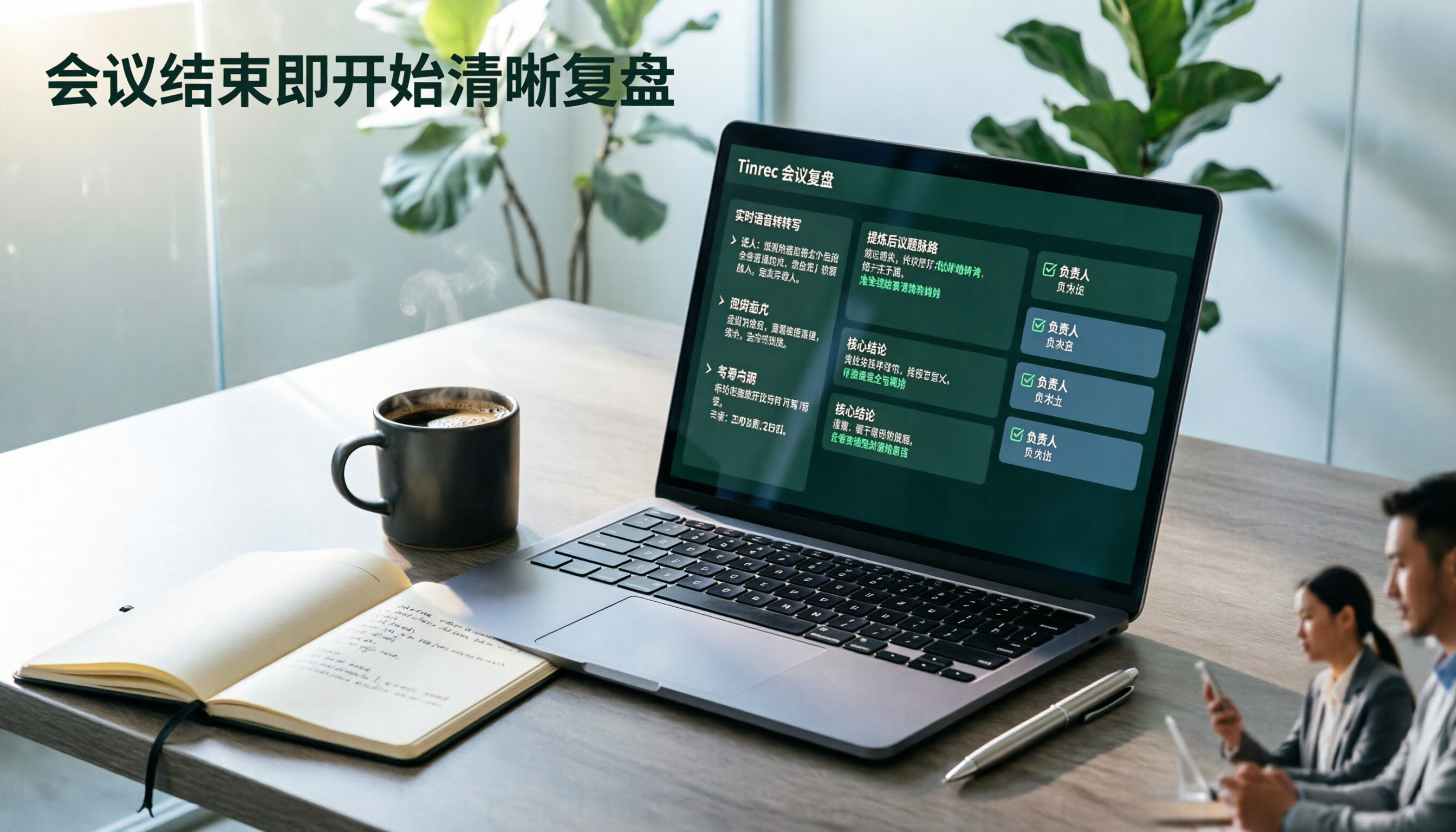
After recording, Tinrec automatically generates summaries, chapters, and key points, breaking a 50-minute interview into several sections so you can jump directly to the "salary expectations" or "technical experience" part.
Action items are extracted separately, such as "reply with salary proposal by next Tuesday" or "schedule second interview."
More importantly, there's AI Q&A. You can directly ask it: "What salary expectation did this candidate mention?" "Did they mention any times they can't work overtime?" It answers based on semantics rather than throwing a bunch of keyword search results at you.
In my experience, this step saves the most time—no more dragging the progress bar to re-listen.
Transcription results can also be exported to Notion, Google Docs, OneNote, Dropbox, and other tools, or further generate reports, tables, and meeting minutes to fit directly into your workflow.
Team version keeps interview records within the company
Stop organizing recordings by hand
Upload audio or video and automatically get a transcript, summary, and action items
If you're an HR team, the team version is a separate collaboration space, not multiple people sharing one personal account.
- Create multiple team spaces, invite members via link, and set owners, admins, and regular members
- Distinguish "roles" from "seats": roles govern administration, seats govern whether one can record, upload, and edit
- Members without seats can still view, play, and read team interview data
- Provides team usage trends, member rankings, audit logs, and audio recycle bin
- When a member leaves or is removed, their resources can be transferred to other members, so data doesn't leave with the person
Worth mentioning is the team hotwords feature: internal job titles, product codes, and specific technical terms can be maintained as a list to improve recognition of specialized terms, which is very noticeable when recruiting heavily for the same position.
Pricing and limitations, stated honestly
The personal version has a free tier to try first. For short-term intensive interviews, consider a weekly pass; for steady weekly use, the Pro monthly or annual plan.
The team version currently offers a 7-day trial, 1 free seat, and 300 minutes of shared import quota; paid seats are USD 29.80/month or USD 199/year (about USD 16.58/month), with each paid seat providing 2,000 minutes of team shared import quota per month. Actual prices and benefits are subject to the official purchase page.
Note: real-time recording and file import have different quota rules. Team version real-time recording currently isn't deducted by minutes, but uploading audio files consumes the team's shared import quota. Those who frequently upload voice recorder files should be aware.
Also, Tinrec does not promise a fixed accuracy rate. Performance will definitely be affected in noisy environments, when multiple people talk over each other, with heavy accents, or with many technical terms. For important information, it's recommended to cross-check with the transcript timestamps and recording.
Who it's for
For HR professionals and managers who need Chinese interview transcription, want to record video interviews without alerting candidates, and hope to directly ask AI for key points after the interview, Tinrec is currently the most balanced choice.
Besides Tinrec, what other options are there?
Notta
The competitor with the most overlap with Tinrec, offering multi-platform transcription, file import, translation, and team plans, with multilingual support as its strength. The free version offers 120 minutes per month with a 3-minute limit per item; Pro annual billing is about USD 8.17/month for 1,800 minutes per month.
Its positioning leans more toward a "transcription and subtitle tool." Post-meeting follow-up on interview content and building a team knowledge base aren't its focus. If you only need transcripts and don't need post-meeting analysis, it's worth considering.
Otter.ai
A veteran choice for English business meetings. The basic version is free with 300 minutes per month, which is generous for pure English interviews.
But its strength is in English scenarios; Chinese interviews and mixed Chinese-English organization aren't areas it deliberately focuses on. If most of your candidates speak English, Otter is a reasonable choice; if it's mainly Chinese conversation, it'll feel more clunky.
Granola
Also a bot-free desktop meeting notes tool, emphasizing the combination of user handwritten notes and AI. Basic is free, Business is USD 14/user/month.
However, note two things: it doesn't support uploading existing pre-recorded audio files, and it doesn't save meeting audio files. For HR who need to keep interview recordings for possible future reference, this is a hard flaw.
Pitfall guide: 3 most common mistakes when choosing an interview recording-to-text tool
Pitfall 1: Only caring about "whether there's a transcript"
A transcript is raw material, not a finished product. If the tool only gives you text and you still have to reread an hour of interview content to write the evaluation, you've only saved typing time. When choosing a tool, look at summary, action items, and follow-up capabilities together.
Pitfall 2: Ignoring whether recordings are saved
Some tools don't save audio files by default for privacy. Sounds safe, but interview records often need to be checked weeks later to confirm "did he really say that?" Before deciding, confirm the audio retention and recycle bin mechanisms.
Pitfall 3: Ignoring team permissions and handover
Interview data piled up in personal accounts becomes an island once the person in charge leaves. What to look at in a team version isn't "can multiple people use it" but whether roles, seats, usage, and handover mechanisms are clearly separated.
One last reminder, not a pitfall but important
Please inform candidates and obtain consent before recording. Regulations on recording vary by country and region, and this step cannot be skipped. In practice, most candidates are willing to cooperate when they hear "it helps me confirm details later and won't be shared externally." Recording first and asking later is more likely to cause problems.
Conclusion: Which one should you choose?
To circle back: the point of interview recording-to-text is to let you start writing the evaluation within 10 minutes after the interview ends, not to create another file you have to organize.
- Need Chinese interview and mixed Chinese-English transcription and organization → Tinrec
- Want to record Zoom, Meet, Teams without inviting a bot into the meeting → Tinrec (desktop version captures system audio)
- Want to directly ask "what's their salary expectation" after the interview → Tinrec (post-meeting AI follow-up)
- HR team needs to share interview records, manage seats, and handover → Tinrec team version
- Only doing pure English interviews, zero budget → Otter.ai free version
- Only need simple conversion to subtitles, no post-meeting analysis → Notta
If you're still undecided, I suggest running a real interview with Tinrec's free version first. Testing with your own recordings and your own industry terminology is more accurate than reading any review. If it works for you, then discuss upgrading—no need to pay from the start.
(Recording and transcription involve candidates' personal data. Please confirm consent has been obtained before use and comply with relevant local regulations.)
References
- Transcribe your recordings | Microsoft Support
- Want to quickly organize interview records? 5 AI interview assistant tools to automatically generate key points and action items - Tinrec Blog
- Audio to text: Convert recordings to transcripts online | Canva
- Transcribe your recordings - Microsoft Support
- Tested 4 best online speech-to-text tools, free and instant recording-to-transcript conversion
Turn every recording into actionable outcomes
Get 60 free transcription minutes when you sign in. No credit card required.
Related Reading
You might also like

2026 Comparison of 4 Speech-to-Text Tools: Which Saves the Most Time on Chinese Meeting Follow-Ups?
How to choose speech-to-text software in 2026? This article breaks the decision into 4 key criteria, then compares Tinrec, Notta, Otter.ai, and TurboScribe under the same test conditions on Chinese recognition, free quotas, and post-meeting organization capabilities. It also includes a pitfalls guide and scenario-based recommendations.
2026 AI Meeting Review Agent Comparison: Tinrec vs Plaud Note - Which Is Better for Chinese Meetings?
The meeting ends, but the overtime begins. This article compares the software-based Tinrec and the hardware-based PLAUD Note across five dimensions: online meeting capture, Chinese post-meeting readability, review depth, historical recording processing, and team governance and cost structure. It directly tells you which AI meeting review agent better fits your work style.

5 Best Speech-to-Text Software in 2026: Chinese Meetings & AI Q&A Compared
Most people choose speech-to-text software based on free minutes, but overlook that post-transcription organization, follow-up questions, and team collaboration are where the real time is spent. This article starts with common misconceptions, breaks down 5 tools using 4 key selection criteria, and compares Chinese meeting transcription, AI Q&A, audio retention, and team knowledge accumulation, with a guide to avoid pitfalls and scenario-based recommendations.

6 Interview Recording Tools Tested and Compared for 2026: Which One Turns Transcripts into Evaluation Reports?
Re-listening to an hour of interview recording just to find that 30-second key answer is the most time-consuming part. This article reviews 6 interview recording organization tools, from live transcription with AI follow-up questions to pure file transcription, explaining who each is suitable for based on actual recruitment workflows, and includes practical reminders on legal aspects and data management in Taiwan, China.

5 Free Audio-to-Text Tools Tested: Which Free Tier Is Most Generous in 2026?
There are many free audio-to-text tools, but the definition of 'free' varies widely. This article compares the free limits, Chinese recognition experience, post-meeting organization capabilities, and team collaboration differences of Tinrec, Otter.ai, Notta, TurboScribe, and Google AI Studio from a use-case perspective. It also summarizes 4 key points to consider before purchasing and 4 common mistakes to help you determine which tool truly suits you.

2026 Comparison of 4 Audio-to-Text Tools: Which One Saves the Most Time for Chinese Meeting Minutes?
Does the real work start after the meeting ends? This article tackles real workplace pain points, outlines four key factors for choosing an audio-to-text tool, and compares Tinrec, Otter.ai, Notta, and Granola. Tinrec stands out with bot-free desktop recording, Chinese meeting transcription, AI Q&A, and team spaces. The article also honestly lists each tool's free tier limits to help you find the one that truly saves time.

2026 Audio Transcription Tool Buying Guide: 6 Hands-On Tests and Selection Advice
For mid-level managers who have a dozen meetings a week and still need to organize notes afterward, we tested 6 audio transcription tools: from Tinrec's bot-free recording and AI Q&A to Notta, Otter, TurboScribe, Granola, and the free Google Docs voice typing. This guide lays out positioning, pricing, and who each tool is for, so you pick the right tool—not just the most popular one.

4 Best Speech-to-Text Tools in 2026: Free Tiers, Chinese Transcription, and Post-Meeting Summaries Compared
How to choose a speech-to-text tool? This article starts with the difference between live dictation and audio file transcription, then compares Tinrec, Notta, Granola, and PLAUD on free tiers, Chinese transcription, post-meeting AI summaries, and team seats. It also lists 4 common pitfalls to help you decide based on budget and use case.

2026 Comparison of 4 Audio-to-Text Tools: Which One Can Generate Meeting Minutes Directly from Computer Meetings?
With more and more audio files and online meetings on computers, the real time sink is often not recording but re-listening and organizing. This article starts from computer-based usage scenarios and compares four tools: Tinrec, Granola, TurboScribe, and PLAUD. It explains key factors to consider when choosing, how to avoid the trap of only looking at transcription minutes, and provides recommendations for different workflows.