

Turn recordings into transcripts and summaries in minutes
Upload audio or video for multilingual transcription, AI notes, and action items
2026 Comparison of 4 Audio-to-Text Tools: Which One Saves the Most Time for Chinese Meeting Minutes?
Overtime Starts After the Meeting—The Problem Might Be Your Tool, Not You
It's 5:30 PM, the meeting ends, and colleagues close their laptops and leave one by one. You stay, put on your headphones, and listen to the one-hour recording from the beginning.
Because the discussion was too fast, you only jotted down a few keywords. Who said what, which version the boss finally approved, whether that budget was three digits or four—it's all buried in the recording.
Another common scenario is online meetings. You're listening, typing, and responding at the same time. In the end, the transcript is patchy, and fixing it takes longer than the meeting itself.
These struggles aren't because you're not diligent enough—it's because you didn't choose the right tool. Pick the right audio-to-text tool, and when the meeting ends, the transcript, summary, and action items are already waiting for you.
Before Choosing an Audio-to-Text Tool, Understand These 4 Key Points
First, recognition of Chinese and mixed Chinese-English speech. In Taiwanese workplaces, pure Chinese meetings are rare; it's common to have two or three English technical terms in a sentence. In such code-switching scenarios, pure international tools often make segmentation errors. When choosing, check how well it adapts to Chinese contexts.
Second, how the meeting is recorded. Some tools require a meeting bot to join the online meeting, adding an unfamiliar account to the screen, and client meetings sometimes get questioned. Another approach is to capture the computer's system audio directly from the desktop, without adding participants. The latter is much more presentable for external meetings.
Third, what you get after transcription. A tool that only gives you a transcript means you still have to read through an hour of text yourself. A tool that automatically generates summaries, chapters, action items, and even lets you find conclusions via Q&A is the one that truly gives you back your time.
Fourth, free tier limits and team sharing. For personal use, look at monthly minutes; for team use, look at how seats are counted—how many people can record, how many can only view. This directly affects how many licenses you need to buy.
Tinrec—The One I Kept Using After Testing
Tinrec is an AI meeting notes and collaboration tool for individuals and teams, available on web, desktop, and mobile.
What's most impressive is how it fills the gap between "recording" and "usable data."
During meetings, the desktop version captures system audio directly. For online meetings like Zoom, Google Meet, Microsoft Teams, and Webex, no meeting bot needs to be invited. The screen stays clean, and clients won't ask questions. Note that this is not "automatically joining all meetings on your calendar"—you open Tinrec and start recording yourself.
Transcribes as you speak, transcript ready when the meeting ends. For offline interviews, phone calls, or impromptu discussions, use your phone or computer to record and transcribe in real time; by the time you finish speaking, the text is almost ready.
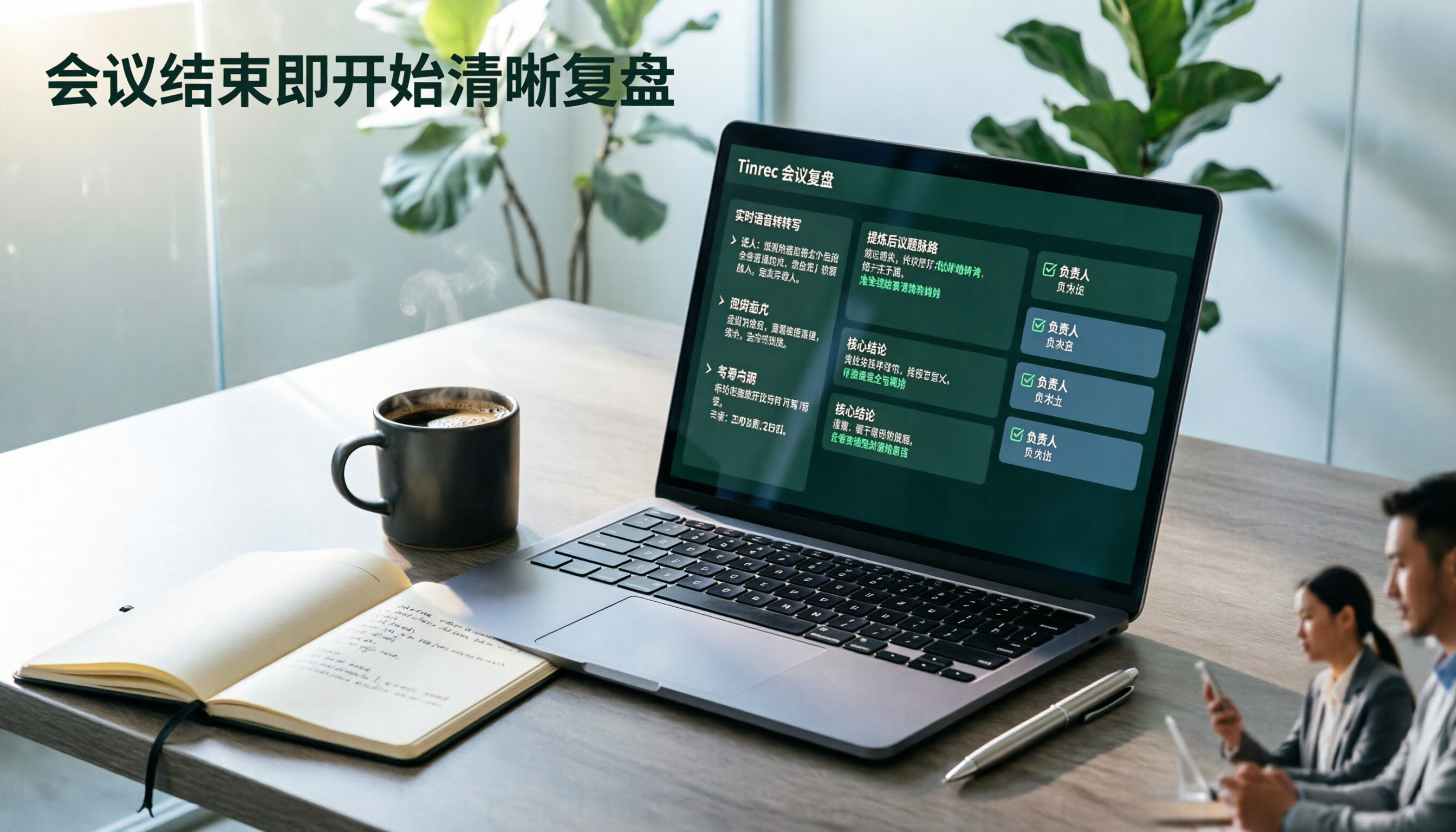
Post-meeting is where it really saves time. A one-hour meeting automatically generates a summary, chapter highlights, and action items—who's responsible for what and by when, all listed there.
More importantly, AI Q&A. You can directly ask, "What budget did the boss finally decide on in the last meeting?" and it will give you an answer based on semantics, rather than throwing a string of keywords for you to search through. Competitors in the same price range rarely offer this.
It can also generate reports, tables, and documents based on meeting content, and supports export to Notion, Google Docs, OneNote, Dropbox, etc., integrating with your existing workflow.
I'll list the costs honestly. The personal version has a free tier for basic recording, import, summary, and transcription. There are also weekly cards, Pro monthly, and Pro annual plans. For short, intense meeting periods, the weekly card is good; for long-term data accumulation, the annual plan is more cost-effective. The free tier is enough for light users, but daily meeting-goers will hit the limit.
If you lead a team, look at the team version. It's a separate team space, not several people sharing one account. You can create multiple teams, invite members via link, and distinguish "roles" and "seats": roles determine who can manage members and audit, seats determine who can record, upload, edit, and export. Members without seats can still view and play team data, but cannot perform actions like uploading or editing.
Stop organizing recordings by hand
Upload audio or video and automatically get a transcript, summary, and action items
The team version currently offers a 7-day trial for first-time eligible users, 1 free seat, and 300 minutes of shared import quota; monthly payment is USD 29.80 per paid seat per month, annual payment is USD 199 per paid seat per year (about USD 16.58 per month), with each paid seat providing 2,000 minutes of shared import quota per month. Real-time recording under an active plan is currently not deducted by minutes; file and web imports use the team shared quota. Actual prices and benefits are subject to the official purchase page.
Things to note: It does not promise a fixed accuracy rate; actual performance depends on recording quality, noise, accents, and multiple people talking over each other. For important content, it's recommended to cross-check with the transcript timestamps and listen back to the recording. Also, the team version currently shares at the team level, not file-level granular permissions.
Who it's for: People who frequently have Chinese or mixed Chinese-English meetings, want to use AI to find conclusions directly after meetings, and need to keep meeting data within the team rather than scattered on personal devices.
Besides Tinrec, What Other Options Are There?
Otter.ai is a mature English meeting assistant. The Basic free version offers 300 minutes per month, quite sufficient for pure English meetings. However, Chinese sentence segmentation and recognition are not its strengths; mixed Chinese-English often results in strange paragraphs. If more than 90% of your meetings are in English, it's still a reasonable choice; but if you need summaries and action items for Chinese meetings, you'll clearly feel the gap.
Notta overlaps significantly with Tinrec, both offering multi-platform transcription, meeting notes, file import, and translation. The free version offers 120 minutes per month with a 3-minute limit per item; Pro annual payment is about USD 8.17 per month. Its positioning leans more toward "transcription and translation," while Tinrec focuses on post-meeting Q&A, action item extraction, and team data accumulation—that's the difference in orientation.
Granola also takes the bot-free route, transcribing in real time via desktop system audio. Its feature is combining your handwritten notes to generate meeting content. Business is USD 14 per user per month. However, it does not support uploading existing recording files, nor does it save meeting audio files. If you need to organize historical recordings or listen back to the original audio for verification, this is a threshold to confirm first.
Pitfall Guide: The 4 Most Common Mistakes When Choosing These Tools
Pitfall 1: Only looking at the officially claimed accuracy rate. That number is usually measured in a quiet environment with standard accents. Real meeting rooms have air conditioning noise, keyboard sounds, and people talking over each other, so performance will be lower. A practical approach is to test with a real recording of your own meeting, not just look at advertising copy.
Pitfall 2: Only comparing minutes and price. Minutes only represent "how much can be transcribed," not "how much work you save after transcription." A cheap tool that only gives you a transcript often costs you back in overtime.
Pitfall 3: Using AI tools as typewriters. Using it only for audio-to-text is like using only one-third of its features. After a meeting, directly ask it "What was the conclusion of this discussion?" or "What action items are unassigned?"—much faster than flipping through a 30-minute transcript yourself.
Pitfall 4: Team sharing a single personal account. It seems cost-saving in the short term, but unclear data ownership, members leaving with files, and quota conflicts will explode in three months. If you truly have team needs, use a team plan with seat and role design.
Conclusion: Which One Should You Choose?
Bottom line: For those who need Chinese meeting notes and want summaries and action items directly after meetings, Tinrec is currently the smoothest overall choice.
- Chinese or mixed Chinese-English meetings, need accurate transcripts and summaries → Tinrec
- Don't want meeting bots joining online meetings → Tinrec (desktop version captures system audio)
- Want to ask questions directly to find conclusions after recording, without manually flipping through transcripts → Tinrec (AI Q&A)
- Meeting data should stay within the team, need seat and usage management → Tinrec Team Version
- Almost all-English meetings, zero budget → Otter.ai free version (the only exception in this article)
- Only need bulk file transcription and subtitle translation → Tools like Notta or TurboScribe are more suitable
It's recommended to start with the free version. Take a real meeting recording and put it in, see if the summary captures the key points and if the action items are listed correctly. After one try, you'll probably know whether this tool is worth adding to your workflow.
References
- [AI Voice Notes] Top 5 AI Transcription Tools! Generate Transcripts and Meeting Notes, Free vs Subscription, Pros and Cons Comparison | 104 Job Bank
- No Time Limit! 3 Free AI Transcription Tools, Highly Recommended! AI Voice Notes Generate Meeting Records, Presentations, Mind Maps | 104 Job Bank
- Top 8 Free Audio-to-Text Transcription Software Recommendations (2026): Essential Tools for Students and Professionals - Tinrec Blog
- Which Audio-to-Text Tool Is Best? 2026 Hands-On Test of Multiple Tools, This One Is Most Suitable for Professionals - Tinrec Blog
- 2026 Audio-to-Text Recommendations: Hands-On Test and Selection Guide for 6 Popular Tools (Including Chinese/Meeting Scenarios) - Tinrec Blog
Turn every recording into actionable outcomes
Get 60 free transcription minutes when you sign in. No credit card required.
Related Reading
You might also like

2026 Comparison of 4 Speech-to-Text Tools: Which Saves the Most Time on Chinese Meeting Follow-Ups?
How to choose speech-to-text software in 2026? This article breaks the decision into 4 key criteria, then compares Tinrec, Notta, Otter.ai, and TurboScribe under the same test conditions on Chinese recognition, free quotas, and post-meeting organization capabilities. It also includes a pitfalls guide and scenario-based recommendations.
2026 AI Meeting Review Agent Comparison: Tinrec vs Plaud Note - Which Is Better for Chinese Meetings?
The meeting ends, but the overtime begins. This article compares the software-based Tinrec and the hardware-based PLAUD Note across five dimensions: online meeting capture, Chinese post-meeting readability, review depth, historical recording processing, and team governance and cost structure. It directly tells you which AI meeting review agent better fits your work style.

5 Best Speech-to-Text Software in 2026: Chinese Meetings & AI Q&A Compared
Most people choose speech-to-text software based on free minutes, but overlook that post-transcription organization, follow-up questions, and team collaboration are where the real time is spent. This article starts with common misconceptions, breaks down 5 tools using 4 key selection criteria, and compares Chinese meeting transcription, AI Q&A, audio retention, and team knowledge accumulation, with a guide to avoid pitfalls and scenario-based recommendations.

6 Interview Recording Tools Tested and Compared for 2026: Which One Turns Transcripts into Evaluation Reports?
Re-listening to an hour of interview recording just to find that 30-second key answer is the most time-consuming part. This article reviews 6 interview recording organization tools, from live transcription with AI follow-up questions to pure file transcription, explaining who each is suitable for based on actual recruitment workflows, and includes practical reminders on legal aspects and data management in Taiwan, China.

5 Free Audio-to-Text Tools Tested: Which Free Tier Is Most Generous in 2026?
There are many free audio-to-text tools, but the definition of 'free' varies widely. This article compares the free limits, Chinese recognition experience, post-meeting organization capabilities, and team collaboration differences of Tinrec, Otter.ai, Notta, TurboScribe, and Google AI Studio from a use-case perspective. It also summarizes 4 key points to consider before purchasing and 4 common mistakes to help you determine which tool truly suits you.

Best Interview Recording-to-Text Tools in 2026: 4 Tested, This One Excels at Chinese Interviews and Post-Meeting Follow-ups
We tested 4 interview recording-to-text tools, comparing input sources, Chinese recognition, post-meeting organization, and team data management. Tinrec performed best in Chinese interviews, recording online meetings without bots, and AI follow-up questions after meetings. This article includes key buying factors, pitfalls to avoid, and scenario recommendations.

2026 Audio Transcription Tool Buying Guide: 6 Hands-On Tests and Selection Advice
For mid-level managers who have a dozen meetings a week and still need to organize notes afterward, we tested 6 audio transcription tools: from Tinrec's bot-free recording and AI Q&A to Notta, Otter, TurboScribe, Granola, and the free Google Docs voice typing. This guide lays out positioning, pricing, and who each tool is for, so you pick the right tool—not just the most popular one.

4 Best Speech-to-Text Tools in 2026: Free Tiers, Chinese Transcription, and Post-Meeting Summaries Compared
How to choose a speech-to-text tool? This article starts with the difference between live dictation and audio file transcription, then compares Tinrec, Notta, Granola, and PLAUD on free tiers, Chinese transcription, post-meeting AI summaries, and team seats. It also lists 4 common pitfalls to help you decide based on budget and use case.

2026 Comparison of 4 Audio-to-Text Tools: Which One Can Generate Meeting Minutes Directly from Computer Meetings?
With more and more audio files and online meetings on computers, the real time sink is often not recording but re-listening and organizing. This article starts from computer-based usage scenarios and compares four tools: Tinrec, Granola, TurboScribe, and PLAUD. It explains key factors to consider when choosing, how to avoid the trap of only looking at transcription minutes, and provides recommendations for different workflows.