

Turn recordings into transcripts and summaries in minutes
Upload audio or video for multilingual transcription, AI notes, and action items
The meeting ends, and a 47-minute recording sits in your folder. You want to turn it into a transcript, so you drop the file into a tool. The first paragraph makes you question everything: names are wrong, product terms are wrong, and even "three hundred thousand" gets transcribed as something else.
At that point, the question on your mind isn't usually "which tool has the most features" but "which one actually transcribes more accurately."
This article focuses on "speech-to-text accuracy" and compares Tinrec and Notta dimension by dimension. First, we'll explain how accuracy is calculated and what factors can lower it, then discuss the differences between the two tools in real meeting scenarios.
Tinrec vs Notta: Quick Overview
Notta is a multilingual transcription tool supporting over 50 languages. Its interface is intuitive, making it easy for beginners to get started with transcription.
Tinrec focuses on Chinese meetings and post-meeting organization, covering everything from transcription to summaries, chapters, action items, AI Q&A, and team knowledge retention.
| Item | Tinrec | Notta |
|---|---|---|
| Core positioning | AI meeting notes and team collaboration | Multilingual transcription and meeting notes |
| Chinese scenarios | Primary focus on Chinese and mixed Chinese-English | Broad language coverage; deep Chinese scenarios not the main focus |
| Free quota | Free version offers basic quota for trial | 120 minutes per month, max 3 minutes per session |
| Paid threshold | Weekly card, Pro monthly, Pro annual, Team plan | Pro annual equivalent to about USD 8.17/month |
| Post-meeting output | Summary, chapters, action items, AI Q&A, reports, and tables | Subtitles, translation, summary |
| Team capabilities | Spaces, roles, seats, usage, audit, recycle bin | Team plans available from Business tier |
Otter.ai, often mentioned alongside these tools, is mature for English business meetings but relatively weak in Chinese support. This article only uses it as a reference for Chinese scenarios and does not provide a detailed comparison.
The following five dimensions are what I consider key to whether you'll actually use the transcript.
First, Understand: How Is Speech-to-Text Accuracy Calculated?
Most people think accuracy is a fixed number, but it's actually the result of a set of metrics.
The industry's most common comparison method is Word Error Rate (WER). It works by comparing the machine-transcribed text against a human-typed "ground truth" transcript and calculating the proportion of incorrect words. The lower the WER, the more accurate the system.
Before comparison, normalization is usually applied: removing punctuation and ignoring case. So the same audio may yield different numbers depending on the human reference conventions used.
Another often-overlooked detail: filler words. Non-speech sounds like "um" and "uh" may be retained by some models and skipped by others. If the reference transcript and the model's conventions don't match, WER will be inflated, but that doesn't mean the tool is actually worse.
As for the "99% accuracy" often seen in marketing, you need to look at the conditions under which it was tested. In clear recordings with low noise and standard pronunciation, modern AI tools typically achieve over 90–95% accuracy. But with overlapping speakers, phone-quality audio, or heavy accents, the numbers drop significantly.
Simply put: there is no single "accuracy"—only "accuracy under certain conditions."
Dimension 1: Chinese and Traditional Chinese Recognition Performance
First, Notta. Its strength is broad language coverage, supporting over 50 languages, which is useful for international interviews or multilingual meetings. However, in Chinese, hands-on reviews generally note that with fast speech or strong accents, Chinese transcription accuracy is slightly lower than tools specialized in Chinese.
Tinrec, on the other hand, is designed with Chinese meetings as its main focus, including mixed Chinese-English meeting scenarios, and also supports real-time translation and viewing in original/translated/bilingual modes.
Note that no tool should promise a "fixed 98% or 99%." Actual performance still depends on recording quality, microphone distance, speaker accents, and overlap.
→ This dimension: If your meetings are primarily in Chinese, Tinrec's setup is more tailored; if you need to handle multiple languages, Notta's language breadth is an advantage.
Dimension 2: Tolerance for Accents, Speech Rate, and Environmental Noise
This is the most realistic factor. Meetings in Taiwanese offices are rarely studio-quality: some people speak fast, some switch between Chinese and English, and some interject from the side.
Notta's interface is intuitive and beginner-friendly, but in segments with strong accents or fast speech, errors tend to cluster, increasing proofreading time afterward.
Tinrec is designed with "meetings" as the primary input source. The desktop version directly captures computer system audio, so online meetings don't require an additional meeting bot to join—reducing one layer of audio transcription loss.
Both are affected by the environment, but if your meetings often involve "online + multiple simultaneous speakers," the capture method itself affects final text quality.
→ This dimension: For capturing multi-person online meetings, Tinrec's bot-free approach is more practical.
Dimension 3: Handling of Technical Terms and Proper Nouns
Companies have plenty of terms outsiders don't know: product codes, department abbreviations, client nicknames. Once these are misheard, the readability of the entire transcript drops by half.
Notta mainly relies on the model's inherent recognition capability; its official plans don't particularly emphasize terminology customization, so highly specialized content usually requires manual replacement afterward.
Stop organizing recordings by hand
Upload audio or video and automatically get a transcript, summary, and action items
Tinrec offers a team hotword feature to maintain frequently used team terms and improve recognition of specialized vocabulary. It also supports input prompts to customize recognition direction, which helps with domain-specific terms.
Honestly, hotwords aren't a panacea, but for teams that hold the same types of meetings every week, this "set once, benefit long-term" mechanism is indeed convenient.
→ This dimension: For teams using the same terminology long-term, Tinrec's hotword mechanism is more practical.
Dimension 4: Beyond Transcription: Summaries, Action Items, and AI Q&A
Getting only a transcript means the work is only half done. What really takes time is "extracting conclusions from an hour-long conversation."
Notta provides subtitles, translation, and summaries, meeting basic post-meeting needs; if you only need a readable transcript plus brief highlights, it's sufficient.
Tinrec extends the post-meeting workflow further: automatically generating summaries, chapters, and key points, extracting action items from discussions, and allowing continued AI follow-up questions about the meeting content. When deliverables are needed, it can further produce reports, tables, and documents, and export to Notion, Google Docs, OneNote, Dropbox, and other tools for further processing.
Additionally, Tinrec retains meeting audio, so important content can be checked against timestamps—especially important when "the AI summary looks smooth but you're not sure if something was missed."
→ This dimension: If you want "ready-to-use" data after recording, Tinrec's workflow is more complete.
Dimension 5: Pricing, Quotas, and Team Usage
Both free versions let you try first, but check the limits carefully.
Notta's free version offers 120 minutes per month with a 3-minute limit per session—meaning meeting recordings longer than 3 minutes can't be processed on the free plan. Pro annual is about USD 8.17/month for 1,800 minutes per month; Business annual is about USD 16.67/seat/month, offering unlimited transcription, role permissions, and usage reports.
Tinrec's personal plans follow a "choose by task" approach: for occasional recording organization, start with the free version; for short-term intensive meetings or interviews, consider the weekly card; for steady weekly use, Pro monthly is more suitable; for long-term audio data retention, Pro annual has a lower monthly equivalent.
The team plan is a separate collaborative space, not multiple people sharing one account: eligible teams can try 7 days with 1 free seat and 300 minutes of shared team import quota; monthly is USD 29.80/paid seat/month, annual is USD 199/paid seat/year (about USD 16.58/month), with 2,000 minutes of shared team import quota per seat per month. Under an active team plan and active seats, real-time recording currently does not deduct minutes.
Actual prices and promotions are subject to the official purchase page.
→ This dimension: For light individual use, Notta's entry price is attractive; for team governance and shared quotas, Tinrec's team plan structure is clearer.
What Unique Advantages Does Each Have?
Tinrec's advantages
Bot-free online meeting recording: The desktop version captures system audio, so Zoom, Google Meet, Microsoft Teams, and Webex don't require inviting an extra bot.
End-to-end post-meeting workflow: Transcription, summary, chapters, action items, mind maps, AI Q&A, reports, and tables—reducing the need to move data between multiple tools.
Complete team governance: Team spaces, separate role and seat management, usage analysis, audit logs, audio recycle bin (currently retained for 30 days), and resource handover to other active members when a member leaves.
Multilingual meeting experience: Real-time translation and bilingual view, so cross-language meetings don't require a separate interpreter.
Notta's advantages
Broad language coverage: Supports over 50 languages, offering flexibility for multilingual situations.
Low learning curve: Intuitive interface, so first-time transcription tool users won't get stuck easily.
Affordable entry price: Pro annual is about USD 8.17/month, attractive for budget-conscious individual users.
Conclusion: Which Should You Choose?
• If your meetings are primarily in Chinese and often mix Chinese and English → Tinrec, as Chinese and mixed-language sentences are its main focus
• If you don't want a meeting bot joining your meeting room → Tinrec, as the desktop version directly captures system audio
• If you need summaries, action items, and AI follow-up after transcription → Tinrec, with a more complete post-meeting workflow
• If your team needs to manage members, seats, usage, and activity logs → Tinrec team plan
• If you need to handle many different languages and only need a readable transcript → Notta's language breadth and pricing are more suitable
In one sentence: For most Taiwanese users whose meetings are primarily in Chinese, Tinrec is a more complete choice. But when it comes to accuracy, others' tests are only for reference—we recommend trying the free version first and running a real meeting recording of your own to see if it understands your company's terminology.
FAQ
Q1: Is the accuracy of free speech-to-text tools sufficient?
In clear recording environments (low noise, standard pronunciation), modern AI tools typically achieve over 90–95% accuracy. This is quite sufficient for a first draft and can save a lot of typing time, but important content should still be checked against the recording.
Q2: I often see "99% accuracy" claims—should I believe them?
Look at the test conditions. The same model performs very differently in quiet environments versus noisy phone audio, and WER calculation methods, whether filler words are retained, and punctuation conventions all affect the number. Rather than looking at a single percentage, see how it performs on your own audio.
Q3: How can I improve the transcription accuracy of my recordings?
Three directions: first, audio capture—use computer system audio or a close microphone when possible, and avoid playing audio out loud and re-recording; second, reduce overlapping speech, which the meeting host can help with; third, use terminology settings to maintain your company's frequently used terms.
Q4: Does Tinrec support Traditional Chinese?
Yes. Tinrec covers Chinese, Traditional Chinese, and multilingual meeting scenarios, and offers real-time translation and bilingual viewing. Actual results are still affected by audio quality, accents, noise, overlapping speakers, and technical terminology.
Q5: What's the difference between Tinrec's team plan and personal plan?
Personal plan data is managed under the individual account; the team plan is a separate team space where meeting data belongs to the team, with additional members, roles, seats, shared benefits, usage analysis, audit logs, and audio recycle bin. Note that members without seats can still view, play, and read team data, but must obtain a seat to record, upload, edit, and export.
Q6: What legal issues should I be aware of when recording and transcribing?
Recording and transcription involve personal data and privacy. Follow local regulations and obtain participant consent when necessary.
References
- Evaluating and Improving Speech Recognition Accuracy | Cloud Speech-to-Text | Google Cloud Documentation
- Speech-to-Text: AI Voice Input and Transcription | Google Cloud
- 2025 Top 6 High-Accuracy Free Speech-to-Text Tools: Solving Meeting Transcription and Note-Taking Pain Points - Tinrec Blog
- How to Transcribe LINE Recordings? 2026 Test of 7 Tools: Chinese Accuracy, Free Quotas, and AI Summary Comparison - Tinrec Blog
- Free AI Speech-to-Text Tool – 99% Accuracy, No Registration
Turn every recording into actionable outcomes
Get 60 free transcription minutes when you sign in. No credit card required.
Related Reading
You might also like

2026 Comparison of 4 Audio-to-Text Tools: Which One Saves the Most Time for Chinese Meeting Minutes?
Does the real work start after the meeting ends? This article tackles real workplace pain points, outlines four key factors for choosing an audio-to-text tool, and compares Tinrec, Otter.ai, Notta, and Granola. Tinrec stands out with bot-free desktop recording, Chinese meeting transcription, AI Q&A, and team spaces. The article also honestly lists each tool's free tier limits to help you find the one that truly saves time.

Best Interview Recording-to-Text Tools in 2026: 4 Tested, This One Excels at Chinese Interviews and Post-Meeting Follow-ups
We tested 4 interview recording-to-text tools, comparing input sources, Chinese recognition, post-meeting organization, and team data management. Tinrec performed best in Chinese interviews, recording online meetings without bots, and AI follow-up questions after meetings. This article includes key buying factors, pitfalls to avoid, and scenario recommendations.

2026 Audio Transcription Tool Buying Guide: 6 Hands-On Tests and Selection Advice
For mid-level managers who have a dozen meetings a week and still need to organize notes afterward, we tested 6 audio transcription tools: from Tinrec's bot-free recording and AI Q&A to Notta, Otter, TurboScribe, Granola, and the free Google Docs voice typing. This guide lays out positioning, pricing, and who each tool is for, so you pick the right tool—not just the most popular one.

4 Best Speech-to-Text Tools in 2026: Free Tiers, Chinese Transcription, and Post-Meeting Summaries Compared
How to choose a speech-to-text tool? This article starts with the difference between live dictation and audio file transcription, then compares Tinrec, Notta, Granola, and PLAUD on free tiers, Chinese transcription, post-meeting AI summaries, and team seats. It also lists 4 common pitfalls to help you decide based on budget and use case.

2026 Comparison of 4 Audio-to-Text Tools: Which One Can Generate Meeting Minutes Directly from Computer Meetings?
With more and more audio files and online meetings on computers, the real time sink is often not recording but re-listening and organizing. This article starts from computer-based usage scenarios and compares four tools: Tinrec, Granola, TurboScribe, and PLAUD. It explains key factors to consider when choosing, how to avoid the trap of only looking at transcription minutes, and provides recommendations for different workflows.

How to Use Online Speech-to-Text in 2026: 5 Steps from Recording to Transcript
How to choose and use online speech-to-text tools in 2026? Starting from real meeting pain points, this article covers 5 key selection criteria, Tinrec's 5-step workflow, brief reviews of 3 online transcription tools, and a guide to avoiding pitfalls—helping you go from recording to a searchable, collaborative transcript.

Best Free iPhone Speech-to-Text Solutions in 2026: 5 Options Compared
Your iPhone's built-in Voice Memos already offers transcription, so why look elsewhere? Based on real student use cases, this guide covers five free ways to transcribe speech to text on iPhone in 2026—from the completely free built-in feature to Otter.ai, Notta, and TurboScribe with generous free tiers, plus Tinrec for automatic summaries, to-dos, and AI Q&A. We explain each option's free limits and the classroom or group discussion scenarios they suit best.
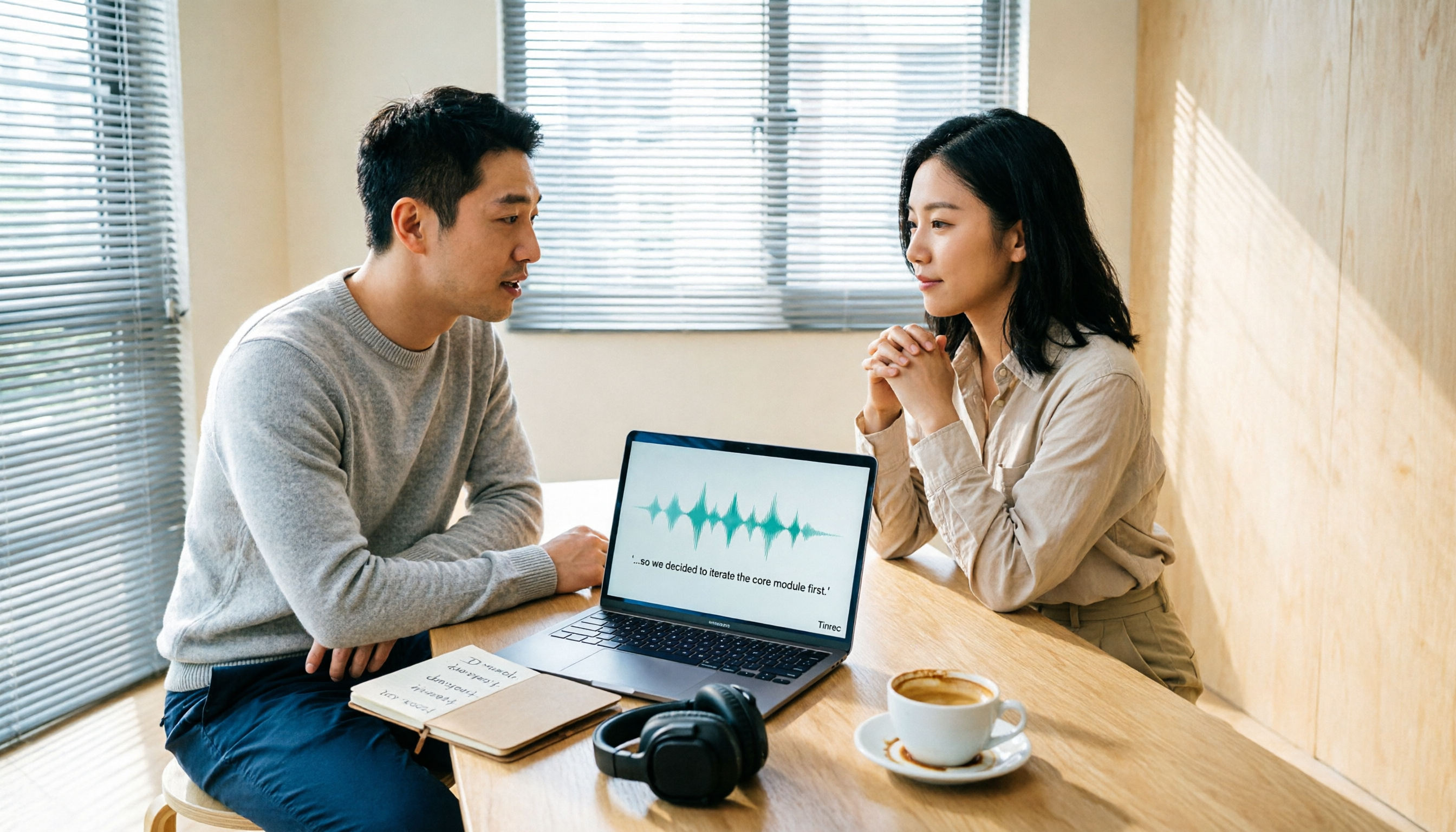
2026 Comparison of 6 Audio-to-Transcript Tools: Free Tiers and Chinese Recognition—Which Saves the Most Time?
A review of the free tiers, Chinese recognition, and post-meeting organization capabilities of 6 audio-to-transcript tools—Tinrec, cSubtitle, MyEdit, Canva, Google AI Studio, and ChatGPT Work—to help you choose the right solution for meetings, interviews, courses, and subtitles.

How to Transcribe Audio to Text on Android in 2026: A Complete 5-Step Guide
Transcribing audio files on Android often gets stuck on recording quality, Chinese recognition, and post-meeting organization. Using Tinrec as an example, this guide walks you through 5 steps—recording, importing, proofreading, AI summarization, and exporting—plus common FAQs, advanced tips, and alternatives.