

Turn recordings into transcripts and summaries in minutes
Upload audio or video for multilingual transcription, AI notes, and action items
Meeting Notes, Web Articles, and E-books: Listening Is Easier Than Reading
There's already too much text to read every day: meeting notes, reports, news, e-books. Sometimes your eyes are tired, or you're commuting or doing chores, and you wish you could just listen.
That's exactly what an automatic text-to-speech reader is for. It converts any text into speech and reads it aloud in a natural tone. It doesn't just support Chinese—many tools can also read English, Japanese, Korean, and more.
In this article, I tested three free TTS readers and compared voice naturalness, supported languages, ease of use, and free plan limits, so you can see which one is most worth using.
3 Key Things to Check Before Choosing a TTS Reader
Voice naturalness: Early TTS sounded robotic, but today's AI voices are very close to real humans. Be sure to listen to Chinese voices before choosing. Some tools have a gentle female voice, others a steady male voice—pick one that sounds good to you.
Supported languages and accents: If you need to listen to English, Japanese, or other languages, check whether the tool supports them. Some even distinguish American vs. British accents, which is great for language learners.
Speed and offline features: Most online tools let you adjust speed, from 0.5x to 2x, making it easy to skim or listen carefully. Some apps support offline reading, which is especially handy when your internet is unstable.
Oratlas: Free, No Installation, 10+ Languages at Your Fingertips
Oratlas is a long-standing online reader that's completely free and ready to use as soon as you open the webpage. It supports more than ten languages, including Chinese, English, Japanese, Korean, and more, with a range of male and female voices to choose from.
It's very simple to operate: paste text into the text box or enter a webpage URL, then press the Read button to start listening. You can pause, resume, and stop at any time, and choose 1x or 1.5x speed.
I tested a Chinese news article; the voice was clear, but pauses and intonation still had a slight robotic feel. If you just need to turn text into speech and don't need it to sound truly human, Oratlas is a perfectly capable entry-level tool.
However, it doesn't offer MP3 downloads or offline use. The free version has no ads, but there seems to be a limit on text length per entry—longer documents may have to be pasted in sections.
Best for: people who need to quickly listen to a passage and don't want to install software.
MyEdit: AI-Generated Natural Voices, Even American and British Accents
MyEdit is CyberLink's AI text-to-speech tool. Unlike typical TTS, it uses generative AI to simulate human voices. In my test, the Chinese female voice was extremely natural—you could barely tell it was synthesized.
It supports multiple languages and accents: English offers American, British, and Australian options; Chinese has a standard female voice. You can also adjust speech speed and pauses to make the reading rhythm sound more like a real person.
The free plan includes 5 minutes of use per month; once you run out, you'll need to wait until next month for the counter to reset. If you only occasionally listen to a few paragraphs, 5 minutes is usually enough. For heavy use, consider a paid plan.
Another benefit is the ability to download audio as MP3, making it easy to save to your phone or share with others. That's practical for creators who want to make podcasts or voice-over videos.
The only caveat: MyEdit is an online tool and requires an internet connection.
Best for: individual users who value voice naturalness and occasionally need to download audio files.
iPhone's Built-In Speak Screen: No App Needed, Reads Anything at System Level
If you have an iPhone, iOS actually comes with a powerful built-in reading feature hidden under Accessibility.
Stop organizing recordings by hand
Upload audio or video and automatically get a transcript, summary, and action items
Go to Settings > Accessibility > Spoken Content, turn on Speak Screen and Speak Selection, and then you can swipe down from the top of the screen with two fingers to have your iPhone read all the text on the current page. You can also select a passage and tap Speak to hear just that part.
Voice quality is decent, with a Taiwanese Mandarin accent for Chinese and natural-sounding English. Speed and language are customizable, and you can even adjust the color and style of the text highlight.
The biggest advantage is its high system integration: it works across almost all apps—browsing the web, reading articles, viewing e-books—and can be used offline. There's also no need to worry about ads or extra fees.
The downside is that the setting path is a bit deep, so it takes some time to find and set up on the first use. Also, when reading long articles, it doesn't auto-page like a dedicated reader; you need to swipe manually, which can feel a bit awkward when listening to e-books.
Best for: iPhone users who don't want to install extra apps and who need system-wide reading functionality.
Beyond These 3, What Other Options Are There?
NaturalReader: A veteran TTS software with a powerful desktop version, but the free version's voices are more mechanical; you need the paid version for natural voices. It suits commercial users who need to convert large volumes.
TTSReader: Another free online reader that tracks your reading progress and supports offline use, but it offers few Chinese voices and the listening experience is average.
Balabolka: A free text-to-speech program for Windows with a full range of features and MP3 export, but the interface looks dated and you'll need to install voice packs yourself.
How to Avoid Pitfalls: 3 Common Mistakes When Choosing a TTS Reader
Jumping in just because it's free: Free tools often have usage limits or ads, so you'll be interrupted before long. Check how many characters you actually need to read each month, then pick a plan that fits.
Ignoring offline needs: If you often use it while commuting or in places with no internet, choose a tool that supports offline reading. iPhone's built-in feature does, but online tools require a connection.
Only listening at default speed: Many people never adjust the speed, but speeding up or slowing down can make a big difference. 1.2x is just right for news, and 1.5x saves time when listening to meeting notes.
The Bottom Line: Which One Should You Choose?
If you need multiple languages and only occasionally listen to a passage → Oratlas (completely free, no installation)
If you want natural voices and occasionally download MP3s → MyEdit (free 5 minutes per month)
If you're an iPhone user and want system-wide reading → iPhone's built-in Speak Screen (offline, one-tap)
If you need large-volume conversions or commercial use → Consider NaturalReader's paid plan or Balabolka
If you're just getting started with automatic reading, I'd suggest trying iPhone's built-in feature or Oratlas first. Once you've confirmed a long-term need, you can evaluate MyEdit or a paid tool.
FAQ
Q: Do these readers support Chinese?
Yes. Oratlas and MyEdit both have Chinese voices, and iPhone's built-in feature supports Taiwanese Mandarin.
Q: Can I download the audio as MP3?
MyEdit supports MP3 download; most other tools only let you listen online. If you need downloads, you can also use desktop software like Balabolka.
Q: Is there a completely free reader with no limits?
Oratlas doesn't seem to have obvious restrictions at the moment, but there may be a length cap. iPhone's built-in reader also has no usage limit.
Q: Do these readers support languages other than English?
Oratlas supports more than ten languages, MyEdit offers multiple languages and accents, and iPhone can switch based on your system language.
Q: Which one is best for listening to e-books?
If your e-book app supports iOS reading features, iPhone's built-in feature is the most convenient. For auto-paging, look into dedicated audiobook apps.
Q: The voice sounds robotic—how can I improve it?
Try an AI-generated voice like MyEdit, which sounds far more natural. You can also slow down the speed to reduce the mechanical feel.
References
- Online Text-to-Speech Reader with Auto Read-Aloud - Oratlas
- 2026 Tested: 4 AI Text Readers - Read Chinese, English, and More Languages Online
- Listen to iPhone Read Screen Content, Selected Text, and Typing Feedback - Apple Support (Taiwan)
- Have the System Read Text Aloud - Chrome OS Help
- Audify - Read Aloud Web Browser TTS - App Store
Turn every recording into actionable outcomes
Get 60 free transcription minutes when you sign in. No credit card required.
Related Reading
You might also like

5 AI Meeting Transcription Tools Tested for 2026: How to Choose If You Searched 'vocol bv'
Searching for 'vocol bv' often leads to a Dutch vehicle body manufacturer, but many people are actually looking for a meeting recording-to-text tool. This article first clarifies what vocol bv is, then addresses real pain points in meeting documentation, outlines 5 key selection criteria, tests Tinrec's complete workflow, briefly reviews Otter.ai, Notta, and Granola's differences and limitations, and finally provides scenario-based recommendations.
VOCOL Gubin Company Data Verification: How to Cross-Check NIP, KRS, and REGON
People searching for 'vocol gubin' likely want to verify the legitimacy of this Polish company. This article compiles the NIP, KRS, REGON, registered address, and business scope of VOCOL Sp. z o.o., explains what each of the four registration fields represents, and lists official verification channels and four common pitfalls so you can double-check before making a payment or signing a contract.

What Is Notta in 2026? Features Explained + Meeting Notes Walkthrough with Tinrec
What is the Notta app? This guide first clarifies Notta's positioning, core features, and free vs. paid differences using official and third-party sources. Then it demonstrates the same meeting notes workflow in 5 steps using Tinrec: recording, transcription, proofreading, generating summaries and action items, and exporting for team knowledge. It also covers FAQs and advanced tips.

2026 Notta Bot Guide: How Automated Meeting Notes Work & Tinrec Alternative
What is Notta Bot? How does it automatically join meetings and transcribe? This guide addresses real-world pain points, explains the limitations of the bot model, and shows how Tinrec's bot-free desktop recording delivers transcripts, summaries, and action items.

VOCOL GmbH Kevelaer Guide 2026: Address, Products & Contact Info at a Glance
VOCOL GmbH is a manufacturer of tank semi-trailers and tank containers based in Kevelaer, Germany. This guide compiles information from the official website and German public records to help you verify the company address, phone number, registration details, product range, key ADR/EN certifications, and four things to clarify before contacting them for a quote.

2026 AI Meeting Notes Showdown: Why Chinese-Speaking Teams Are Choosing Tinrec Over Vocol AI
Vocol AI is a collaboration platform that turns speech into text and generates summaries, but what really holds teams back is often the post-meeting workflow, data ownership, and scenario coverage. This article compares Tinrec and Vocol AI from a practical standpoint on bot-free meeting recording, AI Q&A, team workspace governance, and pricing, so you can see clearly where to invest your time.
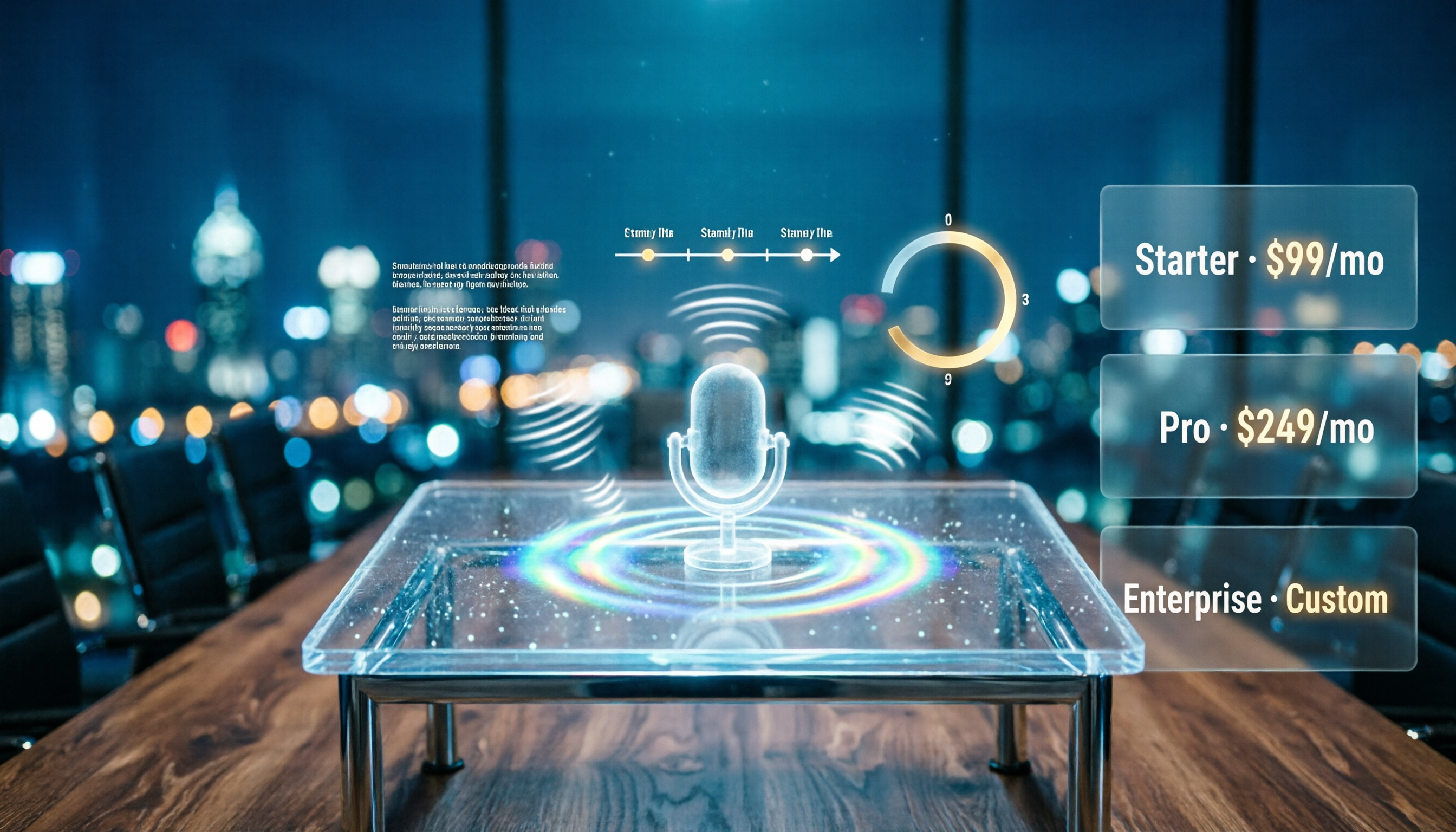
Notta AI Pricing 2026: Free Plan Limits & 5 Meeting Note Tools Compared
People searching 'how much is Notta AI' are often drawn to the free plan but overlook the 3-minute limit per recording. This guide breaks down Notta's Free, Pro, and Business pricing and minutes, and compares the pricing models of 5 meeting note tools—Tinrec, Otter, TurboScribe, Granola, and PLAUD—to help you decide which plan truly fits your needs.

2026 Comparison of 3 VOCOL Capillary GC Column Specifications: How to Choose I.D., Film Thickness, and Maximum Temperature
How to choose a VOCOL capillary GC column? This article summarizes the characteristics of the Supelco VOCOL stationary phase (diphenyl dimethyl polysiloxane with crosslinking moieties), three common specifications (105 m × 0.53 mm × 3.00 μm, 60 m × 0.25 mm × 1.50 μm, 30 m × 0.25 mm × 1.5 μm), temperature limits by I.D. and film thickness, and application scenarios for purge-and-trap and GC/MS, along with purchasing and pitfall-avoidance advice.

Notta AI Complete Guide 2026: Speech-to-Text Limits and Team Collaboration Choices
Notta AI is an AI transcription tool that supports 58 languages, but turning speech into text is only the first step in a meeting workflow. This article starts from the choice readers actually need to make, explains Notta AI's positioning and boundaries, and uses Tinrec as an example to break down how real-time transcription, bot-free meeting recording, AI summary action items, Q&A, and team knowledge retention can form a usable process.