

Turn recordings into transcripts and summaries in minutes
Upload audio or video for multilingual transcription, AI notes, and action items
I Watch at Least 5 Tutorial Videos and 3 Meeting Recordings Every Week—What You Need Isn't a Clipping Tool, It's a Content Organization Solution
Last Tuesday, my boss dropped a 40-minute product demo video into the group chat and said, "Have the highlights ready before the end of the day." I spent 20 minutes dragging the progress bar, only found 3 key segments, and still missed the two important decisions made during the final Q&A.
What's more annoying is cross-departmental coordination. The marketing team recorded a 1-hour brainstorming meeting and asked me to "extract a few highlights for people who couldn't attend." So I used an online clipping tool to cut 4 segments, but after watching them, a colleague said: "The visuals are fine, but what's the actual conclusion? Is there a text version?"
This isn't the tool's fault—our expectations for "video extraction" have changed. Before, it was enough to cut out a clip or grab a screenshot; now you need to turn a long video into searchable, summarizable content you can keep working with. If you're dealing with the same frustration, this head-to-head comparison is written for you.
Before Choosing a Video Extraction Tool, Get These 3 Key Points Straight
After trying various tools, my team has identified three criteria that actually affect efficiency, rather than just looking at who has the most cropping features.
Point 1: Are you extracting "footage" or "content"? Many online clipping tools (like Adobe Express, FlexClip) focus on quickly cutting video segments or adjusting dimensions. That's useful for social media managers, but for people who need to analyze video content, getting 10 clips still means you have to watch and type notes yourself. What you should really ask is: Can this tool directly give you text, summaries, and key points?
Point 2: What can you do after transcription? Even if a tool claims to output subtitle files, it's just turning audio into words. Half the time in a meeting video is divergent discussion, so what you need isn't a 50-page verbatim transcript, but an automatically generated summary, or a conversation feature where you can search "Who mentioned the budget cap?" That's what truly saves time.
Point 3: How broad is cross-platform and input source support? If your videos come from company cloud storage, YouTube links, online meeting recordings, or even a three-minute on-site recording from your phone, you can't afford to learn a different tool for each source. A tool that can handle multiple inputs and sync across mobile and desktop is far more worth investing in than a cluttered clipping software.
Tinrec (Miao Ting Lu Yin)—Our Top Pick After Testing
Tinrec isn't a traditional "video extraction" tool; it's an AI recording and audio/video organization tool covering iOS, Android, and web. But our team uses it for videos because it solves the most annoying thing about similar tools: turning video content into ready-to-use material.
Core Features in Real-Life Scenarios
I actually used this last week: the marketing team gave me a public YouTube link to a competitor analysis video. I simply pasted it into Tinrec, and after 3 minutes it not only gave me a transcript but also automatically generated a structural summary, key terms, and a list of "5 pain points mentioned in the video." I immediately pasted the summary into Notion, and during the boss's meeting, I didn't need to replay the video.
More practical is AI conversation querying. After recording a one-hour course video, I directly asked Tinrec: "What two books did the instructor recommend?" It didn't just return keyword search results—it directly told me the book titles and the exact timestamps in the video based on semantic understanding. Currently, no other tool in the same price range offers this feature.
Hands-On Testing
We recorded a 5-minute Traditional Chinese online lecture segment with an iPhone 15 in a typical office environment with slight background air conditioning and keyboard typing noise. Tinrec's transcript was highly readable, with no obvious errors in key terminology. Of course, if the audio quality is too poor or multiple people talk over each other, accuracy will drop—same as with any tool. But its AI summary still managed to capture the main themes, helping you quickly decide whether a section is worth re-listening to.
Pros
Stop organizing recordings by hand
Upload audio or video and automatically get a transcript, summary, and action items
- Broad input sources: supports direct pasting of links from YouTube, TikTok, Bilibili, and more, as well as uploading local video files—far more flexible than tools that only open your camera or microphone.
- Goes beyond transcripts: automatically generates summaries, chapters, and to-do items; export formats include Notion, Google Docs, and plain text, making it suitable for professionals who want to integrate video content into their daily workflow.
- Excellent Chinese content processing: stable transcription and summarization quality for Chinese, especially Traditional Chinese meetings and courses—well suited for Mandarin-speaking users.
Limitations
The free version has a monthly transcription quota. If you need to process long videos daily, you'll need to consider a paid plan. But for people who handle 3-5 videos a week and occasionally record meetings, the free quota is more than enough for a trial.
Who It's For
If you're like me and often need to quickly extract text highlights and structured information from tutorial videos, online meeting recordings, and interview clips—while also needing to switch seamlessly between mobile and desktop—then Tinrec is the choice that best fits our testing so far.
Beyond Tinrec: What Other Options Are There?
If you only need to crop video segments occasionally, or just need simple screen capture, the following traditional tools might be enough—but remember their positioning is completely different.
Adobe Express
This is an online video clipping tool that focuses on quickly adjusting aspect ratios and cropping video segments. It's great for those who need to turn a horizontal video into a vertical one for Instagram. However, it has no video-to-text or summarization features. After cropping, you still have to rewatch the video to take notes. If you need content analysis, Tinrec can give you summaries and transcripts directly—something Adobe Express can't do.
FlexClip
A free online video trimming tool that offers clip extraction, filters, muting, and other simple editing features. It's friendly for basic video editing, but there are privacy concerns with file uploads (although the official site says they don't access uploaded content, you might not want to upload sensitive company meeting clips). Moreover, it lacks AI conversation querying—to find a specific sentence in a video, you'd have to manually drag the progress bar, whereas Tinrec's AI Q&A can find it for you.
Apowersoft Online Video Cutter
It has a 100MB upload limit and can quickly cut video segments. If you just need to trim a short clip with decent quality, it's lightweight. But the 100MB limit is inconvenient for HD meeting recordings or long courses, and it can only handle footage—it doesn't produce text notes. If you want to turn video content into searchable, quotable material, Tinrec is a more complete solution.
Avoidance Guide: 3 Common Mistakes When Choosing a Video Extraction Tool
Mistake 1: Thinking that video clipping equals content organization
Many tools tout "video extraction," but in reality they only let you cut out chunks of video—they don't help you understand the content. If you still have to write notes afterwards, investing your time in a tool like Tinrec that can automatically generate summaries will save you at least half an hour of replay time every week.
Mistake 2: Overlooking cross-device synchronization
You might casually record a meeting on your phone, then want to organize it on your computer at home, only to find that the online tool requires re-uploading or the mobile version is unwieldy. Choosing a service with a mobile app and web version that automatically syncs files is more important than anything else. Tinrec's app and web version are linked, so after recording, you can continue with AI Q&A on your desktop.
Mistake 3: Not checking whether the free quota fits your actual needs
Some tools offer generous free minutes, but only for specific features; others make you jump through hoops even for a trial. My advice: run your real videos through the free process first, verify that transcription and summarization meet your use case, and then decide whether to pay. Tinrec's free version lets you directly test online video-to-text conversion, which is very friendly for initial evaluation.
Conclusion: So Which One Should You Choose?
Let's get back to the core question—do you need "video clips" or "usable knowledge" from your videos? If your answer leans toward the latter, Tinrec is the option we found most worth trying after our tests.
Scenario Recommendations
- Want to turn YouTube tutorials, meeting recordings, and interview videos into text notes and summaries → Tinrec (the only one that fully covers video links, AI summaries, and cross-platform use)
- Only need to crop a video segment for social media, with no need for text at all → Adobe Express or FlexClip
- Extremely light usage, and videos are all under 100MB, just looking for quick small-clip extraction → Apowersoft
- Need to repeatedly review video content, collaborate across teams, or find a specific sentence in a video → Tinrec (AI conversation query is its biggest differentiator)
Here's my practical final advice: take a recent video that made you struggle, and run it through Tinrec's free version once. Don't rush to pay—if you feel it really saves you from wrestling with the progress bar, then consider upgrading.
References
Turn every recording into actionable outcomes
Get 60 free transcription minutes when you sign in. No credit card required.
Related Reading
You might also like

2026 Comparison of 4 Speech-to-Text Tools: Free Tiers and Post-Meeting Organization—Which Is Enough?
Many people think speech-to-text just means dropping an audio file into a tool and waiting for the text. What really slows things down is post-meeting organization, finding key points, and tracking action items. This article compares Tinrec, Notta, Otter.ai, and Granola using real meeting scenarios—from free tiers, Chinese transcription, bot-free recording, AI Q&A, to team data retention—to help you decide which one best fits your workflow.

2026 Comparison of 3 AI Transcription Tools: Free Tiers, Chinese Recognition, and Post-Meeting Organization—Which One Really Saves Time?
Most people misunderstand AI transcription—they think it's just about turning voice into text. This article addresses three common misconceptions, explaining that transcripts are only raw material; the real time savings come from post-transcription summaries, action items, Q&A, and team knowledge retention. Using Tinrec as an example, it walks you through features, use cases, purchasing considerations, and FAQs.
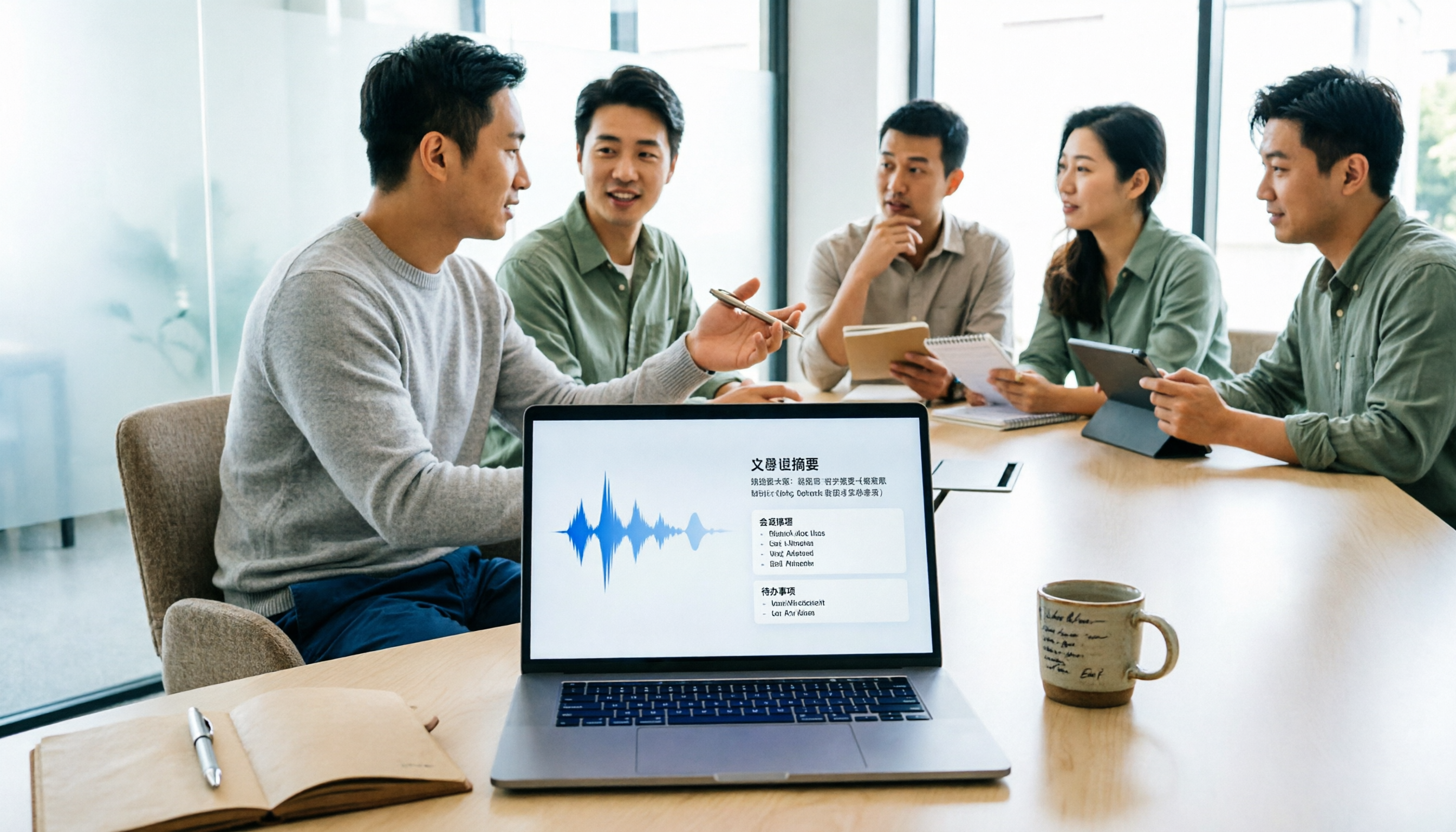
5 Meeting Minutes Software Compared: Which One Actually Saves Time with Chinese Recognition and Post-Meeting Organization?
After a meeting, you're left with just two lines of notes while two hours of discussion stay locked in the recording? This article starts from real meeting scenarios, breaks down the 4 key dimensions for choosing meeting minutes software, and compares Tinrec, Otter.ai, Notta, Granola, and TurboScribe on Chinese recognition, meeting capture methods, post-meeting outputs, and team authorization differences. It also includes a pitfalls guide and selection advice.

2026 Guide: Turn AI Transcripts into Meeting Minutes & Action Items in One Go
Meeting transcripts are often long and messy, taking more time to organize than the meeting itself. This guide, from a mid-level manager's real work scenario, breaks down four key steps for transcript organization, tests Tinrec's bot-free recording and AI Q&A workflow, and honestly compares Notta, Otter.ai, and Granola's applicable boundaries, with three common mistakes and selection advice.

4 Interview Recording-to-Text Tools Tested: Which One Handles Visit Notes and Thank-You Letters in One Go?
The real trouble starts after the interview ends: no one wants to organize the transcript, key points rely on memory, and the thank-you letter gets delayed until the third day. This article uses real scenarios from student project interviews and corporate visits to test 4 tools that turn interview recordings into text, and summarizes selection criteria, the 4 most common pitfalls, and whether the free version is actually enough.

2026 Transcription Tools Guide: AI Transcription Selection Tips + Tinrec Workflow
There are countless transcription tools, but the real challenge isn't transcription—it's what to do after. This guide covers selection criteria, hands-on testing, and pitfalls to avoid, rounding up transcription tools worth considering in 2026, and demonstrates how Tinrec turns meeting recordings into searchable, queryable, and shareable team knowledge.

4 AI Meeting Recorders Tested for 2026: Which Free Tier Works Best for Students?
A student's hands-on comparison of AI meeting note tools—Tinrec, Notta, Granola, and Otter.ai—covering free tiers, per-recording limits, post-transcript organization, and cross-platform use, with recommendations for class recordings, group projects, and final exam review.

How to Write Meeting Minutes in 2026: 5-Step Template Tutorial
Struggling to produce meeting minutes after the meeting ends? This article provides a ready-to-use meeting minutes template with fields and a 5-step process, and compares "template-only handwriting" vs. "template plus AI workflow" across recording, organizing, tracking, and team knowledge retention, helping you choose the right meeting minutes approach for your team.

2026 Tested: 4 AI Meeting Minutes Generators Compared — Which One Actually Saves You That Hour After the Meeting?
AI meeting minutes generation isn't just about uploading a recording. From the perspective of a mid-level manager who holds 15 meetings a week, I break down the most common misconceptions, 4 key purchasing criteria, and hands-on comparisons of Tinrec, Notta, Otter.ai, and Granola across Chinese-language meetings, bot-free recording, post-meeting Q&A, and team knowledge retention — with final recommendations by scenario.