

Turn recordings into transcripts and summaries in minutes
Upload audio or video for multilingual transcription, AI notes, and action items
2026 Comparison of 4 Speech-to-Text Tools: Free Tiers and Post-Meeting Organization—Which Is Enough?
Many people think "speech-to-text" just means dropping an audio file into a tool and waiting for the text to appear. What really slows things down usually isn't those few minutes of transcription—it's that after transcription, no one organizes it, key points are hard to find, and action items are scattered throughout the conversation.
Rather than just comparing which tool turns sound into text, a more reasonable approach is to see whether it can turn a transcript into meeting material that is searchable, queryable, and transferable. This article uses real meeting scenarios to compare four common tools and help you avoid some detours.
Pain Points—What You Need Isn't Transcription, but Not Having to Re-listen After the Meeting
First common scenario: After a one-hour meeting, the recording sits quietly on your phone. You know the conclusions are in there, but to find "who said the budget should be cut," you'd have to listen from the beginning—just thinking about it makes you procrastinate.
Second scenario: You've recorded a dozen interview segments, and after transcription, it's a big blob of unsegmented content. Keywords are searchable, but you have to piece together the context yourself, and you end up organizing it manually anyway.
Third scenario: Team members gradually leave, and meeting recordings and transcripts stay in personal accounts. New hires who want to look up past decisions have to ask around.
These problems aren't just about "transcription accuracy"—they're about whether the tool can handle the work after transcription. Choose the right tool, and transcripts become assets instead of yet another file to organize.
Before Choosing a Speech-to-Text Tool, Understand These 4 Key Points
1. Accuracy should be judged in real scenarios, not just marketing numbers
Many tools claim high accuracy, but their test conditions are usually a quiet recording studio. Real meetings have keyboard sounds, air conditioning noise, multiple people talking over each other, and mixed Chinese-English. We recommend trying it with your own meeting recordings, paying special attention to whether names, product names, and numbers are correct.
2. Does the input source cover your meeting format?
If you often use Zoom, Google Meet, or Teams, confirm how the tool captures audio. Some tools require a meeting bot to join, while others use a desktop app to capture system audio. Also, whether it can upload existing audio and video files is key to practicality.
3. Does it offer summaries, action items, and Q&A after transcription?
A transcript is just the starting point. For office workers, what really saves time is automatic summaries, chapter segmentation, action item extraction, and AI Q&A that lets you "ask the meeting content directly." Tools that only provide transcripts are essentially handing the organization work right back to you.
4. For team use, who owns the data and how are seats calculated?
Personal tools keep data with individual accounts. For teams, consider: Can meeting data be centralized in a team space? Can data be transferred when members leave? Are roles and seats managed separately? These directly affect long-term usage costs.
Tinrec—Our Top Pick After Testing
Tinrec is an AI meeting notes and collaboration tool for individuals and teams, supporting real-time recording, bot-free recording of online meetings via desktop app, audio/video file import, and mobile use. It doesn't just turn sound into text—it organizes meetings into searchable, summarizable, queryable, and exportable data.
We tested with a roughly 12-minute mixed Chinese-English Zoom meeting recording in an indoor environment with keyboard sounds. Tinrec's desktop version directly captures system audio without inviting a meeting bot. After the meeting, the transcript, chapters, and action items were already generated, and speaker segments were separated. Product terminology required manual correction—a common limitation of speech recognition—but it improved significantly after reinforcing with team hotwords.
Core features in scenarios
Open Tinrec during a meeting, and it transcribes as it records. After the meeting, AI summaries and chapters break the long meeting into a browsable structure, while action items organize "who is responsible for what and when it's due." For those who have several meetings every week, this saves a huge amount of time compared to manual transcription afterward.
What's more differentiated is AI Q&A. After recording, you can directly ask Tinrec: "Who mentioned the budget in the last meeting?" It answers based on the meeting content, rather than just throwing keyword search results at you. This is rare among tools in the same price range, especially suitable for those with many historical meetings who need to trace decision context.
Additionally, Tinrec supports real-time translation, allowing you to view the original, translation, or bilingual content—very useful for cross-language meetings. After the meeting, you can export to Notion, Google Docs, OneNote, Dropbox, and other tools, or use Agent post-processing to generate reports, tables, and meeting minutes.
Who is the team version for?
Stop organizing recordings by hand
Upload audio or video and automatically get a transcript, summary, and action items
For department or project team use, Tinrec's team version provides an independent team space where meeting data belongs to the team. Admins can invite members, set owner/admin/member roles, assign or revoke seats, and view usage trends and audit logs. Note that roles and seats are two different things: members without seats can still view and play team data but cannot upload, edit, or export.
Currently, the team version's first eligible trial is 7 days, 1 free seat, and 300 minutes of team shared import quota; paid seats are USD 29.80/month or USD 199/year (about USD 16.58/month), with each paid seat providing 2,000 minutes of team shared import quota per month. Real-time recording is currently not deducted by minutes under an active team plan and active seat. Prices and benefits are subject to the official purchase page.
Pros
First, bot-free recording of online meetings via desktop app is friendly to those who don't want a bot disturbing the meeting. Second, after transcription, it directly provides summaries, chapters, action items, and AI Q&A, significantly reducing post-meeting organization burden. Third, the team space centralizes meeting data management, so data doesn't disappear with individual members when they leave.
Limitations
The free version offers basic quota, suitable for light experience; if you have a high volume of weekly meetings, consider a weekly card or Pro plan. Also, Tinrec is not a bot that automatically joins all calendar meetings—you need to actively open the desktop app to start recording.
Who is it for?
If you frequently handle Chinese or mixed Chinese-English meetings, want to use AI to find key points directly after meetings, and need to retain meeting data in a team space, Tinrec is a very suitable choice right now.
Besides Tinrec, What Other Options Are There?
Notta
Notta is a highly overlapping multilingual transcription tool, supporting multi-platform transcription, meeting notes, file import, translation, and team plans. The free version offers 120 minutes per month, with a maximum of 3 minutes per single item; Pro annual billing is about USD 8.17/month, with 1,800 minutes per month. Its public positioning focuses more on transcription, translation, and summaries, while Tinrec emphasizes bot-free desktop recording, meeting-centric AI Q&A, and Agent post-processing. If you need extensive multilingual file transcription, you can compare; if you want to directly query meeting content after meetings, Tinrec's workflow is more complete.
Otter.ai
Otter.ai is a mature English meeting assistant. Basic is free with 300 minutes per month; Pro annual billing is about USD 8.49/user/month, including 1,200 minutes of in-app recording and 10 file imports per month. It has deep experience in English business meetings, but Chinese meetings are not its main strength. Tinrec is more suitable for Chinese and mixed Chinese-English meetings, and supports bot-free desktop recording and real-time translation. If you mainly record English meetings and have a limited budget, Otter.ai's free tier is very attractive.
Granola
Granola is a bot-free AI meeting notes tool. Basic is free, Business is USD 14/user/month. It emphasizes user notes plus AI enhancement, suitable for writing notes while organizing during meetings. Note that Granola does not support uploading pre-recorded audio files and does not save meeting audio. Tinrec supports audio/video file import and retains recordings, making it more convenient to check the original audio afterward. If you only do real-time meeting notes and don't need audio archiving, you can consider Granola.
Pitfall Guide: The 4 Most Common Mistakes When Choosing a Speech-to-Text Tool
Pitfall 1: Only looking at advertised accuracy, not your own recording conditions
Rather than trusting numbers in ads, try it with a real meeting recording. Specifically test names, product names, numbers, and mixed Chinese-English segments. If the tool doesn't let you try, or the trial limits are so restrictive that you can't test anything, be cautious.
Pitfall 2: Only comparing transcription minutes, ignoring post-meeting organization
Getting a transcript doesn't mean the work is done. You should ask: Is there a summary? Are there action items? Can you ask questions about the content? If you only compare minutes, you might easily buy a tool that "transcribes accurately but still requires you to organize it yourself."
Pitfall 3: Ignoring audio retention and data ownership
Some tools only provide text and don't save audio; some tools tie data to personal accounts. For team use, confirm whether meeting data belongs to the team and whether it can be transferred when members leave. Tinrec's team version puts data in a team space and provides seat and role management, designed specifically for this issue.
Pitfall 4: Treating the team version as "multiple people sharing one account"
The team version is not a shared personal account. Distinguish between roles and seats: roles determine who can manage the team, seats determine who can record, upload, and edit. Members without seats can view data but cannot perform resource-using operations. Calculate the number of people, roles, and seats clearly before purchasing, so you don't buy something you can't use.
Conclusion: Which One Should You Choose?
Simply put, if you want to "turn meetings into searchable, queryable, and transferable data," Tinrec is the top choice in this article.
Need Chinese or mixed Chinese-English meeting transcription → Tinrec, supports real-time translation and bilingual viewing.
Don't want a bot joining online meetings → Tinrec desktop version directly captures system audio.
Want to use AI to ask about meeting highlights directly after recording → Tinrec, supports Q&A around meeting content.
Team needs to centrally store meeting data, manage seats and usage → Tinrec team version, data belongs to the team.
Mainly English meetings, free tier priority → Otter.ai Basic, 300 minutes per month.
Only real-time meeting notes, no audio archiving needed → Granola, but note it doesn't support pre-recorded file upload.
We recommend starting with Tinrec's free version and running a complete workflow with a real meeting: record, transcribe, view summary, ask a question. If it fits your workflow, then consider upgrading—no need to pay from the start.
References
- Online Speech-to-Text AI, Free MP3 or Audio File to Text Transcript - MyEdit
- Online AI Speech, Video, Audio File Auto Transcription - Free Trial - cSubtitle
- Free Unlimited AI Speech-to-Text Tool, Say Goodbye to Transcript Organization Hassles: Atter App|Lin Wei-Ching's Salon
- Tested 4 Best Online Speech-to-Text Tools, Free Instant Audio File to Transcript
- Yating Transcript
Turn every recording into actionable outcomes
Get 60 free transcription minutes when you sign in. No credit card required.
Related Reading
You might also like

4 Transcription Tools Compared (2026): Free Tiers, AI Summaries, and Post-Meeting Organization
Transcription isn't the problem—organizing is. Based on real meeting scenarios, this article compares four transcription tools' free tiers, meeting capture methods, AI summaries, and post-meeting outputs, and explains which tool fits which use case.

2026 Comparison of 4 Meeting Minutes Word Solutions: Manual Templates vs. AI Auto-Generation—Which Is Faster?
Most people searching for "meeting minutes Word" download a template first, but still end up scrambling to fill in details afterward. This article starts with common pitfalls and compares the meeting minutes workflows of manual Word templates, Tinrec, Otter.ai, Notta, and Granola. It also covers essential fields for Word meeting minutes, a guide to avoiding mistakes, and selection advice.

5 Audio-to-Text Transcription Tools Tested for 2026: Which Free Version Is Good Enough?
How do you choose an audio-to-text transcription tool? This guide breaks down core capabilities like real-time transcription, AI summaries, action item extraction, export, and team collaboration based on real-world use cases. It includes hands-on testing with Tinrec, plus a look at free quotas, team plan pricing, and buying considerations to help you decide which option truly fits your needs.

Tinrec vs Yating Transcription 2026: 5-Dimension Comparison — Which Is More Practical for Team Meeting Transcripts?
There are many transcript generation tools, but what really affects your daily下班 time is 'what you can do after recording.' This article compares Tinrec and Yating Transcription from the perspective of a mid-level manager, across 5 dimensions: input sources, post-meeting organization, Chinese recognition, cross-platform, and team knowledge retention. It also covers suitable scenarios for cSubtitle and inFin, plus 4 key pitfalls to avoid when choosing a tool.

5 AI Meeting Transcription Tools Tested for 2026: Free Tiers, Chinese Recognition, and Post-Meeting Organization Compared
Meeting transcription isn't just about uploading a recording. This article addresses two common misconceptions, compares five approaches to meeting transcription, and uses Tinrec (Miao Ting Lu Yin) as a hands-on example to break down the complete workflow: real-time transcription, bot-free recording, summary chapters, AI Q&A, export, and team knowledge retention. Includes details on free and paid quotas.

2026 Comparison of 3 AI Transcription Tools: Free Tiers, Chinese Recognition, and Post-Meeting Organization—Which One Really Saves Time?
Most people misunderstand AI transcription—they think it's just about turning voice into text. This article addresses three common misconceptions, explaining that transcripts are only raw material; the real time savings come from post-transcription summaries, action items, Q&A, and team knowledge retention. Using Tinrec as an example, it walks you through features, use cases, purchasing considerations, and FAQs.
5 Meeting Minutes Software Compared: Which One Actually Saves Time with Chinese Recognition and Post-Meeting Organization?
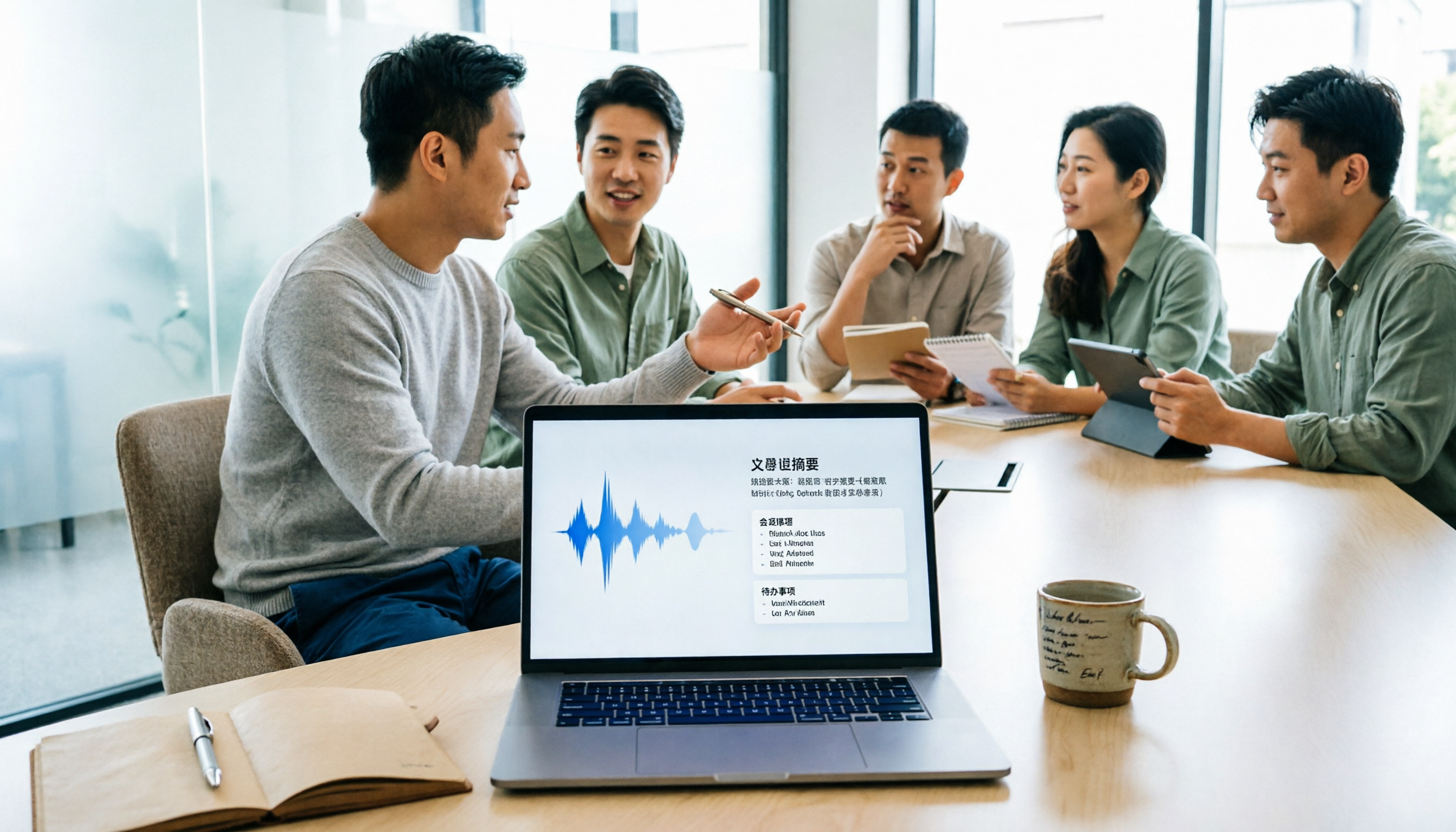
After a meeting, you're left with just two lines of notes while two hours of discussion stay locked in the recording? This article starts from real meeting scenarios, breaks down the 4 key dimensions for choosing meeting minutes software, and compares Tinrec, Otter.ai, Notta, Granola, and TurboScribe on Chinese recognition, meeting capture methods, post-meeting outputs, and team authorization differences. It also includes a pitfalls guide and selection advice.

2026 Guide: Turn AI Transcripts into Meeting Minutes & Action Items in One Go
Meeting transcripts are often long and messy, taking more time to organize than the meeting itself. This guide, from a mid-level manager's real work scenario, breaks down four key steps for transcript organization, tests Tinrec's bot-free recording and AI Q&A workflow, and honestly compares Notta, Otter.ai, and Granola's applicable boundaries, with three common mistakes and selection advice.

4 Interview Recording-to-Text Tools Tested: Which One Handles Visit Notes and Thank-You Letters in One Go?
The real trouble starts after the interview ends: no one wants to organize the transcript, key points rely on memory, and the thank-you letter gets delayed until the third day. This article uses real scenarios from student project interviews and corporate visits to test 4 tools that turn interview recordings into text, and summarizes selection criteria, the 4 most common pitfalls, and whether the free version is actually enough.