

Turn recordings into transcripts and summaries in minutes
Upload audio or video for multilingual transcription, AI notes, and action items
2026 Complete Guide to Audio-to-Text Transcription: How to Choose from Transcripts to Meeting Minutes
When most people pick an audio-to-text transcription tool, their first question is always "Which one is the most accurate?" But honestly, after testing over a dozen tools, I found the real question you should ask first is something else: Do you want a transcript, or do you want meeting materials you can directly deliver and track?
Those two answers lead to completely different choices.
If you just occasionally turn an interview or a class recording into text, a transcription service with a sufficient free quota can solve it. But if you have several meetings every week, need someone accountable, and need searchable records, then what matters isn't just "how accurate is the transcription," but whether you can organize it afterward, search it, and hand it off to your team for continued use.
In this article, I use Tinrec as the main hands-on test subject and break audio-to-text transcription into four parts: what it can do for you, what its core capabilities are, how to actually use it, and what to watch out for when choosing a tool.
What Can Audio-to-Text Transcription Do for You?
Save Time from Repeated Listening and Typing
In the past, organizing a one-hour recording took about three to four times as long while listening and typing. Now you drop the file into a tool, the text comes out first, and you only need to proofread.
Take Tinrec as an example: after uploading audio or video, it automatically transcribes into a transcript and also generates a summary and chapters, effectively doing both the "listening" and "organizing" for you.
Leave a Searchable Record for Every Meeting
Forgetting what was said verbally is the most common pain point for teams. Once it's in text, decisions, commitments, and who is responsible for what have a basis.
Besides the transcript, Tinrec also extracts action items from the discussion, so you can check them directly after the meeting without recalling who said what.
Turn Recordings into Reusable Material
Interviews can become articles, classes can become notes, meetings can become reports. The value of audio-to-text transcription isn't just "transcribing"—it's what you can do with the text afterward.
Tinrec supports AI Q&A around meeting content. You can directly ask questions like "What budget constraints did the client mention?" without re-listening to the entire recording.
What Are the Core Capabilities of an Audio-to-Text Transcription Tool?
Real-Time Recording to Text
Transcribe while recording, not after. Tinrec's real-time transcription is suitable for in-person meetings, on-site interviews, and other impromptu occasions. Text appears on screen synchronously, so you can confirm whether you missed key points while listening.
Bot-Free Recording of Online Meetings
This is the area that has changed the most in the past year. Most meeting tools send a bot account to join the meeting, adding an extra person on screen, which can be awkward with external clients.
Tinrec's desktop version takes a different approach: it directly captures the computer's system audio to handle online meetings on Zoom, Google Meet, Microsoft Teams, Webex, etc., without requiring an extra bot to join. Note that this does not mean "automatically joining all meetings on your calendar"—you start recording yourself by opening Tinrec.
AI Summaries and Chapters
Transcripts can be dozens of minutes long and hard to scan. Tinrec breaks long meetings into chapters and generates summaries, letting you grasp the structure and conclusions of the entire meeting in three minutes.
Action Item Extraction and AI Q&A
These two are often underestimated. Action item extraction pulls out "who, what to do, and by when" from the conversation; AI Q&A lets you find answers without going back through the transcript.
Tinrec does both, and you can ask questions across multiple meetings, which is especially useful for project retrospectives.
Real-Time Translation and Bilingual Display
For cross-language meetings, Tinrec can display the original text, translation, or bilingual content during recording. For those with overseas clients or cross-regional teams, this saves a lot of hassle compared to translating again afterward.
Export and Post-Meeting Processing
If the transcribed text can only stay in the tool, its value is limited. Tinrec supports multiple export formats and lets you take results to Notion, Google Docs, OneNote, Dropbox, and other tools for continued use.
Even better is the Agent post-processing, which can directly generate reports, tables, or documents based on meeting content, moving "records" toward "deliverables."
Practical Use Cases
Weekly Standups and Project Meetings
The most typical use. During meetings, use Tinrec's desktop version to record online meetings without inviting a bot. After the meeting, the transcript, summary, chapters, and action items are all in place.
For managers, the value is that historical meetings can be searched and queried, rather than scattered across individual notebooks.
Client Interviews and Requirements Discussions
After sales talks with a client, the worst thing is vague memories like "I think he mentioned a budget." Record the interview with Tinrec, then search keywords or ask AI afterward. The client's needs, objections, and commitments can all be traced back to the original words.
The organized content can also be exported as material for follow-up proposals.
Stop organizing recordings by hand
Upload audio or video and automatically get a transcript, summary, and action items
Courses, Lectures, and Internal Training
It's hard to take notes and listen attentively during a two-hour class. Use Tinrec to record and transcribe, plus summaries and key point organization, and you have both a complete transcript and a condensed version.
When you need to review, searching keywords is much faster than replaying the whole thing.
Content Creation and Video Subtitles
Podcasts, videos, and livestream archives can all be transcribed. Tinrec supports audio and video file uploads, and the resulting transcript can serve as a draft article, script material, or subtitle base.
Team Knowledge Retention
The same question being re-discussed every six months is usually because information wasn't retained. Tinrec's team plan centralizes meeting materials in a team space, so new members can browse historical meetings directly without starting from scratch.
5 Things to Watch for When Choosing an Audio-to-Text Transcription Tool
1. Are the input sources sufficient?
Tools that only support file uploads require you to record online meetings separately and then upload. First confirm whether it can handle the meeting platforms you use every day. Tinrec covers real-time recording, desktop system audio recording, audio and video file uploads, mobile recording, and can also import some public web links.
2. Performance with Chinese and mixed Chinese-English
Many tools are strong for English meetings, but Chinese requires your own proofreading. When testing, use your own recordings, especially sentences with mixed Chinese and English. Tinrec has more complete support for Chinese and multilingual meetings, and also provides team hotwords so you can add your company's internal terminology.
3. Can you organize after transcription?
A transcript is only a semi-finished product. When choosing a tool, look at whether it has post-processing capabilities like summaries, chapters, action items, and Q&A. Tinrec's design is to complete both "understanding" and "action" together, rather than handing you a long document.
4. Export and workflow integration
Is your existing workflow Google Docs or Notion? Can it include timestamps? These details determine whether you'll actually use it. Tinrec supports multiple export formats and third-party tool integrations, so you don't have to manually copy and paste after meetings.
5. Team permissions and governance
When multiple people use it, you need to distinguish between "roles" and "seats" as two separate things. Roles determine who can manage the team and members; seats determine who can record, upload, edit, and export.
Tinrec's team plan is designed this way: members without seats can still view, play, and read team materials, but only those with seats can upload and edit. Also, current sharing is at the team level, not fine-grained file-level permissions—be aware of this first.
How to Look at Free Quotas and Plans?
Bottom line first: the free version is suitable for "occasional use," and the team plan is suitable for "weekly use."
Tinrec's personal plan includes a free version, weekly pass, Pro monthly, and Pro annual. For occasional recording organization, start with the free version; for short-term intensive meetings or interviews, consider the weekly pass; for steady weekly needs, Pro is more suitable; for long-term recording retention, the annual plan has a lower monthly equivalent.
The team plan is priced per paid seat: USD 29.80 per paid seat per month for monthly billing, or USD 199 per paid seat per year for annual billing, equivalent to about USD 16.58 per month. Eligible teams can enjoy a 7-day trial, 1 free seat, and 300 minutes of team shared import quota for the first time.
Each paid seat provides 2,000 minutes of team shared import quota per month. Under an active team plan and active seats, real-time recording is currently not deducted by minutes; file and web link imports use the team shared quota.
Actual prices, currencies, and promotional content are subject to the official purchase page.
Frequently Asked Questions
Is audio-to-text transcription accuracy high?
Performance is usually best in quiet environments with a single speaker and clear audio. Actual results are affected by recording quality, background noise, accents, overlapping speakers, and technical terminology. No tool should promise a fixed percentage. Tinrec's recommended approach is to verify important content against timestamps and the recording.
Do I need to install software?
Tinrec has a web version, desktop version, and mobile app. For pure file upload transcription, the web version is enough; to record system audio from online meetings, you need the desktop version.
What file and export formats are supported?
Tinrec mainly supports audio and video file uploads and can also handle some public web links. For export, it supports multiple common formats and can be taken to Notion, Google Docs, OneNote, Dropbox, and other tools for further editing.
Is the free version enough?
It depends on how often you use it. For occasional interview or class transcription, the free version's basic quota lets you try it out; if you have regular weekly meetings and need to import many files, it's better to evaluate a paid plan directly to avoid interruptions.
What's the difference between the team plan and personal plan?
Personal plan data belongs to the individual account; the team plan is an independent team space where data belongs to the team, with additional member invitations, role and seat management, shared import quota, usage analytics, audit logs, and audio recycle bin. When a member leaves, team resources are handed over to other active members and do not disappear with the personal account.
What should I pay attention to before recording?
Recording and transcription involve personal data. It's recommended to check local regulations first and obtain participant consent when needed. This is more important than which tool you choose.
Conclusion
Audio-to-text transcription is no longer just "turning sound into text." What really sets tools apart is whether they can help you organize after transcription, whether it can be searched, and whether it can continue to be used within the team.
If your need is just occasional recording transcription, free tools can solve it. But if you have meetings every week and need to retain decisions and action items, it's worth spending some time trying a complete workflow.
I would suggest starting with Tinrec's free version and trying it with a real meeting: from recording, transcription, summary, to action items—go through the process once, and you'll know exactly which part of your time it saves.
References
- Online Speech-to-Text AI, Free MP3 or Recording to Text Transcript - MyEdit
- Audio to Text | Free Online Recording to Transcript | Proactor AI
- No Time Limit! 3 Free AI Transcript Tools, Highly Recommended! AI Voice Notes Generate Meeting Records, Presentations, Mind Maps | 104 Career Power
- Tested 4 Best "Speech-to-Text" Online Tools, Free Instant Recording to Transcript
- AI Speech-to-Text | Free and Easy Online Speech-to-Text Tool
Turn every recording into actionable outcomes
Get 60 free transcription minutes when you sign in. No credit card required.
Related Reading
You might also like

4 Transcription Tools Compared (2026): Free Tiers, AI Summaries, and Post-Meeting Organization
Transcription isn't the problem—organizing is. Based on real meeting scenarios, this article compares four transcription tools' free tiers, meeting capture methods, AI summaries, and post-meeting outputs, and explains which tool fits which use case.

2026 Comparison of 4 Meeting Minutes Word Solutions: Manual Templates vs. AI Auto-Generation—Which Is Faster?
Most people searching for "meeting minutes Word" download a template first, but still end up scrambling to fill in details afterward. This article starts with common pitfalls and compares the meeting minutes workflows of manual Word templates, Tinrec, Otter.ai, Notta, and Granola. It also covers essential fields for Word meeting minutes, a guide to avoiding mistakes, and selection advice.

Tinrec vs Yating Transcription 2026: 5-Dimension Comparison — Which Is More Practical for Team Meeting Transcripts?
There are many transcript generation tools, but what really affects your daily下班 time is 'what you can do after recording.' This article compares Tinrec and Yating Transcription from the perspective of a mid-level manager, across 5 dimensions: input sources, post-meeting organization, Chinese recognition, cross-platform, and team knowledge retention. It also covers suitable scenarios for cSubtitle and inFin, plus 4 key pitfalls to avoid when choosing a tool.

5 AI Meeting Transcription Tools Tested for 2026: Free Tiers, Chinese Recognition, and Post-Meeting Organization Compared
Meeting transcription isn't just about uploading a recording. This article addresses two common misconceptions, compares five approaches to meeting transcription, and uses Tinrec (Miao Ting Lu Yin) as a hands-on example to break down the complete workflow: real-time transcription, bot-free recording, summary chapters, AI Q&A, export, and team knowledge retention. Includes details on free and paid quotas.

2026 Comparison of 4 Speech-to-Text Tools: Free Tiers and Post-Meeting Organization—Which Is Enough?
Many people think speech-to-text just means dropping an audio file into a tool and waiting for the text. What really slows things down is post-meeting organization, finding key points, and tracking action items. This article compares Tinrec, Notta, Otter.ai, and Granola using real meeting scenarios—from free tiers, Chinese transcription, bot-free recording, AI Q&A, to team data retention—to help you decide which one best fits your workflow.

2026 Comparison of 3 AI Transcription Tools: Free Tiers, Chinese Recognition, and Post-Meeting Organization—Which One Really Saves Time?
Most people misunderstand AI transcription—they think it's just about turning voice into text. This article addresses three common misconceptions, explaining that transcripts are only raw material; the real time savings come from post-transcription summaries, action items, Q&A, and team knowledge retention. Using Tinrec as an example, it walks you through features, use cases, purchasing considerations, and FAQs.
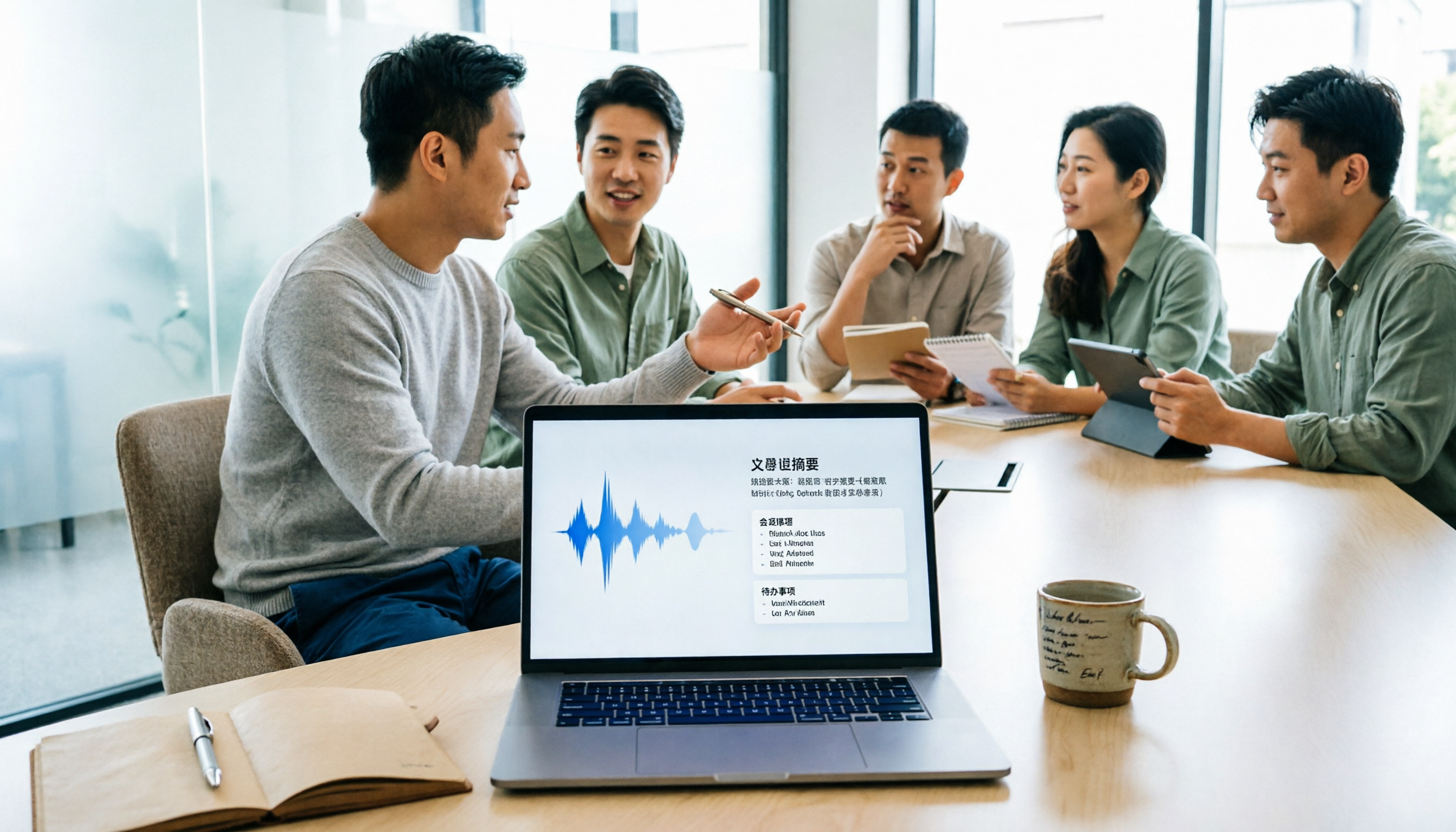
5 Meeting Minutes Software Compared: Which One Actually Saves Time with Chinese Recognition and Post-Meeting Organization?
After a meeting, you're left with just two lines of notes while two hours of discussion stay locked in the recording? This article starts from real meeting scenarios, breaks down the 4 key dimensions for choosing meeting minutes software, and compares Tinrec, Otter.ai, Notta, Granola, and TurboScribe on Chinese recognition, meeting capture methods, post-meeting outputs, and team authorization differences. It also includes a pitfalls guide and selection advice.

2026 Guide: Turn AI Transcripts into Meeting Minutes & Action Items in One Go
Meeting transcripts are often long and messy, taking more time to organize than the meeting itself. This guide, from a mid-level manager's real work scenario, breaks down four key steps for transcript organization, tests Tinrec's bot-free recording and AI Q&A workflow, and honestly compares Notta, Otter.ai, and Granola's applicable boundaries, with three common mistakes and selection advice.

4 Interview Recording-to-Text Tools Tested: Which One Handles Visit Notes and Thank-You Letters in One Go?
The real trouble starts after the interview ends: no one wants to organize the transcript, key points rely on memory, and the thank-you letter gets delayed until the third day. This article uses real scenarios from student project interviews and corporate visits to test 4 tools that turn interview recordings into text, and summarizes selection criteria, the 4 most common pitfalls, and whether the free version is actually enough.