

Turn recordings into transcripts and summaries in minutes
Upload audio or video for multilingual transcription, AI notes, and action items
The Pain of Transcribing Is That It Isn't Productivity
The other day, while putting together final notes for an online course, I looked at a two-hour recording and thought: if I had to turn every word the instructor said into text, it could easily take an entire afternoon.
What makes it worse is that this wasn't a company meeting where someone needed a transcript, nor was it an interview where an assistant could help. It was just me, learning and organizing on my own.
My old approach was to slow down the player and type along while listening. But that was time-consuming and distracting—when you're transcribing by ear, it's hard to think about the structure of the content at the same time.
So eventually, I started trying various AI video-to-text tools. From meeting bots to general transcription services, from hardware recorders to fully cloud-based solutions, I realized the real question isn't “which tool transcribes most accurately,” but “what can you do after the transcription is done.”
This article is a summary of the buying process and hands-on experience I've gathered from comparing four differently positioned tools, with a core focus on organizing Chinese videos and audio files.
Before Choosing a Video-to-Text Tool, Understand These 4 Key Points
Before starting the comparison, there are a few concepts you need to understand first. Otherwise, you can easily be swayed by marketing language and end up buying a service that doesn't fit your needs.
1. Transcription Is Only the First Step; Organizing Is What Really Matters
Many people assume that once a tool turns speech into text, the job is done. But the real productivity bottleneck comes after transcription. Even with a long transcript in hand, you still have to find the key points, identify the structure, and turn it into notes or a report.
That's why when I choose a tool, the first thing I look at isn't how fast or accurate its transcription is, but whether it can help me directly turn the content into summaries, chapters, and action items.
(Screenshot here: Tinrec's AI summary and chapter organization view. Arrows point to the automatic segmentation and key-point summary sections.)
2. Your Source Material Determines Which Tool Will Work for You
Some people only record meetings, others mainly organize YouTube videos, and still others receive interview audio files. These sources come in different formats—some tools can only handle live recording, some only accept files, and some can take URLs.
So if you're like me and sometimes need to process course audio you recorded yourself, and other times need to turn public lecture videos into text, then “multi-source input” is a must-have condition.
3. Tools Perform Very Differently on Chinese vs. English Content
Many internationally known tools have extremely high accuracy for English, but when it comes to Chinese—especially Taiwanese accents, mixed Chinese-English speech, and proper nouns—the performance drops noticeably. If you mainly work with Chinese content, you must test the tool yourself. Don't rely on official claims of “supporting 100 languages.”
(Screenshot here: A side-by-side comparison of the same Chinese video transcribed by different tools. Arrows point to word-segmentation errors.)
4. Free Plans Aren't Perfect, but They Help You Decide Whether Premium Is Worth It
Almost every tool has a free trial, with quotas ranging from tens of minutes to hundreds of minutes. I strongly recommend that you don't just look at the price list. Instead, take a video you'd actually process and run it through the free workflow. Test the whole process—upload, transcription, organization, and export—so you can get a real feel for the tool.
These four key points are also the core dimensions I used to evaluate Tinrec and the other tools in this article.
Tinrec (秒听录音) — Our Top Pick for Chinese Content Organization After Hands-On Testing
Among the tools I've used, Tinrec comes closest to being a true “all-in-one audio/video organization workbench.” It doesn't just turn speech into text; it emphasizes what you can do with the content after transcription.
What Is Tinrec's Positioning?
Simply put, Tinrec is an AI recording and audio/video organization tool that supports 14 languages and works on iPhone, Android, and the web. It can transcribe live recordings, upload audio and video files, or directly paste public video links (such as YouTube, Bilibili, and Xiaohongshu) for transcription and summarization.
(Screenshot here: Tinrec's main interface showing three input methods: recording, uploading, and pasting a link.)
Use Case: An End-to-End Workflow from Input to Output
Here's my typical workflow:
- Open Tinrec and paste the YouTube link for an online course.
- The system automatically pulls the video's audio track and starts transcribing. After a few minutes, I have a timestamped transcript.
- At the same time, the AI generates a summary, automatically segments the content with headings, and even organizes important concepts from the course into a “Key Points” section.
- If I want to dig deeper, I can ask directly in the chat box: “What time-management techniques were covered in this class?” Tinrec pulls the relevant sections from the full transcript and answers in conversational language.
(Screenshot here: AI chat query screen. Arrows point to the question box and the response content.)
This “chat with your transcript after transcription” feature is something I rarely see in other tools at the same price point. Most tools end once transcription is done, and you have to go back and read the transcript yourself. But Tinrec acts like an assistant, letting you ask about the content. This can save a huge amount of time when organizing long meetings or lengthy courses.
Hands-On Experience: Chinese Content Is Cleanly Organized
I tested it with a 5-minute tech-focused YouTube video that mixes Chinese and English. In a typical office environment with an external microphone, Tinrec's recognition results required almost no editing—only two proper nouns needed manual correction. Overall readability was very high, and the sentence segmentation and punctuation felt natural.
Stop organizing recordings by hand
Upload audio or video and automatically get a transcript, summary, and action items
More importantly, the chapter headings it automatically generated essentially matched the video's original section points. This means I don't have to spend time coming up with my own headings and sections—I can use them directly as a note outline.
Advantage 1: It Handles All Kinds of Audio/Video, Not Just Meetings
Many AI meeting tools only allow a bot to join online meetings, but Tinrec can handle live recordings, files, online videos, and even computer system audio. This is especially convenient for learners or content creators who need to organize multimedia materials from various sources.
Advantage 2: Comprehensive Post-Transcription Capabilities
In addition to summaries and chapters, Tinrec can automatically extract action items (if mentioned in the video), generate subtitles, and export to Word/PDF/TXT/Notion/Google Docs. It can even auto-generate meeting minutes or reports through Agent. In other words, its output isn't a static document but a living dataset you can continue editing and asking questions about.
(Screenshot here: The export menu. Arrows point to the various formats and third-party integrations.)
Advantage 3: The Free Plan Is Enough to Experience the Full Workflow
Tinrec's free plan includes 100 minutes of transcription per month, enough to test one or two full meetings or a couple of long videos. Unlike some tools that lock important features behind the free plan, you don't need to wonder whether the paid version will actually help.
Limitations to Keep in Mind
Once the free plan's 100 minutes are used up, you'll need to upgrade. Heavy users may find the Pro monthly or annual plan more cost-effective. Also, if the video has a lot of background noise or multiple people speaking at once, recognition quality may still be affected—a common limitation of all AI transcription tools.
Who Is Tinrec Best For?
If you regularly need to organize Chinese videos, audio files, or meetings, and you want to use AI for summarization, Q&A, and export directly after transcription, Tinrec is currently the most complete choice.
What Other Options Are There Besides Tinrec?
Notta — A Versatile Transcription and Translation Tool
Notta is a feature-rich transcription tool that supports live meetings, file transcription, and translation. The free plan gives you 120 minutes per month, while the Pro plan costs about $8.17/month when billed annually and includes 1,800 minutes. It performs well for English and Japanese, but its support for Taiwanese Chinese is slightly weaker than Tinrec. Additionally, Notta lacks an AI chat query feature, so after transcription you still have to rely on manual keyword searching. If you need strong multilingual translation and subtitle features, Notta is worth considering; but if you want AI to directly “understand” the content, Tinrec's Q&A mode is more practical.
Otter.ai — The King of English Meetings
Otter.ai is the most mainstream AI meeting note-taking tool in the United States, with a generous free plan of 300 minutes. It does an excellent job with speaker separation, summarization, and keyword search for English meetings. Unfortunately, its support for Chinese—especially Taiwanese accents and mixed-language speech—is noticeably lacking. If more than 90% of your content is pure English meetings, Otter.ai can be a more cost-effective choice than Tinrec. But if you occasionally need to process Chinese, Otter will keep misidentifying names and terms, making corrections time-consuming.
PLAUD — Portable Recording Hardware for Specific Habits
PLAUD is a standalone AI voice recorder that focuses on portability and long battery life, making it suitable for people who need frequent physical recordings, such as journalists conducting interviews or doctors recording patient visits. Its transcription service works through the app and cloud. The basic plan includes 300 minutes per month, and upgrading to a higher quota costs about $99.99 per year. However, PLAUD cannot process online video links, nor can it import existing files (it can only sync after recording through the phone), and its features mainly focus on transcription and simple summaries—it lacks an AI chat feature like Tinrec that lets you directly ask about content. If you don't mind carrying an extra device and your recording situations are straightforward, PLAUD is a good tool. But if, like me, you spend a lot of time sitting at your computer organizing videos or online courses, a software solution like Tinrec is actually much more convenient.
Pitfall Guide: The 3 Most Common Mistakes When Choosing a Video-to-Text Tool
Pitfall 1: Relying on Brand Recognition Instead of Real Language-Quality Testing
Many people see “supports 100 languages” online and assume it will work, but when they actually test it, Chinese sentence segmentation is a mess. Details like mixed Chinese-English speech, Taiwanese expressions, and proper nouns are not always handled well by international brands. Before choosing a tool, be sure to test it with your own real video content. Don't rely solely on the spec sheet.
Pitfall 2: Stopping at Transcription and Ignoring the Cost of Follow-Up Organization
If your transcript is 10,000 characters long and has no summary or sections, the transcript is almost as useless as if the tool had done nothing. The tools that really save time are the ones that can automatically generate readable notes, key points, and chapters, or even let you review content through Q&A. Don't fixate only on “cost per minute of transcription” and overlook the more important question: “How much time will you spend understanding the content after transcription?”
Pitfall 3: Overlooking Cross-Platform Flexibility
Many people record on their phones but need to organize the content on their computers. If a tool only works on a single device or system, it becomes incredibly frustrating. When testing, make sure to confirm whether the tool has a desktop version, a web version, or export options so you can seamlessly move materials into your note-taking or document workflow.
Summary: Which One Should You Choose?
After my hands-on testing and comparison, my conclusion is clear:
- If you need a tool that can handle Chinese videos, courses, and meetings, and you want to use AI for summarization, Q&A, and export immediately after transcription, Tinrec is currently the top choice.
- If your content is almost entirely “pure English meetings” and you care a lot about a generous free tier, Otter.ai is worth trying.
- If you need “multilingual translation subtitles” or “batch processing for English transcription,” Notta's professional plan is practical.
- If you prefer a “physical voice recorder” and your recording environment isn't suitable for a phone, PLAUD is a good option for specific needs.
Most people's situations will fall into the first category, or a few English meetings. So my advice is: start by downloading the free version of Tinrec and try it on a video or audio file you really want to organize. The monthly 100-minute quota is enough to run a couple of courses or meetings. Once you experience the smooth flow of “recording and directly getting structured notes,” you can then decide whether to upgrade to a paid plan.
By testing step by step, you'll gradually learn how to let AI help you organize knowledge.
Sources
- Turn video into text | Transcribe App & Online Editor
- Online AI speech, video, and audio file auto-transcription - Free trial - cSubtitle
- Transcribe video to text - Realtime, 99.9% accurate - VEED.IO
- Free video-to-text tool | AI auto-transcription with high-accuracy subtitles
- Use AI to transcribe video to text - Adobe
Turn every recording into actionable outcomes
Get 60 free transcription minutes when you sign in. No credit card required.
Related Reading
You might also like

2026 Comparison of 4 Speech-to-Text Tools: Free Tiers and Post-Meeting Organization—Which Is Enough?
Many people think speech-to-text just means dropping an audio file into a tool and waiting for the text. What really slows things down is post-meeting organization, finding key points, and tracking action items. This article compares Tinrec, Notta, Otter.ai, and Granola using real meeting scenarios—from free tiers, Chinese transcription, bot-free recording, AI Q&A, to team data retention—to help you decide which one best fits your workflow.

2026 Comparison of 3 AI Transcription Tools: Free Tiers, Chinese Recognition, and Post-Meeting Organization—Which One Really Saves Time?
Most people misunderstand AI transcription—they think it's just about turning voice into text. This article addresses three common misconceptions, explaining that transcripts are only raw material; the real time savings come from post-transcription summaries, action items, Q&A, and team knowledge retention. Using Tinrec as an example, it walks you through features, use cases, purchasing considerations, and FAQs.
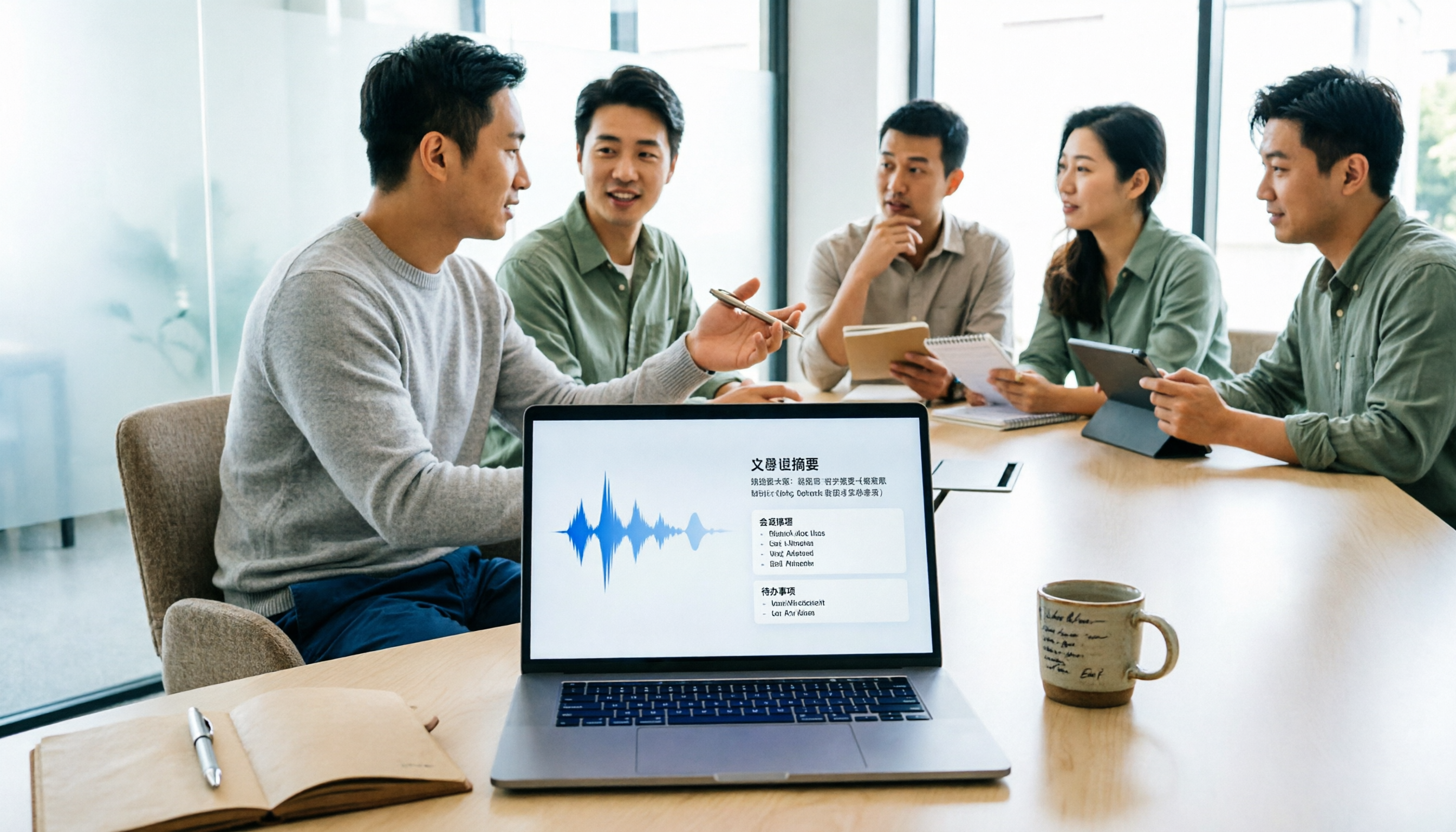
5 Meeting Minutes Software Compared: Which One Actually Saves Time with Chinese Recognition and Post-Meeting Organization?
After a meeting, you're left with just two lines of notes while two hours of discussion stay locked in the recording? This article starts from real meeting scenarios, breaks down the 4 key dimensions for choosing meeting minutes software, and compares Tinrec, Otter.ai, Notta, Granola, and TurboScribe on Chinese recognition, meeting capture methods, post-meeting outputs, and team authorization differences. It also includes a pitfalls guide and selection advice.

2026 Guide: Turn AI Transcripts into Meeting Minutes & Action Items in One Go
Meeting transcripts are often long and messy, taking more time to organize than the meeting itself. This guide, from a mid-level manager's real work scenario, breaks down four key steps for transcript organization, tests Tinrec's bot-free recording and AI Q&A workflow, and honestly compares Notta, Otter.ai, and Granola's applicable boundaries, with three common mistakes and selection advice.

4 Interview Recording-to-Text Tools Tested: Which One Handles Visit Notes and Thank-You Letters in One Go?
The real trouble starts after the interview ends: no one wants to organize the transcript, key points rely on memory, and the thank-you letter gets delayed until the third day. This article uses real scenarios from student project interviews and corporate visits to test 4 tools that turn interview recordings into text, and summarizes selection criteria, the 4 most common pitfalls, and whether the free version is actually enough.

2026 Transcription Tools Guide: AI Transcription Selection Tips + Tinrec Workflow
There are countless transcription tools, but the real challenge isn't transcription—it's what to do after. This guide covers selection criteria, hands-on testing, and pitfalls to avoid, rounding up transcription tools worth considering in 2026, and demonstrates how Tinrec turns meeting recordings into searchable, queryable, and shareable team knowledge.

4 AI Meeting Recorders Tested for 2026: Which Free Tier Works Best for Students?
A student's hands-on comparison of AI meeting note tools—Tinrec, Notta, Granola, and Otter.ai—covering free tiers, per-recording limits, post-transcript organization, and cross-platform use, with recommendations for class recordings, group projects, and final exam review.

How to Write Meeting Minutes in 2026: 5-Step Template Tutorial
Struggling to produce meeting minutes after the meeting ends? This article provides a ready-to-use meeting minutes template with fields and a 5-step process, and compares "template-only handwriting" vs. "template plus AI workflow" across recording, organizing, tracking, and team knowledge retention, helping you choose the right meeting minutes approach for your team.

2026 Tested: 4 AI Meeting Minutes Generators Compared — Which One Actually Saves You That Hour After the Meeting?
AI meeting minutes generation isn't just about uploading a recording. From the perspective of a mid-level manager who holds 15 meetings a week, I break down the most common misconceptions, 4 key purchasing criteria, and hands-on comparisons of Tinrec, Notta, Otter.ai, and Granola across Chinese-language meetings, bot-free recording, post-meeting Q&A, and team knowledge retention — with final recommendations by scenario.